










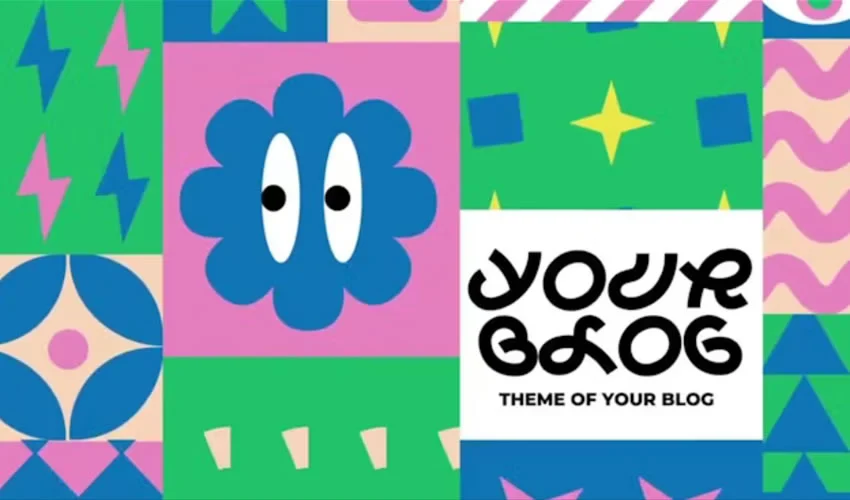
Adobe After Effects stands as the industry standard for motion design, offering unparalleled creative latitude. However, the blank canvas—while liberating—is not always the most practical starting point for high-stakes production. Building complex motion sequences from scratch is a labor-intensive process that can stall workflows and inflate budgets. This is where high-quality After Effects templates become indispensable.

By providing a robust foundation of structure, timing, and technical organization, templates allow motion designers to pivot away from repetitive groundwork and focus on the nuanced details that define a project’s unique aesthetic. Whether you are crafting title sequences, logo reveals, or complex infographic animations, leveraging templates is a hallmark of an efficient, modern workflow.

The Evolution of the Motion Design Workflow
The rise of the "template economy" in digital design has fundamentally altered how motion graphics are produced. Historically, every frame of an animation was handcrafted. Today, the professional standard involves a hybrid approach: using professionally architected templates as a base and applying custom creative direction.

This methodology is not merely about speed; it is about consistency. For production houses and independent creators alike, templates ensure that brand identity remains uniform across various video assets. By managing the technical setup—such as complex expressions, tracking, and rendering pipelines—templates empower designers to deliver broadcast-quality results under tight deadlines.

A Strategic Approach to Template Selection
Not all After Effects templates are created equal. The market is saturated with varying levels of quality, ranging from expertly organized, documented professional files to poorly optimized projects that require expensive third-party plugins or outdated software versions.

What to Look for Before You Download
Before integrating a template into your production pipeline, perform a technical audit:

- Version Compatibility: Ensure the project file is compatible with your current version of After Effects.
- Dependency Checklist: Verify if the project relies on external plugins (e.g., Trapcode Suite, Optical Flares) or specific font families.
- Documentation: Reputable creators provide detailed "Help" files. If a template lacks documentation, expect a steep learning curve.
- Layer Organization: Open the project to check if layers are color-coded and logically grouped. A "spaghetti" project file is a red flag that will cost you more time than you save.
Categorized Essentials: From Titles to Animated Icons
The versatility of After Effects is best demonstrated by the wide array of template categories currently available to the design community.

1. Title Sequences and Kinetic Typography
Typography is the voice of your video. Whether you are working on a minimalist corporate presentation or an energetic music video, the right title sequence sets the viewer’s expectations.

- Funny Shapes Titles: Ideal for lighthearted, bouncy content, offering playful movement that avoids the "stiff" corporate look.
- 2001 Space Odyssey Style: A homage to classic cinematic typography, perfect for high-concept storytelling.
- Glitch Text Makers: These templates are essential for tech-focused or retro-aesthetic videos, providing that high-energy, digital-distortion look that is notoriously difficult to build from scratch.
2. High-Impact Logo Reveals
A logo reveal is the visual signature of a brand. It must be brief, memorable, and polished.

- Minimalist Reveals: Best for established brands that favor elegance over flashiness.
- HUD and Hi-Tech Reveals: Utilizing "Heads-Up Display" elements, these are perfect for gaming, software startups, and tech companies looking to convey innovation.
- MoGraph Line Reveals: Using animated lines to guide the eye toward the brand mark, these offer a professional, high-end feel suitable for agency portfolios.
3. Dynamic Slideshows and Galleries
Slideshows often fail because they feel static. Professional templates solve this by introducing parallax movement, camera easing, and light leaks.

- Parallax Scrolling: A web-inspired effect that adds depth by moving background and foreground elements at different speeds.
- Film Strip/Retro Galleries: Great for storytelling, wedding videography, or historical documentation, providing a tactile, nostalgic feel.
4. Openers and Intros
An opener must establish the pace and mood in seconds. The most effective openers use rhythmic editing, which is why templates that include music-syncing markers are highly prized. Whether you need a 5-second YouTube intro or a 30-second broadcast opener, the key is to ensure the movement matches the soundtrack’s beats per minute (BPM).

5. Lower Thirds and Data Presentation
Lower thirds are the unsung heroes of video production. They must provide information (names, titles, locations) without obstructing the subject.

- Design Considerations: Look for templates with "Auto-Resize" features. These allow the box to scale automatically based on the length of the name, saving you from manually adjusting shapes for every single interviewee.
6. Animated Icons and Typefaces
Animated icons are becoming increasingly essential for explainer videos and UI/UX demos. Rather than keyframing individual shapes, these templates allow you to drop in pre-animated, high-quality vector icons that pulse, click, or rotate as needed.

The Technical Art of Customization
The "secret" to professional motion design is treating the template as a foundation rather than a finished product. If you leave the template exactly as-is, your work will inevitably look like a stock video. To make it your own:

- Modify Pacing: Adjust the frame timing to match the rhythm of your specific video.
- Color Grading: Use global color controllers to align the template’s palette with your brand identity.
- Typeface Swap: Replace the default fonts with your brand-approved typography to maintain visual consistency.
Performance Optimization for Complex Projects
After Effects is resource-heavy. Large templates with hundreds of nested compositions can cause crashes or slow render times. To optimize your performance:

- Pre-render Nested Comps: If a section of the template is finished and won’t be edited again, pre-render it to a high-quality format like ProRes 4444.
- Clear Cache: Regularly purge your disk cache to prevent memory buildup.
- Proxy Files: Use proxy footage for large video assets while you are editing, and swap them for high-resolution files only when it’s time to render.
Implications for the Creative Industry
The accessibility of these templates has democratized motion design. Small business owners, YouTubers, and freelance editors can now produce work that rivals the quality of large-scale production houses.

However, this carries an implication for professionals: the bar for "good" has been raised. Because high-quality motion design is easier to achieve, the differentiator is no longer just the animation itself, but the creative strategy behind it. Designers must focus on how these motion elements serve the narrative. A beautiful glitch transition is useless if it doesn’t support the story being told.

Final Recommendations
The best motion design is invisible; it supports the content without distracting from it. When selecting a template, prioritize clarity and restraint over complexity.

Always keep an untouched copy of the original project file. Before committing to a template, test a short, 5-second section to ensure the expressions and scripts are functioning correctly on your machine. Finally, remember that a template is a tool, not a crutch. Your unique vision—expressed through custom color choices, sound design, and strategic timing—is what will elevate a template from a stock asset to a piece of professional work.

By embracing these tools with a discerning eye and a commitment to customization, you can streamline your workflow, expand your creative output, and deliver high-impact motion graphics that resonate with your audience.



