





The landscape of website development is undergoing a seismic shift. For years, designers have navigated the dichotomy between complex, code-heavy development and restrictive, drag-and-drop page builders. With the introduction of Divi 5 and the subsequent launch of Divi AI Agents, Elegant Themes has bridged this gap, offering a sophisticated, context-aware assistant that doesn’t just build websites—it teaches users how to build them.
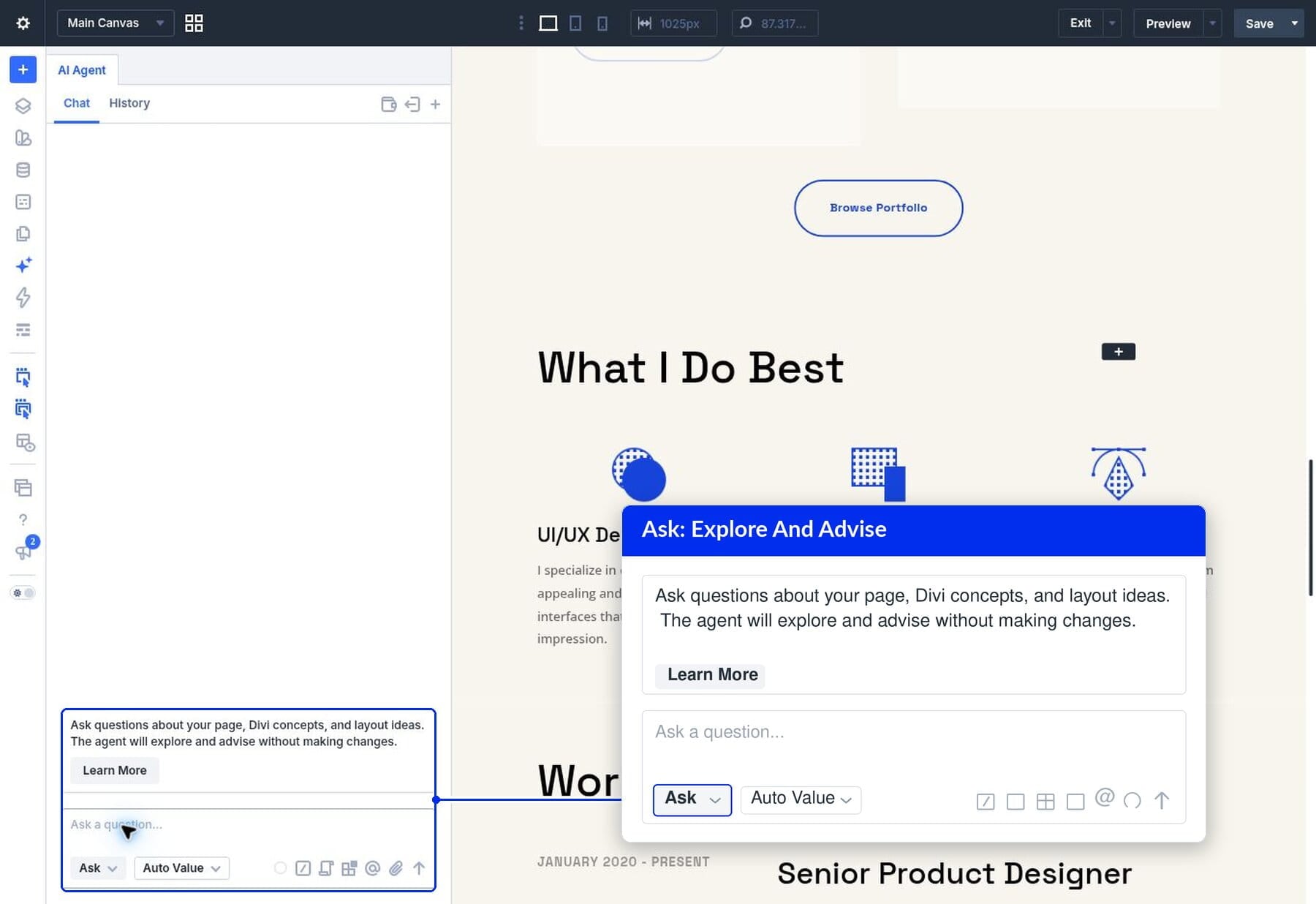
Central to this evolution is the "Ask" mode within the Divi AI Agents panel. Unlike traditional AI tools that operate in a vacuum, "Ask" functions as an on-demand, site-aware consultant. By analyzing the specific DOM structure of the page you are currently editing, the agent provides bespoke guidance, bridging the gap between design theory and technical execution.
The Core Mechanics of "Ask" Mode
At its most fundamental level, "Ask" is an interaction mode within the Divi AI Agent interface. When activated, the agent performs a deep-scan of the user’s current working environment. It interprets the layout, identifies the parent-child relationships between modules, rows, and sections, and cross-references this data with Divi’s extensive documentation.
The Philosophy: Advice vs. Action
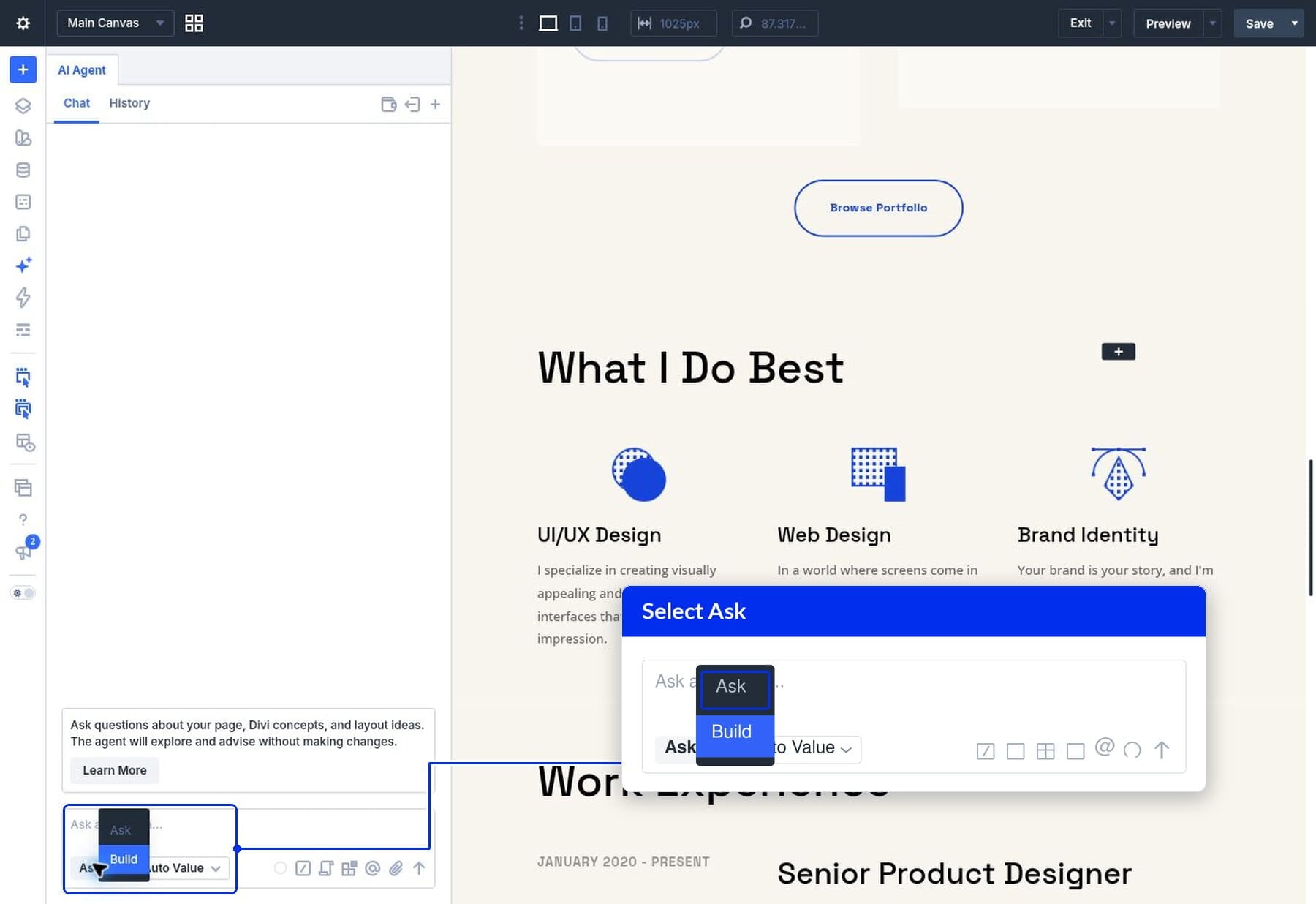
The distinction between the "Ask" and "Build" modes is vital for professional workflows. "Ask" is strictly advisory; it functions as a diagnostic and pedagogical tool. It explores potential design approaches, explains the "why" behind CSS Grid or Flexbox implementations, and helps the user locate specific settings without altering the canvas.
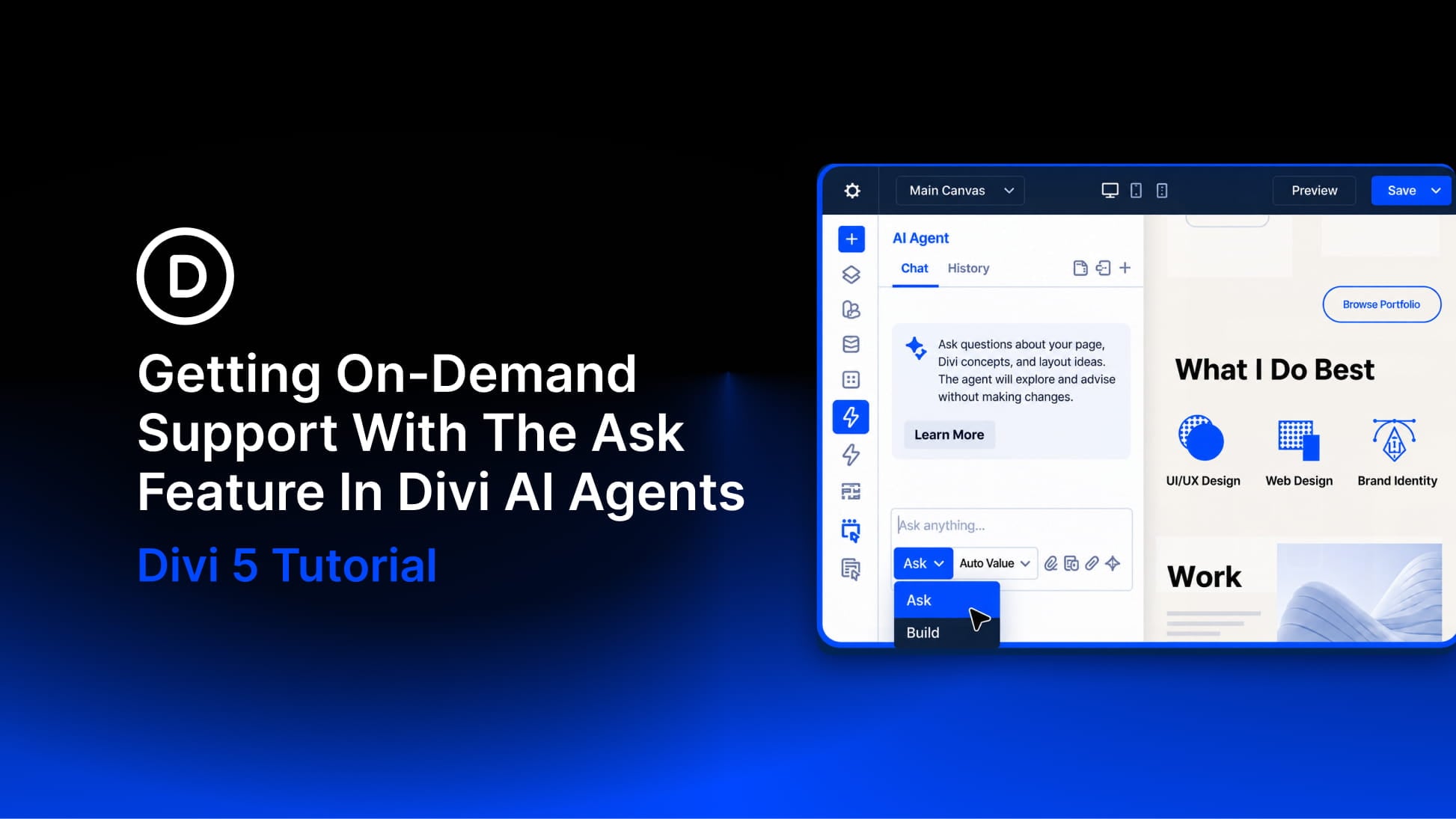
"Build," conversely, is the execution engine. Once the user is satisfied with the proposed strategy, they toggle the switch to "Build," allowing the agent to perform the actual configuration of modules, responsive settings, and layout adjustments. This separation of concerns ensures that the designer remains in control, using the AI as an expert consultant rather than a "black box" that obscures the development process.
Chronology of an AI-Assisted Workflow
To understand how this technology changes the day-to-day life of a developer, consider a typical project lifecycle—for instance, refining a high-traffic "Services" page or a "Featured Work" portfolio.
Phase 1: Structural Diagnosis
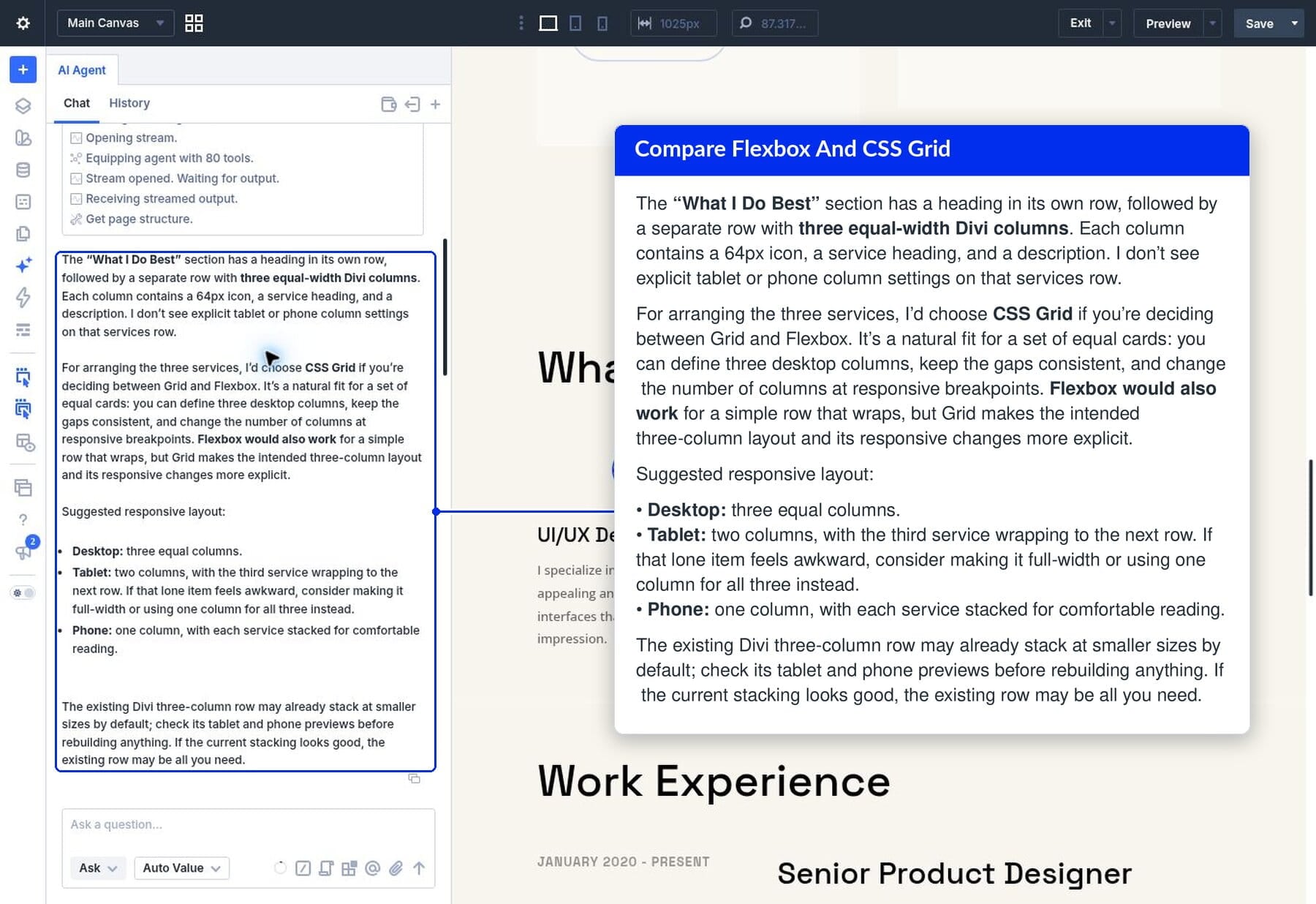
In traditional development, a user might encounter a layout issue and spend significant time searching through help forums or documentation to find the correct CSS property. With Divi AI Agents, the process begins by simply asking the agent to inspect the page. By referencing a specific section (e.g., "The ‘What I Do Best’ section"), the agent is provided with the necessary context to assess the current layout’s health.
Phase 2: Strategic Recommendation
When asked to choose between CSS Grid and Flexbox, the agent does not provide a generic textbook answer. It evaluates the current elements—icons, headings, and descriptions—and determines which layout model will offer the most stable responsive behavior. It might suggest CSS Grid for a three-column service row due to its rigid column-definition capabilities, or Flexbox for a portfolio row that requires fluid, wrapping items.
Phase 3: The "How-To" Follow-Up
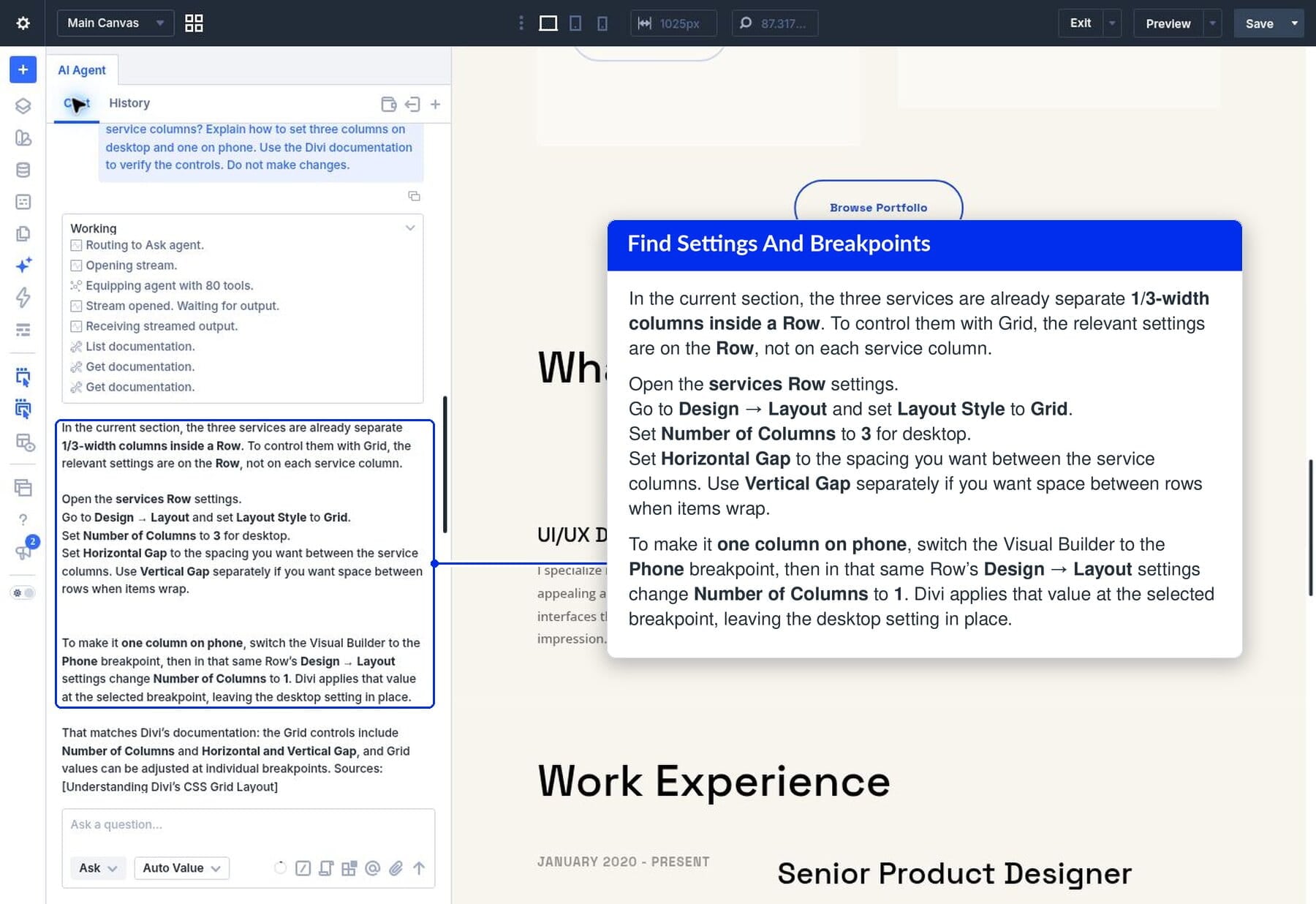
Once a strategy is selected, the user enters the learning phase. Rather than digging through layers of the Divi settings menu, the user asks, "Where in Divi 5 do I set the column count and gap?" The agent identifies the parent row as the primary container and provides a step-by-step path: Design > Layout > Grid. This contextual guidance significantly flattens the learning curve for new users while accelerating the workflow for professionals.
Supporting Data: Why Context Matters
The power of the Divi AI Agent lies in its ability to avoid "hallucinations" or irrelevant advice. By constraining its knowledge base to the current page structure and official Divi documentation, the agent provides data-backed recommendations.
Case Study: Resolving Responsive Conflicts
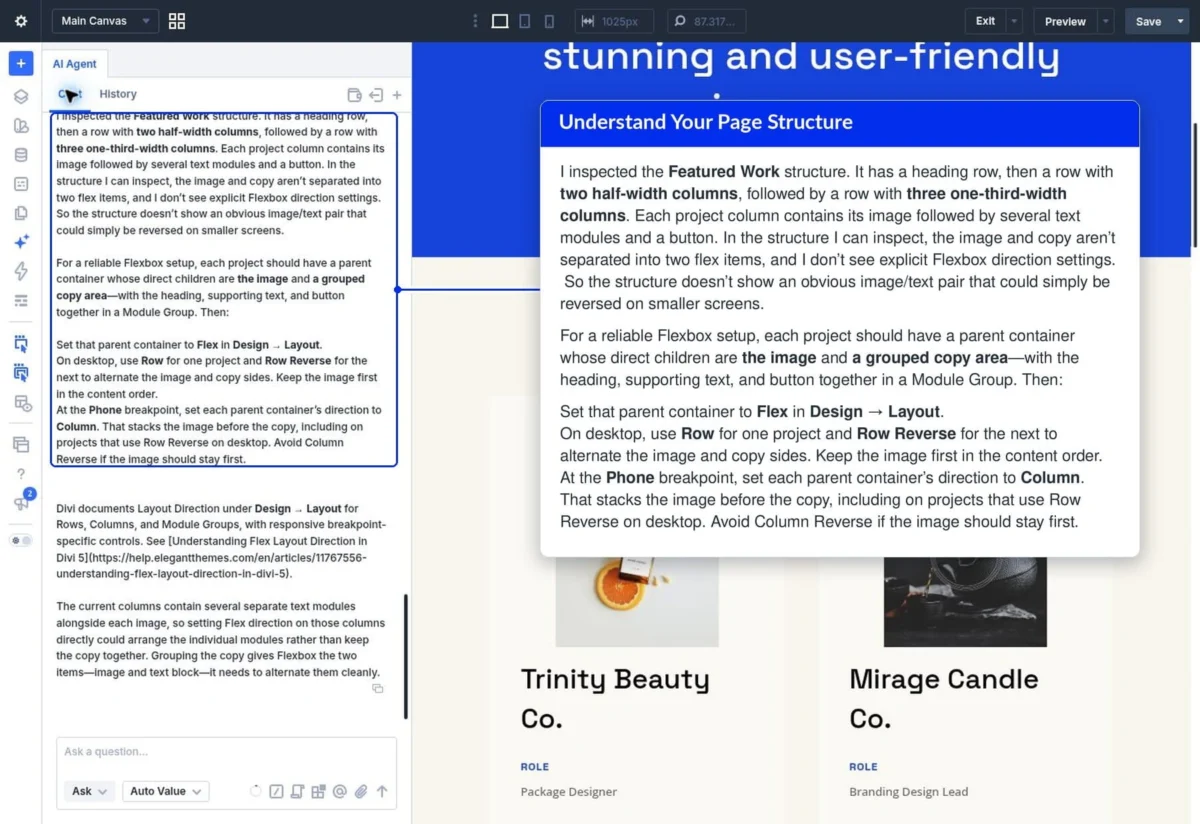
During a recent internal test, developers attempted to create an alternating image-and-text layout. The initial assumption was that the existing project structure could be reversed using a simple CSS directive. However, the AI agent identified that the images and text modules were grouped within a single column, rendering a simple flex-direction: row-reverse ineffective.
The agent proposed a structural modification: separating the elements into two distinct containers. By providing this insight before the user attempted the change, the AI prevented a potential hours-long debugging session. This capability to identify structural requirements that a human designer might overlook is perhaps the most significant value-add for professional web agencies.
Official Perspective: The Vision Behind Divi 5
The release of Divi 5 represents a complete architectural overhaul of the platform. According to the team at Elegant Themes, the goal was to create a "living interface" where the software is as responsive as the websites it creates.
"We didn’t want to build a tool that replaces the designer," a lead developer noted during the rollout. "We wanted to build a tool that understands the designer’s intent. By making the AI aware of the page’s DOM structure, we’ve effectively turned the documentation into a conversation. You no longer have to learn the software to build; the software learns your intent and guides you through the process."
The integration of the AI agent into the Visual Builder is a deliberate move to keep users in the "flow state." By eliminating the need to leave the editor to consult documentation or external tutorials, the platform keeps the creative process fluid and uninterrupted.
Implications for the Web Design Industry
The introduction of context-aware AI agents in site builders like Divi 5 has profound implications for the industry.
1. The Democratization of Complex Layouts
CSS Grid and Flexbox, while powerful, have historically been intimidating to entry-level designers. By having an agent explain how to use these technologies on their own projects, users can achieve high-end, responsive designs without formal training in web development. This lowers the barrier to entry for small business owners and freelancers.
2. Shift Toward "Consultative" Development
Professional developers are increasingly finding themselves in a role that balances technical execution with design strategy. The AI agent acts as a junior developer or a pair-programming partner, handling the "heavy lifting" of locating settings and proposing structural strategies, while the human developer focuses on high-level aesthetics and client requirements.
3. Reduced Technical Debt
Many websites suffer from "spaghetti code" or poorly implemented layouts because of trial-and-error development. Because Divi AI Agents suggest methods that align with Divi’s native CSS capabilities, the resulting sites are likely to be cleaner, more performant, and easier to maintain long-term.
4. Future-Proofing Workflow
As web standards continue to evolve, the ability for an AI to interpret and teach these standards within the context of a specific platform is invaluable. The "Ask" feature is not merely a static help tool; it is a dynamic interface that will presumably grow more sophisticated as new CSS specifications are integrated into the Divi ecosystem.
Conclusion: A New Era of Collaboration
The "Ask" mode in Divi AI Agents is a landmark feature that changes the nature of the relationship between a user and their design software. It moves away from the traditional, passive documentation model toward an active, collaborative partnership.
By allowing users to query their own projects, receive structural feedback, and navigate complex settings with precision, Elegant Themes has provided more than just a convenience feature—they have provided a path toward higher-quality, more intentional web design. Whether you are a seasoned professional looking to optimize your workflow or a beginner striving to understand the nuances of responsive layout, the "Ask" mode provides the intelligence, the context, and the guidance to bring your vision to life with confidence. As we look toward the future of web development, the integration of these intelligent agents suggests a world where the complexity of the web is no longer a barrier, but an invitation to create.