







GLOBAL PRODUCTION DESK — For over a century, achieving a truly cinematic look meant meeting a steep barrier to entry. Producing Hollywood-grade visual effects (VFX), smooth rotoscoping, complex color grading, and dynamic lighting required massive budgets, teams of specialized technicians, and years of mastering dense, expensive software suites.
Today, that paradigm is undergoing a historic shift. The rapid maturation of artificial intelligence in video editing is dismantling the traditional walls of post-production. For independent creators, small marketing teams, 3D artists, and solo filmmakers, the tools that once defined major studio pipelines are now accessible directly from standard web browsers and consumer-grade laptops.

AI is no longer an experimental novelty; it is a foundational layer of modern media creation. By automating tedious technical burdens—such as frame-by-frame masking, audio cleanup, and background replacement—AI allows creators to redirect their energy toward what matters most: storytelling, rhythm, and style.
Chronology of an Evolution: From Manual Craft to AI Acceleration
The integration of artificial intelligence into the editing suite did not happen overnight. Understanding how the industry arrived at today’s text-to-video and automated VFX landscape requires looking back at the technological milestones that paved the way.

- The Analog Era (Pre-2000s): Video editing and visual effects were bound to physical film or expensive hardware switchers. Creating illusions required optical printing, physical miniatures, and laborious analog compositing.
- The Digital Revolution (2000s–2010s): Software like Adobe After Effects, Final Cut Pro, and DaVinci Resolve democratized non-linear editing. However, advanced tasks like rotoscoping (cutting out subjects from backgrounds frame by frame) still required painstaking, manual vector-path drawing that could take days for a few seconds of footage.
- Early Machine Learning Assist (2018–2021): Software developers began introducing machine learning features under the hood, such as Adobe’s Sensei framework. These tools simplified audio ducking and basic object selection, though performance was often inconsistent and required significant computing power.
- The Generative AI Boom (2022–Present): The public release of advanced generative models, neural rendering engines, and browser-based AI video generators marked a massive leap forward. Platforms like Runway ML, Envato VideoGen, and DaVinci’s Neural Engine shifted AI from a passive assistant to an active creator capable of text-to-video generation, smart relighting, and real-time stylization.
The Landscape of Beginner-Friendly AI Video Tools
With dozens of applications flooding the market, choosing the right tool depends heavily on a creator’s goals, technical background, and project scale. Industry analysts have categorized the current generation of software into several accessible tiers.
1. Envato VideoGen: Text-to-Video Made Simple
Designed as an intuitive text-to-video solution for Envato subscribers, Envato VideoGen allows creators to generate dynamic visual assets instantly. Whether utilized for social media reels, presentation conceptualization, or YouTube thumbnails, it eliminates the traditional friction of production.

- The Workflow: Users input a descriptive prompt—such as “An orange with a face, hanging in the tree with other oranges, until a blackbird lands on it and begins pecking”—and the tool renders viable cinematic footage in minutes.
- Best For: Solo creators, marketers, and editors needing rapid prototyping or illustrative B-roll without a dedicated shooting budget.
2. Runway ML: The Experimental Playground
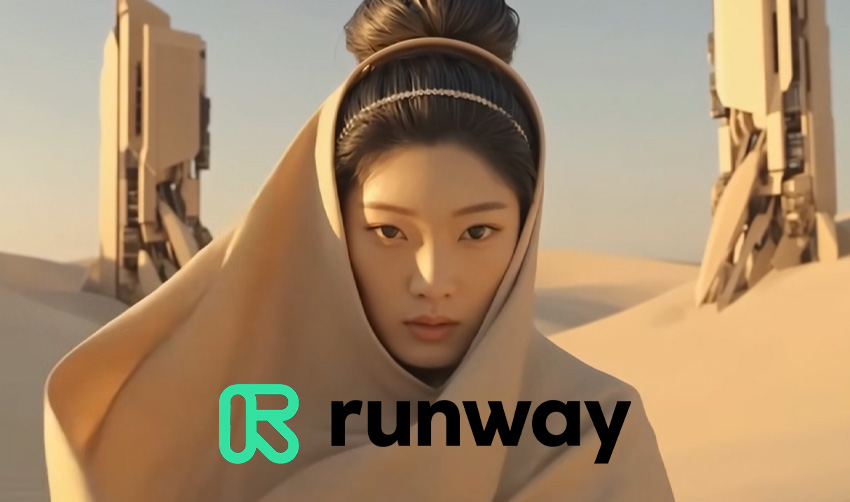
Runway ML stands out as a pioneering, browser-based AI video editor tailored for creators seeking sophisticated visual results without heavy technical overhead. It is widely regarded as one of the most playful and experimental environments for learning the ropes of AI-driven VFX.
- Key Capabilities: Text-to-video generation, motion brush tools, infinite zooming, and precise object removal.
- Best For: Experimentation, rapid concept art generation, and stylistic transitions.
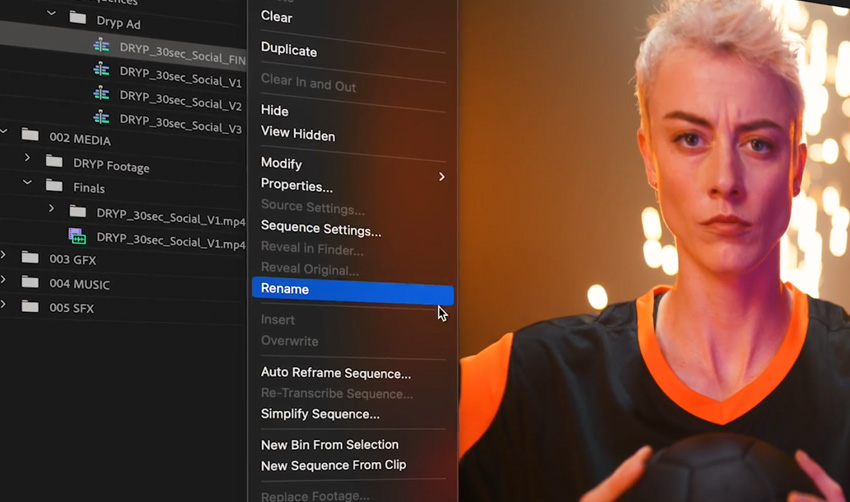
3. Adobe Premiere Pro + Adobe Firefly
For editors already embedded in professional pipelines, Adobe’s integration of Firefly technology directly into Premiere Pro offers a seamless bridge between automated efficiency and granular control.
- Key Capabilities: Generative extend, object removal, automated transcript-based editing, and intelligent audio cleanup.
- Best For: Professional editors and growing creators who want to scale their workflow speed without leaving an industry-standard workspace.
4. DaVinci Resolve (Neural Engine)
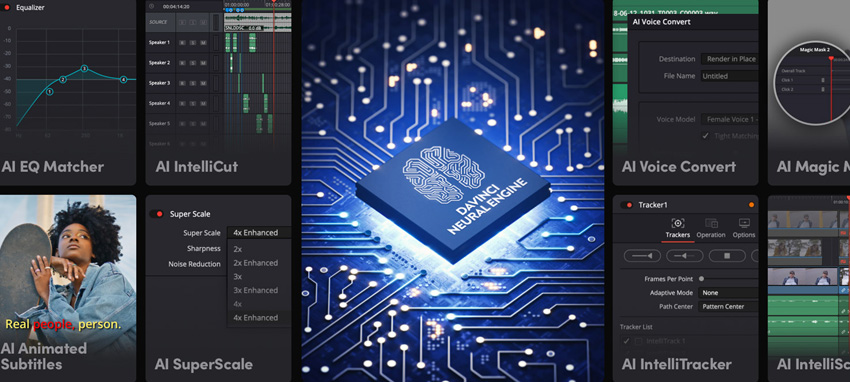
Long celebrated as a powerhouse for color grading, Blackmagic Design’s DaVinci Resolve integrates an advanced Neural Engine that brings deep learning automation to heavy post-production tasks.
- Key Capabilities: Magic Mask tracking, face refinement, speed warping, and AI-driven audio isolation.
- Best For: Creators looking to graduate to professional color grading and sophisticated masking with a robust, highly capable free software tier.
5. CapCut and Canva Video Editor
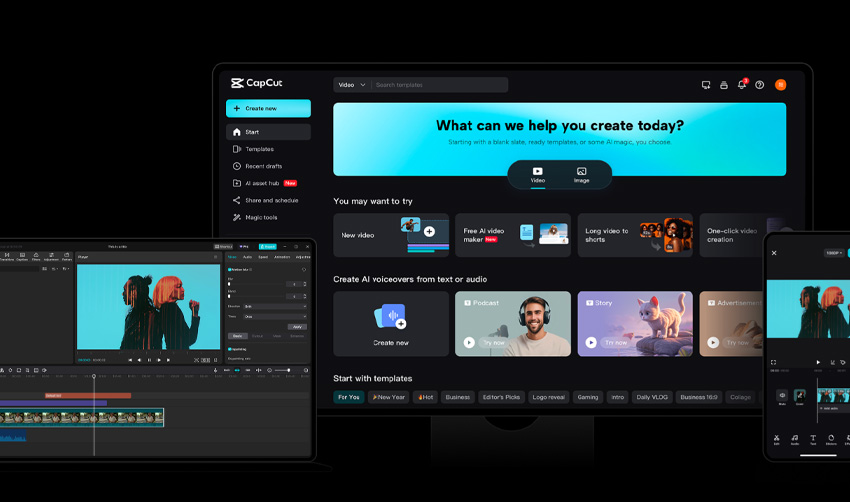
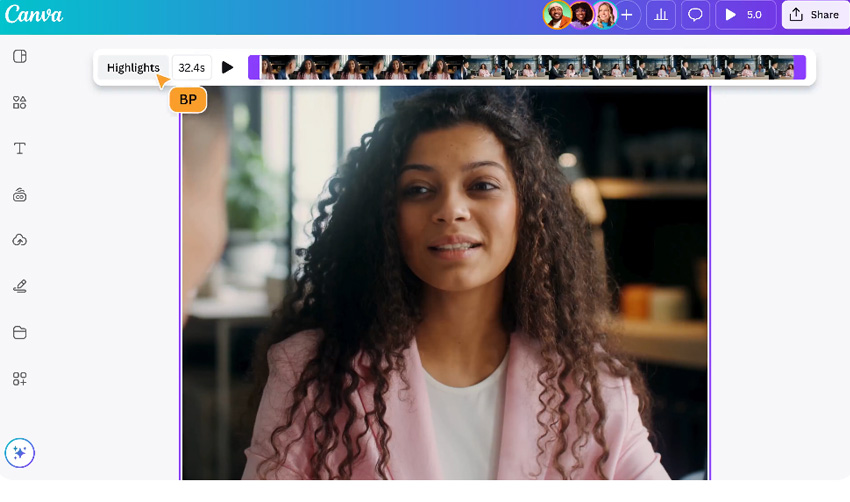
Once viewed strictly as consumer or mobile novelties, platforms like CapCut and the Canva Video Editor have evolved into surprisingly powerful desktop tools.
- Key Capabilities: One-click background removal, auto-captions, motion tracking, and drag-and-drop cinematic templates.
- Best For: Content creators focused on fast turnaround times for short-form video platforms like TikTok, Instagram Reels, and YouTube Shorts.
Supporting Data: How AI is Reshaping Workflow Efficiencies
Industry metrics underline a profound operational shift within media production departments:
- Time Reduction: According to internal workflow case studies from major post-production houses, tasks like rotoscoping and background removal that historically consumed up to 40% of a compositor’s time can now be executed by AI engines in a fraction of the duration, reducing cleanup phases by up to 70%.
- Accessibility Growth: Adoption rates among independent creators have surged, with over 60% of digital content producers incorporating some form of generative AI or neural tool into their monthly video editing pipelines.
- Cost Efficiency: Small agencies report saving thousands of dollars per project by utilizing text-to-video generators for pitch mockups and storyboarding, minimizing the need for preliminary location shoots.
Official Responses and Industry Perspectives
The rapid rise of AI in video production has sparked nuanced debates across creative guilds, software developers, and independent artists.
Speaking at a recent digital media summit, veteran visual effects supervisor Marcus Vance noted the psychological shift in the editing room: "AI isn’t here to replace the human filmmaker; it’s here to act as an tireless assistant. The anxiety surrounding automation stems from misunderstanding its role. An algorithm can generate pixels, but it cannot author intent. The human soul behind the edit remains irreplaceable."
Software developers echo this sentiment, emphasizing that modern tools are engineered to empower rather than displace. Representatives from Blackmagic Design and Adobe have consistently positioned their neural integrations as productivity multipliers designed to eliminate "digital grunt work"—such as audio plosive removal and color matching—so editors can concentrate entirely on emotional pacing and narrative structure.
However, industry unions and guilds continue to monitor the space closely, advocating for ethical training data practices, transparent copyright frameworks, and fair compensation models for artists whose work informs foundational AI datasets.
Implications for the Future of Media Production
The integration of artificial intelligence into cinematic workflows carries profound implications for the global creative economy.
1. The Lowering of the Financial Barrier
Historically, the democratization of cameras (via high-end smartphones and affordable mirrorless bodies) allowed anyone to shoot footage. However, the bottleneck shifted squarely to post-production—where colorists, compositors, and sound designers commanded premium rates. AI video tools are now democratizing post-production, enabling a single creator to achieve a polished, high-budget look that was previously financially out of reach.
2. Redefining the Role of the Editor
As automated tools take over routine tasks like clip organization, rough cutting, and mask generation, the role of the video editor is evolving closer to that of a creative director. Editors spend less time manipulating pixels and more time guiding the narrative, steering generative algorithms, and making high-level aesthetic choices.

3. The Risk of Homogenization vs. The Triumph of Taste
A persistent critique of AI-generated visuals is the danger of aesthetic uniformity—where default prompts and automated filters produce a predictable, glossy "AI look."
To combat this, industry experts stress the importance of the final manual pass. The ultimate differentiator for creators in an AI-saturated market will not be technical perfection (which AI readily supplies), but distinct personal taste, emotional resonance, and bold storytelling choices.
Step-by-Step Guide: Building a Cinematic AI Workflow
For creators eager to leverage these technologies, achieving professional results requires a structured, multi-phase approach:

- Start with Strong Footage and Clear Intent: AI can elevate good lighting and deliberate composition, but it cannot entirely rescue fundamentally flawed source material. Prioritize strong storytelling, intentional camera angles, and clean audio from the outset.
- Deploy AI for Technical Cleanup: Let neural engines handle the heavy lifting. Use automated masking tools to isolate subjects, utilize AI audio cleanup to eliminate ambient noise, and let smart stabilization smooth out handheld micro-jitters.
- Apply Cinematic Polish: Introduce mood through AI-assisted color grading tools or generative lighting effects. Keep adjustments subtle to avoid the "over-processed" aesthetic.
- Execute a Manual Finishing Pass: Turn off the AI tools and review your timeline with a purely human eye. Check the pacing, verify that emotional transitions hit their marks, and ensure the final narrative flows organically.
Frequently Asked Questions
Do I need prior editing experience to use AI video tools?
No. Most contemporary AI video editors are built specifically with beginners in mind, automating complex technical steps like keyframing, tracking, and color grading. You can produce striking visual results without prior mastery of traditional heavyweight software like Adobe After Effects.
Can I achieve cinematic effects using free software?
Yes. Robust free options—including CapCut, Runway ML’s complimentary tiers, and the free, fully functional version of DaVinci Resolve—offer remarkable AI capabilities. Keep in mind, however, that some free platforms may place restrictions on export resolutions or watermark outputs.
What is the best AI tool for absolute beginners?
For newcomers wanting to experiment with text-to-video concepts and quick social media clips, Envato VideoGen provides an exceptionally smooth, browser-based entry point.
Will AI replace traditional VFX artists and editors?
Industry consensus says no. While AI drastically accelerates repetitive, technical labor, it lacks human empathy, intuition, and contextual storytelling ability. It functions best as an advanced creative assistant rather than a replacement for human artistry.

How do I prevent my AI-edited videos from looking generic?
Subtlety is key. Avoid relying entirely on default automated presets. Use AI to handle the foundational technical work, then apply your own distinct artistic choices during the final manual editing phase to infuse the project with genuine human perspective.