





By Abhinav Raj
Published: October 22, 2026
Main Facts
In the modern digital landscape, online discourse regarding Microsoft Windows 11 is overwhelmingly dominated by discussions of its shortcomings. Users frequently complain about intrusive advertisements, operating system bloat, and forced artificial intelligence integrations that many feel are unnecessary. While these criticisms are often valid, they obscure a fundamental truth about the platform: Microsoft embeds a suite of exceptionally powerful, zero-cost utilities directly into Windows 11 that frequently rival—and sometimes surpass—paid third-party software.
A significant portion of the consumer base routinely bypasses native operating system features out of habit or a lack of awareness. Instead, they seek out commercial tools via search engines, subscribing to monthly or annual plans for capabilities that are already included in the cost of their operating system license. Specifically, users frequently pay for standalone screen capture applications, optical character recognition (OCR) software, third-party clipboard managers, and commercial antivirus subscriptions.
A closer examination of Windows 11 reveals that native tools like the revamped Snipping Tool, the robust Clipboard History ecosystem, and Microsoft Defender offer enterprise-grade utility without requiring an additional financial investment. Independent benchmark data consistently proves that these built-in programs match or exceed commercial competitors, saving users money while streamlining their daily workflows.
Chronology of Evolution: How Windows Built-In Tools Matched Up
To understand how Windows 11 evolved into a productivity powerhouse, it is necessary to examine the historical trajectory of these native features. For decades, Windows users relied on fragmented ecosystems where basic tasks demanded third-party intervention.
- The Early Eras (Windows 7 and Earlier): The original Snipping Tool was a rudimentary application designed strictly to capture rectangular regions of a screen. It offered zero annotation depth, no OCR, and no video capture capabilities. Similarly, the Windows clipboard could only remember a single string of copied text at any given time, forcing power users to install utilities like Ditto. Antivirus protection during this era was largely inadequate, spawning a massive commercial security industry led by brands like Norton, McAfee, and Avira.
- The Windows 10 Transition: Microsoft began addressing these gaps by introducing fundamental quality-of-life additions, most notably the introduction of Clipboard History via the
Win + Vshortcut. Concurrently, Windows Defender matured from a basic antispyware utility into a comprehensive, always-on security suite capable of contending with paid alternatives. - The Windows 11 Era (2021–Present): Windows 11 transformed these disparate utilities into a unified ecosystem. Microsoft integrated modern design paradigms, hardware-accelerated screenshot capture pipelines (fixing notorious HDR color-matching bugs), advanced text recognition, and seamless cloud integrations. Today, native tools function as cohesive, multi-purpose applications rather than isolated utilities.
Supporting Data and Technical Breakdown
The efficiency of native Windows 11 utilities is not merely a matter of user preference; it is backed by empirical data and rigorous third-party testing.
1. The Multi-Talented Snipping Tool
The modern Snipping Tool is effectively three applications housed under a single, familiar keyboard shortcut structure:
Win + Shift + S: Opens the classic capture bar, allowing for rectangular, freeform, window, or full-screen snapshots. Crucially, Microsoft resolved historic HDR clipping issues by incorporating a background color-correction pipeline, ensuring that screenshots taken from HDR-enabled games or media do not appear washed out or oversaturated.Win + Shift + R: Initiates a targeted regional screen recording. Upon completion, users can leverage the Edit in Clipchamp handoff feature, which seamlessly passes the video file into a transcription and captioning tab.Win + Shift + T: Executes instant Optical Character Recognition (OCR) on any visible element of the display without requiring the user to capture and save an image first.- Quick Redact: A recent addition to the OCR suite, this feature automatically identifies and wipes sensitive data—such as phone numbers and email addresses—from a screenshot with a single click, saving administrative users hours of manual redaction.
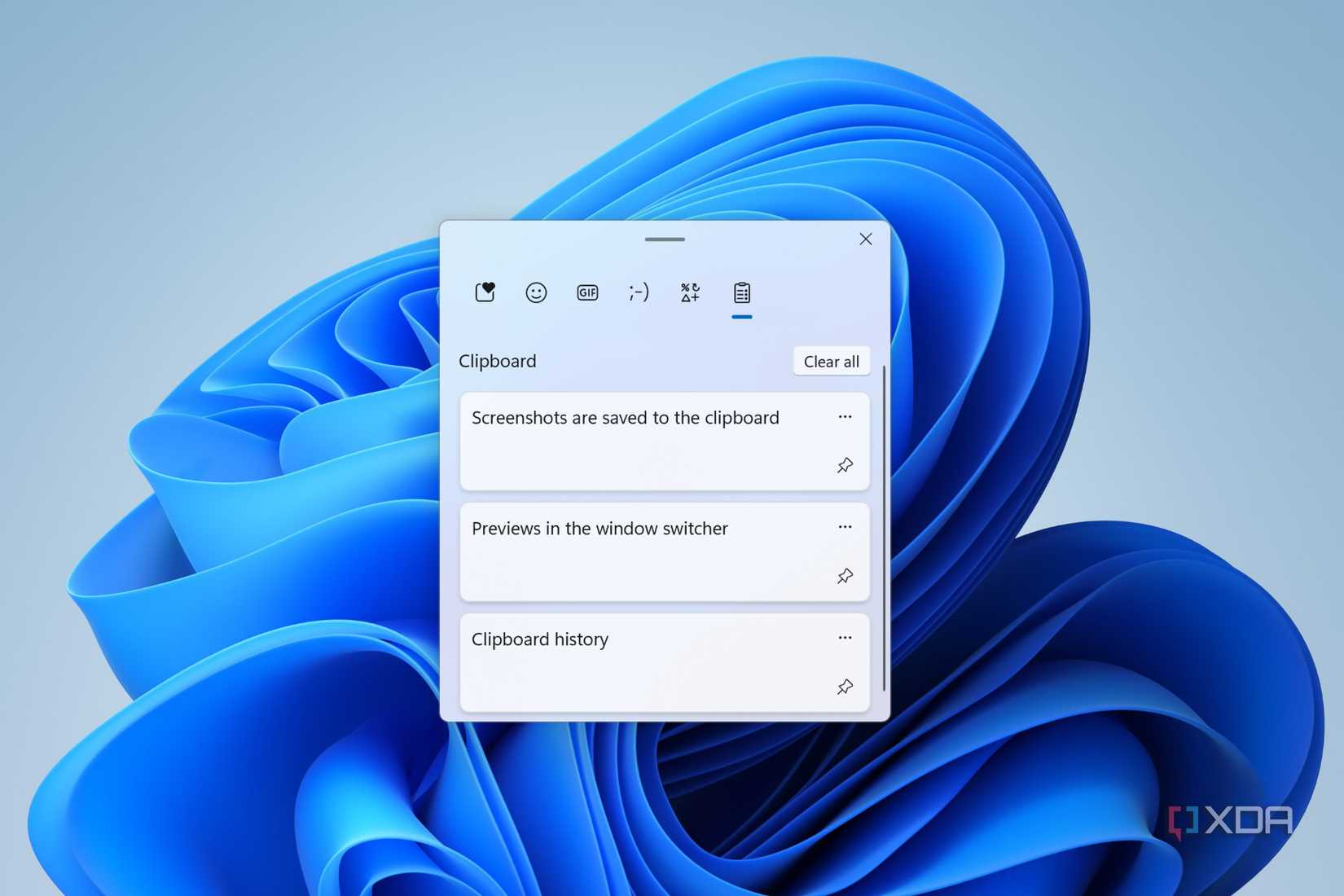
2. Clipboard History (Win + V)
Working heavily with digital text often leads to workflow bottlenecks caused by the traditional single-item copy-paste limitation. While third-party tools historically dominated this space, Windows 11 features a built-in clipboard manager accessible via Win + V.
- It retains the last 25 copied items, encompassing text, HTML snippets, and images.
- It includes a searchable interface and a cross-device synchronization option. Users signed into multiple Windows 11 machines can copy text on a desktop and instantly paste it on a laptop, bridging hardware ecosystems seamlessly.
3. Microsoft Defender: Enterprise Security Without the Subscription
For years, consumer consensus dictated that a fresh PC required an immediate installation of a paid third-party antivirus suite. Independent testing laboratories have dismantled this narrative.
In evaluations conducted by AV-TEST during May and June 2026, Microsoft Defender Antivirus achieved stellar marks:

- Protection: 6.0 / 6.0 (Successfully neutralized 100% of 0-day malware attacks and widespread threat vectors).
- Performance: 5.5 / 6.0 (Demonstrated minimal system overhead during active scans and background monitoring).
- Usability: 6.0 / 6.0 (Registered only a single false positive across 1.2 million legitimate software samples).
Accumulating a total score of 17.5 out of 18, Microsoft Defender earned the coveted AV-TEST "Top Product" award, proving that paid consumer antivirus software is largely redundant for the average user.
Official Responses and Industry Context
Microsoft’s strategic shift toward building comprehensive, self-sustaining operating systems has drawn mixed reactions from the broader software industry. Independent developers of niche utilities—such as standalone OCR apps, screen recorders, and clipboard managers—frequently argue that Microsoft engages in aggressive platform bundling, making it difficult for independent software vendors (ISVs) to compete.
Conversely, consumer advocacy groups and enterprise IT departments have praised the initiative. By reducing the reliance on third-party utilities, Microsoft significantly decreases the attack surface of the average user’s PC. Third-party applications, particularly free utilities downloaded from unverified web searches, are frequent vectors for adware, data harvesting, and privilege escalation vulnerabilities. Providing secure, highly optimized native tools minimizes the need for users to scour the internet for unverified third-party solutions.
Furthermore, cybersecurity experts emphasize that modern operating systems must take responsibility for foundational security. Leaving antivirus protection to third-party subscription models historically resulted in unprotected baseline systems when trial periods expired. By making Microsoft Defender an always-on, core component of the OS architecture, baseline digital hygiene across the global Windows user base has risen dramatically.
Implications for the Modern User
The presence of these built-in utilities carries profound implications for budgeting, workflow efficiency, and digital security.
Financial Impact
In an era dominated by software-as-a-service (SaaS) subscription models, monthly micro-transactions can quietly drain personal and professional finances. Subscribing to a third-party screen capture utility, an OCR suite, a clipboard manager, and a premium antivirus package can easily cost a user upwards of $150 to $200 annually. Recognizing that Windows 11 includes these capabilities inherently means users can audit their software stack and eliminate redundant subscriptions immediately.
Workflow Optimization
Beyond financial savings, native tools eliminate the latency associated with third-party software. Built-in utilities operate with deeper system-level integration, leveraging hardware acceleration and direct API access that external applications cannot always replicate efficiently. A power writer, researcher, or developer who masters shortcuts like Win + Shift + S, Win + V, and Win + Shift + T will experience a noticeably smoother, more cohesive workflow without needing to launch secondary applications.
The Power User’s Takeaway
The overarching lesson for Windows 11 users is simple: Research before you purchase. Before reaching for a credit card to solve a localized software problem—whether it is extracting text from an image, recording a portion of a desktop display, or securing a machine against malware—users should thoroughly explore the native capabilities of their operating system. More often than not, the solution is already installed, optimized, and paid for.