Cupertino, California — In a significant move to reshape how developers market and present their software, Apple has announced a sweeping suite of updates for the App Store and App Store Connect. Rolled out to empower the global developer community, the update introduces dynamic new creative asset options for product pages and search results, a robust multi-device preview tool, and a centralized Asset Library designed to streamline campaign management.
By bridging the gap between creative marketing and technical submission workflows, Apple aims to give creators unprecedented control over their brand narrative, seasonal promotions, and user acquisition strategies across the ecosystem.
Main Facts
The latest update introduces three core pillars designed to revolutionize App Store marketing and management:
- Enhanced Creative Assets: Developers can now leverage entirely new image and video assets tailored for product page headers and search results. These components go beyond traditional screenshots and app previews, offering dedicated spaces to highlight brand identity, run seasonal campaigns, and showcase fresh content updates.
- Comprehensive Preview Tool: A brand-new simulation interface within App Store Connect allows developers to preview their marketing assets, screenshots, and metadata across various Apple devices, orientations, and UI states—including Dark Mode—before pushing them live.
- Centralized Asset Library: A unified repository within App Store Connect enables teams to upload, organize, and store creative collateral well in advance of a campaign launch, facilitating pre-approval workflows and instantaneous deployment.
Chronology
The journey toward this comprehensive App Store update reflects Apple’s continuous iterative refinement of its developer tools ecosystem.
- The Early Era of App Store Metadata: In the initial years following the App Store’s 2008 launch, developer marketing was heavily constrained. Product pages were limited to static application icons, rigid text descriptions, and a handful of uniform screenshots, leaving little room for dynamic branding.
- The Introduction of Video Previews and Localization: As the marketplace matured, Apple introduced app preview videos and localized product pages, allowing developers to demonstrate gameplay or software utility. However, marketing agility remained tied to the rigid submission and review cycle of the app binary or standard metadata updates.
- The Shift Toward Seasonal Flexibility: Recognizing the need for dynamic marketing, Apple gradually rolled out features like promotional text fields, in-app events, and custom product pages. Yet, managing scattered assets across multiple campaigns remained a logistical challenge for development teams.
- October 5, 2026 — The Current Release: Apple officially unveiled the new creative asset framework, the App Store Connect preview tool, and the centralized Asset Library. By separating promotional asset management from app binary releases, Apple provided developers with the marketing flexibility characteristic of modern web-based digital storefronts.
Supporting Data and Technical Implementation
To understand the scale of this update, industry analysts and design teams have examined the technical parameters governing the new App Store features.
Expanding the Visual Vocabulary
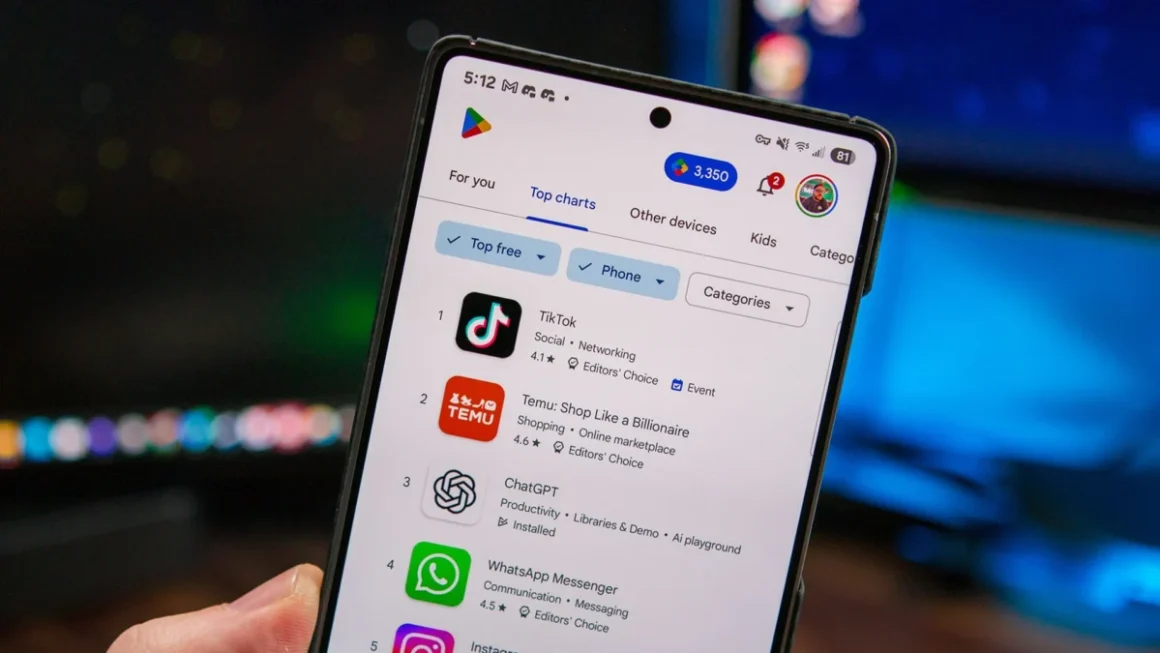
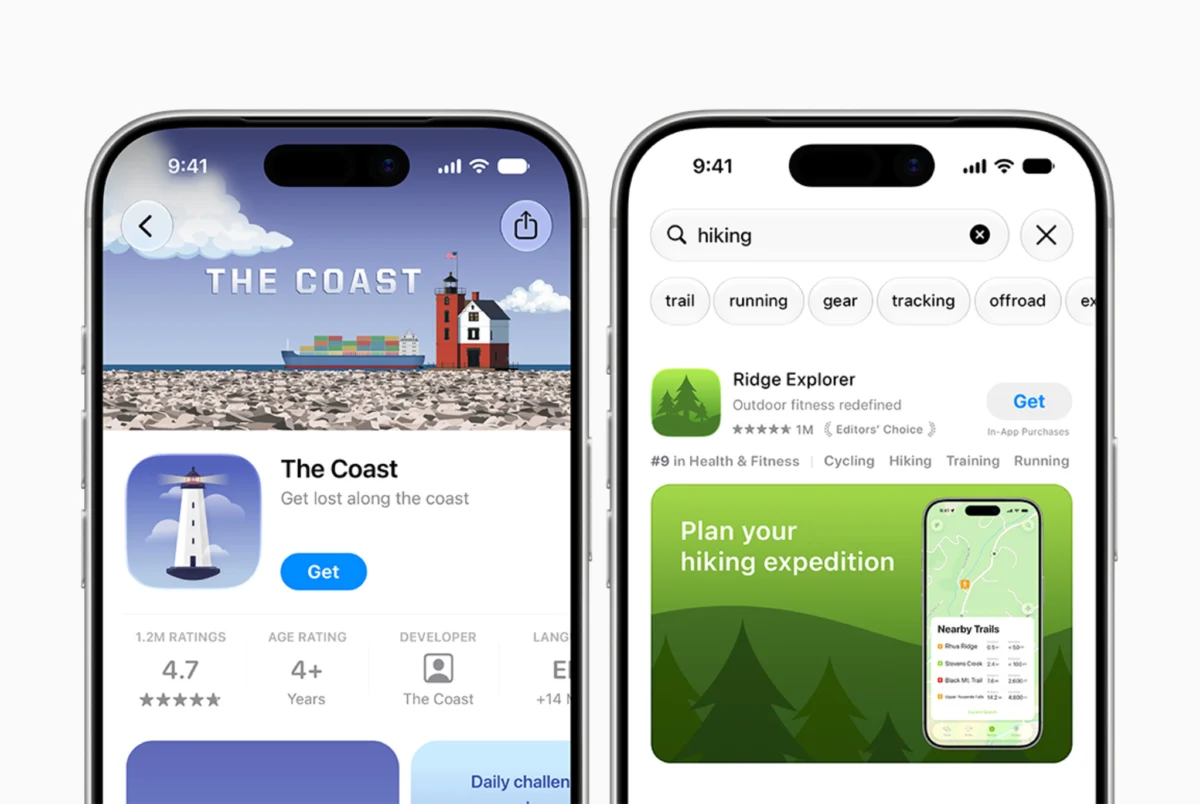
Prior to this release, user acquisition on the App Store relied heavily on organic search placement, standard app previews, and static vertical screenshots (as demonstrated by early standards like the iPhone product layouts for utility tools and exploration apps). The inclusion of header imagery and specialized search result assets transforms how apps communicate value.
- Product Page Headers: Developers can now deploy illustrated or photographic banners that immediately convey mood, genre, or brand ethos before a user scrolls down to read descriptions or reviews.
- Search Result Assets: Standing out in high-traffic search queries—such as "hiking" or "productivity"—is critical. The new search result assets allow apps carrying badges like "Editors’ Choice" to pair their accolades with targeted visual cues, drastically improving click-through rates (CTR).
The Power of the Preview Tool
The introduction of a multi-device simulation tool addresses a longstanding pain point in app marketing: visual fragmentation. Designing an asset that looks stunning on a 6.9-inch iPhone display does not guarantee readability on a smaller form factor or in Dark Mode.
The App Store Connect preview tool bridges this gap by rendering exact replicas of how a product page or search listing will appear across:
- Multiple iPhone and iPad form factors.
- Both Light Mode and Dark Mode color schemes.
- Portrait and landscape orientations.
The Asset Library Workflow
Efficiency is the cornerstone of modern software development. The new Asset Library in App Store Connect acts as a cloud-hosted digital asset management (DAM) system specifically tailored for iOS, iPadOS, macOS, watchOS, and tvOS developers.
Teams can upload graphical assets months in advance, submit them through Apple’s review pipeline ahead of a major holiday or product launch, and schedule their deployment with absolute precision. This eliminates the frantic last-minute scramble to get marketing materials approved concurrently with code updates.

Official Responses and Developer Perspectives
While Apple’s developer relations teams have emphasized the creative freedom unlocked by these tools, early adopters within the indie and enterprise development communities have shared overwhelmingly positive feedback regarding the operational efficiencies introduced.
"We designed these updates with a singular focus: to give creators the canvas and the tools they need to tell their app’s story in the most compelling way possible," noted a product lead close to the App Store development team. "Marketing an app isn’t just about technical utility anymore; it’s about brand identity, timing, and connecting with users the moment they discover you."
Independent developers have echoed these sentiments, pointing out the reduction in administrative friction.
- Sarah Lin, Creator of outdoor navigation app Ridge Explorer: "In the past, syncing a seasonal update with a matching App Store visual overhaul was a high-stress puzzle. Being able to pre-approve assets in the Asset Library weeks ahead of time changes everything. We can now focus on building great features rather than worrying about review queue bottlenecks for marketing banners."
- Marcus Vance, Studio Director at an indie gaming collective: "The search result assets are a game-changer. When a user searches for a specific genre, you have a fraction of a second to catch their eye. Having dedicated creative space there, backed by the new preview tool to check Dark Mode contrast, lets us optimize our conversion funnels with scientific precision."
Implications for the App Economy
The rollout of these advanced asset management tools and creative formats carries profound implications for the broader app economy, influencing everything from indie developer workflows to high-budget user acquisition strategies.
1. Democratization of High-End Marketing
Historically, sophisticated visual campaigns requiring custom banners, dynamic search placements, and localized seasonal refreshes were the domain of large enterprises with dedicated marketing agencies. By providing official design guidance, downloadable templates, and intuitive deployment tools, Apple is lowering the barrier to entry. Solo developers and small teams can now present their applications with the polish and visual impact of major studios.
2. The Evolution of User Acquisition (UA) and ASO
App Store Optimization (ASO) has traditionally focused on keyword tuning, review ratings, and static screenshot sequences. With the integration of rich header assets and interactive search visuals, ASO is evolving into a discipline closer to digital display advertising. Developers will increasingly rely on A/B testing and visual iteration to maximize conversion rates from impression to download.
3. Streamlined Regulatory and Compliance Workflows
By decoupling marketing asset approvals from app binary reviews through the Asset Library, Apple is fostering a more agile ecosystem. Developers no longer risk having an entire app update delayed simply because a promotional banner required minor adjustments. This structural separation ensures that code stability and creative marketing can proceed along independent, optimized tracks.
4. A More Immersive Storefront Experience
Ultimately, these changes signal Apple’s ongoing commitment to making the App Store a curated, visually rich destination rather than a mere utility directory. As apps and games continue to scale in complexity, the storefront is evolving to mirror that depth—transforming every product page and search result into an engaging digital showroom.
Conclusion
Apple’s comprehensive update to the App Store and App Store Connect marks a watershed moment for digital distribution and software marketing. By combining flexible new creative assets, a rigorous multi-device preview environment, and the centralized Asset Library, Apple has provided developers with the ultimate toolkit to captivate audiences. As creators worldwide begin integrating these features into their upcoming release pipelines, users can look forward to a more vibrant, visually engaging, and dynamically curated App Store experience.