Designing Memories: A Comprehensive Guide to Crafting Professional School Yearbooks Using Adobe InDesign and Photoshop
NEW YORK — In the rapidly evolving landscape of digital and print publishing, capturing the essence of a school year remains a cherished tradition. Educational institutions worldwide continually seek innovative ways to chronicle student achievements, faculty dedication, and campus milestones. Responding to this perennial demand, design educators have released a comprehensive masterclass detailing how to construct a professional, multi-page school yearbook from scratch using industry-standard tools like Adobe InDesign and Adobe Photoshop.
The tutorial bridges the gap between complex graphic design workflows and practical application, offering a step-by-step blueprint for educators, student journalists, and freelance designers alike. By leveraging advanced software features—such as parent pages, dynamic paragraph styles, and automated photo grids—creators can produce publication-ready layouts that rival commercial magazines.
Main Facts: What the Yearbook Design Masterclass Entails
The newly published instructional guide provides a rigorous framework for building a complete, 24-page publication. Rather than relying on rigid, unyielding templates, the curriculum empowers designers to build custom assets across Adobe’s creative suite.
Software Integration: The workflow utilizes Adobe Photoshop for initial cover creation and texture manipulation, paired with Adobe InDesign for multi-page document architecture, text wrapping, and grid management.
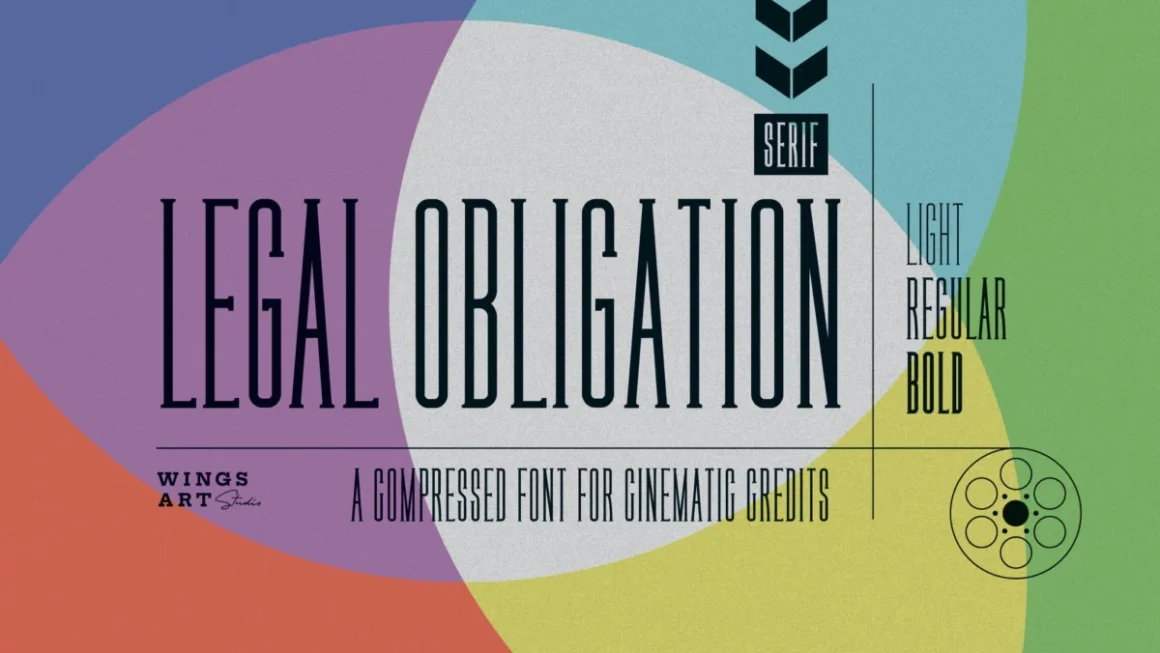
Asset Optimization: Designers are instructed on how to incorporate halftone textures, torn paper edge effects, custom typography (including Glendale, NexusBold, and Maksimal fonts), and dynamic layer styles.
Structural Completeness: The tutorial covers every essential section of a modern yearbook, ranging from the book cover and table of contents to administrative letters, club spotlights, student photo grids, and dedicated autograph pages.
Template Alternatives: For teams operating under tight deadlines, the initiative highlights ready-made, customizable templates and mockups available via creative marketplaces like Envato, catering to platforms such as InDesign and Canva.
Chronology of the Design Workflow
Building a publication of this magnitude requires a methodical, step-by-step approach. The tutorial breaks down the production timeline into five distinct phases, moving from individual asset creation to final document assembly.
Phase 1: Crafting the Book Cover and Visual Identity
The design process initiates in Adobe Photoshop, where creators establish an 8.75 x 11.25-inch canvas in Grayscale mode at 300 Resolution.
Background Elements: Torn paper cliparts are arranged on the canvas to form a dynamic, textured collage foundation.
Photo Integration: Student and school-life photography is slotted beneath the torn edges, utilizing layer masks to clean up overflow.
Texture Application: A halftone grayscale texture is overlaid using a Linear Burn blend mode, complemented by a 50% opacity Overlay color fill and a brightness adjustment layer. The finished composition is saved as a PSD file.
InDesign Setup: Moving into Adobe InDesign, a new document is configured at 8.5 x 11 inches with 24 pages, 0.5-inch margins, and a 0.125-inch bleed. The Photoshop cover PSD is placed onto the document, blending it via an Overlay mode at 70% opacity over a deep blue background swatch (C100 M70 Y10 K55).
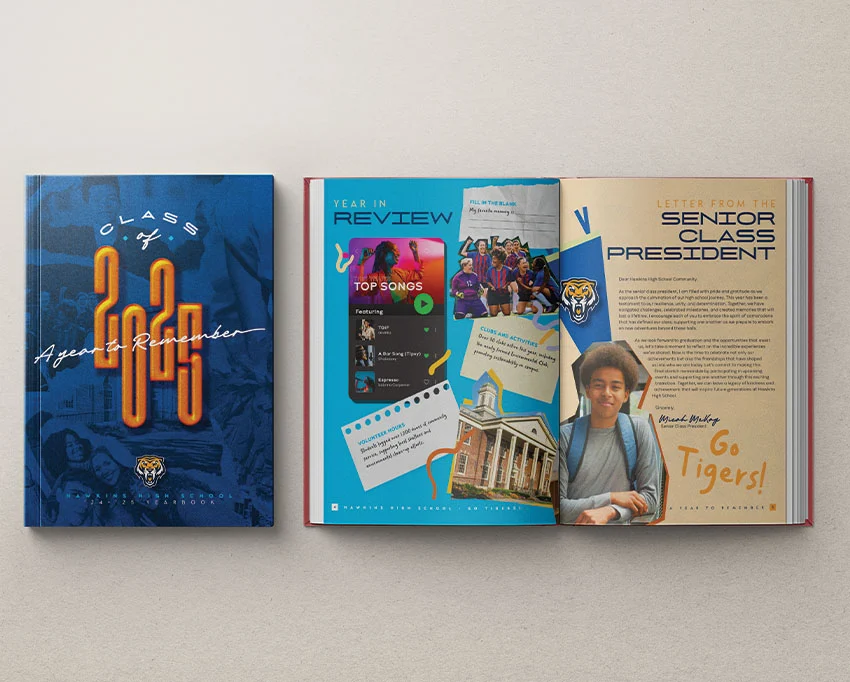
Typography and Effects: Large-scale typography (e.g., "2025" set in NexusBold at 390 pt) is brought to life using an array of InDesign effects, including Drop Shadows, Inner Shadows, Inner Glows, Bevel and Emboss, Satin finishes, and Basic Feathers.
Phase 2: Establishing Navigation and Parent Pages
With the cover secured, attention shifts to the interior architecture of the book.
Table of Contents: Page 2 is dedicated to the table of contents, styled with a mix of bold and script typefaces over a subtle halftone background.
Dynamic Footers: To maintain consistency across dozens of pages, the designer builds "A-Parent" and facing-page spreads in the Pages panel. Using special character insertion tools, current page numbers and school identifiers are automated. A secondary parent spread is created with light-colored footers specifically tailored for dark background pages.
Phase 3: Interior Spreads, Letters, and Superlatives
Pages 3 through 9 focus on editorial content and community highlights.
Principal and Student Leadership: Page 3 features an administrative letter accompanied by a cutout photograph of the principal. Using the Pen Tool and the Pathfinder panel’s "Subtract" command, a custom photo mask is generated, complete with a drop shadow and an active text-wrap feature (set with a 0.3125-inch top offset) so body text flows naturally around the image.
Year in Review: Page 4 introduces a cultural snapshot of the academic year, combining vector graphics, music player motifs, ripped paper accents, and candid activity photos.
Awards and Superlatives: Spreads on pages 6 and 7 implement a structured grid of rectangular frames featuring black drop shadows and light blue strokes to honor titles like "Most Creative" and "Class Clown."
Phase 4: Clubs, Teams, and Student Life Collages
As the book progresses into the middle signatures, the focus shifts to group dynamics.
Polaroid Aesthetics: Pages 8 and 9 utilize a C0 M77 Y68 K0 background paired with halftone textures to showcase sports teams and clubs. Photos are framed to resemble polaroids, annotated with descriptive text blocks and doodle line accents.
Photo Collages: Spreads 10 and 11 dive into collage artistry. Editors use the Rectangle Tool to establish overlapping frames of varying dimensions, placing candid student life photography within a narrative framework that details daily campus culture.
Phase 5: The Faculty Grid and Student Portraits
The final major structural component addresses individual recognition.
Automated Photo Grids: Pages 12 and 13 introduce the faculty and staff. By utilizing InDesign’s native grid creation feature—dragging out a Rectangle Frame Tool and tapping the right and down arrow keys—designers can instantly generate a multi-celled photo grid. Faculty headshots are placed in bulk, and names are typed cleanly beneath each frame.
Class Portfolios: Pages 14 through 21 organize student body portraits by grade level, repeating and scaling the grid process as necessary.
Conclusion: The publication wraps up with a dedicated autograph spread for farewell messages, followed by a back cover that mirrors the thematic design elements of the front cover.
Supporting Data and Technical Specifications
For professional printers and layout artists, adhering to strict technical parameters is essential to avoid costly pre-press errors. The masterclass emphasizes precise color management and dimension specifications:
Document Dimensions: Standard US Letter size (8.5 x 11 inches) with a mandatory 0.125-inch bleed to ensure seamless edge-to-edge trimming during binding.
Margins: Maintained at a uniform 0.5 inches to safeguard critical text and graphics from being cropped during the book-binding process.
Color Profiles: Cover assets are initiated in Grayscale at 300 DPI in Photoshop, while interior InDesign layouts rely on carefully constructed CMYK swatches (such as deep blue: C100 M70 Y10 K55, and accent tones) to guarantee accurate ink reproduction on press.
Typography Hierarchy: Utilizing expansive display fonts (Glendale, NexusBold, Maksimal) for headlines paired with legible serif and sans-serif body copy ensures readability across varied lighting and background conditions.
Official Responses and Industry Implications
The release of this comprehensive design tutorial addresses a long-standing pain point in educational publishing: the steep learning curve associated with professional layout software. Historically, schools were forced to rely on proprietary yearbook company software that often limited creative freedom and locked institutions into rigid pricing models.
Industry analysts note that empowering schools to design their own publications using open standards like Adobe InDesign and Canva represents a democratization of student media.
"By teaching students and faculty how to harness professional tools like parent pages, text wraps, and vector pathfinders, we are not just helping them build a book—we are equipping the next generation of designers with transferable skills in digital publishing and visual communication," said a leading curriculum developer in digital arts.
Furthermore, the integration of mockup resources—such as hardcover book mockup sets available on creative marketplaces—allows yearbook committees to pitch their designs to school boards and parent-teacher associations with high-fidelity visual previews long before the physical books go to print.
Conclusion: Elevating School Publications
The art of the yearbook has transcended simple photo albums, evolving into sophisticated historical documents that capture the cultural zeitgeist of an educational era. Through disciplined application of grid systems, thoughtful typographic hierarchy, and seamless software integration between Photoshop and InDesign, creators can transform raw snapshots into timeless keepsakes.
Whether schools choose to build their publications from the ground up using these advanced tutorials or fast-track their production with pre-made, customizable templates, the ultimate goal remains unchanged: celebrating memories, honoring faculty and student achievements, and preserving the unique narrative of every academic year.