By Digital Strategy Correspondent
In the modern digital landscape, most corporate marketing teams are fighting a losing battle against the algorithm. They approach video production as a grueling, zero-sum game: every single week demands a fresh script, a newly booked shoot, and entirely custom-designed graphics. Meanwhile, platforms like Instagram have shifted their organic reach aggressively toward video. Over the past two years, the friction between consumer demand for moving content and a brand’s physical capacity to produce it has created a massive bottleneck.
Most brands simply do not have a fast enough production pipeline to keep up. Fresh physical shoots are expensive, time-consuming, and structurally incapable of matching the velocity of social media trends. However, industry leaders are beginning to realize that the solution has been sitting in their photo albums all along.
A screenshot is not a blank page. It is already a pre-tested piece of content equipped with a built-in hook, a clear message, and, in many cases, historical proof that it resonates with audiences. Whether it is a high-performing static post, a glowing customer comment, or a quote card shared by a satisfied client, these assets have already proven their worth. Transforming them into dynamic, moving video no longer requires traditional creative overhead or high-budget studio sessions. Instead, it requires a streamlined workflow—a workflow built around the rapid evolution of AI image-to-video tools.
The Paradigm Shift: Moving Beyond the "Blank Page" Problem
The traditional digital marketing playbook dictates that text and static images belong on one side of the ledger, while video production belongs on the other. This rigid categorization is precisely what puts brands at a disadvantage.
Why Fresh Production Alone is Failing Brands
When organic reach on Instagram shifted heavily toward Reels and video content, marketing teams panicked. They attempted to solve a volume problem with legacy solutions: hiring more videographers, booking more studio time, and rushing through post-production. The math, however, never added up. A brand cannot scale its physical production infinitely without burning through its marketing budget or sacrificing content quality.
Furthermore, fresh production treats every asset as an untested hypothesis. Brands spend thousands of dollars shooting a video, only to discover that the hook falls flat or the audience does not care about the topic.
The Psychology of the Screenshot
By contrast, screenshots of existing interactions carry validated social proof. When a user looks at a screenshot of a profound customer testimonial or a viral comment debate, psychological validation is already present. The audience knows this content was generated organically by real people in real-time.
By closing the gap between static proof and motion video, AI tools allow brands to bypass the ideation phase entirely. They are no longer guessing what might work; they are taking what has already worked and wrapping it in motion to capture algorithmic favor.
Chronology of a Workflow: How AI Image-to-Video Closed the Gap
The integration of generative AI into social media workflows did not happen overnight. Understanding how this capability evolved sheds light on why it has become such a dominant force in modern digital strategy.
- Phase 1: The Era of Pure Static (Pre-2022)
For years, social media managers relied heavily on static quote graphics, text-heavy carousels, and screenshot cards. While effective for conveying information quickly, these formats steadily lost algorithmic priority as platforms favored native video playbacks and long watch-time metrics. - Phase 2: The Native Transition Experiment (2022–2023)
Platforms attempted to bridge the gap by introducing built-in transition effects and simple kinetic typography options. While helpful for basic stories, these native tools offered little creative control, leaving brands looking uniform and uninspired. - Phase 3: The Generative AI Boom (2023–Present)
The sudden explosion of powerful image-to-video AI models changed the rules. Creators realized that feeding a static image into an AI video generator alongside a motion prompt yielded cinematic results. What once required After Effects templates and professional motion designers could now be achieved in minutes via specialized software interfaces.
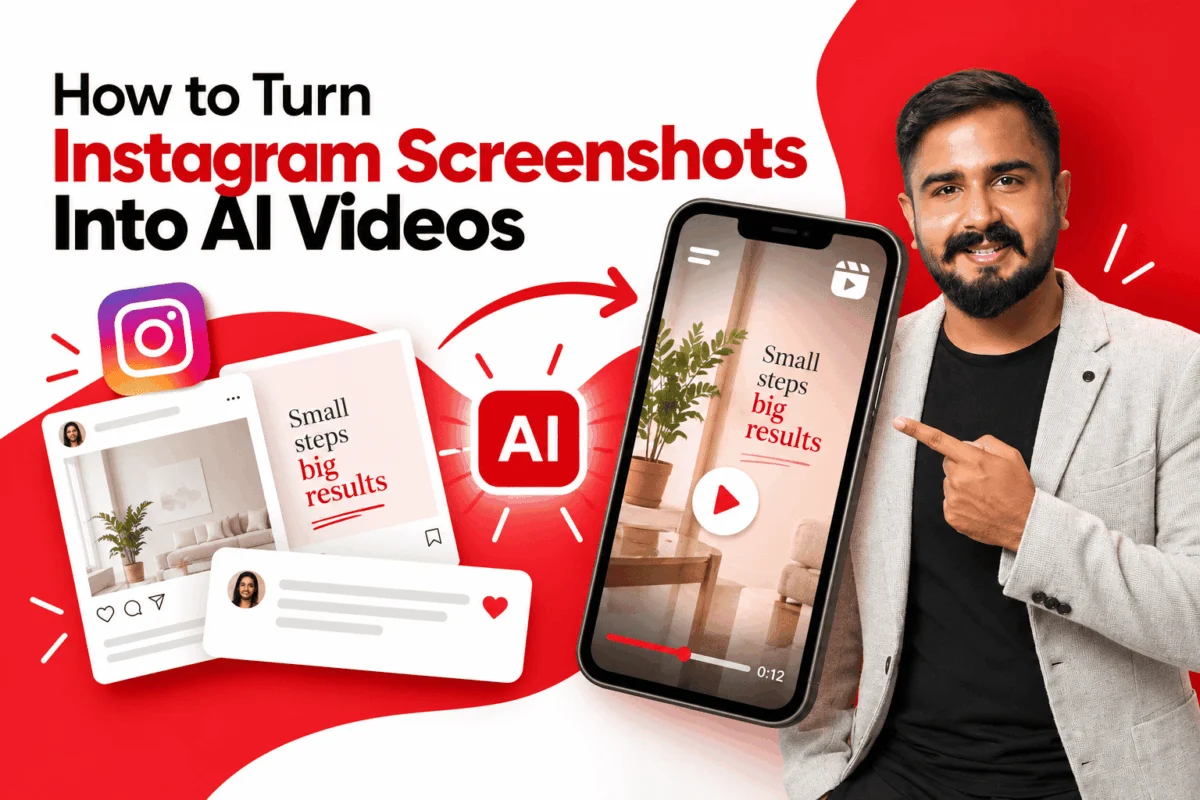
Step-by-Step Guide: How to Turn Instagram Screenshots Into AI Videos
For marketers looking to operationalize this strategy, the process must be treated as a repeatable pipeline rather than a random creative experiment. Here is the exact methodology taught in advanced digital marketing curriculums.
Step 1: Choose the Right Screenshot
Not every screenshot deserves to become a video. Selecting the right source material is the most crucial step in the entire workflow. Creators should look for three specific markers:
- Proven Past Engagement: Posts or comments that historically generated high likes, saves, or shares.
- Emotional Resonance: Glowing customer testimonials, vulnerable founder reflections, or passionate community debates.
- Unresolved Narrative Tension: Paused moments, dramatic scenes, or unexpected DMs that naturally beg the question, "What happens next?"
Step 2: Pick the Right Tool for the Job
Just like traditional filmmaking, image-to-video for social media is not a one-tool job. Different generative platforms are built to achieve drastically different outcomes.
| Goal | What to Use It For | Output Style |
|---|---|---|
| Subtle Cinematic Motion | Add a slow zoom, parallax effect, or gentle camera push to a quote card or carousel slide. | Polished, brand-safe, low risk. |
| Full Scene Generation | Use the screenshot as a reference frame and let an AI video model build motion and continuation around it. | More dramatic, higher novelty. |
| Character Animation | Animate a person in a screenshot into full-body motion using a trending template. | High engagement, trend-driven. |
| "What Happens Next" Twist | Upload a paused, dramatic screenshot and let AI generate a surprising continuation. | Built for virality and shares. |
Step 3: Upload and Set the Motion Prompt
Once the asset and the platform are selected, upload the screenshot and apply a targeted motion prompt. Keep prompts concise and focused on camera behavior rather than overcomplicating the visual elements, as the source image already dictates the core subject matter.
Step 4: Layer In Captions, Sound, and a Hook
A moving screenshot is not a finished Reel by itself. This step is what separates raw AI output from high-retention content. Overlay dynamic captions, add trending audio or sound design, and front-load a compelling text hook to stop the scroll within the first three seconds.
Step 5: Export for the Target Platform
Always generate and export directly in a 9:16 vertical format for Reels, Shorts, and TikTok. Cropping a landscape video afterward ruins the framing calculated by the AI engine.
Supporting Data and Industry Adoption
While traditionalists remain skeptical of automated media generation, the data behind content repurposing and AI-assisted workflows paints a compelling picture.
According to recent digital marketing benchmarks, short-form video content retains viewer attention up to 250% longer than static image carousels on Instagram. However, the average marketing team reports that producing a single high-quality, live-action Reel costs anywhere from $200 to $1,000 when factoring in talent, equipment, editing, and revision cycles.
By contrast, the AI screenshot-to-video workflow slashes production costs by over 80%, while cutting production time from days to minutes. Industry case studies from leading digital agencies indicate that repurposed testimonial videos generated via AI motion tools match or exceed the average view duration of fresh, studio-shot talking-head videos—proving that audiences care far more about the core message and emotional resonance than the complexity of the production setup.
Official Responses and Perspectives
To understand how this strategy operates in the real world, we look at how industry practitioners are integrating AI screenshot workflows across their respective businesses.
1. Agency Level: Reviving Legacy Assets
At prominent digital marketing agencies like echoVME Digital, teams manage extensive backlogs of client wins, glowing testimonials, and historical social proof.
"Every client account has a backlog of testimonial screenshots, glowing comments, and high-performing static posts sitting unused," notes agency leadership. "We now run a monthly pass through that backlog, picking the two or three strongest assets and turning them into Reels. It consistently produces some of our highest-retention content for the lowest production cost in the entire calendar."
2. Educational Level: Teaching Repurposing as a Discipline
Within academic and professional training grounds like Digital Scholar, content repurposing is no longer viewed as an afterthought—it is taught as a core competency.
"The brands winning right now are not the ones creating the most new content; they are the ones extracting the most value from content they already made," instructors emphasize. "This workflow is one of the clearest, most teachable examples of that idea."
3. Personal Branding and Thought Leadership
For individual creators, founders, and public speakers, managing a content calendar alongside business operations is a constant friction point. Turning high-engagement comments, LinkedIn posts, or direct messages into short video testimonials via AI motion tools has become a vital hack. It keeps personal brand channels active and algorithmically favored without requiring a weekly camera setup.
Implications for the Future of Digital Marketing
The widespread adoption of AI image-to-video tools signals a fundamental shift in how creative labor is valued and deployed.
The Death of Content Waste
For years, marketers accepted that 90% of static content would be viewed once and forgotten in the archives. AI-driven repurposing changes the economic equation. Digital assets are now infinitely malleable, capable of transitioning effortlessly from text to image, and from image to motion video.
Navigating the Risks: Ethics, Copyright, and Disclosure
As with any generative AI trend, brands must navigate significant ethical and legal considerations.
- Rights Management: Repurposing your own brand’s testimonials or organic posts is safe territory, but utilizing third-party screenshots without explicit consent invites copyright and privacy liabilities.
- Audience Transparency: As platforms introduce mandatory disclosure labels for AI-modified media, brands must balance algorithmic compliance with maintaining audience trust.
- Visual Fatigue: Just as static quote graphics became oversaturated years ago, AI-animated parallax effects risk becoming background noise if overused. The winners will be those who combine AI efficiency with sharp editorial curation.
Frequently Asked Questions
1. What does “turning an Instagram screenshot into an AI video” actually mean?
It means uploading a static screenshot—such as a post, comment, testimonial, or quote card—into an AI image-to-video tool that animates it. The tool adds motion like a camera push, parallax effect, or full scene continuation, turning a still image into a short moving clip ready for publishing.
2. Do I need professional video editing skills to do this?
No. Most image-to-video tools require only an uploaded image and a short text prompt describing the desired motion. Basic skills in adding captions and syncing audio will improve results, but professional editing software is entirely unnecessary.
3. Which Instagram screenshots work best for this technique?
Screenshots that have already proven their performance work best: high-engagement posts, glowing customer testimonials, passionate DMs, or quote cards with clear, punchy messages.
4. Is it legal to turn someone else’s Instagram post or comment into a video?
It depends entirely on ownership and consent. Your own posts and brand testimonials are safe to repurpose. Screenshots involving other creators or third parties require explicit permission, especially for commercial use.
5. How long does it take to turn a screenshot into a finished Reel?
Generating the base animated clip takes just a few minutes. Adding captions, hooks, and music takes an additional 10 to 15 minutes. A full batch of several Reels can easily be produced within a single focused hour.
6. Will repurposed screenshot videos look obviously AI-generated?
It depends on the intensity of the motion requested. Subtle effects like slow camera pushes look clean and brand-safe, while full scene generation carries a higher chance of visible artifacts, particularly around complex backgrounds and text.
7. Can brands use this for paid advertising?
Yes, provided the brand holds commercial usage rights, secures proper permissions for any third-party content or testimonials, and complies with local disclosure regulations regarding AI-generated ad creative.