








In modern web development, the pursuit of performance, accessibility, and architectural modularity has catalyzed a massive shift toward headless user interface libraries. Among these, React Aria Components—crafted by the design systems team at Adobe—has emerged as a gold standard. Providing robust, fully accessible, and unstyled primitives that seamlessly handle mouse, touch, and keyboard interactions, React Aria solves the notoriously difficult problem of web accessibility out of the box.
However, being "headless" presents a distinct design challenge: they ship with absolute zero styles and zero animations by default. Out of the box, popovers snap into existence, modals appear with jarring abruptness, and menus blink onto the screen devoid of transitions, easing curves, or tactile polish.
While this unadorned state is ideal for internal administrative tools or rapid prototyping, it falls short when shipping consumer-facing products where fluid motion and polished micro-interactions signal quality, affordance, and brand prestige.
Fortunately, bridging the gap between headless architecture and fluid motion is entirely achievable. React Aria provides clear, native pathways for injecting life into components—ranging from high-performance CSS transitions to complex, physics-based spring animations using advanced JavaScript libraries.
The Core Conflict: Performance vs. Polish in Headless Design
To understand why animating headless components requires a deliberate strategy, one must examine the anatomy of a dynamic web overlay. Components that mount and unmount conditionally—such as modals, popovers, dialogs, and navigation trays—pose a fundamental lifecycle problem in frontend engineering: the exit animation dilemma.
When a user closes a modal, the component is immediately scheduled for removal from the Document Object Model (DOM). Without a mechanism to delay this unmounting process, any transition rules applied to an exit state are summarily cut short, resulting in an abrupt disappearance that feels broken to the end user.
Historically, developers solved this by writing bespoke state-management wrappers or pulling in heavy component libraries that tightly coupled styles with behavior. React Aria takes a radically different approach: it decouples logic from presentation while deliberately orchestrating the DOM lifecycle, ensuring that exit animations can play out to completion before the element is finally purged.
Chronology and Evolution of Headless Animation Strategies
The methodology for styling and animating headless UI components has evolved across three distinct eras:
- The Custom Wrapper Era (Pre-2020): Developers built custom React state wrappers around native DOM nodes, manually handling timeout functions (
setTimeout) to synchronize CSS classes with component unmounting. This method was notoriously error-prone, frequently resulting in race conditions and memory leaks. - The CSS Data-Attribute Revolution (2020–Present): Frameworks began exposing internal component states directly to the DOM via declarative data attributes (such as
[data-entering]and[data-exiting]). This allowed the browser’s native layout engine to handle transition timing natively, eliminating JavaScript overhead. - The Physics-Driven Integration Era (Current State): Modern animation libraries like Motion (formerly Framer Motion) introduced utility functions such as
motion.create(), allowing developers to bridge declarative headless primitives with complex physics engines, gesture recognition, and layout animations seamlessly.
Method 1: Zero-Runtime Polish Using CSS Transitions and Data States
For the vast majority of application use cases, introducing a JavaScript animation library is entirely unnecessary. React Aria overlay components—including Popover, Modal, ModalOverlay, Tray, and Menu—automatically expose specialized lifecycle states via the [data-entering] and [data-exiting] attributes.
These attributes are injected dynamically by the framework precisely when a component mounts or unmounts. Crucially, React Aria intercepts the destruction of the DOM node, keeping the element alive until your CSS transition or keyframe animation finishes executing.
Implementing CSS Transitions
To implement a smooth fade-in and slide-down effect on a Popover component without installing a single external package, apply the following stylesheet rules:
.react-aria-Popover
  transition: opacity 200ms cubic-bezier(0.16, 1, 0.3, 1),
              translate 200ms cubic-bezier(0.16, 1, 0.3, 1);


.react-aria-Popover[data-entering],
.react-aria-Popover[data-exiting]
  opacity: 0;
  translate: 0 -8px;
With this configuration, the Popover gracefully fades in and descends 8 pixels upon opening, then smoothly reverses the motion upon closing. The browser’s native rendering pipeline handles the heavy lifting, ensuring zero JavaScript main-thread overhead and no added bundle weight.
Utilizing CSS Keyframes for Asymmetric Timing
If your design system calls for asymmetric easing—such as a slow, decelerating entrance combined with a swift, accelerated exit—CSS @keyframes provide granular control:
.react-aria-Popover[data-entering]
  animation: popover-enter 200ms cubic-bezier(0.16, 1, 0.3, 1) forwards;


.react-aria-Popover[data-exiting]
  animation: popover-exit 150ms cubic-bezier(0.7, 0, 0.84, 0) forwards;


@keyframes popover-enter
  from
    opacity: 0;
    translate: 0 -8px;

  to
    opacity: 1;
    translate: 0 0;


@keyframes popover-exit
  from
    opacity: 1;
    translate: 0 0;

  to
    opacity: 0;
    translate: 0 -4px;
Component Support Matrix for Data States
It is important to note that conditional state attributes are purpose-built for overlay primitives. Non-overlay components—such as Button, Switch, or Slider—persist permanently within the DOM tree. Consequently, their visual states are animated using standard pseudo-classes (:hover, :focus) or React Aria’s interactive data attributes like [data-pressed] and [data-selected].
| Component Name | Supports [data-entering] / [data-exiting] |
Primary Animation Use Case |
|---|---|---|
Popover |
Yes | Dropdown menus, tooltips, floating cards |
Modal / ModalOverlay |
Yes | Dialog boxes, confirmation prompts |
Tray |
Yes | Mobile bottom sheets, slide-out panels |
Menu |
Yes | Context menus, dropdown navigation lists |
Button |
No (Persistent in DOM) | State changes via [data-pressed], [data-hovered] |
Switch |
No (Persistent in DOM) | Thumb translation via [data-selected] |
Method 2: Advanced Physics and Gestures Using Motion
While CSS transitions are exceptional for basic fades and translations, they fall short when your user experience demands organic spring physics, drag-to-dismiss gestures, or complex layout orchestration.
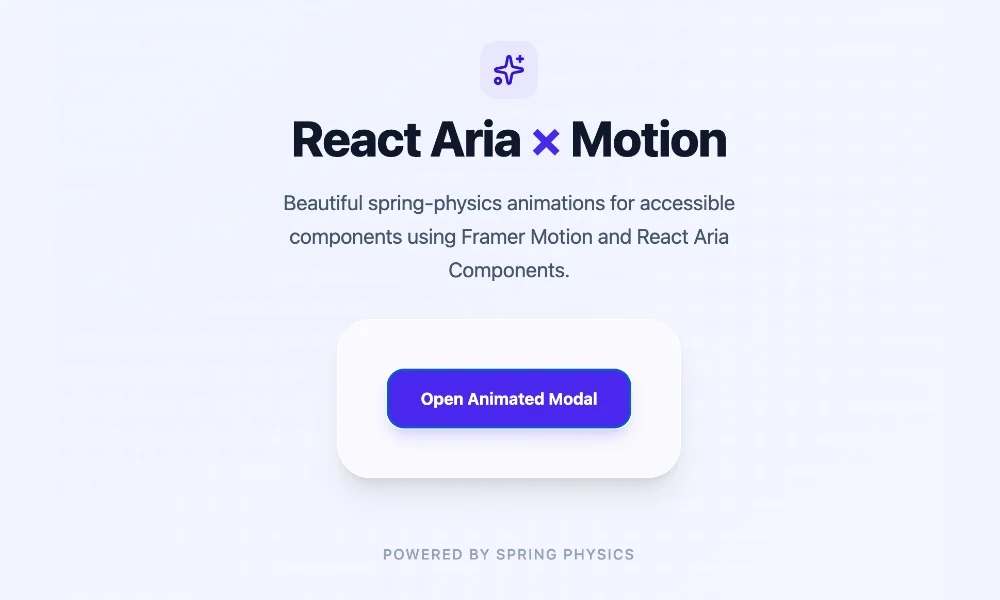
When CSS-only techniques reach their limits, Motion (the successor to Framer Motion) serves as the industry-standard upgrade path. Motion integrates seamlessly with React Aria components through its motion.create() utility wrapper.
Step-by-Step Integration
First, install the Motion package via your project’s package manager:
npm install motionNext, import the utility function and wrap your target React Aria components:
import  motion  from "motion/react";
import  Modal, ModalOverlay  from "react-aria-components";

const MotionModal = motion.create(Modal);
const MotionModalOverlay = motion.create(ModalOverlay);
Building an Enterprise-Grade Animated Modal
By combining Motion’s AnimatePresence component with React Aria’s robust accessibility primitives, developers can construct deeply polished interactive experiences complete with native physics:
import  AnimatePresence, motion  from "motion/react";
import  DialogTrigger, Button, Modal, ModalOverlay  from "react-aria-components";
import  useState  from "react";

const MotionModal = motion.create(Modal);
const MotionModalOverlay = motion.create(ModalOverlay);

export function AnimatedModalDemo()
  let [isOpen, setOpen] = useState(false);

  return (
    <>
      <Button
        onPress=() => setOpen(true)
        className="px-4 py-2 bg-indigo-600 text-white rounded-lg font-medium shadow hover:bg-indigo-700 transition"
      >
        Open Spring Modal
      </Button>

      <AnimatePresence>
        isOpen && (
          <MotionModalOverlay
            isOpen
            onOpenChange=setOpen
            className="fixed inset-0 z-50 flex items-center justify-center bg-black/50 backdrop-blur-sm"
            initial= opacity: 0
            animate= opacity: 1
            exit= opacity: 0
            transition= duration: 0.2
          >
            <MotionModal
              className="w-full max-w-lg rounded-2xl bg-white p-6 shadow-2xl dark:bg-zinc-900"
              initial= scale: 0.9, y: 20
              animate= scale: 1, y: 0
              exit= scale: 0.9, y: 20
              transition=
                type: "spring",
                bounce: 0.3,
                duration: 0.4

            >
              <h3 className="text-xl font-bold text-zinc-900 dark:text-zinc-100">
                Spring-Powered Modal
              </h3>
              <p className="mt-2 text-zinc-600 dark:text-zinc-400">
                This dialog box enters with organic spring physics and exits smoothly,
                while retaining 100% of React Aria's built-in keyboard navigation and screen reader accessibility.
              </p>
              <div className="mt-6 flex justify-end">
                <Button
                  onPress=() => setOpen(false)
                  className="px-4 py-2 bg-zinc-200 text-zinc-800 rounded-lg font-medium hover:bg-zinc-300 dark:bg-zinc-800 dark:text-zinc-200"
                >
                  Close
                </Button>
              </div>
            </MotionModal>
          </MotionModalOverlay>
        )
      </AnimatePresence>
    </>
  );
Architectural Insights into Motion Integration
When reviewing the implementation above, several core architectural patterns deserve highlighting:
- The Controlled State Paradigm: The
isOpenproperty is explicitly set totrueon theMotionModalOverlaybecause theAnimatePresencecontroller manages the mounting lifecycle externally. - Preserving Accessibility Callbacks: The
onOpenChangecallback continues to report state modifications accurately back to React Aria. This ensures that standard closing behaviors—such as pressing theEscapekey or clicking outside the modal boundary on the backdrop—function natively without disruption. - Exit Orchestration: The
exitprop informs the Motion engine precisely which numerical values to animate toward as the component initiates unmounting, whileAnimatePresenceholds the DOM node open until those animation frames complete.
Supporting Data & Performance Benchmarks
When engineering high-scale web applications, bundle size and runtime performance metrics dictate technical decisions. Comparative analysis between pure CSS transitions and JavaScript-driven animation libraries highlights clear trade-offs:
| Metric / Feature | CSS Transitions ([data-entering]) |
Motion Library (motion.create()) |
|---|---|---|
| Additional Bundle Weight | 0 KB (Native browser engine) | ~15 KB to 30 KB (Minified + Gzipped) |
| Main-Thread JavaScript Impact | Zero runtime execution cost | Low-to-Moderate (Calculates spring loops) |
| Gesture Support (Drag/Pan) | Extremely limited | Comprehensive and robust |
| Spring Physics Simulation | Approximated via cubic-bezier curves | True mathematical spring physics |
| Implementation Complexity | Low | Low-to-Moderate |
Official Industry Perspectives and Best Practices
Leading design systems engineers advocate for a progressive enhancement strategy when approaching component animation.
According to frontend architecture guidelines from teams managing large-scale component registries, developers should default to native browser capabilities wherever possible. By leveraging CSS transitions tied to DOM data attributes, teams eliminate external dependencies, reduce JavaScript execution parse times on mobile devices, and maintain strict adherence to performance budgets.
However, industry consensus also recognizes that certain user experience paradigms cannot be adequately expressed via static CSS curves. When building highly tactile, mobile-first web applications featuring swipe-to-dismiss trays, fluid layout morphing, or organic drag interactions, integrating a dedicated physics engine via motion.create() becomes an indispensable asset.
Strategic Decision Framework
To determine the optimal animation strategy for your specific project requirements, consult the following decision matrix:
-
Choose CSS Transitions and Data States When:
- You are implementing standard UI elements like dropdown menus, tooltips, or modal dialogs.
- Your animations are restricted to fades, subtle scaling, and linear translations.
- Maintaining an absolute minimum JavaScript bundle size and peak execution performance is paramount.
-
Choose Motion (
motion.create()) When:- Your design specifications demand authentic spring physics, bounce effects, or inertial momentum.
- You are building complex gesture-driven components, such as swipeable mobile sheets or draggable cards.
- You require advanced layout layout animations (FLIP transitions) where elements shift positions dynamically as surrounding DOM nodes resize.
By adhering to this progressive methodology, engineering teams can successfully harness the bulletproof accessibility and architectural power of Adobe’s React Aria Components while delivering the delightful, high-end visual polish that modern users expect.