By Anurag Singh
Published: October 8, 2026
Main Facts
For years, command-line interface (CLI) scripts have served as the unsung heroes of digital organization. From bulk file renamers and automated download sorters to deep system backups and massive duplicate file hunters, Bash scripts can automate virtually any tedious desktop chore. However, their greatest strength—their raw programmatic power—is also their primary usability bottleneck. Remembering specific flags, input directory paths, and exact filenames across dozens of disparate scripts quickly turns terminal management into a cognitive chore.
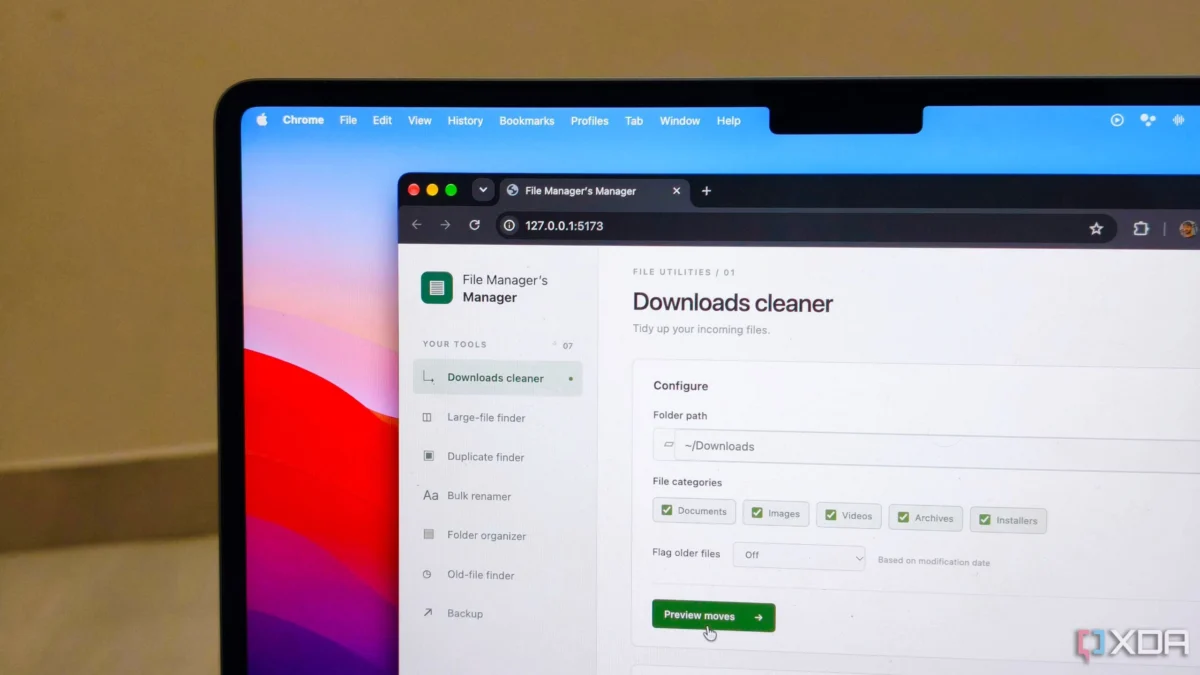
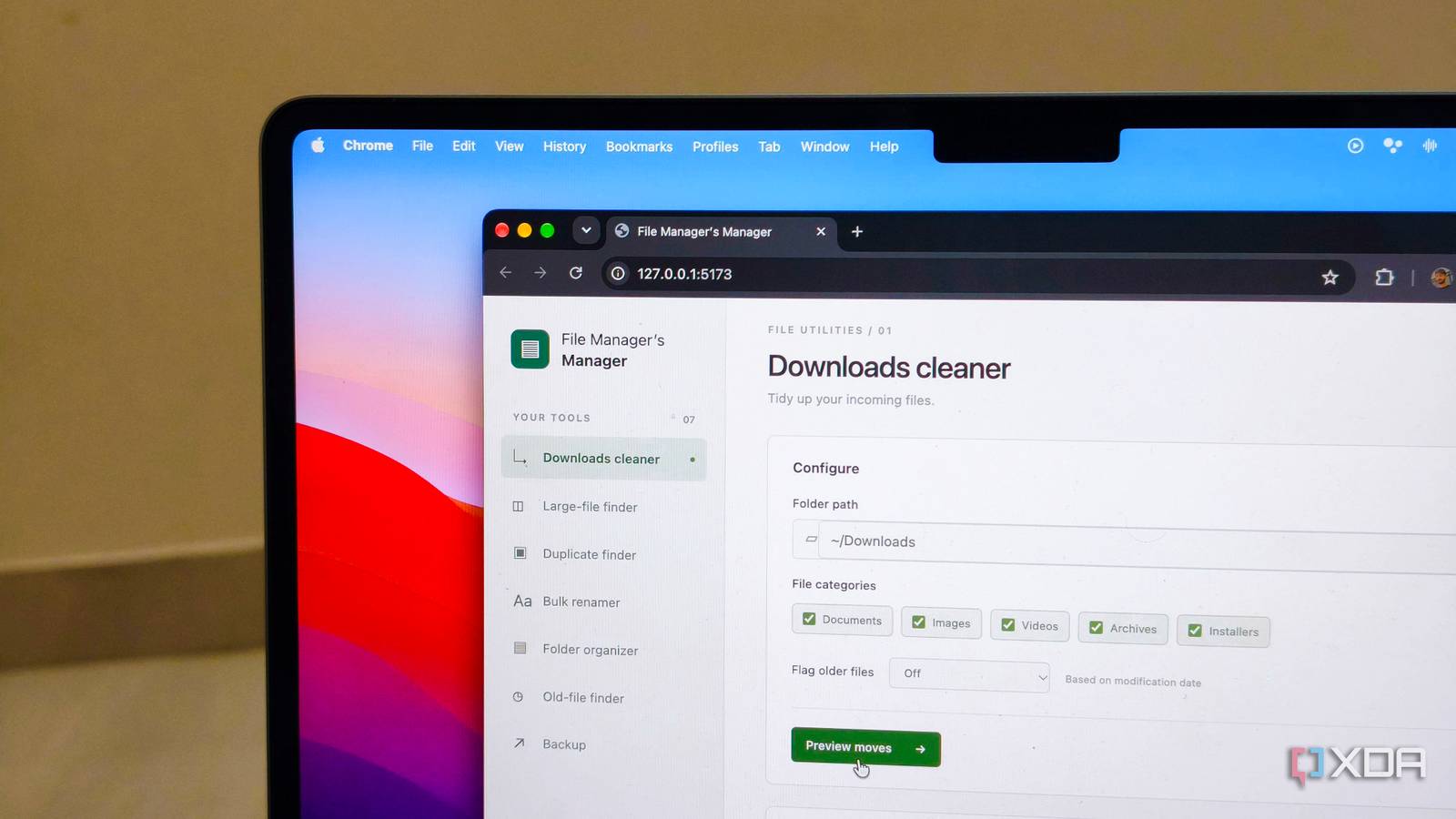
To bridge this usability gap, tech journalist and developer Anurag Singh utilized Claude Code—powered by Anthropic’s advanced models—to transform a fragmented collection of seven utility Bash scripts into a cohesive, locally hosted web application dubbed "File Manager’s Manager." Built in roughly 10 minutes without writing a single line of frontend code manually, the tool unifies terminal scripts into a graphical web dashboard running entirely on a local Mac.
Key highlights of this AI-driven development workflow include:
- Zero Manual Code Copying: Claude Code natively read the local directory, analyzed the arguments and outputs of each Bash script, and structured the web application automatically.
- Built-in Safety Guardrails: The interface incorporates pre-execution previews (showing old vs. new filenames and directory paths) to prevent accidental data loss.
- Democratized Tooling: Non-developers can bridge the gap between powerful CLI automation and user-friendly graphical interfaces (GUIs) seamlessly.
Chronology: From Terminal Fatigue to AI-Driven Interface
The evolution from terminal-bound chaos to a streamlined web app unfolded through a distinct, chronological workflow that highlights the capabilities of modern AI-assisted software engineering.
Phase 1: The Pre-AI Era of Terminal Clutter
For years, Singh maintained a growing repository of localized Bash scripts designed to handle repetitive file management tasks. While these scripts saved hours of manual dragging and dropping, operating them required keeping a cheat sheet or relying on memory:
- Navigating to directories via
cd. - Recalling exact syntax, short flags (
-r,-f,-v), and environment dependencies. - Parsing dense, unstructured terminal outputs to verify whether a batch process completed successfully or threw an unhandled exception.
Phase 2: Recognizing the AI Utility Gap
Realizing that the friction of the terminal was discouraging regular script usage, Singh decided to leverage AI code generation. Rather than manually drafting an HTML/CSS frontend, setting up a Node.js or Python backend, and manually writing child-process execution handlers, he pointed Claude Code directly at his local script repository.
Phase 3: The 10-Minute Build Process
Using Claude Code, the interaction bypassed the traditional copy-paste loop of typical AI chatbots. Instead of feeding scripts into a web browser prompt one by one, Claude Code accessed the local environment, scanned the project folder, and systematically executed the following steps:
- Script Audit: Read all seven Bash scripts to understand their required arguments, expected inputs, and standard output/error behaviors.
- Architecture Generation: Designed a local web server architecture capable of mapping browser button clicks and form inputs to backend shell executions.
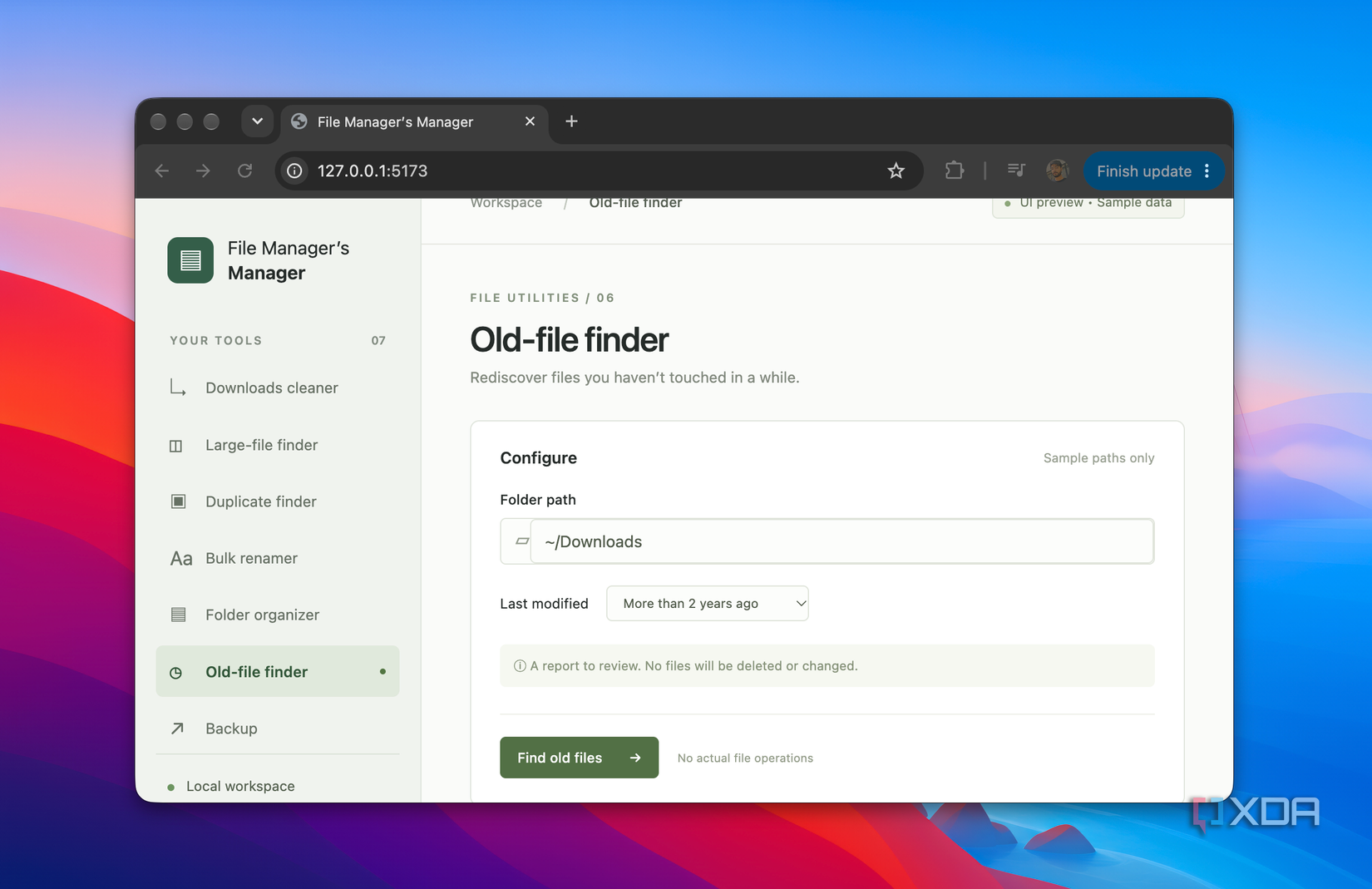
- UI Layout Construction: Built a clean, unified dashboard featuring individual control cards for each script—complete with dynamic inputs like file size sliders, source/destination pickers, and prefix fields.
Phase 4: Refinement and Iteration
Once the baseline tool was operational, iterative prompt engineering refined its behavior. Singh requested safety additions, such as dry-run preview tables for bulk renamers and localized error containment logs so that disconnected external drives or permission denied errors surfaced directly within the dashboard rather than crashing the terminal process.
Supporting Data & Script Breakdown
The utility of "File Manager’s Manager" stems from the underlying Bash scripts it unifies. Below is a detailed breakdown of the automation tools integrated into the new web interface:

| Script Name | Primary Function | Input Parameters | Safety Mechanism / Output |
|---|---|---|---|
| Download Cleaner | Sorts incoming downloads into specific categories (Docs, Images, Videos, Archives, Installers). | Target directory path. | Moves files automatically; logs destination paths to the UI. |
| Bulk Renamer | Replaces unstructured filenames (e.g., IMG_4928.jpg) with structured conventions. |
Prefix string, starting index, date format. | Pre-execution preview table displaying old vs. new filenames. |
| Large-File Finder | Scans directories to surface space-hogging files. | Directory path, minimum size threshold (e.g., >500MB). | Sorted list of heavy files for user review prior to deletion. |
| Old-File Finder | Flags stale files that haven’t been modified within a specific timeframe. | Directory path, age threshold (e.g., >1 year). | Itemized review list. |
| Duplicate Finder | Identifies identical files regardless of naming differences using cryptographic hashes. | Target directory. | Hash-match comparison report for manual pruning. |
| Incremental Backup | Copies crucial folders to a designated external or cloud location. | Source path, destination path. | Transfers only newly created or modified files; surfaces drive-disconnect errors in-app. |
Beyond file management, the success of this workflow has paved the way for future adaptations, such as building a dedicated GUI wrapper for OpenAI’s Whisper transcription tool, which currently requires managing multiple terminal commands for multilingual audio transcription across English, Hindi, and Arabic.
Official Perspectives and Industry Implications
The emergence of terminal-to-web AI generation tools highlights a massive shift in how solo developers, home-lab enthusiasts, and power users interact with their operating systems.
Bridging the CLI-GUI Divide
For decades, software development has been sharply divided between command-line power users who value speed and efficiency, and casual users who rely on graphical user interfaces. Tools like Claude Code effectively dissolve this boundary.
Industry analysts note that AI code assistants are moving past simple text generation into agentic environmental control. Because advanced models can read project directories, execute compilation checks, and iteratively fix runtime exceptions, technical friction is lowered to conversational intent.
The Democratization of Custom Tooling
You no longer need a degree in software engineering or familiarity with web frameworks (like React, Vue, or Express) to build bespoke productivity software. As demonstrated by Singh’s workflow, an individual can encapsulate years of personal script development into a customized, local software product in the time it takes to brew a cup of coffee.
Future Implications for Home Labs and Power Users
The implications of this workflow extend far beyond organizing a Mac’s download folder. As local AI tooling matures, several key trends are likely to accelerate:
- Hyper-Personalized Micro-Software: Power users will increasingly stop searching for third-party applications on the web. Instead, they will prompt an AI to generate single-purpose, air-gapped local web apps tailored precisely to their unique directory structures and hardware setups.
- Enhanced Error Transparency and Safety: By routing CLI outputs through structured web frontends, complex background automation becomes significantly safer. Pre-execution sandboxing and visual diffs (such as rename previews) drastically reduce the risk of catastrophic commands like
rm -rfrunning amok due to a mistyped terminal flag. - The Rise of the Conversational Engineer: The barrier to entry for managing home labs, personal servers, and local automation pipelines is plummeting. Users who understand what they want to automate no longer need to bog themselves down with how to syntax-check every boilerplate configuration file.
Ultimately, turning a messy stack of terminal scripts into an elegant web application proves that the future of desktop computing isn’t about learning more complex commands—it’s about teaching our tools to speak our language.