In an increasingly globalized workforce, the challenge of coordinating meetings across disparate regions has become a daily reality for millions. Whether managing a distributed development team, scheduling client calls across oceans, or simply maintaining contact with family abroad, the ability to visualize time differences is essential. Recognizing this operational friction, Google has announced a significant update to its flagship scheduling tool: Google Calendar on the web will now support up to three simultaneous time zones.
For power users who have long campaigned for more granular control over their scheduling grids, this update represents a long-awaited expansion of utility. By moving from two to three configurable time zones, Google is addressing the needs of professionals whose workdays span multiple continents, providing a cleaner, more intuitive way to manage complex international logistics.
The Evolution of Scheduling: Understanding the New Feature
For years, Google Calendar users have been limited to a primary and a single secondary time zone. While this served those balancing two regions—such as a user in New York coordinating with a team in London—it left those with more complex, multi-continental workflows scrambling for third-party tools or manual mental calculations.
The new functionality allows users to define a primary, secondary, and a tertiary time zone, all of which appear directly on the calendar grid. This visual integration allows users to see, at a glance, exactly what time it is in three critical locations.
How the Interface Adapts
As depicted in recent documentation from Google, the interface displays these time zones along the left-hand sidebar of the main calendar view. Each column corresponds to a specific zone, allowing for the immediate identification of "golden hours"—the overlapping windows where participants in different regions are simultaneously available.
A particularly helpful addition is the ability to apply custom labels to these time zones. Rather than relying on cryptic codes like "UTC+2" or "EST," users can label columns by city, team, or project name (e.g., "Tokyo Office," "New York HQ," or "Client – Paris"). This level of customization reduces the cognitive load required to navigate a packed schedule, minimizing the risk of scheduling errors that can lead to missed meetings or, worse, 3:00 AM wake-up calls.
Chronology of the Rollout
Google officially announced this feature on September 25, 2026, marking a strategic update to its Workspace suite. The rollout is following a tiered release schedule designed to ensure stability across different user bases:
- September 25, 2026: The feature began its rollout for Rapid Release domains. Users in these environments—typically early adopters and those testing the latest Workspace features—gained immediate access to the setting.
- October 12, 2026: Google will commence the rollout for Scheduled Release domains. This ensures that enterprise organizations, which often require a slower deployment cadence to prepare internal documentation and support resources, receive the update in a controlled fashion.
- Late October 2026: The company expects the update to reach full availability across all Google Workspace accounts and personal Gmail accounts by the end of the month.
While the feature is currently exclusive to the web interface, it is highly anticipated that mobile integration will follow. As tablet and foldable device usage increases, the demand for a more robust, multi-pane calendar experience on Android is higher than ever.

The Mechanics of Global Coordination: Supporting Data and Trends
The shift toward a "triple-zone" view is not merely a cosmetic update; it is a response to the shifting data regarding remote and hybrid work. According to recent industry reports, the number of employees working across at least three distinct time zones has grown by nearly 30% since 2022.
Why Three Zones Matter
For an organization operating out of San Francisco, Bengaluru, and Berlin, the math of scheduling is inherently complex. With only two time zones visible, a user often has to manually toggle settings or use an external world clock app to check the third location.
By integrating the third zone directly into the workflow, Google is tapping into the psychological benefits of "visual friction reduction." When a user doesn’t have to leave the calendar tab to confirm if a colleague in a third region is awake, the likelihood of scheduling an appropriate time increases. This improvement in workflow efficiency contributes to higher meeting attendance rates and fewer instances of "timezone fatigue."
Official Perspectives and Workspace Strategy
Google’s decision to prioritize this feature on the web, rather than mobile, speaks to a broader strategy regarding the "Command Center" philosophy. Google views the browser-based Calendar as the primary hub for administrative tasks. By keeping the interface on the desktop, they ensure that the feature remains legible and useful.
In their official release, Google representatives emphasized that this change was born from direct user feedback. The "Google Workspace Updates" blog highlighted that the primary driver for this development was the necessity of supporting increasingly complex team structures.
"We are committed to building tools that bridge the gap between geography and productivity," the company noted in its announcement. By allowing for a third column, Google is acknowledging that the traditional "9-to-5" workday is now a fluid concept that shifts across the globe.
Implications for Modern Productivity
The implications of this update go beyond simple convenience. For many, this represents a shift in how digital tools are designed to accommodate the realities of the modern global economy.
1. Reduced Error Rates
Scheduling conflicts are a significant source of workplace stress. The "third zone" capability provides a fail-safe, preventing the accidental scheduling of meetings during non-working hours in key regions. By making the time gap visible, the tool acts as a silent mediator between global teams.

2. Enhanced Cross-Functional Collaboration
Teams that span the Americas, Europe, and Asia can now coordinate project milestones with greater precision. For project managers, this means the ability to see the "handoff" periods—the moments when one team is wrapping up their day and another is just beginning—allowing for more efficient project flow and continuous progress.
3. A Call to Re-evaluate Workspace Tools
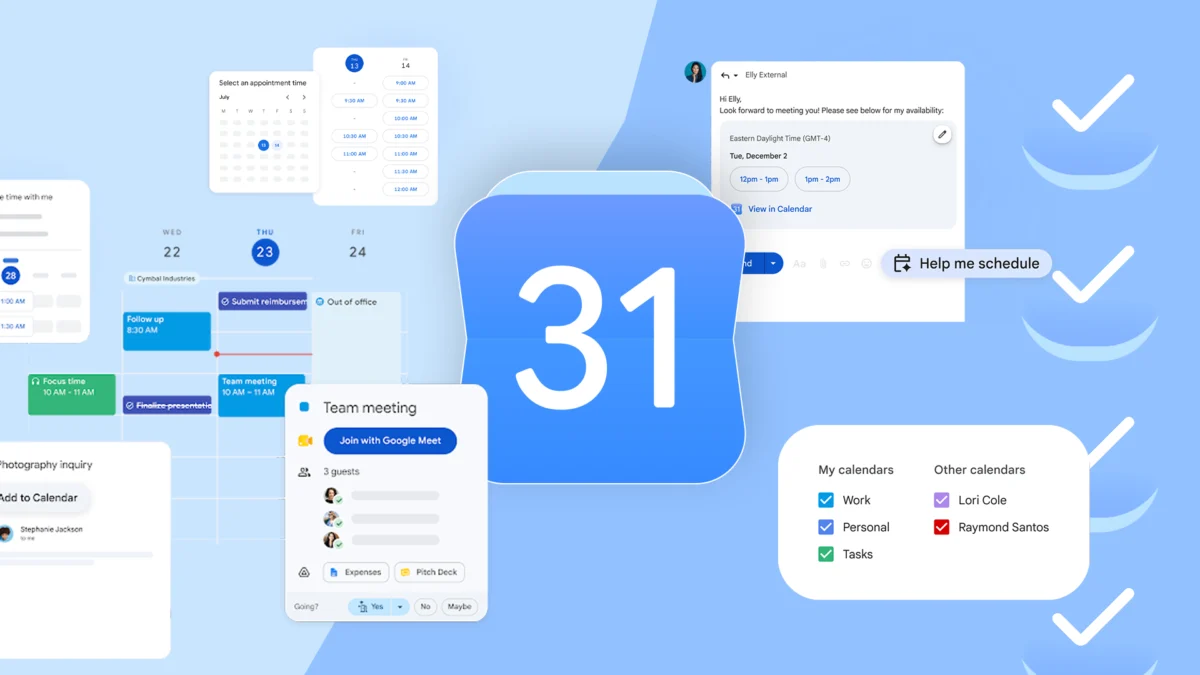
This update serves as a reminder that even mature platforms like Google Calendar can benefit from simple, high-impact refinements. For users who have become accustomed to a static way of working, this is an invitation to re-examine how they use their calendar. When paired with other features—such as Tasks, Appointment Slots, and deep integration with Gmail—the Calendar becomes more than a list of events; it becomes a comprehensive management system for one’s professional life.
How to Access the Feature
For those eager to utilize the new functionality, the configuration process is straightforward:
- Open Google Calendar on your desktop browser.
- Click on the Settings gear icon in the top right corner.
- Navigate to the Time zone section in the left-hand sidebar menu.
- If your account has received the update, you will see a check box labeled "Show additional time zone."
- Once checked, you can define your primary, secondary, and the new tertiary time zones.
- Assign custom labels to each to ensure clarity.
Once saved, these changes will reflect immediately on your main calendar grid. If you do not see these options yet, ensure your browser is updated and note that the rollout is continuing through October.
Conclusion: The Future of Global Scheduling
The introduction of a third time zone to Google Calendar is a testament to the platform’s commitment to evolving alongside its user base. As the lines between international offices continue to blur, tools that offer clarity and synchronization will remain at the forefront of the modern digital toolkit.
While it may seem like a minor UI adjustment, for the global traveler, the remote freelancer, and the international corporate team, it is a significant step toward making the world feel just a little bit smaller. By fostering better communication through clearer data, Google is once again proving that the most effective technology is that which simplifies the most complex parts of our daily lives. As we move into the final quarter of 2026, users across the globe can look forward to a more synchronized—and perhaps slightly more peaceful—scheduling experience.