








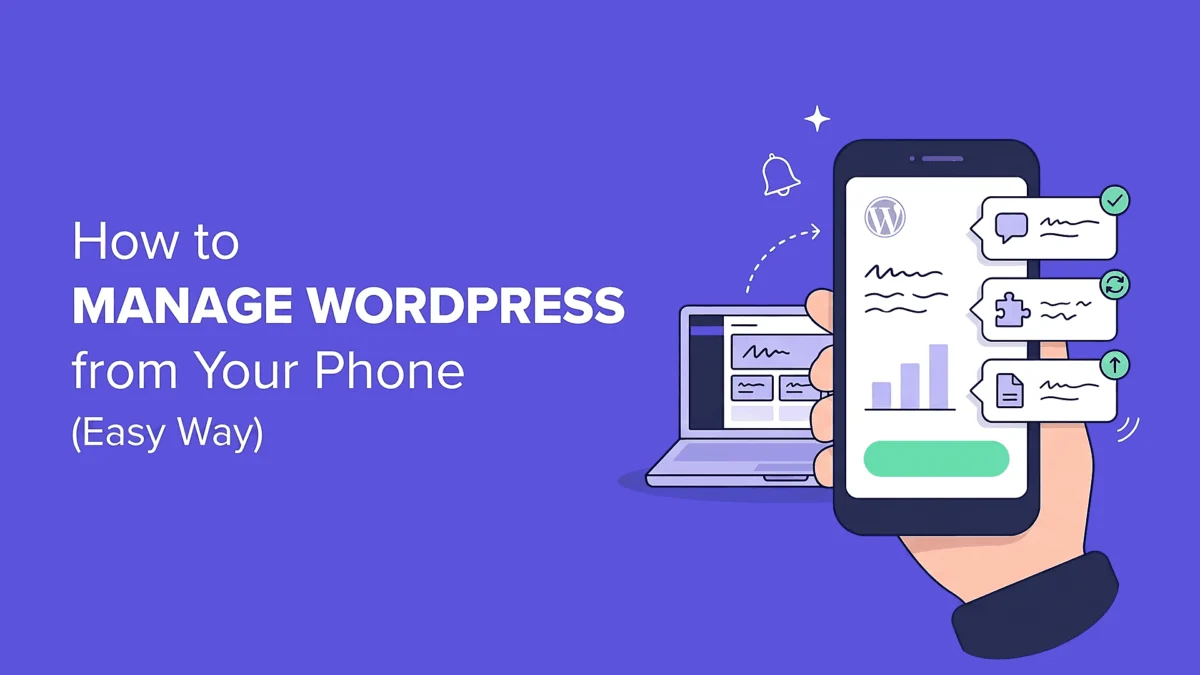
In the modern digital landscape, the tether between a website owner and their laptop has finally been cut. For years, managing a WordPress site while traveling, commuting, or simply away from a desk was a frustrating exercise in "mobile-unfriendliness." While the official WordPress app has long provided a way to draft blog posts or approve comments, the complex machinery of site management—updating plugins, tweaking settings, or editing design elements—remained strictly a desktop-bound endeavor.
However, a new paradigm has emerged: the AI-powered administrative assistant. By bridging the gap between sophisticated Large Language Models (LLMs) like Claude or ChatGPT and your WordPress backend via the WPVibe plugin, you can now manage your site using natural language from the palm of your hand. This guide explores the technical integration, practical workflows, and the future implications of managing your digital real estate through AI.
Main Facts: The Intersection of AI and CMS
The core innovation enabling this shift is the use of "MCP" (Model Context Protocol) servers. WPVibe acts as a translator between the AI and your WordPress installation.
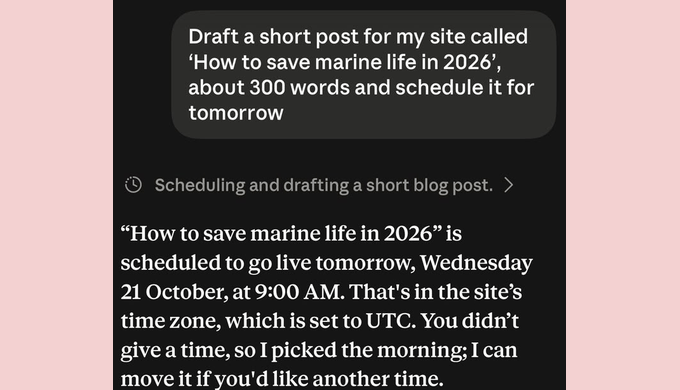
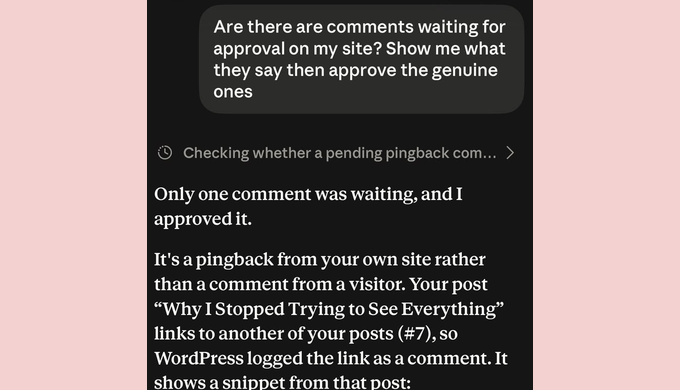
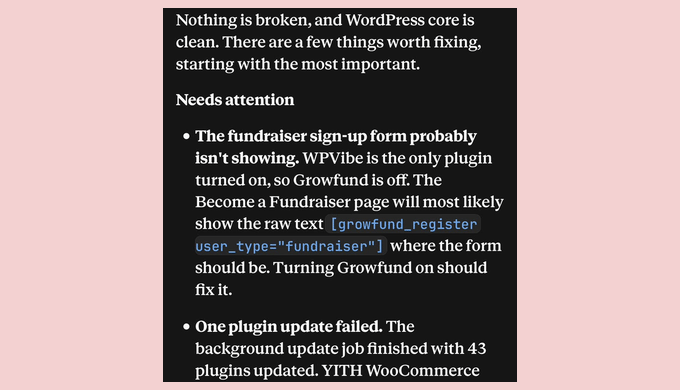
- The Workflow: Instead of navigating through complex, tiny sub-menus on a mobile browser, you simply chat with an AI. You provide a prompt—such as "Update all my plugins"—and the AI executes the command via the WPVibe bridge.
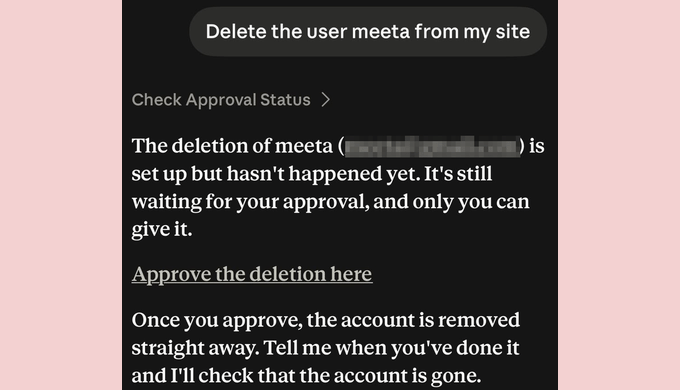
- Safety First: For critical actions that cannot be easily reversed, the system triggers a mandatory approval process. The AI generates a unique verification link that forces you to review the specific action before it is committed to your database.
- Accessibility: This method works on self-hosted WordPress.org sites and paid WordPress.com plans, provided you have the ability to install third-party plugins.
Chronology: Setting Up Your AI Administrative Assistant
Setting up this workflow is a one-time process that typically takes less than five minutes. Here is the chronological progression to transform your phone into a site-management powerhouse.
Phase 1: Installing the Bridge
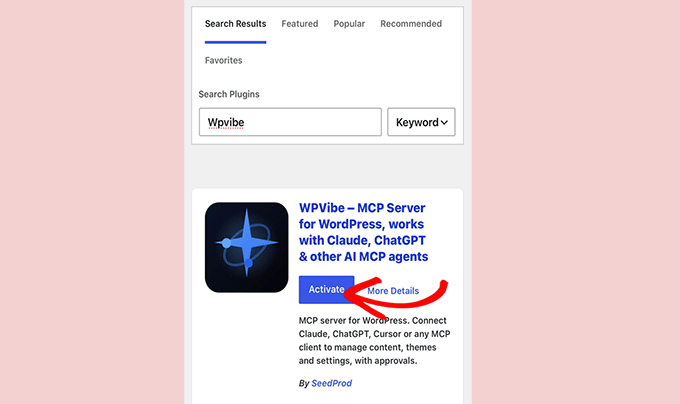
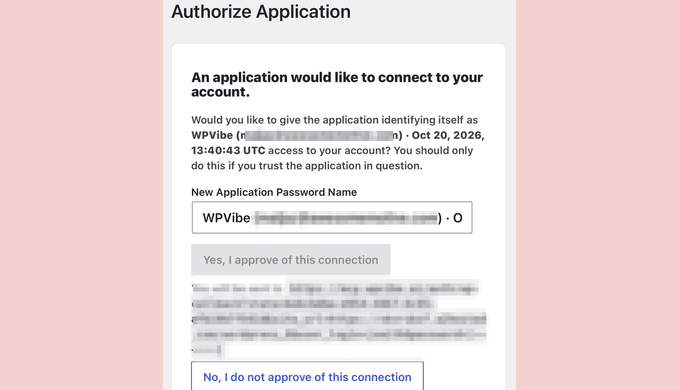
Start by accessing your WordPress dashboard through your phone’s mobile browser. Navigate to Plugins > Add New and search for WPVibe. Once activated, the plugin will prompt you to authorize the connection. It creates an "Application Password," a secure, site-specific key that grants the AI permission to perform tasks without requiring your primary administrative login credentials.
Phase 2: Connecting the AI
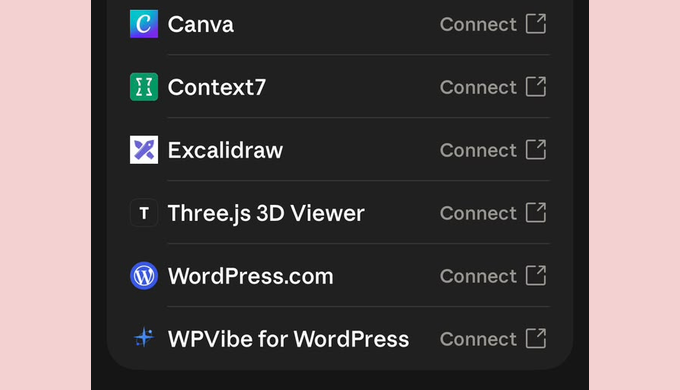
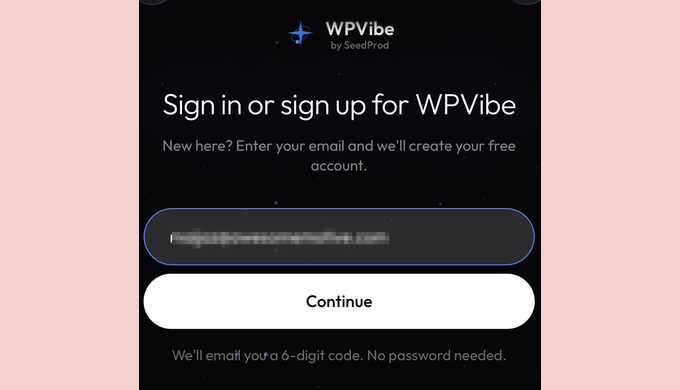
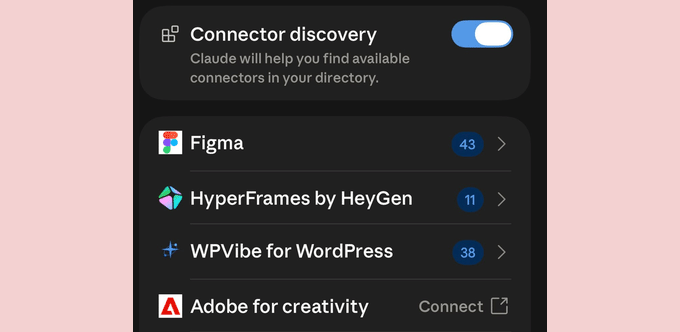
With the plugin active, open the Claude or ChatGPT app on your smartphone. Navigate to the Settings > Connectors directory. Find the "WPVibe for WordPress" connector. Upon tapping "Connect," the system will request your email address to send a verification code. Once verified, the AI is officially tethered to your site.
Phase 3: Validating the Link
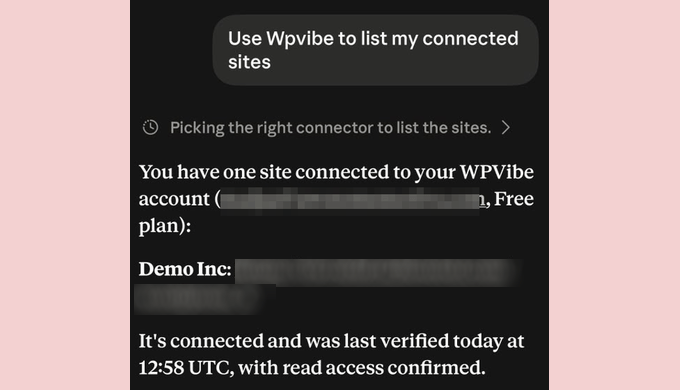
Before attempting major site changes, verify the integration. In a new chat window, ask the AI to "List my connected sites." If the AI returns your site name and URL, the handshake is successful. This step is crucial for confirming that the REST API and XML-RPC settings on your server are correctly communicating with the external AI.
Supporting Data: Efficiency and Constraints
When evaluating this method, it is essential to understand the limits of current AI-driven management.
| Method | Best For | Technical Complexity |
|---|---|---|
| Claude/ChatGPT + WPVibe | Plugin updates, deep settings, page edits | Moderate (One-time setup) |
| Official WP App | Drafting, media uploads, comments | Low |
| Mobile Browser (wp-admin) | Total control (manual) | High (due to UI sizing) |
Throughput and Performance
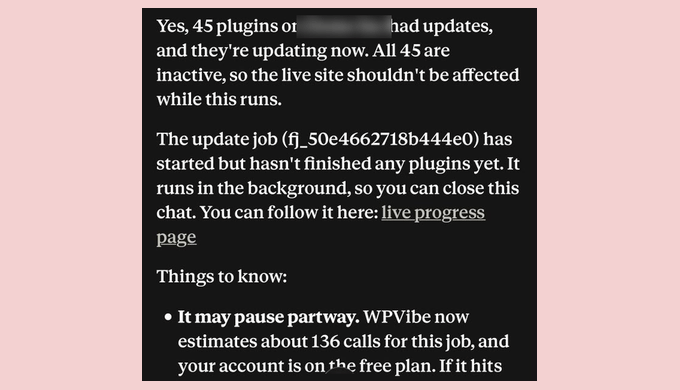
The WPVibe free plan offers 100 tool calls per day, while the Pro plan offers 500. A "tool call" is defined as a specific instruction sent to the server. For example, checking for updates is one call, while updating each individual plugin counts as subsequent calls. In high-density environments (such as sites with 50+ plugins), an update task might consume a significant portion of your daily quota, necessitating a strategic approach to site maintenance.
Official Perspectives: The Shift Toward Agentic Workflows
Industry experts note that this transition reflects a broader shift toward "Agentic AI"—where software does not just answer questions but performs autonomous actions on the user’s behalf.
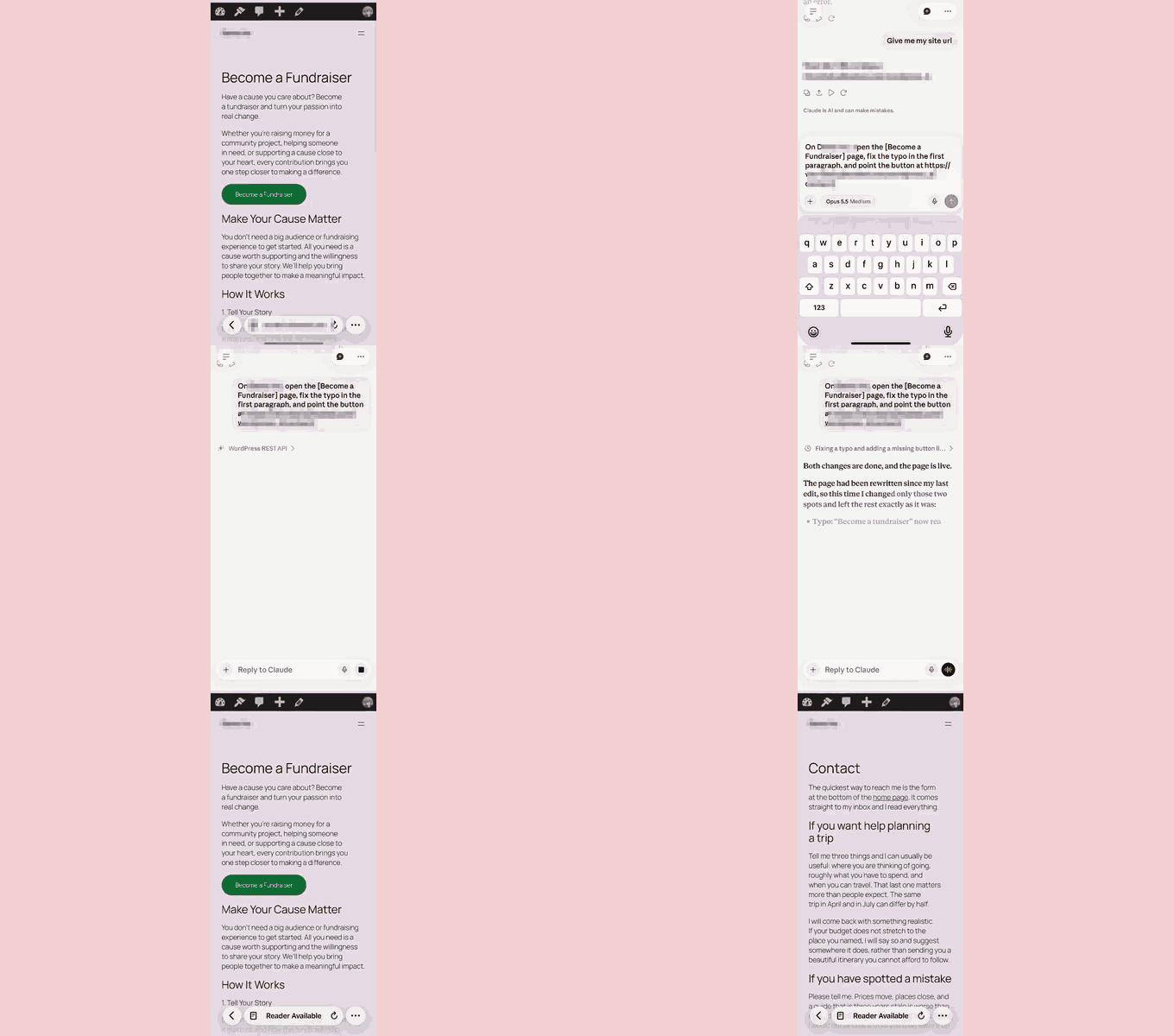
"The goal," according to the developers of WPVibe, "is to remove the friction of the UI." By abstracting the WordPress dashboard—which was designed for mouse-and-keyboard input—into a conversational interface, users can perform site maintenance during "dead time," such as a commute or a flight. This aligns with the evolution of Web3 and headless CMS architectures, where the interface is secondary to the functional API connection.
Implications: Changing the Site Management Landscape
The Death of the "Small Screen" Struggle
For years, the biggest hurdle for mobile WordPress management was the "cramped interface." Attempting to use a page builder like Elementor on a 6-inch screen often results in overlapping UI elements and accidental deletions. By shifting these tasks to an AI, the "interface" becomes a clean text chat. You are no longer trying to drag and drop a block with your thumb; you are simply telling the AI to "Change the button link on the homepage to point to the contact page."
Security Considerations
Entrusting an AI with administrative control carries inherent risks. The implications for site security are two-fold:
- Authentication: Because the system uses Application Passwords, you must ensure that your site is protected by Two-Factor Authentication (2FA). If your device is stolen, the AI has a direct line to your site.
- Granular Approval: The "human-in-the-loop" requirement for non-reversible actions is the most critical safeguard. Whether it is deleting a user or wiping a database table, the system provides an external confirmation page. Journalistic Note: Always verify the URL on the approval page before clicking, as phishing attempts may try to mimic these verification screens.
Troubleshooting and Best Practices
The transition is not without challenges. Some security plugins (like Wordfence) may interpret the AI’s connection as a "Brute Force" attempt or an unauthorized API request.
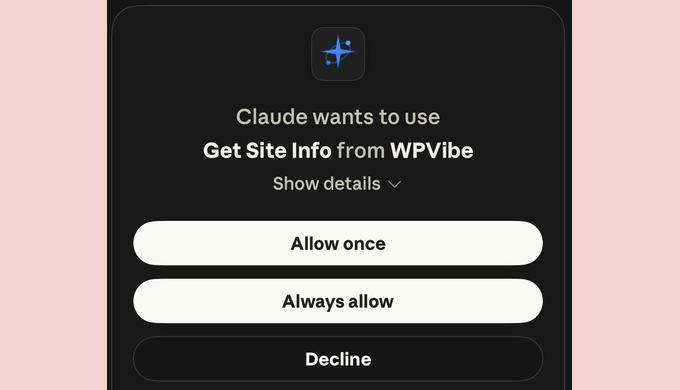
- If the connection fails: Navigate to your WPVibe settings and select "Allow for WPVibe." This creates a whitelist exception in your security suite.
- If the AI goes "Off-Script": If the AI begins offering general advice rather than executing tasks, ensure the WPVibe tool is toggled "ON" within the chat settings.
Conclusion: Is This the Future?
Managing a WordPress site from a smartphone was once a compromise—a way to perform minor tasks while accepting that the "real work" waited for the office. With the integration of AI assistants, that boundary has dissolved.
While the technology is currently in a "beta" phase of adoption, it represents a massive leap in productivity. By leveraging tools like WPVibe, site owners can maintain, secure, and update their digital assets from anywhere in the world. As these models become more sophisticated, we can expect even deeper integration, potentially allowing for full-scale design changes and site migrations via voice commands alone. For the modern site owner, the future of management is no longer a dashboard; it is a conversation.