








Spam is the silent killer of website credibility. Whether it manifests as a deluge of fake comments, a flood of junk leads in your contact forms, or an army of bot-generated user registrations, spam is more than a mere annoyance—it is a significant operational burden. For WordPress site owners, the battle against automated bots has evolved into a sophisticated game of cat and mouse.

Drawing on 16 years of experience managing high-traffic business websites, we have refined a multi-layered defense strategy. This guide provides a comprehensive, step-by-step framework to secure your site in 2026, ensuring that your community remains authentic and your resources stay dedicated to your actual visitors.

The Anatomy of Modern WordPress Spam
To defeat spam, you must first understand how it operates. Modern spam is no longer just about annoying messages; it is automated, AI-driven, and persistent. Bots scan your site for vulnerabilities, targeting public-facing entry points like comment sections, registration forms, and contact modules.
The implications of failing to address these vulnerabilities are significant:
- Database Bloat: Thousands of junk rows can degrade site performance and increase backup sizes.
- SEO Penalties: If spam comments are accidentally published, they can lead to malicious link associations that harm your search engine rankings.
- Brand Damage: A site riddled with gibberish comments or spammy user accounts loses professional credibility.
- Operational Friction: Manually cleaning up thousands of entries consumes valuable time that should be spent on growth.
Phase 1: The Foundation – Leveraging Built-in WordPress Controls
Before investing in third-party software, you must optimize the native tools WordPress provides. These settings serve as your primary perimeter defense.
Tightening Discussion Settings
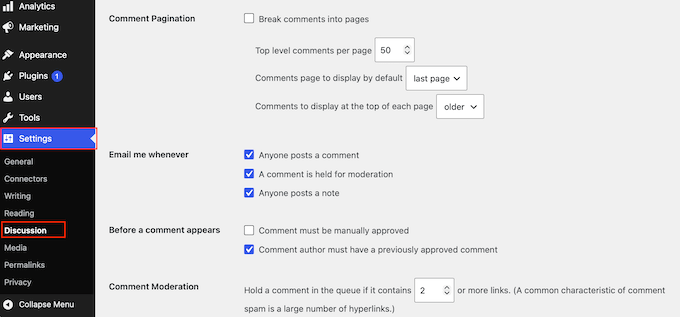
Navigate to Settings » Discussion. This is the control center for your comment ecosystem.
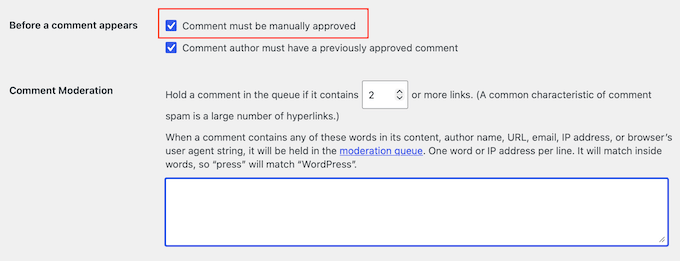
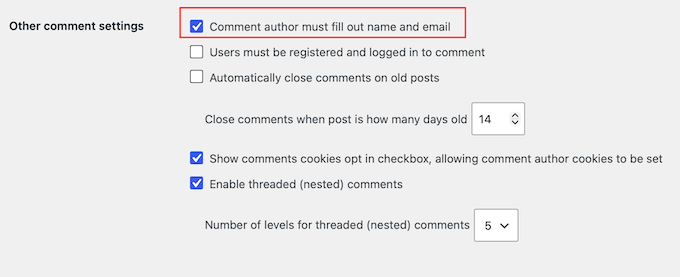
- Manual Approval: By checking "Comment must be manually approved," you ensure that no content—spam or otherwise—goes live without your oversight.
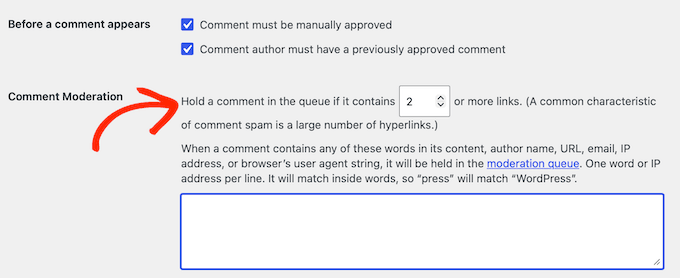
- Link Moderation: Spammers rely on backlinks. Adjust the "Hold a comment in the queue if it contains [X] or more links" setting to 1. This effectively traps any comment containing a URL, which is a hallmark of spam.
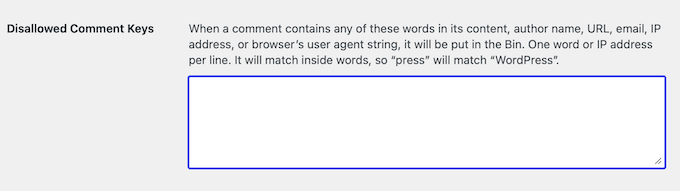
- Disallowed Keys: Use the "Disallowed Comment Keys" box to list specific triggers. Words related to gambling, pharmaceuticals, or suspicious domains can be added here, forcing any matching comment directly into the trash.
Managing Legacy Content
If your site has archived posts, they are prime targets for "bot-scraping."
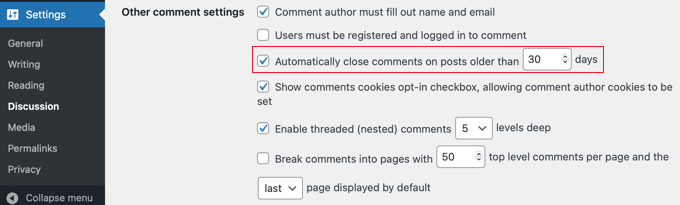
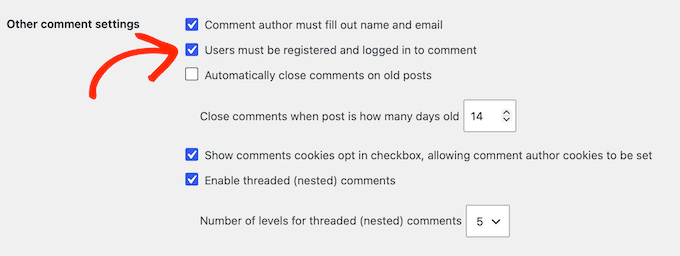
- Automated Closing: In the same Discussion menu, enable "Automatically close comments on posts older than [X] days." A 30-day window is usually sufficient for active engagement, after which the thread should be locked to prevent stale-content spam.
Disabling Unnecessary Features
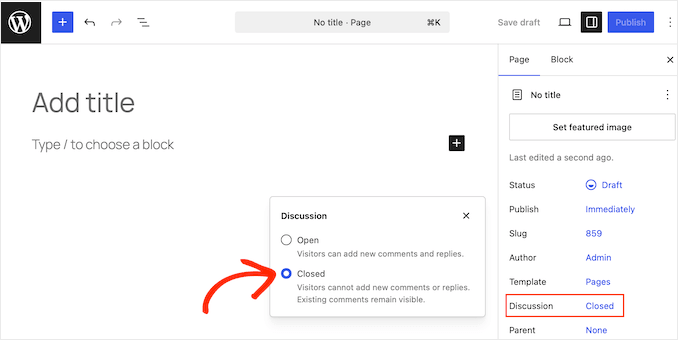
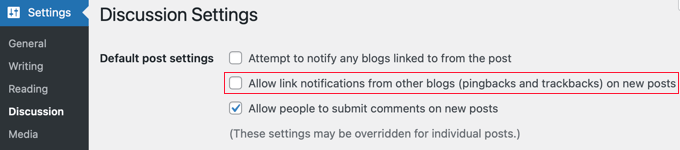
If your site doesn’t require pingbacks or trackbacks, disable them. These were designed for a bygone era of blogging and are now used almost exclusively by spammers to ping your site with fake notifications.
Phase 2: Deploying AI-Powered Modern Defense
In 2026, manual moderation is insufficient for high-traffic sites. Modern AI-powered filters operate silently in the background, identifying bot behavior without requiring users to solve tedious puzzles.
Why We Recommend AI Filtering
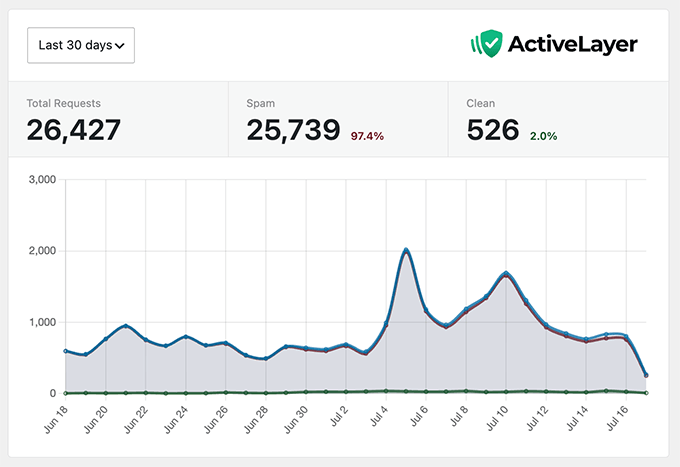
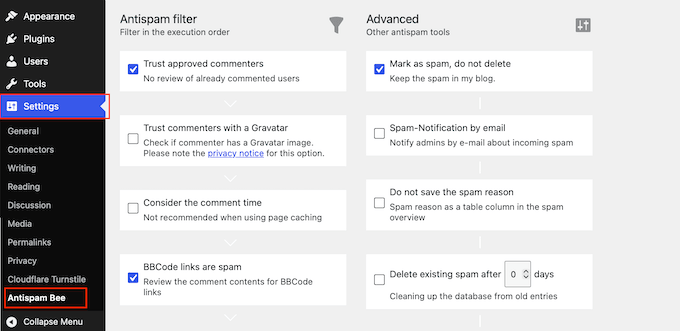
Unlike traditional CAPTCHAs, which degrade the user experience and can hurt conversion rates, AI-driven tools like ActiveLayer or CleanTalk analyze the submission context. They look for:
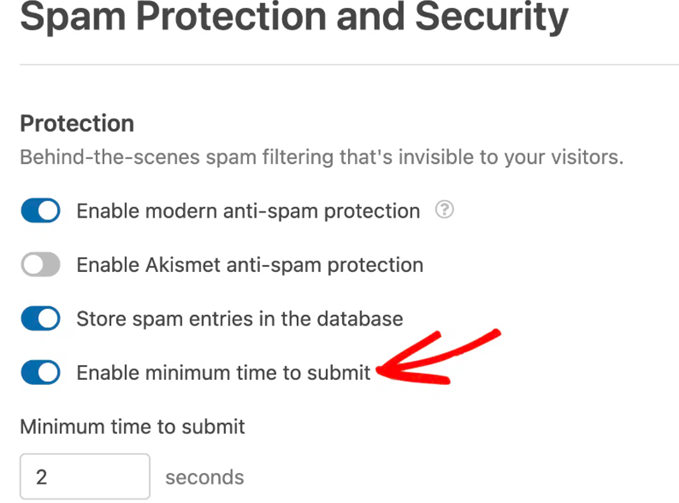
- Submission Speed: Was the form filled out in less than two seconds? (A physical impossibility for humans).
- IP Reputation: Does the user’s IP address appear on global blacklists for malicious activity?
- Behavioral Patterns: Does the submission look like a human inquiry or a machine-generated script?
By integrating these tools, you receive a "confidence score" for every submission, allowing you to see exactly why a specific entry was flagged.
Phase 3: Hardening Contact Forms and Lead Generation
Contact forms are the "front door" for business inquiries. When this door is left open, bots will flood your inbox.
The Power of HoneyPot Technology
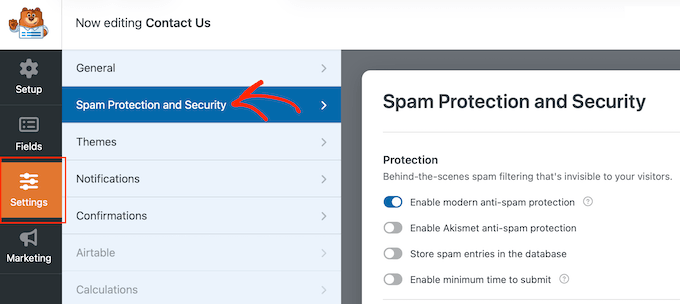
A "Honeypot" is a hidden field in your form that is invisible to humans but visible to bots. When a bot fills out the form, it inevitably fills in this hidden field, and your system immediately discards the entry. Modern form builders like WPForms include this "Anti-Spam Token" by default. Ensure this is enabled in your form’s Spam Protection and Security settings.
Implementing Cloudflare Turnstile
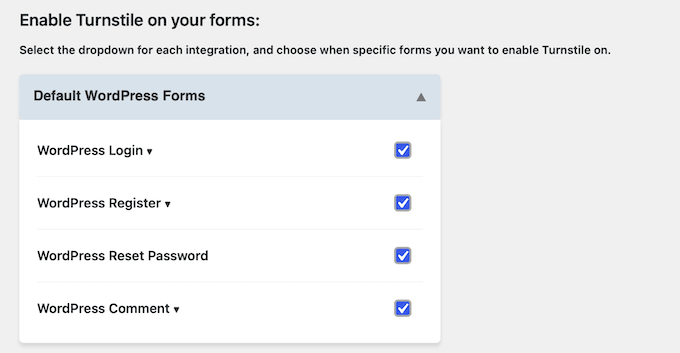
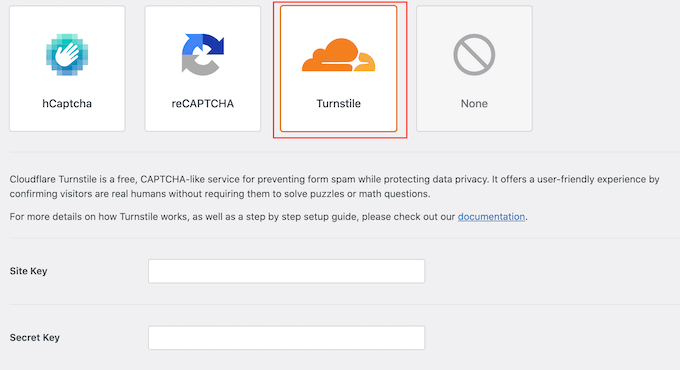
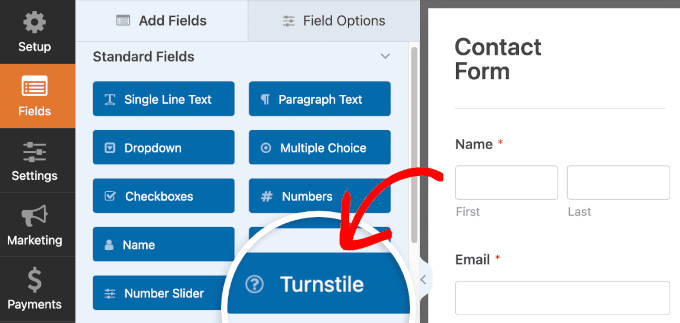
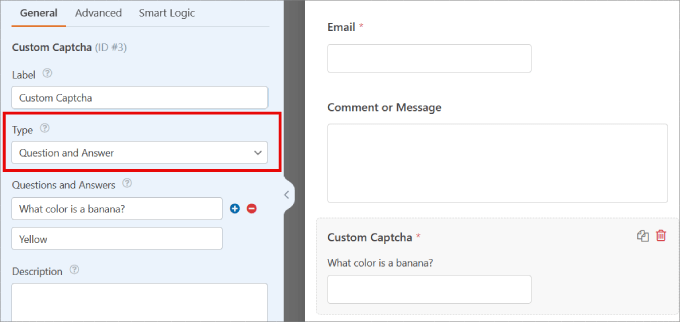
If you require an additional challenge, skip the outdated Google reCAPTCHA. Cloudflare Turnstile is the current industry standard. It is free, privacy-focused, and presents an invisible, seamless experience for 99% of your legitimate users.
Phase 4: Securing User Registrations
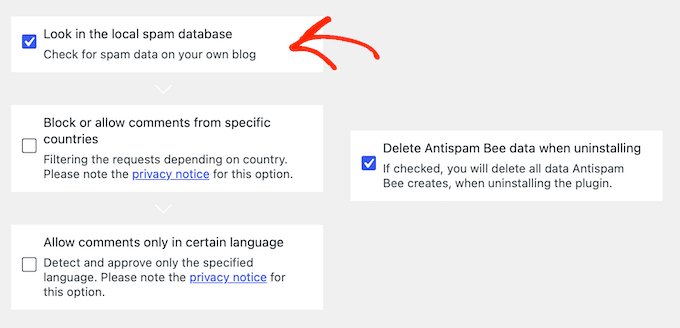
For membership sites or WooCommerce stores, fake account registration is a major risk. A database filled with "subscriber" bots is not only messy—it’s a security liability.
Strategic Implementation
- Email Activation: Never allow an account to be active the moment the form is submitted. Require an email confirmation link. Bots cannot access their inbox to verify the account, so this single step eliminates the vast majority of fake registrations.
- Registration Filtering: If you use a plugin like WPForms or a dedicated membership system, utilize the "User Registration" add-ons to enforce manual admin approval for specific roles.
Phase 5: The Perimeter – DNS-Level Firewalls
A Web Application Firewall (WAF) acts as a security guard at the gates of your website. By using a DNS-level firewall like Cloudflare, you filter out malicious traffic before it ever reaches your server.
This is the most efficient way to stop "DDoS-lite" attacks, where bots attempt to brute-force your login page or spam your forms. By proxying your site through a WAF, you offload the burden of processing malicious requests from your own hosting environment.
Phase 6: Maintenance, Cleanup, and Monitoring
Security is not a "set and forget" process. It requires ongoing discipline.
The Monthly Review Routine
- Empty the Spam Folder: Once a month, review your spam queue for false positives, then purge the rest.
- Audit Users: Regularly check the Users menu. Sort by "Subscriber" and look for suspicious usernames or email addresses. Delete them in bulk.
- Review Logs: Check the logs of your anti-spam plugin. If you see a sudden spike in blocked attempts, it may indicate that your site has been targeted by a new bot campaign, and you may need to tighten your keyword filters accordingly.
Final Thoughts: A Balanced Approach
The goal of anti-spam protection is to maximize security while minimizing friction for your real human visitors. Avoid the temptation to stack too many security plugins, as they can conflict and accidentally block legitimate customers.
Summary of Best Practices:
- Layer 1: Use built-in WordPress Discussion settings.
- Layer 2: Install an AI-powered filter (ActiveLayer or CleanTalk).
- Layer 3: Add an invisible challenge like Cloudflare Turnstile to forms.
- Layer 4: Protect your site at the DNS level with a WAF.
- Layer 5: Perform monthly database cleanups.
By following this roadmap, you move from a reactive state—constantly deleting spam—to a proactive state where your website is a secure, professional, and spam-free environment for your users. Remember, your goal is to grow your business, not manage an inbox full of junk. Implement these layers today, and reclaim your time.