









In the fast-paced ecosystem of modern web development, developers frequently find themselves tasked with protecting work-in-progress client previews, internal tools, and staging environments from premature public indexing or unauthorized access. While third-party solutions—ranging from virtual private networks (VPNs) and Nginx configurations to external Node.js authentication packages—exist, they often introduce unnecessary bloat, complex configurations, and fragile dependency chains.
For developers building high-performance websites with Astro, a lightweight and elegant solution resides directly within the framework’s core architecture. By combining Astro’s native middleware system with standard HTTP Basic Authentication, developers can establish robust, password-protected security perimeters using zero external dependencies, minimal boilerplate code, and native browser interactions.
Main Facts: The Core Mechanism of Astro HTTP Basic Auth
The architecture of this authentication methodology relies on the synergy between Astro’s request-processing pipeline and the universal web standard for HTTP authentication.
- Native Middleware Execution: Astro provides a built-in middleware mechanism (
src/middleware.tsorsrc/middleware.js) that executes anonRequesthandler every time a page or an API endpoint is requested. - Standard HTTP Headers: HTTP Basic Authentication relies on two foundational elements: an
Authorizationheader transmitted by the client browser containing encoded user credentials, and a401 Unauthorizedresponse issued by the server when those credentials are missing, malformed, or incorrect. - Zero Dependencies: By leveraging JavaScript’s global
atobdecoding utility (or Node.js buffer fallbacks) alongside standard runtime environment variables (import.meta.env), developers can validate credentials entirely in-memory without installing third-party npm packages. - Runtime Requirements: Because server-side middleware requires live inspection of incoming HTTP headers, this technique requires an Astro deployment adapter or runtime configured for on-demand server-side rendering (SSR) rather than static pre-rendering.
Chronology: Step-by-Step Implementation Guide
Implementing native HTTP Basic Authentication within an Astro project can be accomplished systematically through five distinct phases: configuration, middleware creation, validation logic, response handling, and testing.
1. Establishing Environment Variables
Credentials should never be hardcoded into application source code. Instead, security keys are defined as runtime environment variables. For local development, establish a .env file in the project root directory:
BASIC_AUTH_USER=staging-user
BASIC_AUTH_PASS=staging-password
For production or staging deployments on platforms such as Cloudflare Pages, Vercel, Netlify, or custom Node.js servers, these identical variables must be added to the platform’s dashboard under its environment variable configuration settings.
2. Creating the Middleware File
Astro recognizes middleware when placed in the src/ directory. Create a file named src/middleware.ts (or src/middleware.js for standard JavaScript projects) and initialize the baseline onRequest handler using Astro’s defineMiddleware utility wrapper:
import  defineMiddleware  from 'astro:middleware';

export const onRequest = defineMiddleware(async (context, next) =>
  // Authentication logic will be injected here
  return next();
);
The defineMiddleware function wraps the handler, granting access to the request context object as well as the next() callback, which allows authorized requests to proceed down the rendering pipeline.
3. Writing the Authentication Check
The authentication validation function extracts environment credentials and inspects incoming request headers. If the environment variables are left unassigned, the middleware gracefully bypasses checks to prevent accidental lockouts during local builds. Otherwise, it extracts the Base64-encoded string from the Authorization header, decodes it, and splits the user-password pair for validation.
function isAuthenticated(request: Request): boolean  !pass)
    return true;


  const authHeader = request.headers.get('Authorization');

  if (!authHeader?.startsWith('Basic '))
    return false;


  const encoded = authHeader.slice(6);

  // Decode Base64 credentials (fallback to Buffer for legacy Node versions if required)
  const decoded = atob(encoded);
  const [providedUser, providedPass] = decoded.split(':');

  return providedUser === user && providedPass === pass;
4. Handling the Unauthorized (401) Response
When the isAuthenticated function evaluates to false, the middleware intercepts the execution pipeline. Rather than passing the request to the page renderer, it returns a 401 Unauthorized HTTP response paired with a specialized WWW-Authenticate header.
export const onRequest = defineMiddleware(async (context, next) =>
  if (!isAuthenticated(context.request))
    return new Response('Unauthorized',
      status: 401,
      headers:
        'WWW-Authenticate': 'Basic realm="Staging Environment", charset="UTF-8"',
      ,
    );


  return next();
);
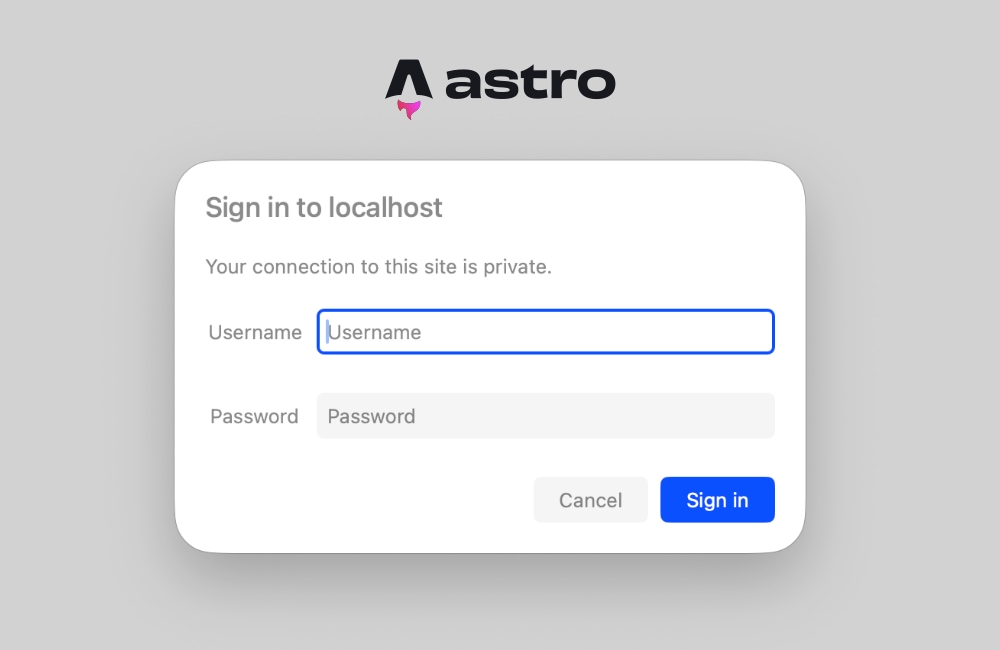
The realm parameter acts as a descriptive label presented directly within the browser’s native login popup dialog, clearly informing users which environment or secure area they are attempting to access.
5. Testing and Validation
Booting up the local development server via npm run dev and navigating to the application root triggers the native browser login prompt immediately. Entering the correct username and password unlocks normal site rendering. Canceling or submitting incorrect credentials results in a basic plaintext "Unauthorized" page.
Supporting Data: Configuration and Architectural Adjustments
Because Astro defaults to static site generation (SSG) where pages are pre-rendered at build time, developers must adjust their project configuration to support runtime header inspection. Attempting to run header-dependent authentication middleware on statically prerendered routes will throw the following build or runtime exception:
Astro.request.headers was used when rendering the route `src/pages/index.astro'. Astro.request.headers is not available on prerendered pages.Resolving Prerendering Conflicts
Developers can resolve this architectural conflict using two distinct methods:
- Page-Level Opt-Out: Individual pages can be explicitly marked for server-side rendering by inserting frontmatter directives into specific components:
--- export const prerender = false; --- -
Project-Wide Server Output: For applications entirely dedicated to staging environments or internal tools, modifying the global configuration file (
astro.config.mjs) to enforce server-side rendering on demand makes headers universally available:// astro.config.mjs import defineConfig from 'astro/config'; export default defineConfig( output: 'server', );Individual pages within an SSR-configured project can still opt back into static generation selectively by setting
export const prerender = truewhere necessary.
Official Responses and Ecosystem Context
The engineering community surrounding Astro has increasingly prioritized lightweight, edge-compatible security patterns. Framework maintainers and infrastructure providers emphasize that native middleware solutions outperform traditional heavy web-server configurations (such as custom Apache .htaccess rules or complex Nginx auth-basic modules) because they execute uniformly across disparate modern hosting platforms—ranging from Cloudflare Workers and Vercel Serverless Functions to traditional Node.js containers.
Furthermore, industry benchmarks confirm that omitting third-party authentication packages reduces node_modules vulnerability surfaces, shrinks bundle sizes, and eliminates extraneous build-time dependencies that can impede long-term maintenance cycles.
Implications: Security, Scalability, and Future Extensibility
Implementing native HTTP Basic Authentication via Astro middleware carries profound implications for web engineering workflows:
- Enhanced Privacy for Stakeholder Reviews: Agencies and freelance developers can securely distribute preview links to clients without risking premature search engine indexing or public data leaks.
- Cost-Effective Infrastructure: Teams avoid purchasing or configuring specialized enterprise-grade access management software for simple, ephemeral staging tasks.
- Extensibility Beyond Passwords: Because Astro middleware is executed as standard JavaScript logic on every incoming request, developers are not strictly limited to static environment variables. The foundational pattern can easily be scaled up to query database user tables, evaluate cryptographic session tokens, or implement multi-factor verification workflows as project requirements evolve.
By capitalizing on web standards and Astro’s lean core architecture, developers achieve enterprise-grade access control with minimal friction, proving that robust security does not require architectural bloat.