



As artificial intelligence continues to shift from a novelty to an embedded operational layer in digital infrastructure, the integration between large language models and content management systems has reached a critical turning point. The introduction of the Model Context Protocol (MCP)—an open standard created to streamline how AI models securely interact with external data sources and tools—has fundamentally changed how developers approach site management.
For the millions of web administrators powering their digital presence on WordPress, connecting ChatGPT directly to a live site via MCP offers unprecedented automation, diagnostic capabilities, and workflow efficiency. Accomplishing this connection, however, requires navigating a precise set of criteria spanning subscription tiers, security protocols, network configurations, and fine-grained authorization layers.
This comprehensive guide explores the structural requirements, chronological integration process, underlying security frameworks, and broader implications of binding ChatGPT to a WordPress environment utilizing the free Easy MCP AI plugin developed by Themeisle.
Main Facts: What It Takes to Connect ChatGPT to WordPress
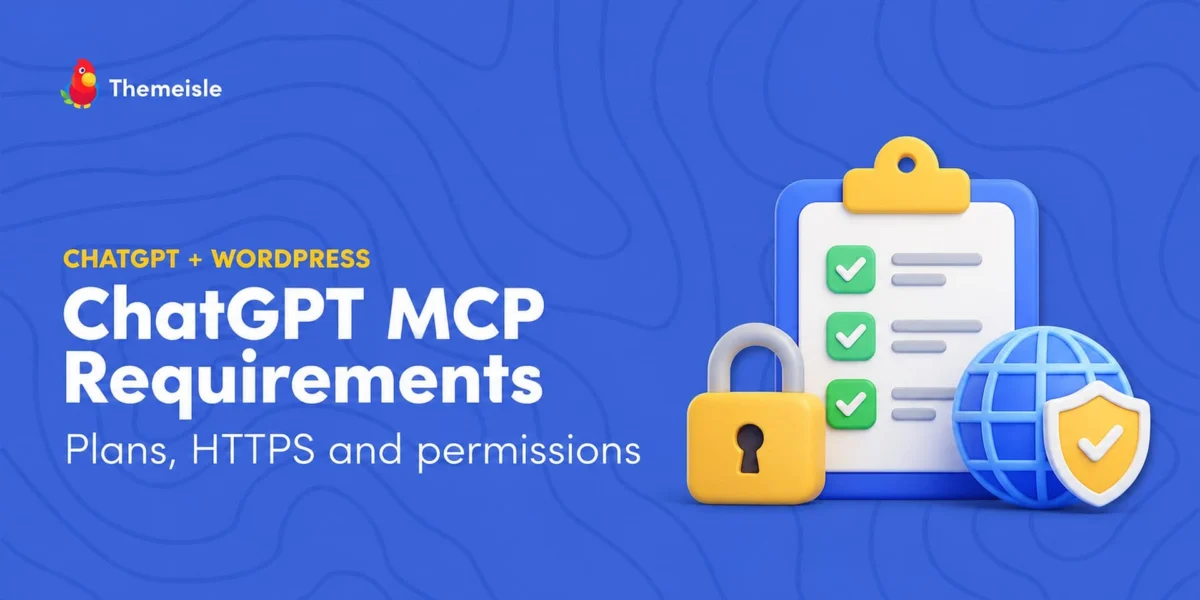
Successfully establishing a functional, bidirectional communication bridge between ChatGPT and a WordPress installation hinges on three foundational pillars:
- An Eligible ChatGPT Plan: Not all user tiers within the OpenAI ecosystem support the technical prerequisites required for custom server integration. While personal tiers vary in their exact exposure to developer tools, robust capabilities—particularly write actions—are explicitly documented for higher tiers such as Business, Enterprise, and Education plans.
- A Publicly Accessible HTTPS Endpoint: Because ChatGPT exclusively communicates with remote MCP servers, local development environments or private servers necessitate secure tunneling services (such as OpenAI’s customer-run
tunnel-client) to expose a public HTTPS address. Furthermore, the receiving WordPress site must enforce strict SSL/TLS parameters; plain HTTP connections will automatically trigger security blocks. - Proper Configuration of the Custom Server Form: Administrators must correctly map their site’s unique MCP route (
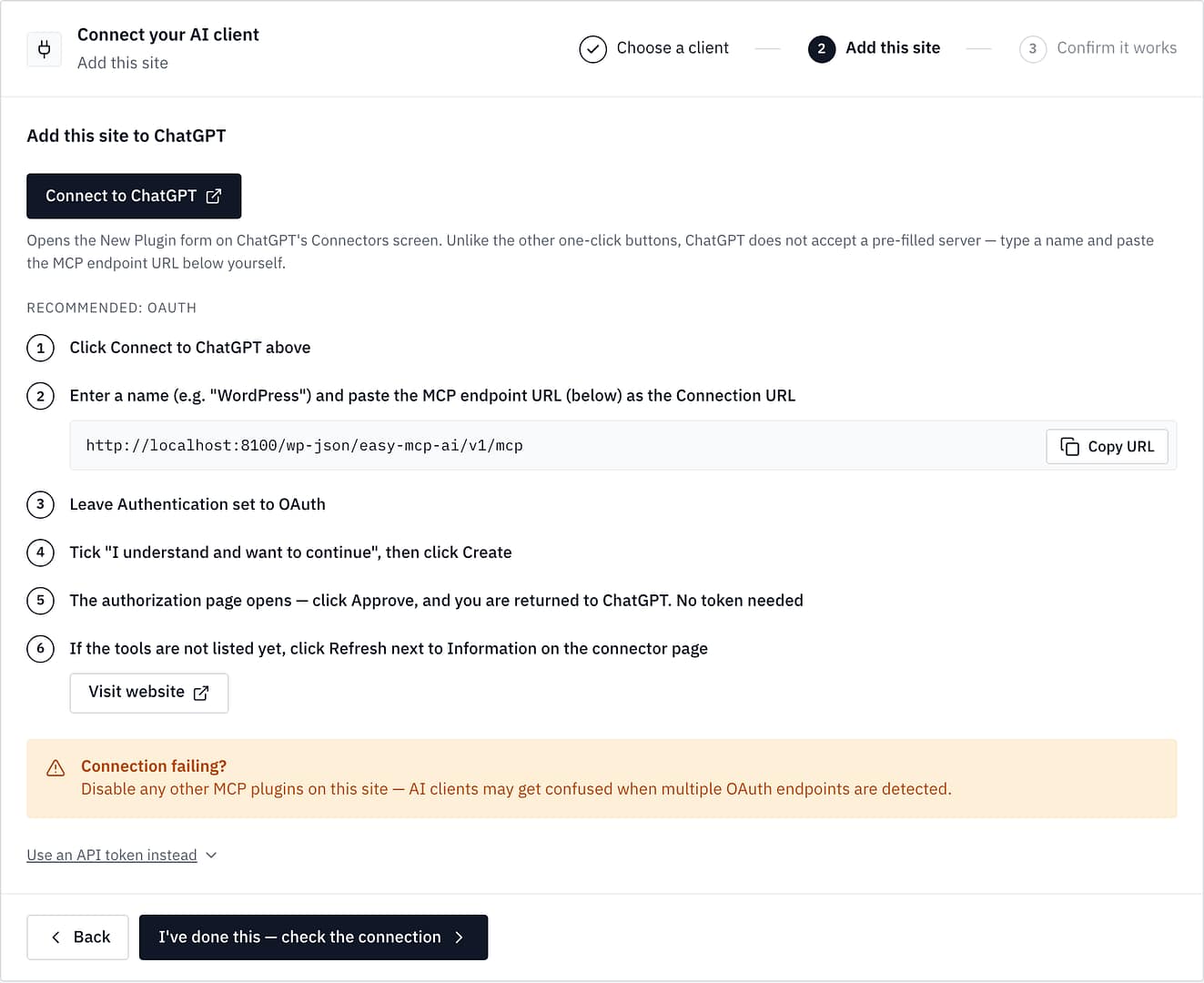
/wp-json/easy-mcp-ai/v1/mcp) within ChatGPT’s settings, authenticate via OAuth 2.1, and explicitly define the scope of permissions granted to the AI model.
The native bridge is built using Easy MCP AI, a specialized WordPress plugin designed to turn any standard site into a localized MCP server without relying on expensive hosted relays.

Chronology: The Evolution of App Integration and Setup
The landscape of AI tool management has evolved rapidly. Understanding the chronological shift in terminology and platform capabilities helps prevent confusion when navigating administrative menus.
- December 18, 2025: OpenAI formally transitions the nomenclature of external integrations within its ecosystem, officially redesignating "Connectors" as "Apps."
- July 9, 2026: The centralized hub for managing these integrations shifts terminology once more, with the "App Directory" transitioning to the "Plugin Directory." Despite these updates, interface labels may still vary across legacy accounts, occasionally displaying "Apps" instead of "Plugins."
- Initial Setup Phase (Site Preparation): Administrators verify SSL certification, install the Easy MCP AI plugin, and navigate to the dashboard’s connection card.
- The Connection Sequence:
- The user accesses ChatGPT’s configuration panel, selects the option to add a custom MCP server, and inputs the generated connection URL.
- The system initiates the OAuth 2.1 authorization code flow backed by PKCE (S256).
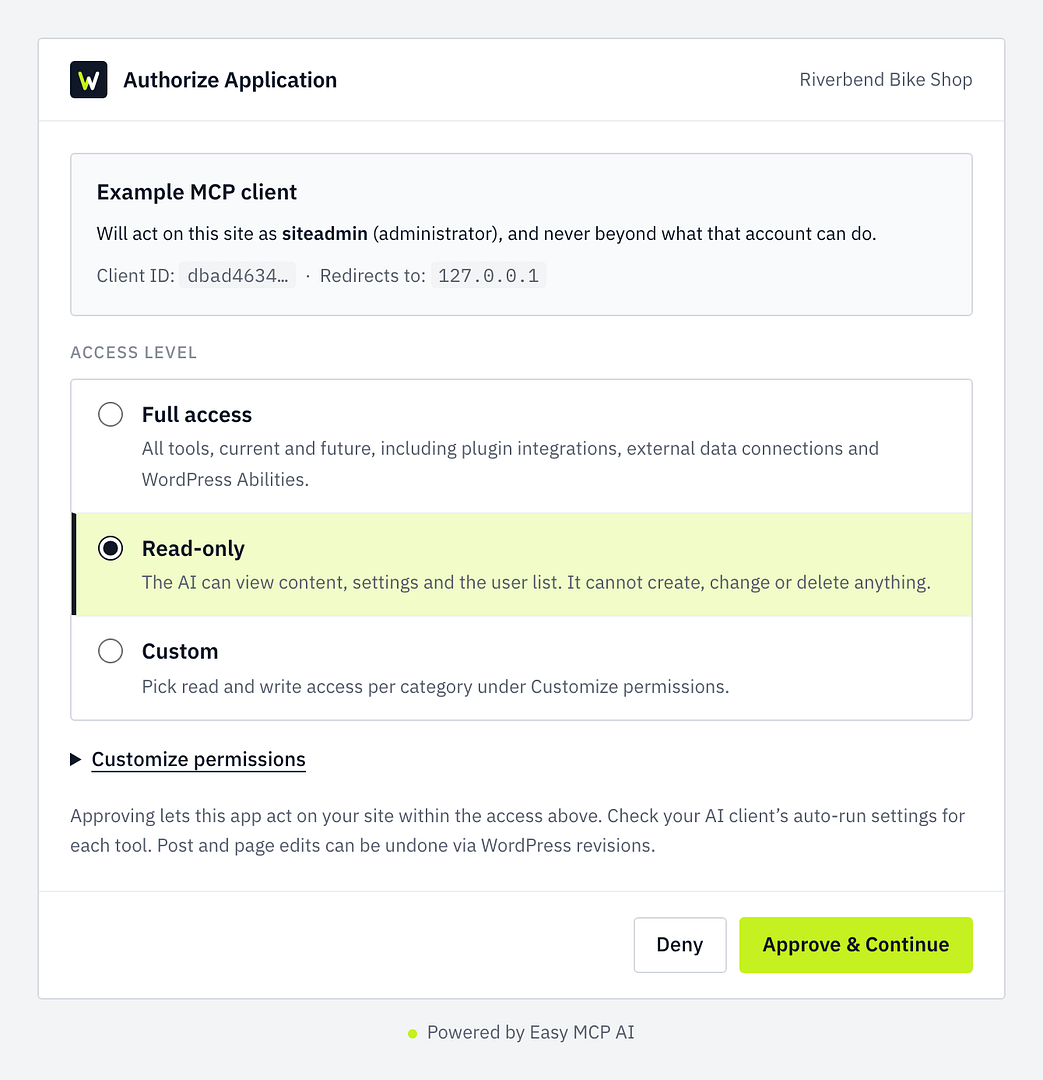
- The administrator signs into WordPress, lands on the "Authorize Application" screen, and designates an access level (such as Read-only or Full access).
- Upon approval, ChatGPT discovers the advertised tool manifest, enabling the administrator to invoke site-specific actions using the
@handle in a fresh conversation.
Supporting Data: Plan Tiers, Permissions, and Tool Distributions
Navigating the intersection of OpenAI subscription tiers and WordPress access levels requires careful auditing of available features. The integration behavior varies significantly depending on account type and configuration parameters.
ChatGPT Plan Tier Comparison
| Plan Tier | Developer Mode (Beta) | Create & Share Plugins | Documented MCP Capabilities |
|---|---|---|---|
| Free | No | No | Not officially documented |
| Go | No | Yes | Not officially documented |
| Plus | Yes | Yes | Standard interactive use |
| Pro | Yes | Yes | Read and fetch operations in developer mode |
| Business | Managed via Workspace | Managed via Workspace | Full MCP capabilities, including write actions (Beta) |
| Enterprise / Edu | Admin-controlled | Admin-controlled | Full MCP capabilities, including write actions (Beta) |
Note for Workspaces: On Business accounts, only designated administrators and owners possess the permission to toggle developer mode and deploy applications. On Enterprise and Edu setups, platform administrators control role-based access, after which individual members can activate settings under Settings ➔ Apps ➔ Advanced Settings.
Tool Distribution and Access Scopes
When evaluating a fresh installation of WordPress running Easy MCP AI, the permission level drastically alters the operational boundaries of the AI assistant:
- Read-Only Grant: Typically exposes roughly 62 tools centered around content retrieval, settings inspection, and user listing. Attempting a write action under this tier results in an immediate authorization rejection: "Token does not have permission to use this tool."
- Full Access Grant: Exposes an expanded inventory—often exceeding 120 tools—categorized into read-only utilities, destructive-annotated functions (such as permanent deletions, comment spam handling, and bulk moderation), and content creation/modification endpoints.
Official Responses and Security Frameworks
Integrating third-party large language models into core content management systems inevitably raises critical security considerations. Both OpenAI and plugin developers emphasize that automated safety annotations act merely as guide rails rather than absolute security guarantees.
The Two Layers of Control
Security is maintained through a dual-gate system:
- The ChatGPT Interface Controls: Users configure global behavioral parameters—ranging from Always ask to Allow all actions—determining how frequently the model must prompt the human operator before executing a command.
- The WordPress Site Controls: Through the Easy MCP AI dashboard, administrators can fine-tune access behaviors, such as enabling the "Ask before destructive actions" safety switch. This setting pauses calls annotated with destructive intent (like trashed posts or REST API writes) unless overridden by custom rules or unattended API keys.
The Threat of Prompt Injection
From a cybersecurity standpoint, the most prominent vector of concern is indirect prompt injection. Because language models process unstructured text fetched from public-facing vectors—such as user comments, contact form submissions, or customer product reviews—malicious actors can embed hidden instructions within this data. If the AI model holds active write privileges, these injected instructions could theoretically manipulate the model into executing unauthorized administrative tasks.
To mitigate this risk, security frameworks recommend:
- Initiating all connections strictly under a Read-only access profile.
- Keeping ChatGPT prompt settings on cautious verification levels (Always ask or Allow read actions).
- Leaving potentially volatile tool switches disabled by default until operational trust is established.
Implications for Web Administrators and Developers
The convergence of WordPress and the Model Context Protocol marks a profound paradigm shift in how digital properties are maintained, audited, and scaled.
Enhanced Operational Efficiency
By granting an AI assistant secure, structured access to a site’s backend data structures via natural language, routine administrative bottlenecks are vastly reduced. Content auditing, diagnostic checks, metadata retrieval, and iterative publishing workflows can now be coordinated directly within a conversational interface, drastically shortening the time required for complex site management tasks.
The Necessity of Strict Governance
Conversely, these capabilities demand heightened vigilance from site reliability engineers and webmasters. The reliance on dynamic client registration (DCR) and OAuth 2.1 necessitates rigorous credential management. Administrators must routinely audit their activity logs—recording every tool call executed by connected clients—and promptly revoke tokens when integrations are no longer actively required.
Ultimately, bridging ChatGPT with WordPress via MCP transforms the CMS from a static publishing platform into an active, intelligent agentic workspace, provided that developers respect the boundaries between convenience and rigorous security architecture.