





As Large Language Models (LLMs), Retrieval-Augmented Generation (RAG) pipelines, and customized AI agents become deeply embedded in modern Search Engine Optimization (Optimization/SEO) workflows, practitioners face a recurring engineering hurdle: transforming unstructured, bloated web page content into a clean, standardized format at scale.
While raw HTML contains structural markup, it is weighed down by extraneous layout components—navigation bars, cookie banners, advertisements, footers, and sidebars—that dilute context and waste valuable token budgets. Manually stripping these elements page-by-page is entirely unfeasible for sites spanning thousands of URLs.
Consequently, Markdown has emerged as the definitive format of choice for data ingestion pipelines. Lightweight, structurally descriptive, and natively understood by virtually every major LLM, Markdown bridges the gap between raw web code and vector-ready training data.
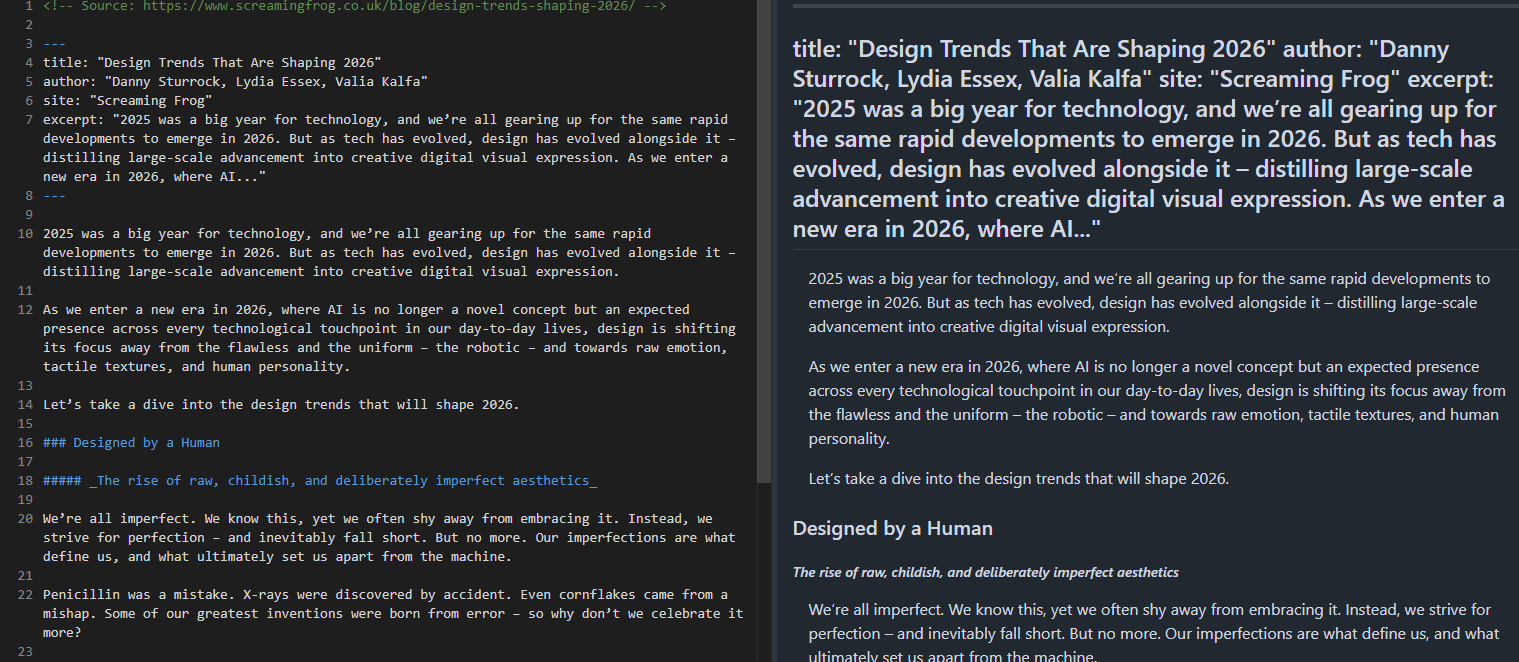
This comprehensive technical guide outlines a streamlined, automated pipeline utilizing the Screaming Frog SEO Spider and a custom Python processing script. By leveraging browser rendering alongside JavaScript extraction tools, SEOs and data engineers can execute end-to-end site conversions—transforming massive website structures into discrete, well-formatted .md files ready for downstream AI tooling.
1. The Core Facts: Why Markdown is Dominating AI and SEO Workflows
The demand for programmatic text extraction is driven by the explosive growth of generative AI applications across the digital marketing ecosystem. Whether engineering a smart customer support chatbot, compiling high-fidelity training data for custom fine-tuning, conducting deep competitor analyses via automated prompts, or staging plain-text archives prior to a complex site migration, clean source material is the foundational requirement.

Markdown fulfills this need efficiently:
- Token Efficiency: By removing structural noise (like closing tags, complex CSS classes, and JavaScript injections), Markdown dramatically reduces token counts when feeding documents to LLMs.
- Semantic Preservation: Headings (
#,##), bullet lists, blockquotes, and bold or italic styling remain intact, preserving the hierarchical context of the original content. - Universal Compatibility: From LangChain and LlamaIndex document loaders to vector databases like Pinecone or Chroma, virtually all modern RAG ingestion tools ingest Markdown directories out-of-the-box.
The Bot-Serving Debate: A Crucial Distinction
Before implementing content conversion pipelines, it is vital to distinguish between internal extraction and external serving.
Recently, some site owners have experimented with serving raw Markdown files directly to AI crawlers—either alongside or replacing standard HTML—to reduce server rendering costs and simplify bot parsing. Platforms like Cloudflare even offer one-click HTML-to-Markdown conversions for verified agent requests.
However, this practice remains controversial. Industry leaders have strongly criticized serving parallel text-only formats, noting that it introduces verification issues (how does a crawler verify that the Markdown precisely matches what human users see?) and operational overhead.
This guide focuses exclusively on downstream extraction: pulling existing web page content into clean Markdown files for your own internal pipelines, audits, and AI projects. You are not altering your live production server responses; you are simply harvesting and organizing your content efficiently.
2. Chronology and Evolution of Web Content Extraction
Historically, SEO professionals relied on primitive scraping scripts written in Python (using BeautifulSoup or Scrapy) or commercial web scrapers to gather text data. These early tools faced significant limitations:
- The JavaScript Rendering Barrier: As modern web applications shifted toward single-page architectures (React, Vue, Angular), traditional raw HTML scrapers failed because they could not process client-side JavaScript execution. Content remained hidden behind asynchronous API calls.
- Maintenance Overhead: Custom XPath or CSS selectors written for specific scraping projects broke frequently whenever a client redesigned their website layout.
- Format Fragmentation: Scraped data often outputted as messy CSV columns, unformatted text blobs, or deeply nested JSON objects, requiring extensive custom post-processing to make them useful for natural language processing models.
The release of advanced rendering capabilities within enterprise web crawlers—coupled with the advent of versatile client-side libraries like Mozilla’s Readability.js and Turndown—changed the landscape. By running these libraries inside a headless browser rendering engine during a regular web crawl, professionals can now parse, clean, and format documents on the fly without writing complex custom scrapers from scratch.
3. Supporting Data and Methodology: Two Approaches to Markdown Extraction
To extract clean Markdown at scale using the Screaming Frog SEO Spider, you must first ensure that JavaScript Rendering is enabled (Configuration > Spider > Rendering > JavaScript), as the extraction logic relies on fully rendered Document Object Models (DOM).
The SEO Spider’s Custom JavaScript feature allows two distinct pathways for generating Markdown, depending on how much manual control you require over your target URLs.
Method 1: The Automated Approach (Readability.js + Turndown)
For most standard sites (blogs, news outlets, informational portals), the easiest and most robust method combines two powerful JavaScript libraries:
- Mozilla Readability.js: The core engine behind Firefox Reader View. It automatically identifies and extracts the primary article content area of a page, stripping away extraneous wrappers without requiring manual CSS selectors.
- Turndown.js: A robust utility that converts the isolated HTML content straight into clean Markdown.
Implementation Steps:
- Open the Screaming Frog SEO Spider.
- Navigate to
Configuration > Custom > Custom JavaScript. - Click Add to create a new extraction snippet.
- Paste the following production-ready JavaScript code:
// Markdown extraction using Mozilla Readability + Turndown
function loadScripts()
    return new Promise((resolve, reject) =>
        const readability = document.createElement('script');
        readability.src = 'https://unpkg.com/@mozilla/readability/Readability.js';
        readability.onload = () =>
            const turndown = document.createElement('script');
            turndown.src = 'https://unpkg.com/turndown/dist/turndown.js';
            turndown.onload = () => resolve();
            turndown.onerror = () => reject(new Error('Failed to load Turndown.js'));
            document.head.appendChild(readability);
        ;
        readability.onerror = () => reject(new Error('Failed to load Readability.js'));
        document.head.appendChild(readability);
    );


function extractMarkdown()
    const documentClone = document.cloneNode(true);
    const article = new Readability(documentClone).parse();

    if (!article

return loadScripts()
    .then(() => seoSpider.data(extractMarkdown()))
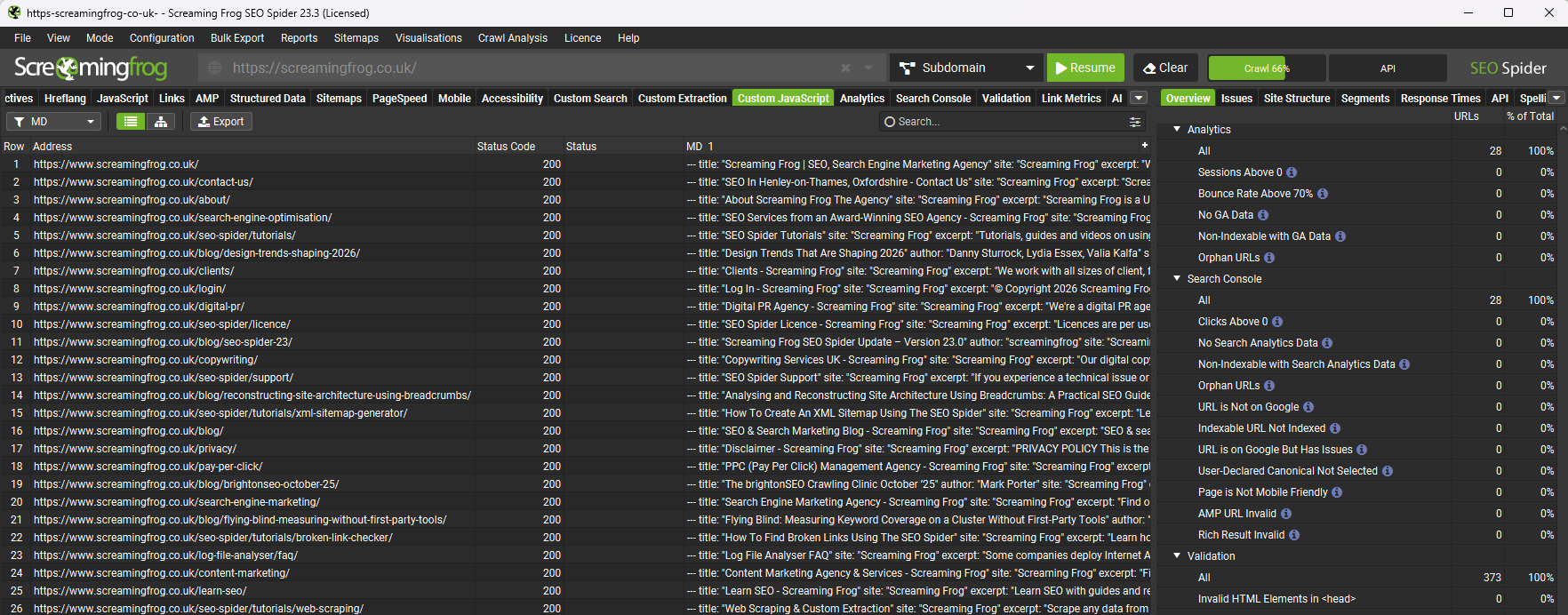
.catch(error => seoSpider.error(error));- Run your crawl. The resulting Markdown strings will populate natively inside the Custom JavaScript tab column.
Method 2: The Precision Approach (Visual Custom Extraction + Turndown)
While Readability is exceptional for standard articles, complex layouts—such as heavy documentation hubs, multi-column e-commerce product description pages (PDPs), or specialized single-page apps—may occasionally require more specific targeting.
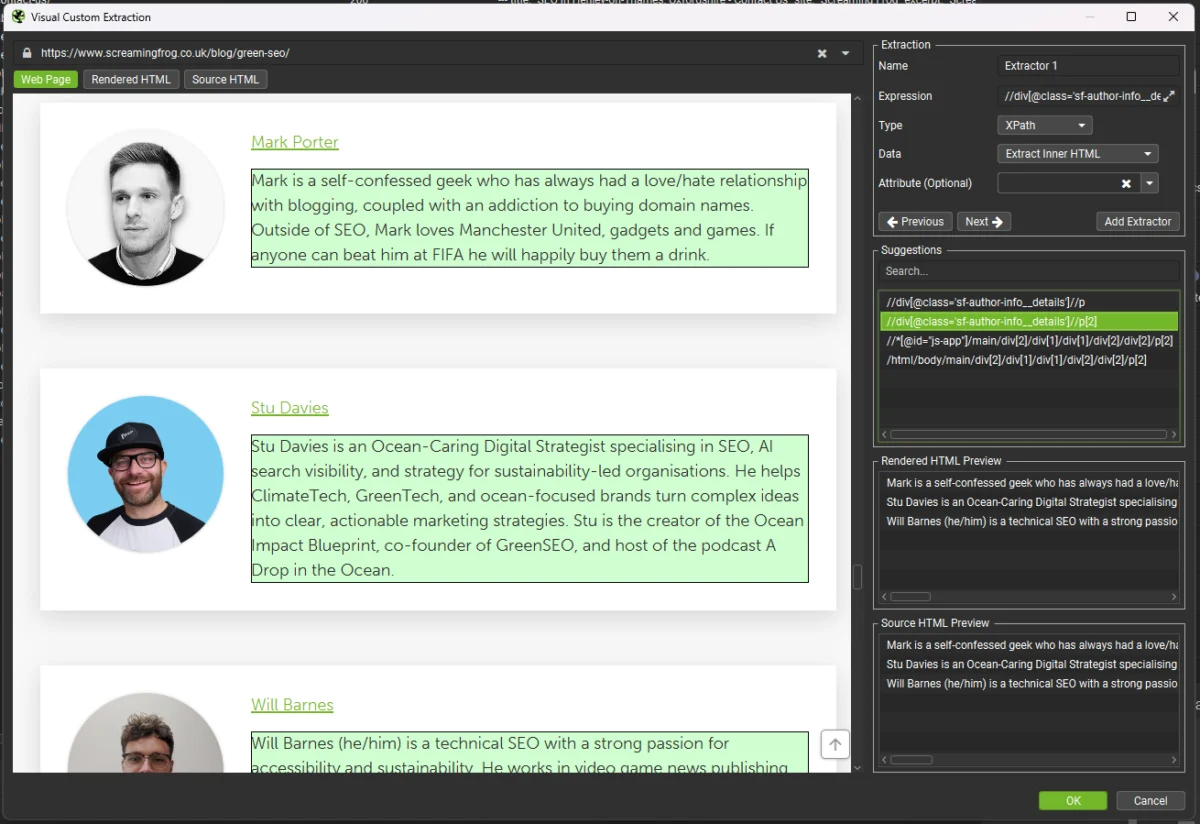
For scenarios where you need to extract only a precise component (e.g., product specs, user reviews, or a specific FAQ section), use the SEO Spider’s Visual Custom Extraction paired with targeted DOM stripping.
Implementation Steps:
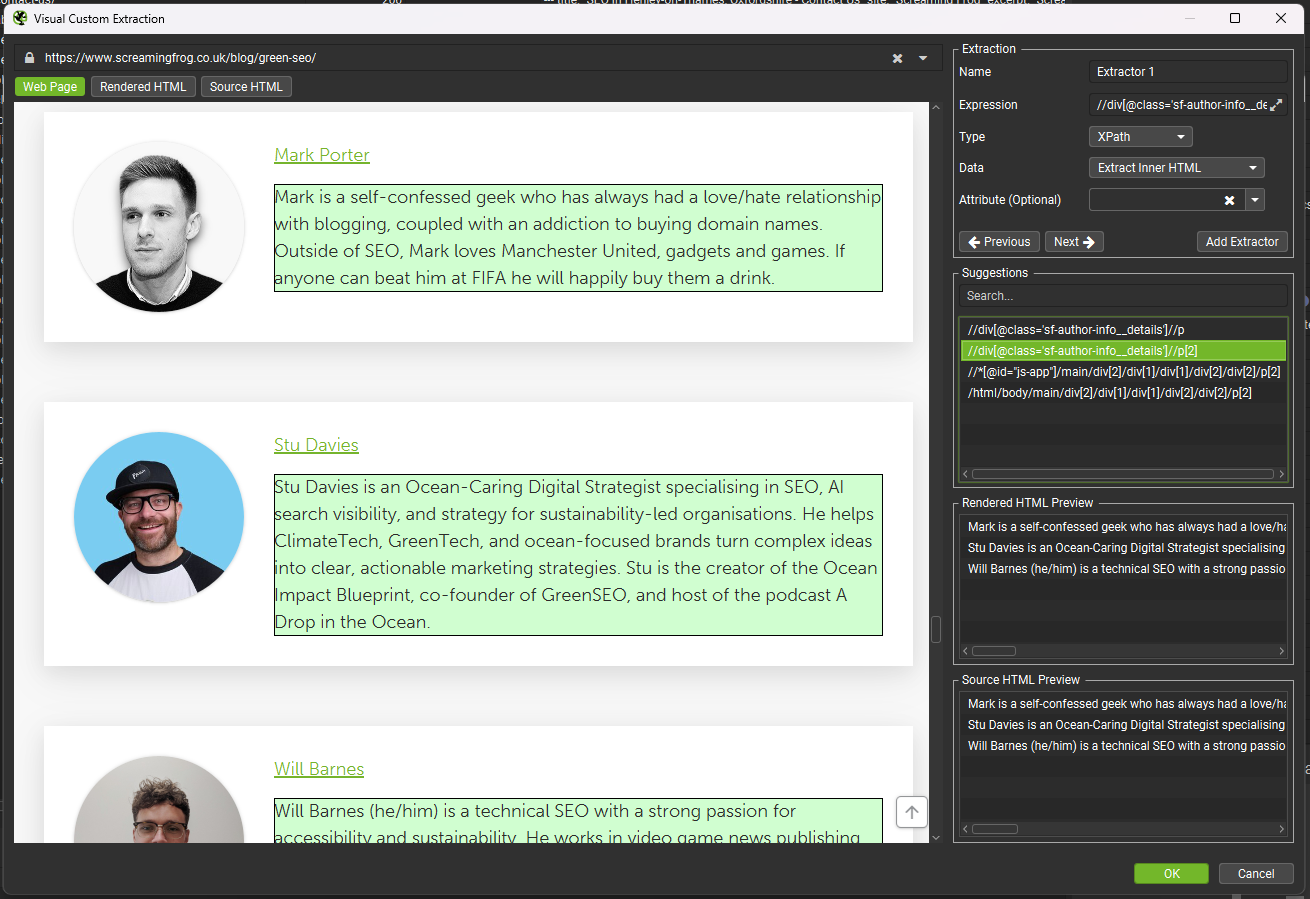
- Use the SEO Spider’s visual point-and-click tool to select your target container on a rendered page preview. The crawler will automatically generate the corresponding CSS selector.
- Create a new Custom JavaScript snippet using the code below, inserting your custom CSS selector into the
CONTENT_SELECTORvariable:
// Markdown extraction using Visual Custom Extraction + Turndown
const CONTENT_SELECTOR = "YOUR_CSS_SELECTOR_HERE";

const STRIP_SELECTORS = [
    'nav', 'footer', 'header', 'aside',
    'script', 'style', 'noscript', 'iframe', 'svg',
    '.sidebar', '.navigation', '.menu',
    '.cookie-banner', '.social-share', '.comments',
    '.related-posts', '.breadcrumb', '.share-buttons'
];

function loadTurndown()
    return new Promise((resolve, reject) =>
        const script = document.createElement('script');
        script.src = 'https://unpkg.com/turndown/dist/turndown.js';
        script.onload = () => resolve();
        script.onerror = () => reject(new Error('Failed to load Turndown.js'));
        document.head.appendChild(script);
    );


function extractMarkdown()
    const content = document.querySelector(CONTENT_SELECTOR);
    if (!content)
        return 'No content found for selector: ' + CONTENT_SELECTOR;


    const clone = content.cloneNode(true);

    STRIP_SELECTORS.forEach(selector =>
        clone.querySelectorAll(selector).forEach(el => el.remove());
    );

    const turndownService = new TurndownService(
        headingStyle: 'atx',
        codeBlockStyle: 'fenced',
        bulletListMarker: '-'
    );

    const markdown = turndownService.turndown(clone.innerHTML);
    return markdown.replace(/n3,/g, 'nn').trim();


return loadTurndown()
    .then(() => seoSpider.data(extractMarkdown()))
    .catch(error => seoSpider.error(error));
4. Bulk Exporting to Individual Files via Python
Once your crawl is complete, export the Custom JavaScript tab as an .xlsx spreadsheet. While viewing content in a spreadsheet is useful for quick audits, downstream AI applications (like local vector embeddings or static site generators) generally require individual .md files per page.
The following production-ready Python script automates this translation:
import pandas as pd
import os
import re
from urllib.parse import urlparse

# Configuration
EXPORT_FILE = 'custom_javascript_md_.xlsx'
OUTPUT_DIR = 'markdown_output'

def url_to_filename(url):
    """Convert URL path structure into a safe, nested markdown filename."""
    parsed = urlparse(url)
    path = parsed.path.strip('/')
    if not path:
        return 'index.md'
    filename = path.replace('/', '__')
    filename = re.sub(r'[^w-.]', '_', filename)
    filename = re.sub(r'.(html?|php|aspx?)$', '', filename)
    return filename + '.md'

def main():
    os.makedirs(OUTPUT_DIR, exist_ok=True)
    df = pd.read_excel(EXPORT_FILE)

    url_col = df.columns[0]
    md_col = df.columns[3]

    count = 0
    skipped = 0

    for _, row in df.iterrows():
        url = str(row[url_col]).strip()
        markdown = str(row[md_col]).strip()

        if not markdown or markdown == 'nan' or not url:
            skipped += 1
            continue

        filename = url_to_filename(url)
        filepath = os.path.join(OUTPUT_DIR, filename)

        with open(filepath, 'w', encoding='utf-8') as f:
            f.write(f'<!-- Source: url -->nnmarkdown')

        count += 1

    print(f'Successfully created count markdown files in /OUTPUT_DIR')
    if skipped:
        print(f'Skipped skipped rows due to empty content or missing URLs.')

if __name__ == '__main__':
    main()
Execution Instructions:
- Ensure you have Pandas installed (
pip install pandas openpyxl). - Place your Screaming Frog Excel export in the same directory as the script.
- Run the script:
python parse_markdown.py. - Your
markdown_outputdirectory will instantly populate with clean, properly named.mdfiles equipped with source URL tracking comments.
5. Implications for SEOs and AI Engineers
Adopting a structured, automated Markdown extraction pipeline delivers substantial operational advantages across multiple disciplines:
- Accelerated RAG Development: Engineers can spin up custom corporate knowledge bases or internal documentation chatbots in minutes rather than spending weeks writing brittle custom web scrapers.
- Enhanced Content Audits: Content strategists can review entire site archives in plain text format, making it effortless to run bulk regex searches, analyze heading hierarchies, or evaluate content depth using local tools like
ripgrep. - Seamless Migrations: When undertaking large-scale CMS migrations, maintaining a clean text archive ensures that legacy content can be easily re-imported or referenced without database bloat.
By merging the robust crawling capabilities of the Screaming Frog SEO Spider with lightweight JavaScript parsing and Python automation, technical SEOs can bridge the gap between legacy web architectures and cutting-edge artificial intelligence workflows.