






The landscape of web development has undergone a seismic shift. With the emergence of the WordPress Abilities API and the sophisticated AI Client, WordPress has transitioned from a traditional content management system into a powerful execution engine. It now serves as a dynamic bridge between site owners and the world’s most advanced artificial intelligence models.

However, this evolution brings a new, complex reality to the forefront. As WordPress websites integrate generative AI for image creation, automated content drafting, and intelligent query handling, the underlying infrastructure faces unprecedented pressure. For developers and business owners, the "magic" of AI carries a tangible cost in terms of server resources. As machine-driven tasks become increasingly prevalent, the ability to observe, monitor, and optimize these processes is no longer a luxury—it is a critical requirement for maintaining a modern, high-performance website.
The New Paradigm: WordPress as an Execution Engine
The integration of AI into WordPress via APIs allows for complex automation that was previously impossible without external middleware. Whether it is an AI bot scanning your site for data, a plugin leveraging an AI client to write blog posts, or an external AI agent querying your site via the Abilities API, these operations interact with your server in ways that differ significantly from standard HTTP requests.
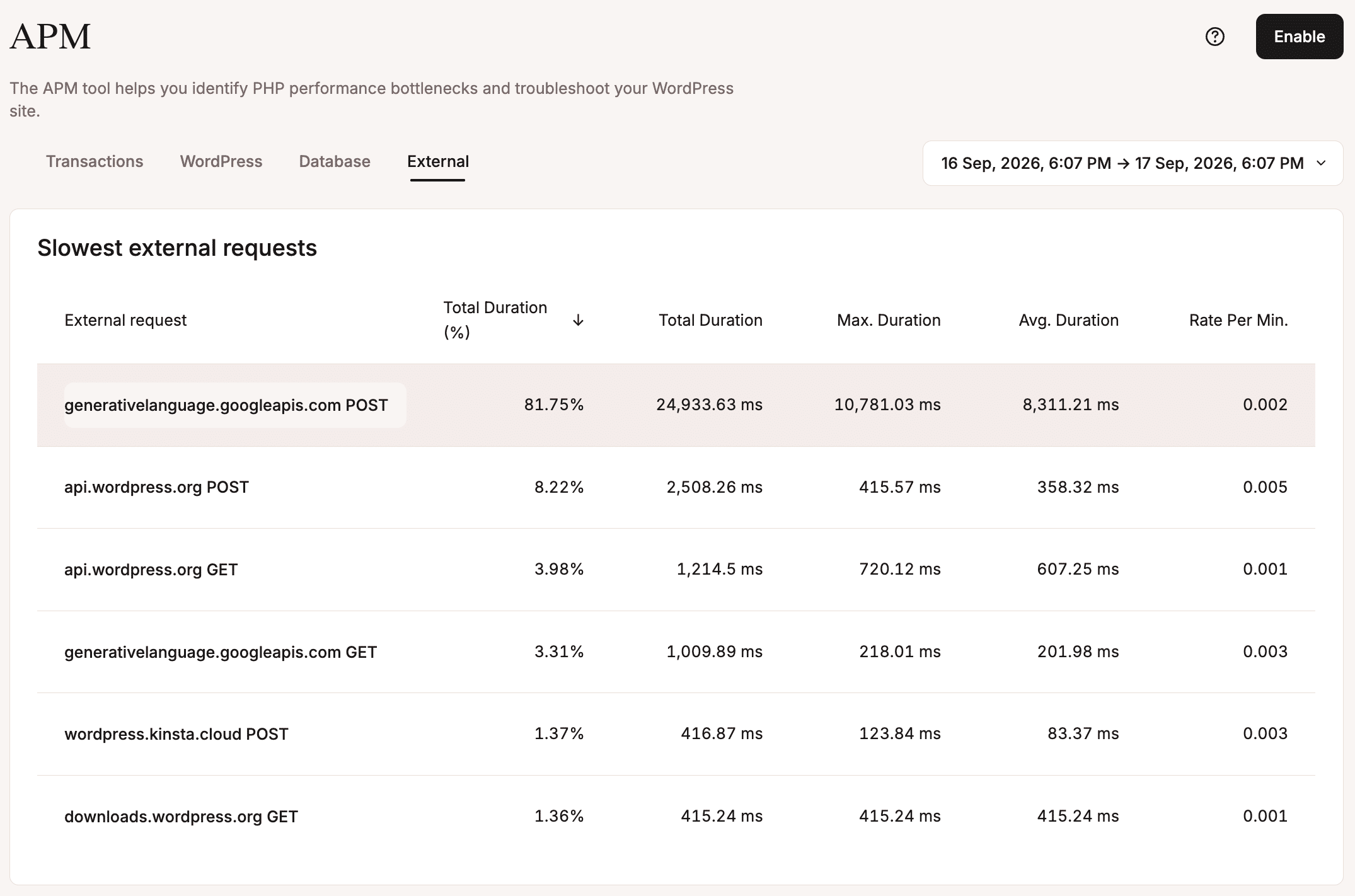
The core challenge lies in the nature of these operations. When a user requests a static page, the server delivers cached content almost instantaneously. In contrast, many AI-driven tasks—such as generating a high-resolution image or transcribing audio—are "blocking" operations. They require a PHP worker or thread to remain active, holding the connection open while the AI model processes the data and returns a response. For high-traffic e-commerce stores or enterprise sites, these persistent connections can lead to resource exhaustion if not properly monitored.
Chronology: A Case Study in AI-Driven Resource Consumption
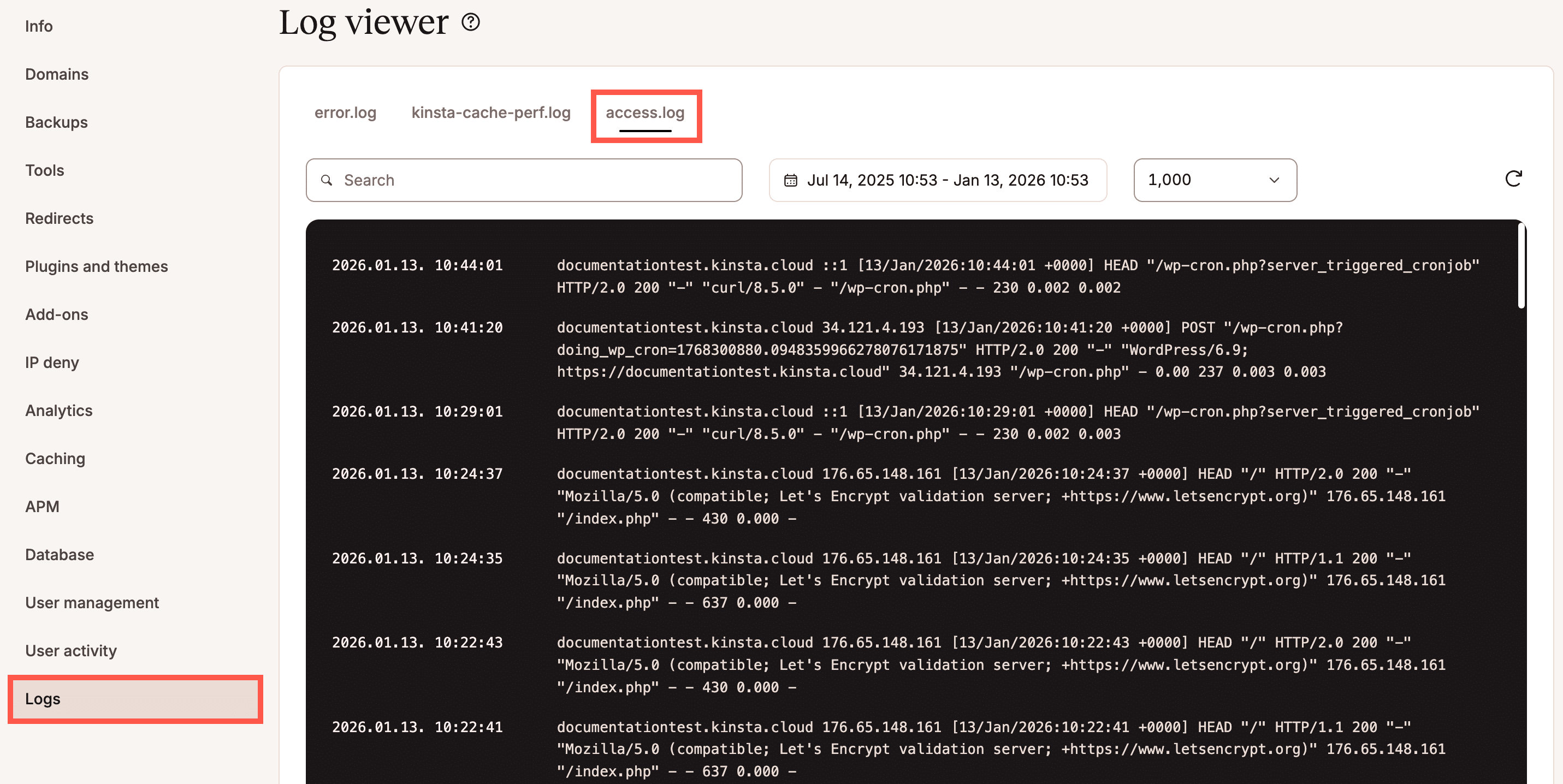
To understand how these AI operations impact your infrastructure, it is essential to look at the lifecycle of a single request. We conducted a test using the official WordPress.org AI plugin to generate a featured image for a blog post. By utilizing the Kinsta APM tool and server access logs, we can break down the journey of this request.
Step 1: Configuration and Integration
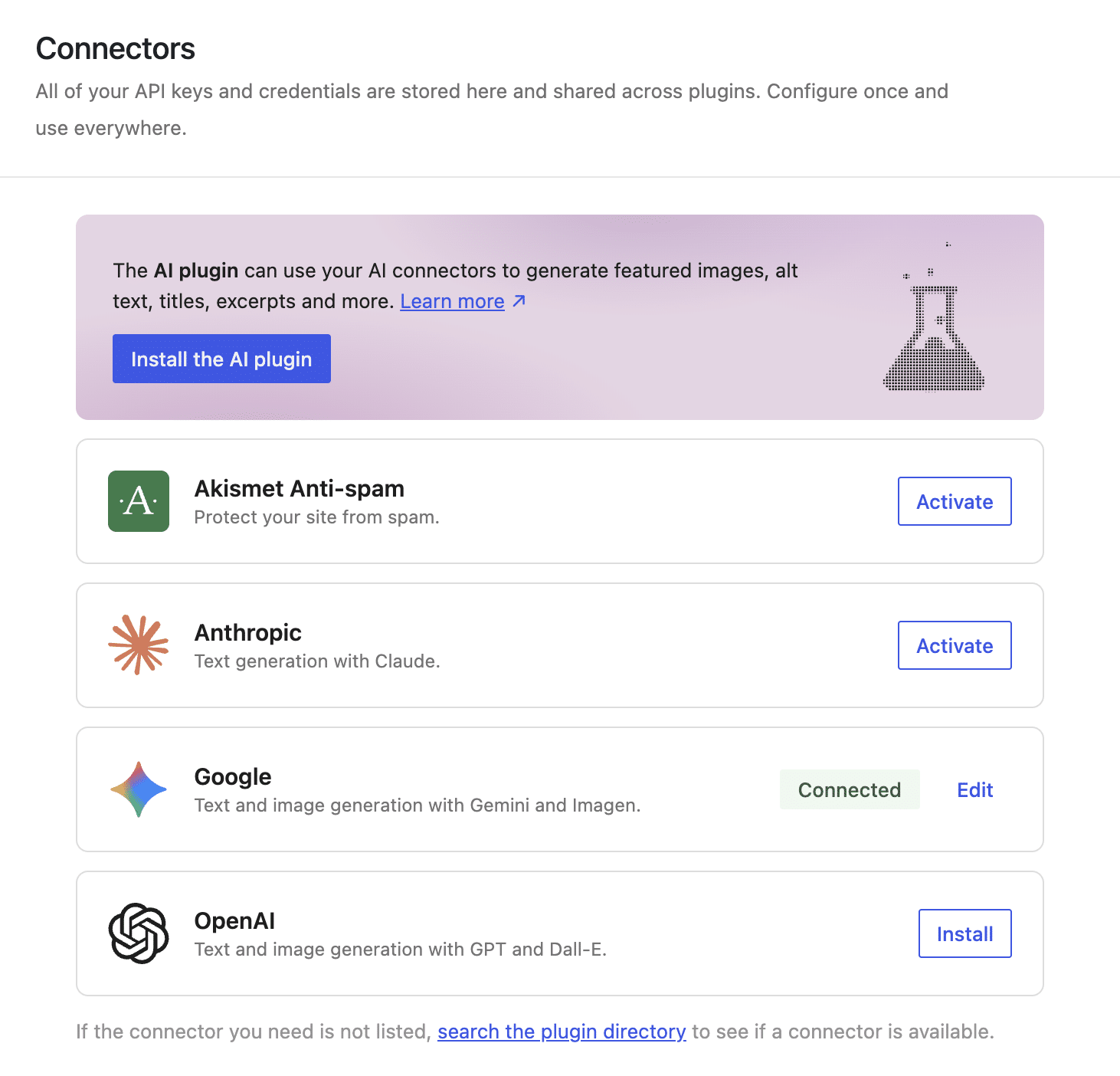
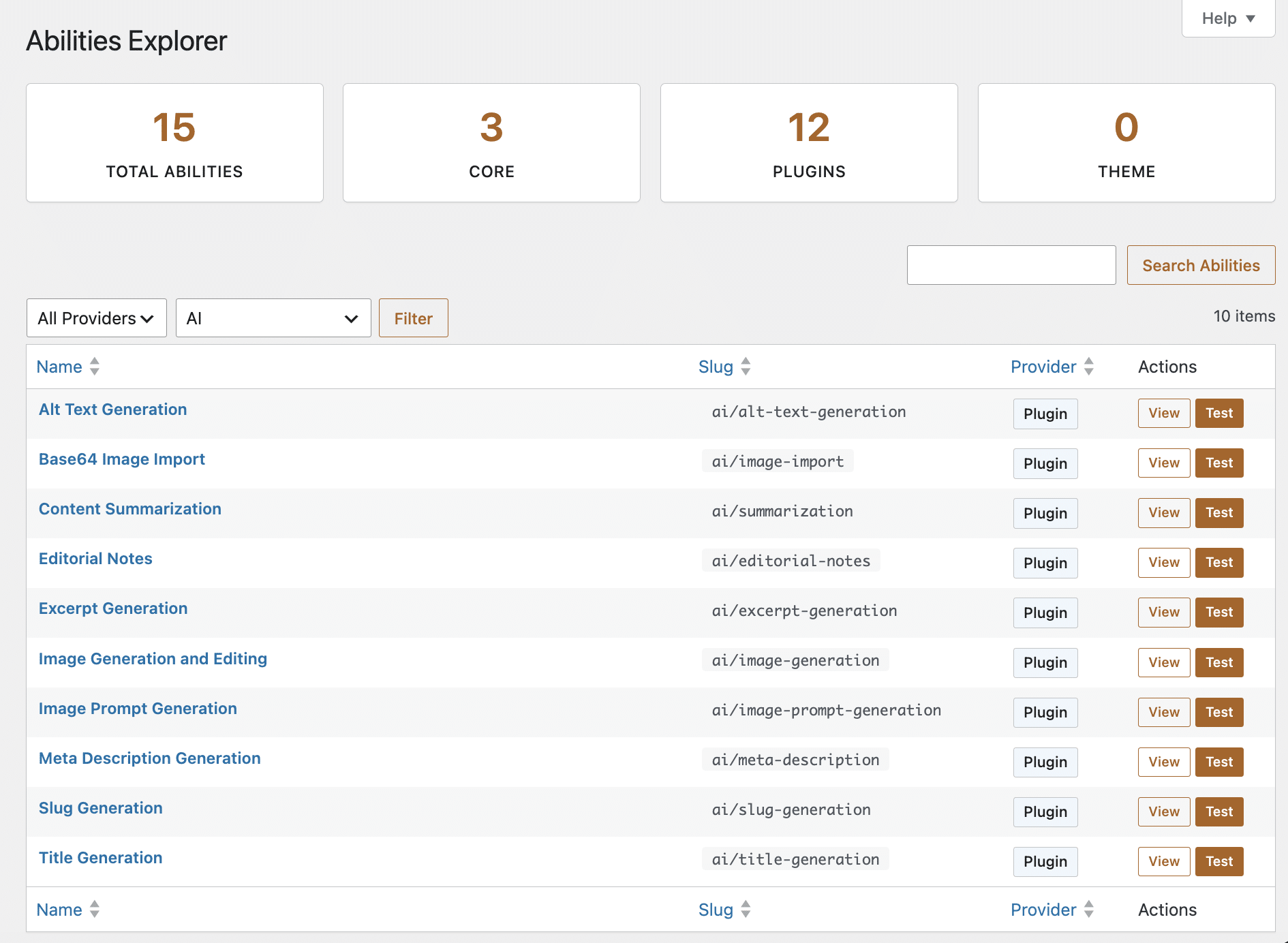
The process begins in the WordPress dashboard. After configuring the AI provider (such as Google’s Gemini) in the "Connectors" screen, the site gains new "abilities." These are managed through the Abilities Explorer, which allows developers to inspect which AI functions are registered and available for use within the block editor.
Step 2: The Trigger
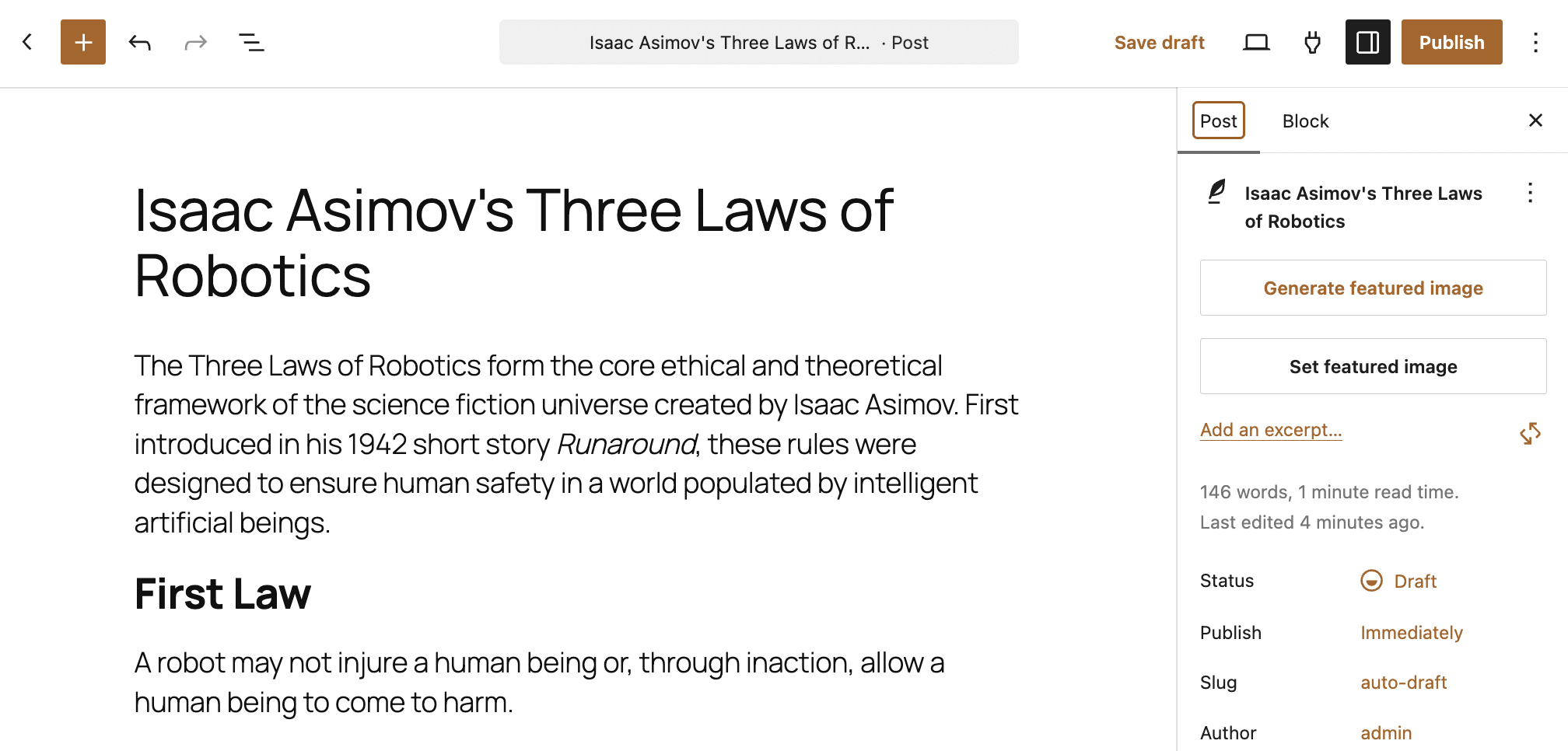
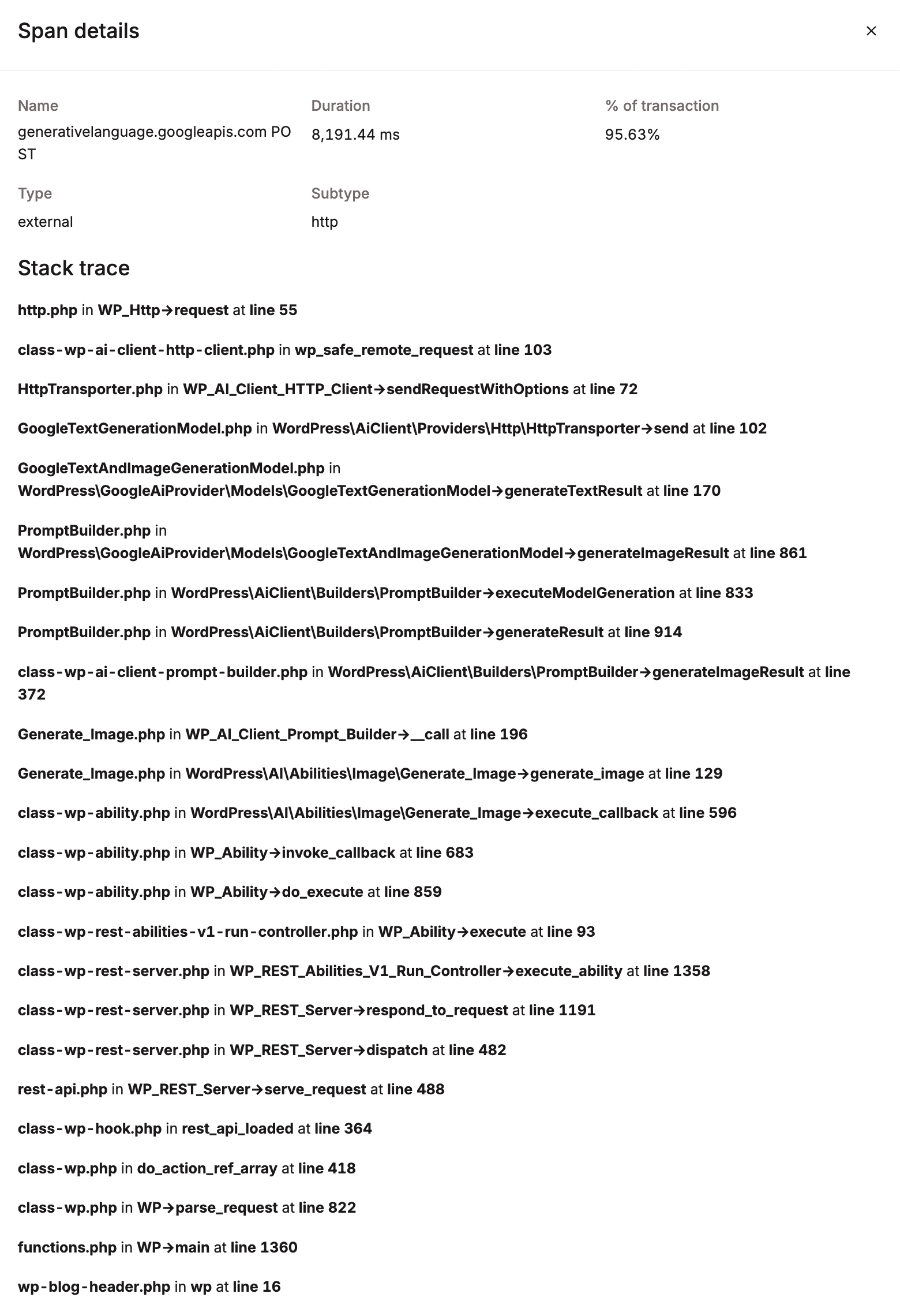
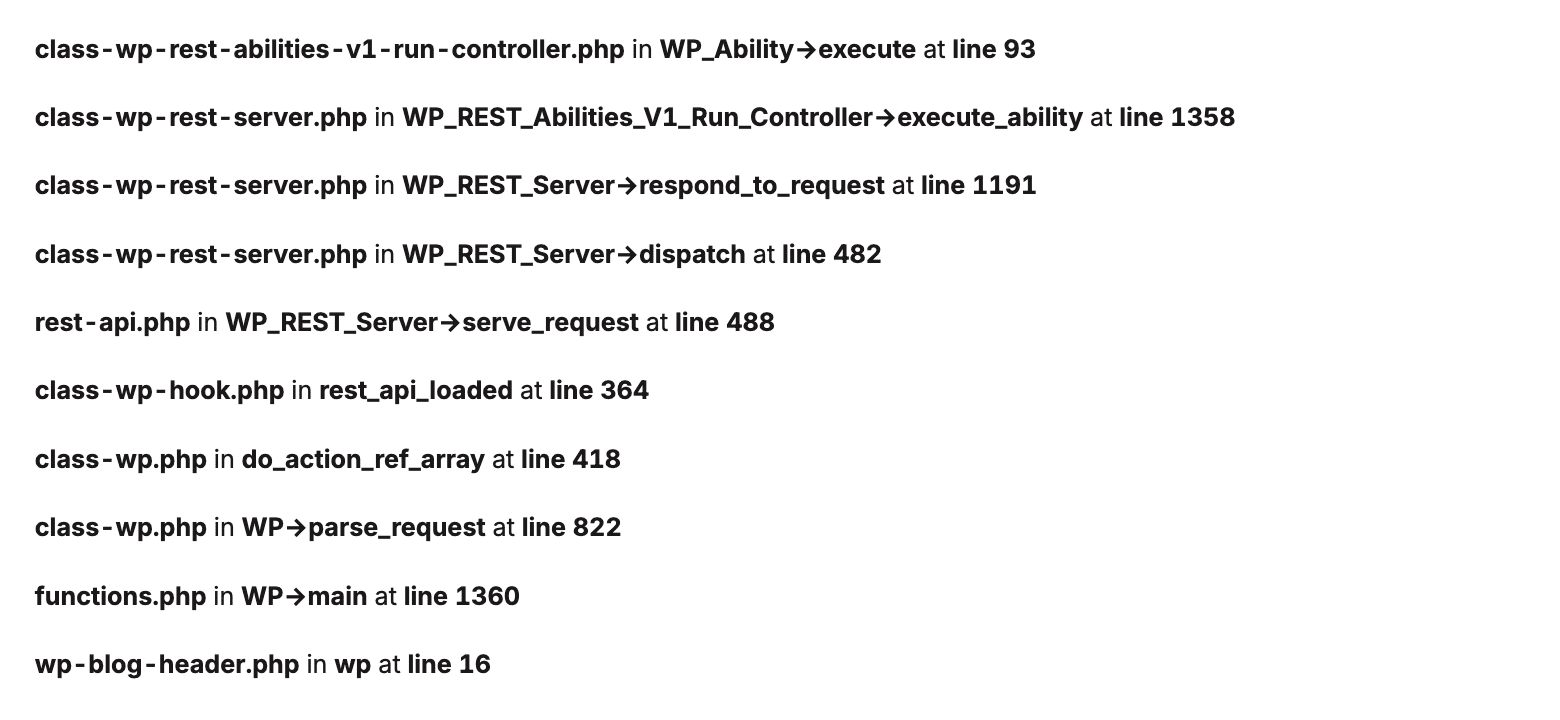
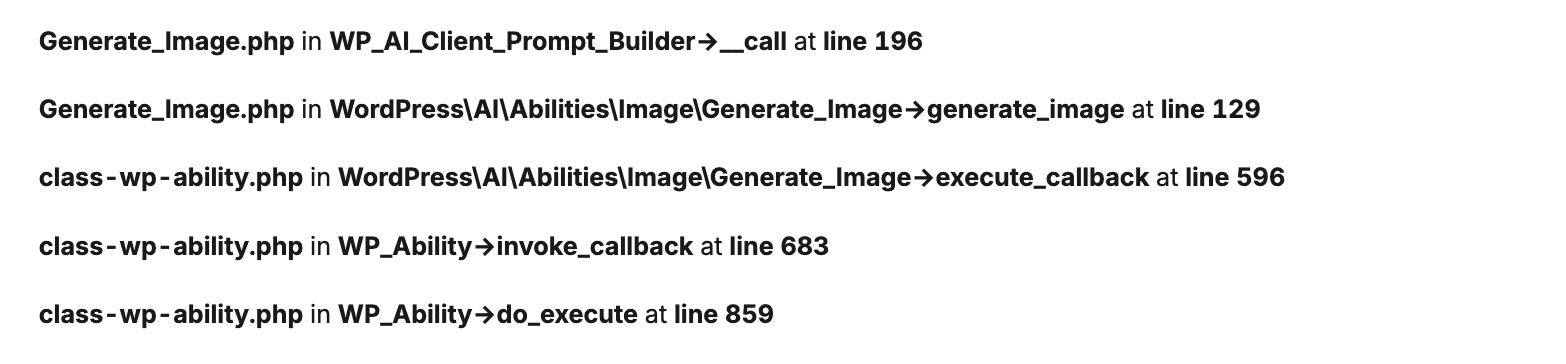
When a user clicks "Generate featured image" within the editor, the request is sent to the WordPress REST API. This kicks off a sequence of internal processes. The server must:
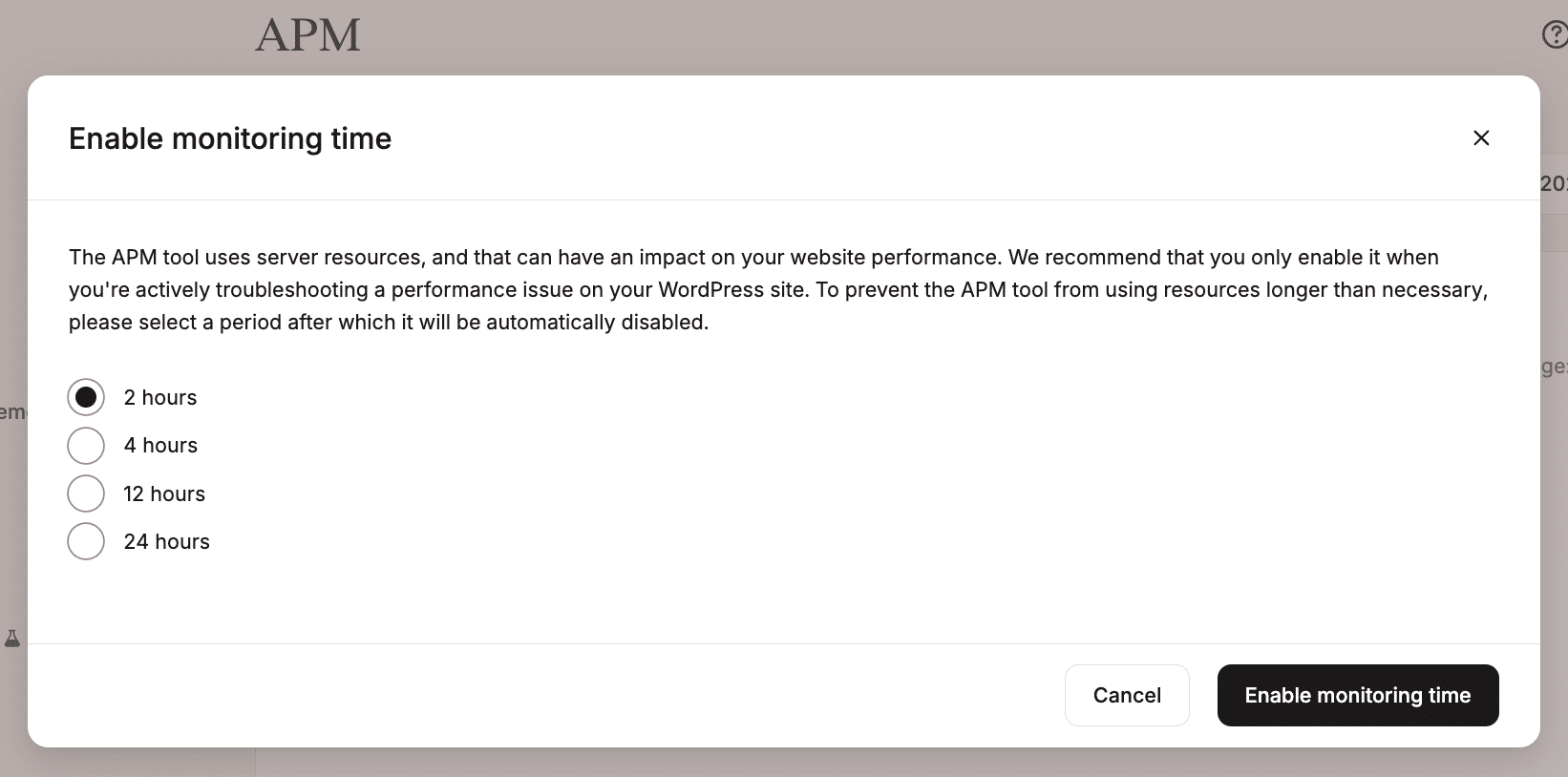
- Initialize the WordPress core.
- Route the request through the REST API controller.
- Invoke the specific AI ability via the AI Client.
- Build a prompt based on the post content.
- Open a synchronous connection to the external AI provider.
Step 3: Execution and Response
The request remains "in flight" while the AI model processes the prompt. Once the AI returns the data—in this case, a base64 encoded image—the WordPress site must then process that data, generate image crops, and register the new file in the Media Library.
Supporting Data: The Quantitative Impact of AI
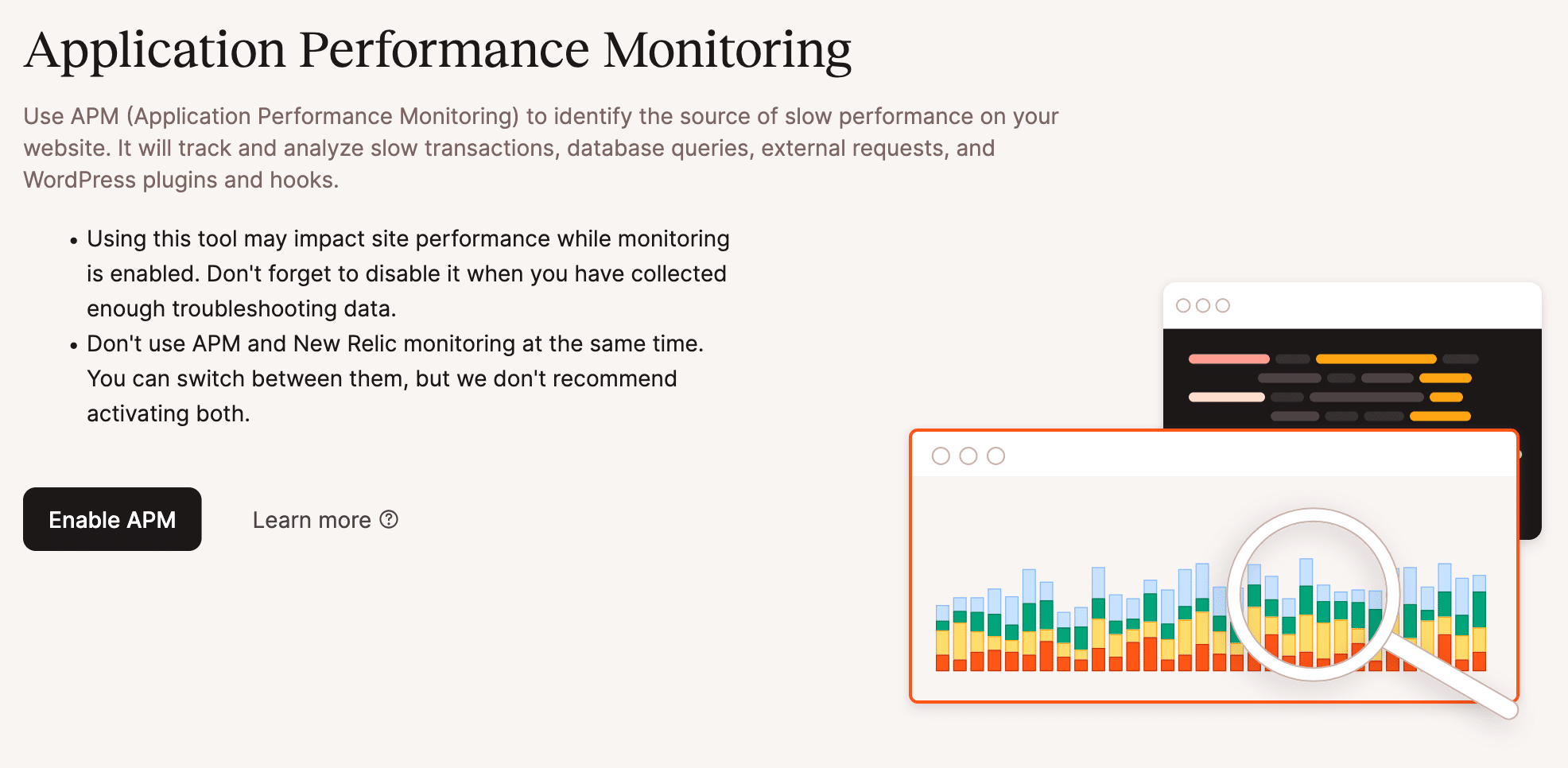
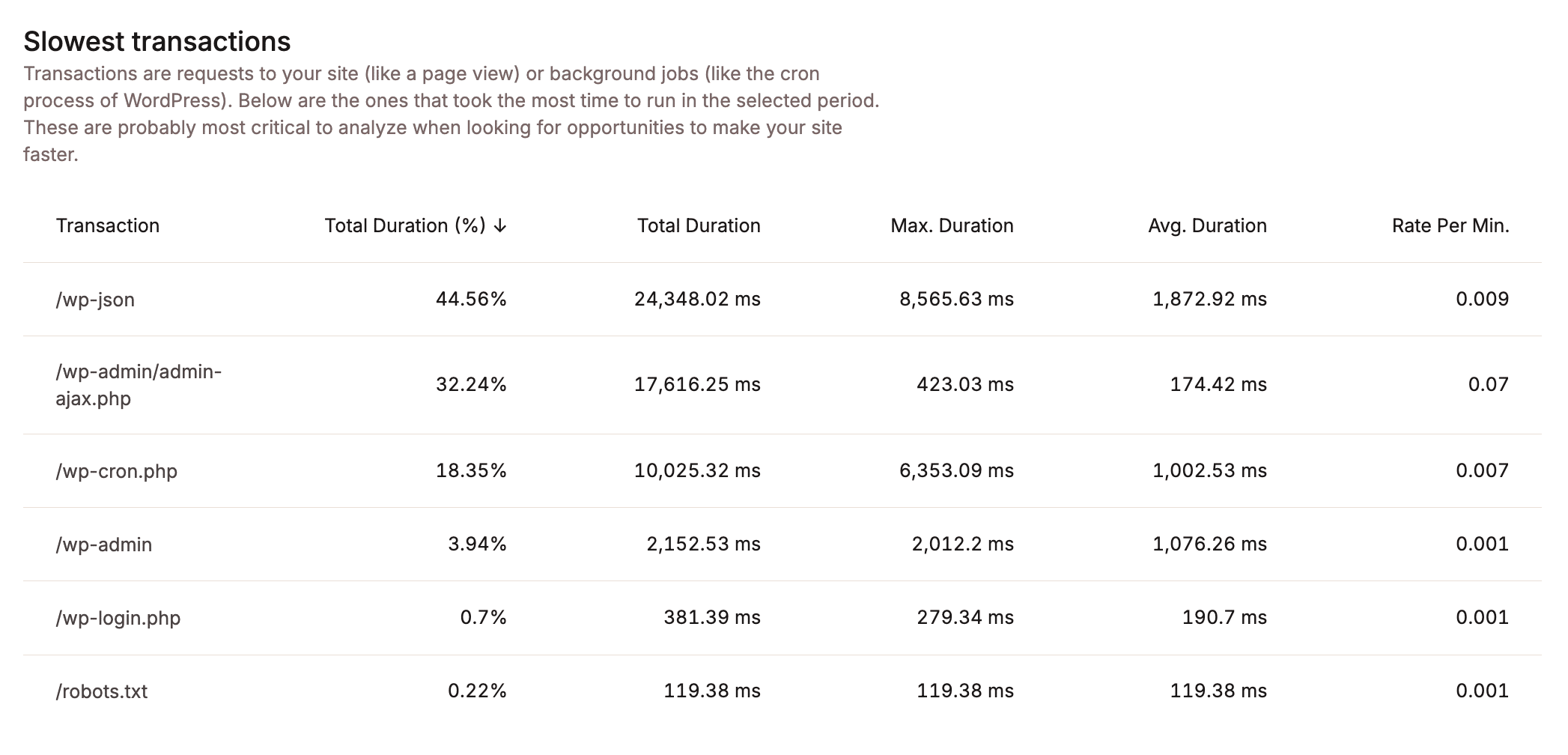
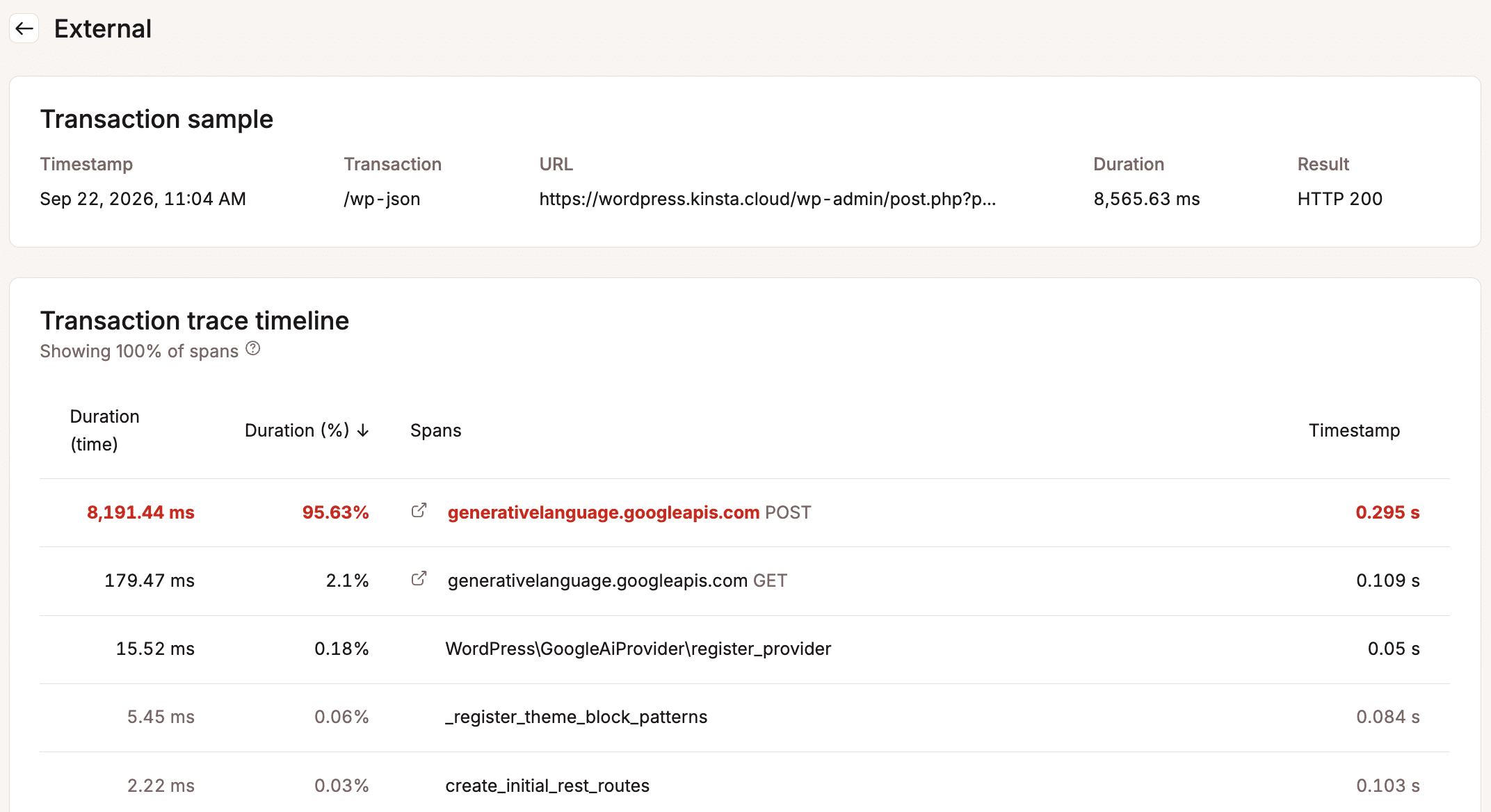
Our analysis reveals that these operations are significantly more resource-intensive than standard database queries or page loads. Using Kinsta’s Application Performance Monitoring (APM), we observed the transaction traces for this process.
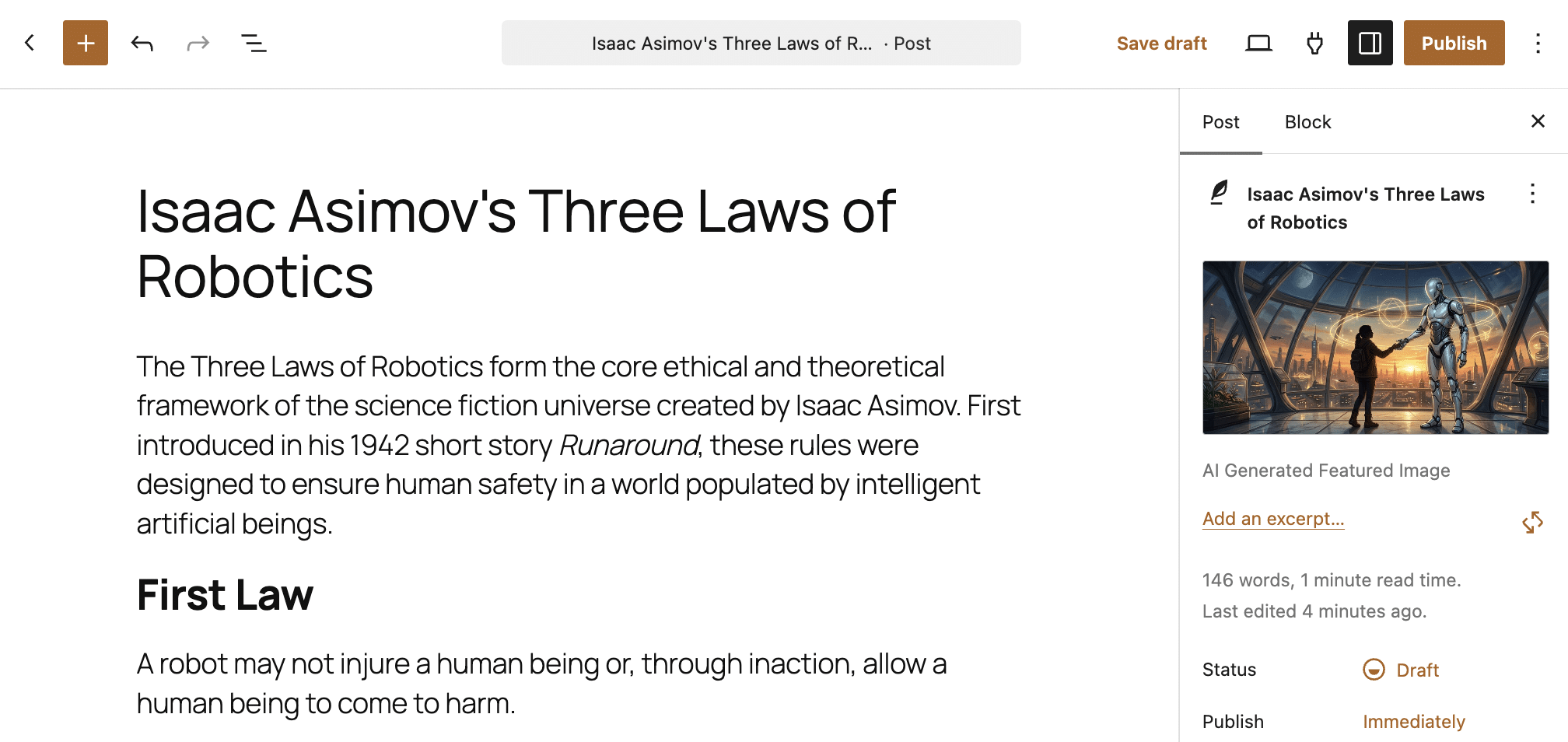
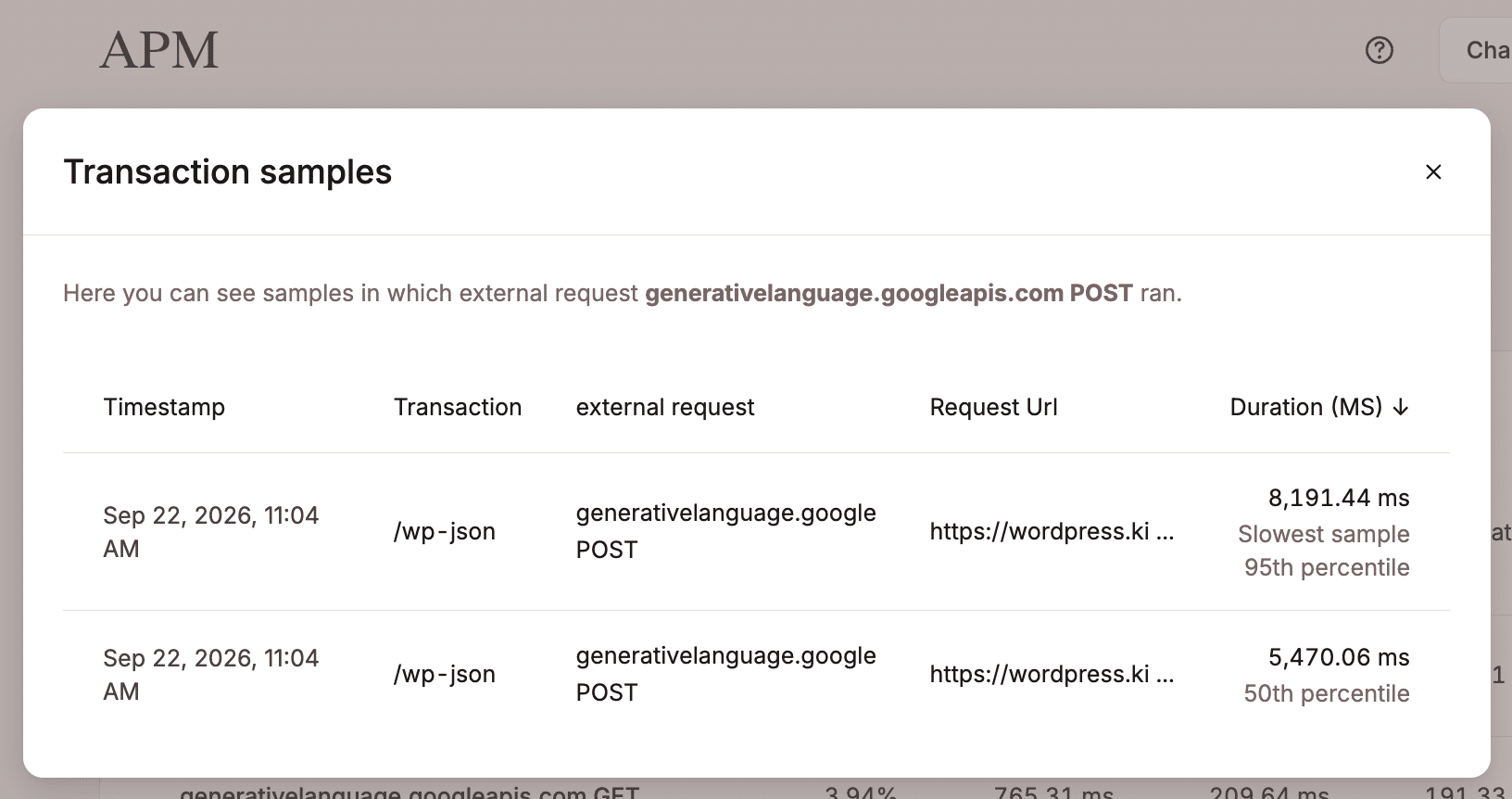
The data shows that the total execution time for a single image generation request reached approximately 27 seconds of cumulative PHP thread processing time. This is a massive figure compared to standard page generation times, which are typically measured in milliseconds.
Breakdown of the 27-Second Workflow:
- Prompt Generation: ~5.4 seconds of PHP execution time.
- Image Generation: ~9.8 seconds of PHP execution time.
- Alt Text Generation: ~11.3 seconds of PHP execution time.
- Media Integration: ~0.8 seconds of PHP execution time.
When these operations are performed sequentially, they consume nearly half a minute of a PHP worker’s availability. On a hosting plan with a limited number of PHP workers, it is easy to see how three or four simultaneous AI requests could completely saturate the server, leading to "504 Gateway Timeouts" for other visitors who are simply trying to view your site.
Official Perspectives: The Need for Observability
Industry experts and hosting providers are increasingly emphasizing the role of observability in the age of AI. As Carlo Daniele of Kinsta notes, the shift toward AI-integrated workflows requires a fundamental change in how site owners view their infrastructure.
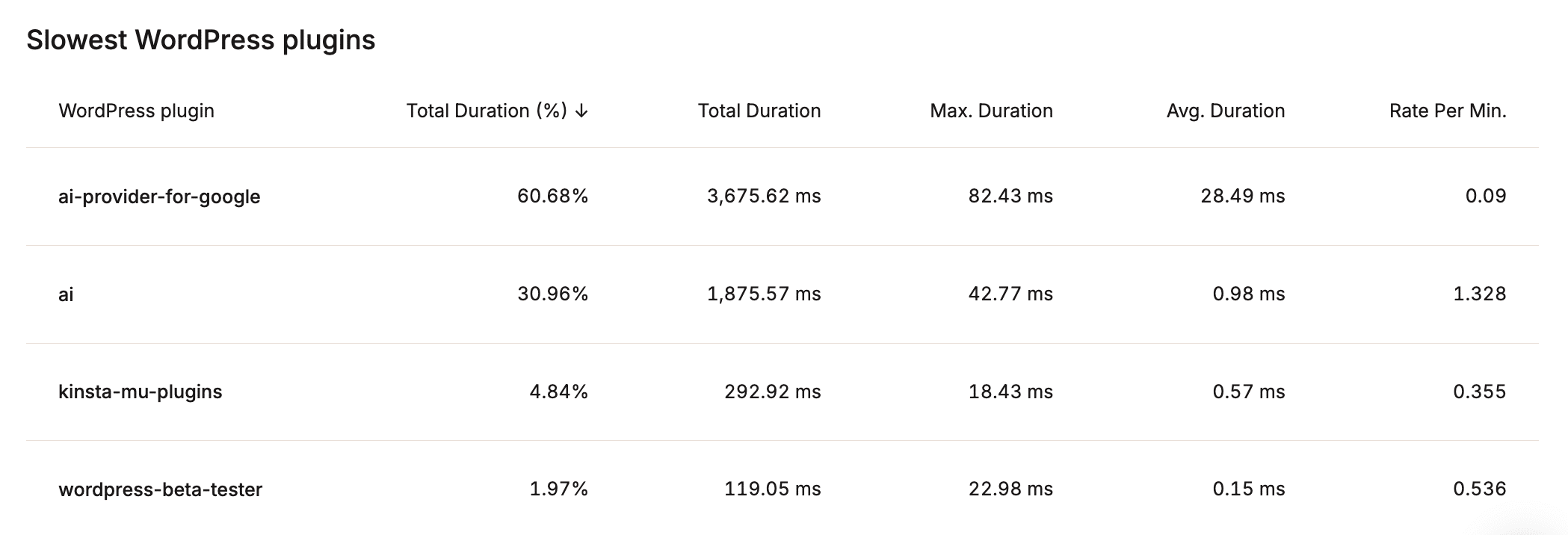
"The key takeaway," experts suggest, "is that AI tasks are often synchronous, blocking operations." When a PHP thread is tied up waiting for an external API response, it cannot perform other tasks. If your site implements multiple AI features—such as automated image generation, smart chatbots, and AI-driven SEO meta-tagging—your hosting infrastructure becomes the single point of failure.
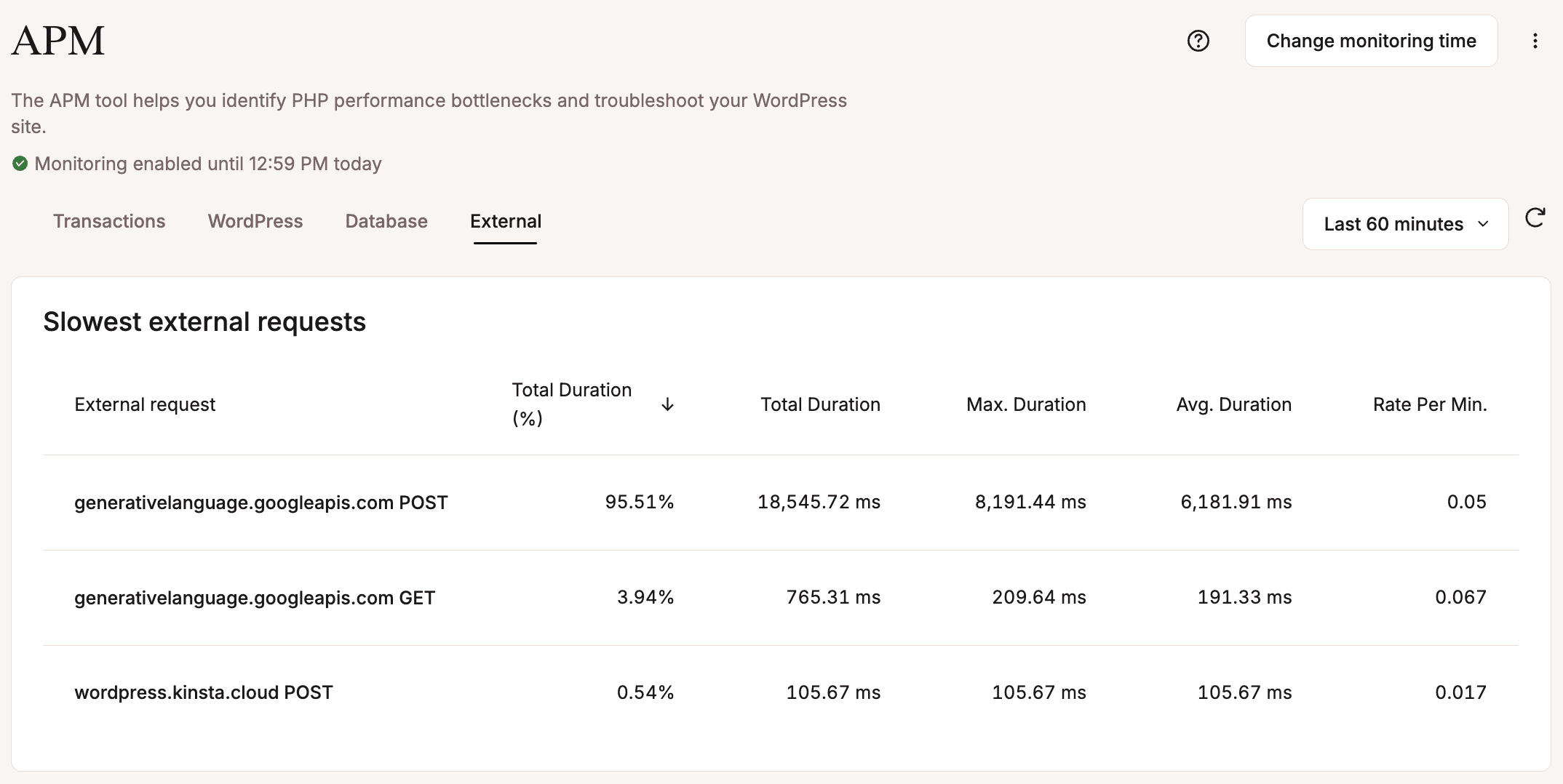
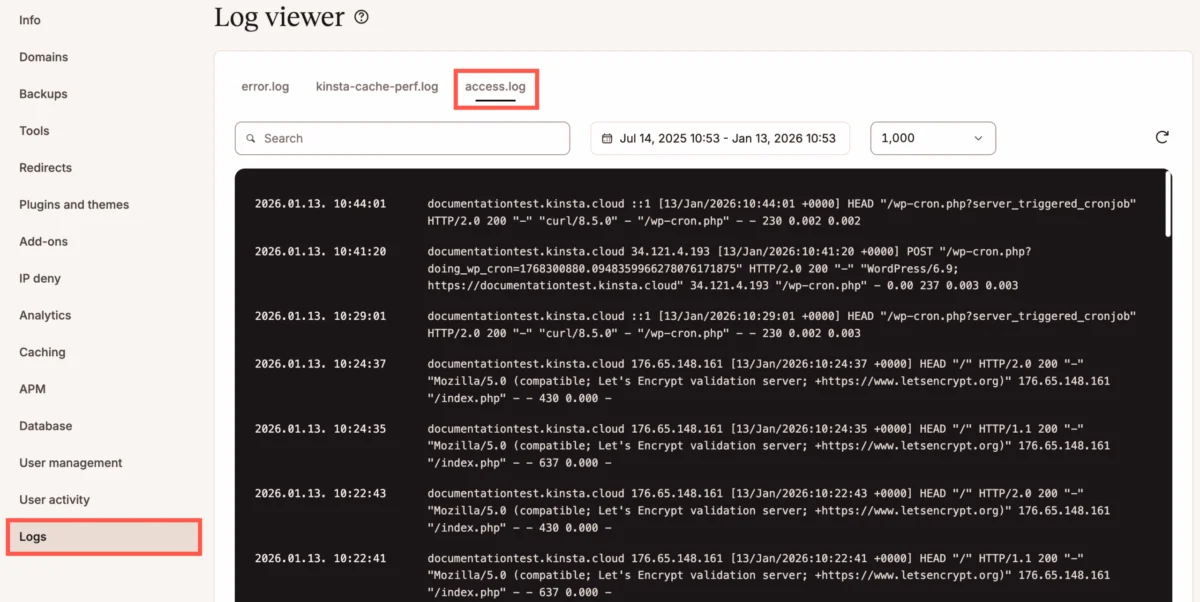
Monitoring tools like Kinsta APM and standard server logs are the "gold mines" of this new era. By inspecting access.log files, administrators can pinpoint exactly which API endpoints are causing latency. By looking at the transaction-trace-timeline, developers can see exactly which line of code is waiting on an external response, allowing for targeted optimizations.
Implications for the Future of WordPress
The integration of AI into WordPress is a double-edged sword. On one hand, it democratizes powerful tools, allowing small publishers to create professional content at scale. On the other hand, it forces a migration away from "cheap" shared hosting toward high-performance, containerized, and scalable environments.
1. Performance and Scalability
The primary implication is that site performance is no longer just about optimizing CSS or database queries. It is about architectural capacity. As AI features become common, developers must consider asynchronous task queues (using systems like Action Scheduler or WP-Cron) to handle AI requests in the background, rather than blocking the main user experience.
2. The Rise of "AI-Aware" Hosting
Hosting providers that offer built-in observability tools will have a distinct advantage. Users need to know, in real-time, how many PHP workers are being utilized by AI processes. Without this data, site owners are "flying blind," risking downtime during peak traffic periods like Black Friday or major product launches.
3. Economic Consequences
The hidden cost of AI is also financial. If an AI-heavy plugin causes your site to require an upgrade to a higher-tier hosting plan to accommodate the necessary PHP workers and memory, the cost of the "free" AI plugin is significantly higher than the subscription fee for the AI model itself.

Conclusion
As WordPress continues to evolve into a sophisticated execution engine, the complexity of managing these sites will inevitably rise. AI offers incredible utility, but it demands respect for the underlying server infrastructure. By adopting a proactive stance on observability—leveraging APM tools, monitoring access logs, and understanding the synchronous nature of AI API calls—developers can harness the power of artificial intelligence without compromising the stability of their platforms.
In the AI era, performance is a prerequisite for success. Choosing the right infrastructure is no longer just about speed; it is about providing a foundation that can handle the rigorous demands of modern, automated web applications. As the digital landscape continues to change, those who monitor their workloads and optimize their resource consumption will be the ones to thrive.