






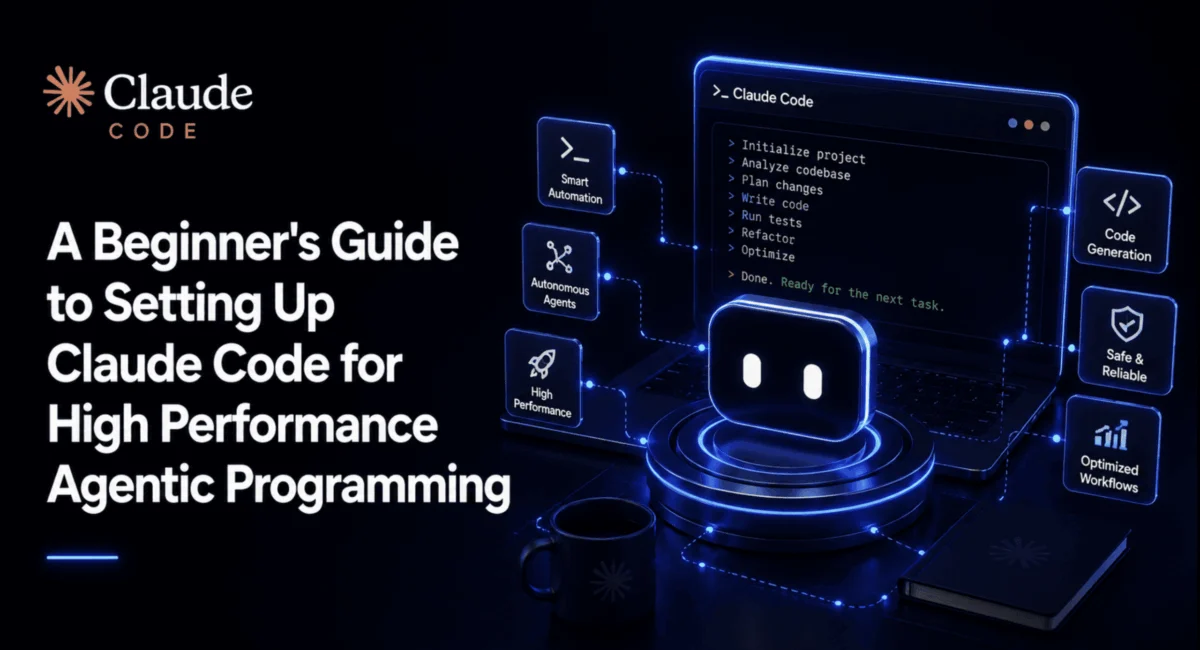
For many developers, the initial experience with Anthropic’s Claude Code is nothing short of transformative. You run the installer, authenticate, and within seconds, the CLI agent is navigating your directory, suggesting refactors, and executing tests. However, a common narrative emerges: the honeymoon phase ends within a few weeks. Sessions begin to lose coherence, repetitive permission prompts clutter the workflow, and long-running tasks hit context limits that force a frustrating, manual reset.
The issue is rarely the model itself; it is the configuration. Claude Code arrives with "sensible defaults," but those defaults are designed for accessibility, not necessarily the high-velocity, sustained agentic work required for complex software engineering. Bridging this gap requires moving beyond the default CLI experience and mastering the underlying configuration layer.
The Architecture of Agentic Persistence
To transform Claude Code from a transient chatbot into a persistent development partner, one must understand how it manages state. Claude Code relies on a dual-layer configuration structure: a global ~/.claude/ directory that governs behavior across your machine, and a project-specific .claude/ directory that stores context relevant only to the repository at hand.
Chronology of a High-Performance Setup
The path to a professional-grade setup follows a logical progression:
- Environment Scoping: Initiating Claude Code within the specific project root, rather than a global directory, is critical. This ensures the agent binds its "memory" to the correct file tree.
- Configuration Hardening: Defining stable instructions in
CLAUDE.mdprevents the model from "forgetting" project-specific constraints during long-running sessions. - Permission Automation: Transitioning from reactive approval (clicking "yes" to every command) to proactive rule-setting.
- Operational Hooks: Implementing scripts that automate routine maintenance, such as code formatting or security filtering, before the AI even finishes its turn.
Installation and Initial Calibration
Claude Code is distributed primarily as a native CLI tool. While npm remains an option for those deeply embedded in the Node.js ecosystem, Anthropic’s recommended path is the native installer.
# macOS, Linux, or WSL
curl -fsSL https://claude.ai/install.sh | bash

# Windows PowerShell
irm https://claude.ai/install.ps1 | iex
Once installed, the most common mistake is failing to initialize the project correctly. By executing claude in your root directory, you allow the tool to create its hidden state files. This directory is where your CLAUDE.md—the "North Star" for your agent—lives. Unlike conversation history, which is subject to context compaction (where the AI summarizes older messages to save space), instructions stored in CLAUDE.md are treated as foundational project truths.
Supporting Data: The Configuration Files That Matter
The engine of a high-performance setup is found in three specific files. When configured correctly, these files offload the cognitive burden from both the developer and the model.
1. The settings.json Permission Matrix
Permission management is where most users waste time. By configuring the permissions object, you can whitelist safe operations (like running npm test or lint) while requiring confirmation for destructive ones (like git push).
  "permissions":
    "allow": ["Bash(npm test:*)", "Bash(npm run lint:*)", "Read(**)"],
    "ask": ["Bash(git push:*)"],
    "deny": ["Bash(rm -rf /*)", "Bash(sudo:*)", "Read(.env)"]
This deny-first ordering ensures security. Even if a wildcard rule accidentally covers a dangerous command, an explicit entry in the deny array will override it, providing a robust safety net.
2. Operational Hooks for Automated Quality
Hooks allow the developer to bridge the gap between "code generated" and "code production-ready." A PostToolUse hook, for instance, can automatically trigger a formatter like Prettier immediately after Claude writes a file. This ensures that the agent’s output always conforms to your repository’s style guide without the need for manual intervention.
3. The Custom /truth Command
One of the most innovative ways to enhance performance is to build custom "skills." By creating a file at .claude/skills/truth/SKILL.md, you can define a custom command that forces the model to verify its own work. This command should be scoped to read-only tools and instructed to compare the current state of the codebase against the specific edits it just proposed. It acts as an automated "sanity check" that prevents the model from hallucinating file contents.
Official Perspectives: The Role of Subagents
Anthropic’s documentation emphasizes the importance of delegation. For large-scale tasks, attempting to force everything through a single session is a recipe for context bloat. Instead, developers are encouraged to use subagents.
A subagent is an isolated instance with its own specialized prompt and limited permissions. By offloading tasks like "dependency auditing" or "unit test generation" to a subagent, you keep the main session clean. The subagent performs the heavy lifting and returns only the summary to the lead session. This architectural pattern—a "Lead" session directing multiple specialized subagents—is the current gold standard for complex, agentic development.
Implications for Development Velocity
Implementing this level of configuration changes the fundamental nature of the developer’s role. You cease to be a "prompt engineer" and become an "agent architect."
The Productivity Gains
- Reduced Context Switching: By automating permissions and formatting, you eliminate the "micro-frictions" that disrupt flow.
- Improved Reliability: Using
CLAUDE.mdto define project-wide standards ensures that the agent behaves consistently across different sessions and team members. - Safety at Scale: By utilizing
PreToolUsehooks to catch dangerous commands before they execute, developers can delegate more aggressively without fear of catastrophic errors.
The Team-Based Workflow
The most significant implication is the ability to commit these configuration files to version control. When .claude/ and CLAUDE.md are part of the repository, every engineer on the team starts with the same optimized environment. New hires don’t have to learn the quirks of the project’s tooling; they inherit the "institutional knowledge" encoded into the agent’s configuration files.
Summary: Designing for Longevity
The journey from a fresh Claude Code install to a professional-grade agentic workflow is defined by deliberate configuration. The goal is to create a "frictionless loop" where the agent is constrained by safety rules, empowered by custom hooks, and guided by clear, static documentation.
For teams and individual developers alike, the time invested in refining these configuration files pays dividends in every session that follows. As AI coding tools continue to evolve, the developers who treat their agentic environments as structured, reproducible infrastructure—rather than ephemeral chat sessions—will be the ones who see the most significant gains in code quality and development speed.
By taking control of the settings.json, utilizing subagents for parallel tasking, and establishing clear project rules in CLAUDE.md, you ensure that your AI assistant remains a high-performance tool for the life of your project, rather than a fleeting novelty that loses its utility after the first week.