Main Facts
HP has officially re-entered the global tablet market after a hiatus of more than a decade with the launch of the HP OmniPad 12. Priced at Rs 48,999, this 2-in-1 convertible device is targeted squarely at students, first-time tech adopters, and mobile professionals seeking a versatile productivity tool.
Running on Android 16, the OmniPad 12 features a 12-inch 2K resolution LCD touchscreen with a 16:10 aspect ratio, a 90Hz refresh rate, and up to 400 nits of peak brightness. Under the hood, it is powered by Qualcomm’s Snapdragon 6 Gen 3 chipset, paired with 8GB of RAM and up to 256GB of internal storage, which remains expandable up to 1TB via a microSD card slot.
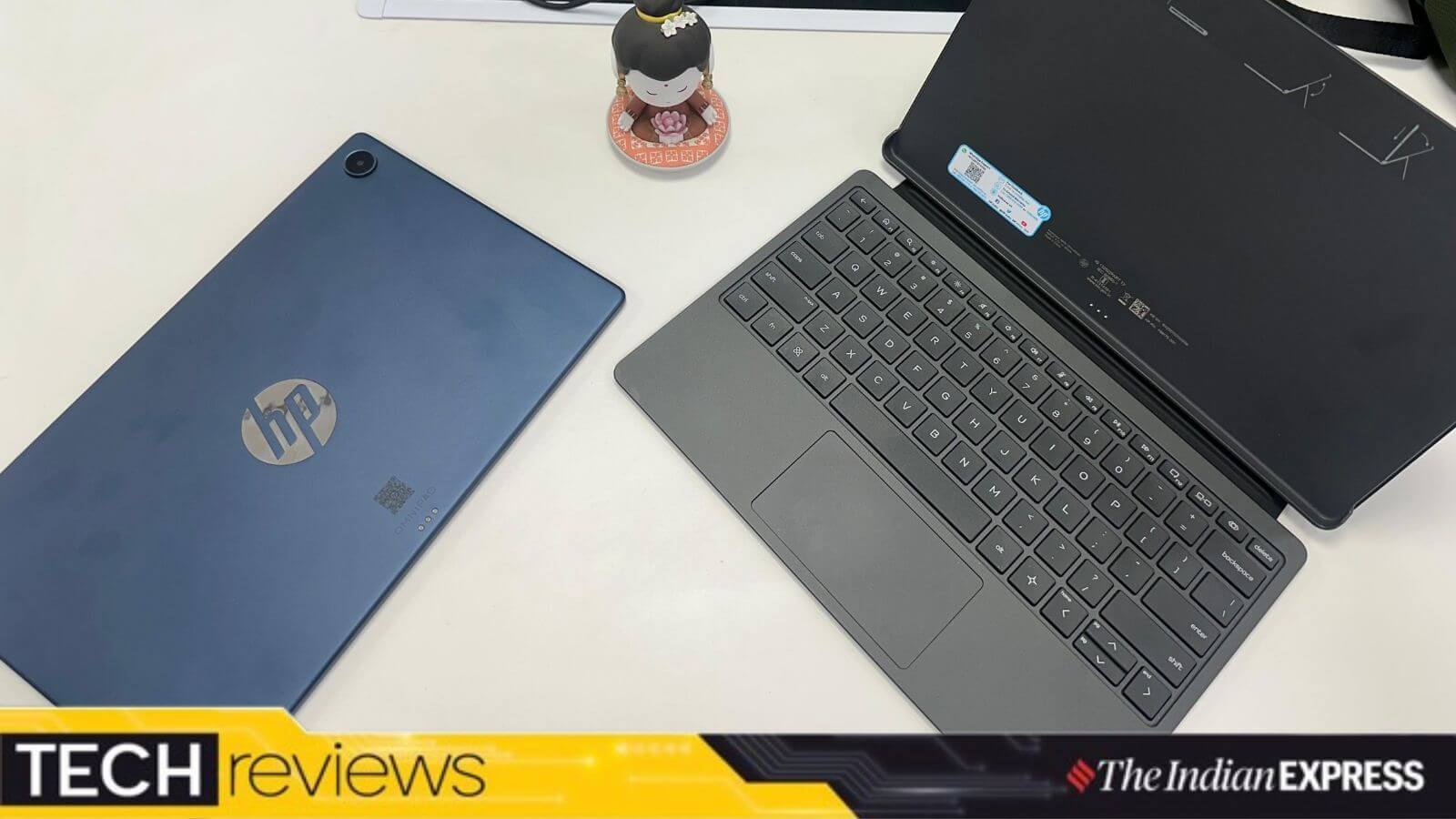
The device emphasizes a hybrid user experience by offering seamless transitions between a traditional Tablet Mode and a PC-like Desktop Mode when paired with its dedicated keyboard case. Weighing roughly 600 grams and measuring 7.3mm in thickness, the OmniPad 12 blends ultra-portability with multimedia capabilities, featuring a quad-speaker arrangement, an 8MP front-facing camera, and a 13MP rear camera.
Chronology of the Device’s Evolution: From Cyber Cafes to Ultra-Portable 2-in-1s
To understand the contextual significance of the HP OmniPad 12, one must look at how personal computing has shifted over the past two decades.
- The Early 2000s (The Cyber Cafe Era): For younger millennials and older Gen Z cohorts, early technology interactions were tethered to bulky Windows XP desktop systems inside commercial cyber cafes. Users operated under strict hourly time limits, manually sifting through early search engines, and wrestling with rigid software applications just to complete elementary school projects.
- The Post-PC Transition: Over the subsequent decade, laptops became consumer staples, eventually ceding ground to hyper-portable smartphones and tablets. During this period, HP largely stepped back from developing standalone consumer Android tablets, choosing instead to focus on its dominant PC and enterprise laptop ecosystems.
- Early 2026 (The OmniPad 12 Launch): Breaking its decade-long absence from the category, HP introduced the OmniPad 12. The device represents a modern philosophical pivot: packing the multi-window utility once bound to heavy desktop towers into a device slender enough to slip into a paper file folder or a lightweight student backpack.
- Post-Launch Evaluation Period: Following weeks of real-world testing—spanning web browsing, flight travel, remote document editing, and multi-app workflows—critics and users have begun mapping out the exact strengths and operational limitations of HP’s renewed tablet strategy.
Supporting Data and Hardware Specifications
An evaluation of the HP OmniPad 12 reveals a distinct hardware profile, balancing high-end display mechanics against mid-tier processing compromises.
Display and Multimedia Performance
- Screen: 12-inch LCD touchscreen with 2K resolution, supporting 100% sRGB color gamut coverage.
- Refresh Rate & Brightness: 90Hz refresh rate paired with 400 nits of brightness. While readable indoors and on transit, it can occasionally struggle under direct, harsh sunlight.
- Audio: A robust quad-speaker architecture that outperforms many mid-range laptop audio outputs and standard smartphone speakers, making it an effective tool for OTT media streaming.
- Optics: 8MP front camera and 13MP rear camera, optimized primarily for casual document scanning and routine video conferencing calls rather than high-end photography.
Ergonomics, Build, and Input Peripherals
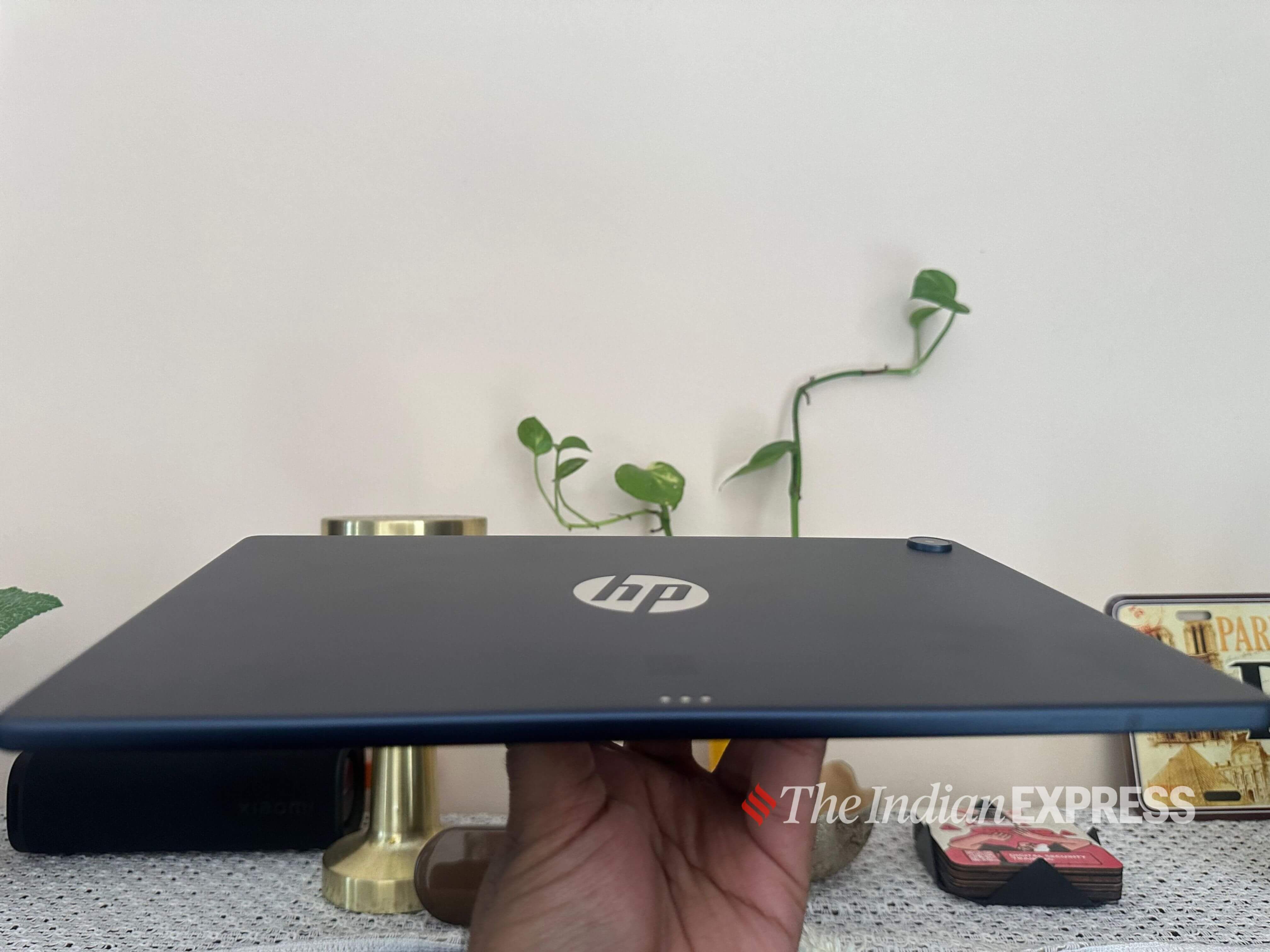
- Physical Dimensions: 7.3mm thick, weighing approximately 600 grams (excluding accessories).
- Colorways: Available in sophisticated finishes, including ‘Blue Denim’ and ‘Meteor Silver’.
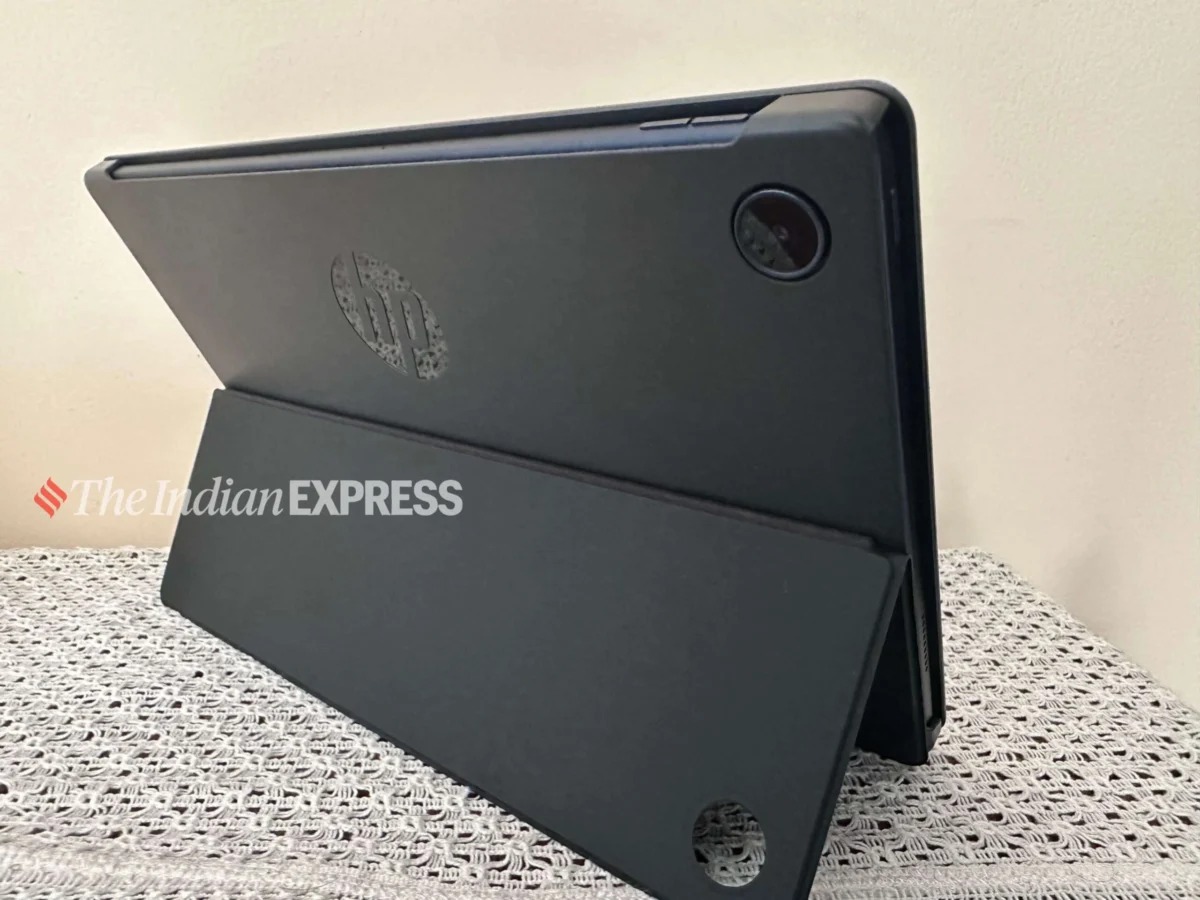
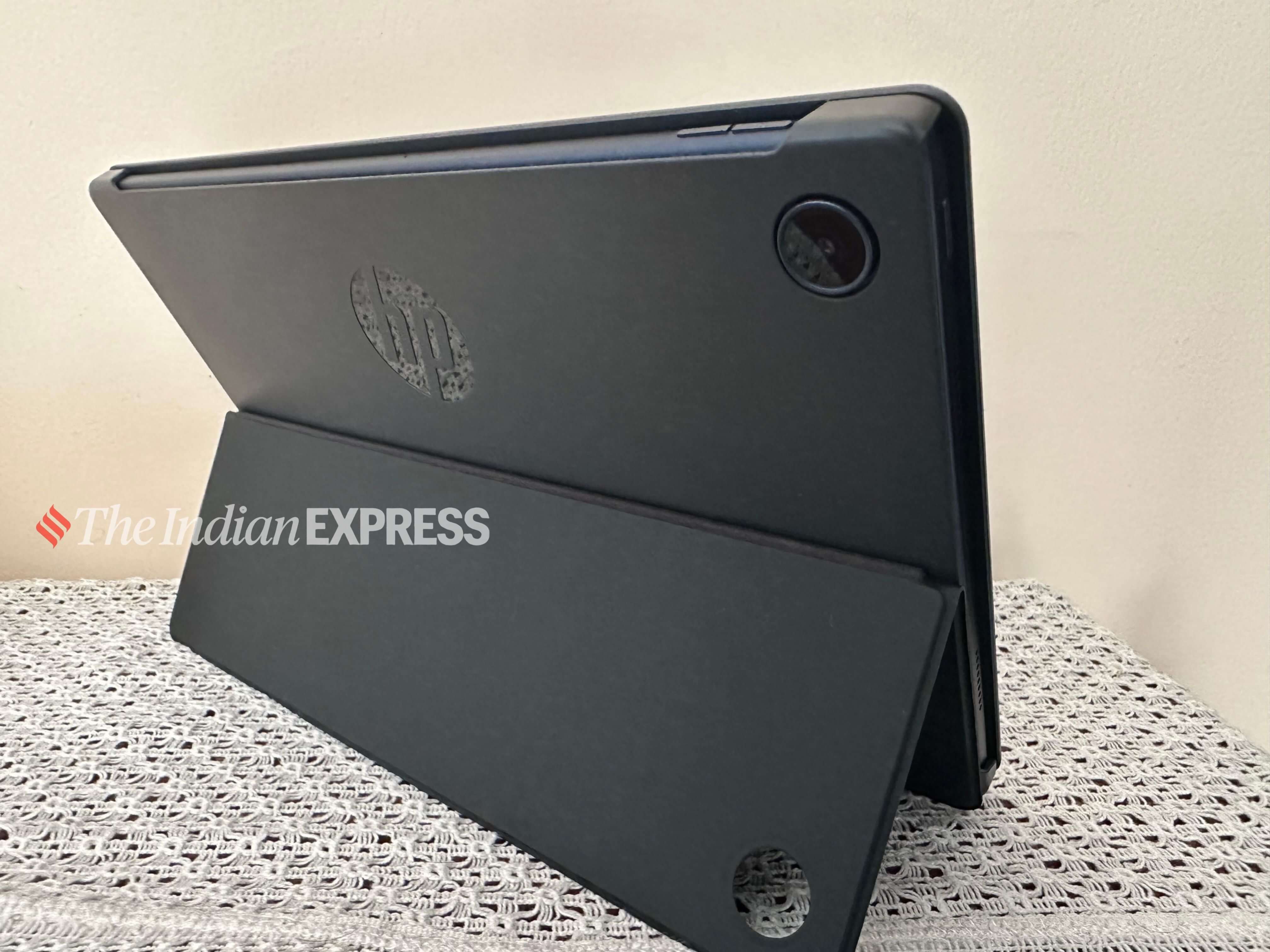
- Keyboard and Stand: The fold-over keyboard case connects securely, offering good key travel and tactile feedback for long typing sessions. However, the keys lack backlighting—a notable omission at the Rs 48,999 price point.
- Stand Mechanism: The integrated flap-style stand is structurally stiff. While functional on flat desks or airplane tray tables, the kickstand setup lacks stability when used on uneven surfaces like a lap or a bed.
- Touchpad Frustrations: The trackpad requires a noticeably firm physical press to register clicks, rendering fluid tasks like drag-and-drop actions cumbersome. Most users naturally default to utilizing the touchscreen instead.
Processing and Memory Architecture
- Processor: Qualcomm Snapdragon 6 Gen 3 (traditionally found in lower-to-mid-range smartphones).
- Memory and Storage: 8GB RAM paired with 256GB storage, supplemented by expandable microSD storage up to 1TB.
- Benchmark Limits: Handles basic web browsing, document drafting, and video streaming smoothly. However, continuous app-switching exposes performance bottlenecks, causing system sluggishness when dealing with heavy workloads or graphically demanding mobile games.
Official Responses and Software Integration
HP’s software strategy for the OmniPad 12 centers around marrying Android 16 with a desktop-like workflow environment.
The Dual-Mode Paradigm
The operating system incorporates two distinct operational environments: Tablet Mode and Desktop Mode. When detached from the magnetic keyboard, the device behaves like a standard Android slate. When snapped into the holder, it attempts to shift into a desktop layout featuring floating windows, a persistent taskbar, and a system tray.
However, user experience feedback highlights notable software friction:
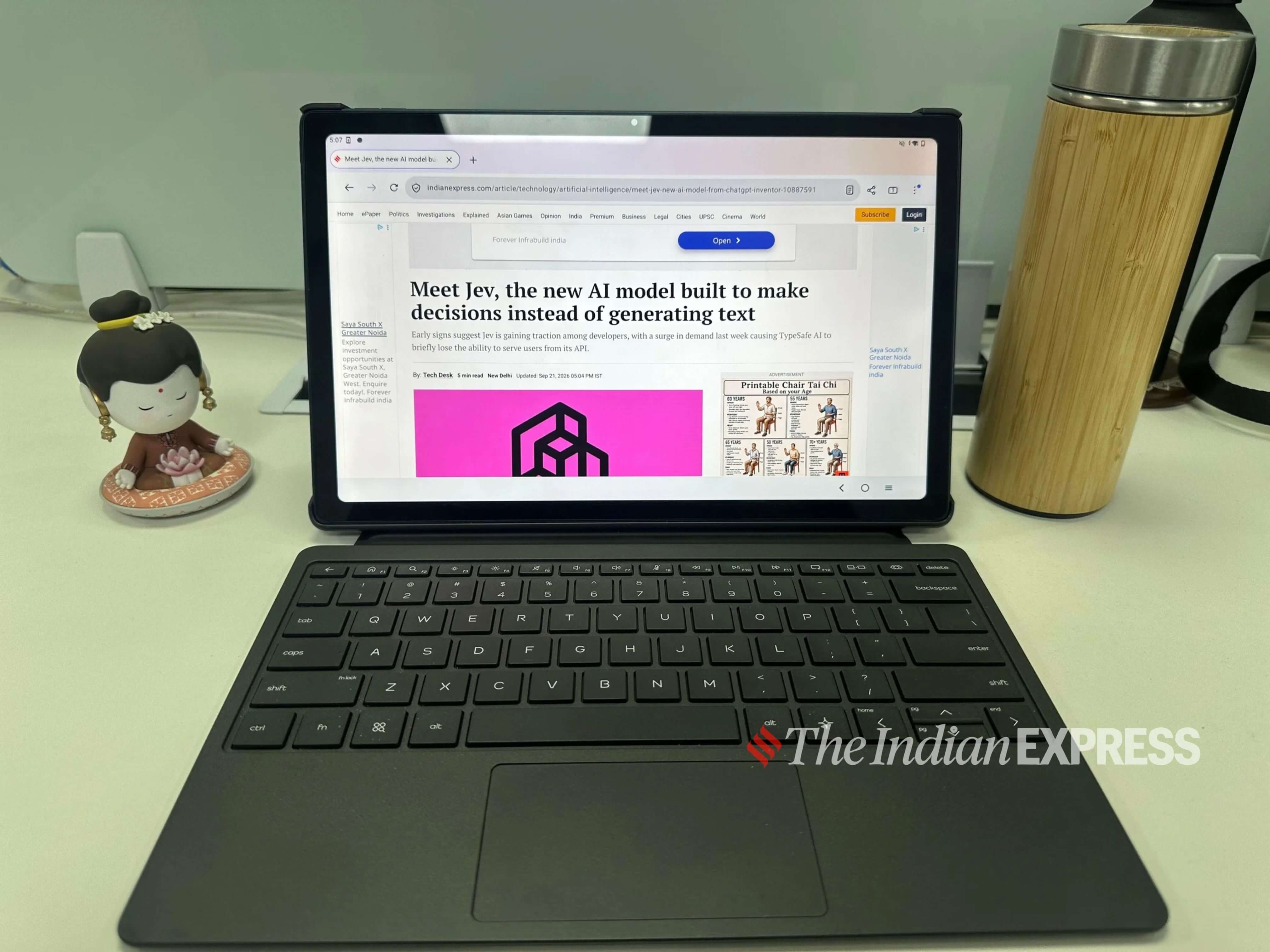
- UI Inconsistencies: Certain media applications, such as YouTube, fail to enter proper fullscreen mode natively within Desktop Mode, prompting users to manually revert to Tablet Mode even while the physical keyboard remains attached.
- Minimal Bloatware: HP deserves credit for keeping pre-loaded applications to a strict minimum, offering a clean, uncluttered user interface out of the box.
- AI Integration: The inclusion of a dedicated hardware key for Google’s Gemini assistant allows users to instantly launch AI chat functions, summarizing or interpreting on-screen text with a single keystroke.
- Eye Comfort: A dedicated Night Light system setting helps mitigate ocular fatigue during extended work sessions.
Battery Life and Charging Realities
- Endurance: HP officially rates the battery life at up to 18 hours. In practical, continuous workday conditions, however, the device often requires a midday top-up, meaning frequent travelers must keep the charging brick close at hand.
- Charging Speeds: The device supports 33W wired charging, but energy replenishment is noticeably slow. Users cannot rely on rapid micro-burst charges between back-to-back meetings.
- Warranty: Ships with a standard one-year limited warranty covering parts and labor.
Implications for the Market and Industry Future
The launch of the HP OmniPad 12 carries several broad implications for the modern consumer electronics landscape:
- Re-entering a Crowded Segment: Breaking back into the tablet market after a ten-year absence is no small feat. HP enters an arena currently dominated by established players like Apple, Samsung, and Lenovo, all operating against a backdrop of global component pricing pressures and memory supply fluctuations.
- The Hybrid Identity Crisis: Priced at Rs 48,999, the OmniPad 12 occupies a precarious middle ground between ultra-portable smartphones and traditional productivity laptops. For budget-conscious students or traveling professionals needing a secondary media consumption device, its compromises (such as the sluggish touchpad and mid-tier processor) may be easily forgiven in exchange for portability and a gorgeous 2K display.
- The Future of Android Productivity: As manufacturers continue to refine desktop modes on Android, software optimization remains the ultimate hurdle. Hardware prowess alone cannot compensate for uneven window management and third-party app scaling issues.
Ultimately, the HP OmniPad 12 serves as a bold exploratory step for the brand. While it leaves clear room for refinement in subsequent generations, it signals that HP is serious about reclaiming space in the mobile productivity ecosystem, giving consumers another compelling, travel-friendly option to evaluate.