








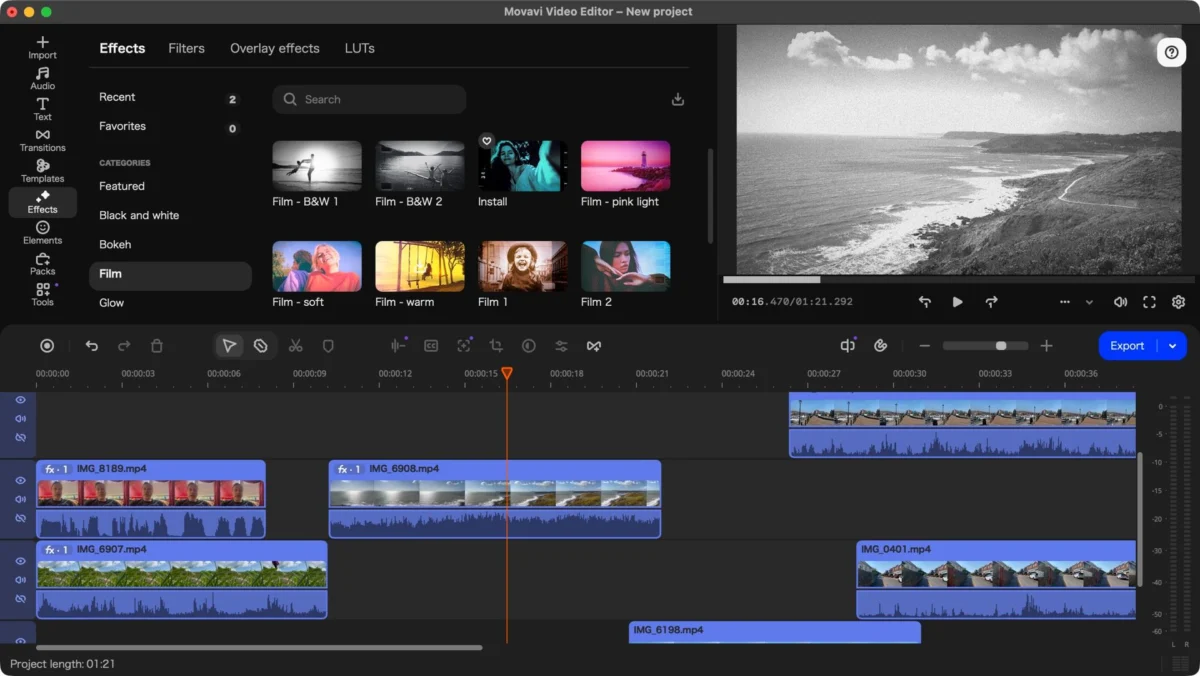
In an era where video content dominates the digital landscape, the demand for accessible yet robust editing software has never been higher. Movavi, a long-standing player in the consumer-grade editing space, has officially launched version 27 of its flagship software, Movavi Video Editor. Having built a reputation for being one of the most intuitive tools for beginners, the latest iteration seeks to bridge the gap between simple drag-and-drop editing and sophisticated, professional-looking results.
This review explores whether the new “Templates” feature, alongside the software’s improved performance, is enough to keep it at the top of the list for aspiring creators and small business owners alike.
Main Facts: What is Movavi Video Editor 27?
Movavi Video Editor 27 is a multi-platform, non-linear video editing suite designed for Windows and macOS. Its primary value proposition is simple: professional-grade tools—such as chroma keying, motion tracking, and AI-powered noise reduction—housed in a interface that does not require a steep learning curve.
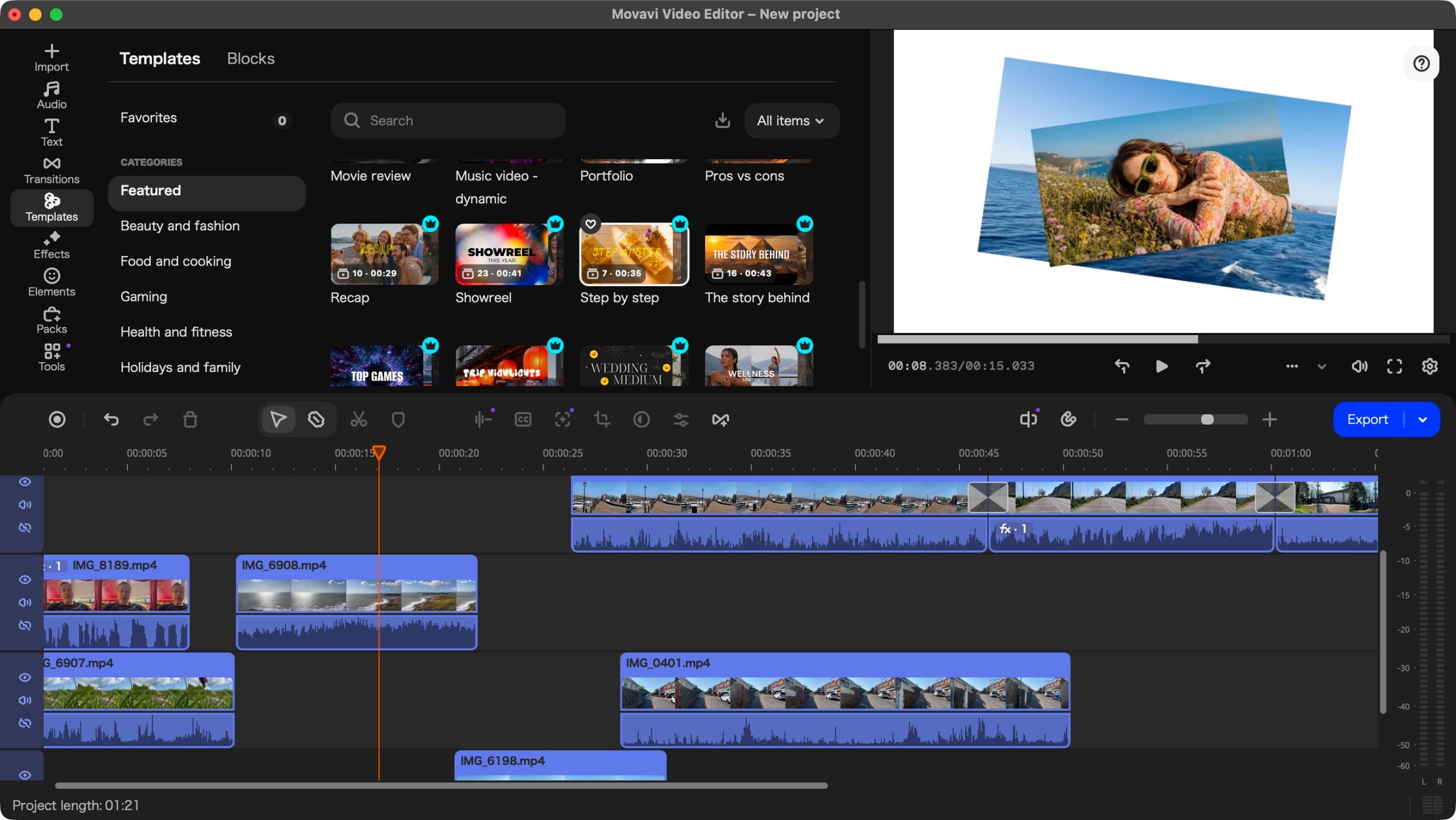
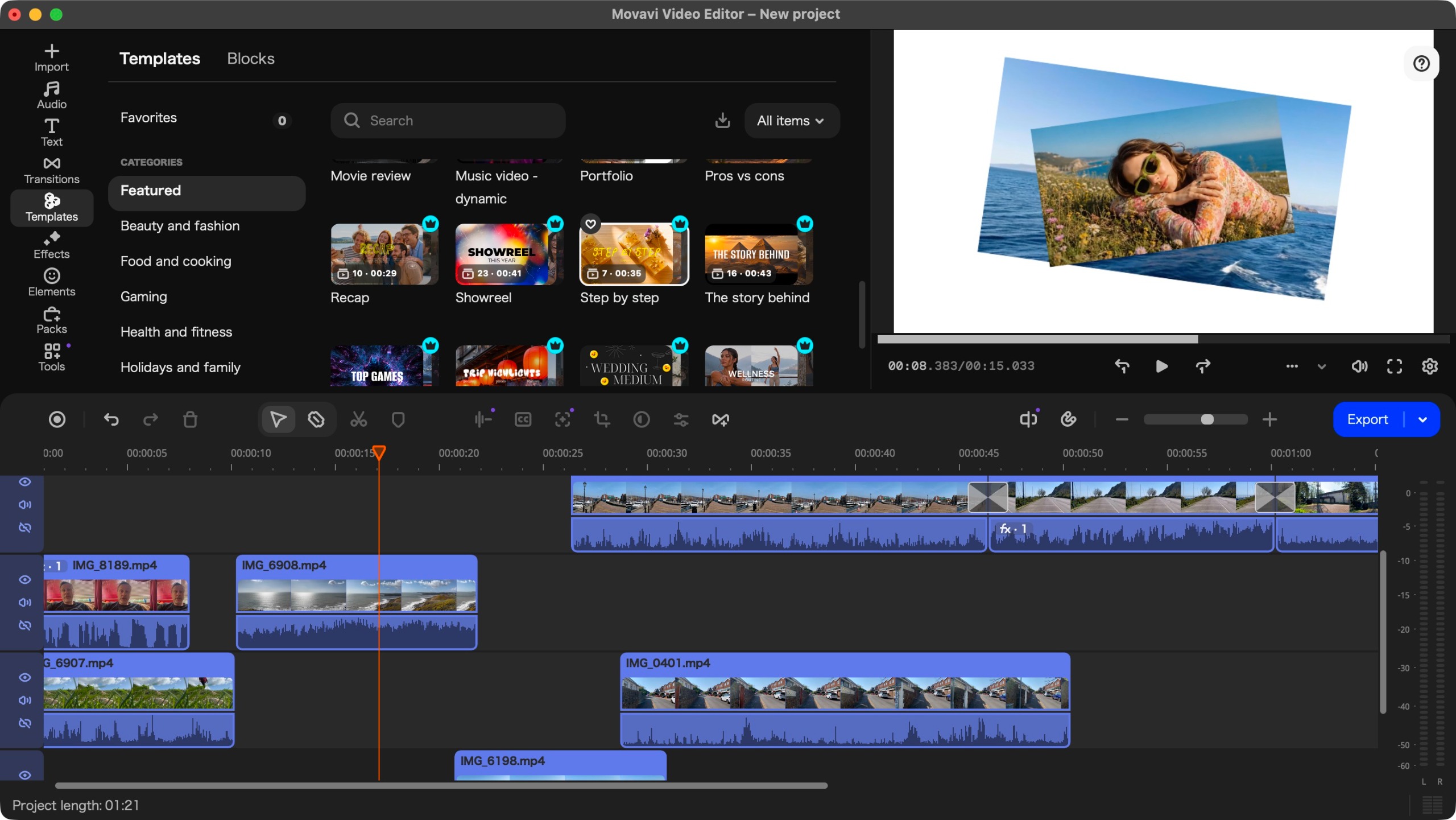
The most significant addition to this year’s release is the Templates feature. While many editors have toyed with pre-made project structures, Movavi has implemented a highly customizable, drag-and-drop system that allows users to populate placeholders with their own media. This addition is specifically targeted at social media creators and marketers who need to produce high-quality content under tight deadlines.
Key Specifications:
- Platform Support: Windows and macOS (fully optimized for Apple Silicon).
- Pricing: Flexible tiers including monthly subscriptions, annual plans, and a perpetual license.
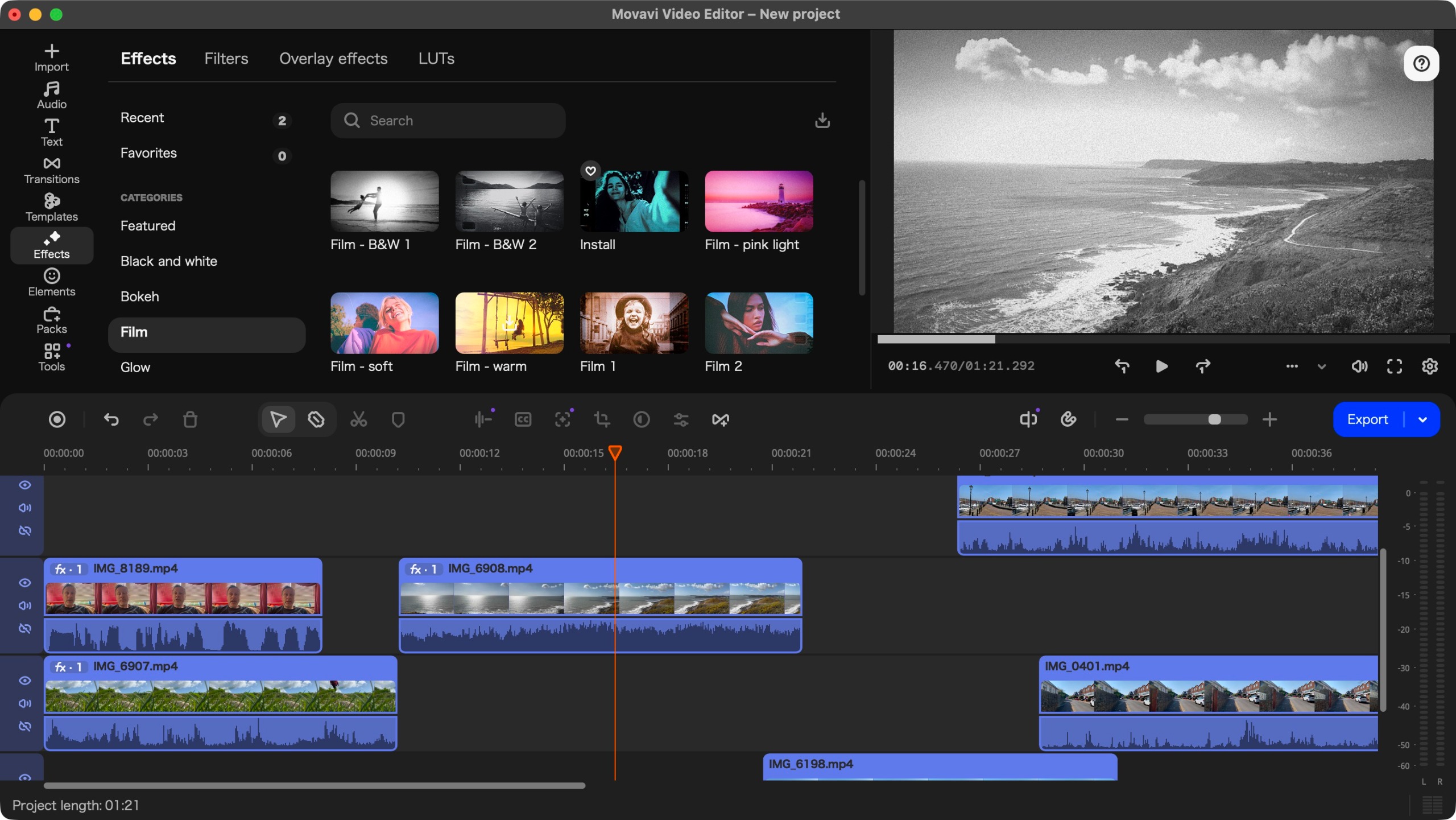
- Core Features: AI-based subtitle generation, background removal, image stabilization, and an extensive library of effects.
- Target Audience: Content creators, beginners, and small-to-medium business owners.
Chronology: The Evolution of the Platform
To understand where version 27 stands, one must look at the recent trajectory of the software. In previous iterations, such as versions 25 and 26, Movavi focused heavily on expanding its "Tools" section. We saw the integration of sophisticated AI, including smart background removal and advanced audio restoration.
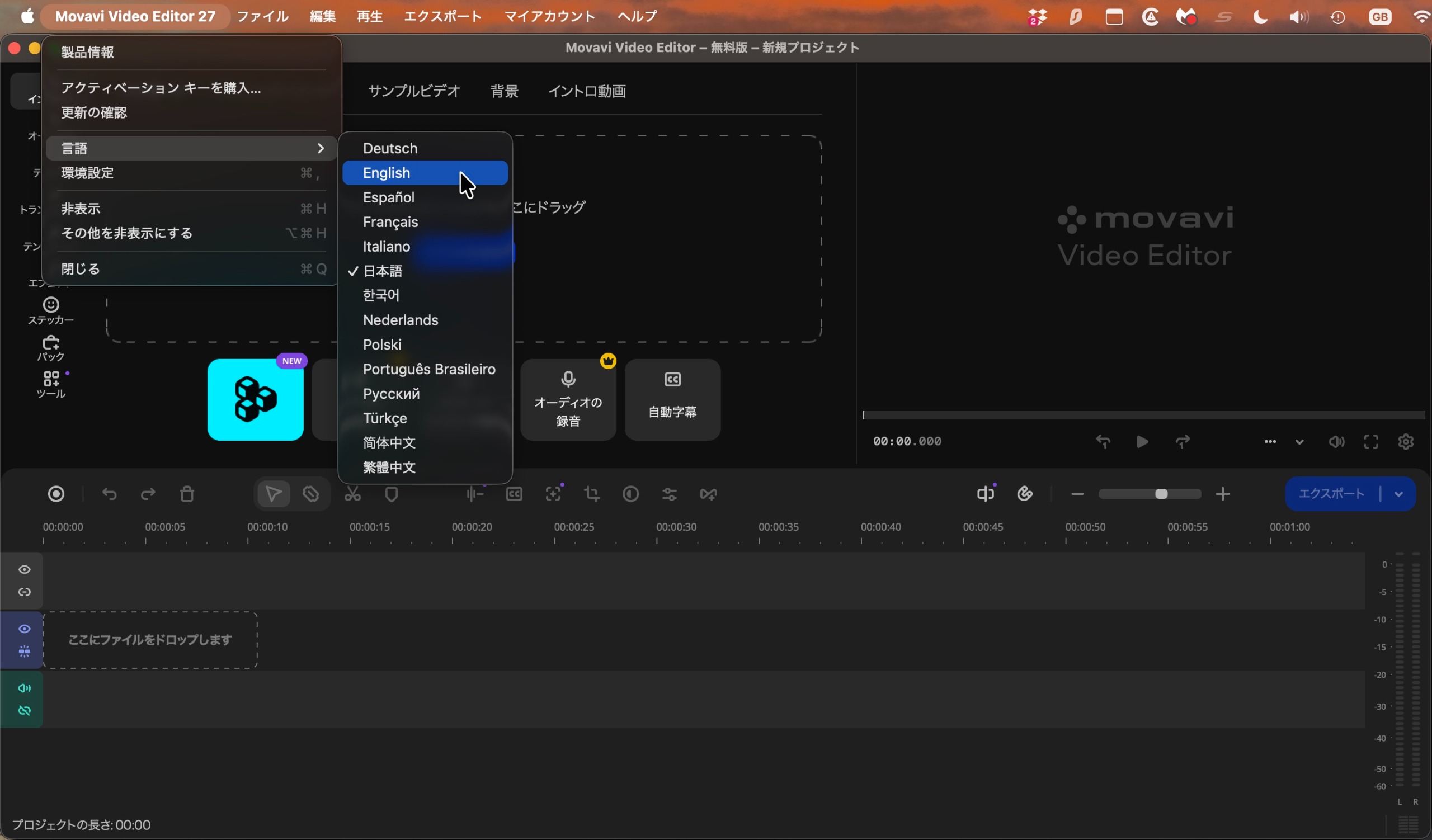
However, the user feedback from these versions highlighted a persistent, if minor, friction point: the initial onboarding process. Users reported that the software frequently defaulted to a non-English language—often Japanese—upon the first launch. While the software has matured significantly in terms of rendering speed and interface stability, this legacy bug remains, requiring users to navigate an unfamiliar menu to revert to their preferred language.
With version 27, the focus has shifted away from purely functional tools toward "Workflow Efficiency." The introduction of Templates marks a pivot from being a tool where you "build from scratch" to a tool where you "assemble with intent."
Supporting Data: Pricing and Performance
One of the most surprising aspects of this release is the company’s decision to adjust its pricing structure. In an economic climate where most software providers are aggressively increasing subscription costs, Movavi has opted to lower its entry barrier.
Pricing Tiers:
- Monthly Subscription: Approximately $20/€19/£18.
- Annual Subscription: Roughly $55/€44/£41. This remains the most cost-effective path for regular users.
- Perpetual License: Available for a one-time fee of £150/€90/£90.
Note: The significant discrepancy in currency pricing remains a point of confusion for international customers and warrants further transparency from the developer.
Performance Benchmarking
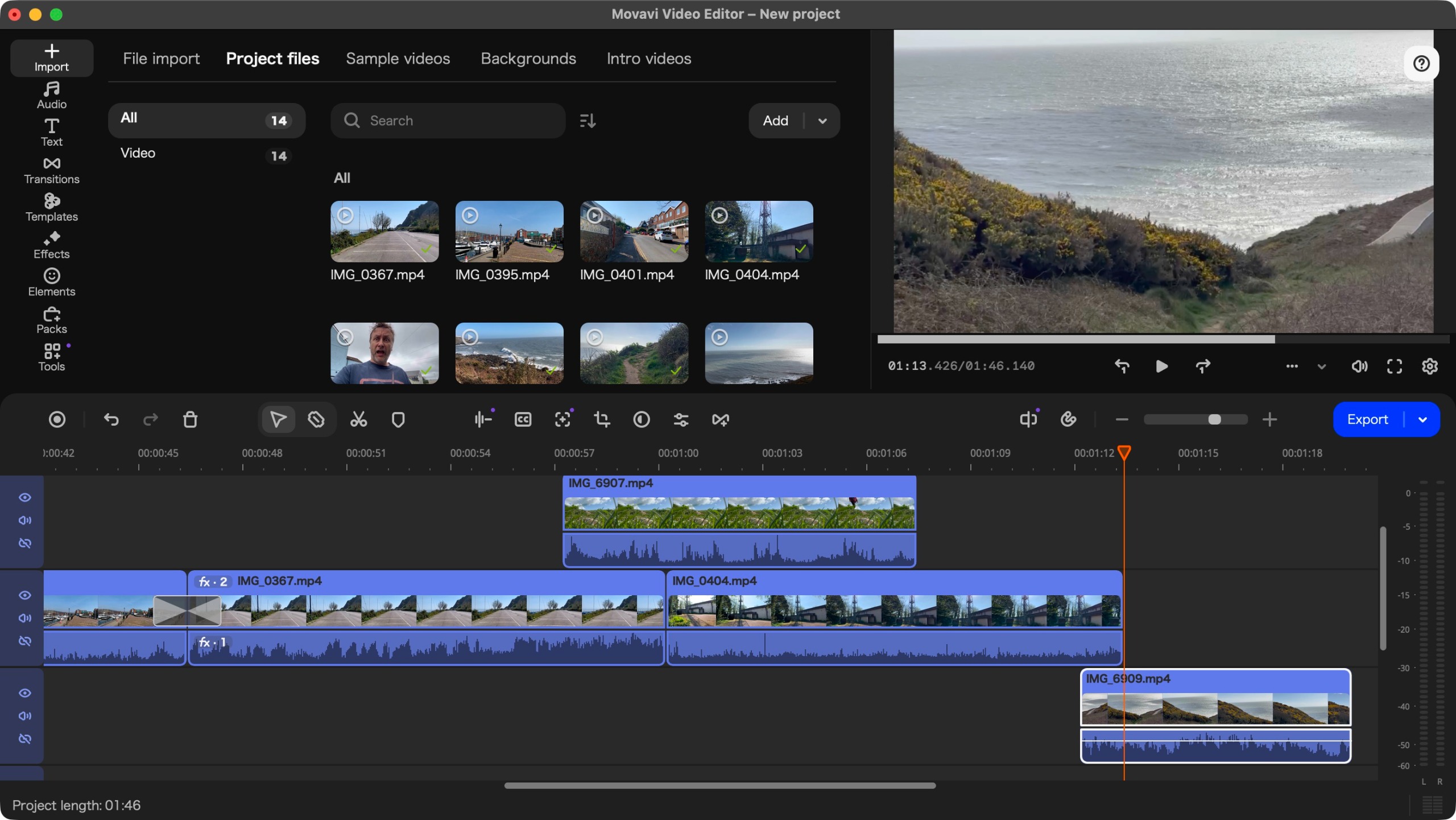
Tested on a MacBook Pro with Apple Silicon, the software showed marked improvements in responsiveness. Version 25 often felt sluggish when handling high-bitrate 4K footage; however, version 27 handles timeline scrubbing and real-time playback with minimal latency. The interface, which bears a striking resemblance to Apple’s Final Cut Pro, makes the transition for Mac users seamless.
Official Responses and Developer Intent
While the company has not issued a formal press release regarding the "language bug," their continued silence on the issue suggests that they view it as a quirk of the installation package rather than a critical system failure.
In terms of the new Template system, the development team has emphasized that the goal was to "reduce the cognitive load" of editing. By allowing users to mix and match sections from different templates, the developers are signaling a move toward a more modular approach to editing. This is clearly aimed at the "short-form" content market—TikTok, Instagram Reels, and YouTube Shorts—where speed of output is often more important than the nuances of color grading.
Implications for the User: The "Template" Revolution
The introduction of Templates is not just a cosmetic change; it changes how one approaches a video project.
Customization vs. Automation
Historically, templates in video editing software have been rigid—often leaving the user frustrated when they couldn’t tweak a specific transition or text box. Movavi’s implementation is surprisingly versatile. By double-clicking on a section in the timeline, a user enters "Clip Settings," where they can adjust the duration, swap out background assets, and even edit the text overlays.
The "Freemium" Trap
It is important to note the financial implications of the template library. While the software comes with a base set of assets, the most aesthetically pleasing templates are locked behind a "premium" paywall, denoted by a small crown icon. Attempting to export a video containing these assets will trigger a prompt to upgrade to a higher-tier subscription. While this can be frustrating, the ability to filter the library by "free" assets is a saving grace for users on a budget.
The Verdict: Should You Buy?
Buy it if:
- You are a time-constrained creator: The template system is genuinely useful for churning out professional-looking intros, social media clips, and marketing videos in minutes.
- You want power without the complexity: If you find Adobe Premiere Pro too intimidating, Movavi provides 80% of the functionality in a 20% more accessible package.
- You use a Mac: The optimization for Apple Silicon makes it a top-tier choice for M-series chip users who don’t want to pay the "Pro" tax for other professional suites.
Skip it if:
- You are a "Purist": If your projects involve complex multi-cam editing, advanced masking, or professional-grade audio mixing, you may still find the limitations of a consumer editor restrictive.
- You rarely edit video: If your needs are limited to trimming a single clip, free alternatives like DaVinci Resolve or simple mobile apps will suffice.
Final Thoughts
Movavi Video Editor 27 is a solid, iterative update. It does not reinvent the wheel, but it significantly improves the efficiency of the ride. By acknowledging that users want to create content faster, the developers have provided a tool that balances creative freedom with guided structure.
While the "language selection" issue upon first boot is a lingering annoyance, it is a small hurdle in an otherwise smooth experience. The pricing, particularly for the annual subscription, makes it an attractive proposition for the growing army of content creators who need a reliable, fast, and capable editor that doesn’t demand a degree in post-production to operate.
Ultimately, Movavi Video Editor 27 proves that you don’t need to be a professional editor to achieve professional results. If you are willing to navigate the occasional upsell and spend a moment configuring your settings, this software is one of the most cost-effective and capable tools on the market today.