








In a move that has sent ripples through the developer community, Google has officially announced the decommissioning of Firebase Studio, its AI-powered, browser-based integrated development environment (IDE). The platform, which was designed to streamline full-stack development through generative AI integration, will cease operations on March 22, 2027. While this announcement may trigger familiar concerns regarding Google’s tendency to sunset experimental tools, the company has emphasized that this decision is a strategic pivot rather than a retreat from its core cloud services.
For developers currently leveraging the platform, the message from Mountain View is clear: the transition period has begun, and proactive migration is essential to avoid service disruption.
Main Facts: What is Changing?
To clarify the scope of this announcement, it is vital to distinguish between the development environment and the infrastructure. Firebase Studio was launched as an ambitious project to bridge the gap between high-level AI prototyping and production-ready deployments. By building on top of the Project IDX framework, it offered a seamless, browser-native experience for developers to write code, debug, and deploy full-stack applications with the assistance of Gemini-powered AI agents.
The Scope of the Sunset
The sunset applies exclusively to the Firebase Studio interface and its integrated cloud-based IDE environment.
Crucially, the core Firebase suite remains entirely unaffected. If your production applications rely on Firebase for critical backend services—such as Cloud Firestore, Authentication, App Hosting, Cloud Functions, or Realtime Database—those services will continue to function without interruption. Your production databases and live applications are not being "deprecated" or "killed"; only the specific web-based tool used to build and manage those projects within the Studio environment is being phased out.
Chronology: A Roadmap to the Sunset
Google has provided a generous one-year transition window to ensure that teams have sufficient time to migrate their workflows to standard local development environments. Understanding the timeline is critical for those currently maintaining active prototypes.
- Announcement Phase (Ongoing): Google has initiated the notification process within the Firebase Studio dashboard. Developers should see prompts regarding the sunset when accessing their projects.
- The Transition Period (Now – March 2027): This is the window provided for developers to export their code, migrate their repositories to GitHub or local environments, and adapt their CI/CD pipelines.
- Final Sunset Date (March 22, 2027): On this date, the Firebase Studio IDE will be deactivated. Access to the environment will be terminated, and any un-exported data or project configurations specific to the Studio interface will become inaccessible.
Developers are strongly encouraged to mark these dates and prioritize migration before the end of the calendar year to avoid any last-minute complications.
Supporting Data and Technical Implications
Why is Google moving away from a tool that promised to revolutionize the prototyping process? To understand the implications, we must look at how Firebase Studio functioned compared to traditional industry-standard workflows.
The Shift from Cloud-First to Local-First
Firebase Studio was essentially a "wrapper" for the Firebase CLI, designed to simplify the entry point for new developers. However, the software development industry has shown a strong preference for "local-first" development. Local environments offer:
- Version Control (Git) Integration: Superior handling of branching, merging, and pull requests.
- Environment Parity: The ability to simulate local databases and functions exactly as they appear in production.
- Extensibility: Access to the vast ecosystem of VS Code extensions and plugins that cannot be easily replicated in a browser-based IDE.
Migration Statistics
Internal feedback suggests that while Firebase Studio was excellent for "Day 1" prototypes, enterprise-level developers eventually hit a "complexity wall." As applications grew in scale, the browser-based environment struggled to support complex monorepos, heavy dependency trees, and specialized local integrations. By moving to the standard Firebase CLI, developers are effectively trading the convenience of the browser for the robustness of a local development machine.
Official Responses and Strategic Context
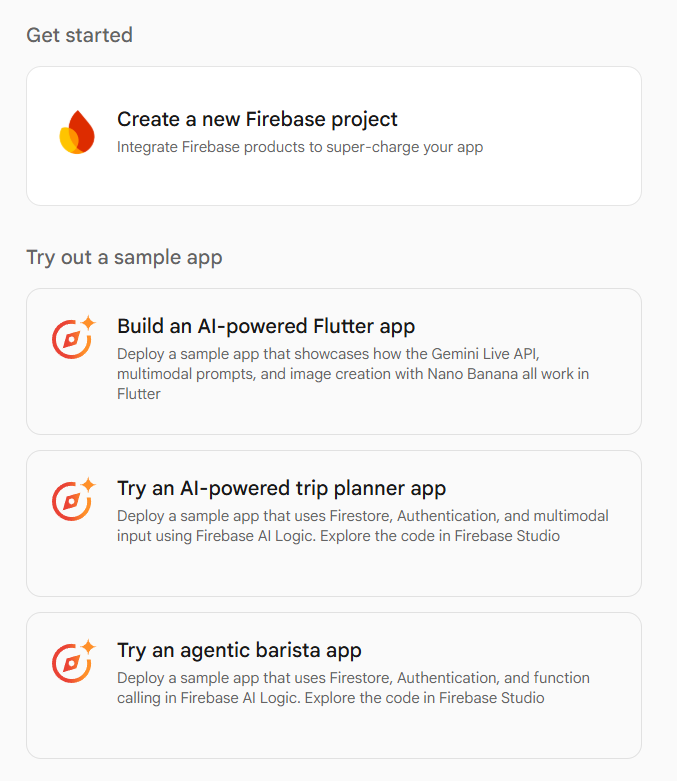
While Google has not released a lengthy manifesto regarding the closure, the strategic rationale is evident. By sunsetting Firebase Studio, Google is consolidating its efforts. Instead of maintaining a proprietary browser IDE, the company is doubling down on the Firebase CLI and Google AI Studio.
This shift suggests that Google wants to keep its "AI smarts" (Gemini) accessible as a service that developers can plug into any IDE (like VS Code or IntelliJ), rather than locking those features inside a standalone, proprietary tool. This "open-tooling" philosophy is generally better received by the broader developer community, as it avoids vendor lock-in at the editor level.
Implications for Your Workflow: A Paradigm Shift
If your team has relied heavily on the Firebase Studio environment, you are likely wondering what this means for your daily productivity.
What You Lose
- Browser-Based Convenience: The ability to open a URL and start coding immediately without installing local runtimes.
- Integrated Deployment: The "one-click" deployment buttons specific to the Studio interface will no longer be available.
- Centralized AI Context: The specific AI agents pre-configured to understand the Studio environment’s internal file structure will be retired.
What You Gain
- Standardization: Moving to a local environment ensures that your team is using industry-standard tools that are universally understood and well-documented.
- Flexibility: You are no longer tethered to the constraints of a browser tab. You can use any OS, any terminal, and any IDE that supports your preferred tech stack.
- Scalability: Local workflows are inherently better at handling complex build processes, Docker containers, and sophisticated testing suites.
Practical Next Steps: A Migration Checklist
If you are currently managing projects within Firebase Studio, follow this checklist to ensure a seamless transition:
- Audit Your Active Projects: Identify which projects are prototypes versus production-grade applications. Prioritize the production-grade apps for immediate migration.
- Execute the Built-in Export: Google has provided a "Move Now" export function within the Firebase Studio dashboard. This will generate a ZIP file of your current project, including all necessary source code and Firebase configuration files.
- Initialize Local Development: Install the Firebase CLI on your local machine. Initialize your project folder using
firebase initto replicate the configuration previously handled by the Studio environment. - Reconnect Your Repositories: Once your code is local, initialize a new Git repository and push it to a host like GitHub, GitLab, or Bitbucket. This restores your ability to track changes properly.
- Re-integrate AI Assistance: Since the Studio’s native AI will be gone, consider setting up tools like GitHub Copilot or Cursor to regain that AI-assisted coding experience in your local IDE.
- Test Deployment Pipelines: Run
firebase deployfrom your local machine to ensure your configuration is correct and that the app is successfully reaching your Firebase hosting and database services.
Conclusion: The Path Forward
The sunsetting of Firebase Studio is a classic case of an experimental technology being superseded by mature, standard practices. While the browser-based IDE offered a frictionless entry point for new developers and rapid prototypers, it ultimately could not provide the deep control required for long-term project lifecycle management.

By transitioning to a standard local workflow—utilizing the Firebase CLI in conjunction with a professional-grade IDE—developers are not losing functionality; they are gaining stability, portability, and long-term control. This change serves as a reminder that while cloud-based tools can accelerate the start of a project, the sustainment of a project is best served by local development environments.
As March 2027 approaches, take the time to move your projects. The process is straightforward, and the result will be a more resilient, standard, and manageable codebase. Keep an eye on the official Firebase blog, as Google will be releasing more granular technical guides and migration support as the sunset date draws near.