






For the average user, 1Password serves a singular, fundamental purpose: acting as a digital vault that stores credentials, auto-fills login forms, and spares the brain from the cognitive load of memorizing complex, unique strings of characters. While this "save-and-forget" utility is the bedrock of modern cybersecurity, relying solely on these basic functions is akin to using a Swiss Army knife only for its toothpick.
If you are treating your password manager as a static drawer rather than a dynamic security ecosystem, you are leaving significant layers of convenience and protection on the table. Whether you are a long-time user or someone currently evaluating the landscape of security tools, moving beyond simple credential management is the next step in digital maturity. By leveraging the advanced features hidden within 1Password, you can transform your security posture from a passive storage unit into an active, intelligent assistant for your daily life.
1. The Strategic Architecture: Beyond Static Storage
To understand the full potential of 1Password, one must shift from viewing it as a "list of passwords" to viewing it as a "context-aware database." The modern digital landscape requires us to manage not just credentials, but identities, financial footprints, and legal documents.
Travel Mode: Defending Your Digital Perimeter
One of the most sophisticated features in the 1Password arsenal is Travel Mode. Designed for the privacy-conscious globetrotter, this feature addresses the vulnerability of carrying a full digital history across borders.
When you enable Travel Mode, your vault essentially shrinks to fit your environment. You can designate specific vaults as "safe for travel," while all others are cryptographically removed from your local device. This ensures that if a device is inspected or compromised during transit, the bulk of your sensitive information—such as banking records, sensitive notes, or personal health data—remains safely off-device, stored only in the cloud. Once you return home, a simple toggle restores your full library. It is a proactive security measure that mitigates risk before you even reach the airport terminal.
The Power of Virtual Cards
In an era of rampant data breaches, the "card-on-file" culture is a significant liability. 1Password’s integration with Privacy.com offers a robust solution: virtual payment cards.
By generating unique, merchant-specific virtual cards, you decouple your real financial identity from the storefront. You can set strict spending limits, pause cards after a single use, or lock them to a specific vendor. If a merchant’s database is breached, the virtual card number stolen is useless to the attacker for any other purpose. This integration turns 1Password into a financial firewall, providing an essential layer of abstraction for online transactions.
2. Chronological Security: Proactive Management
Security is not a static state; it is a lifecycle. Items in your vault, from passports to software licenses, are temporal. They possess expiration dates that, if ignored, lead to operational friction or security gaps.
Automating Renewal Alerts
Most users treat 1Password as a graveyard for old data. However, by populating the "Expiry Date" fields for items like driver’s licenses, passports, insurance policies, and professional certifications, you enable 1Password’s Watchtower engine to perform double duty.
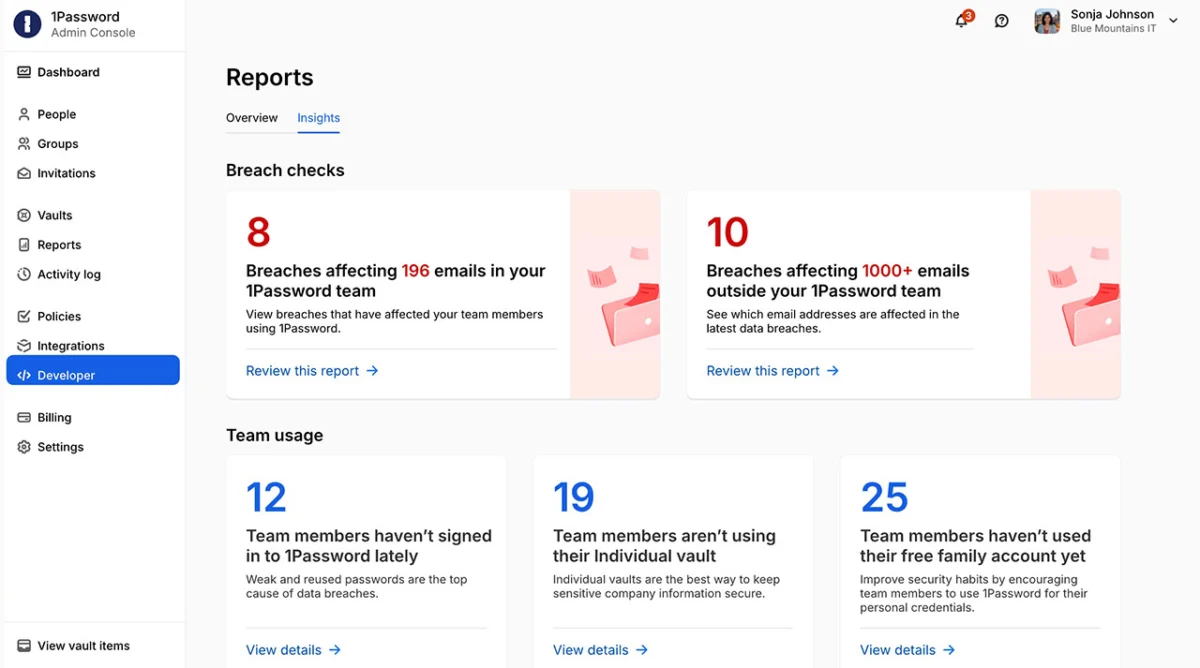
Rather than just monitoring for password leaks, Watchtower becomes a personal renewal assistant. It alerts you well in advance of a document’s expiration, preventing the "two weeks before a trip" panic that occurs when a passport is found to be invalid. This transforms the app into a lightweight, high-utility renewal tracker that manages your life’s essential paperwork.
3. Collaborative Security: Shared Vaults and Guest Access
Modern households and businesses rarely operate in a vacuum. Shared accounts—ranging from streaming services and utility portals to family financial hubs—present a persistent security dilemma: the "two-factor authentication (2FA) bottleneck."
Eliminating the 2FA Workflow
The standard, inefficient workflow for shared accounts involves texting six-digit codes back and forth when one user needs to log in while the other is away. 1Password resolves this by storing time-based one-time passwords (TOTPs) directly within the shared login item.
When you store the 2FA token in a shared vault, every authorized user gains seamless access to the account without needing to chase down the primary authenticator. While this increases convenience, it also mandates a disciplined approach to access control. It is vital that shared access is restricted strictly to trusted individuals, maintaining the integrity of the security chain.
Guest Vaults: Secure Delegation
For transient needs—such as providing a babysitter with smart-lock codes or a visiting relative with Wi-Fi credentials—Guest Vaults offer a surgical solution. Instead of sharing your master password or compromising your primary vault, you create a temporary, limited-access space. Once the visitor leaves, you revoke access, ensuring that your long-term security remains untarnished by short-term needs.
4. Contextual Awareness: The "Nearby" Feature
A common complaint about digital vaults is that they are difficult to navigate when in a hurry. 1Password solves this by allowing users to attach geospatial data to specific items.
By adding location metadata to your gym membership, rewards cards, or clinic information, you enable the app’s "Nearby" section. When you arrive at the gym, your membership barcode surfaces automatically. When you arrive at the pharmacy, your insurance information is ready to go. This context-aware UI reduces the friction of retrieval, proving that a secure vault can be both impenetrable and remarkably convenient.
5. Organizational Integrity: Linking and Archiving
Data clutter is the enemy of security. A vault containing thousands of items becomes a liability if the user cannot find what they need in an emergency.
Linking Items
Many digital assets are inherently linked. A bank login is tethered to a credit card, which is tethered to a statement document, which is tethered to a security question. 1Password allows you to link these related items together. When you open one, you see the full context of the account. This creates a logical map of your digital life, making it significantly easier to navigate during audits or account recovery.
The Art of Archiving
The "delete" button is often used too hastily. There are many items—closed accounts, outdated insurance policies, or old software keys—that may have historical value but no current utility. Archiving these items removes them from the primary search and autofill indexes while keeping them accessible for record-keeping. This keeps your "active" vault clean, ensuring that your day-to-day interactions remain fast and clutter-free.
6. The Ultimate Protocol: Digital Estate Planning
Perhaps the most overlooked aspect of digital security is the "what if" scenario. If you were to become incapacitated, your digital life would effectively become a locked safe for your heirs.
Constructing an Emergency Plan
1Password is an essential component of a comprehensive digital estate plan. However, it is not an automatic process. You must proactively create an Emergency Kit. This involves printing your secret recovery codes, documenting your master password in a secure, physical location, and ensuring a trusted contact knows exactly how to access these resources.
By treating your 1Password vault as a repository for your "Digital Legacy," you ensure that your family can recover vital assets—from crypto-wallets to sentimental photo accounts—without the trauma of legal and technical roadblocks.
Implications: The Shift Toward Proactive Custodianship
The transition from a "password storer" to a "comprehensive digital manager" is not merely about using more buttons; it is about adopting a philosophy of digital stewardship. In an environment where our identities are fragmented across hundreds of platforms, the ability to control, link, and secure that information is a competitive advantage.
By implementing these advanced strategies—Travel Mode, virtual card integration, contextual location tagging, and formal emergency planning—you move from being a user of software to being the architect of your digital safety. A better-organized, better-maintained vault is more than a convenience; it is the infrastructure upon which the rest of your digital and physical life rests. The time spent configuring these features today is a dividend paid in peace of mind tomorrow.