







In the modern digital landscape, media management has evolved from a simple storage concern into a complex logistical challenge. As applications scale, the burden of handling diverse file formats, varying resolutions, and inconsistent upload sources can quickly overwhelm development teams. Manual management of these assets is no longer a sustainable practice for high-growth companies. Enter Filestack, a robust utility designed to handle the end-to-end lifecycle of digital media—uploading, transforming, and delivering content with optimized precision.
By abstracting the complexities of backend file handling, Filestack allows developers to focus on core product features rather than the plumbing of image processing and content delivery.
Main Facts: The Anatomy of Filestack
At its core, Filestack functions as an all-in-one content management infrastructure. It solves three fundamental problems:
- Ingestion: Providing a frictionless way for end-users to upload content from local devices, cloud drives, or social media platforms.
- Manipulation: Offering a real-time, URL-based transformation engine that allows for dynamic resizing, filtering, and document conversion.
- Distribution: Utilizing a high-performance Content Delivery Network (CDN) to ensure that media is served to the end-user with minimal latency.
Unlike traditional storage solutions that require complex server-side scripts to process files, Filestack utilizes a client-side SDK that handles the heavy lifting, effectively turning raw file management into a seamless API-driven experience.
The Chronology of a Filestack Integration
The journey of a developer integrating Filestack typically follows a well-defined path designed for rapid deployment.
Phase 1: Onboarding and Environment Setup
The integration begins with a 21-day free trial. During this period, developers gain access to the complete suite of Filestack libraries. A critical component of this phase is the comprehensive documentation. In an industry where documentation is often an afterthought, Filestack provides a developer-centric guide that acts as a blueprint for implementation, complete with code samples that reduce the "time-to-first-byte" significantly.
Phase 2: Implementation of the Picker UI
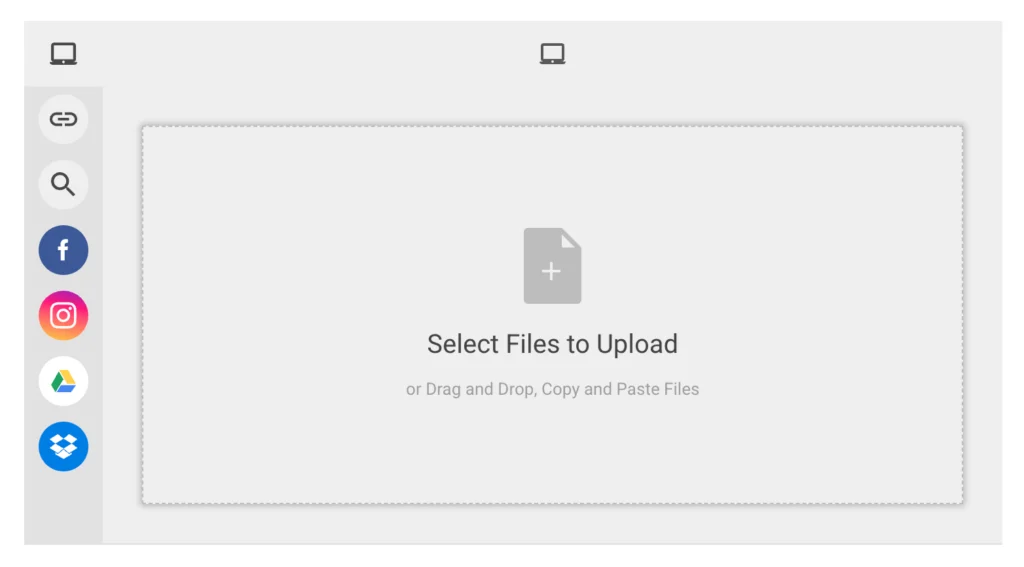
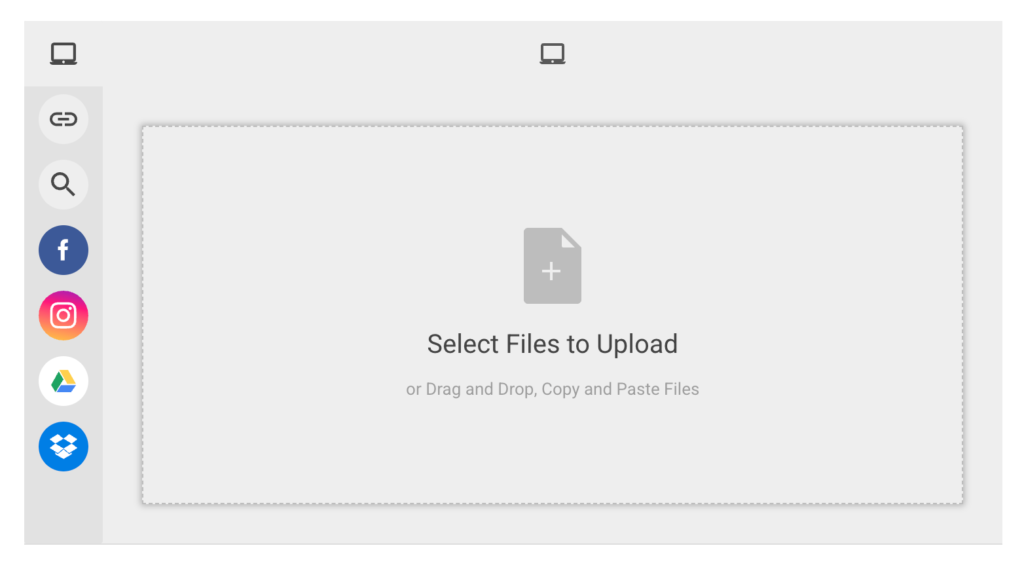
The most visible aspect of the service is the Filestack Picker. By initializing a client with an API key, developers can deploy a highly functional, feature-rich UI component in just a few lines of code:
const client = filestack.init("YOUR_API_KEY");
const picker = client.picker();
picker.open();
This interface is more than a simple file selector; it acts as a bridge between the user and 20+ global services, including Google Drive, Dropbox, GitHub, and social media platforms. Users can drag and drop files, pull from cloud storage, or even snap photos via their webcam, all within a unified, brand-agnostic interface.
Phase 3: Backend Processing
For workflows that require server-side control, Filestack provides robust support for back-end environments, such as Python. This allows for automated file processing, such as uploading files directly to Amazon S3 buckets while applying metadata tags.
from filestack import Client
client = Client(APIKEY)
store_params =
    'location': 's3',
    'path': 'folder/subfolder/',
    'upload_tags': "type": "user-avatar"

filelink = client.upload(filepath='path/to/image.jpg', store_params=store_params)
Supporting Data: Why Performance Matters
The efficacy of an application is often judged by its speed. Studies consistently show that high-latency media loading correlates directly with user churn.
The Transformation Engine
The ability to transform files on the fly is perhaps Filestack’s most powerful utility. Developers no longer need to store five different versions of an image to accommodate different device viewports (e.g., mobile vs. desktop). Instead, they can adjust URL parameters to perform real-time manipulations:
- Resizing:
https://cdn.filestackcontent.com/resize=width:300/file_id - Complex Effects:
https://cdn.filestackcontent.com/resize=width:300/sepia=tone:80/polaroid/file_id
By offloading these CPU-intensive tasks to the Filestack cloud, developers save significant overhead on their primary servers.
The Role of CDN Caching
Once a file is transformed, the resulting URL is cached by Filestack’s global CDN. The system caches these unique URLs for 30 days. This ensures that subsequent requests for the same transformed asset are served from the edge, providing near-instant load times for the end-user. This layer of abstraction is vital for companies operating on a global scale, where geography usually dictates performance.
Official Perspectives: The Developer Experience
Industry experts often highlight that the "Developer Experience" (DX) is the primary driver for tool adoption. Filestack has positioned itself as a partner in the development process rather than just a storage provider.
By offering a Transformation UI, Filestack allows even non-technical end-users to crop, rotate, and apply filters to their own images before they are saved to the server. This empowers the user while ensuring the developer receives a file that meets specific technical requirements (e.g., specific dimensions or file types), reducing the need for post-upload moderation or rejection.
Implications: The Future of Media Management
The implications of adopting a service like Filestack are profound for both the business and the end-user.
For the Business: Scaling Without Complexity
Scaling a media-heavy application usually requires building an internal "media pipeline." This involves managing servers for image processing, ensuring constant uptime for storage, and handling CDN configurations. By outsourcing this to Filestack, a business can reallocate its engineering resources toward growth-oriented features. The cost of the service is effectively offset by the reduction in "hidden" engineering hours spent maintaining infrastructure.
For the End-User: Seamless Interaction
Users today expect a frictionless experience. They want to upload files from any device and expect those files to appear perfectly rendered regardless of the platform. Filestack’s ability to handle the "dirty work" of compression, format conversion (e.g., converting a PDF to a PNG or a massive video file to a compressed MP4), and fast delivery results in a smoother, more reliable user experience.
The Shift Toward Modular Architectures
Filestack represents the broader industry trend toward composable architecture. Rather than building monolithic applications where every piece of logic resides in a single codebase, developers are increasingly opting for "Best-of-Breed" services. By plugging in a dedicated media engine, teams create an architecture that is resilient, scalable, and easier to debug.
Conclusion: A Holistic Approach
The digital media lifecycle is fraught with pitfalls: file corruption, slow loading, browser compatibility issues, and storage management headaches. Filestack serves as a sophisticated remedy to these challenges, transforming media management from a reactive maintenance chore into a proactive feature of the application.
Whether it is through the ease of the drag-and-drop picker, the agility of real-time transformations, or the reliability of the global CDN, Filestack offers a comprehensive solution that bridges the gap between raw source and final consumer. For developers looking to optimize their workflow and deliver high-quality media at scale, the platform provides the tools necessary to turn complex media pipelines into a streamlined, high-performance asset management system.
In a competitive market where every millisecond of load time counts, utilizing a professional-grade media utility like Filestack is not just an optimization—it is a strategic necessity.