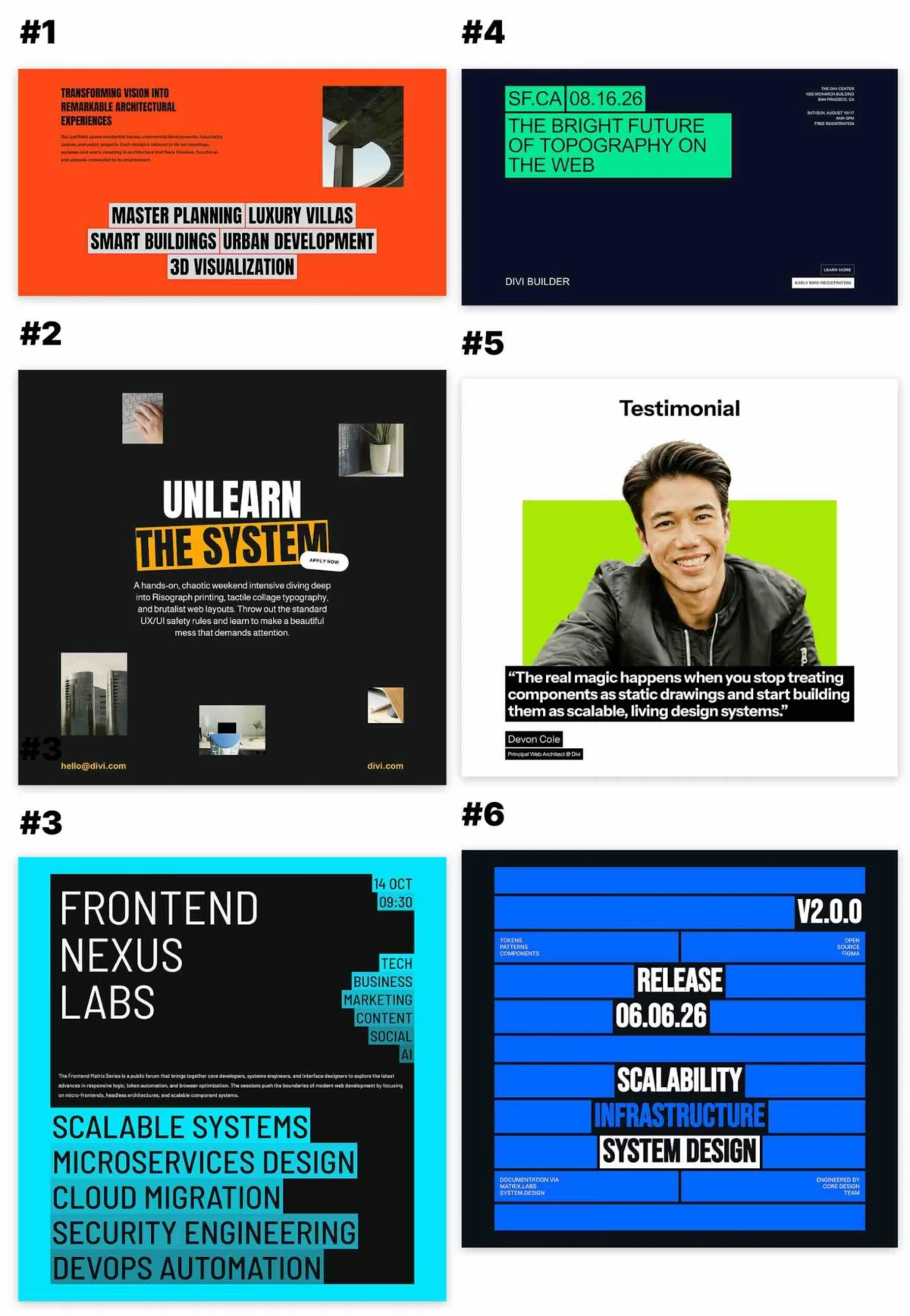
In the modern digital landscape, the battle for a user’s attention is won in milliseconds. Web design has evolved beyond simple layouts; today, it is about creating visual hierarchies that guide the eye exactly where you want it to go. A strategic background behind a few select words can transform a stagnant block of text into a compelling focal point. To help designers achieve this, Elegant Themes has released a new, free collection of six "Text with Background" designs specifically optimized for Divi 5.
These designs leverage bold typography, high-contrast color palettes, and integrated imagery to ensure your message doesn’t just appear on the page—it commands attention.
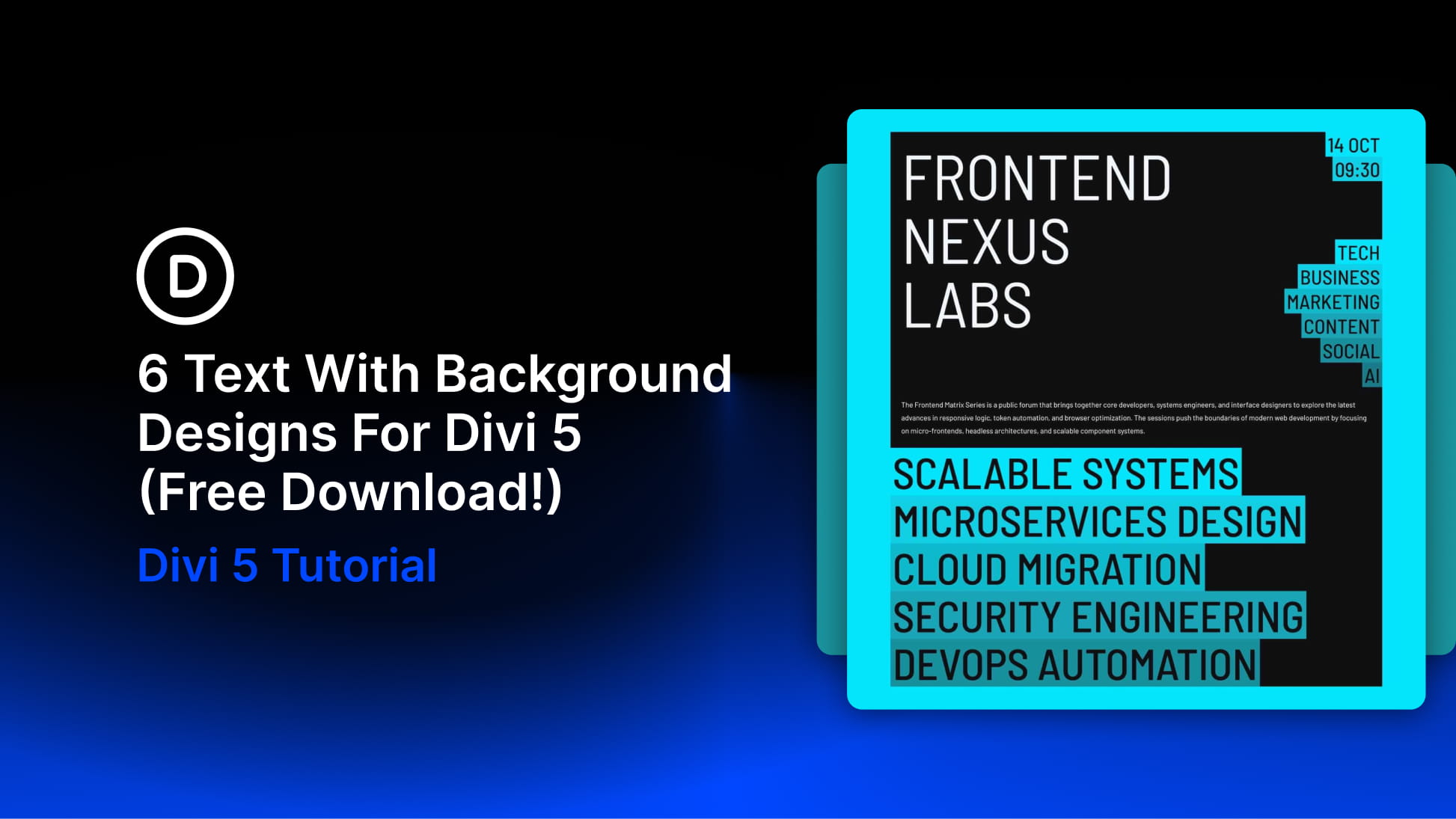
Main Facts: The New Design Pack
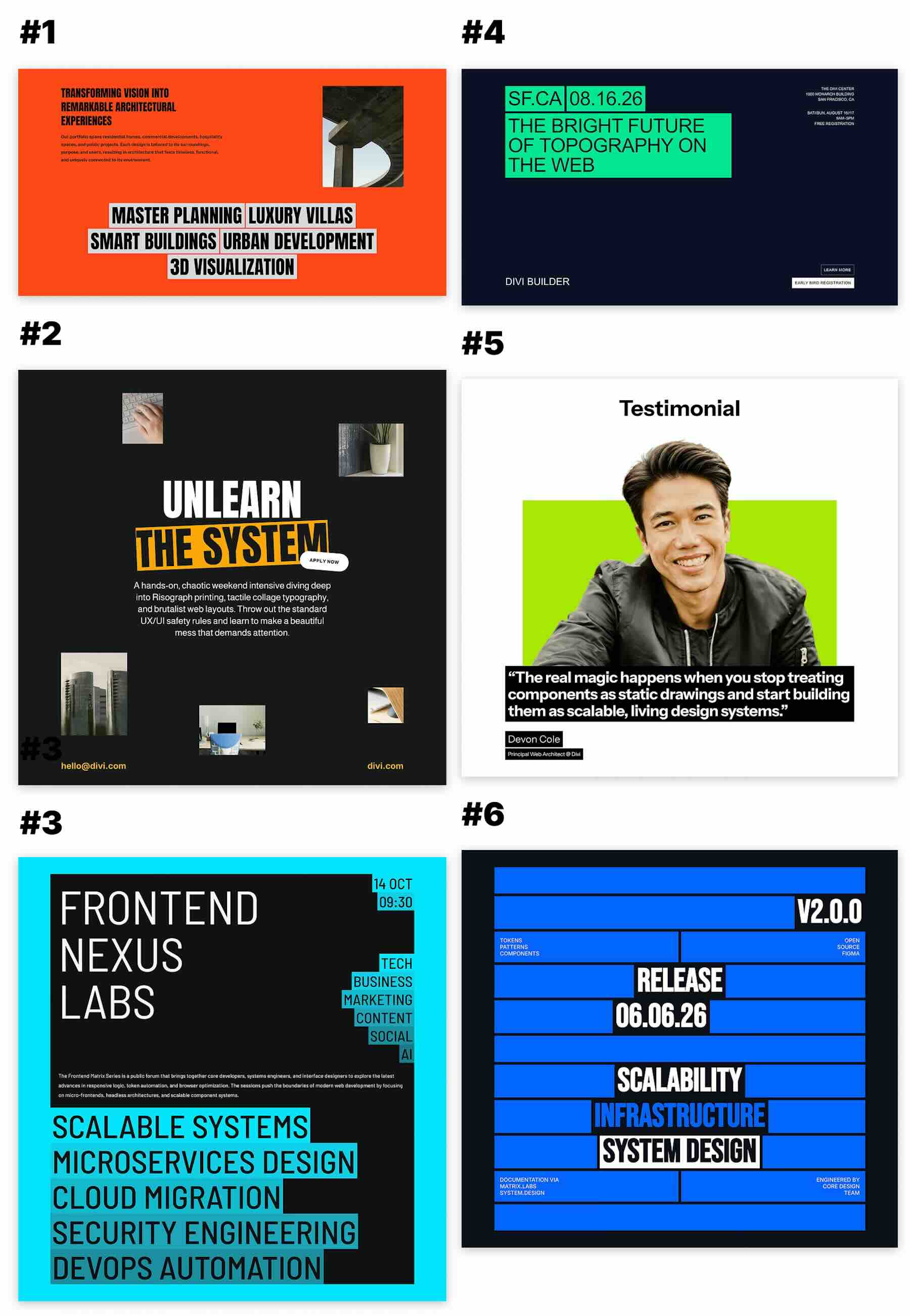
The release includes six distinct, pre-styled sections designed to function as professional starting points for a variety of web projects, including event announcements, workshop landing pages, creative portfolios, and promotional campaign modules. By combining text with interactive background elements, these designs allow developers to move away from traditional "text-on-white" layouts, which often suffer from low engagement rates.
The core of this pack lies in the utilization of Divi 5’s enhanced architectural capabilities. Unlike previous versions, Divi 5 introduces "Composable Settings," which grant users granular control over module sub-elements. This means designers can manipulate backgrounds, borders, spacing, and transforms with surgical precision, allowing for a seamless relationship between the typography and its surrounding graphic container.
Chronology of Development
The transition to these advanced text treatments follows a deliberate shift in the Divi ecosystem.
- Initial Concept: Designers identified that static text was failing to capture the dynamic, high-energy requirements of modern landing pages.
- Architectural Overhaul: The rollout of Divi 5 provided the necessary "Composable Settings" infrastructure to support complex, layered UI elements.
- Design Phase: The team spent weeks iterating on how background shapes interact with different font weights and character counts.
- Optimization: The collection was finalized to ensure that each of the six exports remains responsive, maintaining their visual integrity from ultra-wide desktop monitors down to mobile devices.
- Public Release: The pack was officially made available to the Divi community as a free download, complete with JSON files for rapid deployment.
Supporting Data and Technical Implementation
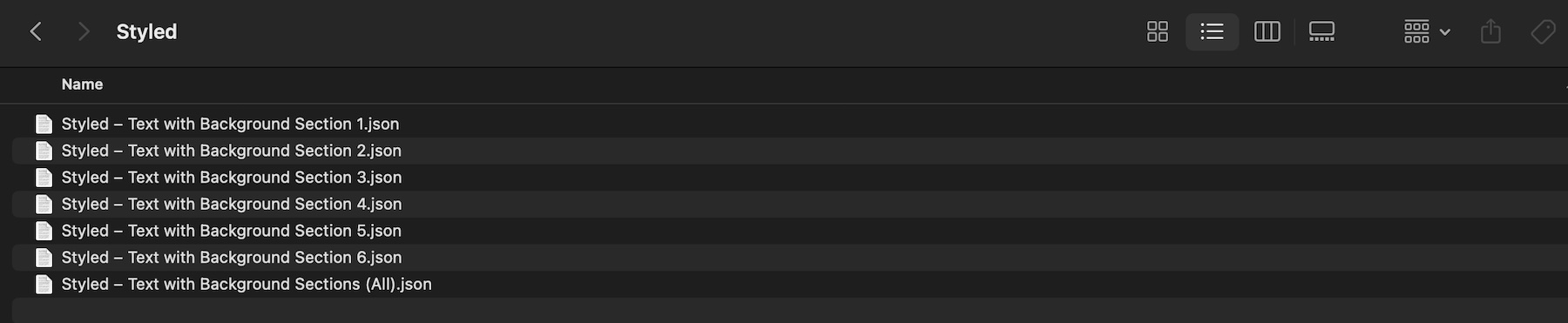
The pack consists of seven JSON exports: six individual section designs and one master file containing the entire collection. This modularity is a critical feature, allowing users to import only the specific design they need, thereby keeping their Divi Library organized and lightweight.
Understanding the Visual Composition
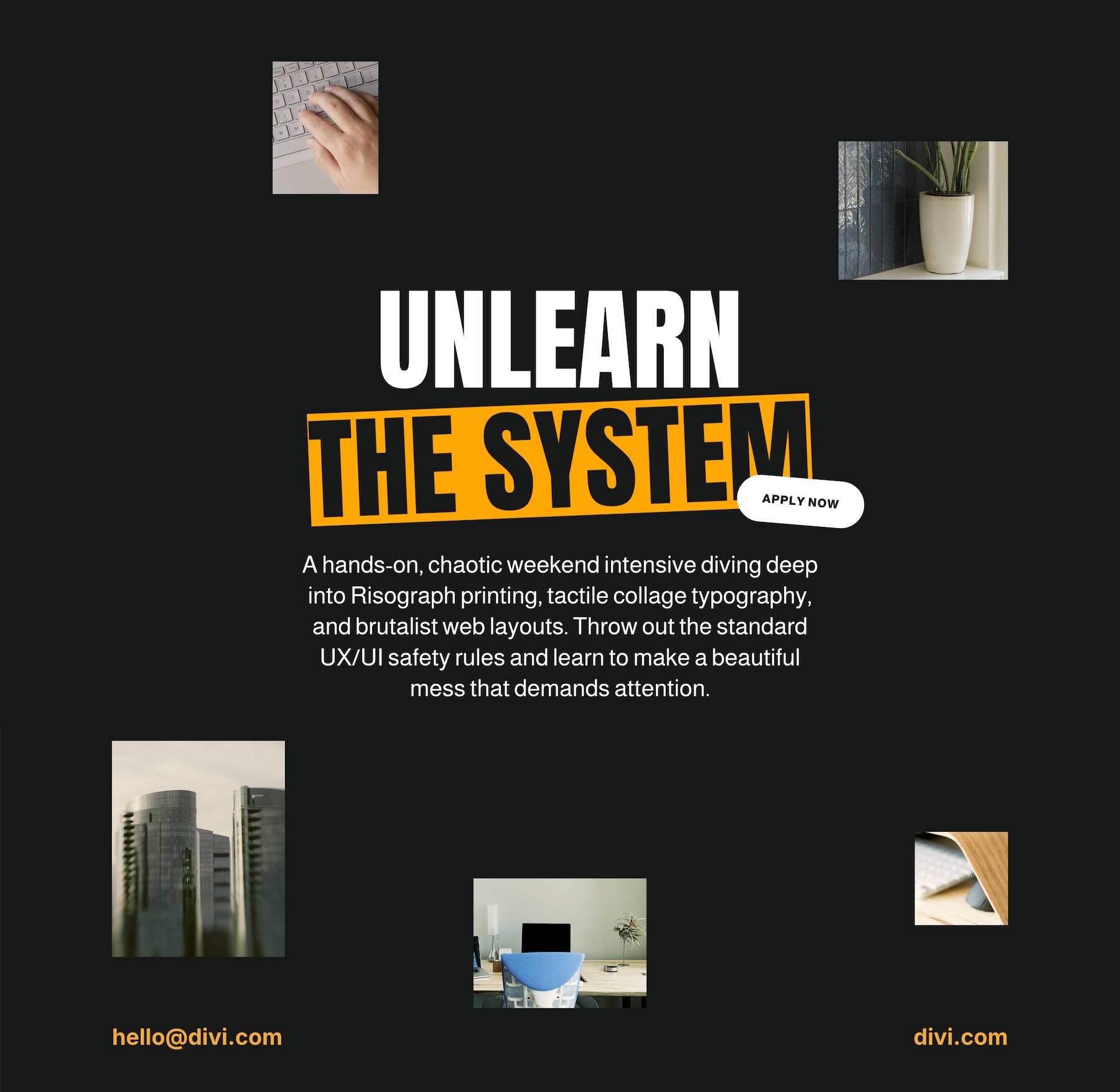
The collection utilizes two primary design strategies to manipulate focus:
- The Highlight Effect: A compact background block is placed behind a single, high-impact phrase. This creates a "marker" effect that draws the reader’s eye immediately to the key value proposition of the section.
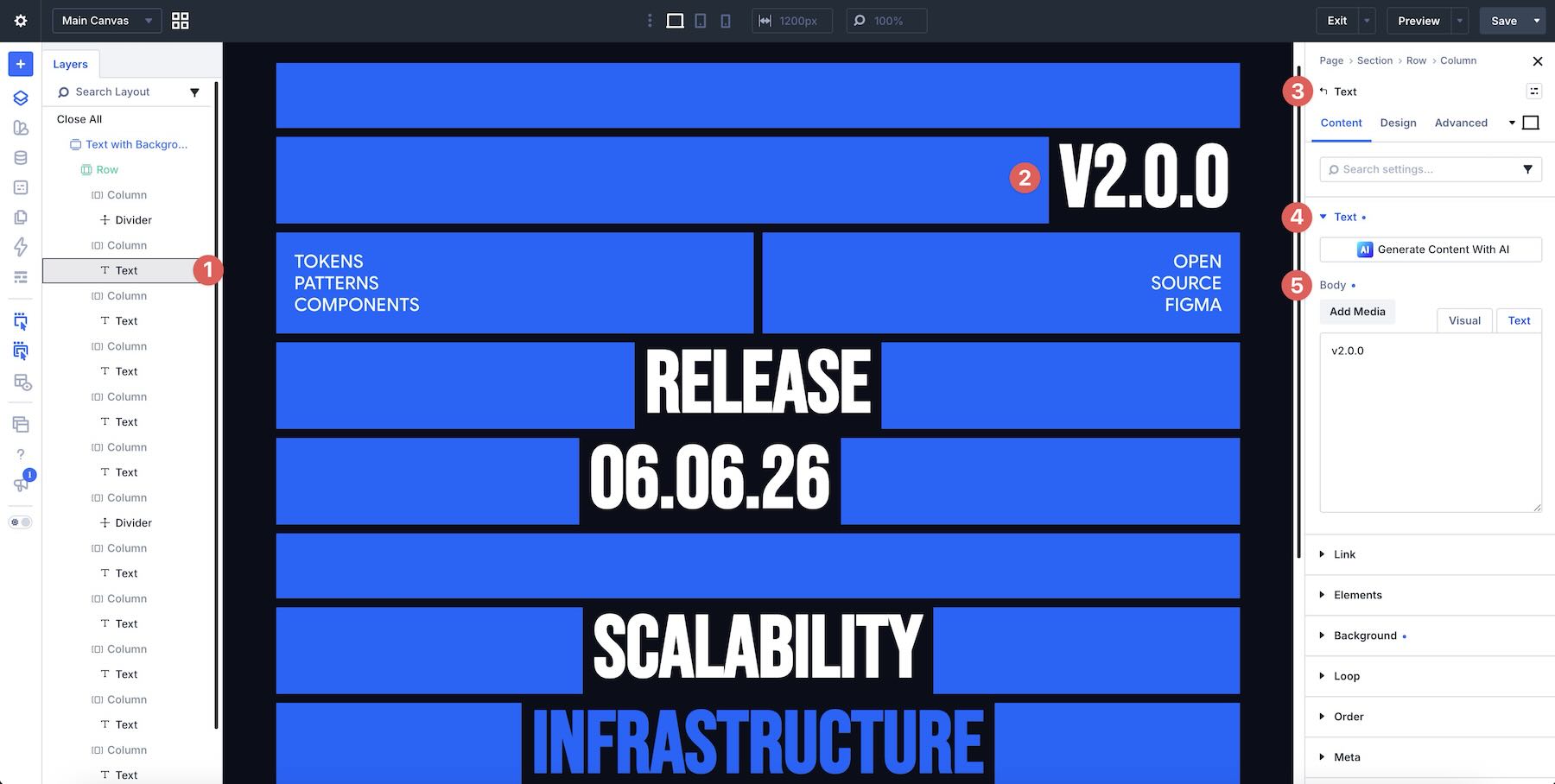
- The Graphic Composition: Here, stacked strips or varied background shapes are used to group several lines of text. This turns a paragraph into a structural graphic, ideal for service lists, dates, or complex event details.
Technically, these designs rely on the sophisticated use of padding and margin. By utilizing the new Divi 5 spacing controls, the "background" of the text is not merely a static box but an active participant in the layout’s geometry.
Implications for Web Designers
The introduction of these designs signals a broader trend in web development: the democratization of high-end, editorial-style layouts. Previously, achieving this look required custom CSS or specialized graphic design software. By baking these capabilities into the Divi 5 builder, the barrier to entry for small business owners and freelance designers is significantly lowered.
Furthermore, the emphasis on "writing for the shape" is an important lesson in content strategy. Designers are now encouraged to consider how their copy interacts with the visual container. If a headline is too long, it breaks the composition; if it is too short, it loses its weight. This forces a more symbiotic relationship between the copywriter and the web designer.

A Step-by-Step Guide to Implementation
1. Importing to the Divi Library
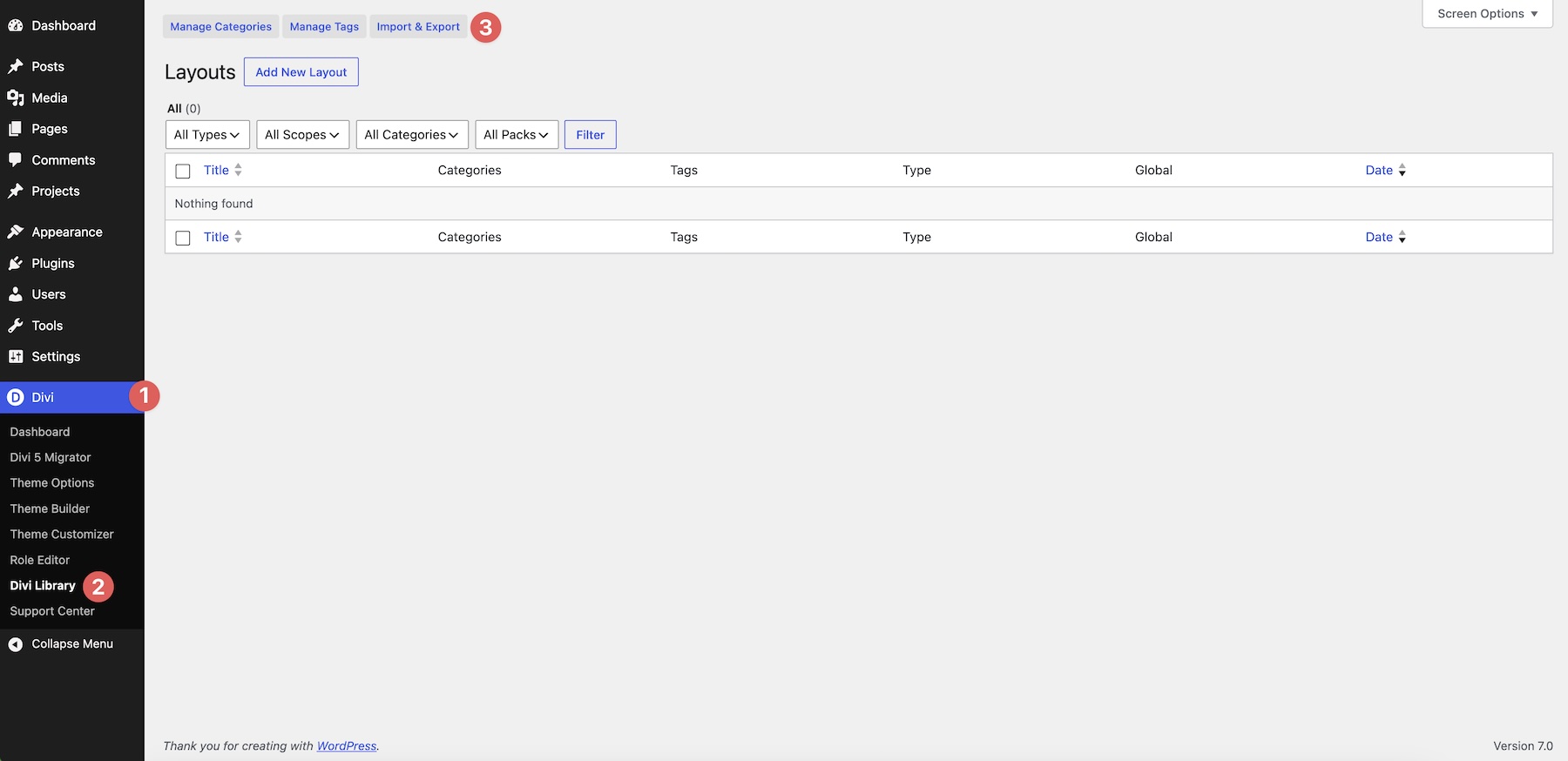
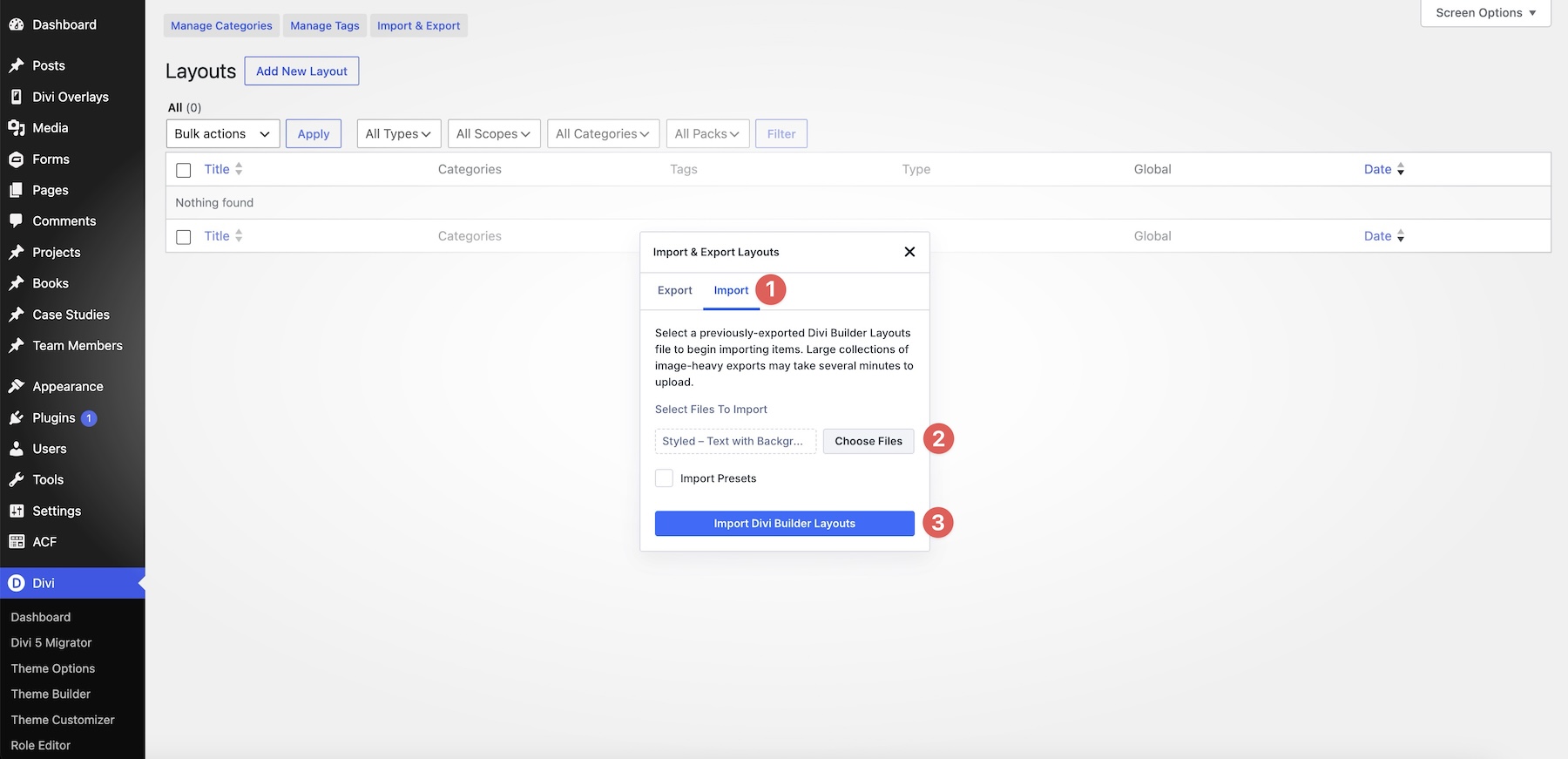
To begin, navigate to your WordPress dashboard and head to Divi > Divi Library. Click the Import & Export button. Select the JSON file—either an individual file or the full collection—and click Import Divi Builder Layouts. Ensure you select the JSON file directly, rather than the raw ZIP archive.
2. Strategic Placement
Once imported, open your desired page in the Visual Builder. Choose Add From Library to insert your chosen section. It is crucial at this stage to assess the "breathing room" of your page. Because these designs are visually dense, they often require more surrounding white space than standard text sections to prevent the page from feeling cluttered.
3. Customizing Copy and Imagery
When replacing the placeholder text, use the Layers Panel if elements overlap significantly. This ensures you are selecting the correct text box without accidentally shifting the background elements. When choosing imagery, opt for high-resolution files that complement the color palette of the design. The goal is for the image to support the text, not compete with it for attention.
4. Leveraging Composable Settings
Divi 5’s Composable Settings allow you to push the boundaries of these templates. By toggling options within the module, you can adjust border-radius, add sophisticated shadow effects, or even apply CSS transforms to the backgrounds. This allows for a unique brand identity while retaining the professional structure of the original template.
5. Responsive Optimization
A design that looks perfect on a 27-inch monitor may collapse on a smartphone. Always check the Responsive Preview in the Visual Builder. You may need to decrease font sizes or adjust padding on mobile breakpoints to ensure the background shapes remain readable and do not cause horizontal scrolling.
Expert Tips for Effective Text-with-Background Design
- Prioritize Hierarchy: Do not highlight everything. If every word has a background, nothing stands out. Select one, or at most two, key phrases per section to highlight.
- The "Shape" Rule: Adapt your copy to fit the design. If the template uses a narrow vertical strip, ensure your headline is concise. If the template uses a wide block, feel free to use slightly longer, more descriptive text.
- Contrast is King: Never sacrifice readability for style. Ensure that the background color and the text color maintain a WCAG-compliant contrast ratio. If you are unsure, use an online contrast checker.
- Consistency: If you have multiple "Text with Background" sections on one page, ensure they share a consistent color palette. Using too many disparate colors will make the page look disjointed and unprofessional.
- Clearance: Always leave enough padding around your text. If the text touches the edges of its background, it will feel "cramped" and decrease the user’s desire to read the content.
Conclusion: A New Standard for Divi Users
The "Text with Background" design pack for Divi 5 is more than just a freebie; it is a tool for elevating the perceived value of a website. By providing a framework for high-impact typography, Elegant Themes is enabling users to create modern, editorial-style experiences that were once the domain of high-budget agencies.
As you integrate these designs into your workflow, remember that the most successful implementations are those that balance visual flair with clear, purposeful communication. With Divi 5’s new, flexible architecture, the only limitation is your creativity. Download the collection today and start transforming your web pages into visual narratives that stop the scroll and drive engagement.