








In the digital marketplace, the allure of a free plugin is universal. Much like taking in a stray puppy, the initial adoption costs nothing, but the ongoing maintenance and long-term commitments quickly make themselves known. For thousands of WordPress site owners integrating Stripe payment gateways, this reality often arrives in the form of a quiet surcharge: a small percentage taken from every single transaction processed. Over time, these micro-fees accumulate, eventually eclipsing the price of a standard annual software license.
This comprehensive guide dissects the actual financial impact of implementing Stripe payments on a WordPress platform. By examining the cost architecture layer by layer, business owners can utilize a straightforward break-even formula to determine the most cost-effective path forward—without needing a complex spreadsheet.
Main Facts: Unpacking the Economics of WordPress Payment Integration
At its core, accepting credit card payments through a WordPress site involves a multi-tiered financial structure. Understanding where money is lost and saved requires separating standard processor fees from plugin-specific overhead.
Every Stripe payment processed on a WordPress site is subject to two distinct cost layers:
- Layer 1 (The Processor Fee): Standard Stripe transaction fees (typically 2.9% plus 30 cents per transaction). This fee is universal, unavoidable, and identical regardless of whether you use a plugin, a coded solution, or Stripe’s native tools.
- Layer 2 (The Plugin Fee): Additional charges levied by third-party WordPress plugins. While some plugins offer free tiers, they often charge a percentage of each transaction (ranging from 3% to 5%) unless the user upgrades to a paid annual license.
Because Layer 1 remains constant across all platforms, financial strategy centers entirely on Layer 2. Popular free-tier plugins like WPFullPay and WP Simple Pay Lite charge transaction percentages that scale upward with business success. Conversely, purchasing an annual license eliminates this percentage fee entirely, replacing it with a flat yearly cost.
Chronology and Evolution: How the "Free Plugin" Model Developed
The freemium software model has long been a staple of the WordPress ecosystem. In the early days of e-commerce and digital fundraising, developers released stripped-down versions of their plugins to encourage adoption by hobbyists, bloggers, and small-business startups.
- Phase 1: The Rise of Freemium Gateways. As WordPress matured into a dominant content management system, plugins offering direct Stripe integration emerged. To appeal to bootstrapping entrepreneurs, developers introduced "Lite" or free tiers. These versions lowered the barrier to entry by removing upfront costs.
- Phase 2: The Transaction Fee Compromise. To monetize free plugins without charging upfront, developers introduced success-based pricing: taking a 3% to 5% cut of every payment processed through the free tier. For low-volume sites, this felt negligible.
- Phase 3: The Scaling Trap. As businesses grew, transaction volumes increased. Site owners realized that paying a 5% tax on thousands of dollars in annual revenue far exceeded the flat cost of a premium plugin license. Today, the debate has shifted from "How do I get a free plugin?" to "At what point does ‘free’ become a financial liability?"
Supporting Data and Comparative Analysis
To understand the financial tipping point, consider the standard pricing models of leading WordPress Stripe solutions.
Layer 2 Fee Breakdown
| Route | Plugin Fee (Layer 2) | What Removes It |
|---|---|---|
| Stripe Payment Links (No plugin) | $0 per transaction | Nothing to remove (Hosted checkout) |
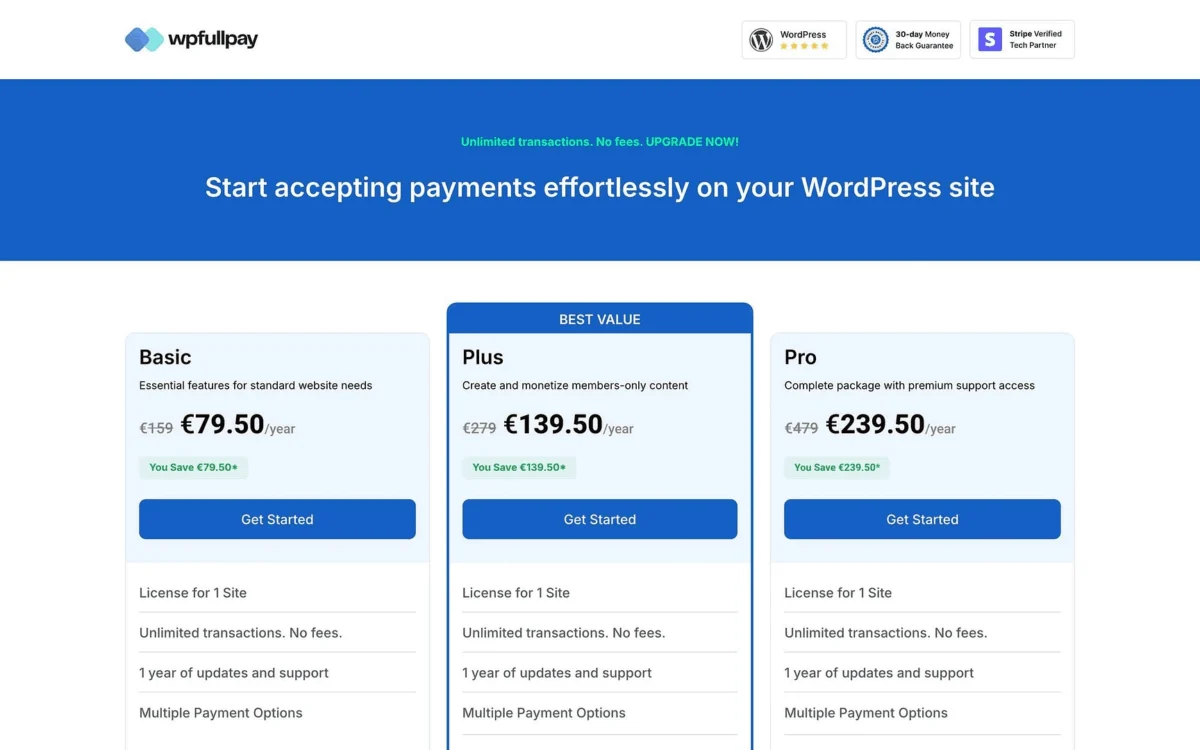
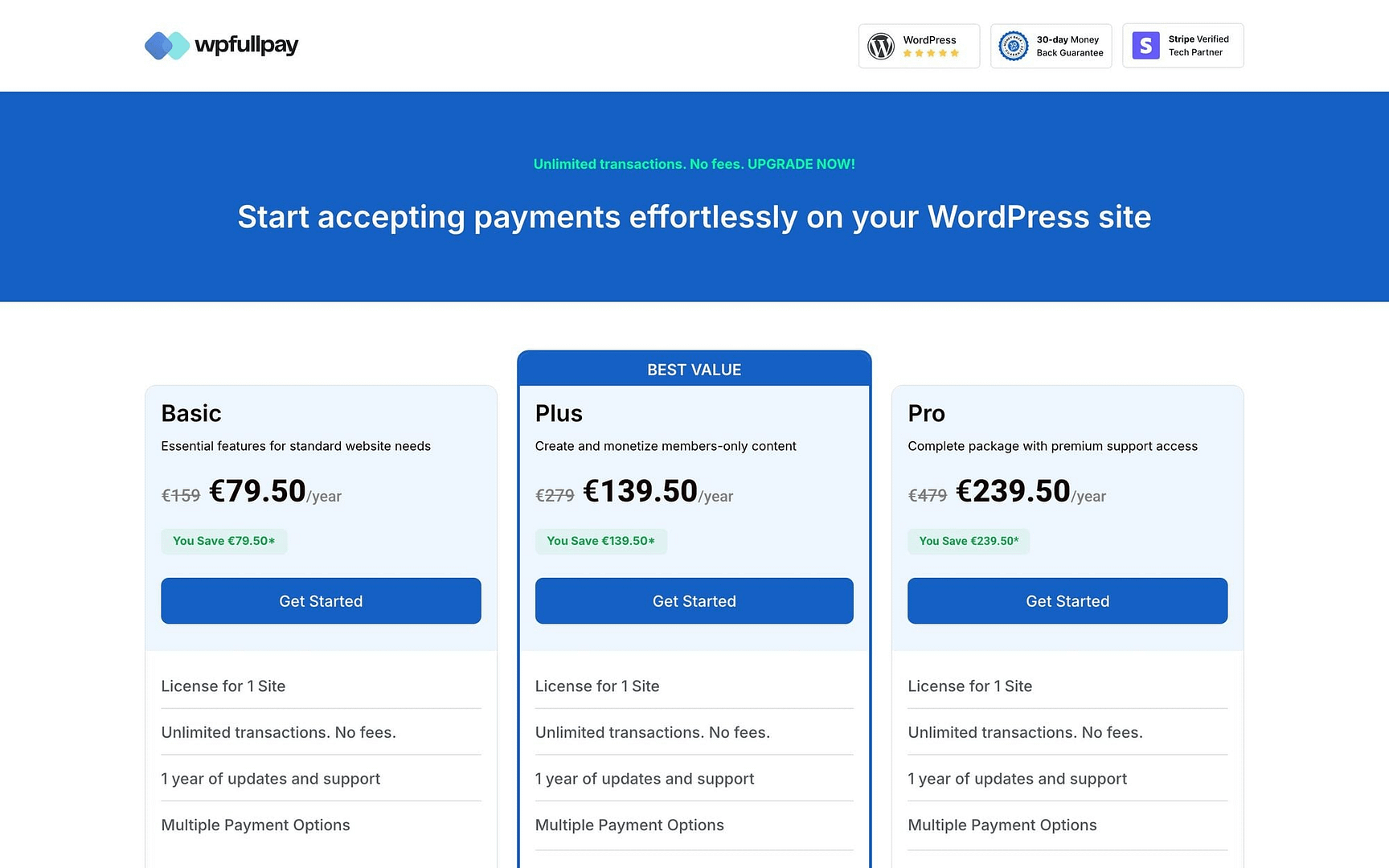
| WPFullPay Free Tier | 5% per transaction | Basic License (€79.50 introductory / €159 renewal) |
| WP Simple Pay Lite | 3% per transaction | Personal License ($49.50 introductory / $99 renewal) |
Note on Layer 1: Stripe’s fixed 30-cent fee disproportionately impacts low-value transactions. A $10 donation incurs an effective fee of roughly 5.9%, whereas a $100 invoice incurs about 3.2%. When calculating costs, business owners must evaluate their average transaction size rather than relying solely on headline percentages.
The Break-Even Formula
The financial crossover point can be calculated using a simple equation:
$$textBreak-Even Volume = fractextAnnual License PricetextPlugin Fee Rate$$
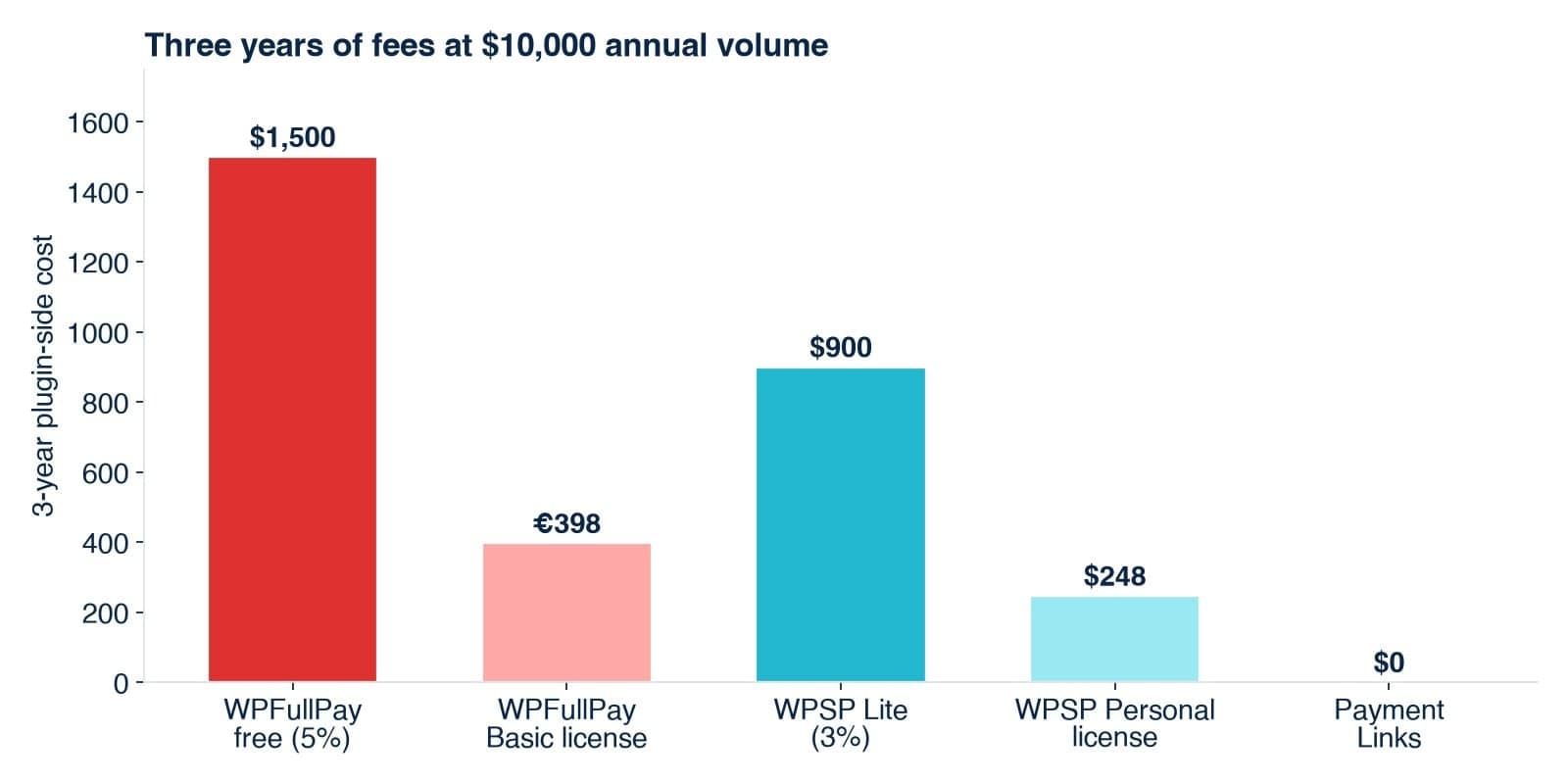
If a site generates less revenue than this threshold annually, the free tier is more economical. If revenue exceeds this amount, purchasing the annual license yields immediate savings.
Three Business Case Studies
To contextualize this math, examine how three different business models absorb these costs over a 12-month period:
-
A Weekend Bakery (Pre-orders): Generating $3,600 annually.
- Free Tier Cost (5%): $180
- Free Tier Cost (3%): $108
- Recommended Route: Stripe Payment Links ($0 plugin fee) or a direct license. Both free tiers exceed the cost of a standard license, but simple pre-orders rarely require complex embedded forms. A hosted payment page eliminates the plugin layer entirely.
-
A Freelance Consultant (Invoicing): Generating $24,000 annually.
- Free Tier Cost (3%): $720
- Recommended Route: Paid License or Payment Links. At $720 a year, the 3% fee is nearly seven times the cost of an introductory license. Because clients receiving invoices already recognize the vendor, a hosted redirect page causes no friction.
-
A Boutique E-Commerce Shop (Embedded Forms): Generating $96,000 annually.
- Free Tier Cost (5%): $4,800
- Recommended Route: Paid License. Needing an embedded checkout form on sales pages rules out hosted links. Paying $4,800 in plugin fees on a free tier is financially inefficient when a flat-rate license costs a fraction of that amount.
Official Responses and Industry Perspectives
Plugin developers and financial analysts generally agree that freemium models serve a vital purpose, provided users understand their long-term cost implications.
Representatives from developer ecosystems emphasize that free tiers are purposefully designed for testing, low-volume validation, and simple deployments. They are not intended to subsidize high-volume commercial operations indefinitely. Furthermore, premium licenses bundle critical assets beyond mere fee-removal: dedicated customer support, regular security patches, and advanced features such as customer billing portals, subscription management, and localized tax handling.
Conversely, consumer advocates and financial planners advise digital entrepreneurs to audit their software stack annually. Because introductory software pricing often doubles upon renewal, a plugin that made financial sense in Year 1 can become an unnecessary expense by Year 3.
Implications: Strategic Takeaways for WordPress Site Owners
Navigating payment gateway economics requires a shift from passive subscription management to active financial auditing.
- Avoid Defaulting to "Free": While free plugins lower initial friction, they can quietly siphon thousands of dollars from growing businesses. Site owners should evaluate their total volume, not just upfront software costs.
- Match the Tool to the Workflow: Not every site requires a complex embedded form. Organizations that rely on straightforward invoices or pre-orders can often utilize Stripe Payment Links to bypass plugin fees altogether.
- Account for Renewal Pricing: Introductory discounts can distort long-term financial planning. When calculating break-even points, always factor in the standard renewal price of a plugin license rather than the first-year discount.
- Implement an Annual Software Audit: Setting a recurring calendar reminder to review payment gateway costs ensures that businesses do not continue paying percentage-based fees long after their transaction volume justifies a flat-rate license.
Ultimately, choosing a WordPress payment plugin should be driven by feature requirements—such as recurring subscriptions, donation tracking, and brand consistency—rather than the deceptive comfort of the word "free."