





Adobe After Effects is the industry standard for motion graphics and visual effects, offering unparalleled creative control. However, the reality of high-pressure production environments is that building every animation from an empty composition is rarely practical. A well-constructed template acts as the architectural blueprint of a project, providing the necessary structure, timing, and technical foundations so that designers can dedicate their energy to the nuances that define their unique brand voice.

In this comprehensive guide, we explore the strategic use of After Effects templates, ranging from essential title sequences to complex logo reveals and motion-graphic assets.

The Strategic Value of Motion Design Templates
For the modern motion designer, efficiency is as critical as aesthetic vision. Templates are not merely "shortcuts"; they are force multipliers. By utilizing pre-built structures for titles, logo reveals, slideshows, intros, and lower thirds, professionals can bypass the repetitive, time-consuming "grunt work" of keyframing and layering.

The Anatomy of a Quality Template
Not all free assets are created equal. High-quality templates are distinguished by their organizational structure. A professional-grade project file should include:

- Clear Labeling: Intuitive naming conventions for layers and compositions.
- Comprehensive Documentation: Help files that guide the user through customization.
- Modular Design: The ability to swap assets—such as fonts, footage, and audio—without breaking the project’s underlying logic.
Before downloading, always verify compatibility. Some templates rely on third-party plugins, specific versions of After Effects, or proprietary fonts. Conducting this due diligence at the start of your workflow prevents the common frustration of "missing asset" errors during the final render.

Essential Categories for Motion Assets
1. Title Sequences and Typography
Typography is the visual soul of a video. Whether it is a minimalist opener for a corporate presentation or a kinetic, glitch-heavy title for a digital project, the right movement dictates the viewer’s emotional engagement. Designing these from scratch often involves hours of testing transitions and easing curves. Free templates in this category provide the framework—you provide the personality through color, spacing, and font choice.

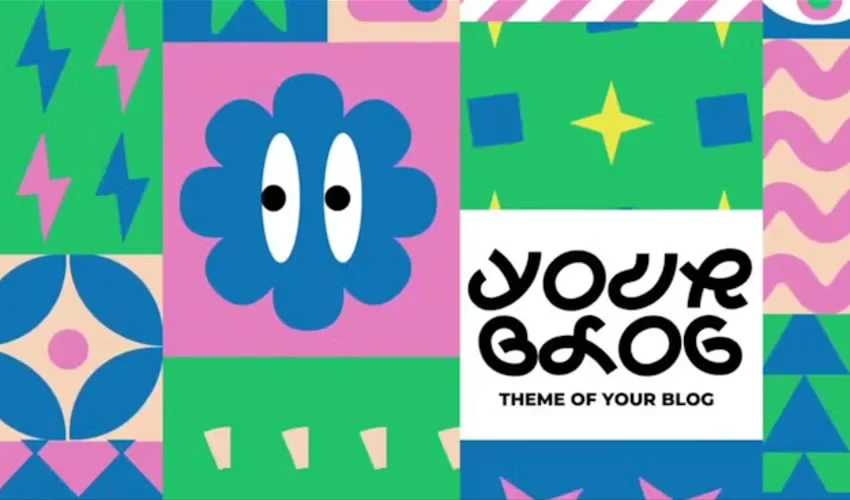
- Standout Styles: From the playful, bouncy aesthetics of Funny Shapes Titles to the cinematic, nostalgic typography seen in 2001 Space Odyssey-inspired packs, these assets allow for rapid iteration.
2. Logo Reveals
A logo reveal is the digital handshake of a brand. It transforms a static vector file into a dynamic, memorable sequence. The trend in modern branding is "less is more"—brief, sharp animations often perform better than long-winded intros.

- Technical Considerations: Look for templates that offer alpha channels or pre-rendered elements in .mov formats, which allow for seamless integration into existing sequences without taxing system memory.
3. Slideshows and Galleries
Visual storytelling through photography requires precise pacing. A good slideshow template manages the transition between static images, ensuring that the rhythm remains consistent with the soundtrack. Whether you are creating a wedding gallery or a professional portfolio, the goal is to present related imagery without visual clutter. Parallax effects and 3D tile transitions are particularly effective for adding depth to flat images.

Chronology of Workflow: From Download to Final Render
Understanding how to integrate these assets into your professional pipeline is vital. Follow this sequence to maintain project integrity:

- Selection and Validation: Choose a template based on your specific project goals (e.g., social media vs. corporate broadcast). Ensure the frame rate and resolution match your main timeline.
- Asset Management: Create a clean project structure. Keep the template’s assets in a dedicated folder to avoid broken links.
- Customization: Work on a duplicate of the original project. Never modify the master template file directly; this ensures you have a "clean" reference point if your edits lead to a dead end.
- Optimization: If the template is heavy on 3D layers or complex expressions, use "Proxy" footage or lower the resolution during the editing process to maintain real-time playback.
- Final Polish: Adjust the "feel." Change the timing of keyframes to match your music track. Often, the difference between a "template-looking" video and a bespoke production is the subtle adjustment of easing and the addition of custom sound effects.
Implications for Production Efficiency
The integration of templates into a professional workflow has profound implications for output quality.

Cost-Benefit Analysis
For agencies and freelancers alike, time is the primary overhead cost. By reducing the setup time of an animation from four hours to forty-five minutes, a designer can take on more projects or devote more time to high-level conceptual work.

Maintaining Brand Consistency
Templates allow teams to establish a "house style." By creating or curating a library of approved lower thirds and title styles, a brand ensures that every video output, regardless of the individual editor, shares a consistent look and feel. This creates a cohesive identity that is essential for long-term marketing success.

Technical Tips for Improving Performance
Even a well-made template can push a workstation to its limits. To keep your workflow fluid, keep these performance tips in mind:

- Purge Cache: Regularly clear your Disk Cache in After Effects settings.
- Layer Management: If a template is too complex, pre-compose layers that you aren’t currently editing to simplify the timeline.
- Hardware Acceleration: Ensure your GPU is properly enabled in the Project Settings to handle heavy effects or 3D ray-tracing.
Final Thoughts: The Art of the Adaptation
The most successful motion designers treat a template as a starting point, not a finished product. If you simply drag and drop your logo into a template without adjusting the timing, colors, or movement to suit your specific content, the viewer will perceive the "stock" nature of the work.

The true art lies in the customization. The best templates are those that fade into the background, providing the structure that allows your unique content to shine. Whether you are using a simple text-box lower third or a complex 4K kinetic opener, the goal remains the same: to communicate clearly, engage effectively, and deliver a professional product that respects the audience’s time.

By curating a personal library of high-quality, reliable templates and following the systematic approach of validation, duplication, and meticulous customization, you transform your workflow from a struggle against the software into a fluid, creative process. In the world of motion design, the tools are only as good as the hands that guide them—make sure those hands are focused on the details that truly matter.