








In the high-stakes world of enterprise digital infrastructure, site speed is often touted as the ultimate benchmark of performance. However, for organizations managing high-revenue e-commerce platforms, customer portals, and compliance-heavy content workflows, raw speed is only half the battle. Reliability—the ability to evolve, update, and iterate without disruption—is the true metric of success.
While many WordPress sites run on high-performance infrastructure, they remain vulnerable to "deployment drift" and operational failure. The culprit is rarely the hardware itself, but rather the enterprise’s change management process. When teams lack a rigorous framework for controlling, testing, and deploying updates, even the fastest server cannot prevent a catastrophic site failure caused by a rogue plugin update or a botched PHP migration.
The Myth of Infrastructure: Why Change Risk is the Primary Concern
For the modern enterprise, the lifecycle of a WordPress environment is a complex web of dependencies. Whether it is a routine security patch, a theme redesign, or a database optimization, each change interacts with layers of legacy code and third-party integrations that are often poorly documented.
When a hosting provider lacks formalized staging environments, granular rollback paths, or robust access controls, the burden of stability shifts entirely onto the internal team. Without native platform support for these critical tasks, engineers are forced to adopt "shadow" workflows: manual backups shared via insecure chat channels, informal verbal approvals, and—inevitably—reactive, late-night firefighting that pulls top-tier talent away from strategic project work.
This is why, for IT leaders, the ability to support a disciplined change process is the primary criterion for selecting a hosting partner. Deployment must be predictable, and recovery must be near-instantaneous.
Chronology of a Secure Deployment: From Staging to Production
A reliable enterprise workflow follows a logical, non-negotiable sequence. By leveraging platforms like MyKinsta, organizations can transform these steps from manual overhead into automated, repeatable processes.
1. The Staging Phase: Building a Safety Sandbox
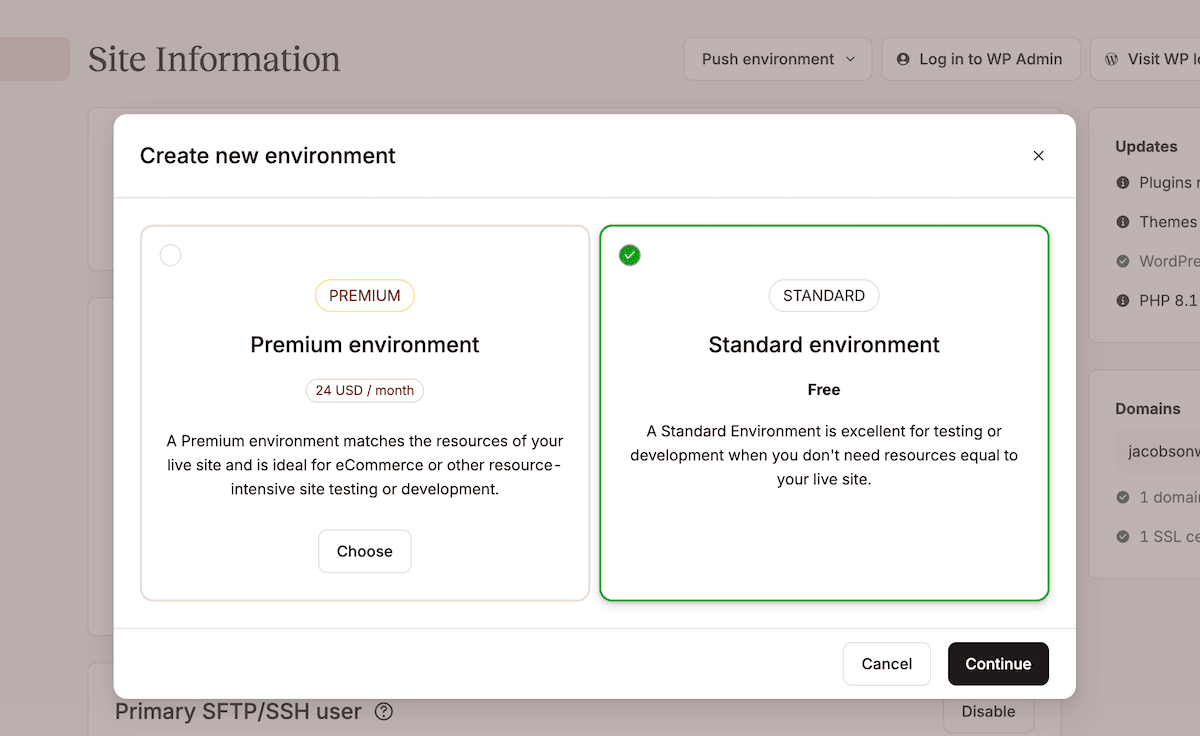
The first step in any safe deployment is the isolation of changes. Kinsta provides containerized staging environments that act as a mirror to the production site. By allowing teams to test updates in an environment that mimics production conditions, organizations can catch integration conflicts long before they affect live users.
For teams managing multiple streams of development, the Premium Staging add-on offers a critical advantage. By supporting up to five parallel staging environments, developers can simultaneously test different features—such as a plugin update and a database schema change—without those efforts colliding.
2. Selective Pushes: Surgical Deployment
Historically, moving a site from staging to live was an "all or nothing" operation. If a team had updated their staging database with test content or temporary configurations, pushing the entire environment would overwrite critical live data.
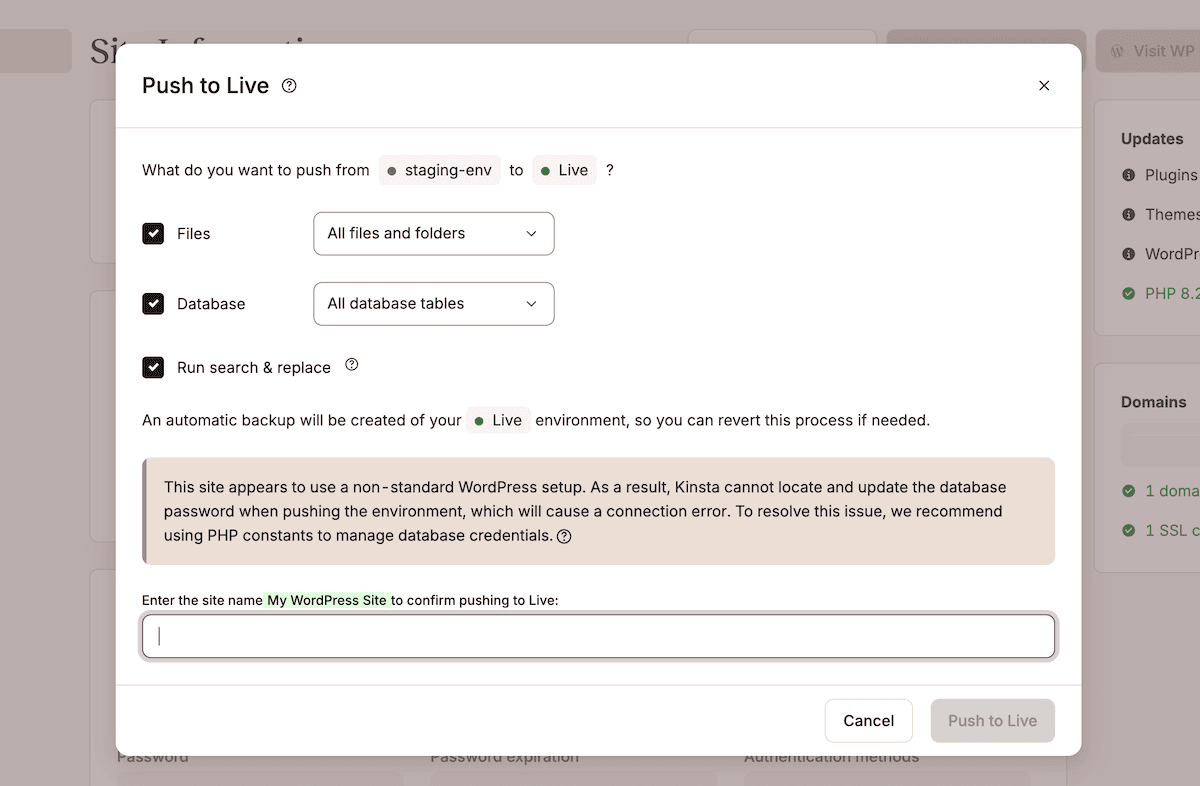
Kinsta’s Selective Push technology solves this by giving engineers granular control over exactly what moves from staging to production. Whether it is specific files, folders, or distinct database tables, this surgical approach ensures that deployment scopes are limited, risks are contained, and site integrity is maintained.
3. Verification and Search/Replace
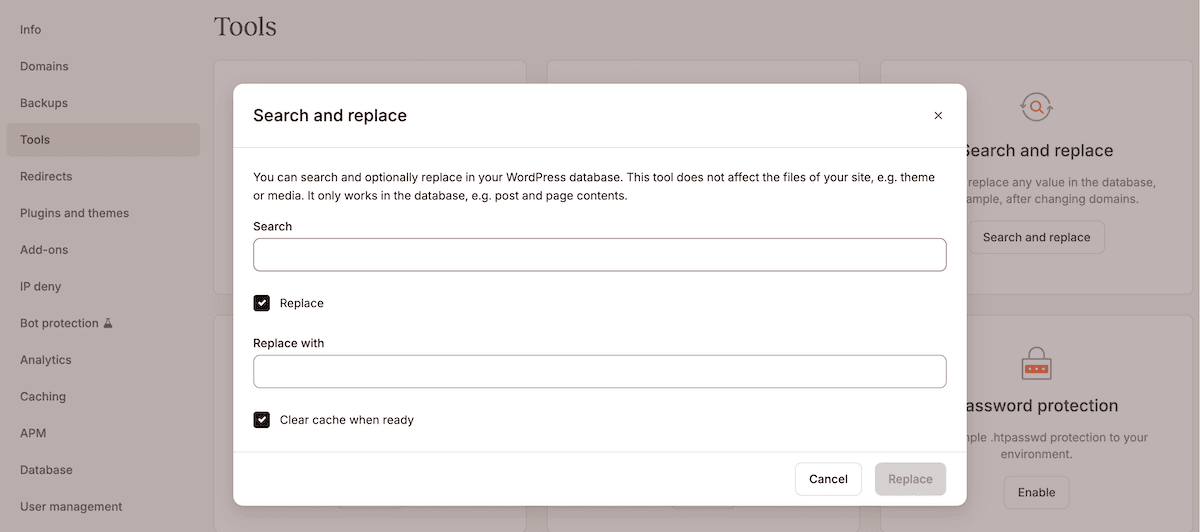
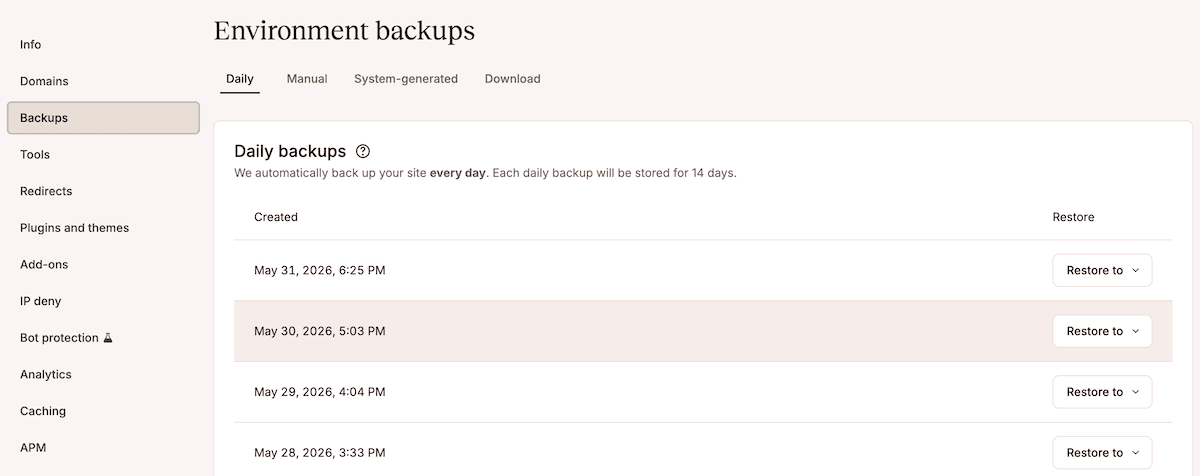
Once the push is initiated, the final step involves ensuring that the site’s internal references match the new environment. When migrating URLs or swapping domains, the database often retains references to the staging path. MyKinsta’s automated Search and Replace tool allows teams to bridge this gap safely. Crucially, the platform triggers a system-generated backup immediately before this process, ensuring that if a character-string error occurs, a perfect state is preserved for an instant revert.
Supporting Data: The Cost of Inaction
The data surrounding enterprise downtime is clear: every minute of interrupted service equates to significant revenue loss and brand erosion. According to industry benchmarks for enterprise web operations, "post-deployment firefighting" is the single largest consumer of engineering hours in WordPress-centric organizations.
By adopting a platform-native approach to change management, firms like Itineris and Konica Minolta have reported significant gains in operational efficiency. For Konica Minolta, the move to a managed WordPress environment was not just about better hardware; it was about the peace of mind that came with a structured deployment path. Their migration, completed in just three months, relied on the ability to move between environments without the fear of performance degradation or data loss.
Official Perspectives: The Role of Access Governance
A critical, often overlooked component of change management is governance. In a large enterprise, the people who design the site are rarely the same people who approve the final deployment. A robust hosting platform must therefore treat access control as a core feature rather than an afterthought.
Kinsta’s role-based access model allows organizations to map their internal hierarchy directly to the hosting dashboard. By defining specific roles—such as Developers (who need access to staging), QA Engineers (who need validation tools), and Project Managers (who need visibility without deployment privileges)—the platform enforces a "principle of least privilege."
Integrating with Identity Providers
For the modern enterprise, security is centralized. Kinsta’s support for SAML SSO (Single Sign-On) ensures that authentication is handled by the organization’s existing identity provider—be it Microsoft Entra ID, Okta, or Google Workspace. This has profound implications for security:
- Centralized Revocation: When an employee leaves the company, removing their access in the central IdP automatically revokes their access to the WordPress infrastructure.
- Mandatory Compliance: By enforcing SSO, organizations eliminate the risks associated with weak, shared, or forgotten passwords.
Implications for Future Scaling
As organizations scale, the "manual way" of doing things eventually collapses under the weight of complexity. A site with five plugins may survive without a change management process; a site with fifty plugins, integrated with a CRM, a payment gateway, and an ERP, will fail without one.
The implications for CIOs and CTOs are evident:
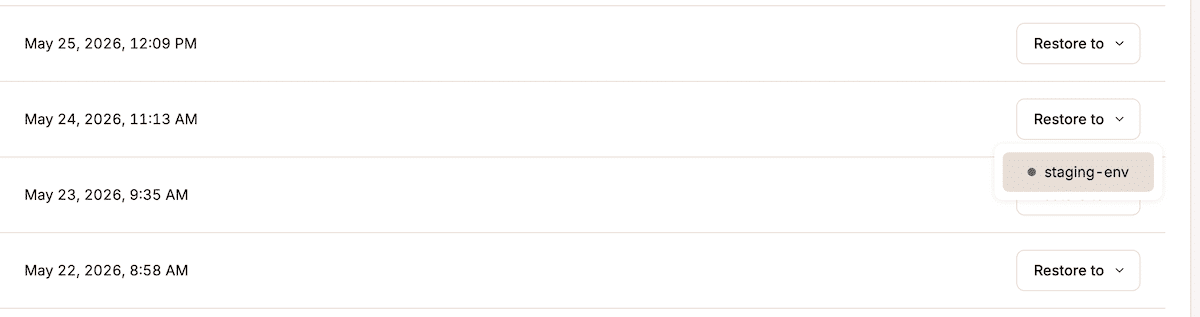
- Reduced Maintenance Windows: With a reliable rollback path, the need for hours-long "maintenance mode" windows vanishes.
- Higher Developer Velocity: When developers are confident that they can roll back a change in seconds, they are more likely to ship code frequently.
- Risk Mitigation: By treating the hosting platform as a partner in the deployment process, the enterprise mitigates the "bus factor"—the risk that a single failed update ruins the weekend of an entire engineering team.
Conclusion: The Path to Enterprise Maturity
Enterprise WordPress is no longer a niche choice; it is a standard for some of the world’s largest brands. However, the maturity of these organizations is measured by their ability to maintain stability while moving fast.
Infrastructure is the engine, but change management is the steering wheel. By utilizing staging environments, selective pushes, layered backups, and strict role-based access, enterprises can shift their focus from reactive crisis management to proactive digital growth. For teams looking to audit their current workflow, the question to ask is not "how fast does our site load?" but "how safely can our site change?" In an era where uptime is currency, the answer to that question determines everything.