






The release of Divi 5 has ushered in a transformative era for WordPress development, centered primarily on the integration of Divi AI Agents. Moving beyond the traditional paradigm of granular, manual setting adjustments, this new conversational interface allows designers to communicate their vision in plain language, with the AI executing complex, multi-step tasks directly within the Visual Builder.
This evolution shifts the designer’s role from a manual operator to a high-level creative director. By describing desired outcomes—whether adding modules, updating global styles, or restructuring layout hierarchies—users can witness the agent perform sophisticated edits in real-time. However, the efficacy of this tool is directly tied to the clarity of the user’s input. As with any sophisticated AI, the quality of the "first pass" depends heavily on how well the user defines their target, specifies constraints, and manages context.
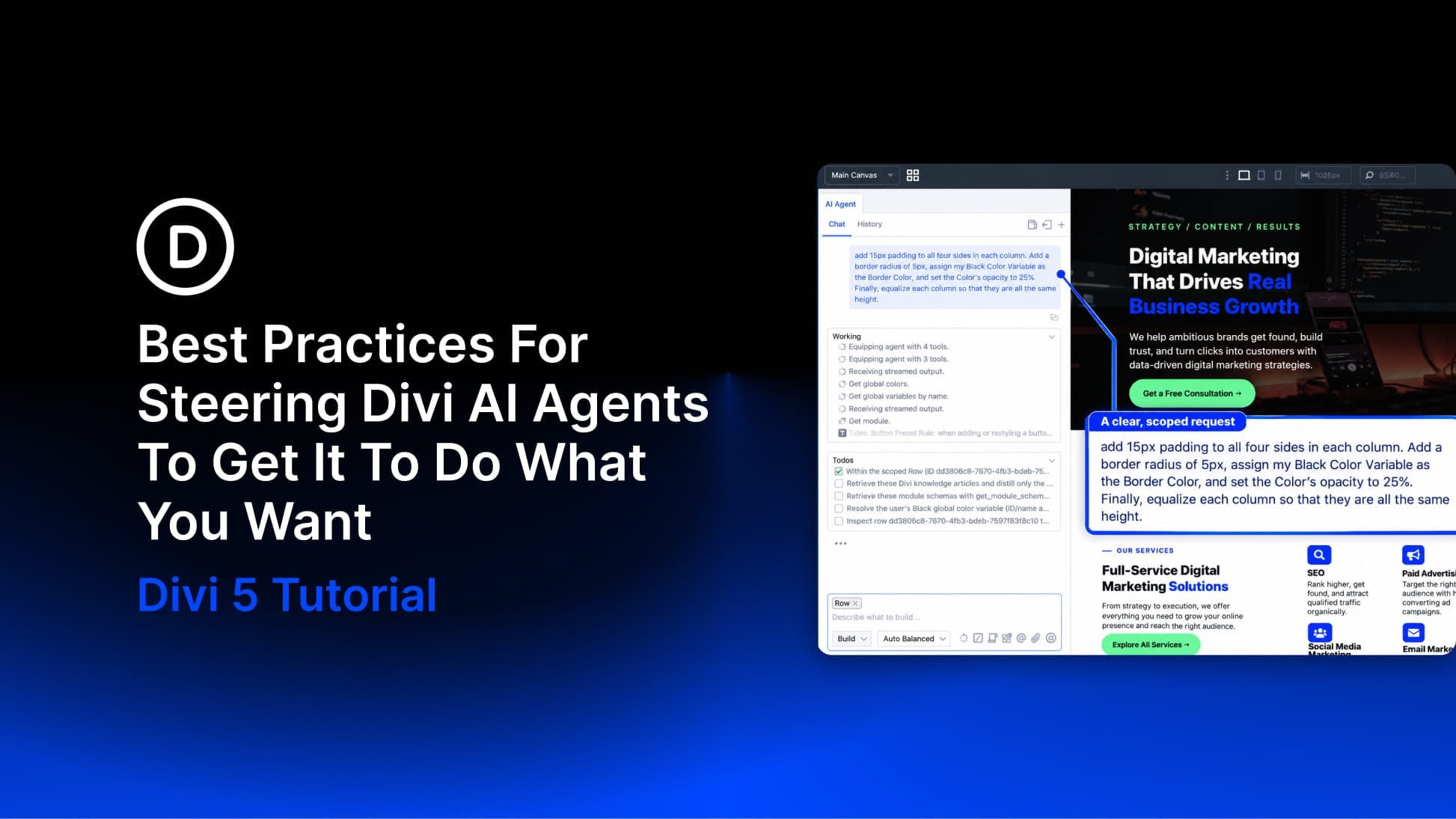
The Mechanics of Divi AI Agents: A New Workflow
Divi AI Agents represents a significant departure from standard generative AI tools. While Divi AI has long been capable of generating individual snippets of code, text, or image assets, the Agent acts as a coordinator. It possesses the capability to "read" the page context, understand the existing design system, and apply changes across multiple elements simultaneously.
The Conversational Ecosystem
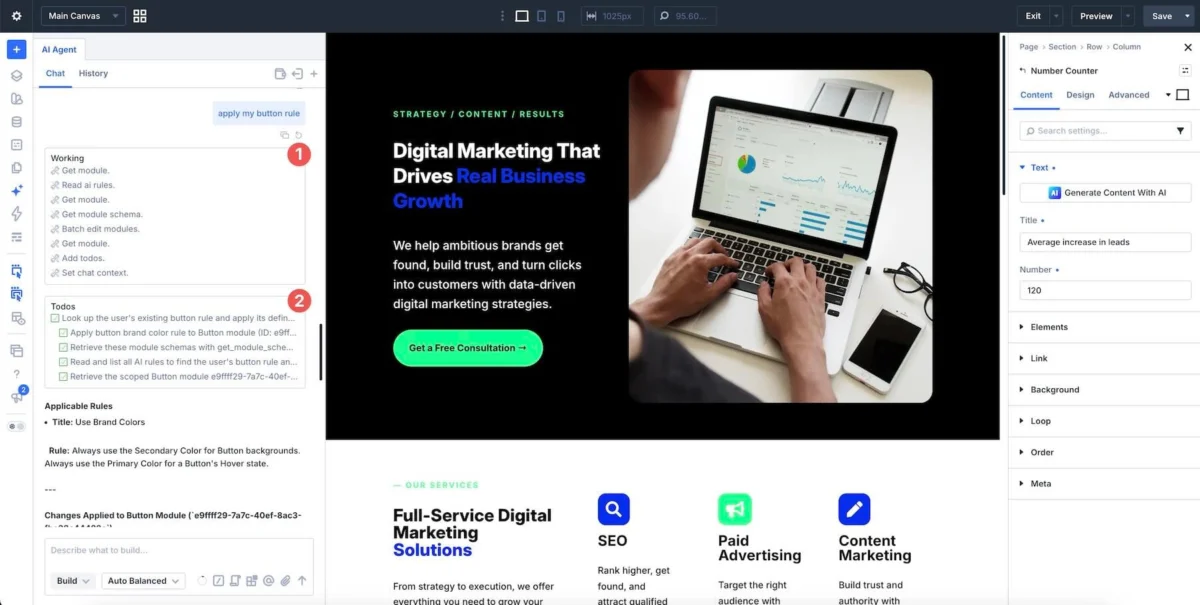
The interface is built around a chat window that functions as the command center for the Visual Builder. To ensure precision, the system incorporates several distinct controls:
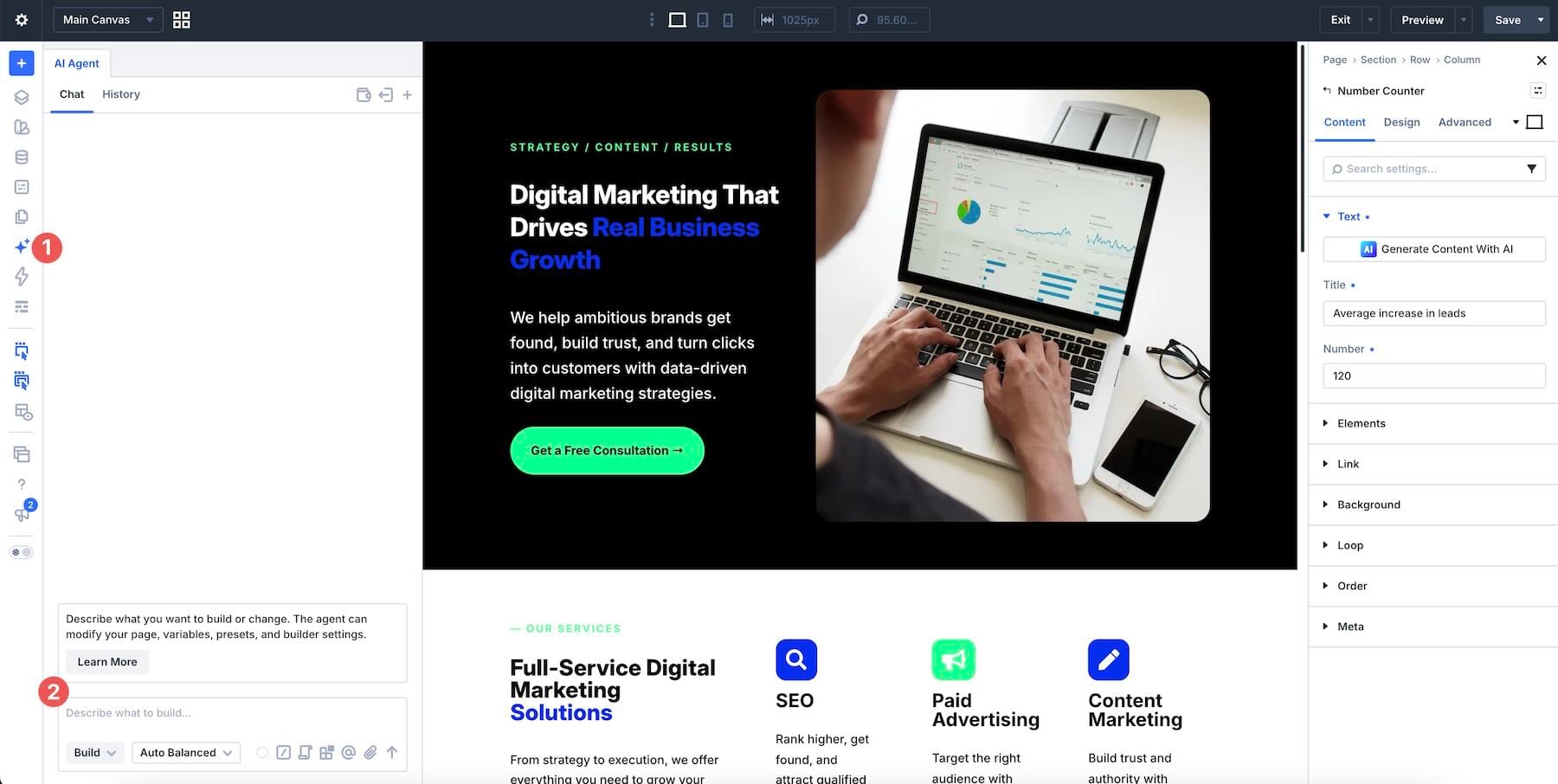
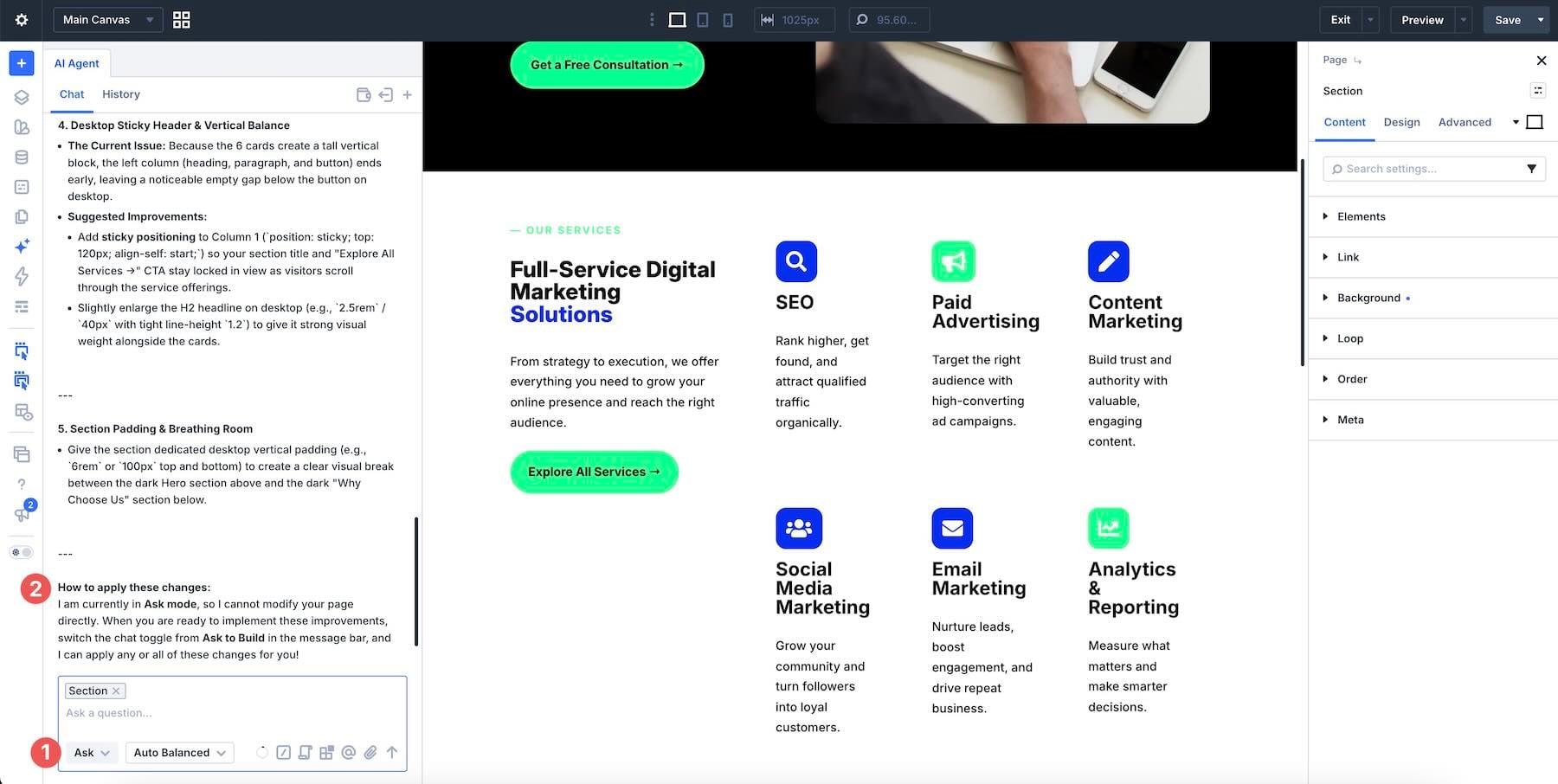
- Ask Mode vs. Build Mode: The "Ask" mode is purely consultative, providing answers, documentation insights, and design suggestions without altering the live site. Conversely, "Build" mode is the engine of execution, where the agent actively manipulates the DOM and Divi’s internal settings.
- Contextual Awareness: By typing "@" in the chat, users can invoke the context picker, allowing the agent to focus specifically on a single module, row, or section. This prevents the "hallucination" of changes across the wrong parts of the site.
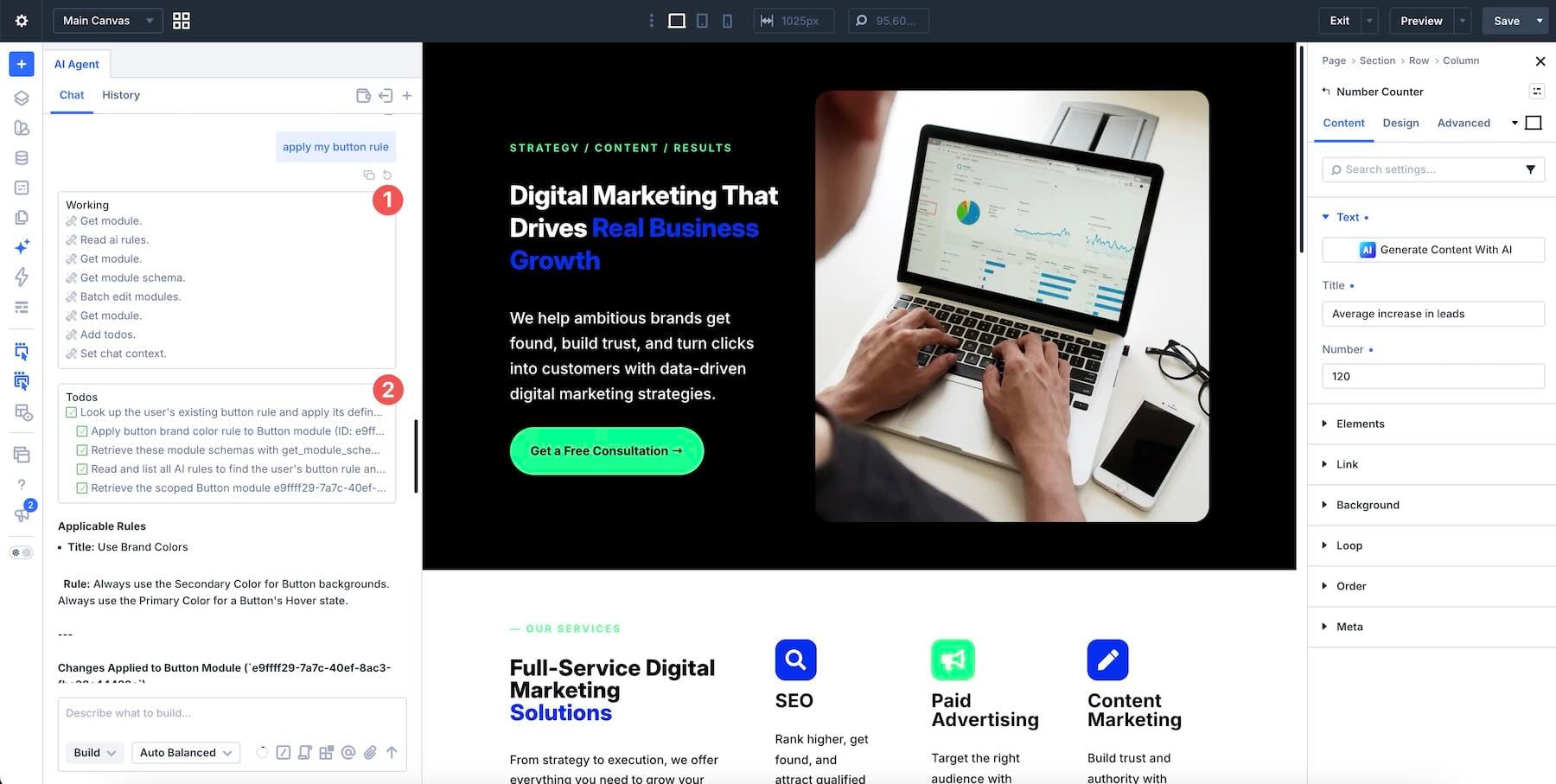
- Persistent Intelligence (Rules & Commands): Users can define "Rules"—standing instructions regarding brand voice or design variables—and "Commands," which are reusable task sequences. This allows the agent to learn the specific nuances of a brand’s design system over time.
Chronology of Development and Implementation
The integration of Agentic AI into Divi 5 did not happen in a vacuum. It follows a rigorous development roadmap focused on lowering the barrier to entry for professional web design.
- Foundation: Divi 5 was architected to support a more modular and API-driven approach to component manipulation, which provided the necessary "hooks" for the AI Agent to interact with the builder.
- Beta Iteration: During the testing phase, developers discovered that users often struggled with "prompt drift"—where the AI would over-correct or change unintended elements. This led to the introduction of "Scope" and "Approval" features.
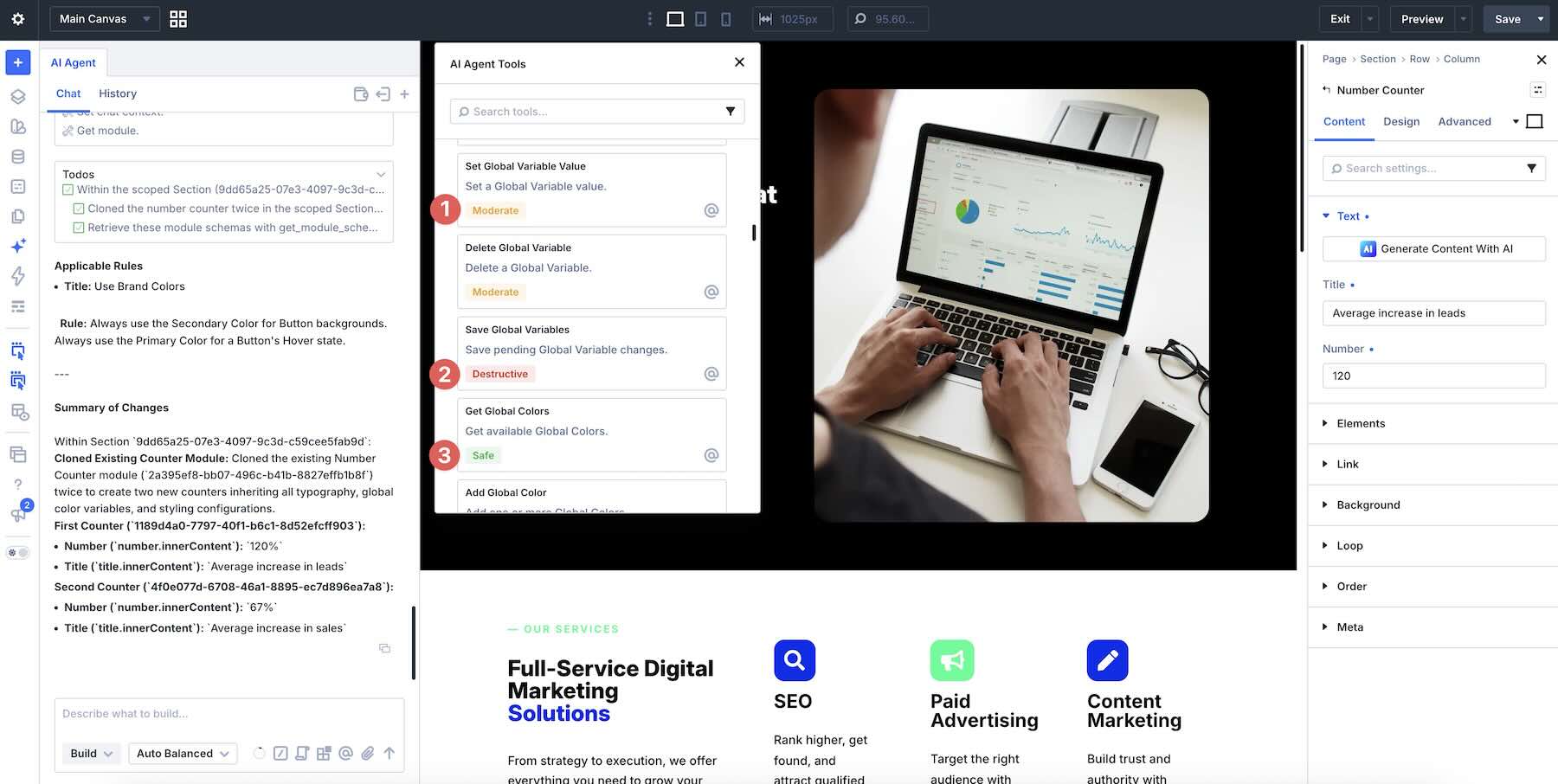
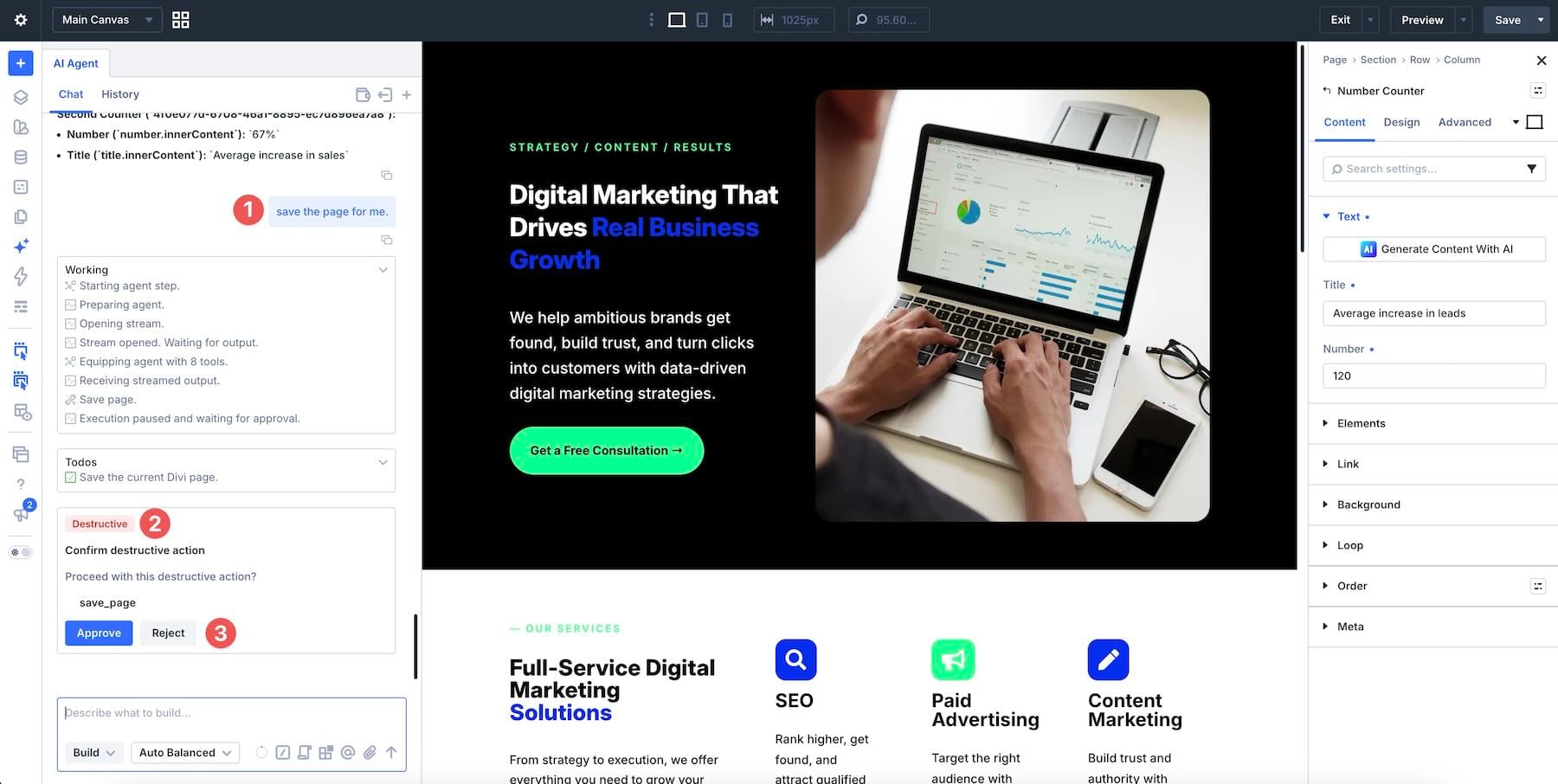
- The "Safety First" Protocol: To mitigate the risk of destructive edits, the system now categorizes tools into "Safe," "Moderate," and "Destructive." Any action labeled as destructive requires an explicit, manual user approval before the changes are committed to the database.
Supporting Data and Resource Management
A core component of the Divi AI Agent experience is the AI Wallet. Because the computational cost of running agentic tasks is significantly higher than simple text generation, Elegant Themes has implemented a metered usage model.
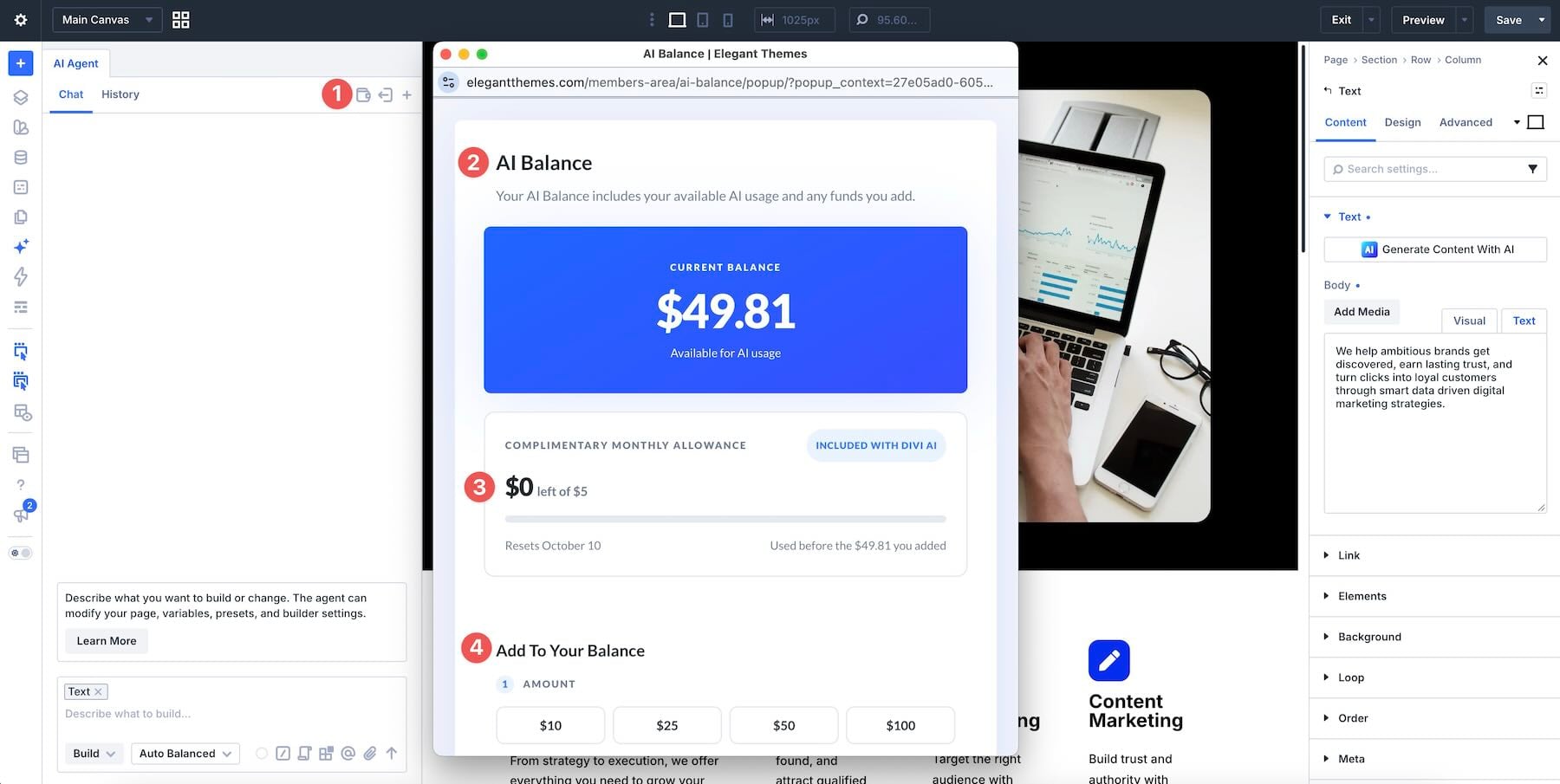
- Usage Structure: Every subscription includes $5 in monthly agent usage. These funds are drawn from the AI Wallet, which tracks usage in real-time.
- Model Tiers: The system offers four automatic tiers of model performance. The "Auto Value" default balances speed and reasoning, but users are encouraged to toggle between models based on task complexity. Simple CSS adjustments may only require a lighter model, whereas structural page redesigns may necessitate a more robust, reasoning-heavy model.
- Attachments: The system supports a variety of file types, including JPEGs, PNGs, and structured text like HTML and CSV. By attaching a mock-up or a style guide, users can drastically improve the AI’s ability to mirror their specific aesthetic.
Official Guidance: 10 Best Practices for Steering
To maximize productivity and minimize rework, developers have outlined a set of ten best practices. These guidelines are designed to transform vague requests into actionable, precise prompts.
1. Defining "Done"
Avoid ambiguous language like "make it look better." Instead, provide a tangible definition of success. For example: "Redesign this section to use Blurb modules; retain the existing icon colors and heading text."
2. Precise Targeting
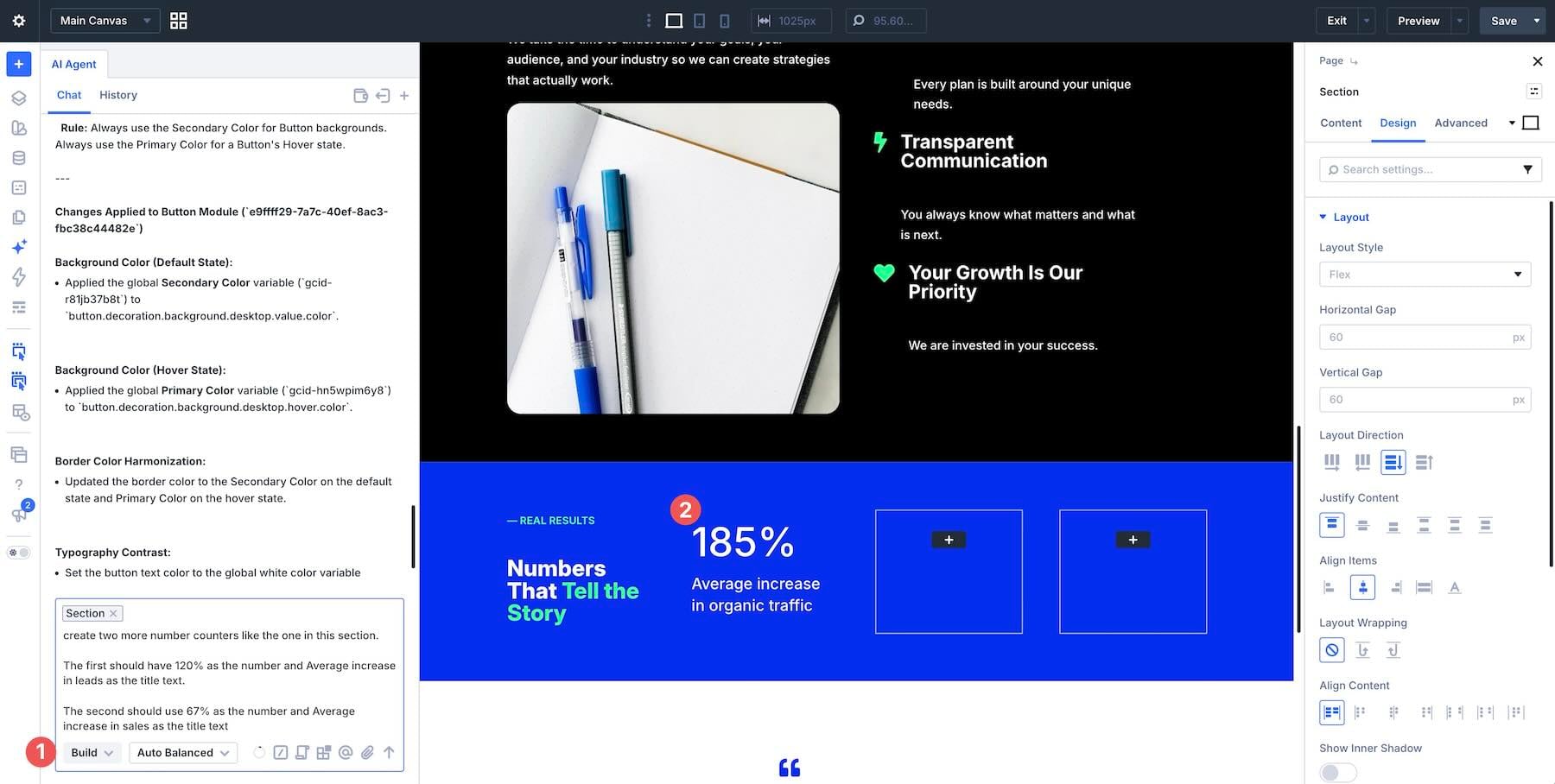
Avoid broad commands. Instead of "change the button," identify the exact section or element. "In the Hero section, update the primary button background to my ‘Primary-Brand’ variable."
3. Maintaining Strict Scope
Work in iterative loops. Perfect the hero section, then move to the features, then the footer. By scoping each request, you ensure that the AI does not inadvertently override settings in unrelated parts of the page.
4. Planning Before Building
Always utilize "Ask" mode for complex tasks. If you want to convert static font values to global variables, ask the agent to list the modules that need updating first. Review the list, confirm the scope, and only then proceed to "Build."
5. Leveraging Presets
One of the most powerful features is the ability to point the agent to a pre-defined Module Preset. By attaching a preset to the prompt, you ensure that the AI applies your exact CSS configuration rather than "guessing" at the design.
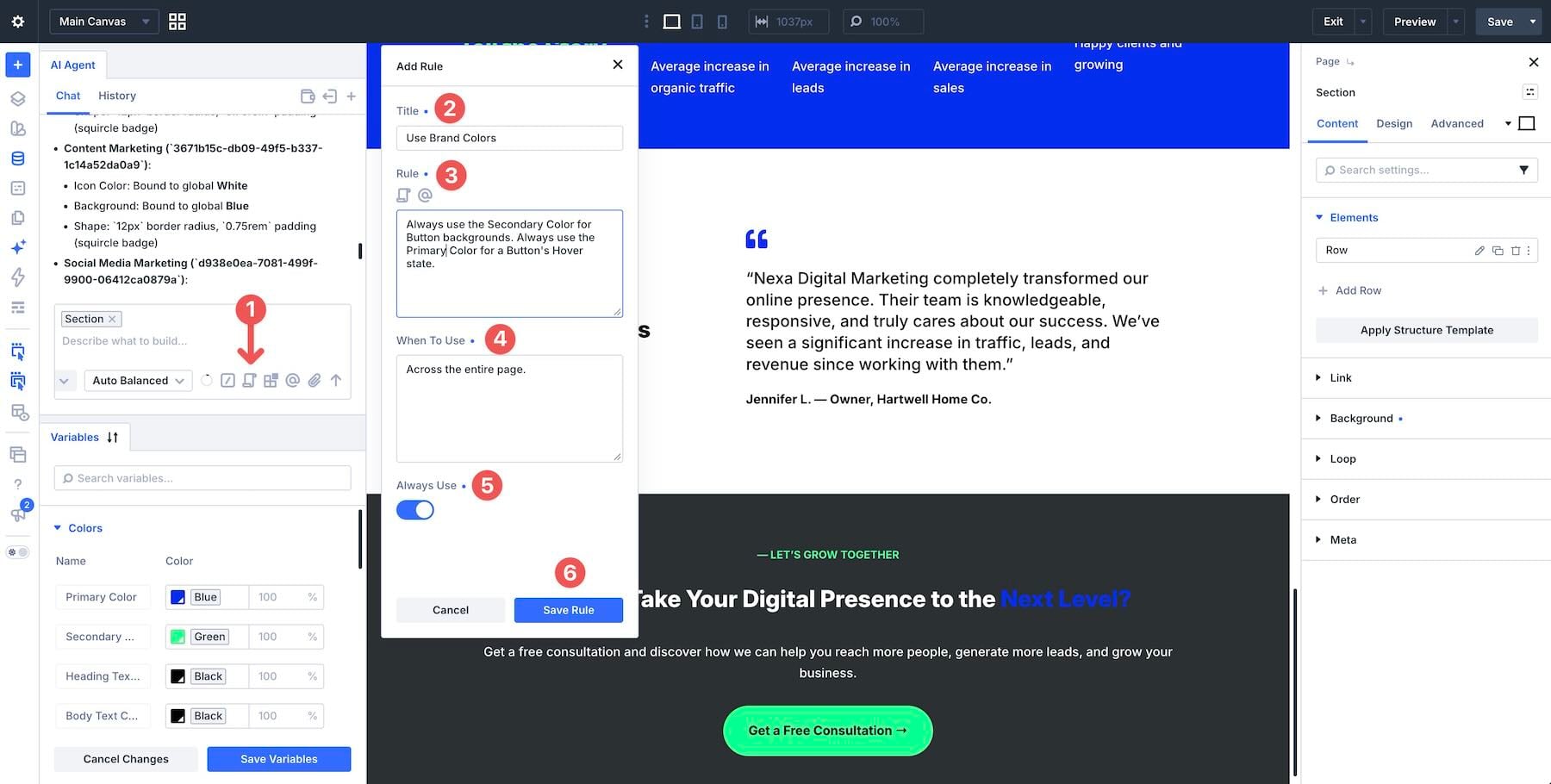
6. Institutionalizing Standards with Rules
Rules are the "long-term memory" of the agent. By saving your brand’s spacing scale or accessibility requirements as a Rule, you eliminate the need to reiterate these constraints in every new conversation.
7. Creating Command Libraries
For recurring tasks—such as "Apply dark mode styling to this container" or "Add a standard FAQ schema"—save these as Commands. This allows you to trigger complex, multi-step workflows with a single command.
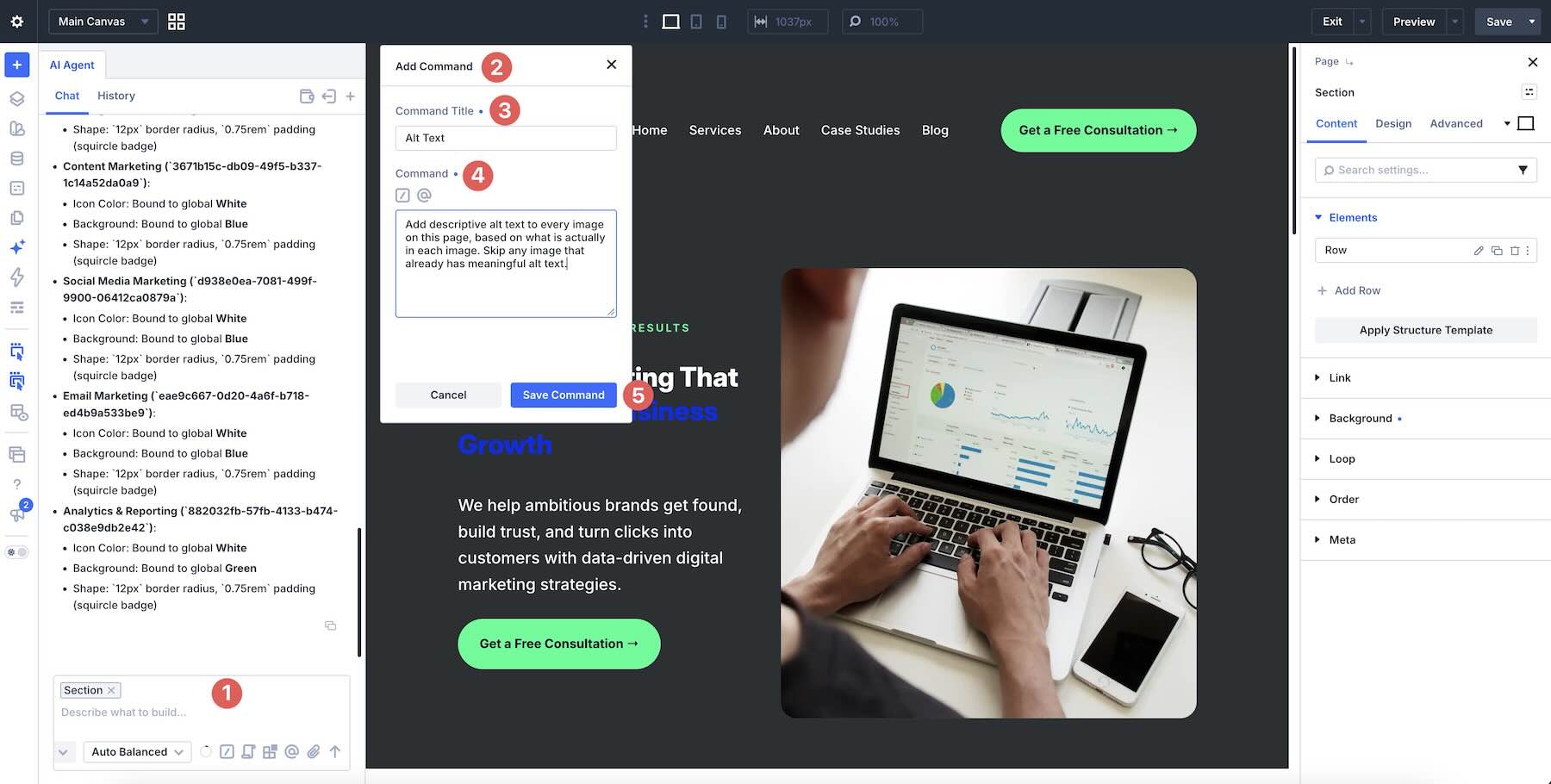
8. Reference-Based Design
When uploading a screenshot or providing a URL, explicitly tell the agent what to extract. "Use the layout from this screenshot, but apply my brand’s color palette."
9. Knowing When to Manual-Edit
The AI is a tool, not a replacement for professional judgment. If the agent struggles with a specific alignment issue, perform that manual tweak yourself. Often, a 30-second manual adjustment is more efficient than a 5-minute prompt-engineering cycle.
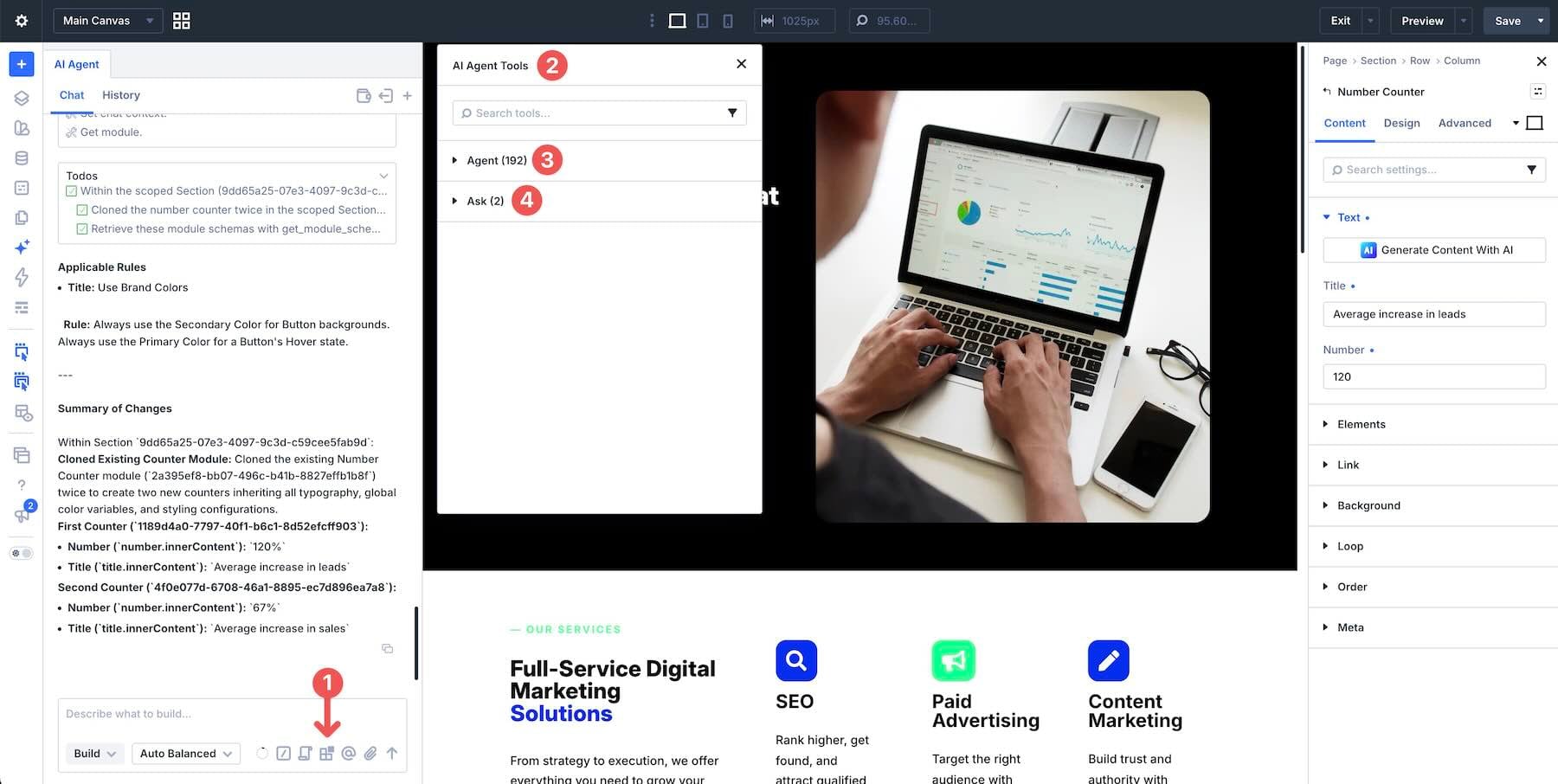
10. Intelligent Model Selection
Match your computational spend to the task. Use the lower-cost tiers for simple content edits and reserve the high-performance models for complex, site-wide structural logic.
Implications for the Future of Web Design
The release of Divi AI Agents signifies a permanent shift in the industry. We are moving toward a "Natural Language UI," where the barrier between an idea and its implementation is virtually erased.
For agencies and freelancers, this means an increase in project velocity. Tasks that once required hours of clicking through nested settings panels can now be executed in seconds. However, this also raises the standard for the designer; as the "manual labor" of building is offloaded to the AI, the value of the designer shifts toward Creative Direction, System Architecture, and Quality Assurance.
The ability to audit and verify AI-generated work will become the most critical skill for the next generation of web professionals. While the agent can build a page in seconds, the human designer remains the final arbiter of quality, accessibility, and brand integrity.
Conclusion
Divi AI Agents is not merely a feature addition; it is a fundamental reconfiguration of how websites are built. By embracing the conversational workflow, learning to define clear constraints, and strategically using the provided tools, users can harness the full power of Divi 5.
As we look toward the future, the integration of these agents will likely become more autonomous, further bridging the gap between thought and execution. For now, the most successful users will be those who treat the agent as an intelligent, albeit literal-minded, junior developer—providing clear instructions, checking the work, and maintaining strict control over the design system.
If you have already begun experimenting with Divi AI Agents, the community is eager to hear your results. Which specific prompts have accelerated your workflow the most? Share your experiences in the comments and join the conversation as we navigate this new era of AI-assisted design.