










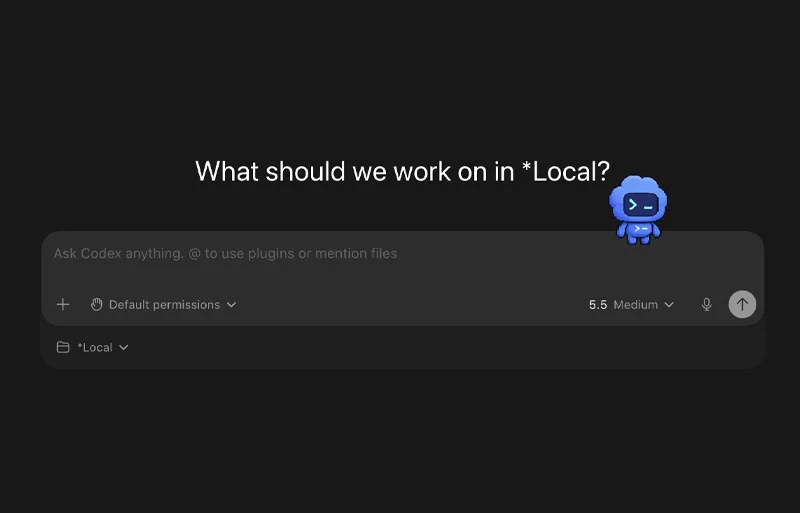
Main Facts: The Intersection of Productivity and Play
In an industry traditionally dominated by dark-mode interfaces, monospaced text, and austere terminal windows, OpenAI has introduced a surprisingly whimsical feature to its Codex desktop application: Codex Pets.
At first glance, these optional animated companions—floating desktop overlays that react in real-time to your coding agent’s workflow—appear to be little more than a late-April Fool’s joke realized in code. However, beneath their playful exteriors lies a sophisticated UX experiment in ambient computing. Designed to bridge the gap between deep focus and situational awareness, these digital sprites visually communicate whether your autonomous agent is actively compiling, stalled, awaiting human input, or ready for code review.
By externalizing the internal state of the agent into a peripheral overlay, OpenAI is addressing a subtle yet persistent friction point in modern software development: context switching. Instead of constantly alt-tabbing to check a terminal or waiting for disruptive operating system notifications, developers can now rely on peripheral cues from a pixel-art desk goblin, a corporate-mascot-turned-sprite, or even a digital recreation of their real-life pet.
For developers evaluating modern coding agents—a landscape increasingly defined by tools like Codex and Claude Code—the introduction of pets highlights a broader philosophical question: how much can interface design improve the human-AI symbiotic workflow by keeping developers firmly in the "flow state"?
Chronology: From Concept to Custom Hatching
The rollout of Codex Pets represents a rapid evolution in how developers interact with local AI development environments. While OpenAI has kept the core mechanics streamlined, the journey from initial release to user customization follows a structured pipeline:
- The In-App Introduction: OpenAI integrated the feature quietly into the Codex desktop app’s configuration framework. Users were given immediate access via the appearance settings (
Settings > Appearance > Pets), a quick composer command (/pet), or standard command palette shortcuts (Cmd + Kon macOS andCtrl + Kon Windows). - The State-Sync Integration: Early adopters quickly realized that the pets were not mere static GIFs; they were tied directly to the thread lifecycle. The animation states dynamically shift based on whether the local thread is processing, blocked, or awaiting authorization.
- The Release of the
hatch-petSkill: Recognizing that a handful of default sprites would quickly bore power users, OpenAI released a specialized utility via its official repository (openai/skills). Thehatch-petskill empowers users to generate custom animated sprites using natural language prompts or reference imagery. - Ecosystem and Community Growth: Following the release of the custom hatching tool, decentralized community hubs—such as the community gallery at Codex Pets—spang up organically, allowing developers to share design concepts, prompt templates, and sprite-sheet configurations.
Supporting Data: Understanding the Ambient UI Mechanics
To appreciate why Codex Pets function effectively beyond their novelty, it helps to examine the mechanics of developer attention spans and ambient user interfaces (UIs).
The Cost of Context Switching
Cognitive psychology research consistently shows that developers require an average of 15 to 25 minutes to return to a deep "flow state" after being interrupted. Traditional notification systems—such as OS push alerts, sound effects, or flashing dock icons—act as hard interruptions. They force the user’s brain to completely abandon the active code editor mental model to evaluate an alert.
Ambient Awareness via Peripheral Vision
Ambient UIs operate on a different psychological principle. By placing low-cognitive-load indicators in the user’s peripheral vision, the interface communicates status without demanding immediate cognitive processing.
| Notification Method | Cognitive Load | Disruption Level | Best Used For |
|---|---|---|---|
| Operating System Push Notification | High | Severe | Critical errors, system crashes |
| IDE Tab Flash / Badge | Medium | Moderate | Build failures, syntax errors |
| Peripheral Animated Overlay (Codex Pet) | Low | Minimal | Task state tracking, readiness checks |
Codex Pets utilize this exact principle. When a sprite transitions from an "active work" animation loop to a "waiting for review" posture, the change is registered by the human eye’s motion sensitivity without requiring the developer to look away from their primary code editor.
Official Responses and Developer Community Reception
The release of Codex Pets has generated a fascinating dialogue across developer communities, balancing skepticism with genuine utility praise.
The Developer Perspective
Initial responses on platforms like GitHub, Reddit, and Hacker News ranged from amusement to mild cynicism. Many veteran engineers questioned whether OpenAI was spending engineering hours on "gimmicks" rather than core model capabilities. However, this skepticism typically dissolved after a few hours of hands-on use.
"I rolled my eyes so hard when I first saw the setting," noted one senior systems engineer in a widely discussed thread. "Then I left it running during a massive refactor. Not having to tab back and forth just to see if Codex was still working on the migration script actually kept me locked in. It’s stupid, but it works."
OpenAI’s Product Philosophy
While OpenAI has maintained a tongue-in-cheek tone regarding the feature—frequently highlighting silly prompts like "a tiny desk goblin"—the underlying engineering reflects a serious investment in human-agent interaction (HAI). By lowering the barrier to creating custom sprites via the hatch-pet skill, OpenAI has effectively gamified the customization of developer tooling.
Furthermore, the introduction of the community gallery demonstrates an intent to build an ecosystem around agent personality. In an era where AI models are rapidly commoditizing, user-facing emotional hooks like customizable desktop companions help build platform stickiness and brand affinity.
Implications: The Humanization of Autonomous Coding Agents
The introduction of features like Codex Pets points to a profound shift in how we conceptualize developer tools. We are moving away from passive command-line utilities and toward active, collaborative digital coworkers.
1. The Blurring Line Between Utility and Companionship
For decades, software engineering tools have strived for radical neutrality. Text editors, compilers, and debuggers are traditionally designed to be invisible, getting out of the way of the logic. Autonomous AI agents, however, change this dynamic. Because they run asynchronous tasks—spinning up sub-agents, writing test suites, and refactoring large codebases while the developer steps away or works on parallel logic—they behave less like static tools and more like junior developers working asynchronously.
Giving these agents a physical, animated presence on the desktop legitimizes this psychological shift. It acknowledges that interacting with an AI agent feels fundamentally different from interacting with a static script.
2. Democratization of Asset Creation via Skills
The technical implementation of custom Codex Pets is perhaps more important than the visual result itself. By utilizing the hatch-pet skill, OpenAI is showcasing how natural language interfaces can bridge complex, multi-step creative workflows—such as concept planning, animation framing, sprite sheet assembly, and format validation—into a single conversational command ($hatch-pet create a custom sprite). This modular approach to agent capabilities previews a future where users can dynamically generate their own custom UI extensions entirely through natural language prompts.
3. The Future of Ambient Developer Workspaces
As AI coding assistants take on increasingly autonomous, long-running background tasks—such as automated bug hunting, continuous integration monitoring, and overnight refactoring—the challenge of human oversight will only grow. Developers cannot afford to babysit a terminal window for hours. Solutions like Codex Pets hint at a future where ambient computing interfaces keep us loosely tethered to our automated workers, balancing deep personal focus with effortless oversight.
Conclusion: Should You Let a Pet Into Your Workflow?
Ultimately, Codex Pets will not write cleaner code, eliminate logical bugs, or replace rigorous code review practices. They are unapologetically playful, entirely optional, and undeniably eccentric.
Yet, dismissing them as mere bloatware misses the point of good user experience design. By transforming dry, binary terminal states into engaging peripheral cues, OpenAI has solved a genuine workflow friction point in a uniquely delightful way.
If you are a regular user of the Codex desktop app, the verdict is clear: turn on a built-in pet for a single coding session. If the floating overlay helps maintain your focus, dive into the documentation, install the hatch-pet skill, and build a digital companion tailored to your workspace. At worst, you’ll have a silly pixel-art creature sitting in the corner of your screen. At best, you’ll find yourself staying in the flow state longer than you ever thought possible.



