










In the contemporary digital landscape, media management has evolved from a simple storage concern into a complex orchestration of ingestion, manipulation, and high-speed delivery. For developers, building custom infrastructure to handle user-generated content—ranging from high-resolution images to sprawling video libraries—is an exercise in diminishing returns. Attempting to code an end-to-end media pipeline from scratch often leads to significant technical debt, security vulnerabilities, and scaling bottlenecks.
Enter Filestack, a comprehensive utility designed to offload the heavy lifting of media management. By providing a unified API for uploading, transforming, and delivering content, Filestack allows developers to focus on product differentiation rather than infrastructure maintenance.
Main Facts: The Core Pillars of Filestack
At its foundation, Filestack is an "all-in-one" media solution. It is built on three core pillars: Ingestion, Transformation, and Delivery.
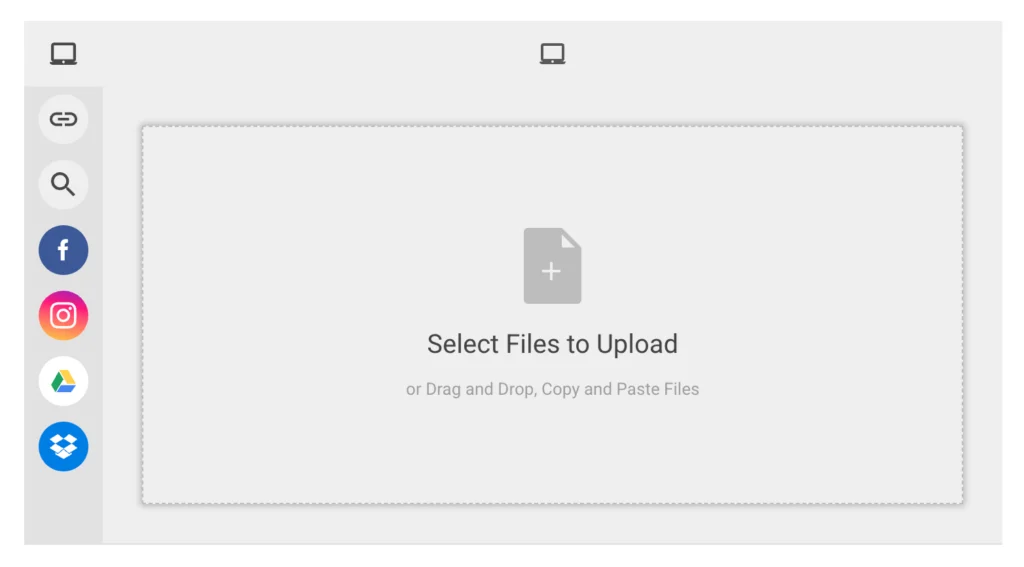
- Ingestion (The Picker): Filestack provides a sophisticated UI component that replaces the archaic, buggy
<input type="file">element. It supports integrations with over 20 third-party cloud services, including Google Drive, Dropbox, GitHub, and social media platforms. - Transformation (The Engine): Once a file is uploaded, developers can manipulate it on-the-fly. Whether it is resizing, cropping, color-grading, or converting file formats, these operations occur via simple URL parameters or server-side SDKs.
- Delivery (The CDN): Filestack utilizes a globally distributed Content Delivery Network (CDN) to ensure that once a file is processed, it is served to the end-user with minimal latency, regardless of their geographic location.
Chronology: The Developer’s Workflow
The journey of integrating Filestack typically follows a structured path designed to maximize efficiency.
Phase 1: Onboarding and Documentation
The integration process begins with the 21-day free trial. Upon registration, developers gain immediate access to an extensive suite of libraries. The Filestack documentation serves as a cornerstone of the service; it is meticulously maintained, offering real-world code samples, API references, and architecture guides that cater to both front-end and back-end specialists.
Phase 2: Implementation of the Upload Picker
Modern web applications demand an elegant user experience. Filestack’s picker component can be initialized with minimal code:
// Initializing the Filestack picker
const client = filestack.init("YOUR_API_KEY");
const picker = client.picker(
  onFileUploadFinished: (file) => console.log('File uploaded:', file)
);
picker.open();
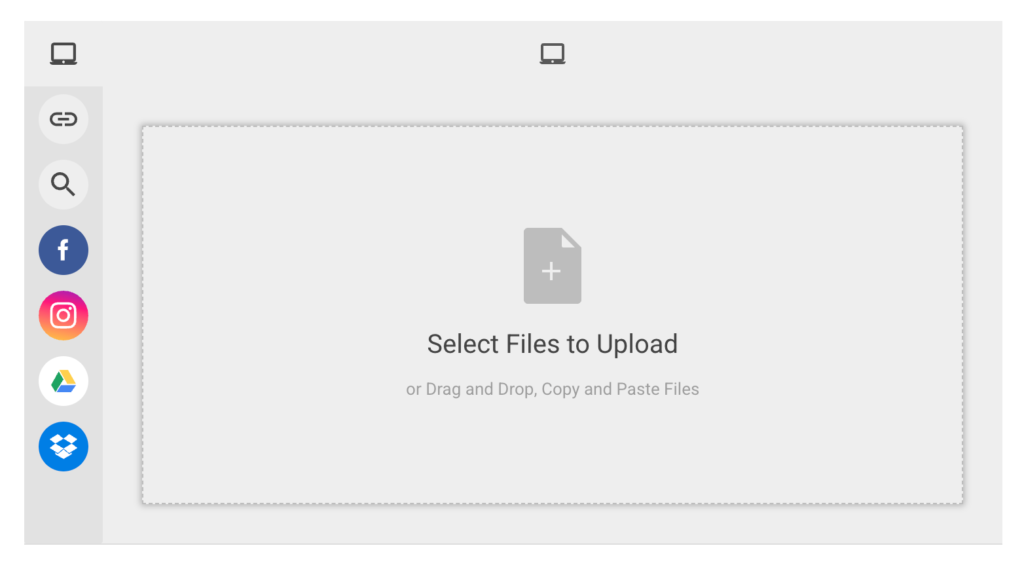
This snippet triggers a modal that provides users with a drag-and-drop interface, cloud-source integration, and real-time progress tracking.
Phase 3: Server-Side Processing
For applications requiring backend control—such as automated database logging or secure storage workflows—Filestack provides robust Python, Node.js, and PHP SDKs. The Python library, for instance, allows for granular control over storage parameters:
from filestack import Client
client = Client(APIKEY)

# Define storage location and custom tags
store_params =
    'location': 's3',
    'path': 'user_uploads/profile_pics/',
    'upload_tags': "type": "avatar", "status": "processed"

filelink = client.upload(filepath='path/to/image.jpg', store_params=store_params)
Supporting Data: Why Off-the-Shelf Beats Custom
The primary argument for adopting a service like Filestack is the mitigation of technical complexity. Data indicates that custom-built file uploaders often suffer from "silent failures"—where large files time out or cross-browser compatibility issues arise.
- Reliability Metrics: By leveraging Filestack’s infrastructure, developers shift the burden of maintaining multi-region storage and CDN health to a dedicated team.
- Transformation Latency: Transformations are executed at the edge. By using URL-based parameters, the heavy lifting of image processing is cached at the CDN level. If an image is requested at 300px, the system processes it once, saves it to the cache, and serves it instantaneously to all subsequent users.
- Storage Efficiency: The ability to apply transformations—such as converting PNG to WebP—on the fly leads to significant bandwidth savings, often reducing total payload size by 30–50% without perceptible loss in quality.
Official Responses: Addressing Developer Needs
In discussions regarding media handling, Filestack representatives consistently emphasize the "Developer Experience (DX)" as their primary North Star.
"We recognize that developers don’t just want a file storage bucket; they want a pipeline," says a Filestack product spokesperson. "The goal is to allow a user to upload a 50MB raw file from their iPhone, and have the application automatically store a web-optimized, 200KB thumbnail for the gallery view. We handle the math, the compression, and the storage; the developer just handles the creative vision."
The company’s roadmap reflects this, with recent updates focusing on Transformation UI (TUI)—a tool that allows end-users to crop and filter their own images before they ever hit the server. This reduces the number of "bad" or "incorrectly sized" uploads hitting the database.
Implications: The Future of Media Pipelines
The rise of platforms like Filestack signals a shift in how web architecture is conceptualized. We are moving away from monolithic, "build-it-all" frameworks toward a "composable" architecture.
Impact on User Retention
In the digital marketplace, speed is the primary currency. If an application takes seconds to load media, user engagement drops precipitously. By using a specialized CDN-backed service, developers ensure that their media delivery is optimized for mobile performance, which is a key ranking factor for modern search engines and a primary metric for user retention.
Scalability and Business Growth
For startups, the ability to scale is often hindered by the limitations of their own storage and delivery code. Filestack’s architecture allows a small team of two or three developers to handle millions of file operations without needing to hire a dedicated DevOps engineer for media infrastructure.
The Security Aspect
Managing files involves more than just uploading. It involves virus scanning, secure access tokens, and privacy controls. Filestack provides built-in security layers that are difficult to replicate for the average development team. These include expiring URLs for sensitive documents and granular access controls for private buckets, ensuring that data privacy standards (such as GDPR or HIPAA compliance) are easier to maintain.
Conclusion: Bridging the Gap from Source to Consumer
Managing media is, fundamentally, a task of transformation. The file you receive from a user is rarely the file you need to present. Whether it is an image that needs to be a specific aspect ratio, a document that needs to be indexed, or a video that needs to be transcoded for mobile streaming, the gap between "source" and "consumer" is wide.
Filestack fills that gap. By offering a unified, API-first approach, it eliminates the fragmented workflows that often plague modern web applications. From the simplicity of its drag-and-drop picker to the power of its real-time transformation engine and the reliability of its global CDN, Filestack represents a mature, professional-grade solution for the modern developer.
For those still wrestling with custom-coded uploaders, manual image resizing scripts, or unreliable file storage, the case for migrating to a specialized platform is clear. It is time to stop building the plumbing and start focusing on the content that keeps your users coming back. By offloading the media lifecycle to Filestack, developers are not just saving time—they are upgrading their entire technical stack to meet the demands of the modern, high-speed web.



