







In the modern digital landscape, the performance, security, and scalability of your website are not merely technical metrics—they are fundamental business imperatives. For developers, agency owners, and content creators, the burden of server maintenance, security patching, and uptime management can quickly become a bottleneck to growth. As of January 2026, managed WordPress hosting solutions have emerged as the gold standard for those seeking to offload these technical responsibilities. Among these, Pressable—an Automattic-backed company—stands out as a primary contender for those looking to optimize their workflow.
If you are currently tethered to a non-managed or underperforming host, the prospect of migrating your digital assets can be daunting. However, with the right strategy and toolset, the process is not only manageable but can lead to immediate improvements in site stability and speed. This guide provides an in-depth analysis of why Pressable is a strategic choice for WordPress users and offers a comprehensive, step-by-step roadmap for a seamless migration.
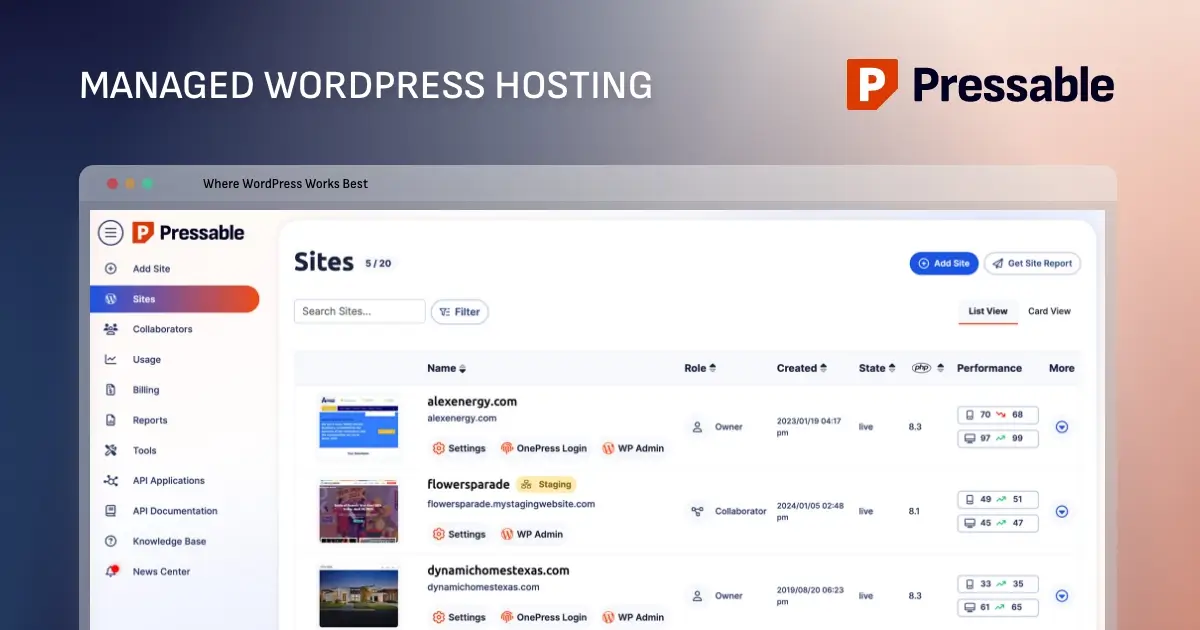
Why Choose Pressable for Your WordPress Infrastructure?
Pressable is purpose-built for the WordPress ecosystem. Unlike generic shared hosting environments that cater to a wide array of CMS platforms, Pressable’s infrastructure is optimized exclusively for the self-hosted WordPress environment.
The Managed Hosting Advantage
For the end-user, "managed" translates to a significant reduction in technical debt. Pressable handles the heavy lifting of server-side security, automated backups, and performance fine-tuning. While seasoned system administrators might argue that building a custom Virtual Private Server (VPS) offers more granular control at a lower price point, such setups require constant vigilance. For agencies managing dozens of client sites or small business owners who lack a dedicated DevOps team, the value proposition of Pressable—reliable performance and expert support—far outweighs the cost savings of self-managed hardware.

Key Performance Features
- Optimized Architecture: By leveraging specialized NGINX and PHP-FPM configurations, Pressable ensures that WordPress sites run with maximum efficiency.
- Integrated Security: With built-in malware scanning and brute-force protection, the platform addresses vulnerabilities before they can be exploited.
- Scalability: Whether you are managing a single blog or a portfolio of hundreds of client sites, Pressable’s tiered plan structure allows for seamless growth.
Strategic Considerations: Is Pressable the Right Fit?
Before embarking on a migration, it is critical to evaluate whether Pressable aligns with your technical requirements.
Ideal Use Cases
Pressable is an exceptional fit for small-to-medium-sized business websites, professional blogs, and digital agencies. Its interface is designed for those who wish to prioritize content creation and client deliverables over command-line interventions.
Technical Limitations
It is equally important to recognize where Pressable may fall short for enterprise-scale operations. The platform does not offer email hosting, nor does it support custom server-level modifications such as ionCube loaders or bespoke NGINX configurations. Furthermore, for users requiring root access or dedicated hardware, a different solution may be necessary. Pressable operates within a structured environment to ensure security and performance, which inherently limits the "tinkerability" of the server.
The Economics of Migration: Selecting Your Plan
Pressable’s pricing model is structured around three primary pillars: total number of installs, monthly visitor volume, and required storage capacity.
- Signature Plans: These range from the Signature 1 tier (designed for individual sites with up to 30,000 monthly visitors) to the Signature 8 tier (accommodating 100 sites and up to 2 million monthly visitors).
- Premium Site Plans: For high-traffic, mission-critical applications, Pressable provides specialized plans with increased CPU allocation and custom storage options.
Pro-Tip: If you are intimidated by the technical requirements of migration, Pressable provides a "White Glove" migration service at no additional cost. Simply sign up for a plan and contact their support team; they will manage the entire transfer process on your behalf.
A Step-by-Step Migration Chronology
For those who prefer a hands-on approach, the following methodology ensures a secure and successful transfer of your data.
Phase 1: Preparation and Sanitation
Before touching any files, audit your current installation.
- Update Everything: Ensure your WordPress core, theme, and all active plugins are updated to their latest versions. Migrating an outdated site can cause compatibility issues with the PHP environment on your new server.
- Full Backup: Use a trusted plugin (like UpdraftPlus or Duplicator) to create a full site backup. Store this in an off-site location like Dropbox or Google Drive. A backup is your ultimate safety net should the migration encounter an unexpected error.
Phase 2: Configuring the Pressable Dashboard
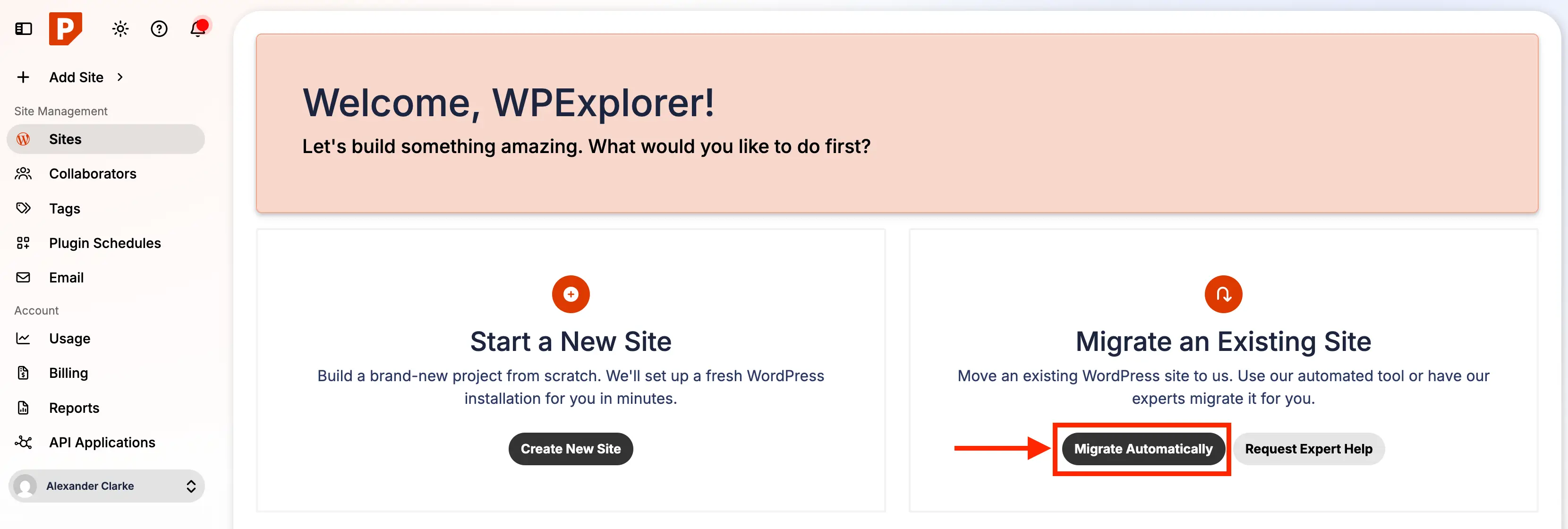
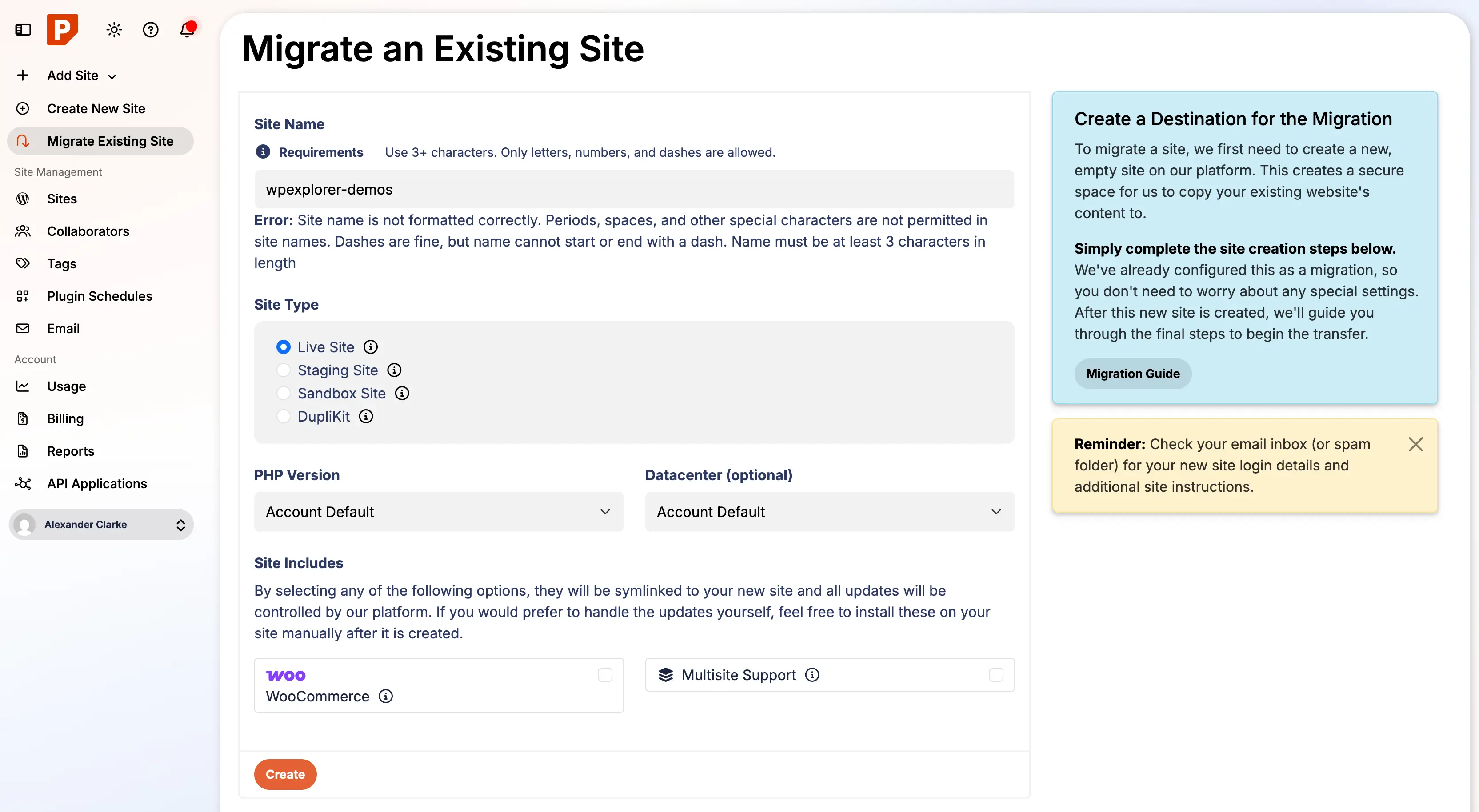
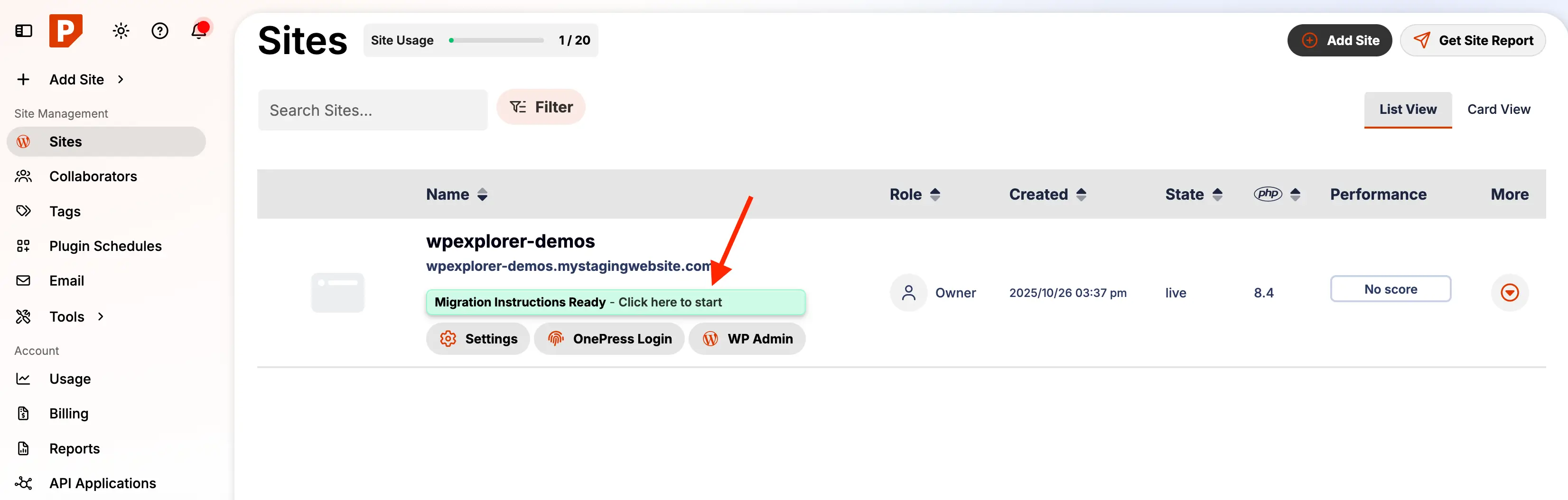
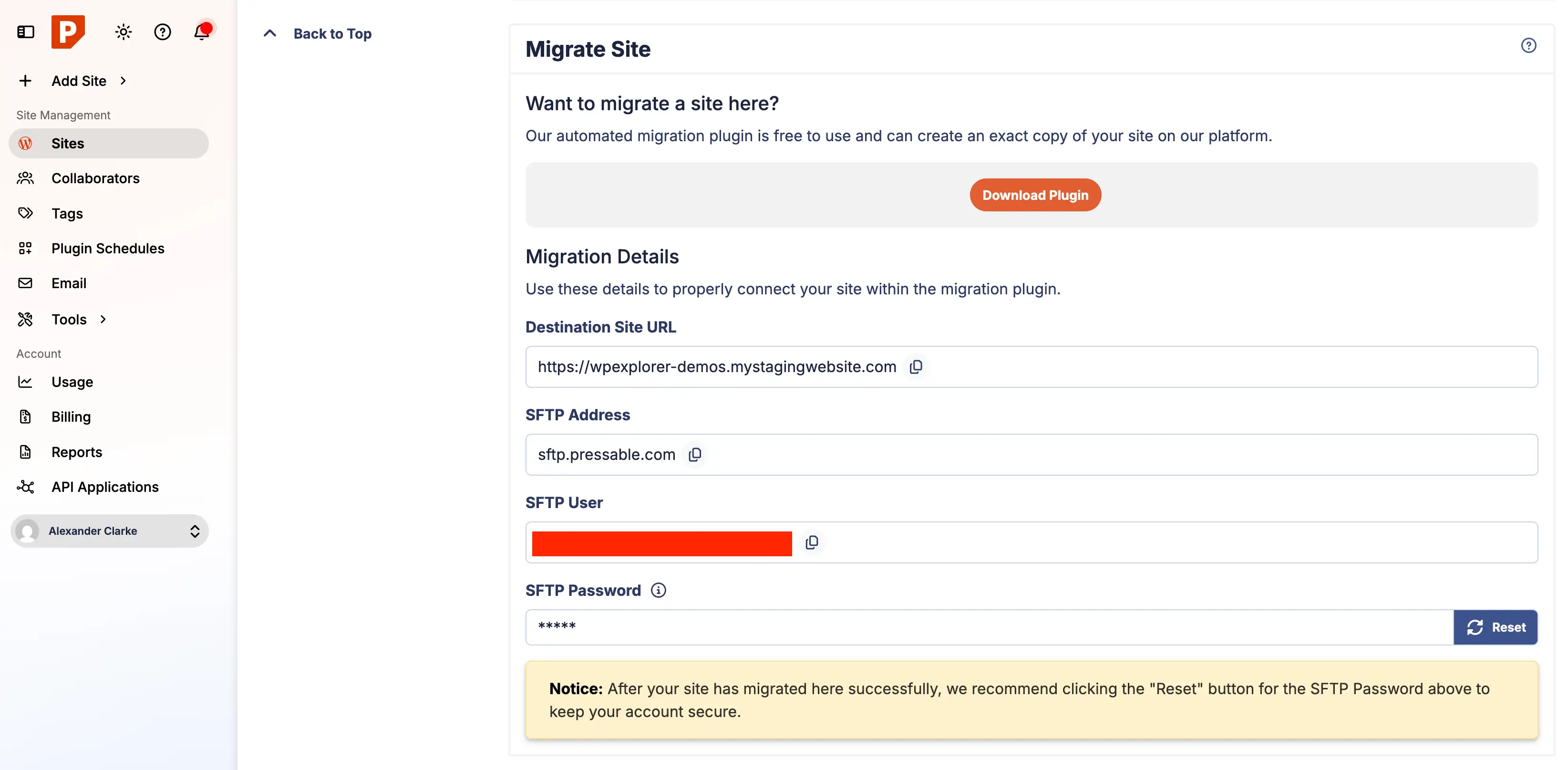
Log into your Pressable account and initiate the process by clicking the "Migrate Automatic" button. You will be prompted to define your site’s temporary domain and configuration settings. Once complete, you will receive a notification that your migration instructions are ready.
Phase 3: Executing the Migration
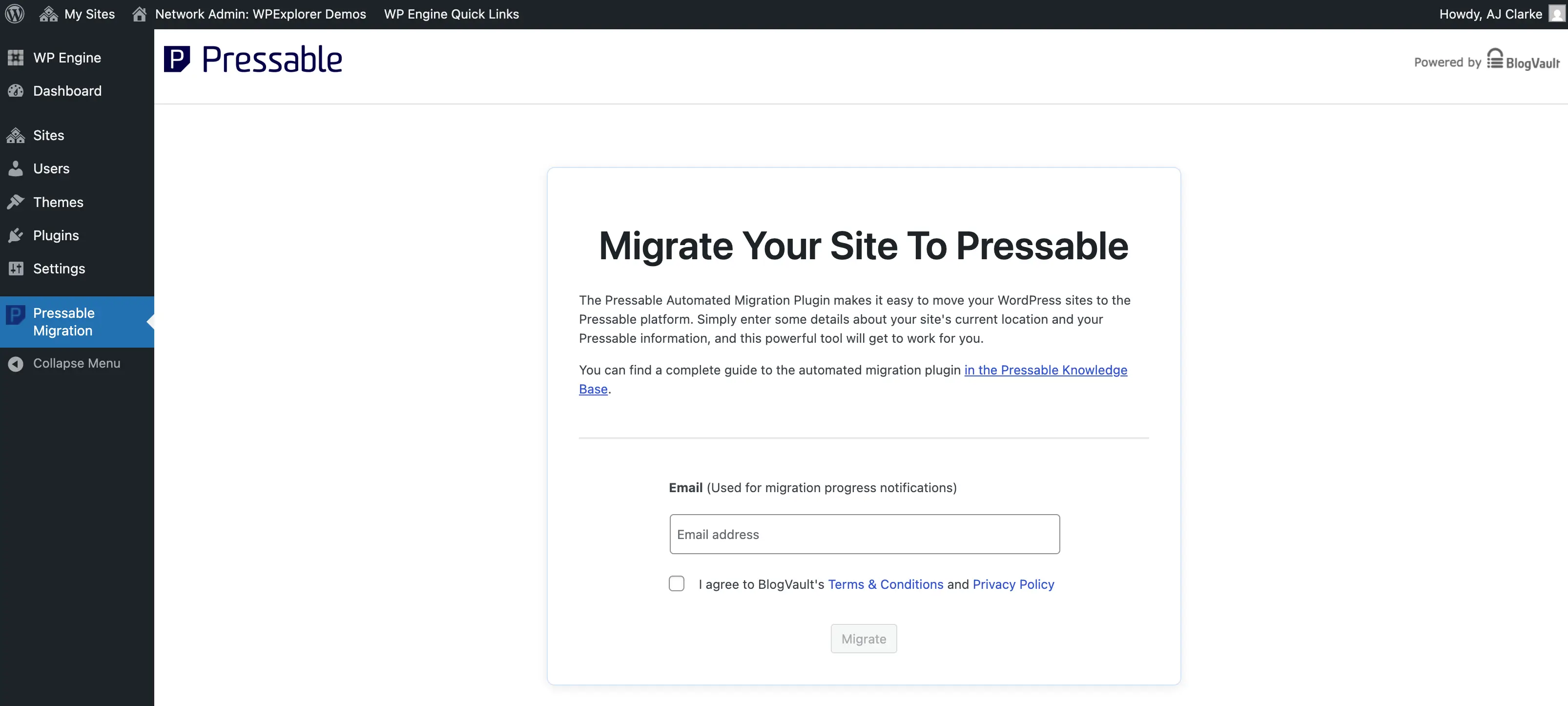
- Plugin Deployment: On your current live site, install the "Pressable Automated Migration" plugin.
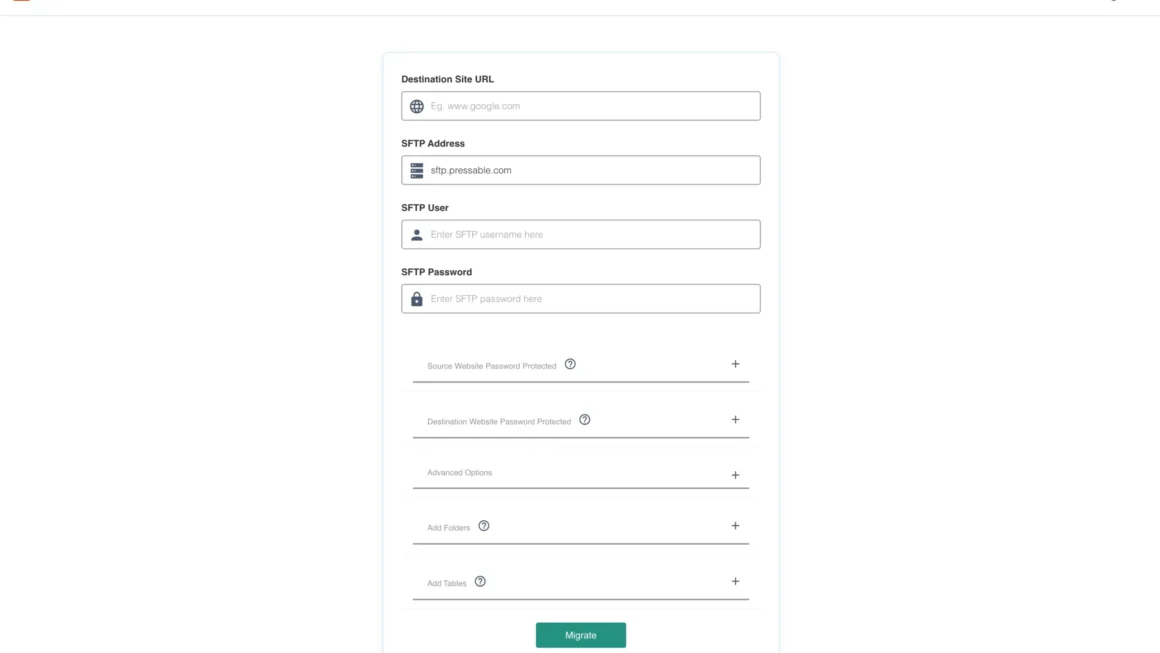
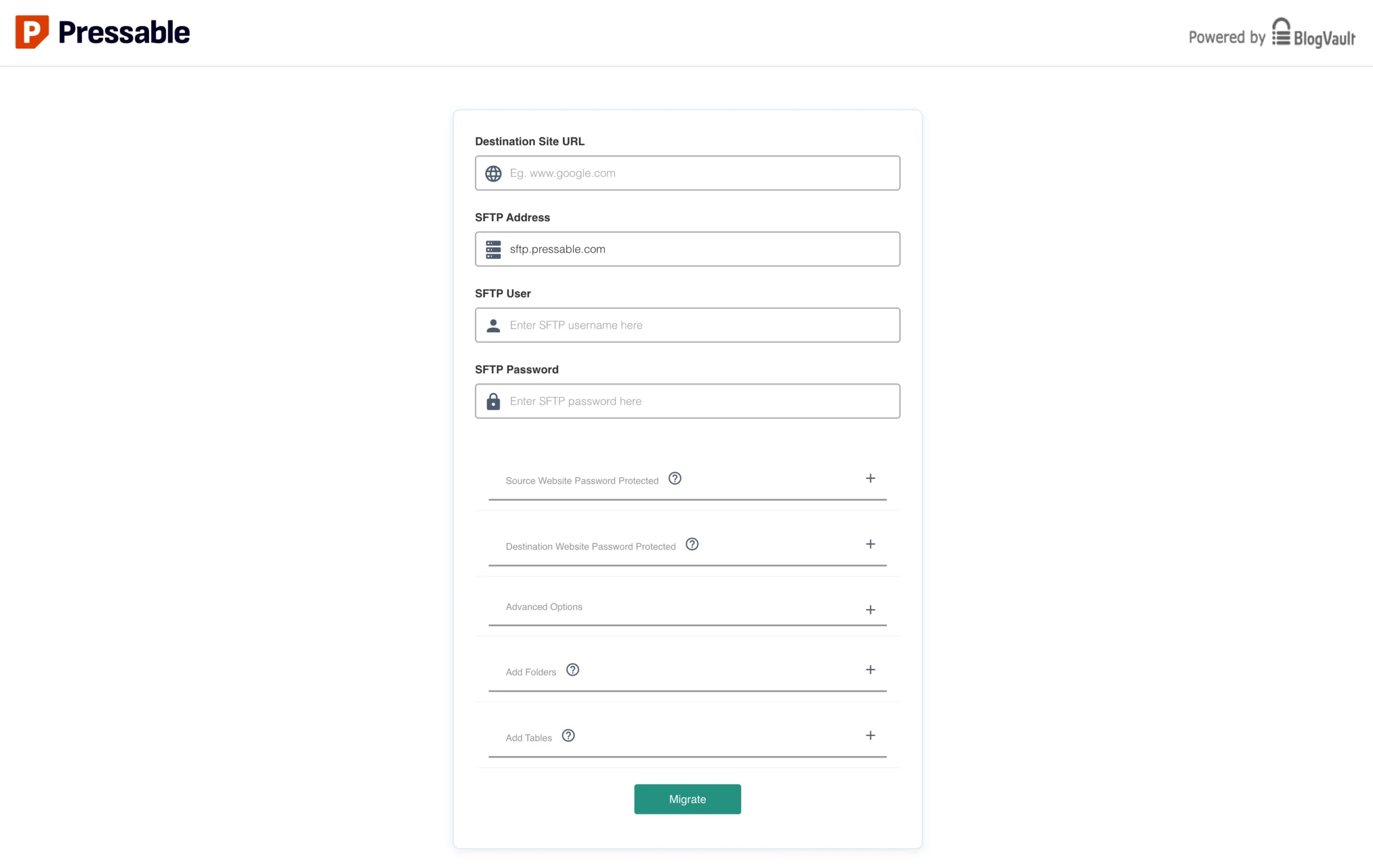
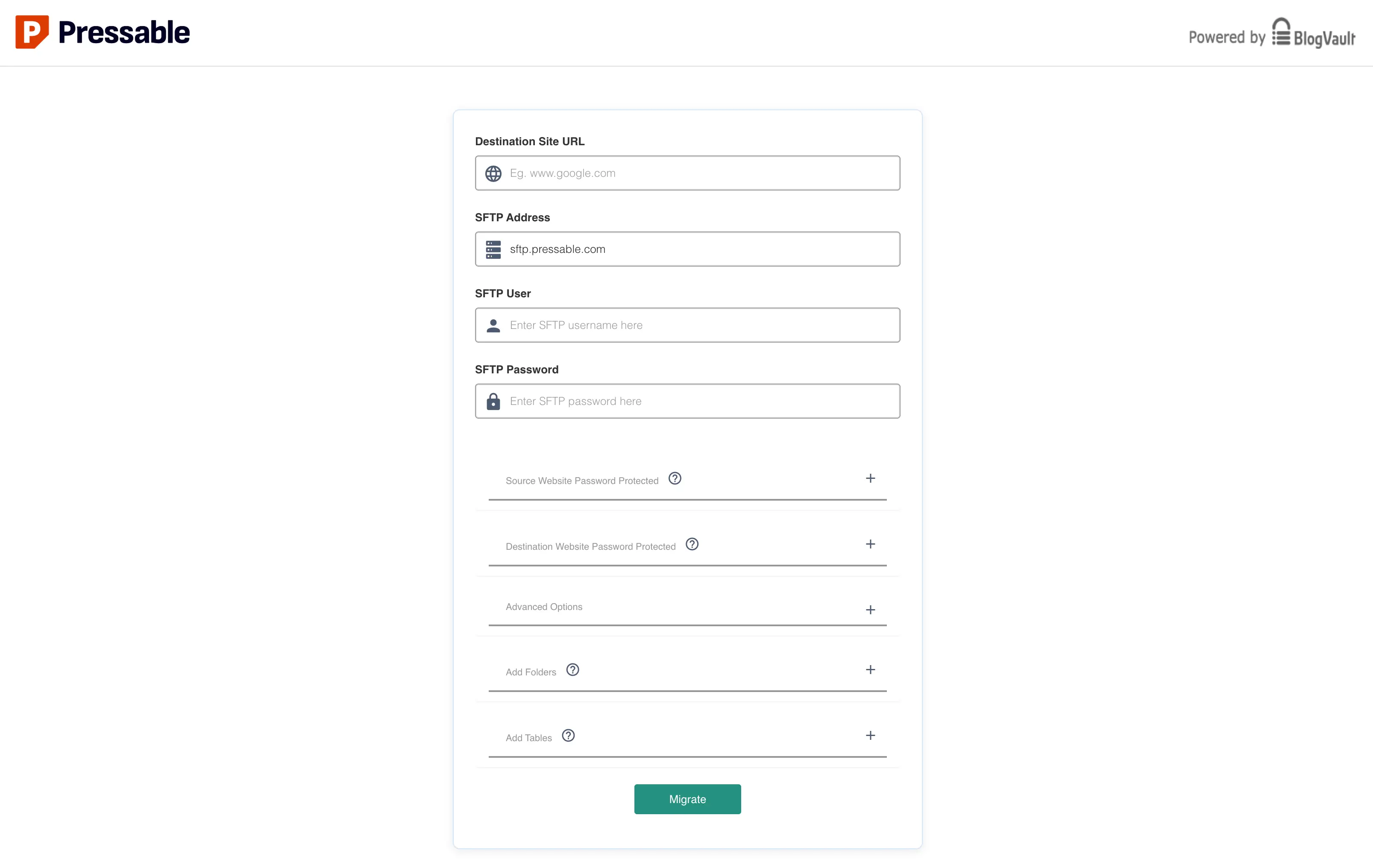
- Authentication: Enter your email and the credentials generated from the Pressable dashboard. You will need to reset your SFTP password in the Pressable dashboard to ensure the plugin has the correct authorization to write to your new server.
- Monitoring: The migration process is handled via a secure third-party interface. It is recommended to keep your browser window open and your computer awake until the process is complete. Do not be alarmed if the progress bar appears to hang; large databases can take significant time to import.
Phase 4: Post-Migration Cleanup
Once the migration is confirmed successful, perform a "sanitation" of your new environment:
- Remove Residual Files: If you are moving from a host like WP Engine, check your
mu-pluginsfolder for host-specific files that are no longer needed. - Audit Cron Jobs: Ensure that old server-side cron jobs are removed to prevent conflict with your new environment.
- Update Security Headers: Since Pressable uses NGINX, your old
.htaccessrules will not function. You must manually add your security headers (such asX-Frame-OptionsandX-Content-Type-Options) to acustom-redirects.phpfile on Pressable to maintain your site’s security posture.
Quality Assurance and Go-Live
Never point your DNS to a new server without verifying the site on the temporary staging domain first. Conduct a comprehensive "sanity check" of your site:
- Verify Permalinks: Ensure that all internal links are resolving correctly.
- Test Forms and Plugins: Submit a test form entry and verify that email notifications are working.
- Check Media Assets: Confirm that images and documents have transferred correctly.
Once you are satisfied, update your domain’s A-Records to point to the IP address provided by Pressable. You can use the Pressable DNS Wizard for a guided experience, or perform the update manually at your domain registrar. Remember that DNS propagation can take up to 48 hours, though it is often much faster.
Implications and Final Recommendations
Moving to a managed host like Pressable is more than a technical migration; it is a strategic decision to prioritize your time and site health. By offloading server maintenance to professionals, you gain the freedom to focus on your core business goals—be it content development, client acquisition, or software innovation.
While the "white glove" service is available for those who want to avoid the manual steps, learning the migration process provides invaluable insight into how your site is structured. As a final bonus, ensure you activate the included Jetpack Security features upon completion. While Jetpack is often viewed as a bloated suite, the core security and backup modules provided by Pressable are best-in-class, providing a necessary defensive layer for your newly optimized web presence.
Disclaimer: This article contains affiliate links. WPExplorer may earn a commission if you make a purchase through these links, which helps us continue providing high-quality technical content.