






Setting up a new computer has long been a sacred ritual for the professional creative. It is a moment of potential, a clean slate where the promise of a more capable machine mirrors the professional growth of the user. Historically, this ritual has involved a massive, multi-hour installation process: the Adobe Creative Cloud suite, Microsoft Office, specialized FTP clients, media converters, and local development environments like XAMPP or Docker.
However, as we stand on the precipice of a new era in software delivery, the necessity of this "installation bloat" is being challenged. For many web designers, developers, and office professionals, the traditional desktop environment is being supplanted by the humble web browser. This shift prompts a fundamental question: Is the desktop application era drawing to a close, and should we fully embrace the browser-based workflow?
The Evolution of the Web-Based Workspace
From "Clunky" to "Cutting Edge"
To understand the current shift, one must acknowledge the historical context. In the early days of the internet, web-based applications were widely considered inferior to their native counterparts. They were characterized by clunky interfaces, limited feature sets, and a general lack of responsiveness. A user attempting to edit a complex document or manipulate high-resolution images in a browser a decade ago was almost certainly met with frustration.
Conversely, desktop "powerhouses" were the industry standard. Applications like Adobe Photoshop, Microsoft Excel, and various IDEs were built for performance and precision. They offered deep customization and reliability that web browsers—hampered by early JavaScript engines and limited browser APIs—simply could not match.
The Technological Catalyst
The current narrative, however, has been completely inverted. The emergence of robust web standards (HTML5, WebAssembly, and WebGL) and advanced server-side architectures has allowed developers to push the boundaries of what is possible within a browser tab.
Modern platforms have successfully transitioned high-end workflows to the cloud. Figma, for instance, has revolutionized UI/UX design by making real-time collaboration the default rather than an afterthought. Google Workspace has largely replaced the need for offline office suites for the vast majority of users. Even Adobe, the bastion of desktop-native software, has launched web-based iterations of its most iconic tools, signaling a tacit acknowledgment that the browser is now a primary platform.
The Advantages of the Cloud-Native Ecosystem
The migration toward browser-based software is driven by several tangible benefits that go beyond mere convenience.

1. Unprecedented Collaboration
The primary differentiator for modern web apps is their ability to facilitate seamless teamwork. By centralizing projects, teams can avoid the "version control nightmare" of emailing files back and forth. Real-time commenting, live editing, and instant shareability have become the gold standard, significantly increasing operational efficiency for remote and hybrid teams.
2. Cross-Platform Agnostic Design
In the past, a creative professional had to choose their operating system based on software compatibility. Today, the browser acts as a universal operating system. Whether a professional is using a high-end Windows workstation, a Linux build, or a portable macOS device, the interface and functionality of a web-based tool remain identical. This hardware-agnostic nature lowers the barrier to entry and simplifies IT management.
3. Reduced Hardware Dependency
While professional creative work still demands high-performance processors and ample RAM, the reliance on massive local hard drives is waning. By shifting storage and heavy computation to the cloud, professionals can operate with lighter, more mobile hardware, knowing their assets are synchronized across all devices.
The Hidden Costs: Trust and Data Sovereignty
Despite the clear benefits, this transition to the browser introduces significant risks that the tech industry is only beginning to address. The convenience of "working from anywhere" comes with a loss of absolute control.
The Risks of Third-Party Dependency
When software lives in a browser, it exists on someone else’s server. If a provider ceases operations, changes their pricing model, or experiences a catastrophic data breach, the user is often left vulnerable. Recent high-profile cases of cloud storage providers effectively "ghosting" their users demonstrate the fragility of relying solely on external infrastructure for critical business assets.
AI and Intellectual Property
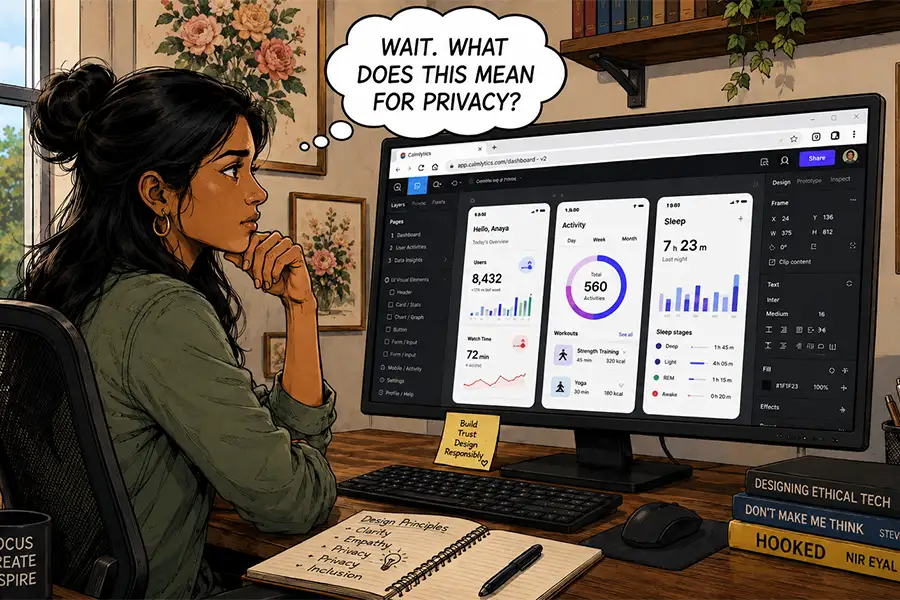
The integration of Artificial Intelligence into almost every browser-based tool has raised valid concerns regarding data privacy. Users must ask: Is my proprietary work being used to train the provider’s machine learning models? When uploading sensitive designs or confidential documents to an online platform, are those assets being scanned, indexed, or stored in ways that compromise client confidentiality?
The Tracking Economy
Working within a browser environment inherently subjects the user to more extensive telemetry. From basic analytics to aggressive ad-tracking networks, the browser is a window through which third parties can observe user behavior. For those working with highly sensitive data, this layer of third-party exposure is a significant, and often overlooked, security risk.

The Case for the "Desktop Hybrid"
Despite the allure of an all-browser workflow, there remain specific use cases where the "old-school" desktop application is not just relevant—it is superior.
Control and Customization
Desktop applications provide a level of deep, granular control that browsers currently cannot match. This includes file system management, custom plugin ecosystems, and offline functionality. For a designer or developer who requires a bespoke environment, the ability to store files locally, perform manual backups, and avoid the latency of a web connection is paramount.
Performance at Scale
While browser tools are powerful, they are still limited by the browser’s sandboxed environment. High-level tasks—such as rendering feature-length films, processing massive datasets, or managing complex enterprise architecture—require the direct hardware access that only native software provides.
Conclusion: A Balanced Approach
The web browser has undeniably become the most versatile tool in the professional creative’s arsenal. It has broken down geographical barriers, fostered a new era of collaborative design, and streamlined workflows in ways that were unimaginable twenty years ago.
However, the complete abandonment of the desktop is premature. The most successful professionals of the future will likely adopt a hybrid model: using the browser for collaboration, communication, and lightweight tasks, while retaining a "powerhouse" desktop suite for the heavy lifting and high-stakes control that proprietary software provides.
As we look toward the next generation of computing, the goal should not be to choose between the browser and the desktop, but to intelligently integrate both to create a more resilient, efficient, and secure workflow. The future of work is not just in the cloud; it is in the careful management of the boundary between the local machine and the global network.