A free Stripe plugin for WordPress is a lot like a free puppy: the initial adoption costs nothing, but the ongoing maintenance and upkeep are where the true commitment emerges. In the digital economy, that ongoing cost typically manifests as a small percentage skimmed off every transaction you process. Over time, as your business grows, these transaction tolls can quietly snowball, soon eclipsing the cost of simply purchasing a standard software license.
For WordPress site administrators, entrepreneurs, and digital merchants, understanding the true cost of accepting payments is critical to protecting profit margins. This comprehensive guide breaks down the actual cost of integrating Stripe payments into a WordPress site layer by layer, provides a simple mathematical formula to determine your precise break-even point, and walks through a five-minute worksheet designed to optimize your checkout infrastructure.
Main Facts: The Anatomy of WordPress Stripe Integration Costs
When deploying a credit card processing mechanism on a WordPress site via Stripe, financial obligations are divided into distinct layers. Recognizing these layers helps business owners separate unavoidable merchant gateway processing fees from entirely optional plugin licensing structures.
The Two Layers of Payment Architecture
-
Layer 1: The Payment Gateway Processor (Stripe)
This is the foundational processing layer required to move money from a customer’s bank account to yours. Stripe’s standard pricing model generally sits at roughly 2.9% plus 30 cents per successful online card charge. This fee is universal, unavoidable, and applies regardless of whether you use a complex plugin, a custom API integration, or a basic hosted link.However, a vital mathematical nuance exists within Layer 1: the fixed 30-cent fee means that smaller transactions carry a disproportionately heavier percentage weight than larger ones. For instance, a $10 donation effectively incurs a 5.9% processing penalty due to that fixed fee, whereas a $100 invoice scales down to roughly 3.2%. Because Layer 1 fees remain constant across all platforms, your financial strategy must focus entirely on optimizing Layer 2.
-
Layer 2: The WordPress Plugin Fee Structure
This is the software layer that bridges your WordPress content management system with Stripe’s API. While many developers offer "freemium" plugins to lower the barrier to entry, these free tiers often introduce hidden costs through transaction skimming.
| Integration Route | Plugin Fee (Layer 2 Cost) | Mechanism to Remove Fee |
|---|---|---|
| Stripe Payment Links (No plugin required) | $0 per transaction (Always) | None needed; natively hosted by Stripe |
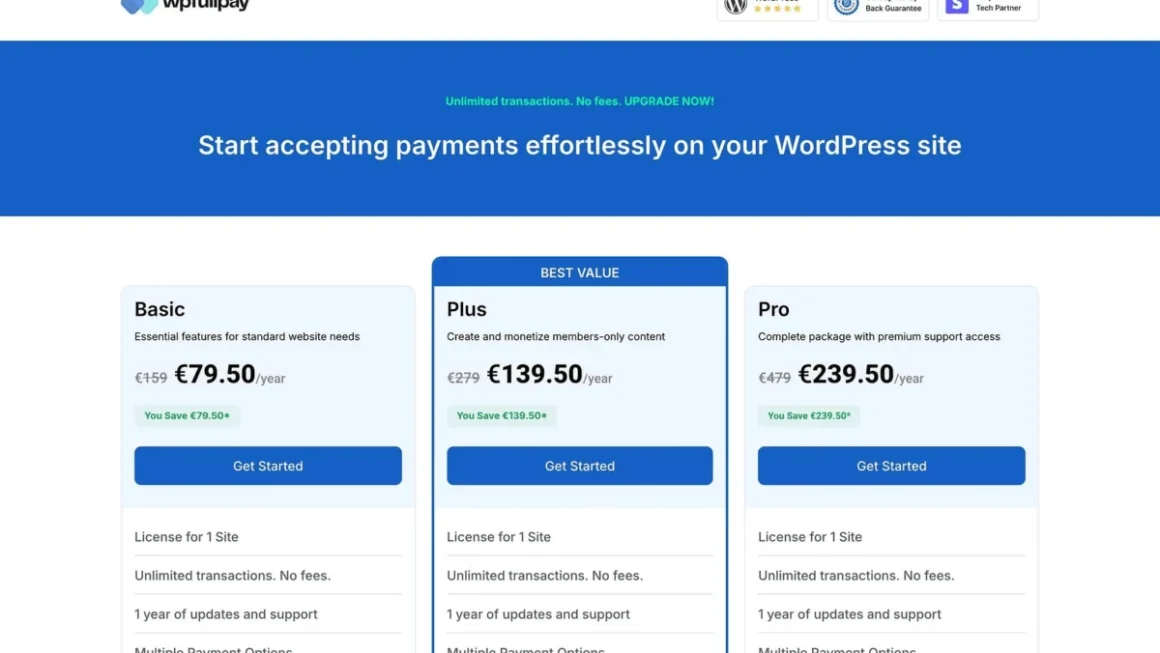
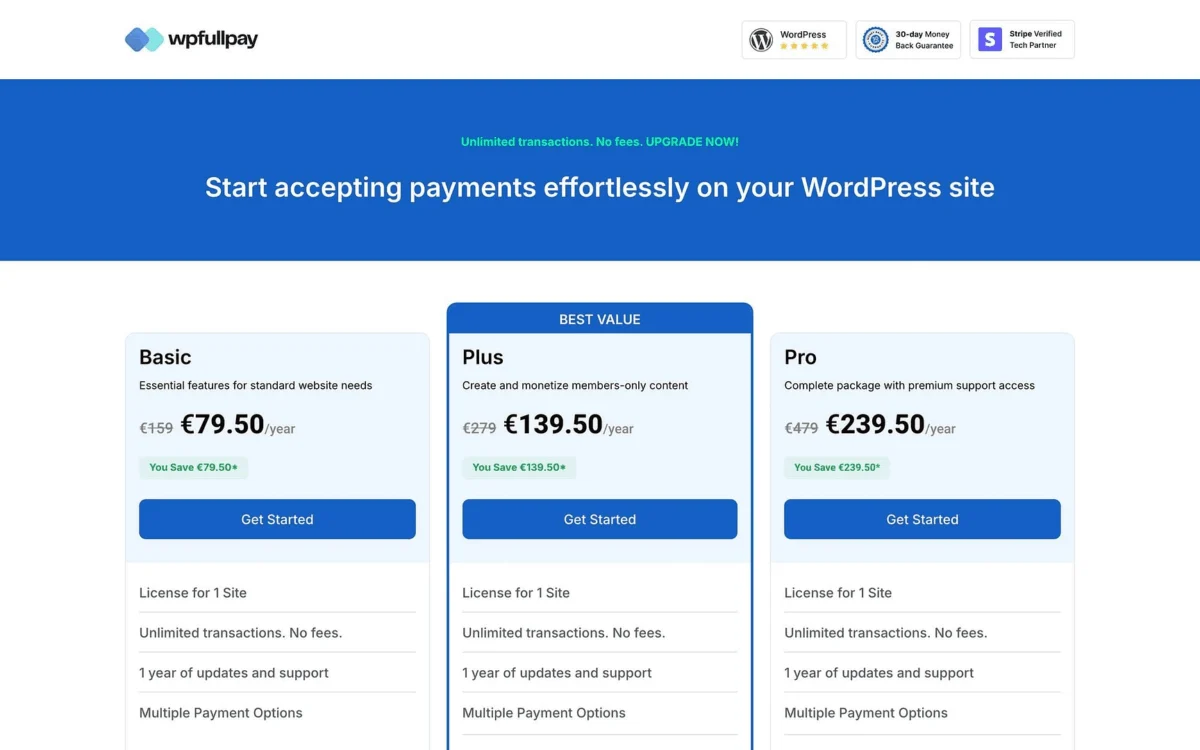
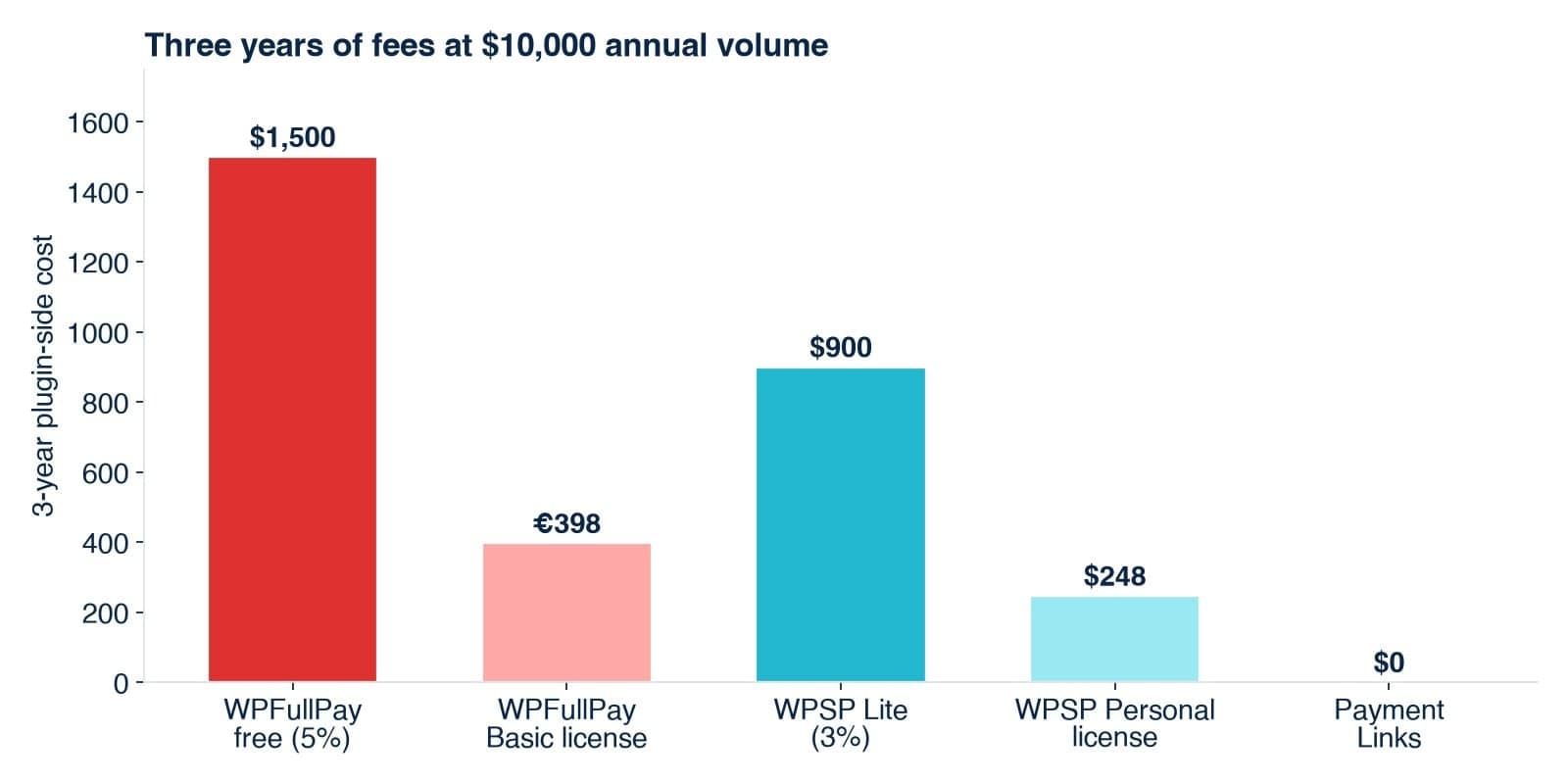
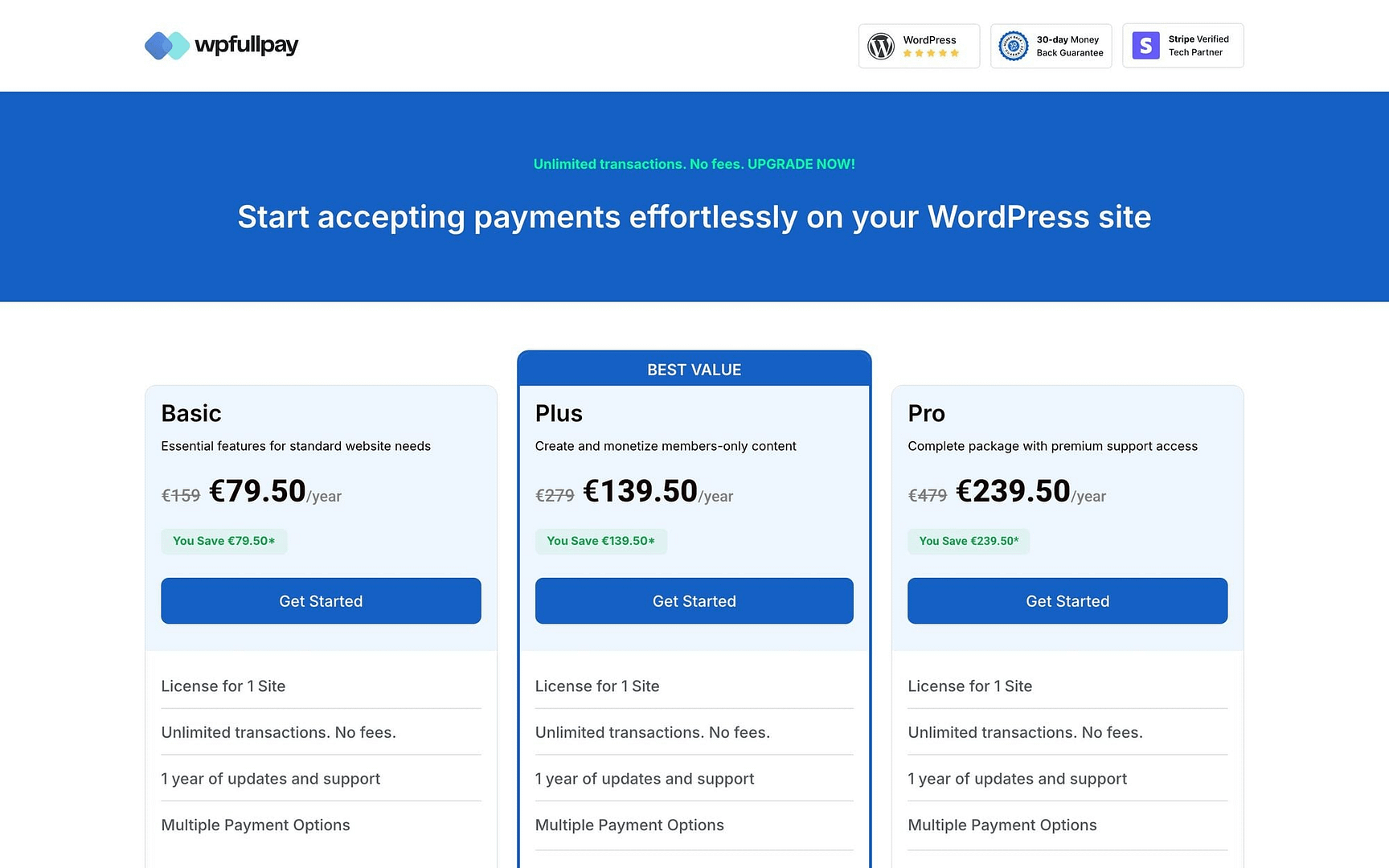
| WPFullPay Free Tier | 5% per transaction | Upgrade to Basic License (€79.50/yr intro, €159 renewal) |
| WP Simple Pay Lite | 3% per transaction | Upgrade to Personal License ($49.50/yr intro, $99 renewal) |
If a hosted checkout page satisfies your workflow requirements, the plugin-fee question disappears entirely. Embedded on-site forms, however, activate Layer 2 costs that demand careful evaluation.
Chronology: The Evolution of Freemium Pricing and the Renewal Trap
To fully grasp why so many site owners miscalculate their software expenses, it helps to examine how the monetization model of WordPress plugins has evolved over the past decade.
Phase 1: The Rise of Freemium Infrastructure
In the early days of WordPress e-commerce, payment gateways required expensive, upfront commercial plugins. As competition intensified, developers shifted toward a "freemium" acquisition strategy. By offering functional plugins at zero upfront cost—recouping development expenses by taking a 3% to 5% cut of gross transaction volume—companies could acquire users rapidly. For a brand-new startup taking zero revenue, a 5% fee on zero dollars equals zero cost.
Phase 2: The Scaling Paradox
As businesses matured and began processing thousands of dollars monthly, the freemium model underwent a paradigm shift. Site owners soon realized that paying a 5% tax on robust sales volumes was drastically more expensive than a flat-fee annual license.
Phase 3: The Introductory Pricing Trap
More recently, plugin developers have introduced tiered introductory pricing—such as discounted first-year rates that double upon renewal. This creates a complex financial landscape where a free tier might temporarily beat a paid license in Year 1, only to become a financial sinkhole by Year 2 when renewal rates take effect. Savvy administrators must now calculate long-term cost projections across multi-year lifecycles rather than simply looking at immediate savings.
Supporting Data: The Break-Even Formula and Real-World Scenarios
To remove guesswork from software procurement, site administrators can apply a straightforward mathematical formula to determine whether a free tier or a paid license makes economic sense.
The Core Break-Even Formula
$$textBreak-Even Volume = fractextAnnual License PricetextPlugin Fee Rate$$
If your annual revenue is less than this calculated threshold, the free plugin tier wins. If your annual revenue exceeds this threshold, purchasing a flat-fee license is significantly more economical.
Case Study 1: The Weekend Bakery
Consider a local bakery running a simple WordPress site to take weekend sourdough preorders, totaling $3,600 in annual revenue.
- On a free plugin charging a 5% transaction fee, the bakery pays $180 annually.
- On a free plugin charging a 3% fee, the bakery pays $108 annually.
- Both figures exceed the break-even threshold of standard software licenses. However, because a bakery preorder form does not require complex member subscriptions or customer portals, the owner can bypass the plugin layer entirely by utilizing native Stripe Payment Links ($0 plugin fee), rendering both freemium and paid plugin options unnecessary.
Case Study 2: The Independent Consultant
An independent consultant invoices corporate clients through WordPress, generating $24,000 annually.
- A 3% freemium plugin fee equates to $720 per year.
- Compared to an annual software license costing roughly $100, the free tier drains an extra $620 out of the consultant’s pocket.
- Because professional service clients are accustomed to redirects during invoice payments, Stripe Payment Links or a flat-fee licensed plugin immediately solves the issue with substantial savings.
Case Study 3: The E-Commerce Small Shop
A boutique retail store utilizes embedded checkout forms on its sales pages, processing $96,000 in annual transactions.
- A 5% freemium fee costs this business $4,800 per year.
- A 3% freemium fee costs $2,880 per year.
- Relative to these figures, a flat-fee annual license is practically free. Relying on a free tier here means paying more in software fees every three weeks than a commercial license costs for the entire year.
Official Industry Responses and Strategic Implications
As software providers and financial analysts observe these trends, clear guidance is emerging regarding how digital merchants should structure their checkout stacks.
Why "Free" Can Be Deceptive
Industry experts point out that while freemium plugins are exceptionally well-coded and feature-rich—frequently offering robust support for recurring subscriptions, coupon codes, and donation tracking—they are fundamentally designed as a stepping stone. They are not intended to serve as a permanent financial infrastructure for high-volume merchants.
Multi-Site Complexities
The financial equation shifts further when managing multiple web properties. While some plugin licenses cover a single domain, higher-tier enterprise licenses bundle support for multiple or unlimited sites into a single annual payment. Merchants operating multiple storefronts must evaluate multi-site volume aggregations to prevent overpaying for individual site licenses.
Action Plan: The Five-Minute Self-Assessment Worksheet
Site administrators should audit their payment infrastructure annually using the following framework to ensure they aren’t inadvertently overpaying for software.
| Assessment Line | Your Site Data |
|---|---|
| A. Average Monthly Card Volume | $___ |
| B. Projected Annual Volume ($A times 12$) | $___ |
| C. Free Plugin Fee Rate (3% or 5%) | ___% |
| D. Annual Free Tier Cost ($B times C$) | $___ |
| E. Annual License Cost (Use Full Renewal Price) | $___ |
| Verdict: If D > E, purchase the license. If D < E, remain on the free tier. | [ BUY / STAY FREE ] |
Pro-Tip for Long-Term Optimization
Set a recurring calendar reminder once a year to re-run this worksheet. As your traffic scales, software pricing adjusts, and business models evolve, yesterday’s correct architectural decision can quietly turn into tomorrow’s profit leak. Choose your payment tools based on the features you genuinely need—such as on-domain branding, automated customer portals, and recurring billing—and let the math dictate the rest.