







In the early days of the internet, "bot traffic" was a relatively benign phenomenon. It was primarily composed of search engine spiders—well-behaved digital librarians indexing content to make it discoverable. Today, that landscape has shifted into a volatile ecosystem of scrapers, AI crawlers, malicious actors, and broken automation scripts. According to Kinsta’s latest AI & Bot Traffic Report, which analyzed over 10 billion requests across its managed infrastructure, bot traffic is no longer a peripheral security concern—it is a foundational infrastructure problem.
For WordPress site owners, this shift represents a significant challenge. Automated traffic is now hitting dynamic endpoints with such intensity that it creates massive performance bottlenecks, bypasses caching mechanisms, and distorts analytics. As the volume of automated requests continues to scale, site owners are finding that standard security measures are insufficient. This article explores the current state of bot management, the specific challenges facing the WordPress ecosystem, and the strategic divide between managed solutions and DIY configurations.

The Evolution of the Bot Problem: From Indexing to Infrastructure
The primary issue with modern bot traffic is not just the volume; it is the nature of the interaction. Unlike traditional crawlers that follow a robots.txt protocol, modern AI scrapers and aggressive bots often lack proper identification. They frequently get trapped in query-string loops, hit expensive database-heavy endpoints, and ignore cache, effectively performing a self-inflicted Denial of Service (DoS) attack on the site.
When a site’s infrastructure is overwhelmed by these requests, the impact is immediate: slow page loads, increased server costs, and unreliable traffic data. For e-commerce stores, this can lead to cart abandonment; for content sites, it degrades the user experience to the point where human visitors bounce. This transition has forced hosting providers to treat bot protection as a core feature rather than a secondary security plugin.
Chronology of the Shift: Why Now?
The urgency surrounding bot management has spiked in the last 24 months, coinciding with the rapid proliferation of Generative AI.
- Phase One (Pre-2022): Bot management was primarily a "block list" game. Known bad IPs and malicious user agents were filtered out at the firewall level.
- Phase Two (2022–2023): The rise of large-scale AI model training led to an explosion of "AI crawlers." These bots began scraping vast swathes of the internet, often without providing value to the site owner in terms of SEO.
- Phase Three (2024–Present): The current era is characterized by "broken automation." As more businesses integrate automated workflows (APIs, webhooks, and headless WordPress integrations), the line between a "malicious bot" and a "critical business tool" has blurred, requiring a more nuanced, logic-based approach to traffic classification.
Supporting Data: The 10 Billion Request Reality Check
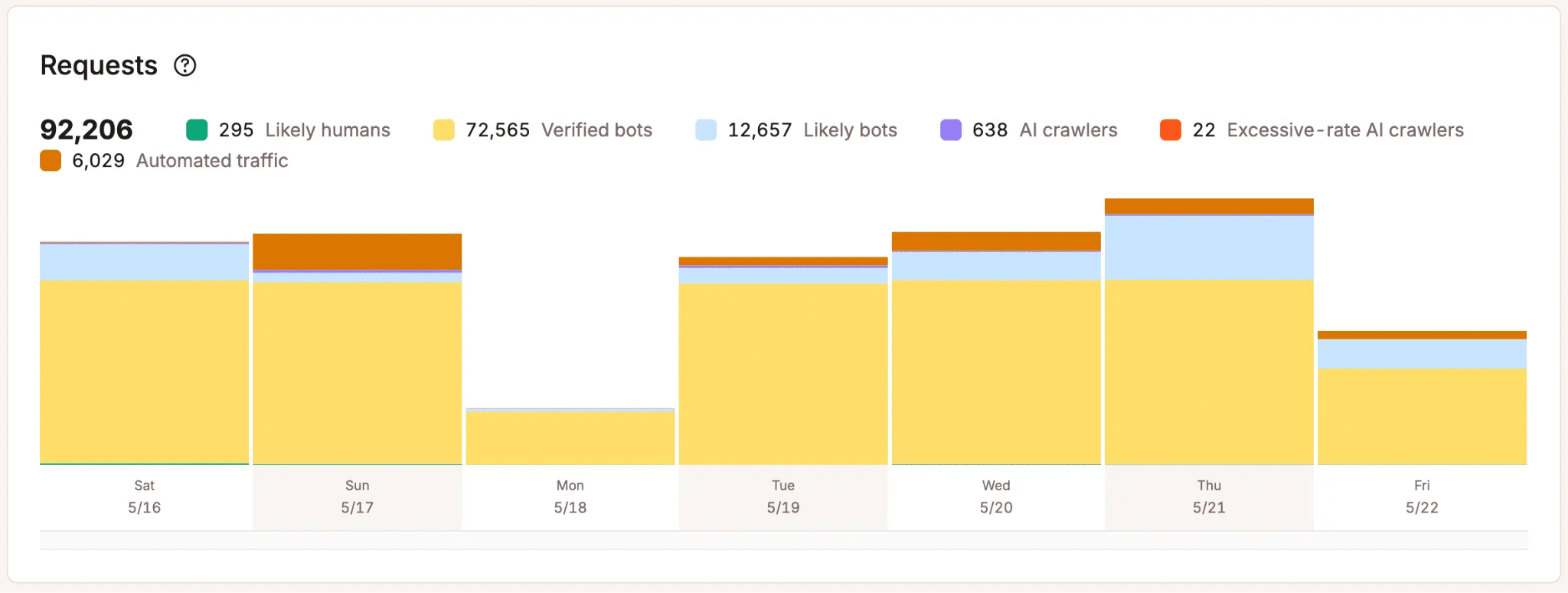
The data analyzed by Kinsta reveals that human traffic is increasingly outnumbered. While some automated traffic is essential for site health—such as uptime monitors and SEO crawlers—a significant percentage is what engineers call "unclassified traffic."
These requests often lack standard identifiers, making them difficult to categorize with simple static rules. When analyzing this volume of traffic, Kinsta observed that traditional binary "allow or block" systems often fail, leading to significant "false positives" where legitimate business tools are blocked, causing service outages for the site owner. This realization was the catalyst for the development of Kinsta’s native Bot Protection tool, which seeks to categorize traffic based on behavioral patterns rather than just static IP lists.
Official Perspectives: The Engineering Behind the Protection
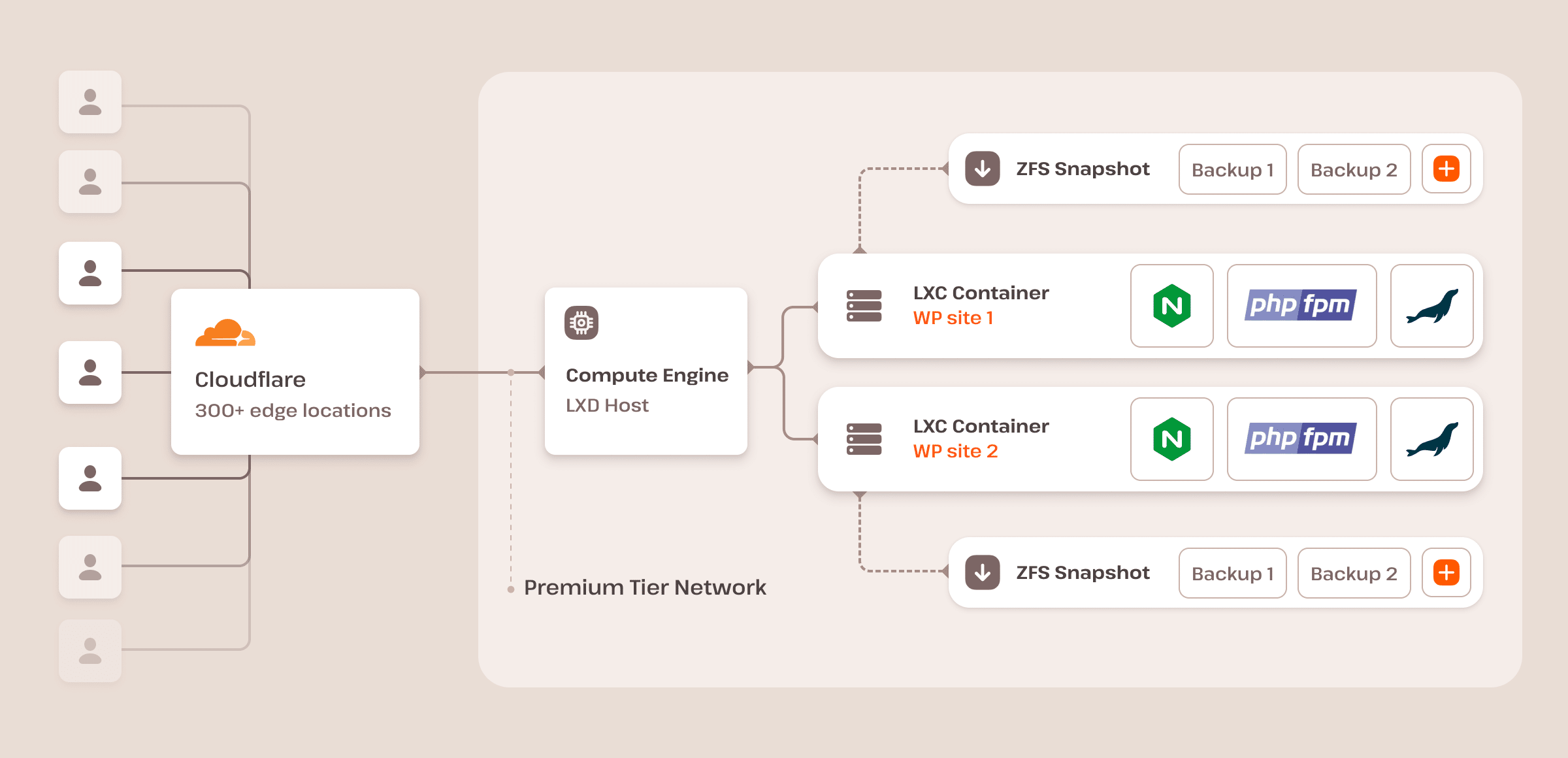
To understand how these tools work, one must look under the hood. Kinsta’s architecture runs on the Cloudflare global network, utilizing its robust WAF (Web Application Firewall) and CDN capabilities. However, Kinsta’s Director of Engineering, Laszlo Farkas, emphasizes that using the same infrastructure is not the same as offering the same product.
"We use the same infrastructure as Cloudflare," Farkas explains. "We have the same knowledge and options, but we have the deep expertise to provide better default sets specifically for WordPress traffic."
The core differentiator is the "layered" approach. While Cloudflare provides a foundational bot score (from 1 to 99), Kinsta adds a secondary layer of logic tuned for the WordPress CMS. This allows the system to recognize that a spike in requests to wp-json/ might be a legitimate plugin integration rather than an attack, whereas the same volume of requests to a login page would trigger an immediate challenge.
Comparative Analysis: Bot Fight Mode vs. Managed Protection
Site owners are often confused by the varying tiers of bot protection. It is vital to distinguish between the three primary methods of managing automated traffic:
1. Cloudflare Bot Fight Mode (The Basic Toggle)
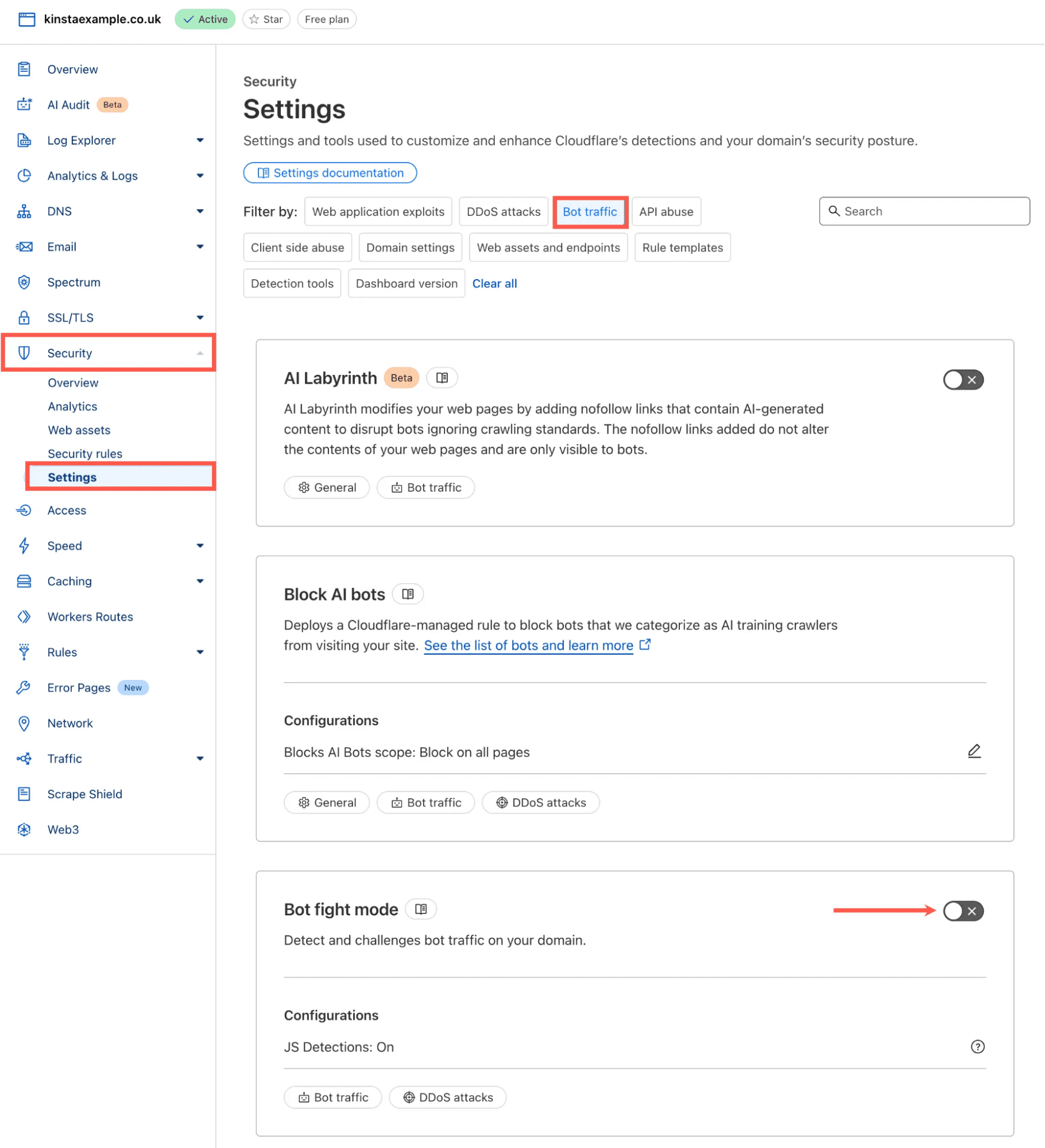
This is the "on/off" switch available on all Cloudflare plans. It is incredibly simple to use but lacks granularity. Because it does not run on the Ruleset Engine, it cannot be easily bypassed or customized. If it blocks a legitimate service, your only option is to turn the whole system off, leaving your site exposed.
2. Cloudflare Super Bot Fight Mode (The Intermediate Layer)
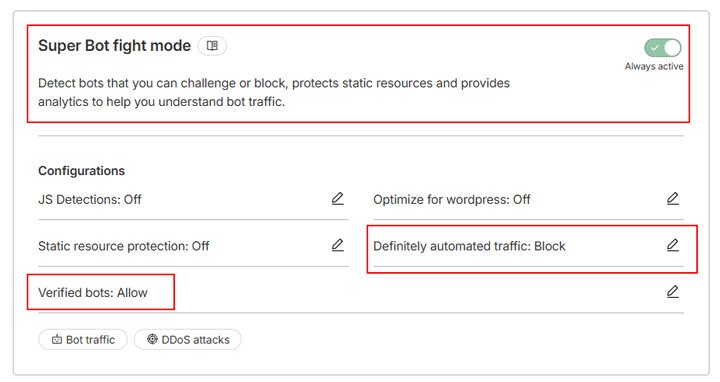
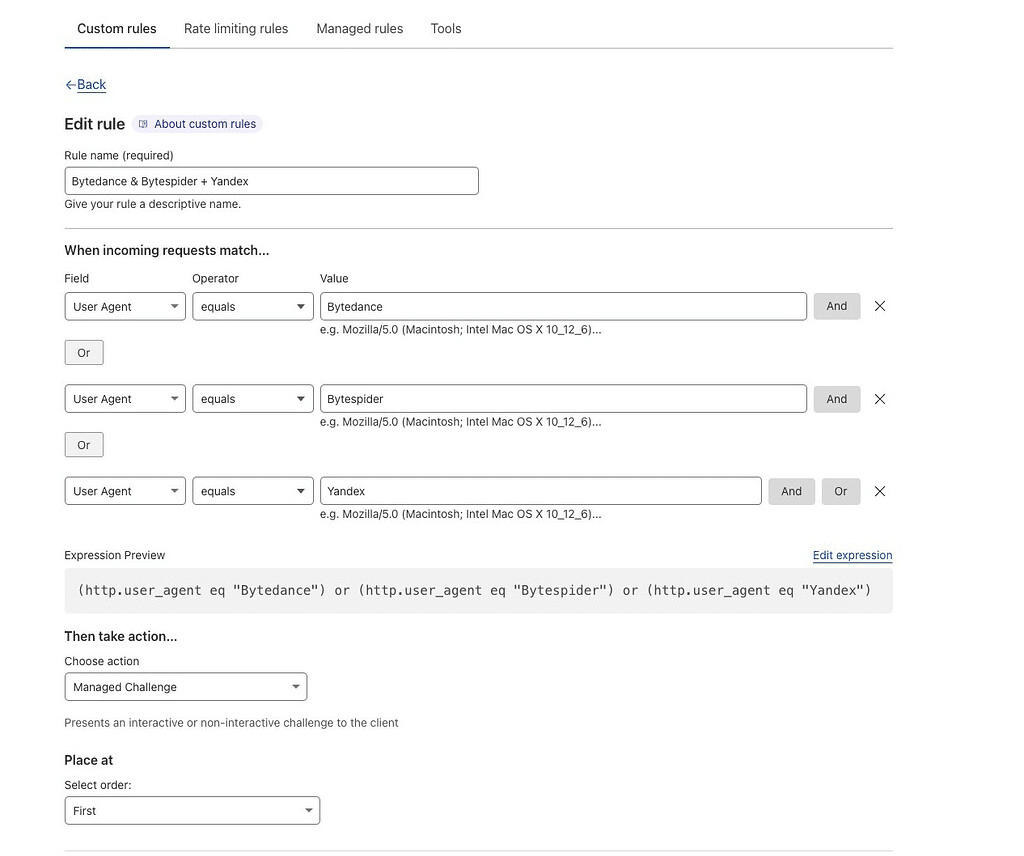
Available on Pro and Business plans, this allows for basic categorization (e.g., "likely automated," "verified bots"). It runs on the Ruleset Engine, meaning you can create exceptions, but it remains a broad-domain tool that requires manual maintenance to be effective.
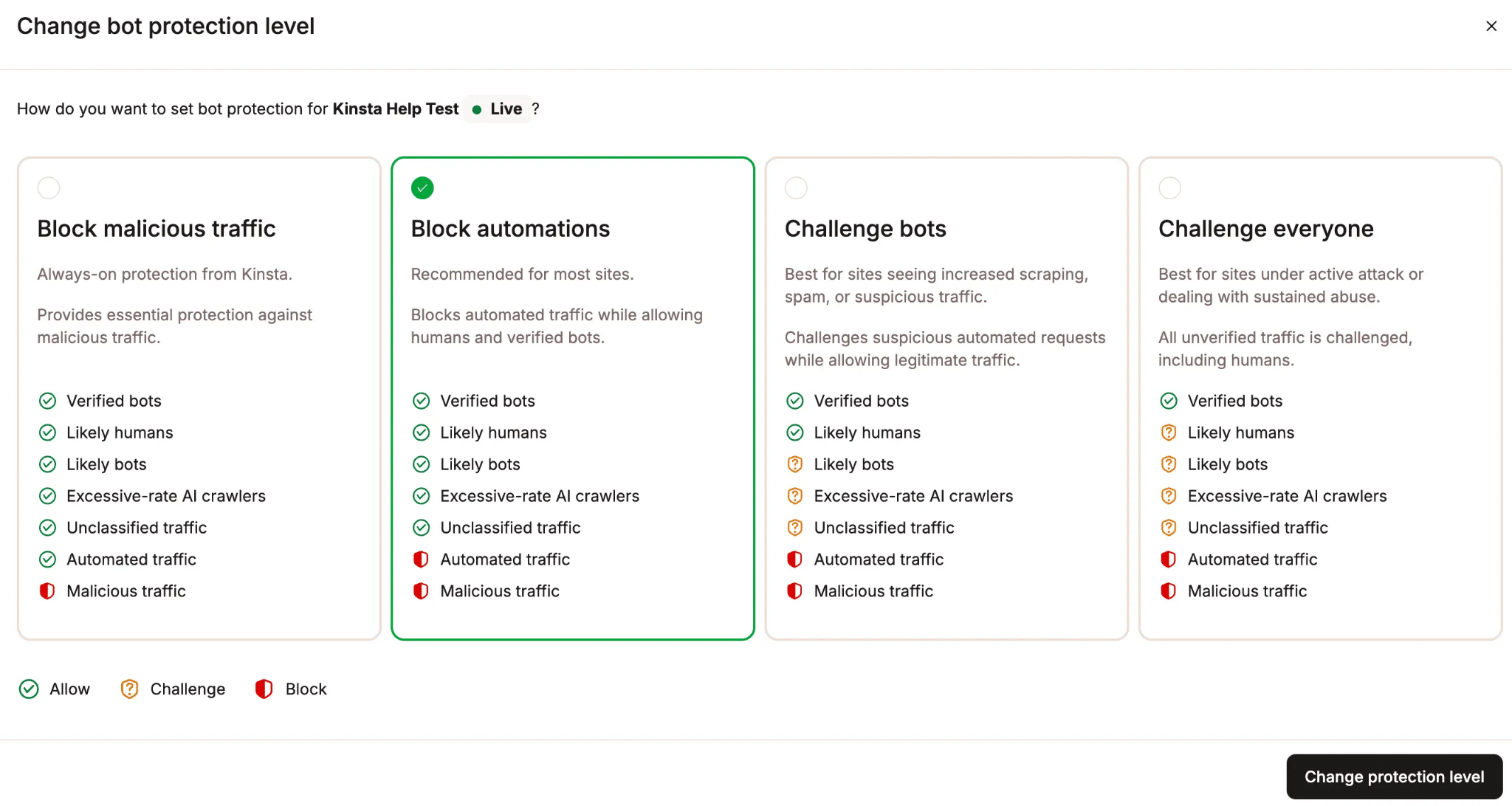
3. Kinsta Bot Protection (The Managed Approach)
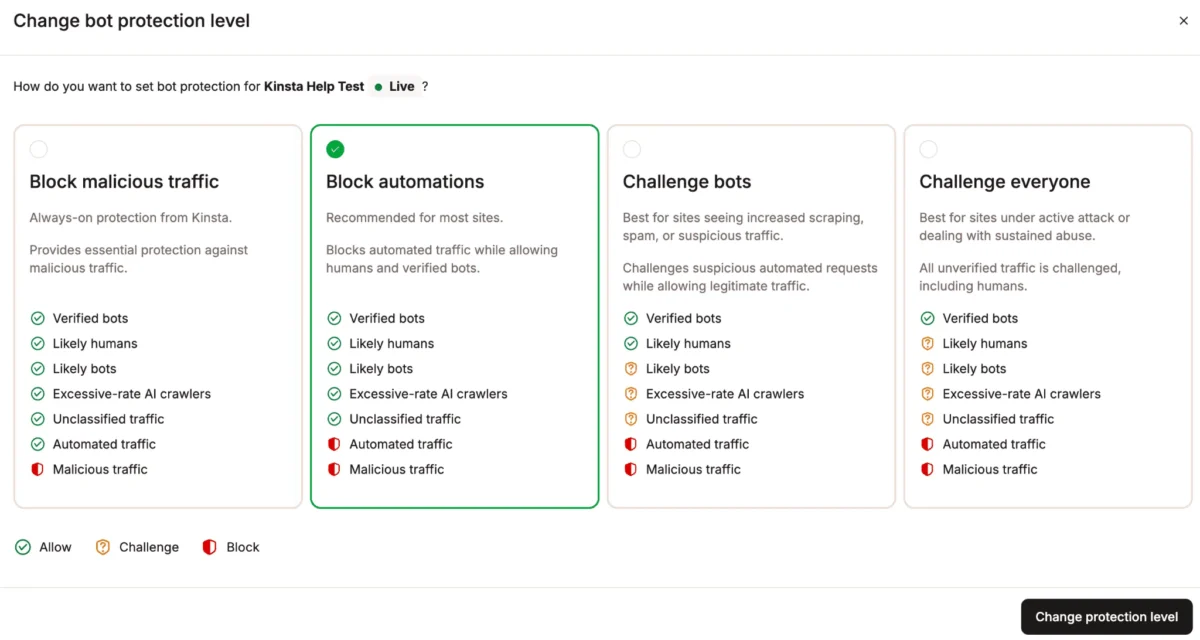
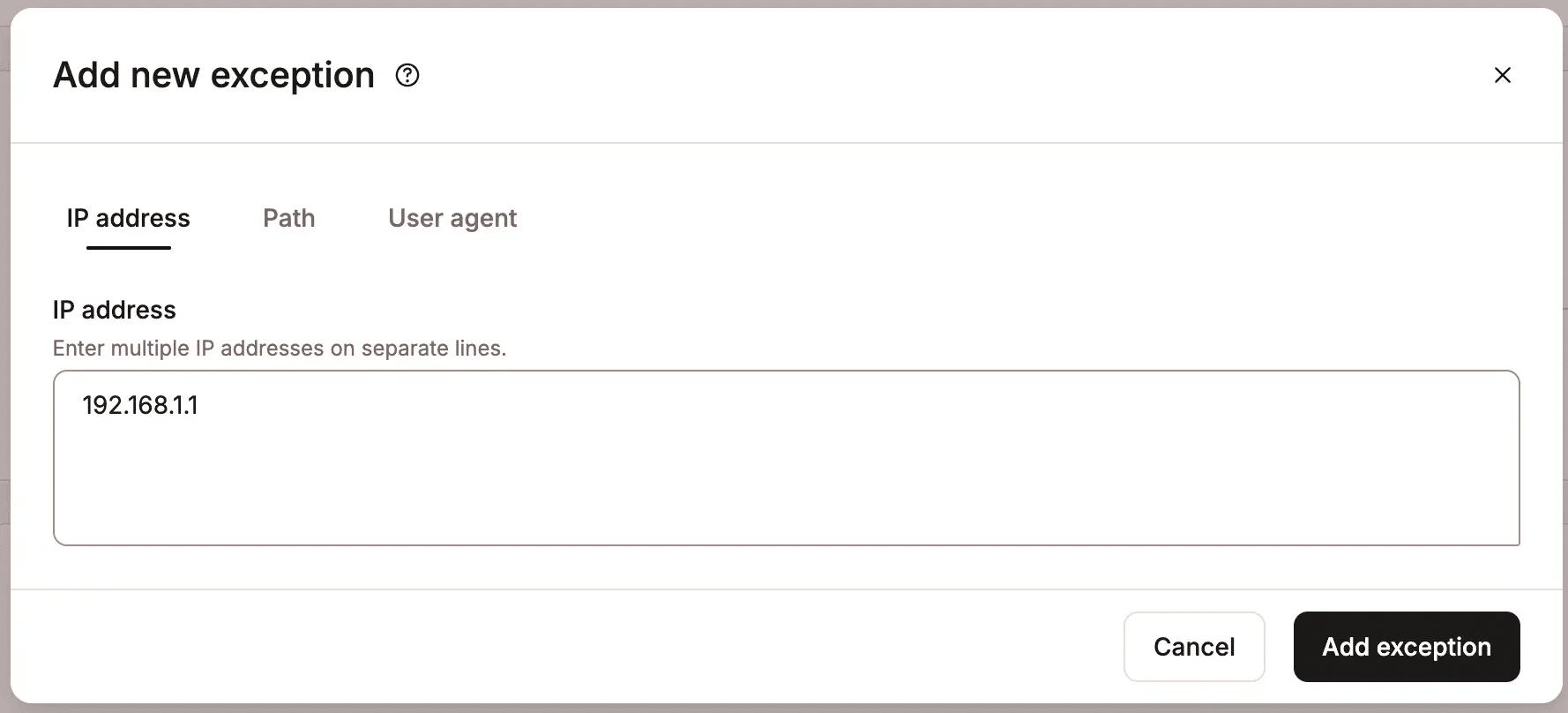
Kinsta positions its tool as a middle ground. It offers four distinct protection levels that can be toggled per environment. Because it is pre-configured for WordPress, it understands the unique ecosystem of the platform. It includes a "managed allowlist" that automatically recognizes common plugins, themes, and services, drastically reducing the time site owners spend "tuning" their firewall.
Implications for Site Management
The implications of this shift are profound for both agencies and independent site owners.
The End of the "Set and Forget" Era
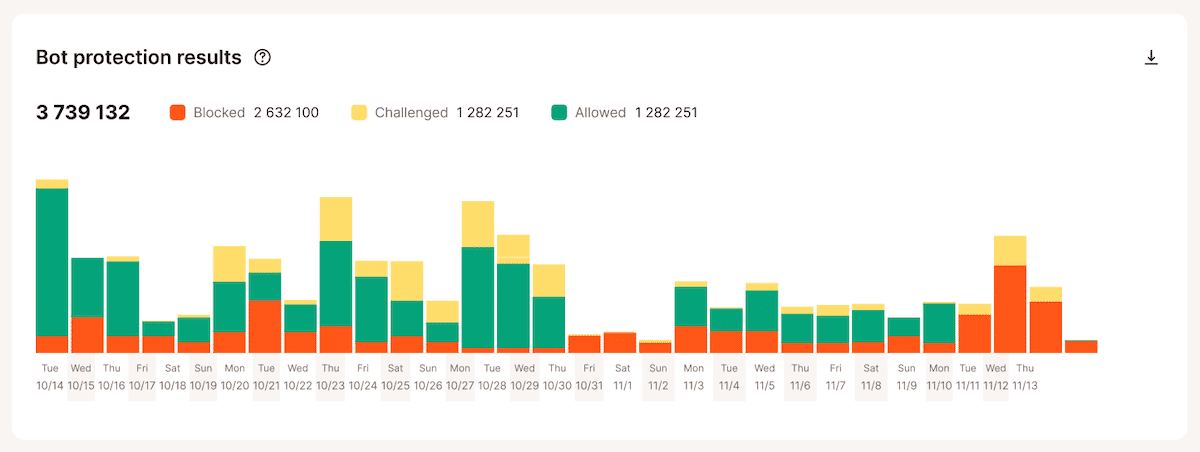
Security is now an operational task. Because bot behavior changes daily, site owners must monitor their traffic analytics regularly. Kinsta’s integration of bot reporting into the MyKinsta dashboard allows users to see exactly which percentage of their traffic is being challenged or blocked. This transparency is vital; without it, a site owner might be blocking a vital third-party service without realizing why their site’s functionality has broken.
The Conflict of Overlapping Layers
A common mistake among power users is "stacking" protection—running their own Cloudflare account on top of Kinsta’s native protection. Our experts warn against this. When two systems attempt to challenge the same request, it creates "friction." A user may be forced to pass multiple CAPTCHAs, or worse, the systems may conflict, causing the request to be dropped entirely.
The industry consensus is clear: pick one primary layer for bot management. If you are a power user with a dedicated DevOps team, you might choose Cloudflare’s Enterprise Bot Management to build custom, highly specific rules. For the vast majority of WordPress users, relying on a managed, platform-specific solution like Kinsta’s is the safer, more efficient route.

Conclusion: Preparing for an Automated Future
The internet is becoming increasingly "bot-heavy." As AI continues to evolve, the distinction between human and machine traffic will only become more difficult to discern. For the WordPress ecosystem, the path forward is clear: move away from binary security (allow/block) and toward intelligent, behavior-based traffic management.
Whether you choose a fully managed solution or a custom-built enterprise strategy, the goal remains the same: ensuring that your infrastructure remains accessible to the human visitors you serve while effectively mitigating the noise of an increasingly automated digital landscape. By leveraging tools that understand the nuances of the WordPress CMS, site owners can reclaim their performance and ensure that their resources are dedicated to their customers, not to background noise.
For those looking to assess their own traffic, the first step is to observe. Enabling logging and monitoring tools will provide the baseline needed to make an informed decision. As the digital environment changes, those who proactively manage their bot traffic will be the ones who maintain a competitive edge in speed, security, and user experience.