





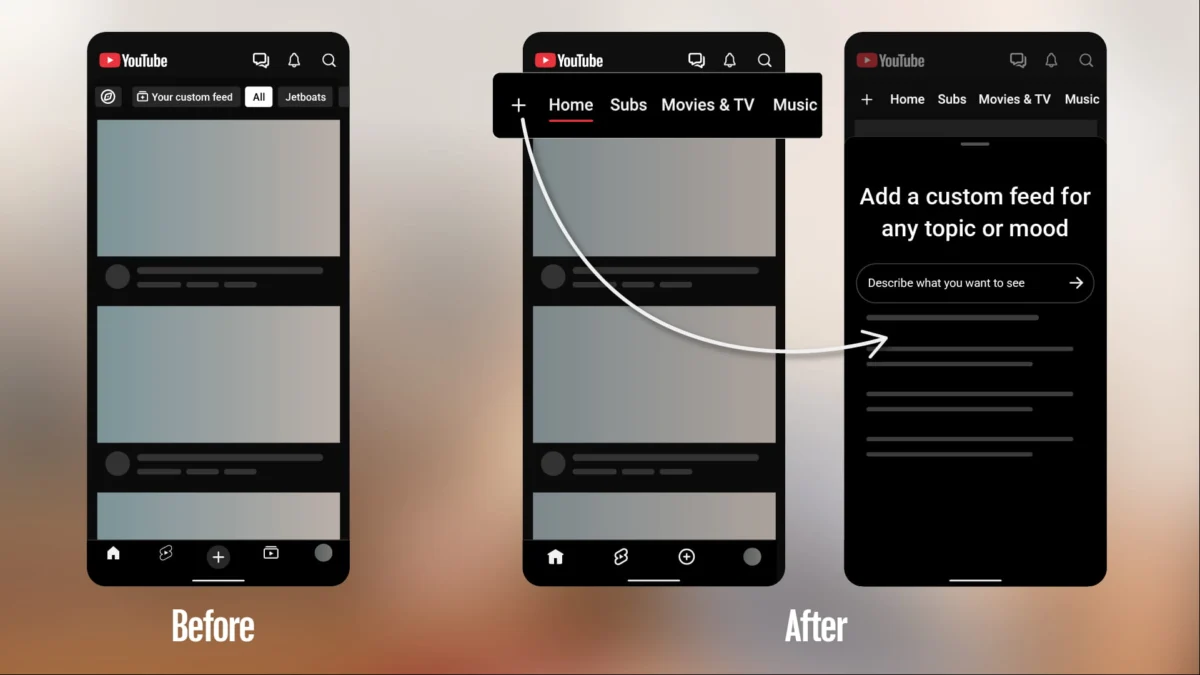
YouTube is undergoing a fundamental transformation. In a move that signals a departure from nearly a decade of consistent UI design, the platform is rolling out a series of significant updates to its mobile application on both Android and iOS. The most jarring change for long-term users is the relocation of the "Subscriptions" tab, which has been a staple of the bottom navigation bar since 2017.
This update is not merely an aesthetic refresh; it is a strategic repositioning of how users consume content, prioritizing a "Home" experience that is increasingly personalized through AI-driven custom feeds.
Main Facts: The New Look of YouTube
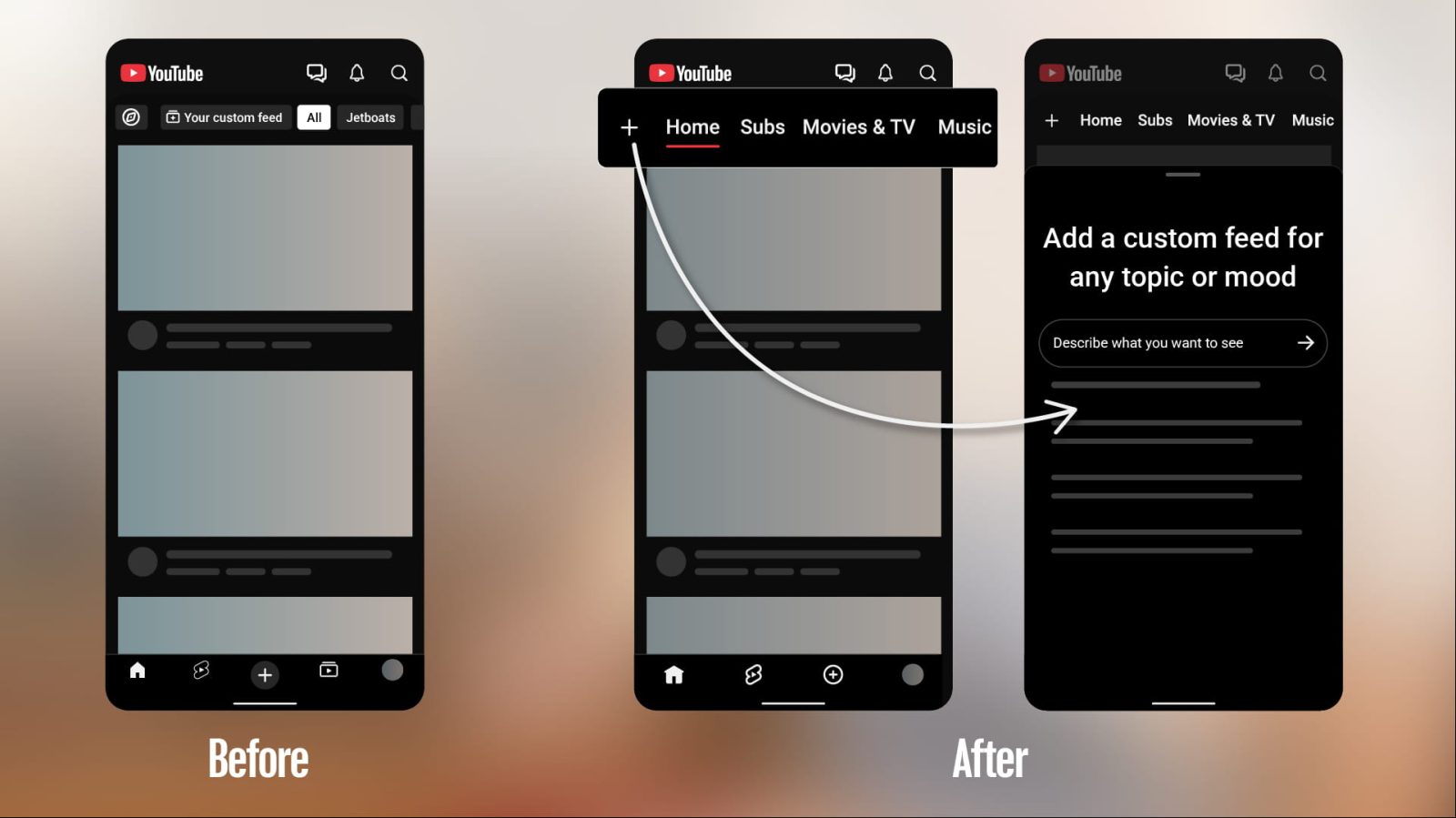
The core of this update involves a redesign of the mobile interface. The bottom navigation bar, which has long served as the primary command center for the app, is being simplified. By moving the "Subscriptions" tab to the top of the Home screen, YouTube is effectively clearing out the bottom bar to create a cleaner, less cluttered environment.
Under the new layout, the top bar now serves as a dynamic hub. After the "Home" tab, users will see a "Subs" indicator, followed by dedicated, context-aware feeds for "Live," "Music," and "Movies & TV." Notably, the "Movies & TV" tab is dynamic; it only appears for users who maintain active subscriptions to Primetime Channels, ensuring that the interface remains relevant to the individual user’s specific paid ecosystem.
Perhaps most importantly, this update eliminates the need for the traditional "navigation drawer"—the side menu that has historically housed secondary settings and library links. By folding these functionalities into the top bar, YouTube is aiming for a more streamlined, "seamless" experience.
A Chronology of Navigation: From 2017 to Today
To understand why this change feels so disruptive, one must look at the history of the YouTube mobile app.
- Pre-2017: YouTube’s mobile navigation was fragmented, often relying on side-drawer menus that forced users to take multiple steps to reach their primary content feeds.
- 2017: The introduction of the bottom navigation bar was a watershed moment for the app. It standardized the user experience, placing "Home," "Trending," "Subscriptions," and "Library" at the user’s fingertips. This became the gold standard for mobile app design, cementing a muscle memory for millions of users over the last seven years.
- May 2026: YouTube began A/B testing variations of a new mobile interface, signaling that the 2017 paradigm was no longer sufficient for the company’s long-term goals.
- October 2026: The official rollout begins. The transition marks the end of an era where "Subscriptions" held a permanent, static position at the bottom of the screen.
This chronology highlights a clear shift in YouTube’s philosophy: moving away from a fixed, static menu toward a fluid, adaptive interface that changes based on user behavior and intent.
Supporting Data: Custom Feeds and the AI Revolution
The most significant feature accompanying the relocation of the Subscriptions tab is the launch of "Custom Feeds." YouTube is leaning heavily into generative AI to change how discovery works. Instead of relying solely on the platform’s algorithm to suggest videos, users can now explicitly state their preferences.
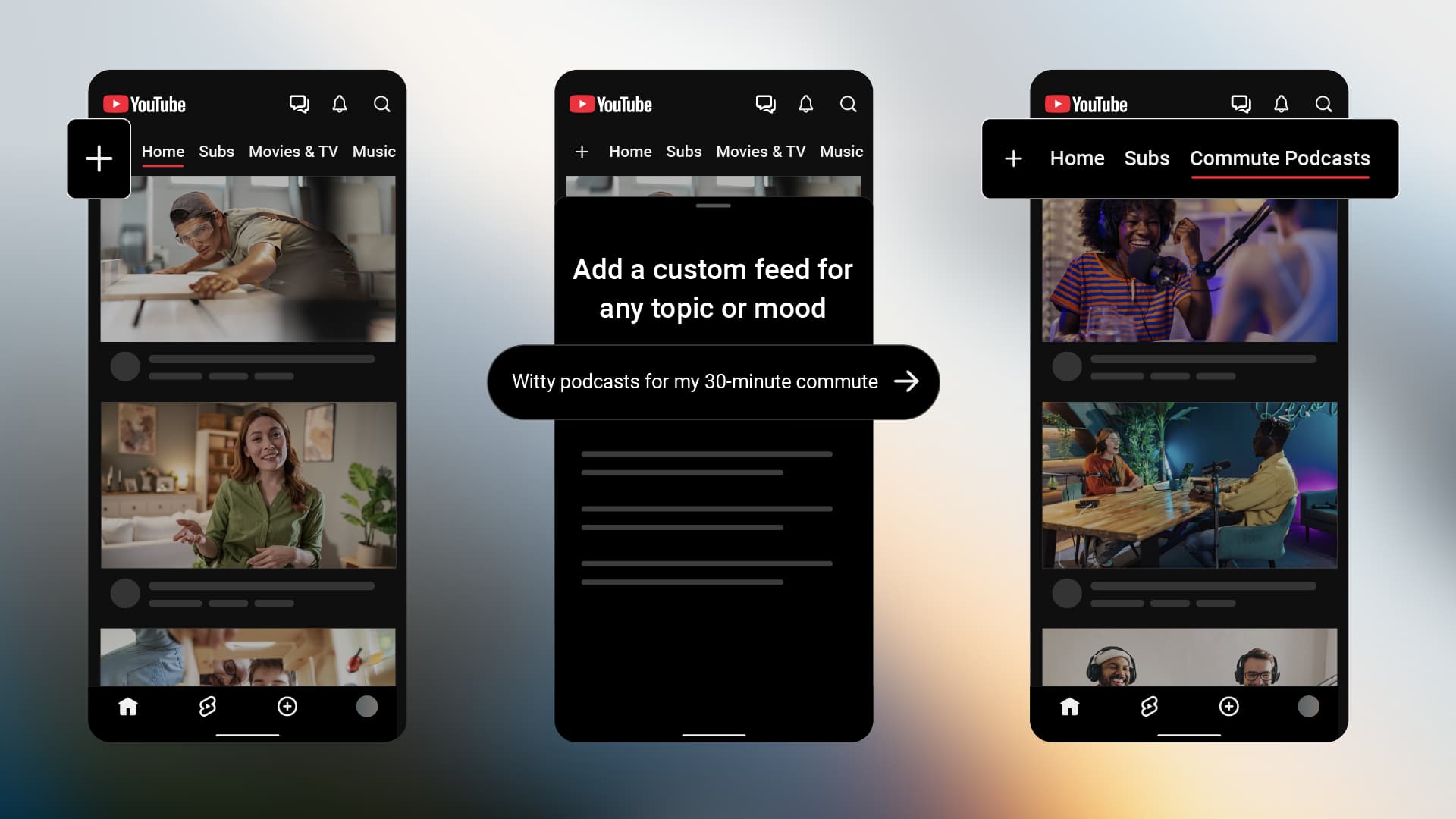
By tapping the "+" icon at the top of the Home feed, users can describe a specific "vibe," topic, or set of channels. For example, a user might input: "Help me unwind after work with guided meditations under 10 minutes." The platform then generates a unique, persistent feed tailored to that prompt.
Tiers of Access
The platform has implemented a clear distinction between free and Premium users regarding this new feature:
- Free Users: Can save up to 3 active custom feeds.
- Premium Members: Receive an enhanced limit, allowing for up to 8 active custom feeds.
This tiered approach confirms that YouTube views personalization as a value-add service, positioning custom feeds as a key benefit of a Premium subscription. These feeds appear as top-level tabs alongside "Home" and "Subs," allowing for quick switching between different content "modes."
Official Responses and Strategic Intent
Google and YouTube have characterized this update as an effort to "shape a more seamless Home experience." In official support documentation, the company emphasizes that these changes are designed to help users explore the vast library of content more effectively.
The strategic intent here is multifaceted. By allowing users to define their own feeds, YouTube is essentially crowdsourcing its recommendation engine. Instead of guessing what a user wants to watch, the user tells the platform, providing high-quality data that helps the algorithm refine its suggestions over time. Furthermore, by moving from a navigation-heavy UI to a "content-first" UI, YouTube is attempting to maximize "time spent in app," reducing the number of taps required to reach specific categories of content.
Implications: The Death of Muscle Memory
The primary friction point for this update is, and will continue to be, user habit. For nearly a decade, the bottom-right or bottom-center position of the Subscriptions tab has been hardwired into the motor functions of mobile users. Moving this to the top of the screen is a calculated risk.
Impact on Content Creators
For creators, this shift has significant implications for discoverability. If the Subscriptions tab is moved from the high-traffic bottom bar, will users check their subscriptions less frequently? Conversely, if custom feeds encourage users to search for specific types of content, creators who optimize their titles and descriptions for "vibe" and "topic" searchability may see a boost in views.

The Shift Toward "Vibe" Consumption
The move to custom feeds suggests that YouTube is no longer just a library of channels; it is becoming a "mood-based" streaming service. By categorizing content by "vibe" rather than just channel name, YouTube is competing more directly with the hyper-personalized, short-form algorithmic feeds seen on TikTok and Instagram. This is an admission that the traditional "subscriber" model—where a user follows a channel and watches everything they post—is evolving into an "interest-based" model.
The Future of the Interface
This update is likely the first in a broader set of changes aimed at modernizing the YouTube interface for a post-generative AI era. As users become accustomed to prompting their apps for content, the concept of a "feed" will become increasingly subjective. The removal of the navigation drawer and the simplification of the bottom bar are early indicators that YouTube intends to strip away all non-essential UI elements to focus entirely on the video-watching experience.
Availability and Geographic Rollout
As of October 2026, these changes are rolling out to mobile and desktop users in the United States who are signed into their accounts. The limitation to English-language users in the U.S. suggests that the AI-powered prompt system is currently undergoing a "staged" release, likely to ensure that the natural language processing (NLP) models can handle the nuance of user requests across different regions and languages before a global rollout.
Conclusion
The relocation of the Subscriptions tab and the introduction of AI-driven custom feeds represent a pivot point for YouTube. While the change will undoubtedly frustrate users who have relied on the 2017 interface for years, it is a necessary evolution in an era where discovery is driven by intent rather than subscription lists.
By empowering users to curate their own feeds, YouTube is shifting the burden of discovery from the algorithm to the user, while simultaneously creating a more premium, personalized experience. As the rollout continues to expand globally, the success of this redesign will depend on whether the "seamless" promise holds true, or if the loss of a decade-long muscle memory becomes a permanent barrier to user satisfaction. Regardless, the message from Google is clear: the future of YouTube is not just about who you follow, but how you feel, and what you want to experience in the moment.