








Published: January 9, 2026 | Reading Time: 20 Minutes
In the modern digital landscape, the performance, security, and uptime of your website are no longer just technical metrics—they are fundamental business requirements. For those managing WordPress installations, the burden of server maintenance, security patching, and database optimization can quickly become a bottleneck for growth. Managed WordPress hosting has emerged as the industry standard solution for this challenge, offloading the technical heavy lifting to specialized providers. Among these, Pressable has solidified its reputation as a premier managed host. This guide provides a deep dive into the benefits of moving to Pressable and offers a granular, step-by-step roadmap for migrating your site effectively.
Main Facts: What is Managed WordPress Hosting?
Managed WordPress hosting is a white-glove service where the hosting provider handles the technical complexities of your WordPress environment. Unlike shared or VPS hosting, where the user is responsible for server-side updates, security hardening, and performance tuning, managed solutions like Pressable handle these tasks as part of the service.
Pressable, a company under the Automattic umbrella, focuses exclusively on the WordPress ecosystem. By specializing in a single platform, they optimize their infrastructure—specifically NGINX and PHP-FPM—to handle WordPress requests with maximum efficiency.

Why Migrate?
- Performance Optimization: Managed hosts provide built-in caching and CDN integration, significantly reducing Time to First Byte (TTFB).
- Security Posture: Automated daily backups, threat monitoring, and managed core updates minimize the risk of vulnerabilities.
- Resource Management: You no longer need to worry about server-side firewalls or complex configurations; the environment is pre-configured for WordPress stability.
Chronology: The Migration Process
For users looking to migrate independently, the process is streamlined but requires a systematic approach. Below is the chronological workflow recommended for a successful transition.
Phase 1: Pre-Migration Preparation
Before touching the new server, you must ensure your existing environment is "migration-ready."
- Update Everything: Ensure your current WordPress core, themes, and all plugins are running the latest versions.
- Audit the Stack: Remove unused plugins and purge redundant media files.
- Perform a Full Backup: Utilize a tool like UpdraftPlus or ManageWP to create a full site backup. Store this locally and in an off-site cloud location (e.g., Dropbox or Google Drive).
Phase 2: Configuring the Pressable Environment
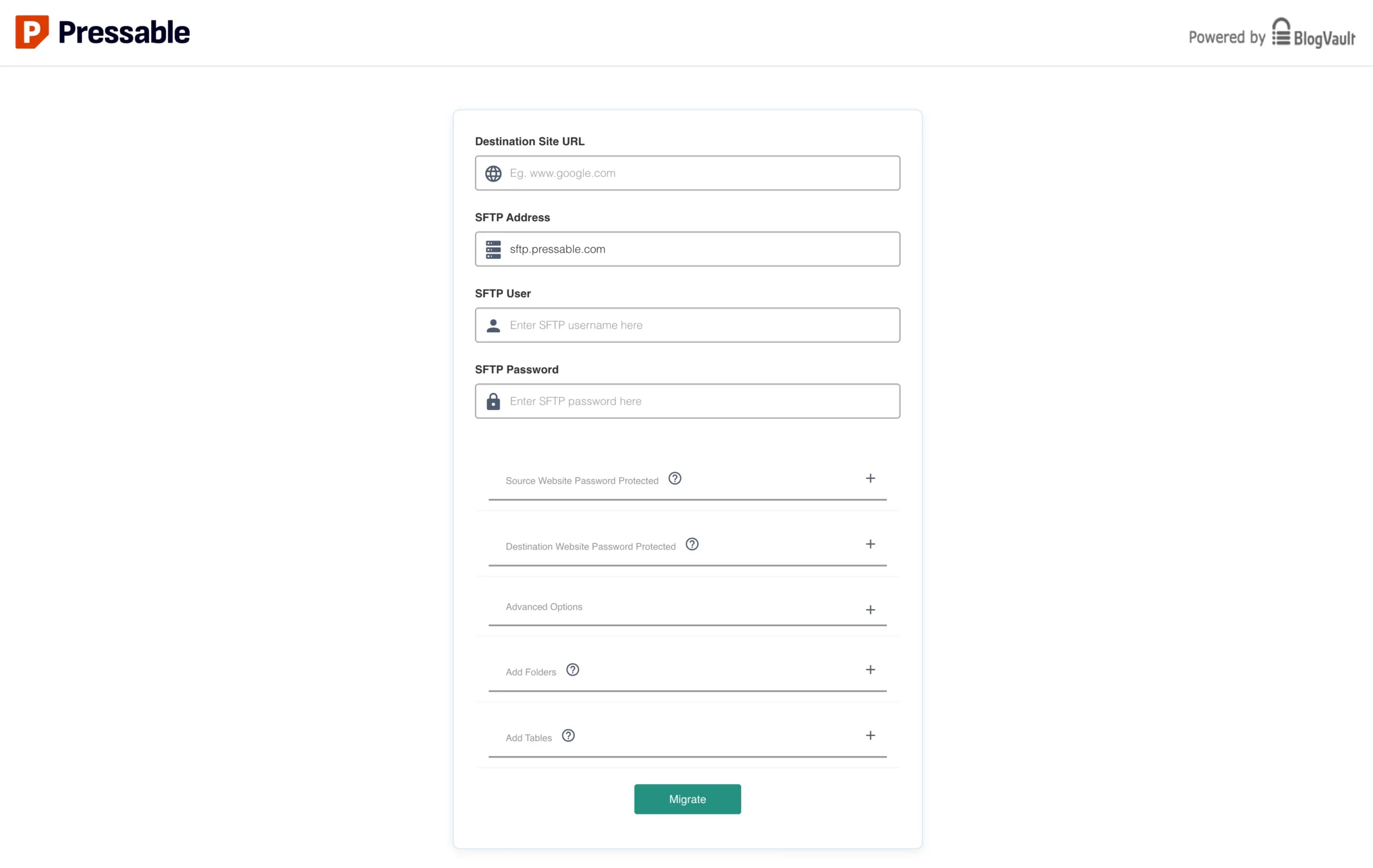
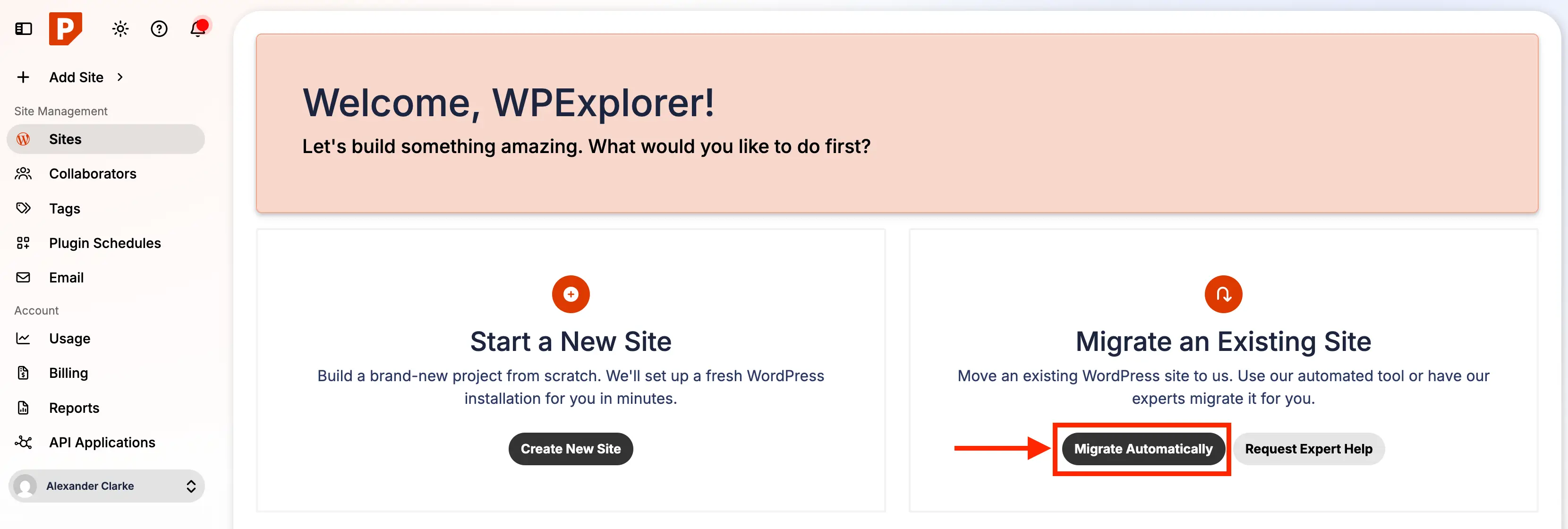
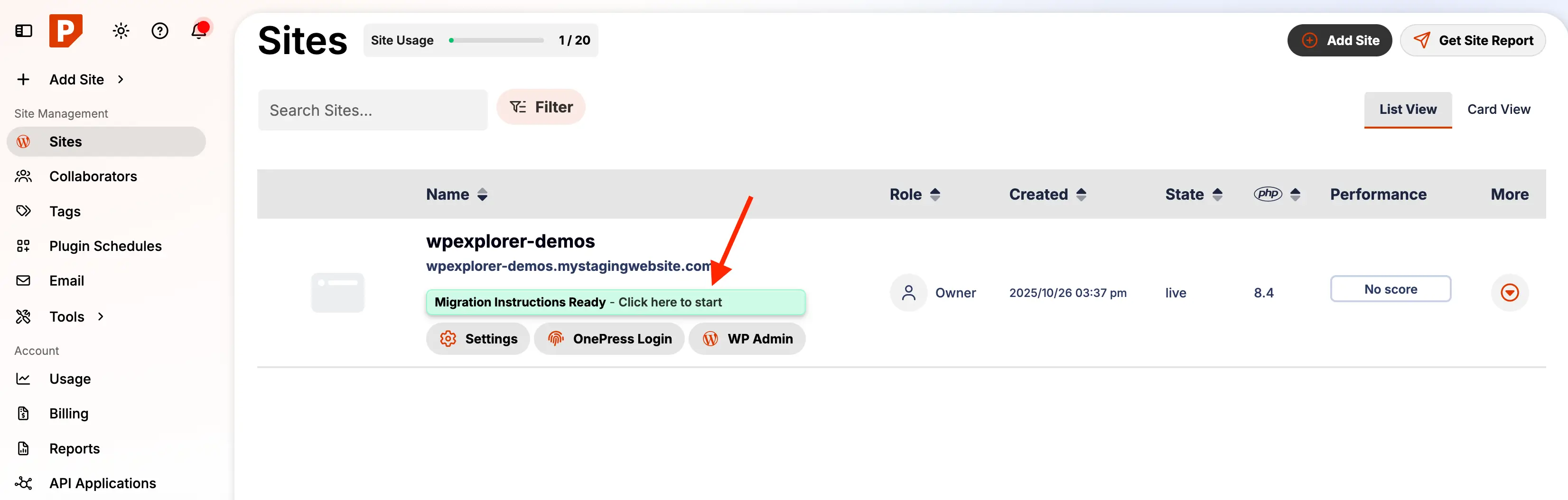
- Dashboard Initiation: Log in to your Pressable dashboard and select the "Migrate Automatic" option.
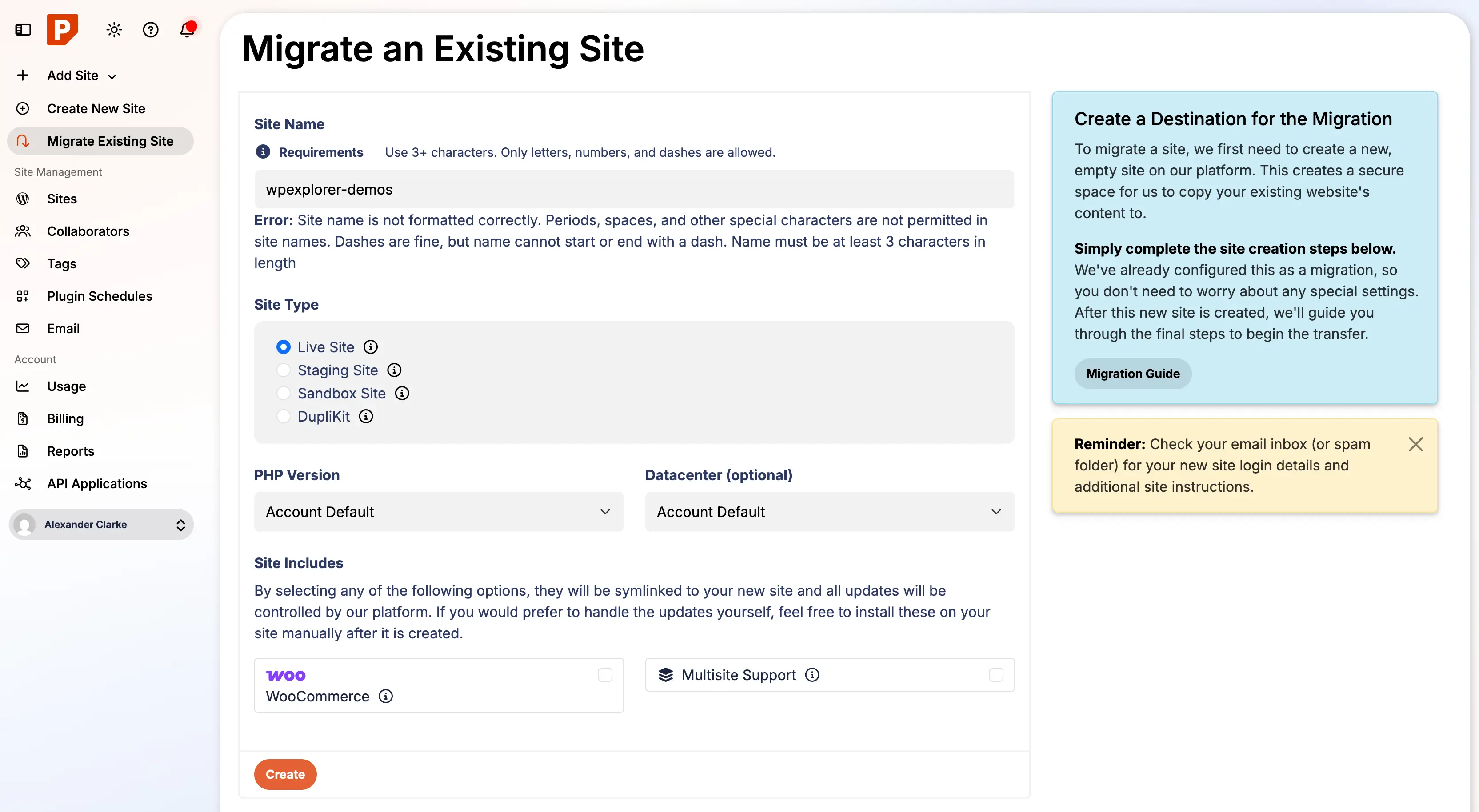
- Define Site Parameters: Input your site URL, choose your server location (aim for the region closest to your primary audience), and designate the site title.
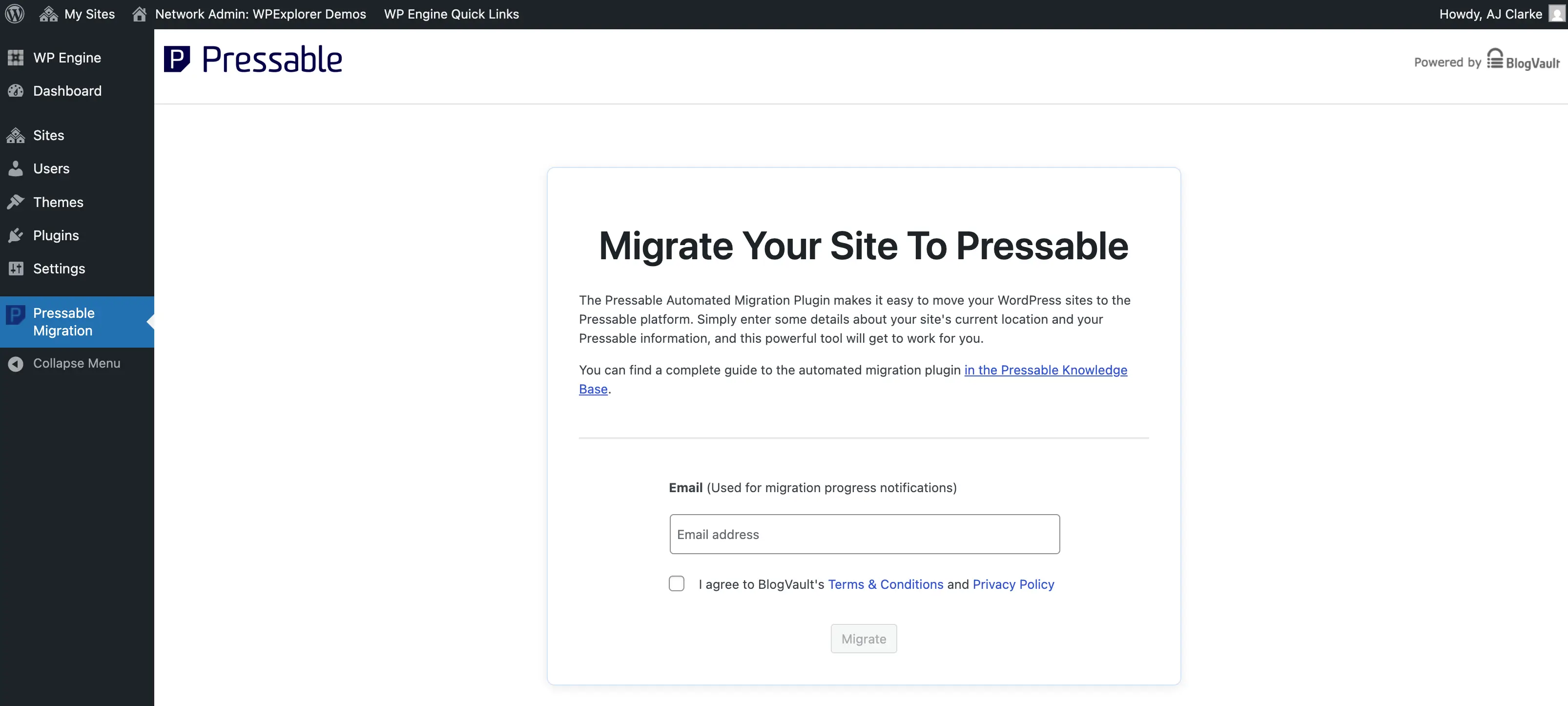
- Plugin Deployment: Install the "Pressable Automated Migration" plugin on your current site. This plugin acts as the bridge between your old host and Pressable.
Phase 3: The Execution
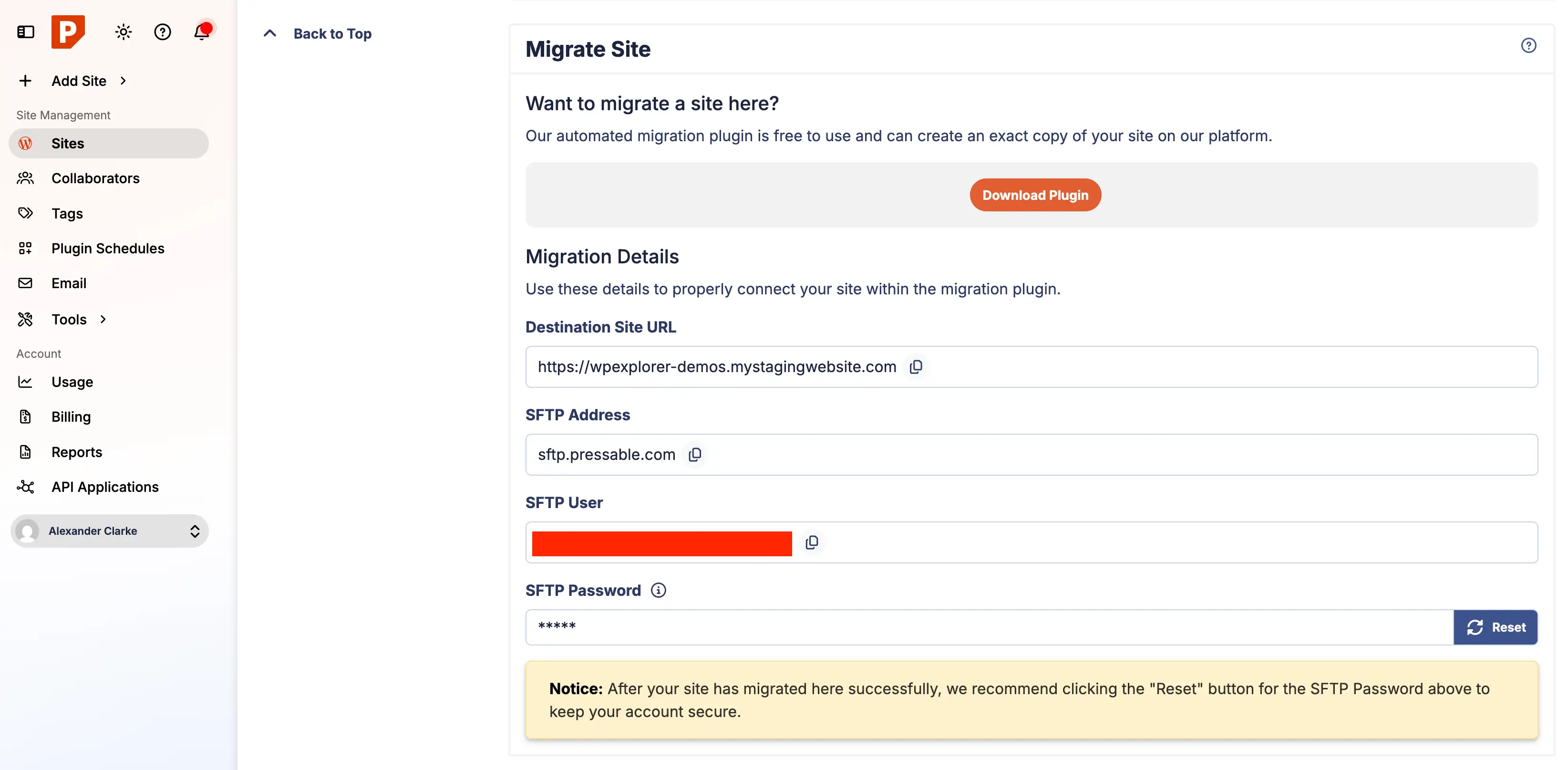
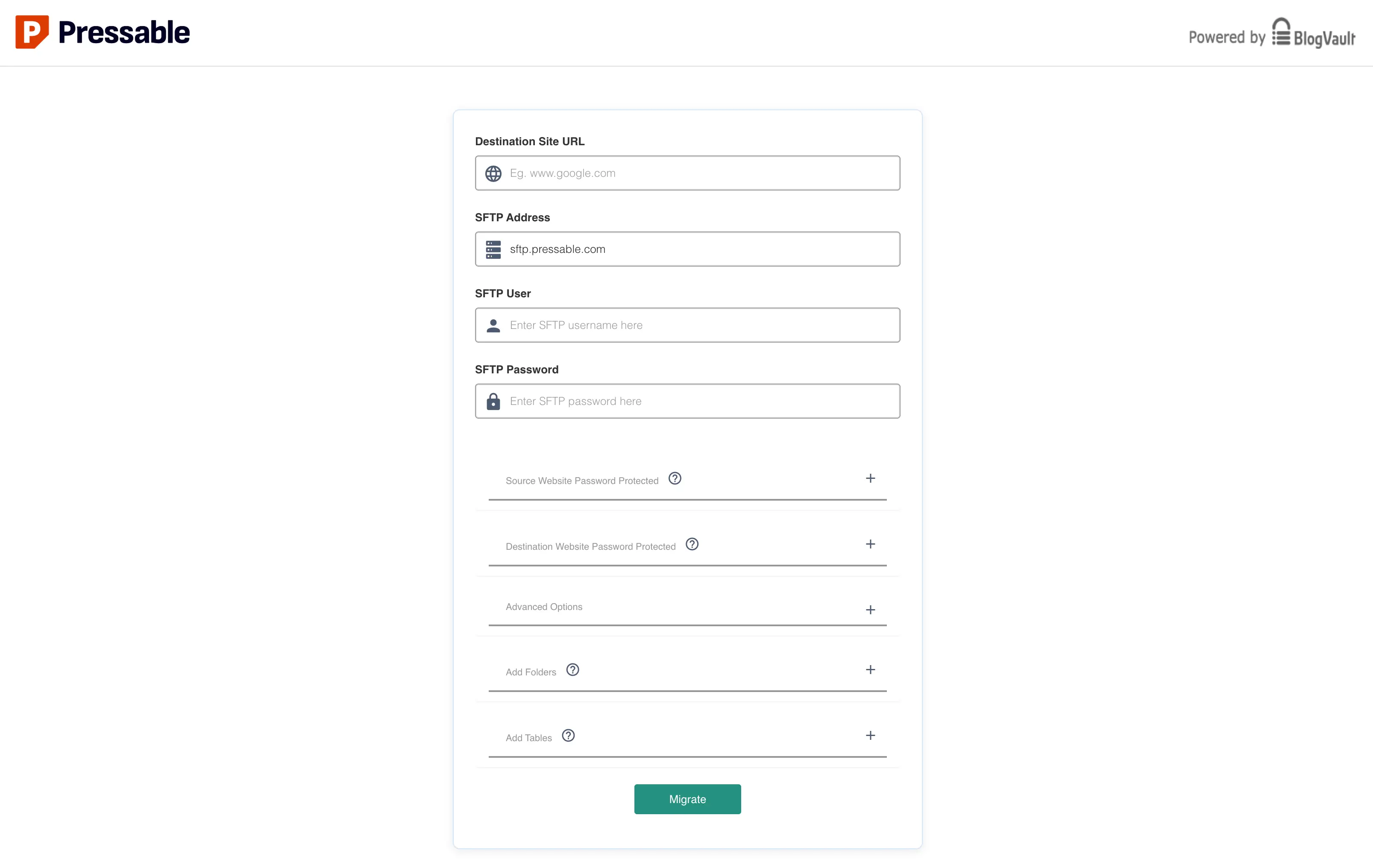
- Security Credentials: Generate new SFTP credentials via the Pressable dashboard. This ensures that the migration process has secure, temporary access to your files.
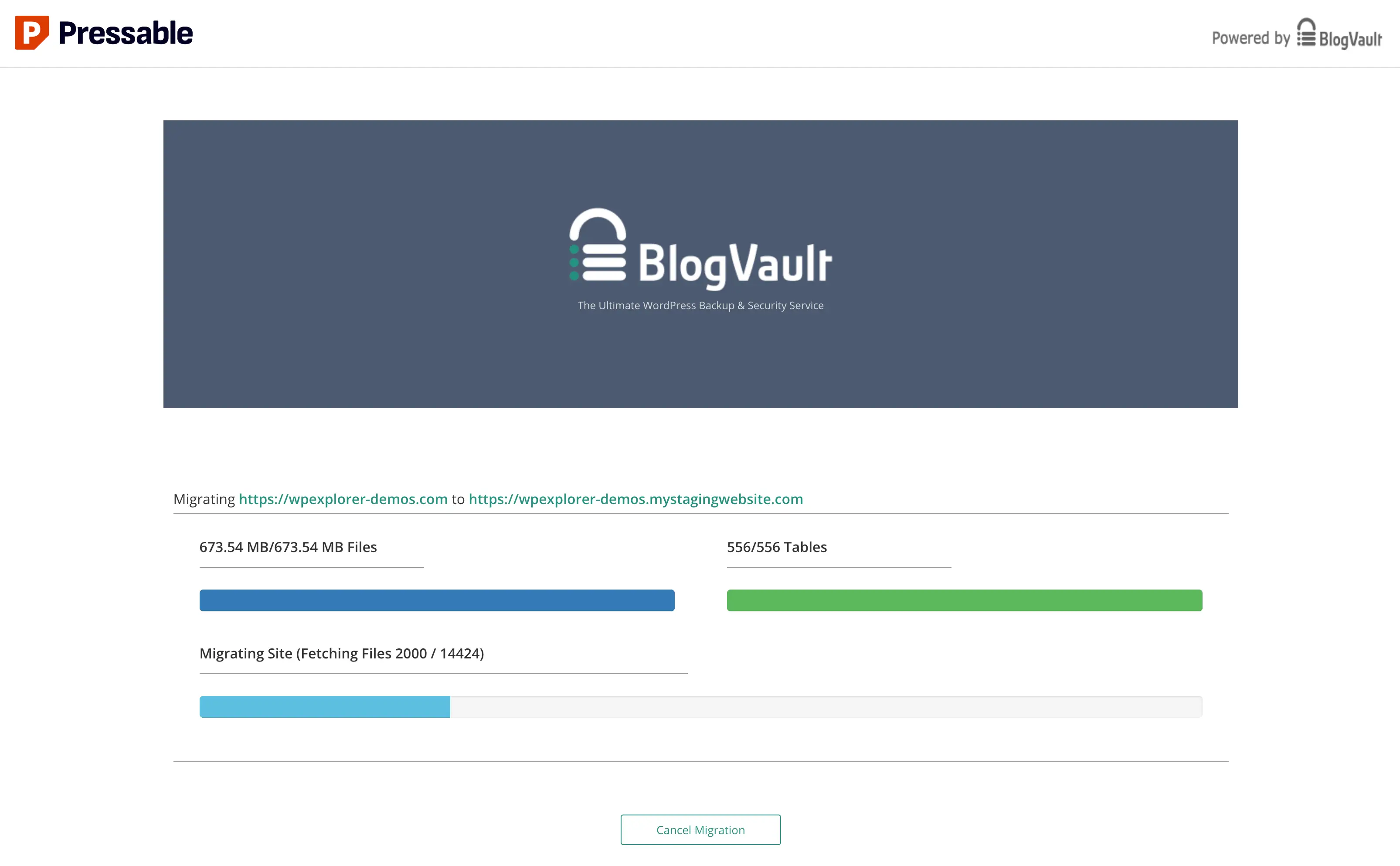
- Initiating the Transfer: Input the SFTP details into the migration plugin. The process will hand off to the BlogVault-powered migration engine.
- Monitoring: Keep the migration window active. For large multisite installations, this may take upwards of an hour.
Supporting Data: Infrastructure and Resource Allocation
Selecting the right plan is critical to long-term success. Pressable segments their offerings into Signature Plans and Premium Site Plans.
- Signature Plans: These are designed for scalability. A "Signature 1" plan is ideal for single-site owners, while "Signature 8" is engineered for agencies managing up to 100 installs. The primary constraint is not just storage, but monthly visitor thresholds.
- Vertical Scaling: For mission-critical sites experiencing massive traffic spikes, Pressable’s Premium Site Plans offer increased CPU allocation. Unlike standard shared hosting, these plans allow for "bursting," ensuring that your site remains responsive during peak hours.
Technical Constraints
It is essential to note that Pressable is a "walled garden" by design. They do not support:
- Email hosting (they recommend third-party providers like Google Workspace).
- Low-level server modifications (e.g., custom ionCube extensions or manual NGINX config file editing).
- .htaccess files (since they do not use Apache).
Official Perspectives and Expert Insight
While the automation tools provided by Pressable are robust, there is a recurring debate regarding the use of third-party migration engines. Pressable utilizes BlogVault technology to facilitate the transfer. While this is highly effective and secure, some industry experts argue that providers should ideally host these migration processes on their own subdomains to maintain full brand continuity.
Regarding security headers, Pressable’s technical documentation is clear: they do not add standard security headers by default to prevent breaking site functionality. Users are encouraged to utilize a custom-redirects.php file to implement headers such as X-XSS-Protection and Strict-Transport-Security. Implementing these is a best practice for any professional site aiming for A+ security grades.
Implications: The Post-Migration Environment
Once the migration is complete, the work is not yet over. Post-migration cleanup is vital to maintain a high-performance environment.
1. Sanitation of Legacy Files
After moving to Pressable, you will often find remnants of your previous host, such as mu-plugins specifically designed for WPEngine or SiteGround. These files can cause conflicts or introduce unnecessary overhead. Manually audit your wp-content folder and remove any host-specific files that no longer serve a purpose.
2. Cron Job Management
Legacy cron jobs—scripts scheduled to run periodically—can be problematic. If your old host had specific tasks for proprietary caching engines, those tasks may continue to run and fail on Pressable. Use a plugin like "Cron Jobs" to visualize your current schedule and prune unnecessary tasks.
3. Jetpack Optimization
Pressable includes a premium Jetpack Security subscription. While this is a major value-add, Jetpack is notorious for its "bloat." The professional approach is to install Jetpack to leverage the security and backup features (VaultPress), but then navigate to the Modules page to disable non-essential features like "Related Posts" or "Publicize" if you are already using superior, standalone alternatives.
Conclusion: Is Pressable Right for You?
The decision to switch hosting providers is often driven by "pain points"—site slowness, security breaches, or excessive time spent on maintenance. Pressable addresses these issues by providing an environment where the infrastructure is already tuned for the WordPress core.
Who is this for?
- Small to Medium Business Owners: Who need "set it and forget it" reliability.
- Agencies: Managing multiple client sites who need a centralized dashboard to push updates and monitor health.
- Content Creators: Who prefer to focus on editorial calendars rather than debugging PHP errors.
Who should look elsewhere?
- Enterprise users requiring dedicated server hardware or unique OS-level configurations.
- Developers who rely on custom Apache/NGINX modifications that fall outside the standard WordPress directory structure.
By moving to a managed environment, you are not just purchasing disk space; you are purchasing the peace of mind that comes with professional-grade infrastructure. If you are ready to transition, leverage the "Seamless White Glove Migration" service if you are uncomfortable with the technical steps, or follow the steps outlined above to take full control of your migration journey.
Disclaimer: This article contains affiliate links. If you choose to sign up for Pressable through these links, we may receive a commission at no additional cost to you. We only recommend services we believe provide genuine value to the WordPress community.