







In the fast-paced world of digital media, Adobe After Effects stands as the industry standard for motion graphics and visual effects. While the software offers unparalleled creative control, the reality of production deadlines often renders the “empty composition” approach impractical. For many professionals, the secret to maintaining a high-output workflow lies not in reinventing the wheel, but in leveraging high-quality templates to handle the heavy lifting.

A well-architected template provides the essential scaffolding—timing, technical infrastructure, and complex keyframe arrangements—allowing designers to pivot their focus toward the nuanced details that define a project’s unique aesthetic. By treating these templates as a foundational starting point rather than a final product, motion designers can significantly reduce production cycles without sacrificing creative integrity.

The Strategic Role of Templates in Modern Production
Templates serve as the bridge between raw concept and polished execution. Whether you are crafting a high-octane logo reveal, a sophisticated slideshow, or a series of lower thirds for a documentary, templates provide the "technical rhythm" of the animation.

However, the value of a template is determined by its versatility. The most effective assets are those that allow for granular control over typography, color palettes, and pacing. When a template is built with a modular mindset, it acts as an extension of the designer’s toolkit, scaling from corporate presentations to experimental social media content with minimal friction.

Why Quality Control Matters
Not all free assets are created equal. The landscape of After Effects templates is vast, ranging from meticulously organized project files with comprehensive documentation to poorly structured files that require outdated plugins or specific, legacy software versions. A professional must perform due diligence: verify the version compatibility, scan for required third-party plugins, and ensure the folder structure is intact to prevent "missing asset" errors during the render phase.

Chronology of the Motion Design Workflow
To integrate templates effectively, one must follow a disciplined, chronological approach to project management:

- Selection & Verification: Before starting, audit the template. Does the animation style match the client’s brand identity? Are the expressions and keyframes accessible?
- Environment Setup: Organize your project bin. Keep the template’s original structure while creating dedicated folders for your incoming assets (footage, logos, fonts).
- The "First Pass" Customization: Replace placeholders with your own content. This is the moment to verify timing and pacing.
- Refinement: Apply global color controls and typography shifts. This ensures the template feels cohesive with the broader project.
- Performance Optimization: Before the final render, clear the cache, proxy large files, and disable heavy effects that aren’t critical for the current preview cycle.
Supporting Data: Why Customization is Essential
A common pitfall for novice designers is the "template-look," where an animation feels generic because the user only swapped the text. Data from industry forums and design studios suggest that projects which undergo at least 30% modification—shifting the timing curves, altering the ease-in/ease-out values, and applying custom color grades—show a significantly higher engagement rate among audiences.

When you treat a template as a skeleton, you allow your specific content to dictate the movement. For example, if a title template uses a "bouncy" animation but your brand voice is "minimalist and corporate," modifying the keyframes to a more linear, ease-in transition transforms the template’s entire personality to suit the brand.

Official Industry Perspectives
Leading motion design educators emphasize that using templates is not a "shortcut" but a professional optimization strategy.

- On Efficiency: "The goal of a professional is to deliver high-quality work within the constraints of a client’s budget and timeline," notes one industry veteran. "If a template gets you 80% of the way there, you are free to spend the remaining 20% of your time on the high-level polish that truly matters."
- On Technical Literacy: Conversely, experts warn against relying solely on templates. "You must understand the ‘why’ behind the keyframes. If a template breaks, you need the technical literacy to fix it, or you’ll be left stranded during a critical render."
Implications for the Creative Industry
The prevalence of free and premium After Effects templates has democratized high-end motion design. Small business owners, solo content creators, and agencies alike can now produce cinematic-level intros, logo reveals, and lower thirds that were once the exclusive domain of expensive production houses.

However, this accessibility raises the bar for creativity. With high-quality motion graphics now easily attainable, the value shift has moved from "can you make it move?" to "how well does it tell the story?" Designers who master the art of modifying templates—injecting their own style into pre-built structures—will distinguish themselves in an increasingly saturated digital market.

Technical Recommendations for Success
To ensure your template-based workflow remains professional:

- Version Control: Always save a "Master Template" copy that remains untouched.
- Font Management: Use a font manager to ensure the specific typefaces used in the template are installed and licensed.
- Asset Linking: Use the "Collect Files" function to keep all dependencies local to the project folder, preventing the dreaded "missing files" dialogue box in future sessions.
Final Thoughts: The Path Forward
The most effective After Effects template is rarely the one with the flashiest preview; it is the one with the most intuitive structure. A project with clear, color-coded layers, meaningful composition names, and logical control sliders is a treasure.

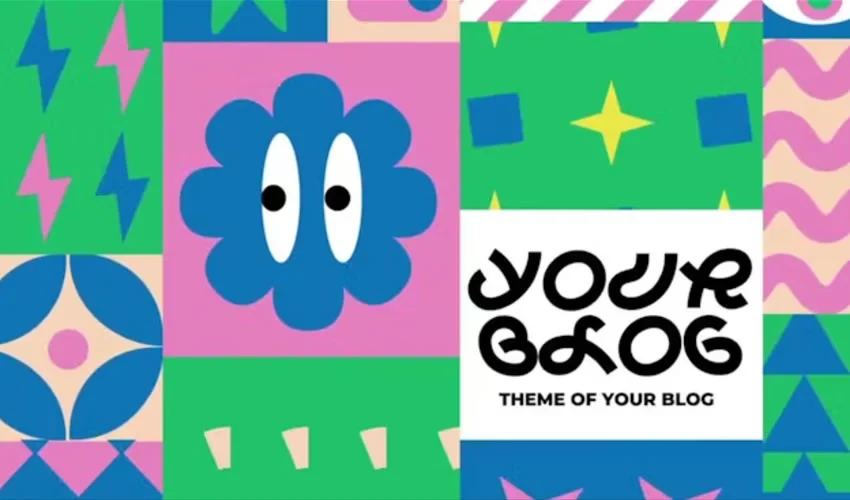
As you navigate the vast collections of available templates—from the playful "Funny Shapes" titles to the sophisticated "MoGraph" logo reveals—remember that your role as a designer is to curate and adapt. Use these tools to remove the drudgery of technical setup, but never let them dictate the final creative outcome.

By applying deliberate changes to pacing, color, and movement, you ensure that the animation does more than just fill space—it enhances the narrative. The true mark of a professional motion designer is not whether they use a template, but how completely they can make that template disappear, leaving behind only the seamless, high-impact visuals that their project demands.

Summary of Categories Covered
- Titles: From kinetic typography to retro-movie styles, titles set the initial tone for your audience.
- Logo Reveals: Brief, high-impact animations that solidify brand identity.
- Slideshows & Galleries: Narrative tools for showcasing portfolios or event photography.
- Openers & Intros: The visual hook that establishes consistency across episodic content.
- Lower Thirds: Informational overlays that balance legibility with aesthetic appeal.
- Animated Typefaces: Bringing individual letters to life for a bespoke feel.
- Animated Icons: Micro-interactions that clarify functionality in tech and explainer videos.
By mastering these categories, you gain a robust arsenal of assets capable of elevating every video project in your production pipeline. Always keep your technical foundations strong, your project files organized, and your creative vision at the forefront.