





Main Facts: Bridging the Functional-Aesthetic Divide
In the rapidly evolving landscape of software engineering, artificial intelligence has definitively solved the challenge of writing functional code. Modern AI coding agents—operating within environments like Claude Code, Cursor, Codex, and Windsurf—can spin up robust backend architectures, write complex database queries, and wire up functional front-end components in mere seconds.
Yet, a glaring friction point has persisted: getting them to produce interfaces that actually look good.
Left to their own devices, default AI-generated user interfaces notoriously gravitate toward a homogenous, uninspired aesthetic. They lean heavily on predictable purple gradients, overly aggressive rounded corners, ubiquitous default sans-serif typefaces like Inter, and layouts that technically check the requirements boxes without a shred of creative conviction.
The underlying issue is not a flaw in the models’ logic; rather, it is a structural absence of taste. Historically, design instructions existed as static style guides, Figma components, or PDF handbooks meant for human eyes.
This paradigm is currently undergoing a profound structural shift with the advent of AI skills—modular markdown files and executable rulesets that can be seamlessly dropped into local or cloud-based coding agents. By equipping an agent with a specialized design skill, developers can instantly infuse their AI collaborators with sophisticated aesthetic frameworks. These range from mathematically rigorous color sciences like OKLCH to strict Swiss typography grids and micro-interaction animation standards.
Rather than relying on vague prompt engineering ("make it look modern"), developers can now programmatically grant their AI tools a concrete, codified design language.
Chronology: The Evolution of AI-Assisted Design
To understand the sudden proliferation of design-focused AI skills, it is necessary to trace how developers and designers have historically attempted to bridge the gap between machine code and visual polish.
- Phase 1: The Prompt-Engineering Era (2022–2023)
Early interactions with LLMs for web development relied entirely on natural language prompting. Developers would type long, descriptive prompts requesting specific aesthetic styles (e.g., "Build a landing page with a minimalist aesthetic, dark mode, and subtle shadows"). Results were highly volatile, heavily dependent on the model’s pre-training data, and rarely adhered to a unified design system. - Phase 2: Component Libraries and Frameworks (2023–2024)
As coding assistants became more integrated into developer environments, tools like Tailwind CSS became the lingua franca for AI generation. While utility-first frameworks prevented chaotic vanilla CSS, AI agents still struggled with composition, hierarchy, and color harmony, frequently defaulting to cliché design tropes. - Phase 3: The Rise of Context Files and Custom Instructions (Late 2024)
Platforms began supporting project-level instructions (such as.cursorrulesor custom system prompts). Developers started pasting design tokens and high-level component rules into text files to constrain the agent’s styling choices. - Phase 4: Executable AI Skills and Standards (Present Day)
The current wave marks a transition from passive text prompts to executable rules. Pioneered by open-source contributors, design engineers, and directory curators, modular design skills—packaged via simple command-line interfaces (CLIs) or structured markdown files—allow agents to dynamically parse color mathematics, animation curves, and layout grids in real-time.
Supporting Data: Ten Essential AI Design Skills and Directories
A burgeoning ecosystem of open-source directories and specialized engineering skills has emerged to solve the AI aesthetic crisis. Below is a detailed breakdown of the premier design skills currently available for integration into modern AI coding workflows.
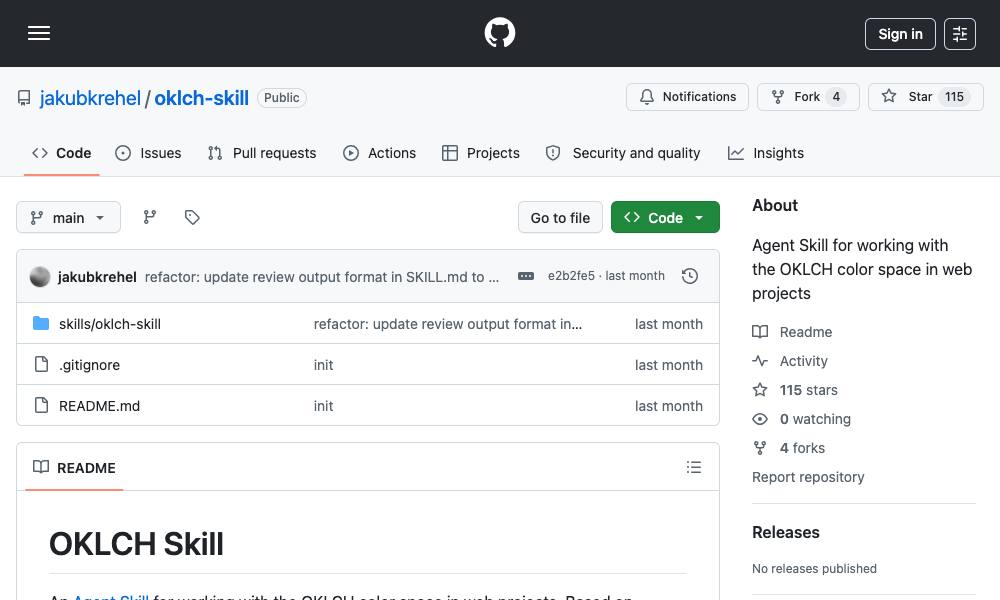
1. OKLCH Color Skill
- Overview: Developed by Jakub Krehel, this skill forces the agent to abandon unpredictable RGB or HSL color spaces in favor of OKLCH—a perceptually uniform color alternative that eliminates hue drift and ensures mathematically predictable palette generation.
- Capabilities: Converts between color formats, generates uniform scales from 50 to 950, derives robust dark-mode palettes through deliberate lightness manipulation, and verifies color contrast against strict WCAG 2 and SAPC-APCA accessibility standards. It also native-integrates tokens directly into Tailwind v4 themes.
- Installation:
npx skills add jakubkrehel/oklch-skill
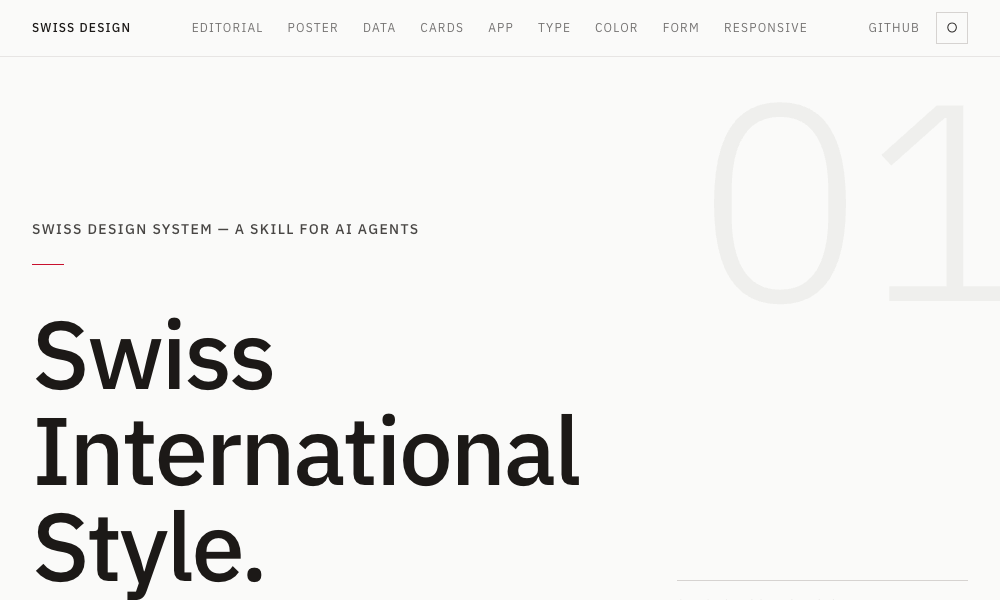
2. Swiss Design System Skill
- Overview: Bringing the legendary principles of the Swiss International Style to the terminal, this skill programs agents to prioritize strict grid systems, generous whitespace, and restrained typography.
- Capabilities: Instructs the agent in the deployment of grotesque sans-serif typefaces (such as Helvetica, Univers, and Neue Haas Grotesk). It references classical grid systems from Josef Müller-Brockmann and balances layouts to favor clarity and visual hierarchy over superficial ornamentation.
- Installation:
npx skills add zeke/swiss-design-skill
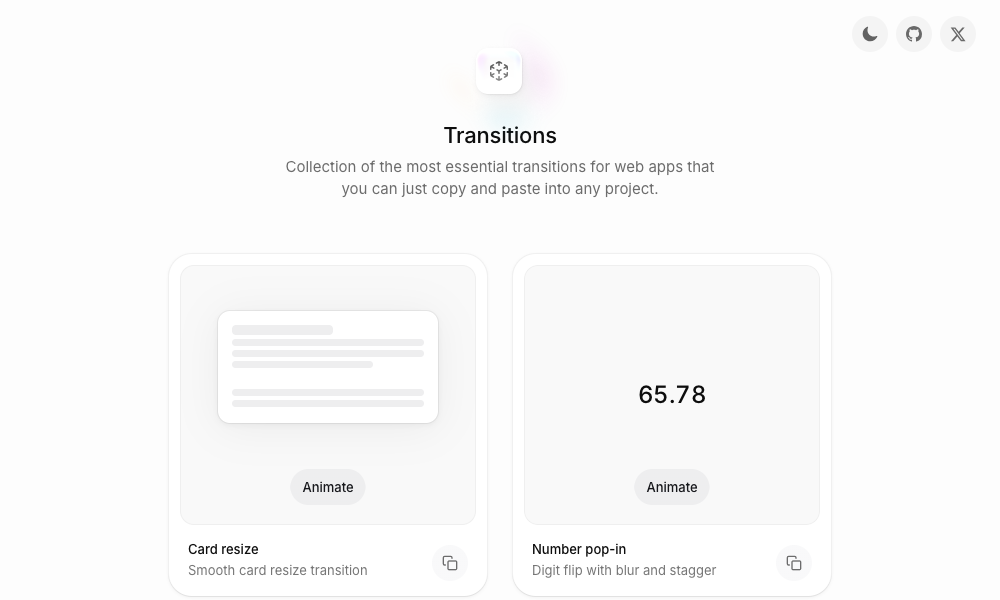
3. Transitions.dev
- Overview: Created by Jakub Antalik, this package bridges the gap between static component generation and fluid modern UI motion.
- Capabilities: Supplies a curated collection of nine essential UI transitions—ranging from dynamic card resizing and digit-flipping number pop-ins to diagonal notification badge slides. The agent applies pre-optimized, ready-to-use CSS directly to modals, dropdowns, and layout shifts.
- Installation: Referenced via GitHub repository at
github.com/Jakubantalik/transitions.dev
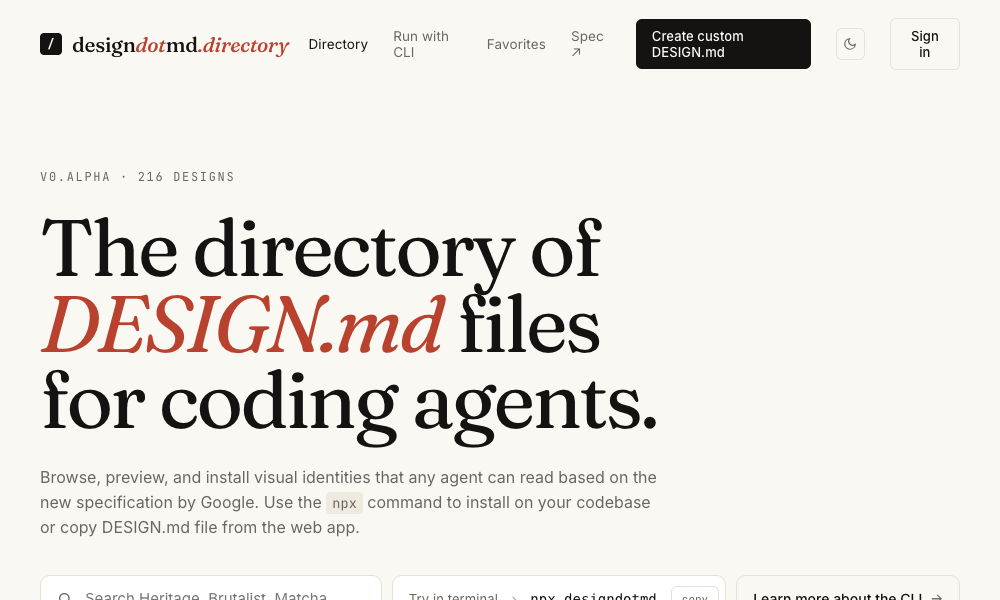
4. DESIGN.md Directory
- Overview: A zero-friction, highly accessible directory of modular
DESIGN.mdfiles representing complete, standalone design systems. - Capabilities: Each file outlines a comprehensive aesthetic regime, including color palettes, typography rules, spacing frameworks, and component specs. Developers simply copy the markdown file into their project root, allowing the agent to read and apply the design system automatically without CLI configuration.
5. Agents with Taste
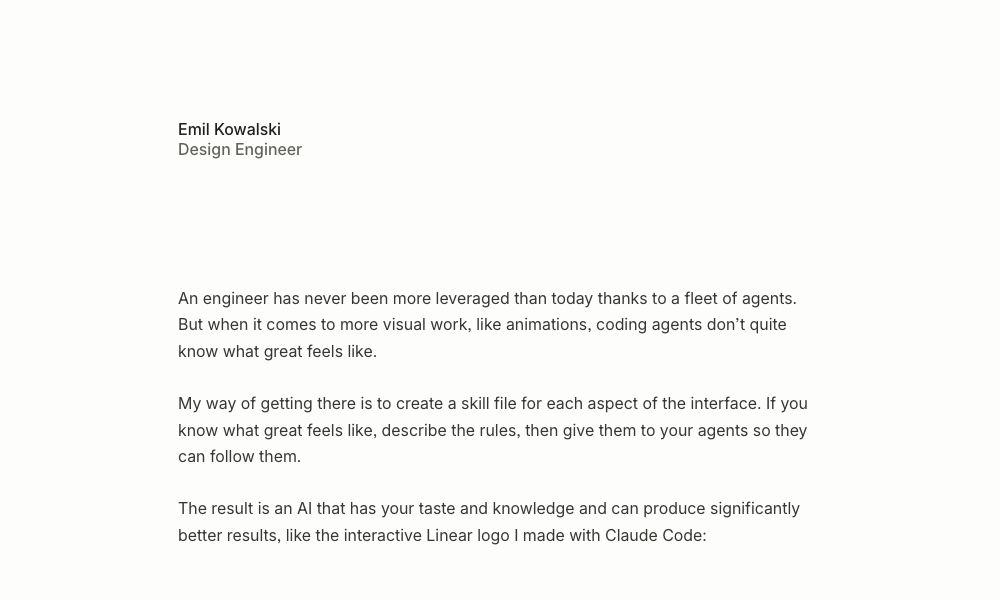
- Overview: Authored by prominent design engineer Emil Kowalski, this skill codifies professional animation and component philosophies derived from real-world open-source projects.
- Capabilities: Features an explicit easing-curve decision flowchart, precise duration guidelines (such as 100–150ms for micro-interactions versus 200–300ms for modals), and typography rules like capping body text line lengths at 65 characters to maximize readability.
- Installation:
npx skills add emilkowalski/skill
6. Hue App
- Overview: Built by Dominik Martin, Hue is an open-source skill designed to reverse-engineer brand identities.
- Capabilities: By pointing the tool at a URL, brand name, or screenshot, Hue analyzes the target aesthetic and generates a complete design system complete with color tokens, typography, spacing, and icon recommendations. It ships with 17 pre-built brand models.
- Installation:
git clone https://github.com/dominikmartn/hue ~/.claude/skills/hue
7. Refero Styles
- Overview: Directly connecting an AI agent to a massive visual search engine housing over 150,000 real app screens and 6,000 user flows from industry leaders like Stripe, Linear, Notion, and Figma.
- Capabilities: Allows agents to pull real product interface patterns on demand via an MCP (Model Context Protocol) server or by embedding generated
DESIGN.mdfiles directly into the workspace.
8. TypeUI Design Skills
- Overview: A versatile collection of optimized
SKILL.mdandDESIGN.mdfiles designed for compatibility across multi-agent environments, including Claude Code, Codex, Cursor, and local OpenClaw setups. - Installation:
npx typeui.sh pull [name]
9. UI/UX Pro Max Skill
- Overview: The most comprehensive and heavy-weight option on the market, featuring 161 distinct reasoning rules and 67 unique UI styles.
- Capabilities: Incorporates an advanced Design System Generator that analyzes user prompts (e.g., "a premium tour booking app") and formulates end-to-end UX rules, layout patterns, color tokens, and anti-patterns across React, Next.js, and Tailwind stacks.
- Installation:
npx ui-pro init
10. AI UX Playground
- Overview: A specialized library focusing exclusively on UX patterns built for AI-native products (such as ChatGPT, Claude, Perplexity, and Gemini interfaces).
- Capabilities: Provides documentation, real-world examples, and implementation instructions for designing conversational interfaces, streaming response behaviors, and prompt-engineering UI elements.
Official Responses and Industry Reception
The rapid adoption of executable design skills has sparked vibrant discussions across software development and design communities. Industry veterans and platform maintainers have largely welcomed the shift, viewing it as a natural maturity in human-AI collaboration.
- The Design Engineering Perspective: Leading design technologists argue that skills like Emil Kowalski’s Agents with Taste represent the democratization of nuanced craft. Rather than replacing designers, these tools act as force multipliers, ensuring that engineering-heavy teams do not ship products crippled by poor visual hierarchy and jarring animations.
- The Tooling Ecosystem Response: Major AI coding assistant platforms (including Anthropic, Cursor, and various open-source communities) have actively optimized their infrastructure to support modular markdown instructions. The standardization around
SKILL.mdandDESIGN.mdformats indicates an emerging interoperability standard across different AI coding environments. - Accessibility Advocates: Communities focused on web standards have praised the integration of strict color science skills—such as the OKLCH framework—noting that automated adherence to WCAG and APCA contrast ratios bakes accessibility compliance directly into the generative pipeline rather than treating it as an afterthought.
Implications: The Future of Design Knowledge
The transition from human-read style guides to machine-executable design rules carries profound implications for the future of digital product creation.
- Redefining the Designer’s Role:
As design knowledge shifts from static Figma frames to executable markdown rules, the role of the product designer is expanding. Designers are no longer just creators of visual artifacts; they are becoming rule-makers and system architects whose taste and logic are compiled into machine-readable formats. Those who master the articulation of design philosophy into executable parameters will wield unprecedented leverage over what AI agents build. - Eradicating Aesthetic Homogeneity:
The era of the "default AI look" is drawing to a close. By empowering coding agents with specific regional, historical, or brand-specific design languages—whether it is Swiss International typography or rigorous OKLCH color scales—teams can ensure their AI-generated outputs possess genuine character, distinction, and polish. - Frictionless Iteration:
With zero-friction integration methods like local markdown files and simple CLI commands, the barrier to upgrading an AI agent’s design capabilities has never been lower.
The path forward is clear: functional code is no longer enough. By equipping AI agents with structured design skills, the developer community is moving past the era of generic purple gradients and entering a new chapter where machine speed meets uncompromising human taste.