







By Tech and Productivity Desk
Published: October 2023
Main Facts: The Evolution of Desktop Compression
For years, users operating within the Apple macOS ecosystem have faced a persistent dilemma when managing digital assets. File compression and conversion applications have traditionally fallen into two distinct, frustrating categories: single-purpose, image-only tools that ignore the bloated footprints of modern videos and PDFs, or enterprise-grade, resource-heavy conversion suites that feel entirely like overkill for simple, everyday tasks.
Enter Dinky, a streamlined, free-to-use native Mac application designed to bridge this gap. Developed to handle images, videos, audio files, and PDFs entirely on-device, Dinky eliminates the security and privacy risks associated with cloud-based compression tools. Nothing a user drops into the application leaves their machine.
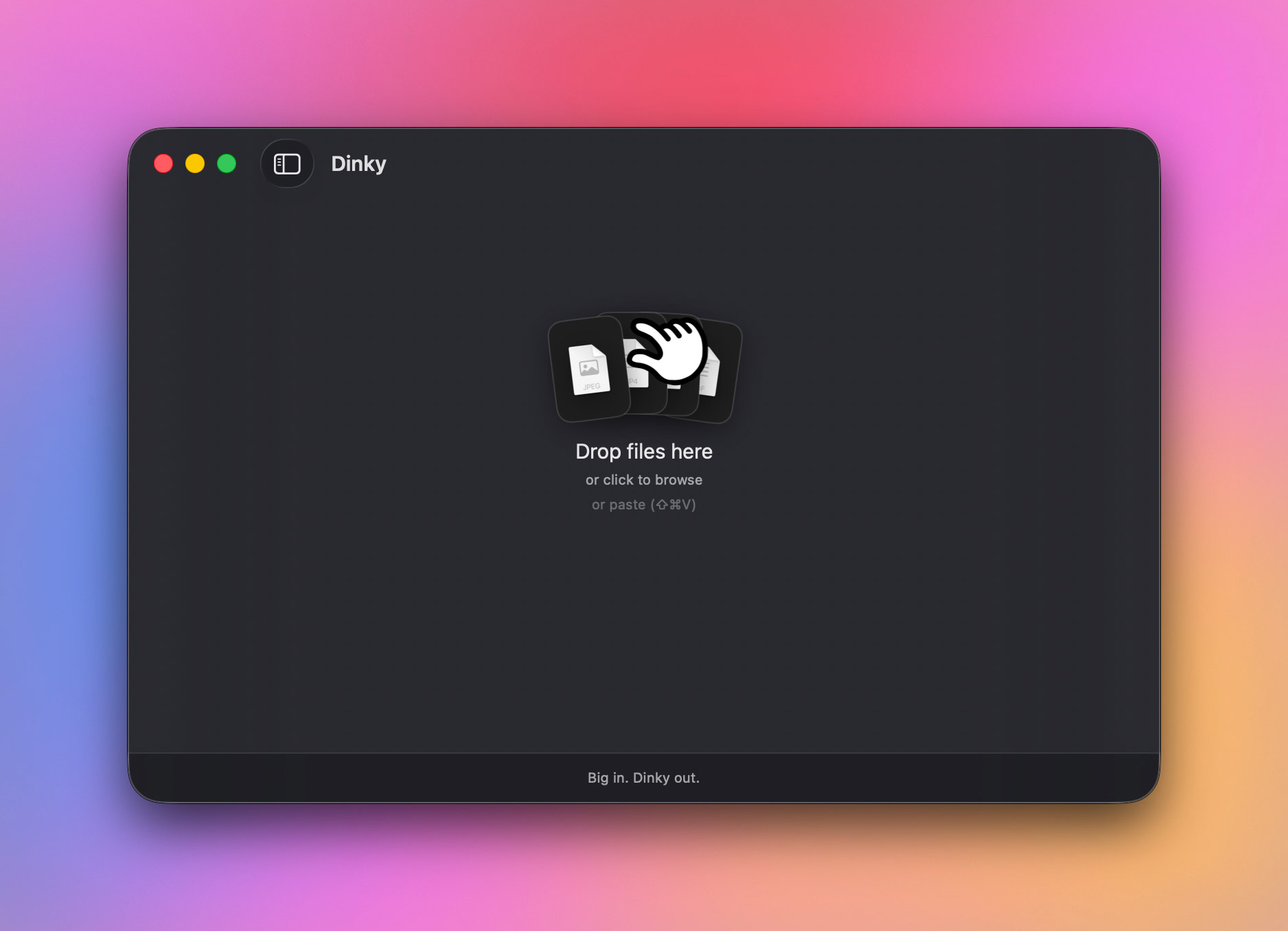
Operating on a frictionless drag-and-drop paradigm—supplemented by robust keyboard shortcuts, system clipboard integration, and URL-fetching capabilities—Dinky allows users to feed assets into the utility, select a tailored format or preset, and instantly receive optimized, significantly smaller files in return. Far from executing blind, one-size-fits-all compression, the software applies intelligent, format-specific algorithms to shrink digital footprints without sacrificing fidelity.
Chronology: From Single-Focus Utility to Comprehensive Powerhouse
To understand Dinky’s current market position, it is instructive to trace the software’s developmental trajectory:
- Phase 1: The Image-Only Genesis: In its earliest iterations, Dinky was conceived strictly as a lightweight utility meant to solve a single problem: quick image compression on macOS. It focused solely on reducing the byte size of JPEGs and PNGs for web developers and designers.
- Phase 2: Broadening Format Horizons: Recognizing that modern creative and administrative workflows rarely involve just static images, the developers expanded the core architecture. Support was systematically introduced for next-generation image codecs, followed by a transition into video conversion parameters centered around MP4 outputs.
- Phase 3: The Multi-Media Expansion: Audio encoding and decoding capabilities were integrated, bringing formats like FLAC, WAV, and AAC into the fold. Simultaneously, PDF processing engines were added, introducing crucial features like document flattening and optional on-device OCR (Optical Character Recognition).
- Phase 4: Automation and Workflow Integration: In its current state, Dinky has evolved beyond a simple utility window. The introduction of batch processing controls, parallel job management, customized presets, watch folders, and global system shortcuts (such as
Command+Shift+V) transformed the app into a systemic workflow accelerator for power users.
Supporting Data: Technical Specifications and Feature Breakdown
Dinky distinguishes itself from legacy compression tools through its granular, media-aware architecture. Rather than running every file through a generic compression filter, the application deploys specialized processing engines tailored to each unique file type:
1. Image Optimization Engine
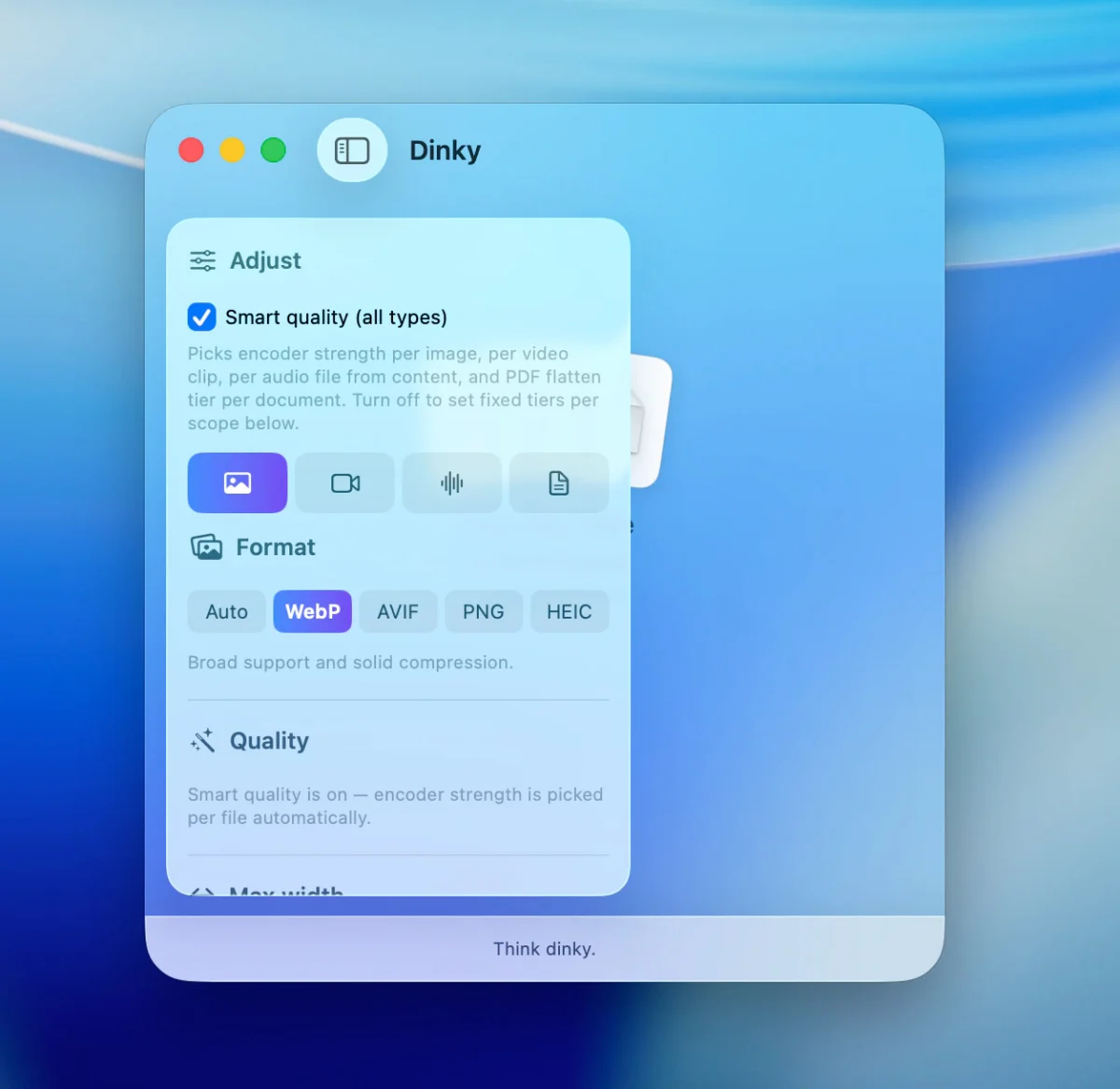
Images can be converted into modern, highly efficient formats including WebP, AVIF, HEIC, or optimized lossless PNG.
- Smart Quality: The app features an algorithmic toggle that detects whether an image resembles a photographic capture or a sharp-edged graphic, adjusting compression parameters dynamically.
- Granular Controls: Users can enforce strict boundary conditions, such as establishing maximum pixel widths or targeting specific file size ceilings.
2. Video Processing and Transcoding
Video assets are exported reliably to MP4 utilizing advanced codecs like H.264 or HEVC paired with flexible quality presets.
- FPS Capping: A standout inclusion for technical documentation and screen recording workflows is the optional frame-rate (FPS) cap. This feature allows creators to drastically reduce the size of software demos and UI recordings where ultra-smooth frame rates are unnecessary.
3. Audio Transcoding Suite
The app handles common audio formats with ease, allowing seamless conversion and compression across AAC, MP3, FLAC, WAV, ALAC, and AIFF files.
4. PDF Management and OCR
PDF handling is split into two distinct operational paths based on user intent:
- Flattening: Ideal for scanned documents or image-dense PDFs, this process bakes visual elements together to yield massive space savings.
- Structural Preservation: Retains active text layers, selectable fonts, and clickable hyperlinks for documents requiring active reference.
- On-Device OCR: For scanned documents lacking text layers, Dinky executes local Optical Character Recognition, ensuring the resulting compressed files remain fully text-searchable.
5. Automation, Watch Folders, and Batch Controls
For high-volume users, manual processing becomes a bottleneck. Dinky solves this via:
- Custom Presets: Bundle format specifications, quality targets, size restrictions, destination directories, and naming conventions into single-click configurations.
- Watch Folders: Operating silently in the background, designated folders automatically ingest and compress any dropped files according to pre-assigned rules.
- Parallel Processing: Users can dictate how many concurrent jobs run during batch processing, balancing CPU loads against processing speeds.
Official Responses and Developer Philosophy
While Dinky is distributed as a free utility, its creators have maintained a transparent posture regarding user data and software architecture. By refusing to route files through external cloud servers—a common practice among web-based PDF and video compressors that poses severe security risks for enterprise and legal documents—Dinky anchors its value proposition in absolute local autonomy.
Furthermore, in a nod to the developer and open-source community, the project provides open visibility into its codebase. Users and security auditors can inspect the source repository directly on GitHub, fostering a level of trust rarely found in freemium utility apps.
Developers have also addressed the anxiety surrounding file management through meticulous safety features. When processing files, Dinky offers explicit control over original assets: users can elect to retain originals in place, automatically route them to the macOS Trash, or archive them into a dedicated backup folder. This counters the primary user hesitation associated with compression software—the accidental overwriting or permanent loss of master files.
Implications: How Dinky Reshapes Productivity on macOS
The release and maturation of tools like Dinky carry several broader implications for digital creators, remote workers, and administrative professionals operating within the Apple ecosystem:
The Shift Toward Local-First Processing
In an era dominated by cloud-tethered software-as-a-service (SaaS) models, Dinky represents a refreshing counter-trend. By leveraging the increasingly powerful Apple Silicon architectures (M1, M2, M3, and M4 chips), applications can perform heavy video encoding, OCR processing, and batch image conversions locally in seconds. This eliminates subscription fatigue, bandwidth consumption, and potential privacy liabilities associated with uploading sensitive documents to third-party web servers.
Streamlining Micro-Workflows
For professionals who handle dozens of media assets daily—such as content creators optimizing thumbnails, support teams sending screen-recorded bug reports, or administrative staff compressing scanned client contracts—the accumulation of small friction points degrades daily productivity. Features like the global clipboard shortcut (Command + Shift + V) and direct URL ingestion (supporting files up to 500 MB) remove repetitive mechanical steps from the creative process.
Accessibility and Open Access
By offering a tool that matches or exceeds the feature sets of commercial, paid batch-processors while remaining entirely free and open-source-adjacent via GitHub, Dinky lowers the barrier to digital efficiency. It proves that utility software on macOS does not need to be bloated with subscription paywalls or invasive telemetry to deliver professional-grade results.
As digital file sizes continue to balloon alongside higher-resolution smartphone cameras, 4K/8K video standards, and uncompressed document scans, efficient local asset management is no longer a luxury—it is a necessity. Dinky provides a sophisticated, privacy-respecting blueprint for how modern desktop utilities should operate.