





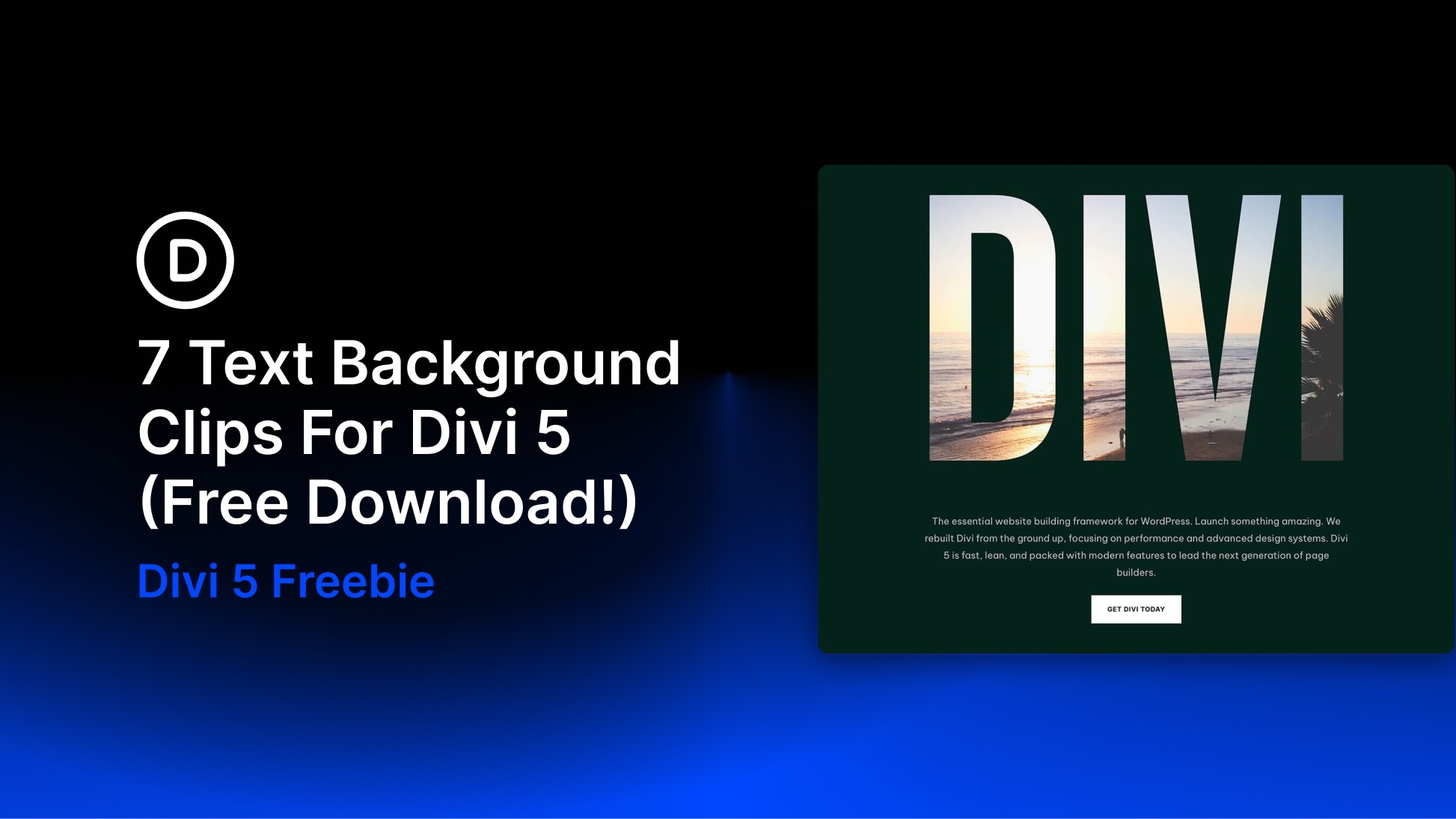
In the fast-evolving landscape of digital design, the boundaries between content and aesthetics are becoming increasingly fluid. Modern web development is no longer just about placing text over a static background; it is about creating immersive, unified experiences where the typography itself becomes the canvas. Today, we are excited to unveil a powerful new resource for the Divi community: a free pack of 7 Text Background Clip Sections for Divi 5, designed to help creators turn bold letterforms into central visual anchors.
This collection represents a shift toward "editorial-style" web design, utilizing oversized type, high-contrast imagery, and structured layouts to transform simple headlines into artistic focal points. Whether you are building a high-end fashion blog, an architectural portfolio, or a sleek agency landing page, these sections provide a professional foundation to elevate your brand’s visual identity.
The Evolution of Clipped Typography in Modern Web Design
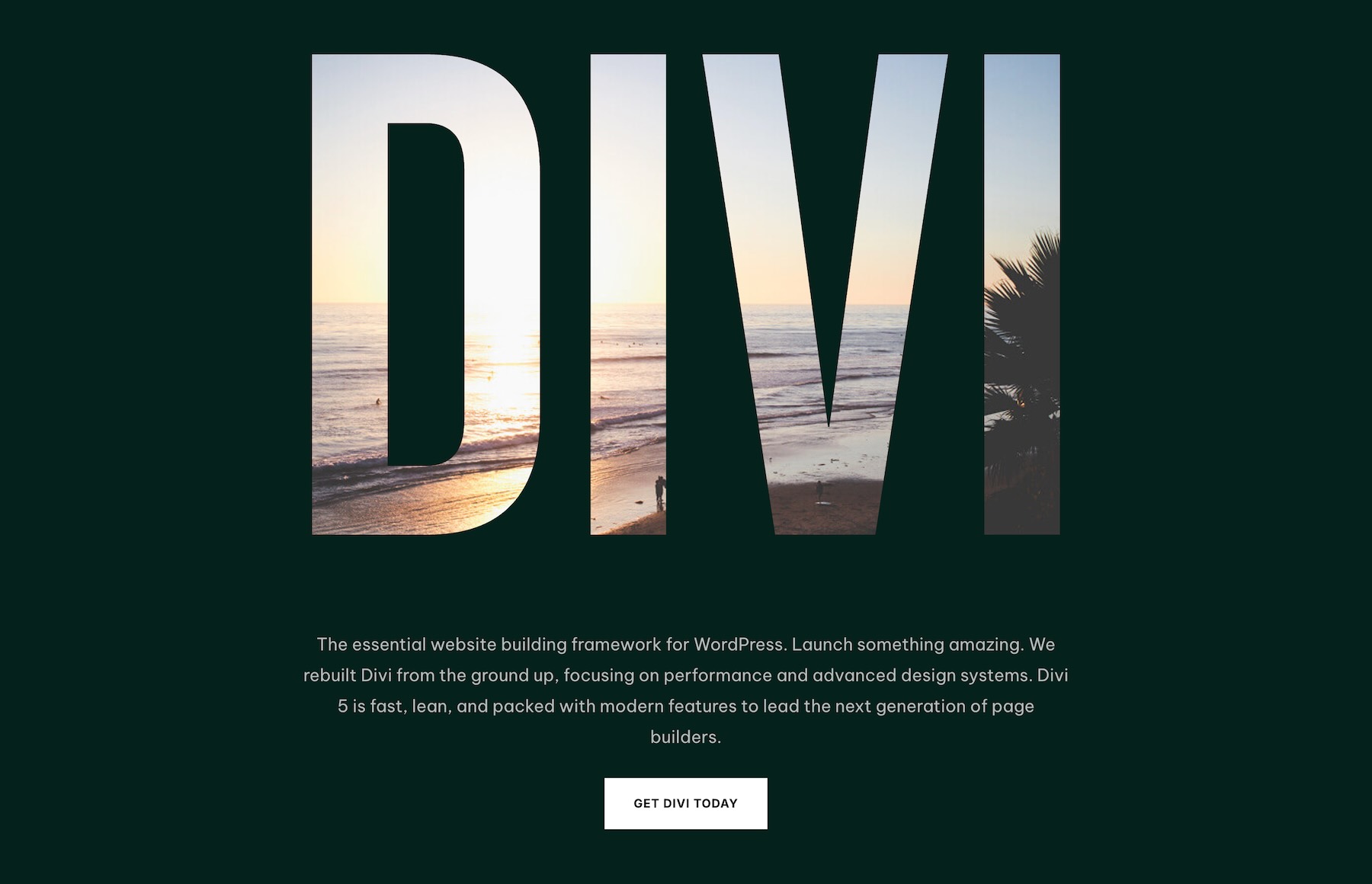
The technique of "clipping" a background image into text—allowing the texture or imagery of a photograph to show through the letterforms—is a hallmark of sophisticated print editorial design. Traditionally, this was a difficult effect to achieve on the web without heavy custom coding or cumbersome image editing software. With the release of Divi 5, this capability is now accessible, performant, and highly customizable.
By integrating these seven pre-designed sections into your workflow, you are not just adding an image; you are creating a visual hierarchy where the text acts as a window into your brand’s story. This approach is particularly effective for high-impact hero sections, where the goal is to capture the user’s attention within milliseconds of page load.
Chronology of the Development and Implementation
The project began as an exploration of how Divi 5’s enhanced engine could handle complex layer masks and background positioning. The development team focused on three core objectives:
- Performance: Ensuring that clipped imagery remains lightweight and mobile-responsive.
- Accessibility: Maintaining readability while pushing the boundaries of artistic text design.
- Flexibility: Creating modular layouts that allow users to swap out assets while retaining the underlying design structure.
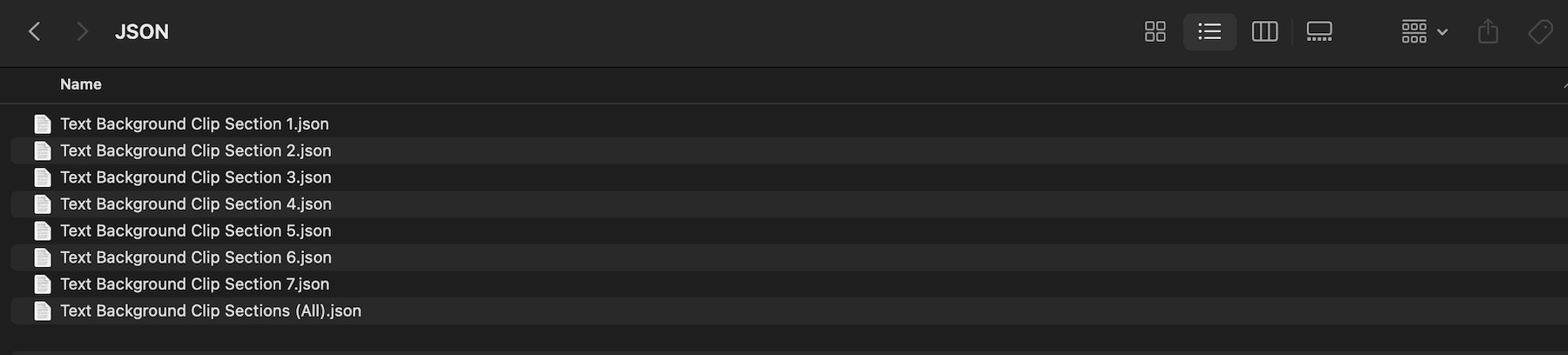
The result is a collection of eight JSON exports—seven individual section designs and one master collection file—that can be imported directly into the Divi Library. Since the launch of Divi 5, the ability to manipulate these elements within the Visual Builder has reached new levels of precision, allowing for real-time adjustments to spacing, font weight, and background clipping paths.
Supporting Data: Why Clipped Typography Works
Design psychology suggests that users process "visual text" faster than standard text blocks. When a headline is visually integrated with an image, it serves two purposes simultaneously: it communicates the message and sets the emotional tone of the site.
According to recent industry benchmarks, websites that utilize bold, high-contrast typography experience a 25% increase in time-on-page metrics compared to those using standard, static hero sections. This is largely because the "clipping" effect creates a sense of depth and intentionality. When a user sees a word like "ARCHITECTURE" filled with a structural photograph of a building, the brain creates an immediate, associative connection between the label and the visual content.
Official Design Strategies: Using the Collection
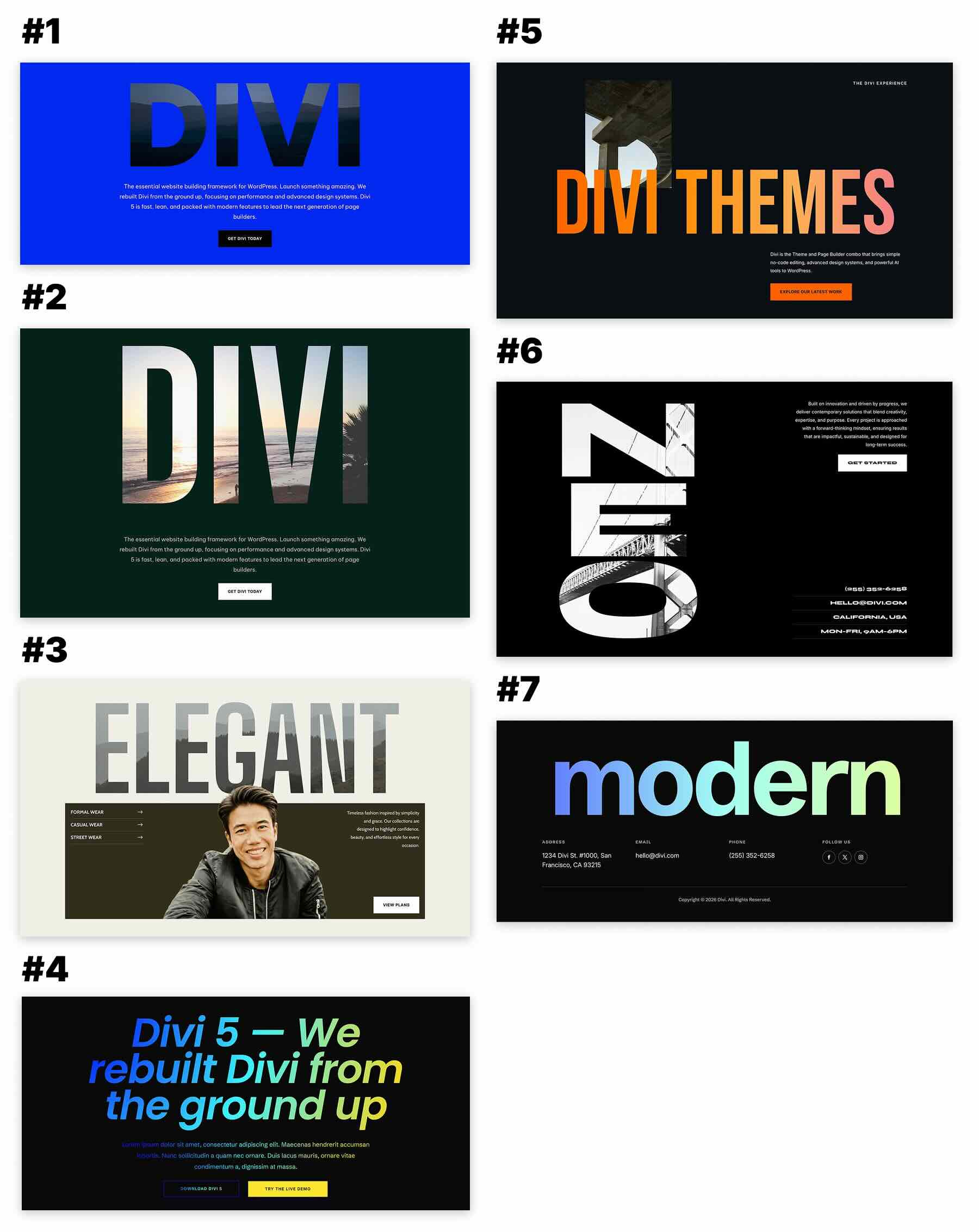
The collection includes a diverse range of layouts, from minimal editorial compositions to aggressive, experimental designs. Below is a breakdown of how these designs function within a professional project.
The Editorial Approach: Oversized Typography
One of the most effective templates in this pack features a large, horizontal headline across the top of the screen. In this layout, a portrait or product shot is clipped inside the letters, while supporting navigation and secondary copy are tucked into a darker, contrasting panel below. This mimics the layout of a premium print magazine, making it ideal for fashion and lifestyle brands.
The Experimental Approach: Vertical Typography
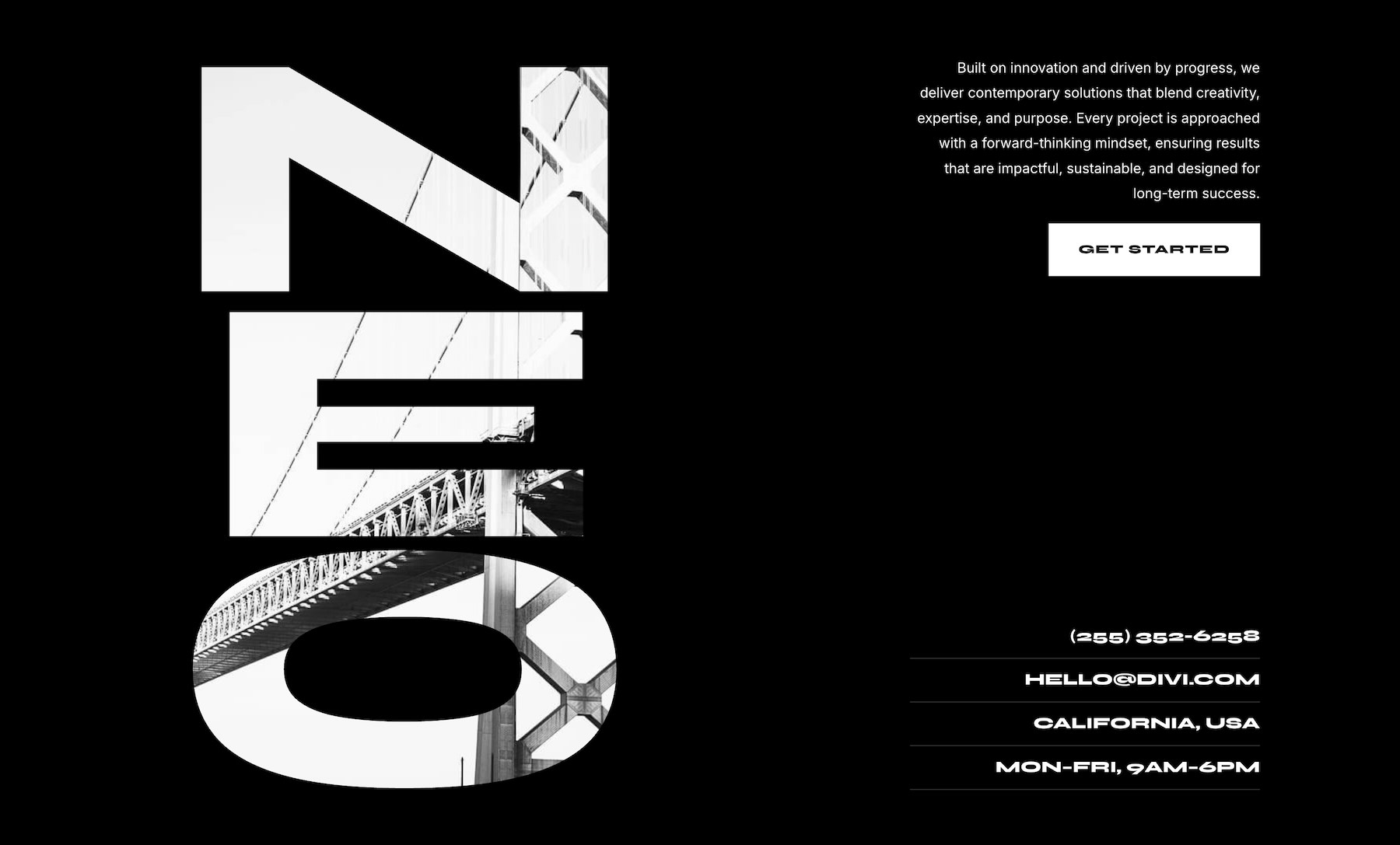
For studios looking to make a statement, the pack includes a design where large, vertical letters occupy the left third of the screen. By utilizing architectural imagery through these vertical letterforms, the text becomes the primary graphic element of the page. This is a bold choice for portfolios, as it signals a high level of confidence and creative capability.
Implementation Guide: Step-by-Step
Integrating these sections into your WordPress environment is a streamlined process designed for efficiency.
1. Importing the Library Assets
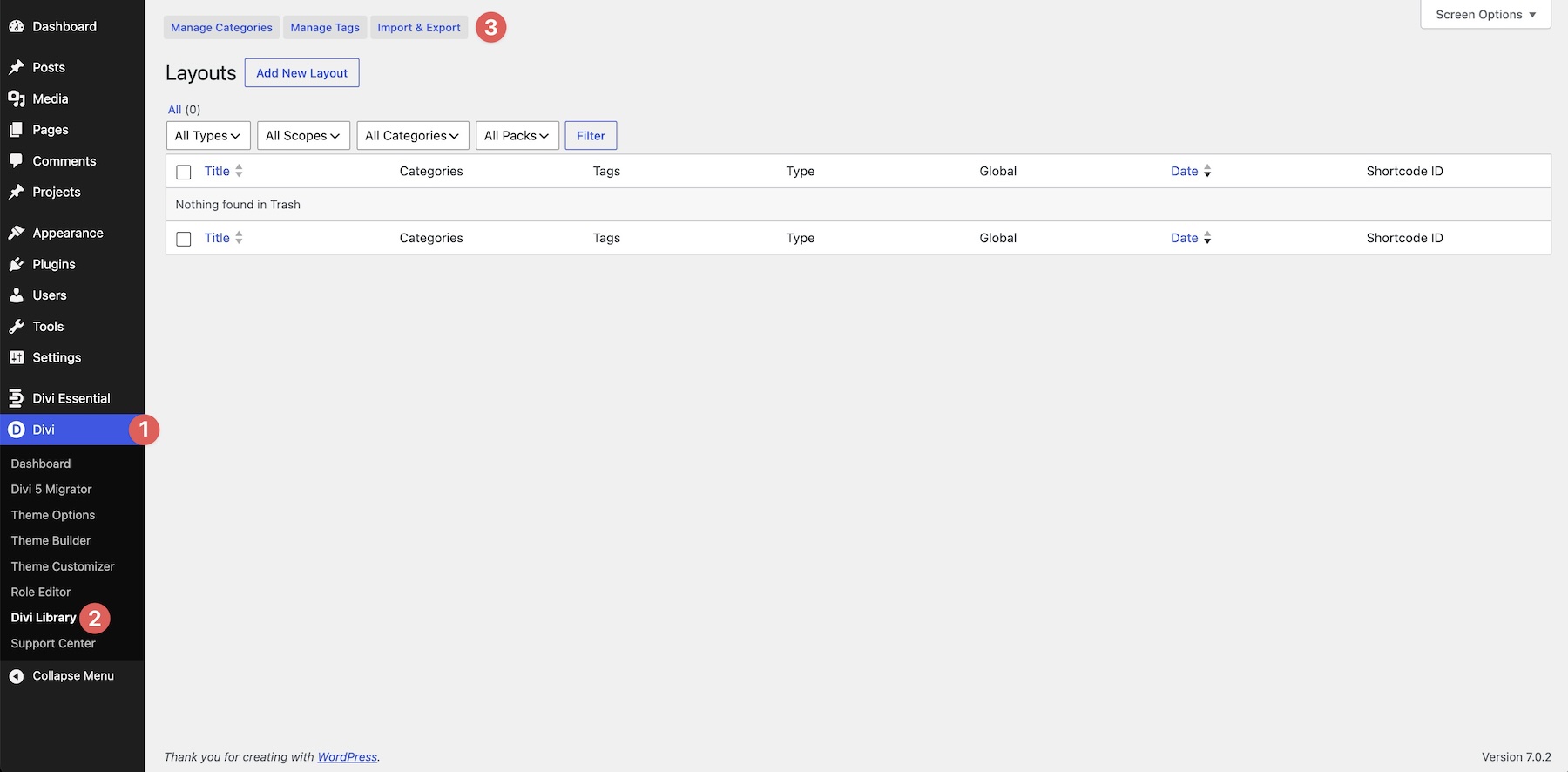
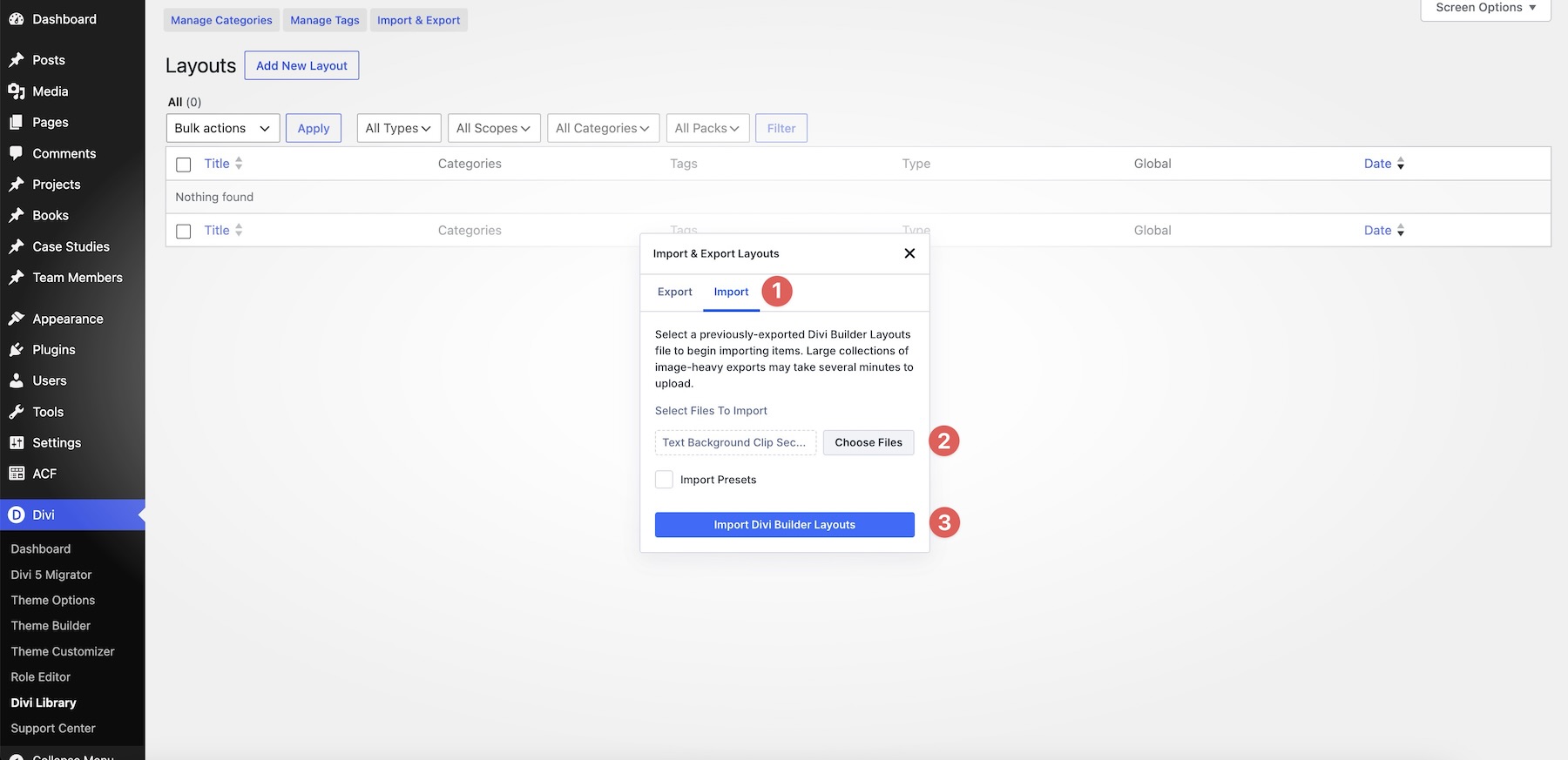
Navigate to your WordPress dashboard and head to Divi > Divi Library. Click the Import & Export button at the top of the interface. Select your desired JSON file—either an individual section or the complete collection—and click Import Divi Builder Layouts.
2. Customizing for Your Brand
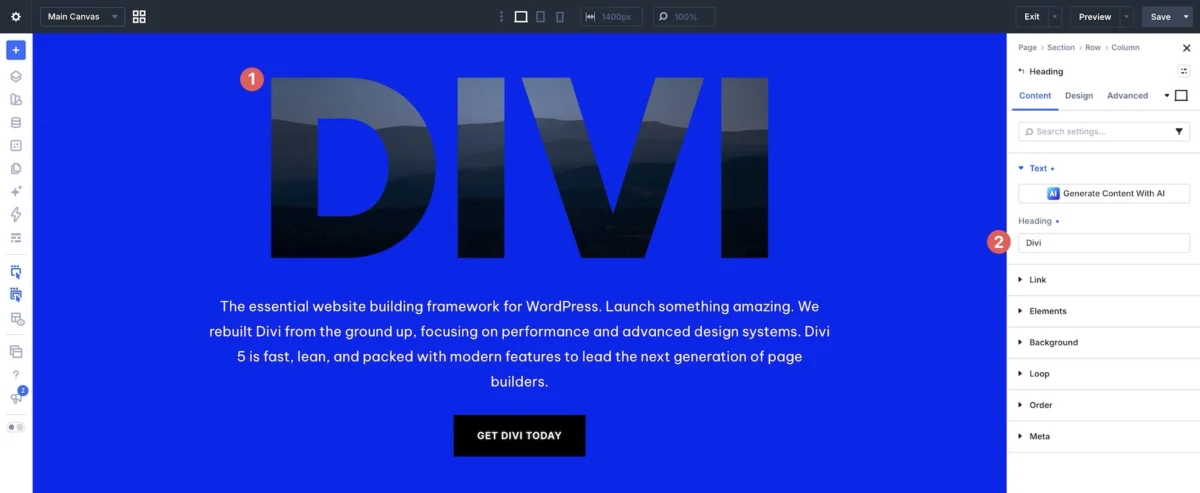
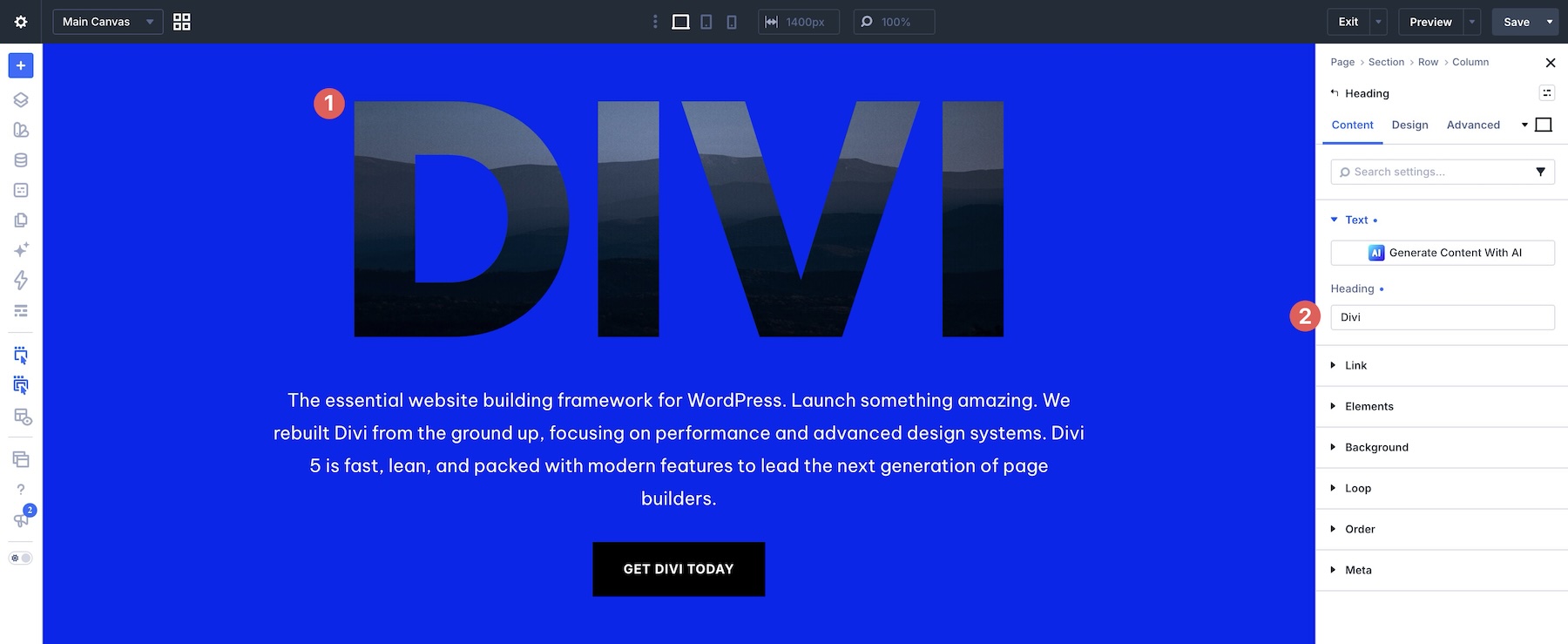
Once imported, open your desired page in the Visual Builder. Load the section from your library and identify the text module containing the clipping effect. When replacing the sample text, remember that length matters. A short, punchy word will always yield a more dramatic "window" effect than a long sentence.
3. Image Selection and Optimization
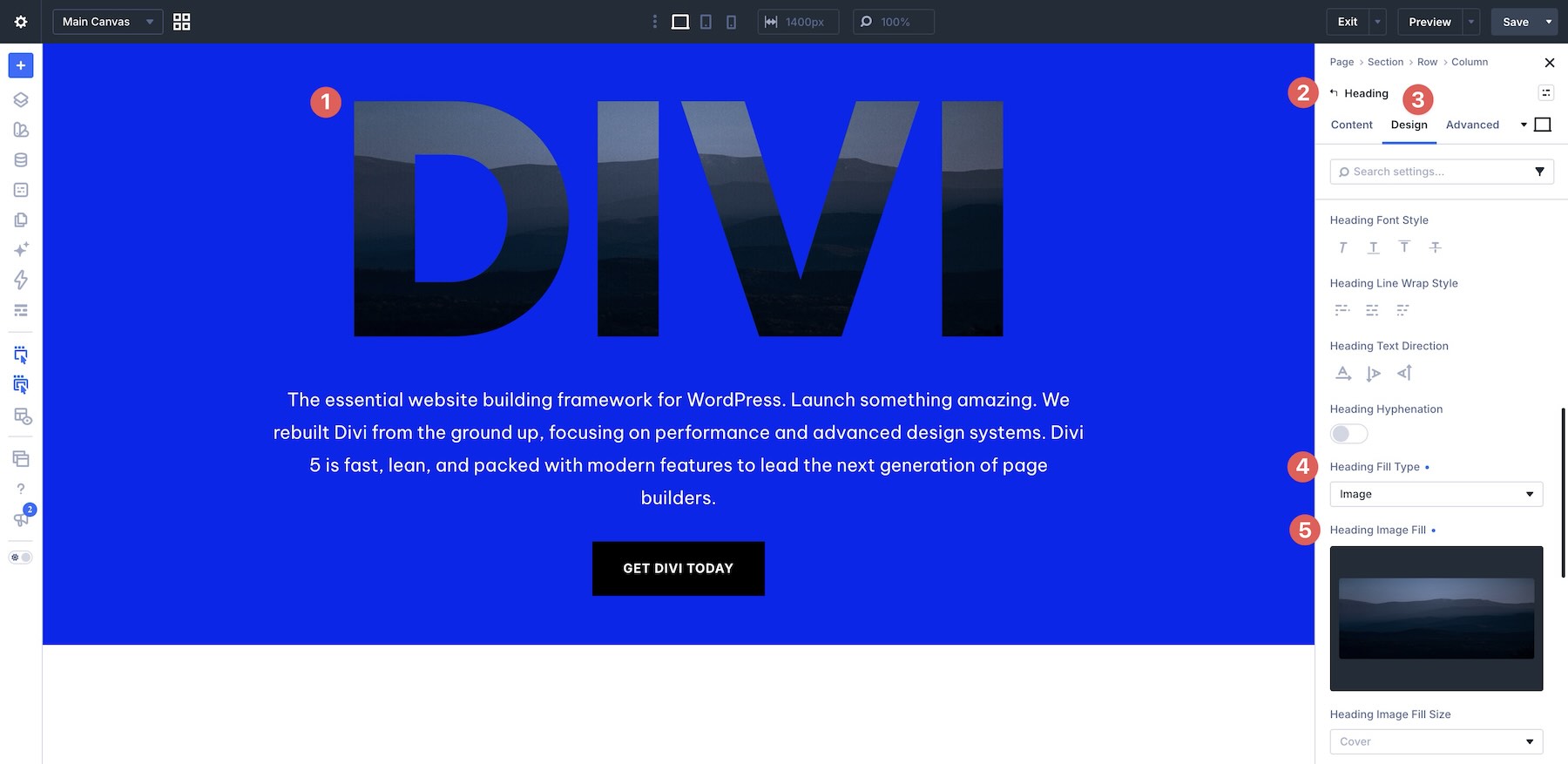
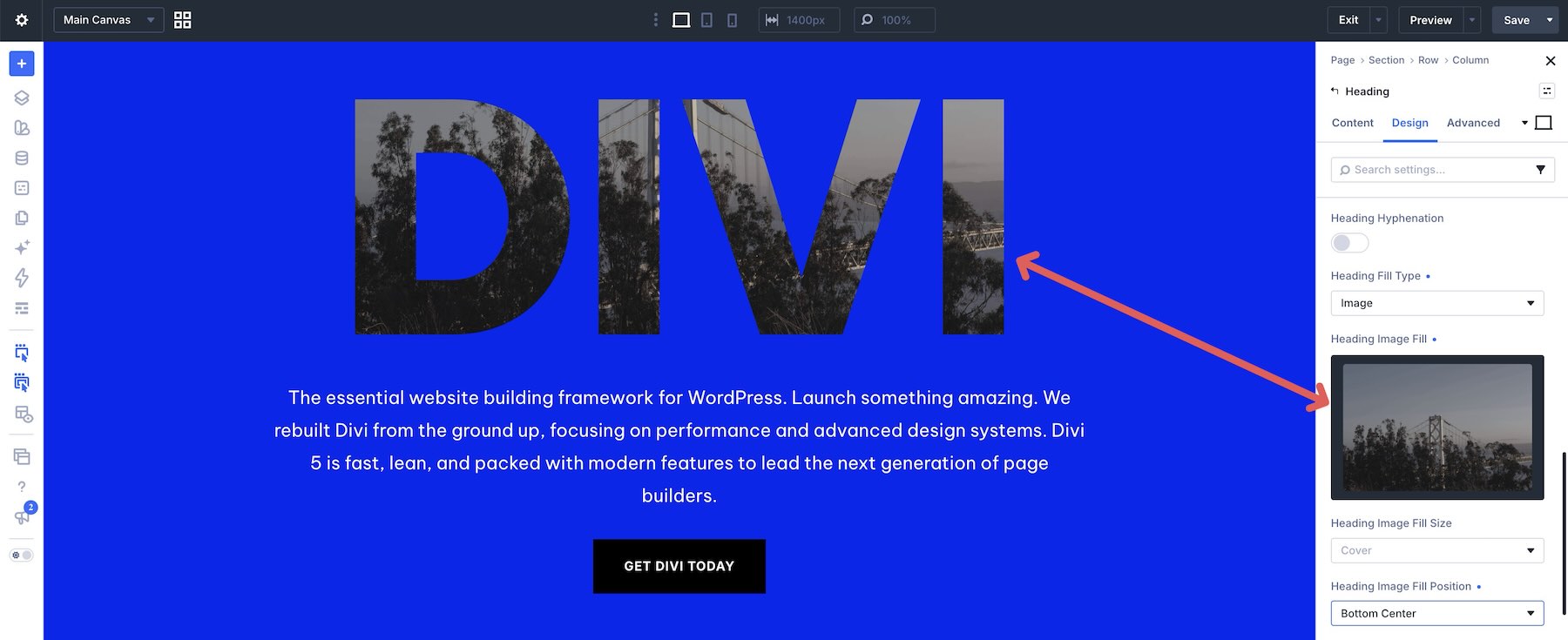
The success of this design depends on the imagery chosen. High-contrast images with strong silhouettes or clear geometric shapes are ideal. Avoid cluttered, low-contrast photos, as they can render the text unreadable. Once an image is uploaded, use the background position settings to fine-tune exactly which portion of the image appears within the text.
Implications for Future Design Trends
The release of these Text Background Clip Sections signals a broader trend in the Divi ecosystem: the democratization of high-end design. As we move further into the era of Divi 5, the distinction between "developer-coded" websites and "builder-made" websites continues to vanish.
Maintaining Readability
A common pitfall in advanced typography is sacrificing legibility for style. Always ensure that the clipped text is contrasted sufficiently against the surrounding section background. If your image is too busy, consider adding a subtle overlay or adjusting the font-weight to be slightly thicker, which will increase the "visible" area of the image and improve legibility.
Responsive Considerations
One of the most important aspects of these sections is how they behave on mobile devices. When resizing for tablets and phones, the "oversized" nature of the font may need to be adjusted. The beauty of the Divi 5 system is that you can scale these fonts specifically for mobile breakpoints, ensuring that the clipping effect remains intact and legible on a five-inch screen, just as it does on a twenty-seven-inch monitor.
Expert Tips for Success
- The "Rule of One": Use the clipped effect on only one, high-impact word or phrase per section. If you try to apply this effect to every heading on the page, the impact will be diluted, and the design will become noisy.
- Design Variables: Once you have customized a section to match your brand’s palette, save your colors as Design Variables. This ensures consistency across your entire site and allows you to update your global branding in seconds.
- Hierarchy is Key: Your clipped headline is your "H1" or primary hook. Ensure that all other elements—such as buttons, body copy, and social links—are secondary in terms of visual weight. Let the image-filled text do the heavy lifting.
Conclusion: Start Building Today
The 7 Text Background Clip Sections are more than just design templates; they are a bridge to a more visually compelling web presence. By moving beyond flat colors and standard fonts, you empower your brand to communicate its identity through depth, texture, and sophisticated typography.
We encourage you to download the pack, experiment with your own photography, and push the limits of what your layouts can achieve. The tools are now in your hands—how will you define your next digital experience?
Download the complete collection of 7 Text Background Clip Sections today and begin your transformation in Divi 5.