







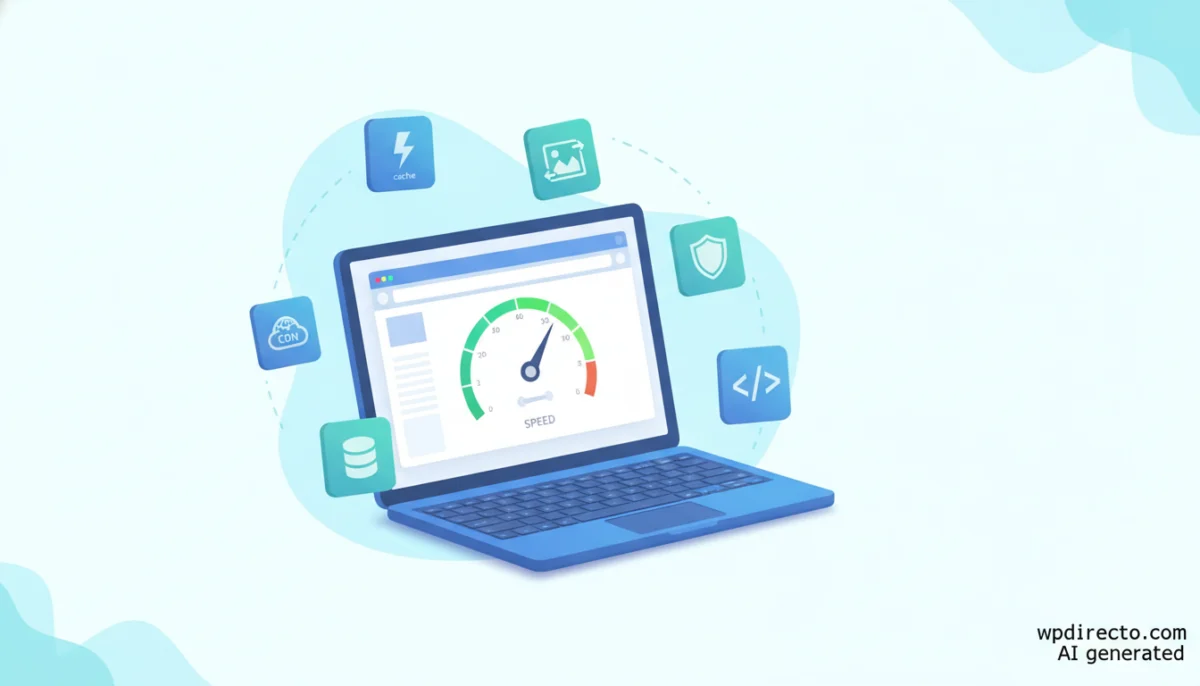
LONDON — In the ever-evolving ecosystem of WordPress optimization, a persistent myth suggests that achieving top-tier site speed requires a continuous subscription to premium plugins. However, a recent comprehensive guide published by the image optimization platform Imagify challenges this notion, arguing that a meticulously curated stack of free tools can successfully manage caching, image compression, database housekeeping, asset delivery, and security without costing a single cent.
Released on July 30, 2026, the guide outlines 12 essential free plugins designed to transform a sluggish WordPress installation into a high-speed asset. Yet, the release has ignited discussions within the web development community regarding editorial bias, ecosystem transparency, and the fundamental limitations of relying exclusively on freemium plugins for mission-critical web performance optimization (WPO).
Main Facts: What the Free WPO Guide Proposes
The core premise of the Imagify guide is straightforward: a fast WordPress site does not inherently demand expensive software licenses. By selecting the right free tools and avoiding feature overlaps, administrators can cover all vital optimization vectors.
The guide establishes stringent criteria for any plugin earning a spot in a performance stack:
- Market Adoption: A minimum threshold of 100,000 active installations.
- Maintenance: Consistent and timely updates from the developer.
- Resource Footprint: The plugin must not introduce performance overhead of its own.
- Single-Purpose Focus: It should execute one primary function exceptionally well rather than attempting a bloated, all-in-one approach.
Furthermore, the publication emphasizes installation order and the avoidance of redundant software. Running two caching plugins or multiple minification tools concurrently frequently generates software conflicts, broken scripts, and worse performance metrics than running no optimization at all.
Chronology: The Evolution of Free vs. Premium WordPress Tooling
To understand the context of the July 2026 Imagify guide, it is necessary to examine how the WordPress optimization market has evolved over the past decade:
- 2015–2018: The early era of WPO was dominated by complex, highly technical free plugins like W3 Total Cache and WP Super Cache. Configuration often required advanced server knowledge, leading to frequent site crashes for inexperienced users.
- 2019–2022: The market shifted toward user-friendly, premium "all-in-one" solutions. Tools like WP Rocket popularized the plug-and-play optimization model, cementing the idea that speed required a paid license. Concurrently, specialized image compression services emerged, introducing freemium models with strict monthly limits.
- 2023–2025: Core Web Vitals became a definitive Google ranking factor, raising the stakes for site owners. Lightweight, surgical plugins (such as script managers and lazy-loading tools) gained prominence as developers realized that heavy optimization suites could sometimes harm performance.
- July 2026: Imagify publishes its 12-plugin free toolkit guide. While it democratizes optimization techniques, industry analysts immediately point out the symbiotic relationship between the recommended free tools and the commercial parent company behind them.
Supporting Data: The 12-Plugin Breakdown
The selected tools span six distinct categories essential for a comprehensive WPO strategy. Each category balances powerful free features against specific commercial limitations.
| Optimization Area | Recommended Free Plugins | Primary Limitation of the Free Tier |
|---|---|---|
| Caching | W3 Total Cache, WP Fastest Cache | Advanced features (Fragment Cache, database optimization) reserved for Pro/Premium versions. |
| Images | Imagify, ShortPixel | Monthly caps: 20 MB for Imagify, 100 images for ShortPixel. |
| Security | Wordfence Security, Solid Security | Delayed malware signatures (30-day lag on free Wordfence rules). |
| Database Cleanup | WP-Optimize, Advanced Database Cleaner | Scheduled automated cleanups and deep scans require paid licenses. |
| CSS & JavaScript | Autoptimize, Asset CleanUp | Advanced conditional rules and granular script management restricted to paid tiers. |
| Lazy Loading & CDN | Lazy Load by WP Rocket, Cloudflare | Standard free tiers cover basic use cases; enterprise features require payment. |
1. Caching and Images: The Foundation of Speed
For page caching, the guide splits recommendations based on user expertise. W3 Total Cache provides granular control over page, browser, object, and database caching, though advanced features remain locked behind a paywall. Conversely, WP Fastest Cache offers a streamlined, low-configuration approach geared toward beginners.
In the realm of visual assets, Imagify takes center stage by automatically compressing images and converting them to next-generation formats like WebP and AVIF. The guide highlights a dramatic test case where a 1.97 MB cover image was reduced to 37.4 KB in AVIF format—a staggering 98.14% reduction. However, independent developers note that such results are extreme outliers; real-world compression savings heavily depend on the source material’s composition. ShortPixel serves as a viable alternative, though its free tier caps users at 100 images per month.
2. Security and Database Maintenance
While security plugins are rarely discussed in the context of speed, compromised sites or traffic spikes from botnets severely degrade server performance. Wordfence Security and Solid Security protect sites from brute-force attacks and malware. However, the free version of Wordfence delays its threat signature updates by 30 days, leaving sites vulnerable to newly emergent exploits.
For database hygiene, WP-Optimize and Advanced Database Cleaner strip away post revisions, spam comments, and transient options. Because WP-Optimize also includes caching and image compression, administrators must exercise caution to prevent feature duplication with other installed plugins.
3. Asset Management, Lazy Loading, and CDNs
To streamline frontend delivery, Autoptimize and Asset CleanUp handle script minification and conditional loading. Asset CleanUp is particularly powerful, allowing administrators to disable unused CSS and JavaScript on a per-page basis. However, misconfiguring these tools can easily break site layouts.
The stack concludes with Lazy Load by WP Rocket (which defers offscreen media) and Cloudflare’s free CDN, which distributes static assets globally across edge servers.
Official Responses and Industry Perspectives
The release of the Imagify guide triggered immediate debate regarding industry transparency. Independent WordPress consultants and SEO specialists analyzed the list and highlighted a glaring conflict of interest: Imagify is owned by the same parent entity as WP Rocket.
While the guide presents itself as an objective educational resource for budget-conscious site owners, several recommendations are proprietary products of the same corporate family. Furthermore, notable community favorites—such as LiteSpeed Cache, the default high-performance choice for servers running LiteSpeed architecture—were relegated to the footnotes and FAQ sections rather than featured as top-tier solutions.
Industry representatives defended the guide, noting that the recommended tools are genuinely functional and widely utilized across the WordPress ecosystem. They argued that providing a freemium roadmap empowers small business owners who lack the budget for enterprise-grade software licenses.
Implications: What This Means for WordPress Site Owners
Navigating the landscape of WordPress optimization in 2026 requires a balanced, critical mindset. The key takeaways for developers, agencies, and site administrators include:
- Beware the Illusion of Total Cost: While free plugins eliminate software licensing fees, they often demand a higher investment in configuration time, monitoring, and troubleshooting. Furthermore, hitting monthly limits on free image optimization tools can force unexpected upgrades.
- The Danger of Software Bloat: Stacking multiple free plugins to achieve what a single well-coded tool can do often results in database bloat, compatibility conflicts, and slower overall execution times.
- Server Infrastructure Matters Most: No optimization plugin can rescue a fundamentally underpowered hosting environment. Caching and minification merely mask the symptoms of substandard server hardware or inadequate PHP resource allocations.
- Editorial Discernment is Essential: Site owners must evaluate tool recommendations based on technical merit rather than brand marketing. Cross-referencing performance guides with independent benchmarks remains the safest path to a robust WordPress architecture.
Ultimately, achieving a lightning-fast WordPress site on a zero-dollar software budget is entirely feasible, but it demands technical discipline, careful vetting of plugins, and a clear understanding of where free tools ultimately draw their operational boundaries.