







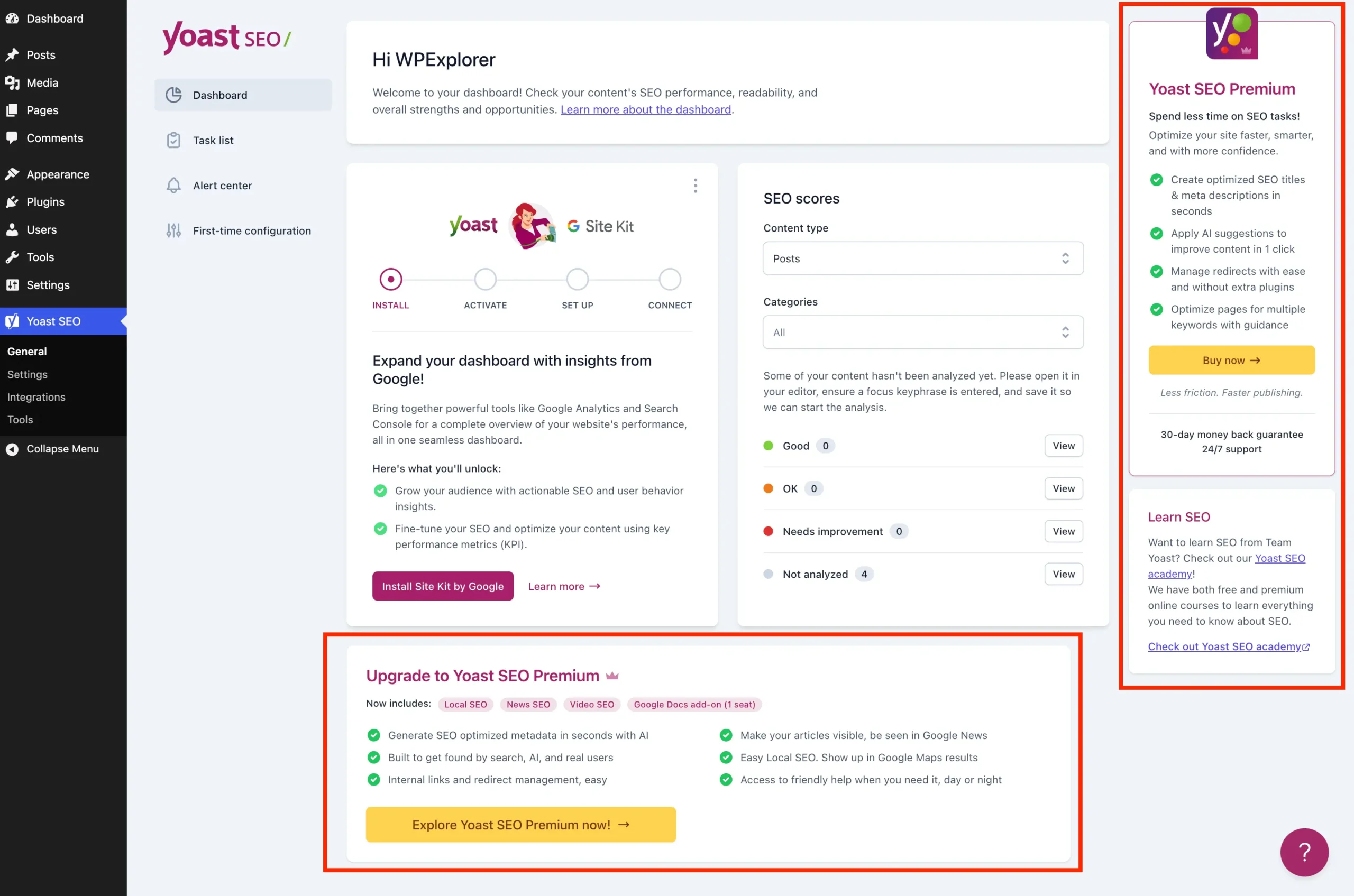
For millions of WordPress administrators, Yoast SEO is the industry standard for search engine optimization. Since its inception, the plugin has evolved from a simple meta-tag editor into a comprehensive suite of tools designed to guide users toward better rankings. However, as the plugin has scaled, so has its marketing presence within the WordPress admin dashboard. For professional developers, agency owners, and minimalist site managers, the constant barrage of "upsell noise"—premium upgrade banners, sidebar advertisements, and locked feature notifications—has become a point of contention.
This article explores the landscape of Yoast SEO’s administrative interface, provides a chronological look at how these elements have proliferated, and offers a technical roadmap for those looking to reclaim a clean, distraction-free environment without sacrificing the plugin’s core functionality.
The Evolution of the "Upsell" Model
The "freemium" business model is a cornerstone of the WordPress ecosystem. It allows developers to provide robust, free tools to the community while sustaining development through premium tiers. Yoast SEO, arguably one of the most successful implementations of this model, provides a highly capable free version that covers basic sitemaps, meta-description management, and content analysis.
However, over the last several years, the "premium" version of the plugin has gained significant feature sets, including AI-generated titles, advanced redirect managers, and internal linking suggestions. To convert free users, Yoast has integrated aggressive promotional UI elements directly into the WordPress admin area. While these prompts are effective for conversion, they often clutter the workspace. For a site administrator managing dozens of client sites, these distractions add up, turning a simple SEO task into a navigation exercise around marketing banners.

Understanding the "Noise"
The administrative bloat caused by Yoast SEO generally manifests in four distinct areas:
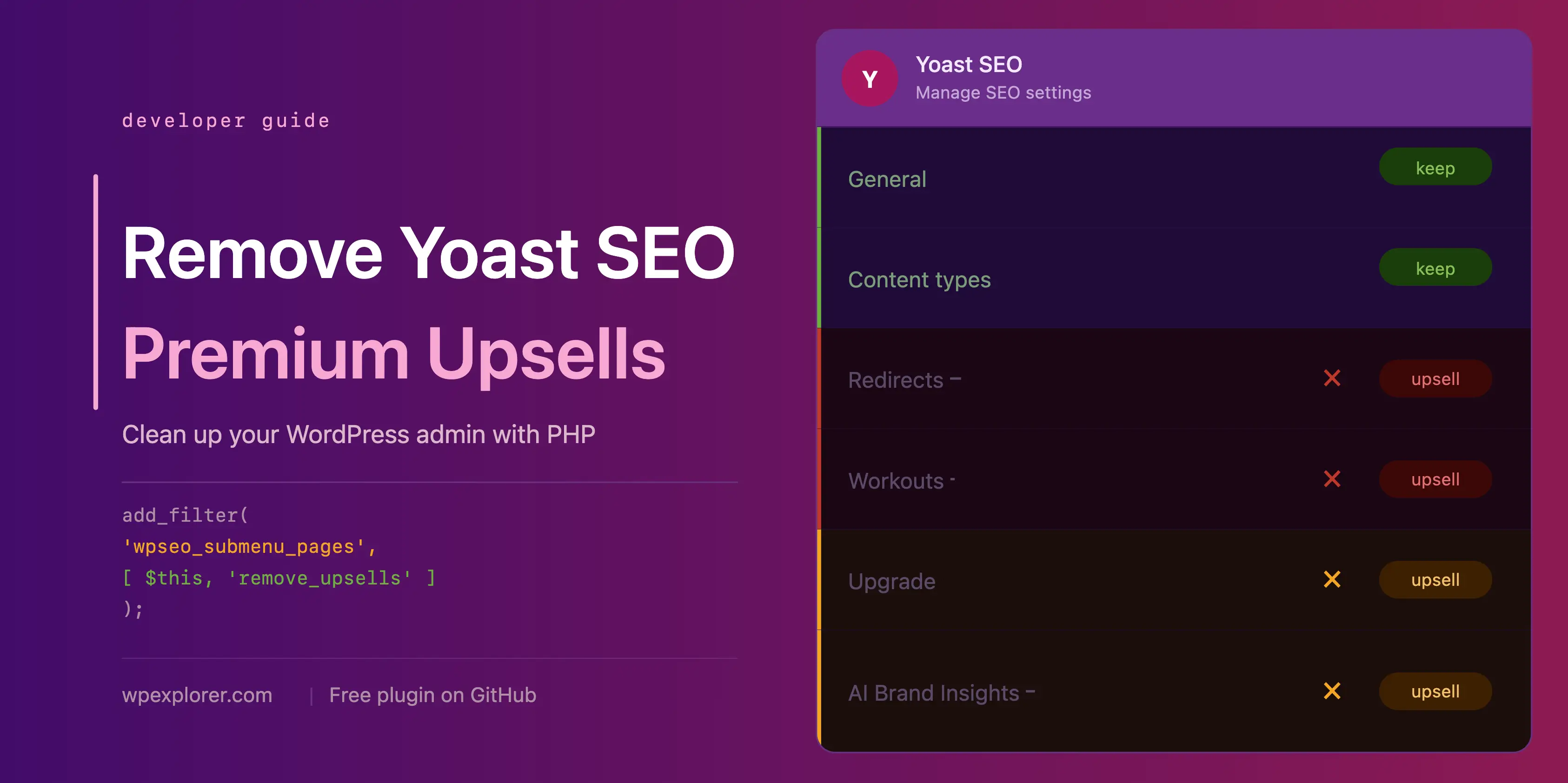
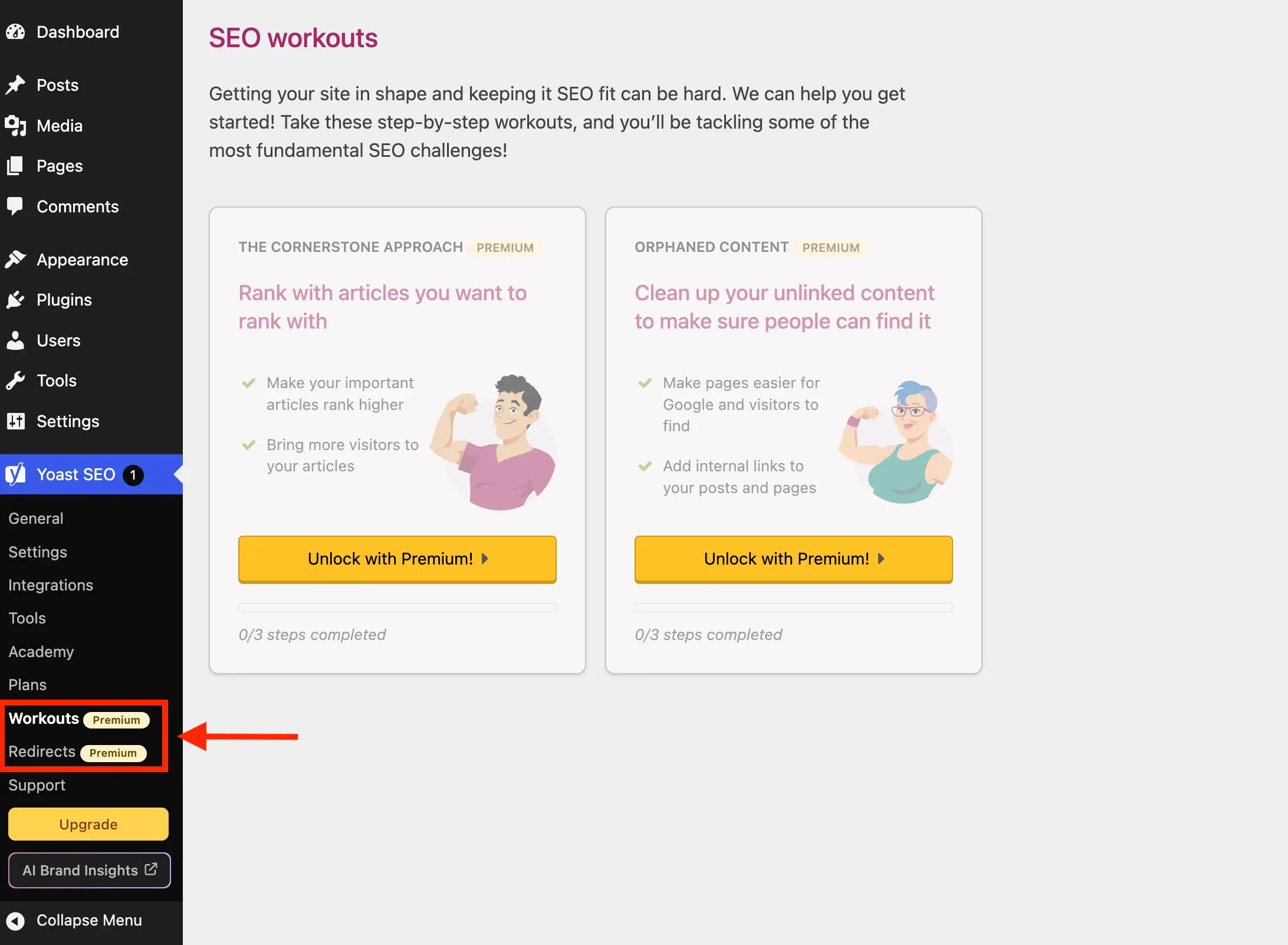
- Administrative Menu Pages: Redirects, "Workouts," and support pages that serve little purpose for a free-tier user.
- Dashboard Widgets: The SEO overview widget, which often pulls data via HTTP requests, consuming screen real estate and potentially exposing server-side telemetry.
- Inline Admin Banners: JavaScript-rendered upgrade prompts that occupy space in the General, Settings, and Tools sections.
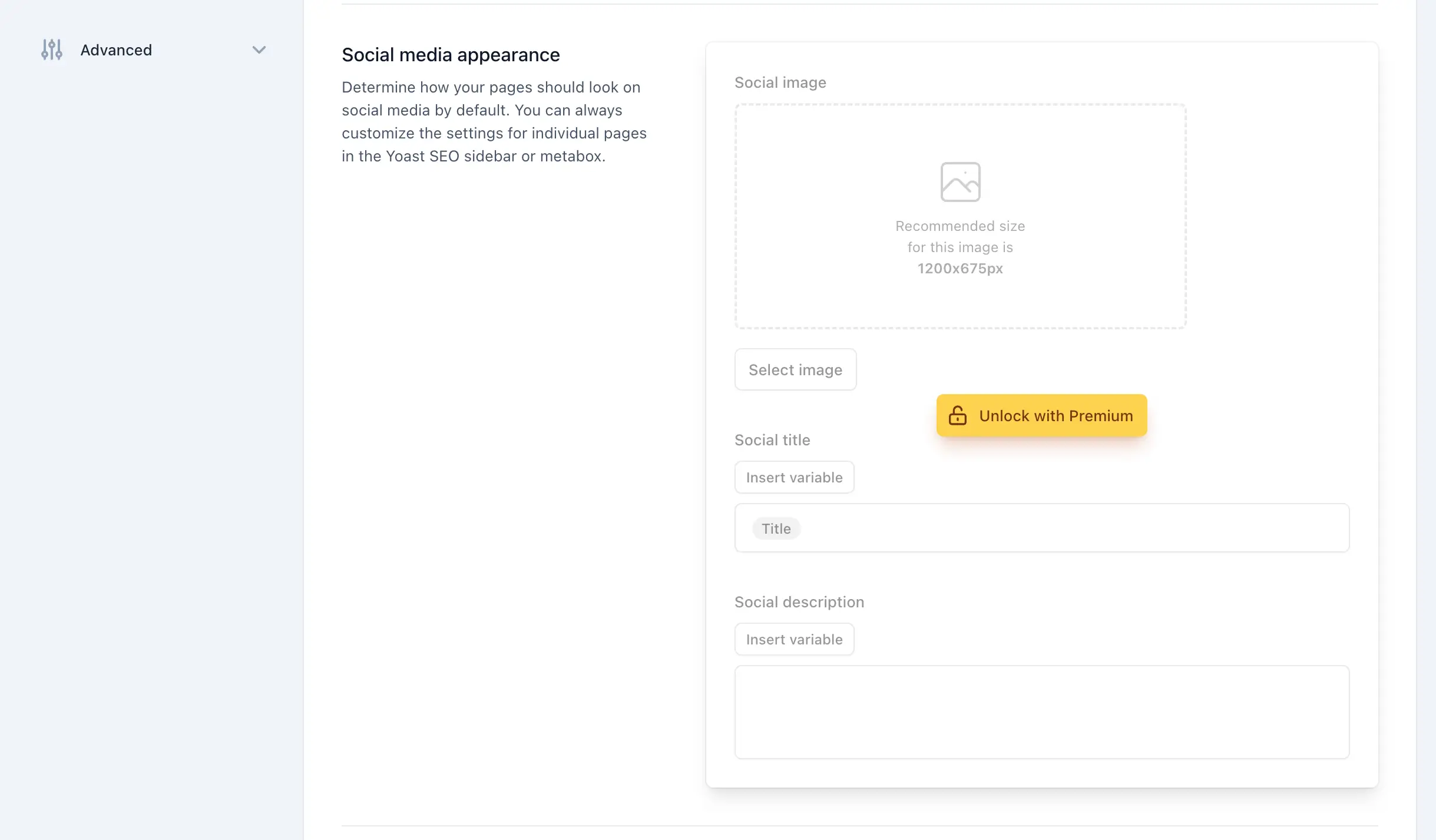
- Metabox Upsells: Prompts appearing inside the post/page editor, often interrupting the workflow during content creation.
Technical Implementation: A Cleaner Interface
For those who prefer a streamlined dashboard, it is entirely possible to disable these elements using custom PHP snippets. Below is a structured approach to programmatically cleaning up the Yoast interface.
Setting Up the PHP Class
To ensure stability and maintainability, it is best to wrap these modifications in a dedicated PHP class. This prevents conflicts and allows you to toggle the "cleanup" functionality on or off easily.
if ( ! class_exists( 'WPEX_Remove_Yoast_SEO_Upsells' ) )
    class WPEX_Remove_Yoast_SEO_Upsells
        public function __construct()
            // Ensure we only run this if the free version is active
            if ( ! defined( 'WPSEO_VERSION' )

    new WPEX_Remove_Yoast_SEO_Upsells;
Removing Premium Admin Pages
Yoast registers several menu items that are essentially "dead ends" for free users. By hooking into the wpseo_submenu_pages filter, we can identify and remove pages that contain the "premium badge" HTML.

- The Logic: We utilize the
array_filterfunction to loop through the registered submenus. By detecting the CSS classyoast-premium-badge, we can dynamically remove any page that is clearly a premium-only feature. - The Benefit: This automatically handles new pages added by Yoast in future updates, keeping your navigation menu strictly to the tools you actually use.
Managing Admin Bar and Sidebar Buttons
Buttons like "Upgrade" and "AI Brand Insights" are frequently injected into the admin toolbar and sidebar. These require a two-pronged approach:
- Submenu Removal: For the sidebar,
remove_submenu_pageis the most effective method, called via theadmin_menuhook at a high priority (PHP_INT_MAX) to ensure it executes after the plugin has registered its items. - Admin Bar: For the top-level toolbar, the
admin_bar_menuhook allows us to use$wp_admin_bar->remove_node()to excise the promotional buttons directly.
The Cost of Bloat: Performance and Telemetry
Beyond the aesthetic annoyance, there is a technical argument for removing these elements. The Yoast SEO dashboard widget, for instance, performs a remote HTTP request to yoast.com to fetch the latest feed. This adds latency to the loading of your main dashboard page.

Furthermore, this request often includes query parameters that send your site’s WordPress version and PHP version to the plugin author. While this is common practice for analytics, many developers prefer to minimize such outbound requests for security and privacy reasons. By removing the widget, you eliminate these unnecessary background calls, resulting in a snappier admin experience.
Official Stance and Community Implications
Yoast SEO’s development team has historically defended these UI elements as essential for the product’s longevity. Their position is that the revenue generated from premium upgrades funds the continuous maintenance and security updates that the free user base relies upon.

However, the community response—exemplified by numerous GitHub repositories and forum threads—suggests a growing desire for "lean" versions of popular plugins. Many developers now advocate for a "pro-code" approach, where users can choose to opt-out of marketing in exchange for a cleaner interface.
Best Practices for Maintaining a Custom Solution
If you decide to implement the code provided in this guide, keep the following maintenance tips in mind:

- Testing Updates: Major Yoast SEO releases occasionally restructure the DOM. If you notice the "Remove Upsells" script is no longer working, check the plugin’s changelog.
- Testing for Conflicts: Always test on a staging environment. If you use other SEO-related plugins, ensure that the CSS selectors used to hide banners don’t inadvertently hide essential features of other tools.
- Use MU Plugins: If you manage multiple sites, consider deploying this code as a Must-Use (MU) plugin. This ensures the cleanup is applied across all sites in a network without needing to manage it within individual theme
functions.phpfiles.
Summary of the "All-in-One" Solution
For those who prefer a "set it and forget it" approach, the full class provided in the accompanying snippet is designed to be comprehensive. It covers:
- Submenu Cleanup: Removing Redirects, Workouts, and Academy pages.
- Admin Toolbar: Removing upgrade buttons.
- Dashboard Widget: Removing the overview widget and its associated scripts/styles.
- CSS Injection: Hiding premium banners and locked fieldsets throughout the Settings and Editor pages.
Conclusion: Weighing Your Options
While the code provided here is a powerful tool for cleaning your interface, it is not the only path. If you find yourself frequently needing the features that Yoast hides behind their paywall—such as redirect management or multiple focus keywords—it is worth evaluating if the premium version is a better investment than the time spent maintaining a custom cleanup script.
For those who simply want a professional, distraction-free environment, this guide provides the necessary technical foundation to regain control over your WordPress dashboard. By taking a methodical approach to interface management, you can keep the power of Yoast SEO while stripping away the marketing noise, ensuring your focus remains on what truly matters: creating and optimizing high-quality content.
Disclaimer: This guide is intended for educational purposes for developers and site administrators. Modifying plugin code or injecting CSS into the admin panel requires a working knowledge of WordPress hooks and filters. Always backup your site before implementing custom code.