







The landscape of professional web development is defined by the relentless pursuit of efficiency. For years, designers and developers working within the WordPress ecosystem have faced a tedious reality: the repetition of mundane tasks. Whether it is adjusting the padding on a dozen service cards, re-styling a fleet of call-to-action buttons, or reorganizing complex module hierarchies, the process of editing websites has historically been an exercise in incremental, singular actions.
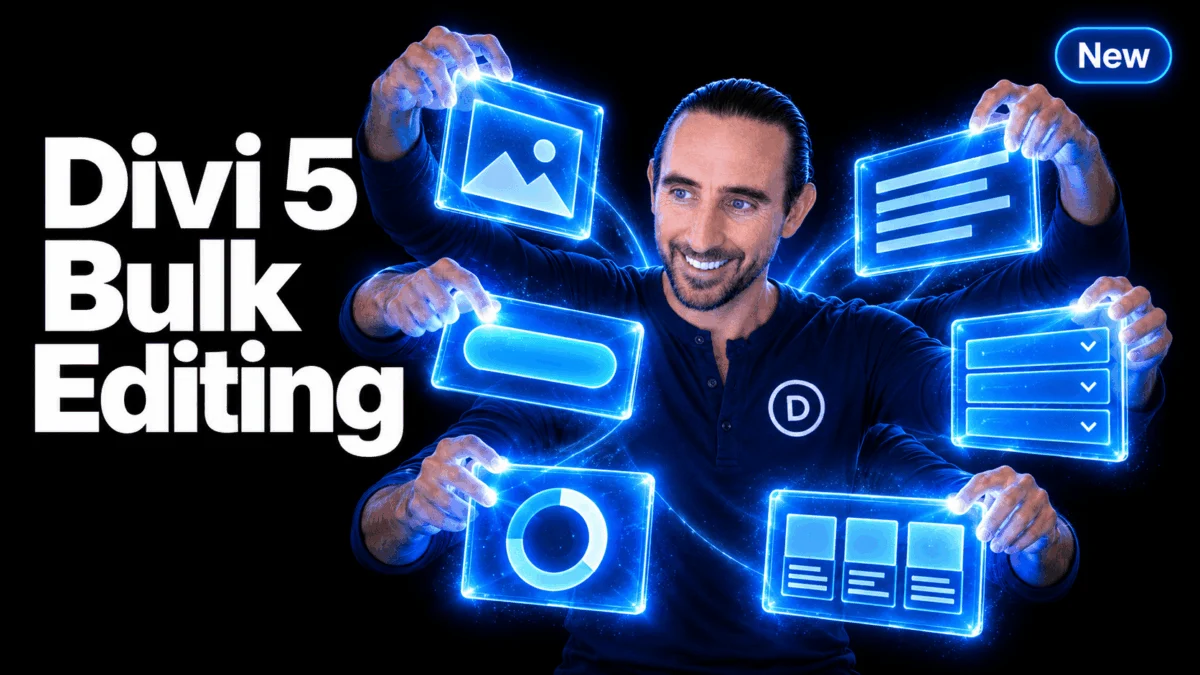
With the release of Divi 5, Elegant Themes has fundamentally altered this paradigm. By introducing a sophisticated "Multi-Select and Bulk Editing" suite, the platform now enables users to synchronize their workflow, turning what were once hours of repetitive labor into a matter of seconds. This update marks a significant milestone in the evolution of visual page building, prioritizing developer velocity and intuitive user interface design.
Main Facts: The Power of Unified Selection
At the heart of the Divi 5 update is a robust selection engine that allows users to interact with multiple elements simultaneously. The core functionality is built upon familiar, intuitive interaction patterns:
- Individual Selection: Users can Cmd/Ctrl-click specific elements to add them to a working group, regardless of their location on the page.
- Range Selection: By utilizing Shift-click, users can instantly select a range of sibling elements within a container, streamlining the management of repeated design patterns.
- Contextual Deselection: A simple modifier-click allows users to remove individual elements from a selection set, providing granular control over the workspace.
Once an selection is active, it acts as a cohesive unit. This "shared editing interface" allows the settings panel to dynamically aggregate the attributes of the selected elements. If a user selects six button modules, for instance, any change made to the background color, border radius, or typography within the settings panel is instantly propagated to every member of the selection.
A Chronological Shift in Design Workflow
The journey to this feature began with the internal recognition that Divi’s existing infrastructure, while powerful, lacked the "batch processing" capabilities found in professional-grade design tools like Figma or Sketch.
The implementation process for the Divi 5 development team involved a complete overhaul of the builder’s underlying data handling. By moving away from a single-element focus, the team had to ensure that the settings panel could intelligently reconcile differences between various element types.
- Phase One: The Selection Engine. The foundation was laid by enabling cross-page selection, allowing the builder to maintain state across different sections of a layout.
- Phase Two: The Layers Panel Integration. Recognizing that complex layouts often lead to nested, overlapping, or hidden elements, the team extended the selection logic into the Layers panel. This provided a hierarchical view that made it easier to manage large-scale architectural changes.
- Phase Three: The Intelligence Layer. The final phase involved the integration of "Mixed Value" detection and AI-assisted workflow, ensuring that users could navigate the complexities of inherited settings and varying attribute values with visual clarity.
Supporting Data: Enhancing Efficiency through UI/UX
The effectiveness of the new bulk editing suite is supported by three core UI/UX advancements that solve long-standing pain points for designers:
1. Mixed Value Detection
When a user selects a group of elements with varying properties—such as different spacing values—the settings panel does not force a uniform value. Instead, it clearly displays a "Mixed" status. This transparency is crucial for professional workflows, as it prevents the accidental overwriting of intentional design variations while still offering the capability to override them with a single global value.
2. Inherited vs. Local Overrides
One of the most significant challenges in CSS-heavy environments is distinguishing between a value inherited from a theme preset and a local, manual override. Divi 5’s new interface utilizes specific visual conventions—placeholder styling versus explicit selections—to inform the user exactly where a value originates. This allows designers to "clean up" their code by resetting unnecessary overrides or precisely targeting specific elements for adjustment.
3. Preset Assignments
Bulk editing is not limited to static styling; it is fully integrated with Divi’s preset-based design system. Users can now apply a specific button or typography preset to an entire collection of elements at once. By managing preset stacks within a combined interface, developers can maintain design consistency across massive layouts without needing to open each element individually.
Official Perspectives: The Integration of AI and Inspection
The implications of this update extend beyond simple styling. The integration of the "Inspector" tool and the "Divi AI Agent" into the multi-select workflow represents a shift toward more intelligent design assistance.
"When scope matters, Divi’s panels respect your specific selection," notes the development team. By giving the AI Agent a "selected scope," users can perform complex, language-driven tasks across multiple modules. For example, a user can select a row of five testimonial cards and instruct the AI to "shorten the text in these descriptions," a task that previously would have required five separate interactions.
The Inspector tool similarly benefits from this aggregate approach. It allows for a deep-dive analysis of selected modules, pulling together attributes from children and parent elements, and enabling developers to debug or adjust complex properties across an entire layout section from a single, centralized window.
Implications for the Future of Web Development
The introduction of Multi-Select and Bulk Editing is more than just a quality-of-life improvement; it represents a fundamental shift in how WordPress builders are conceptualized.
Increased Developer Velocity
For agencies and freelancers, time is the primary commodity. The ability to manipulate entire design systems through bulk actions significantly reduces the "click-cost" of website construction. This shift allows developers to focus on higher-level architectural decisions rather than the micro-management of individual pixels.
Enhanced Design Consistency
One of the most common issues in web design is the "drift" of styles—where subtle differences creep into a design over time as elements are edited individually. By enforcing changes across a selection, Divi 5 naturally encourages a more unified design language, ensuring that padding, margins, and component styles remain perfectly synced across the entire site.
The New Standard for Page Builders
As Divi 5 matures, the expectation for other page builders will inevitably rise. The industry is moving toward a model where the tool acts less like a static page editor and more like a dynamic design environment. The ability to "Group" elements, manage them in a Layers panel, and apply AI-driven changes to a selected subset creates a professional-grade experience that bridges the gap between traditional coding environments and visual builders.
Conclusion: A Turning Point for the Divi Community
The rollout of Multi-Select and Bulk Editing, following on the heels of the new Components and Slots system, solidifies Divi 5 as a comprehensive design ecosystem. By listening to the demands of the user community—who have long requested more efficient ways to handle high-volume editing—Elegant Themes has delivered a toolset that is both accessible to novices and powerful enough for enterprise-level development.
As designers begin to integrate these tools into their daily routines, the focus will undoubtedly shift toward even greater automation. With the foundation of selection-based editing now firmly in place, the path is cleared for further innovations in layout management, design system architecture, and AI-assisted site building. For those currently working within the Divi ecosystem, the message is clear: the era of repetitive manual editing has effectively come to an end. The next phase of web development is defined by selection, synchronization, and, ultimately, speed.