







When website owners look to accept payments on a WordPress-powered platform without committing to the overhead of a full e-commerce suite—such as managing inventory, setting up shopping carts, or configuring complex shipping zones—they are typically left looking for a streamlined, minimalist solution. Whether the goal is to charge for a single consulting service, collect a project deposit, accept recurring donations, or sell a standalone digital product, site administrators generally find themselves choosing between two distinct methodologies.
The first approach involves directing users away from the native domain to a secure, hosted checkout page managed entirely by the payment gateway. The second approach keeps visitors anchored firmly on the WordPress site by embedding a fully interactive checkout form directly into the page’s design. This comprehensive comparative analysis explores both pathways, assessing their setup requirements, branding impact, underlying features, and real-world costs to help site operators determine which strategy aligns best with their specific business model.
The Core Dilemma: Hosted Pages vs. Embedded Forms
Before diving into the granular mechanics, it is essential to understand the fundamental difference in user experience between the two primary methods for processing simple transactions on WordPress.
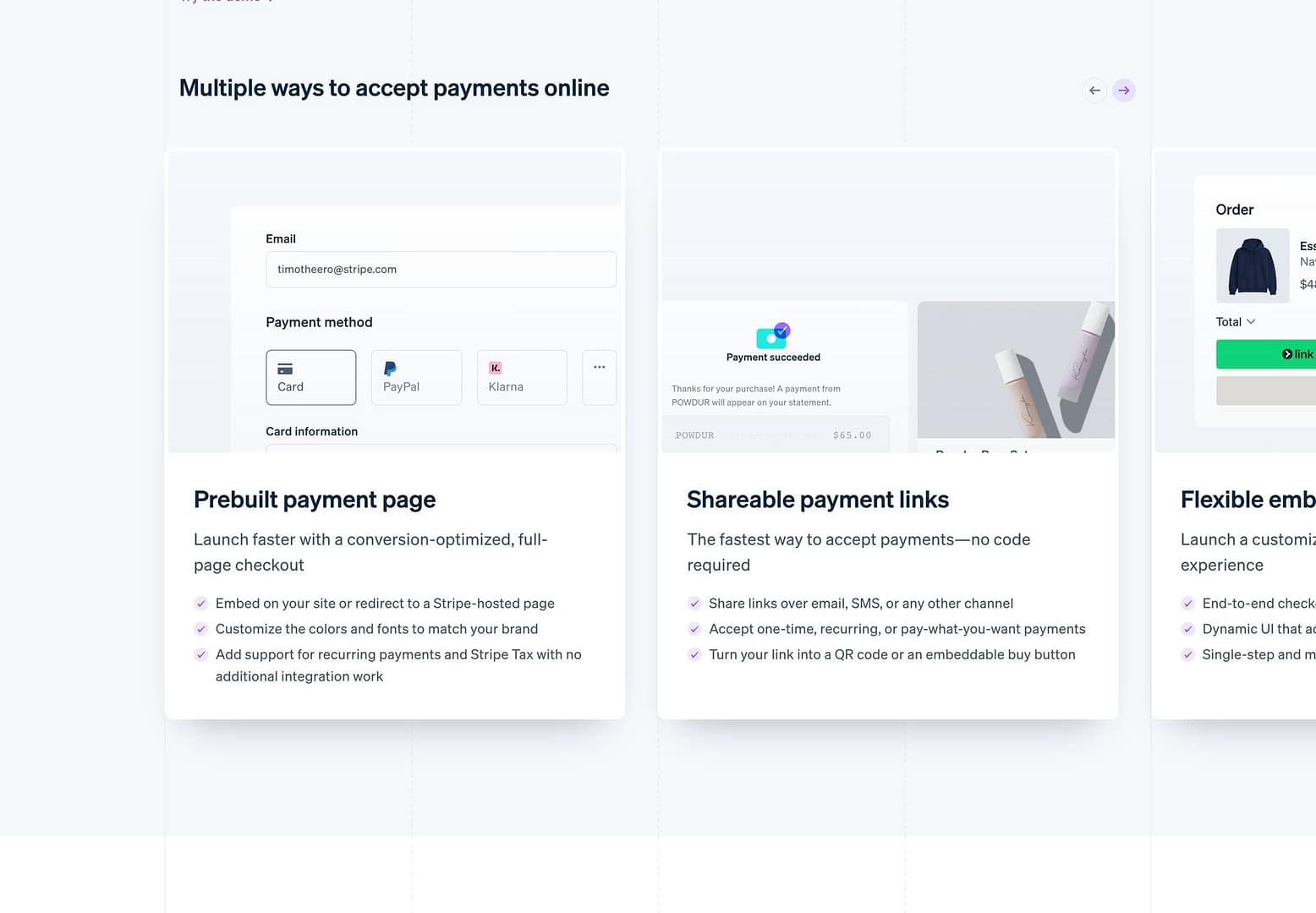
Stripe Payment Links operate entirely within the ecosystem of your Stripe account dashboard. By defining a product and a price within the Stripe interface, administrators can instantly generate a unique, highly secure URL. This URL requires zero code to implement and can be hyperlinked anywhere digital text exists—whether embedded behind a custom button block inside the WordPress block editor, pasted into an invoice sent via email, or shared through messaging applications. When clicked, the user transitions seamlessly to a Stripe-hosted environment to complete the payment.
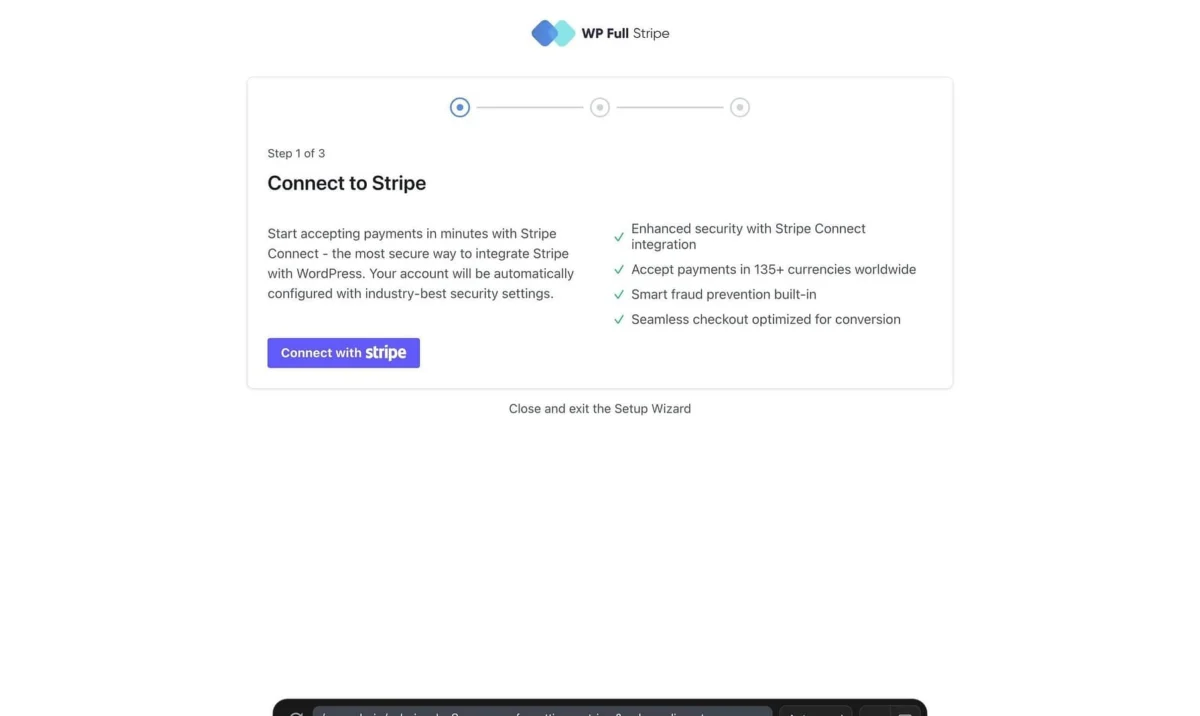
Conversely, embedded form plugins—such as WPFullPay or WP Simple Pay—deploy the checkout directly into the architecture of your WordPress environment. The form lives inside your site’s header, footer, and styling constraints. The customer never experiences a domain switch; sensitive card data travels directly from their browser via secure encryption straight to the payment processor, completely bypassing your local server infrastructure.
Chronology of Evolution: How We Got Here
To understand why these two distinct pathways exist, it helps to look at the chronological evolution of web payments for content management systems.

- The Early Era of E-Commerce Monopolies: In the early days of WordPress commerce, accepting credit cards meant installing heavy, sprawling plugins like WooCommerce or competing digital storefront platforms. Even for a single digital download or a donation, site owners were forced to configure product catalogs, inventory management tools, and complex checkout funnels.
- The Rise of API-Driven Gateways: As Stripe and similar developer-first payment gateways matured, they introduced flexible application programming interfaces (APIs). This allowed third-party developers to build lightweight WordPress plugins that could render direct, embedded credit card fields without the bloat of a traditional online store.
- The Introduction of Hosted Payment Links: Recognizing that many small-scale merchants, freelancers, and service providers did not want to manage plugins, API keys, or updates, payment processors began offering natively hosted checkout pages. These links eliminated the need for any technical integration, allowing users to spin up professional checkouts in seconds.
- The Modern Hybrid Landscape: Today, WordPress site owners enjoy the best of both worlds. They can leverage zero-config hosted links for rapid deployments or utilize sophisticated embedded form plugins that offer deep administrative control, custom branding, and localized data management directly within the WordPress dashboard.
Quick Reference: Matching Your Needs to the Right Solution
| If your primary requirement is… | Recommended Solution | Why This Option Wins |
|---|---|---|
| Immediate deployment with zero site modifications | Stripe Payment Links | Requires no plugins, no API configurations, and no technical setup; simply generate a URL and share it anywhere. |
| A seamless checkout that never leaves your domain | Embedded Form Plugin | Keeps the user on-site, preserving brand continuity and utilizing your exact typography and layout design. |
| Donations featuring a dynamic progress goal | Embedded Form Plugin | Offers native campaign tracking and goal progress bars that standalone payment links cannot natively display. |
| Occasional invoicing or one-off product sales | Stripe Payment Links | Incurs no recurring plugin licensing fees or transaction surcharges beyond standard payment processing rates. |
| Self-service subscriptions managed by the customer | Embedded Form Plugin | Integrates with customer portals allowing end-users to update billing details and manage subscriptions independently. |
| Zero platform fees outside of standard gateway rates | Stripe Payment Links | Free form plugins often levy an additional 3% to 5% application fee per transaction until a paid license is acquired. |
Deep Dive: Stripe Payment Links Explained
Stripe Payment Links represent one of the most frictionless ways to monetize a web presence without building an online store. Because the infrastructure lives on Stripe’s servers rather than inside your WordPress database, the administrative burden is virtually non-existent.
Setup and Maintenance
Configuring a payment link takes mere minutes. Within the Stripe Dashboard, an administrator defines a product name, attaches a pricing tier, and clicks to generate a link. This URL can handle an unlimited number of transactions. Because there are no plugins to update, no database tables to optimize, and no compatibility checks to run during major WordPress core updates, maintenance overhead is effectively zero.
Financial Structure
The economic model of Payment Links is straightforward: merchants pay only the standard transaction fees associated with the gateway (such as 2.9% plus 30 cents for standard domestic US card processing, with variations for international cards or alternative payment methods). There are no monthly subscriptions, no per-link fees, and no middleware platform cuts.
The Tradeoff: Brand Custody
The primary compromise of using Stripe Payment Links is domain custody. When a customer initiates a purchase, their browser redirects from your WordPress site to a checkout page hosted on Stripe’s domain. While Stripe allows merchants to incorporate brand logos, custom accent colors, and recognizable business titles, the URL shift is undeniable. For trusted B2B clients paying an invoice, this redirect is a non-issue. However, for cold traffic encountering your brand for the first time, the sudden shift in domain can introduce a micro-moment of hesitation.
Deep Dive: Embedded WordPress Form Plugins
Embedded plugins take the opposite philosophical approach. By embedding the checkout experience directly into a WordPress post or page, these tools prioritize brand immersion and administrative centralization.
The Ecosystem and Functionality
Using tools such as WPFullPay or WP Simple Pay, administrators can construct bespoke payment forms using standard block editors or page builders. These forms can accommodate one-time purchases, recurring subscription tiers, custom "pay-what-you-want" pricing structures, and promotional discount codes.
Furthermore, embedded plugins provide a centralized repository of transaction data directly inside the WordPress wp-admin dashboard. Instead of logging into an external merchant portal to verify whether a customer’s payment cleared, administrators can view, search, and manage records alongside their standard WordPress posts and pages.
Cost Considerations and Fees
While many embedded form plugins offer free tiers to lower the barrier to entry, these free versions typically introduce platform fees—charging an additional 3% to 5% cut on top of Stripe’s standard transaction processing rates. For high-volume merchants, these platform fees can quickly outpace the cost of an annual plugin license. Purchasing a pro license (such as WPFullPay Basic, which generally retails around €79.50 annually for initial sign-ups) removes these platform surcharges, making it a more economical choice as sales scale.
Official Perspectives and Expert Recommendations
Industry experts and security professionals frequently emphasize adherence to security best practices when evaluating payment architectures. Because embedded form plugins utilize secure tokenization—where credit card fields are rendered via secure iframes directly connected to the payment processor—site owners do not have to worry about PCI-DSS compliance burdens related to storing raw credit card data on their local servers. Neither method exposes your local database to sensitive card numbers, ensuring a high baseline of transaction security regardless of the route chosen.
Additionally, financial consultants recommend auditing your projected transaction volume before committing to a free plugin tier. While a 5% platform fee is negligible for a site processing a single transaction per month, it can represent a significant financial leak for a growing business processing dozens of orders weekly.
Broader Implications for Site Architecture
Choosing between a hosted payment link and an embedded form plugin extends far beyond simple aesthetics; it impacts your long-term site architecture, bookkeeping workflows, and customer support overhead.
Bookkeeping and Reconciliation
Consider how your team handles customer inquiries and financial audits. If a customer contacts support asking whether their transaction processed successfully, having an integrated transaction log inside the WordPress dashboard allows support staff to resolve the query without granting them access to the primary Stripe financial dashboard. Conversely, high-volume operations with dedicated finance teams may prefer a centralized gateway dashboard like Stripe, rendering local WordPress logs redundant.

When to Graduate to Full E-Commerce
It is equally vital to recognize the limitations of both approaches. Neither Stripe Payment Links nor simple embedded form plugins are designed to handle complex inventories, multi-item shopping carts, tiered shipping calculations, or automated tax nexus compliance. If your digital strategy evolves to include physical goods requiring warehouse fulfillment, dynamic shipping rates, or complex product bundles, both methods will quickly prove inadequate. At that threshold, transitioning to a full-fledged e-commerce platform like WooCommerce integrated with Stripe becomes the logical next step.
Conclusion
Ultimately, the choice between Stripe Payment Links and an embedded WordPress form plugin boils down to a balance between convenience and brand immersion.
If you need to accept payments today with absolute minimal technical overhead, zero maintenance, and no upfront costs, Stripe Payment Links provide an unbeatable, lightning-fast solution.
If your strategy relies heavily on brand continuity, keeping users anchored to your domain, maintaining local transaction records within your WordPress dashboard, and offering self-service customer portals, investing the time to configure an embedded form plugin will yield long-term dividends.
Evaluate your transaction volume, your comfort level with plugin management, and your audience’s expectations, and choose the path that keeps your digital checkout as frictionless as possible.