










SAN FRANCISCO — In the modern digital ecosystem, file compression has long been plagued by a frustrating dichotomy. On one side of the spectrum exist hyper-specialized, image-only tools that ignore the bloated video files and heavy PDFs cluttering local storage. On the other side sit cumbersome, resource-heavy conversion suites that feel entirely like overkill for a quick, routine task.
Enter Dinky, a sleek, free utility designed exclusively for macOS that aims to bridge this utility gap. By supporting images, videos, audio files, and PDFs within a single lightweight application—all while processing data entirely on-device without cloud uploads—Dinky is quickly capturing the attention of Mac power users, content creators, and privacy advocates alike.
Main Facts: What is Dinky and How Does It Work?
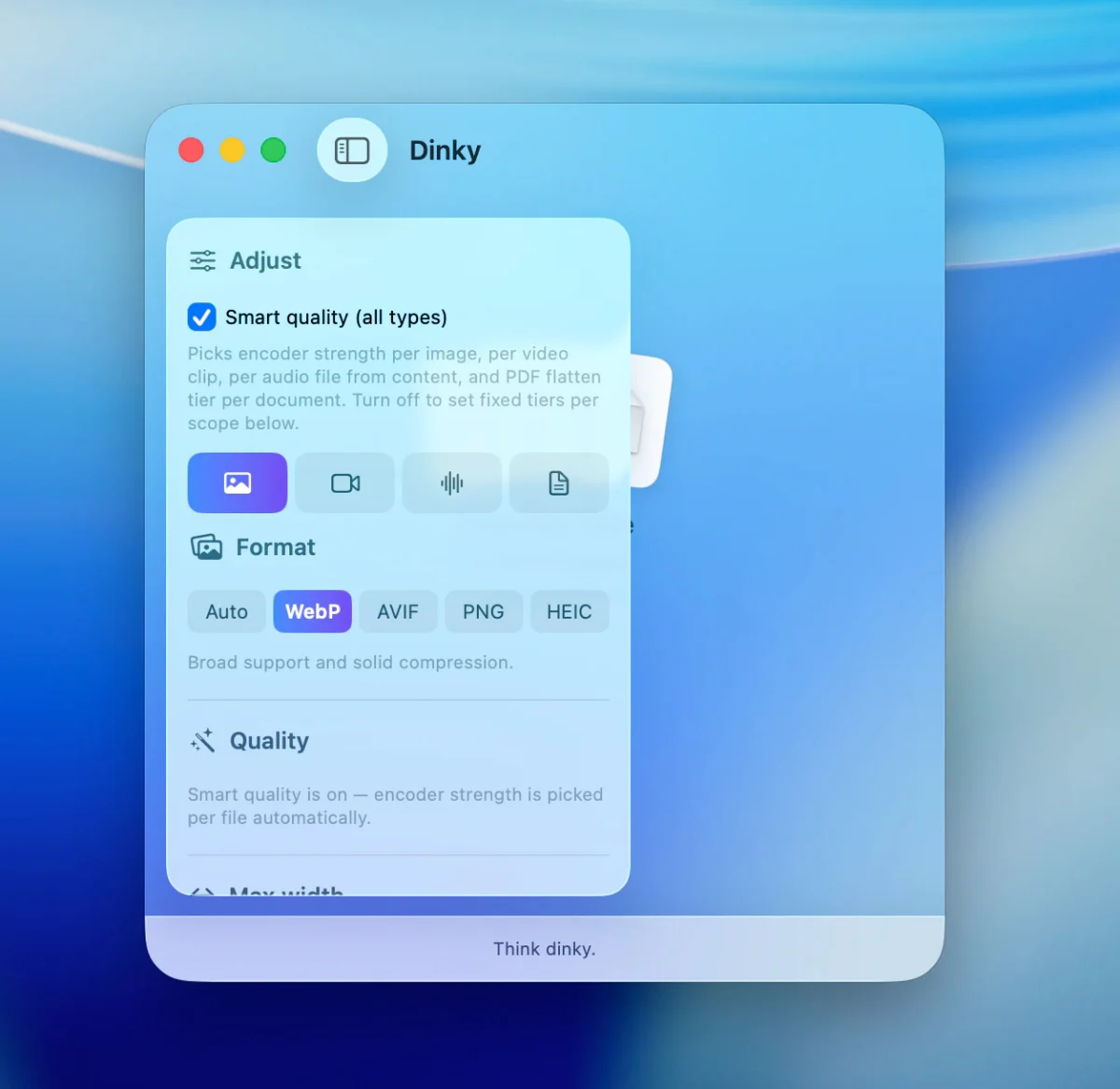
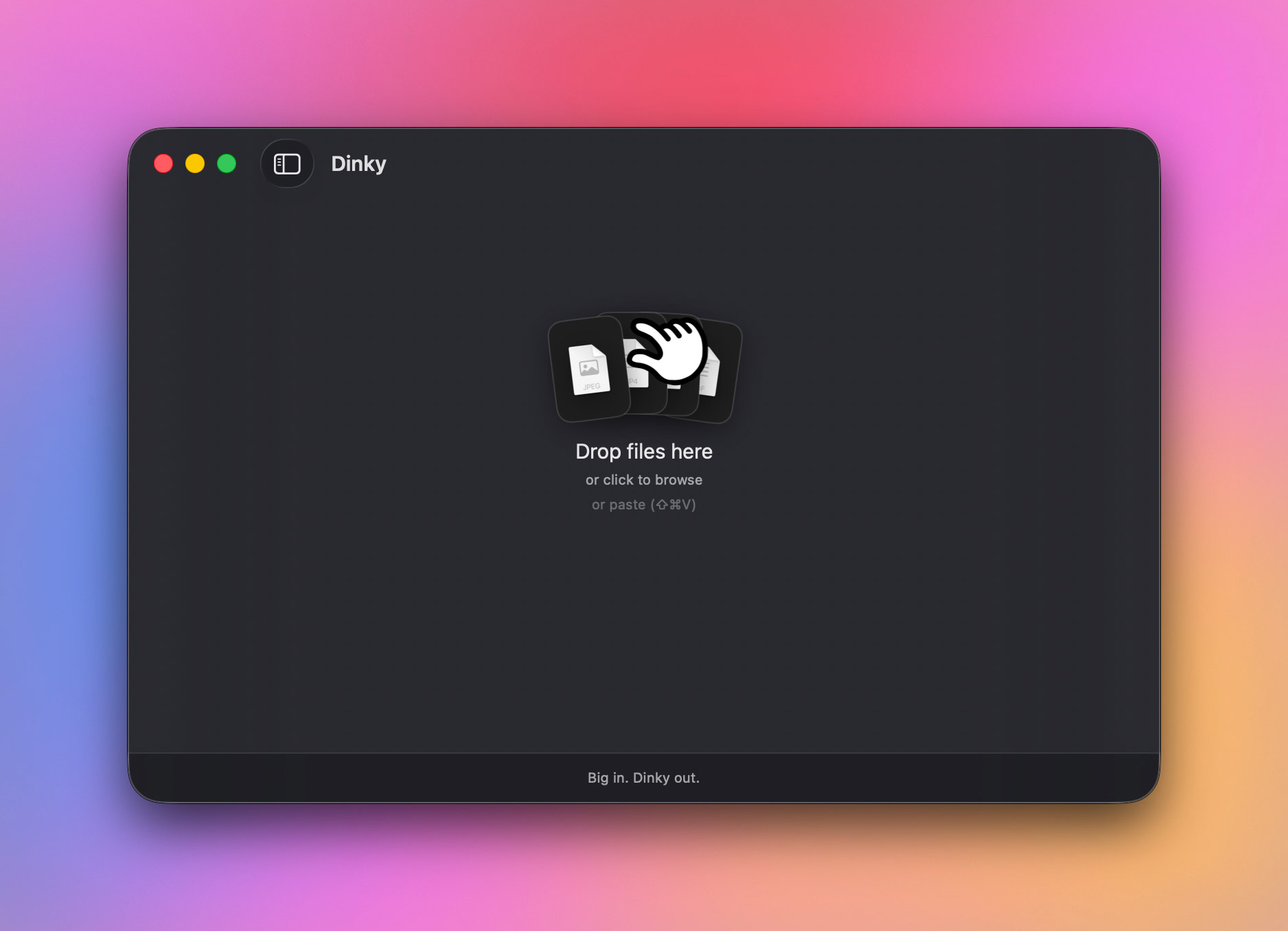
At its core, Dinky is an offline-first file compression and conversion app for macOS. Users simply drag and drop files into the app window, onto the Dock icon, or via the file picker, select a preferred format or preset, and receive an optimized, significantly smaller file in return.
What sets Dinky apart from traditional compression utilities is its granular, format-specific approach:
- Images: Converts formats into modern, highly efficient web standards such as
WebP,AVIF,HEIC, or losslessPNG. - Videos: Exports content to
MP4utilizing advancedH.264orHEVCcodecs, complete with flexible quality presets and optional frame-rate (FPS) capping. - Audio: Seamlessly encodes and compresses across a broad spectrum of formats, including
AAC,MP3,FLAC,WAV,ALAC, andAIFF. - PDFs: Offers dual pathways—either flattening the document for maximum size reduction (ideal for image-heavy or scanned files) or preserving structural integrity so that text and hyperlinks remain fully intact. It also features on-device Optical Character Recognition (OCR) to make scanned PDFs text-searchable prior to compression.
Crucially, Dinky processes everything locally on the user’s Mac. No data is ever transmitted to a remote cloud server, addressing growing consumer anxieties regarding data privacy and intellectual property security.
Chronology: The Evolution of Mac Compression Utilities
The Era of Single-Purpose Tools
Historically, macOS users relied on native preview tools or web-based compression services (such as TinyPNG or ezgif) to shrink assets. While web tools were accessible, they introduced severe privacy risks, required consistent internet connectivity, and often imposed strict file-size upload caps. Native solutions, meanwhile, offered limited format customization, forcing users to juggle three or four different apps just to prep a batch of marketing materials containing mixed media.
The Rise of Bloated Converters
As file sizes ballooned with the advent of 4K video, high-resolution smartphone photography, and complex vector graphics, developers attempted to solve the fragmentation problem by introducing heavy-duty media converters. While powerful, these suites often featured intimidating user interfaces, demanded extensive system resources, and bogged down quick, repetitive workflows.
The Launch of Dinky
Recognizing the friction inherent in these workflows, independent development led to the creation of Dinky. Initially conceived as a lightweight image optimizer, the app has rapidly evolved through subsequent iterations. Developers expanded its scope beyond static graphics, incorporating robust video transcoding engines, comprehensive audio format handling, and advanced PDF manipulation tools. The recent integration of system-wide clipboard shortcuts, URL-fetching capabilities (supporting links up to 500MB), and automated watch folders has elevated Dinky from a simple one-off utility to an essential productivity powerhouse for macOS.
Supporting Data: Performance, Formats, and Workflow Efficiency
Dinky’s appeal lies not just in what it compresses, but how intelligently it handles diverse data types.
| File Type | Supported Formats / Outputs | Key Optimization Features |
|---|---|---|
| Images | WebP, AVIF, HEIC, PNG | Smart Quality detection (photo vs. graphic), max width constraints, target file size settings. |
| Videos | MP4 (H.264 / HEVC) | Quality presets, optional FPS capping for screen recordings and demos. |
| Audio | AAC, MP3, FLAC, WAV, ALAC, AIFF | Direct re-encoding and bit-rate optimization across lossy and lossless formats. |
| PDFs | Flattening for size reduction, structure preservation, on-device OCR for scanned files. |
Advanced Automation and Speed Controls
For professionals who process dozens of files daily, manual drag-and-drop operations quickly become tedious. Dinky addresses this with several high-efficiency features:
- Custom Presets: Users can bundle formatting rules, quality sliders, size ceilings, destination folders, and naming conventions into reusable profiles (e.g., one preset for blog graphics, another for client PDFs, and a third for lightweight video exports).
- Watch Folders: By designating a specific folder on the Mac file system to be "watched," users can configure Dinky to automatically compress any file dropped into that directory using a pre-selected profile.
- Batch Processing & Parallelism: Dinky allows users to drop entire batches of mixed files into the processing queue, featuring adjustable speed controls that dictate how many jobs run in parallel to maximize CPU efficiency without freezing the system.
- Clipboard & URL Support: Beyond standard file-system interactions, users can copy an image to their clipboard and invoke a system-wide shortcut (
Command+Shift+V) to compress it instantly. Alternatively, pasting a direct file URL allows Dinky to download, compress, and save the asset locally.
Official Responses and Developer Insights
The open-source community and independent tech spheres have warmly received Dinky’s transparent development model. Available via its official website as well as its public repository on GitHub, the project emphasizes user trust and code auditability.
In discussions surrounding the app’s architectural philosophy, the development team stressed the importance of data sovereignty. "In an age where virtually every utility app routes user data through proprietary cloud servers for analytics or remote processing, we wanted to build something unapologetically local," noted project maintainers. "Your files belong to you. Compression shouldn’t require surrendering privacy to a third-party server."
Furthermore, user feedback has driven the implementation of granular safety controls regarding original files. Dinky provides clear options for handling source assets post-compression: users can choose to retain originals in place, automatically route them to the Trash, or archive them to a dedicated backup folder, mitigating the risk of accidental data loss.
Implications: What Dinky Means for Content Creators and Mac Power Users
The release and maturation of tools like Dinky signal a broader shift in software design philosophy on macOS: a return to hyper-focused, beautifully designed utilities that respect system resources and user privacy.
Impact on Productivity
For freelance designers, video editors, podcasters, and digital marketers, the elimination of cross-app friction translates to measurable time savings. By centralizing asset optimization into a single app with deep automation features (watch folders, keyboard shortcuts, and custom presets), Dinky removes the administrative drag associated with preparing files for web upload, email transmission, or local archiving.
Privacy as a Standard
Dinky’s strict adherence to on-device processing serves as a benchmark for modern utility software. As enterprises and individual consumers become increasingly wary of cloud-based data harvesting, apps that can perform heavy computational lifting locally without phoning home are positioned to dominate the desktop software landscape.
Accessibility and Openness
By offering the application for free while maintaining an open-source repository on GitHub, the creators of Dinky have fostered a collaborative environment where power users can inspect the codebase, suggest improvements, and trust the app’s internal mechanisms implicitly.
Conclusion
Dinky successfully escapes the trap of the one-trick pony and the bloatware giant alike. By offering sophisticated, format-aware compression across images, videos, audio, and PDFs—all wrapped in a privacy-first, lightning-fast macOS interface—it has established itself as an indispensable tool for anyone who works with digital media. Whether you are shrinking high-resolution screenshots for a blog post, re-encoding audio tracks, or compressing heavy client presentations, Dinky proves that utility software can be simultaneously powerful, elegant, and entirely local.



