








In the modern landscape of web design, the battle for user attention is fought on the front lines of layout efficiency. As websites become more content-rich, designers face a recurring dilemma: how to present essential information—such as contact forms, promotional videos, and product specifications—without overwhelming the visitor or cluttering the primary user interface. Excessive information density often leads to "analysis paralysis," causing visitors to bounce before they can engage with the brand.
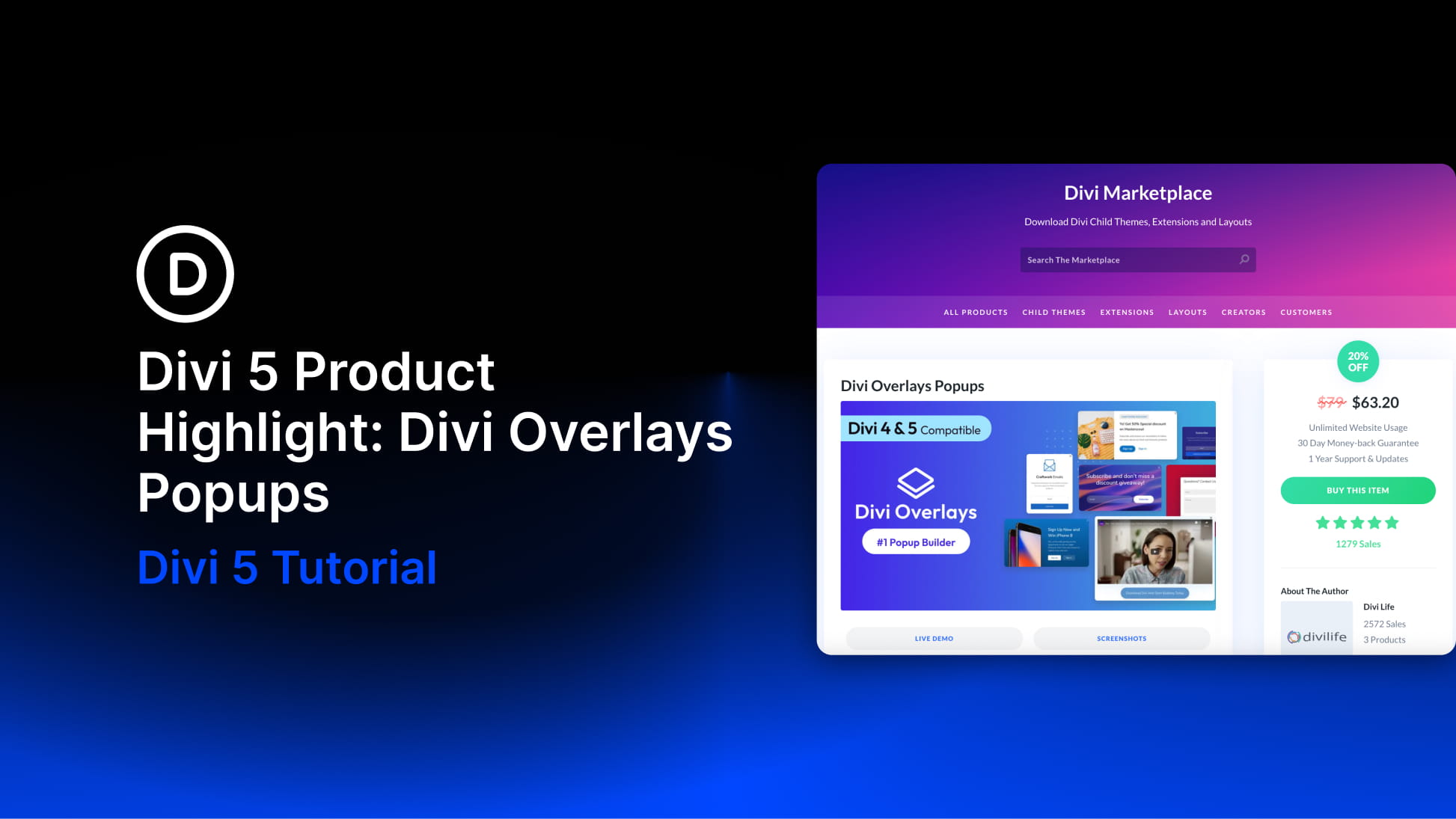
Enter Divi Overlays by Divi Life. This powerful plugin transforms the traditional, often rigid pop-up experience into a seamless, design-first extension of the Divi ecosystem. By allowing developers to treat pop-ups, modals, and full-screen overlays as standard Divi layouts, the plugin bridges the gap between functional utility and aesthetic cohesion.
The Evolution of Site Interactivity: Core Facts
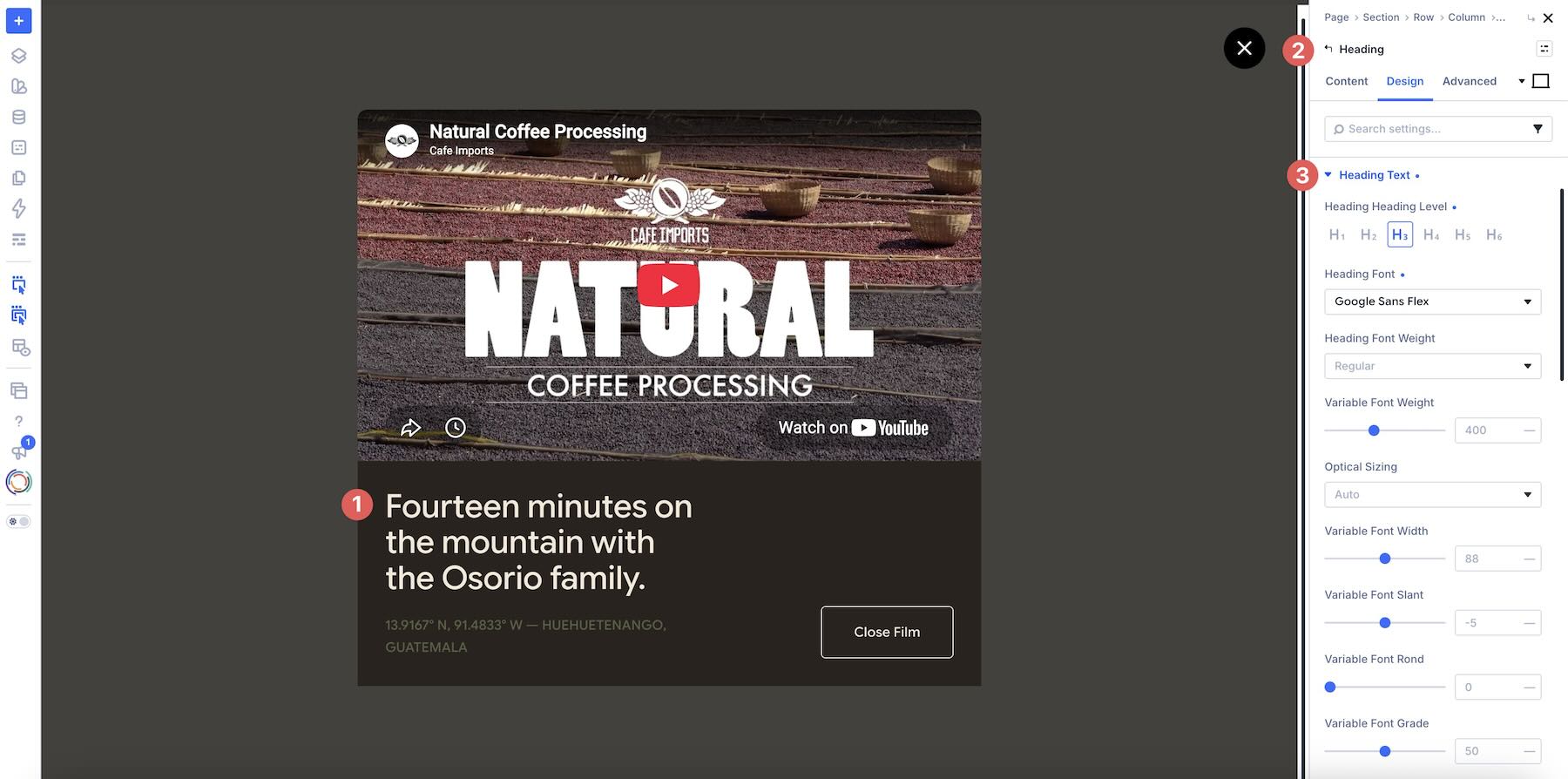
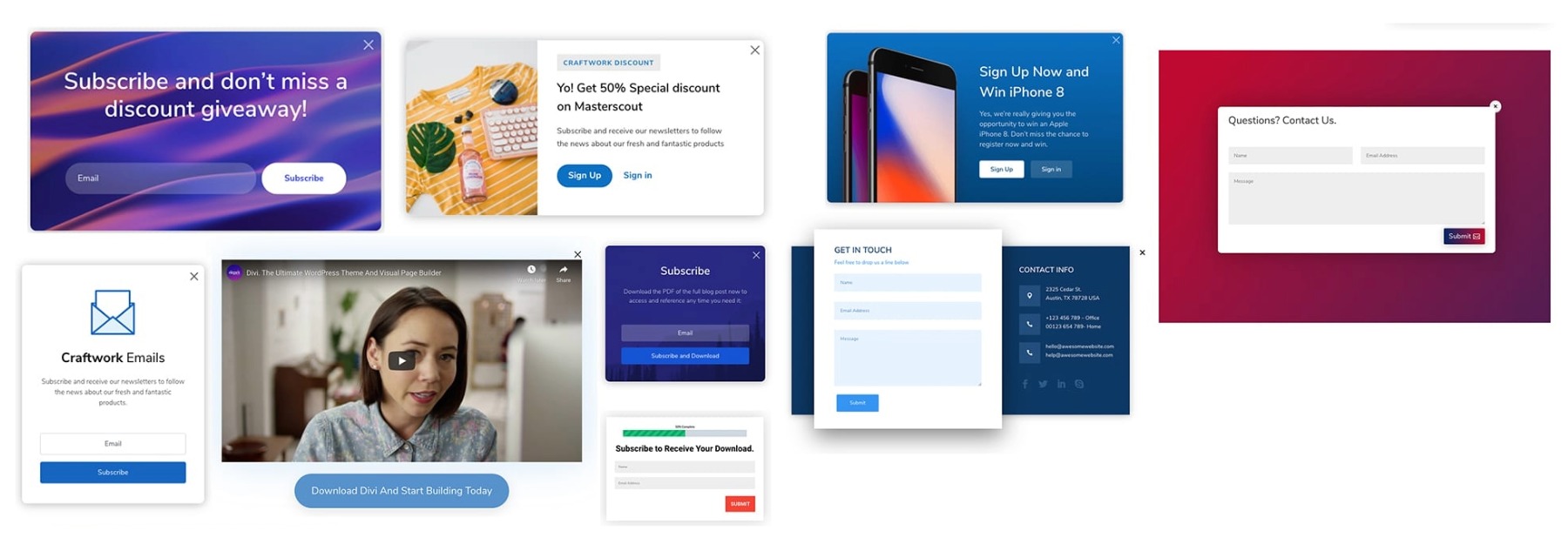
At its foundation, Divi Overlays is a modal and overlay builder that leverages the power of the native Divi Visual Builder. Unlike third-party widget solutions that force users to adapt to external design editors, Divi Overlays allows for the creation of pop-ups using the same modules, global styles, and responsive settings found on the rest of the website.
The plugin provides a dual-approach to content delivery:
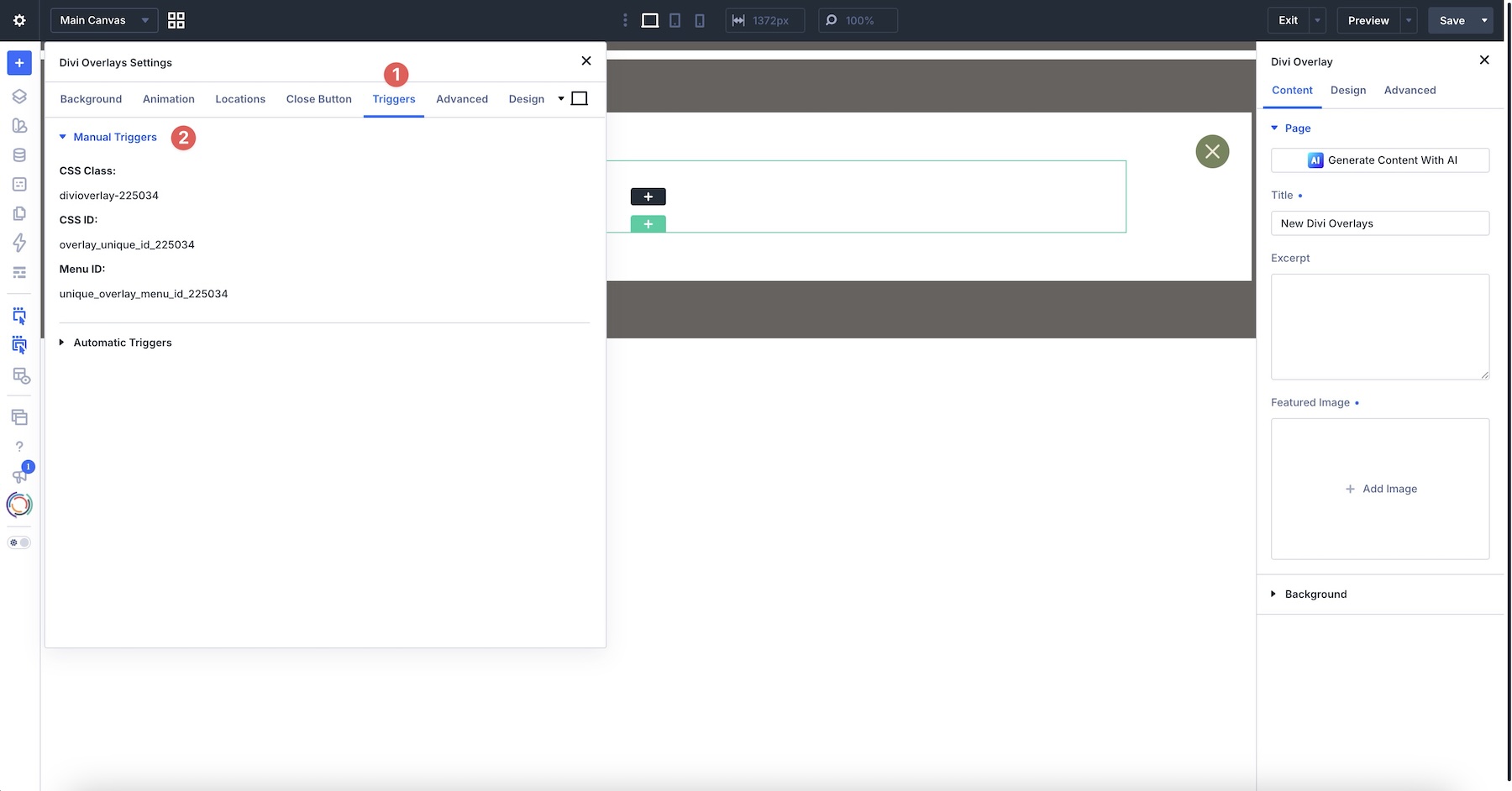
- Manual/Click Triggers: Content appears only when a user initiates an action, such as clicking a button, image, or navigation menu item.
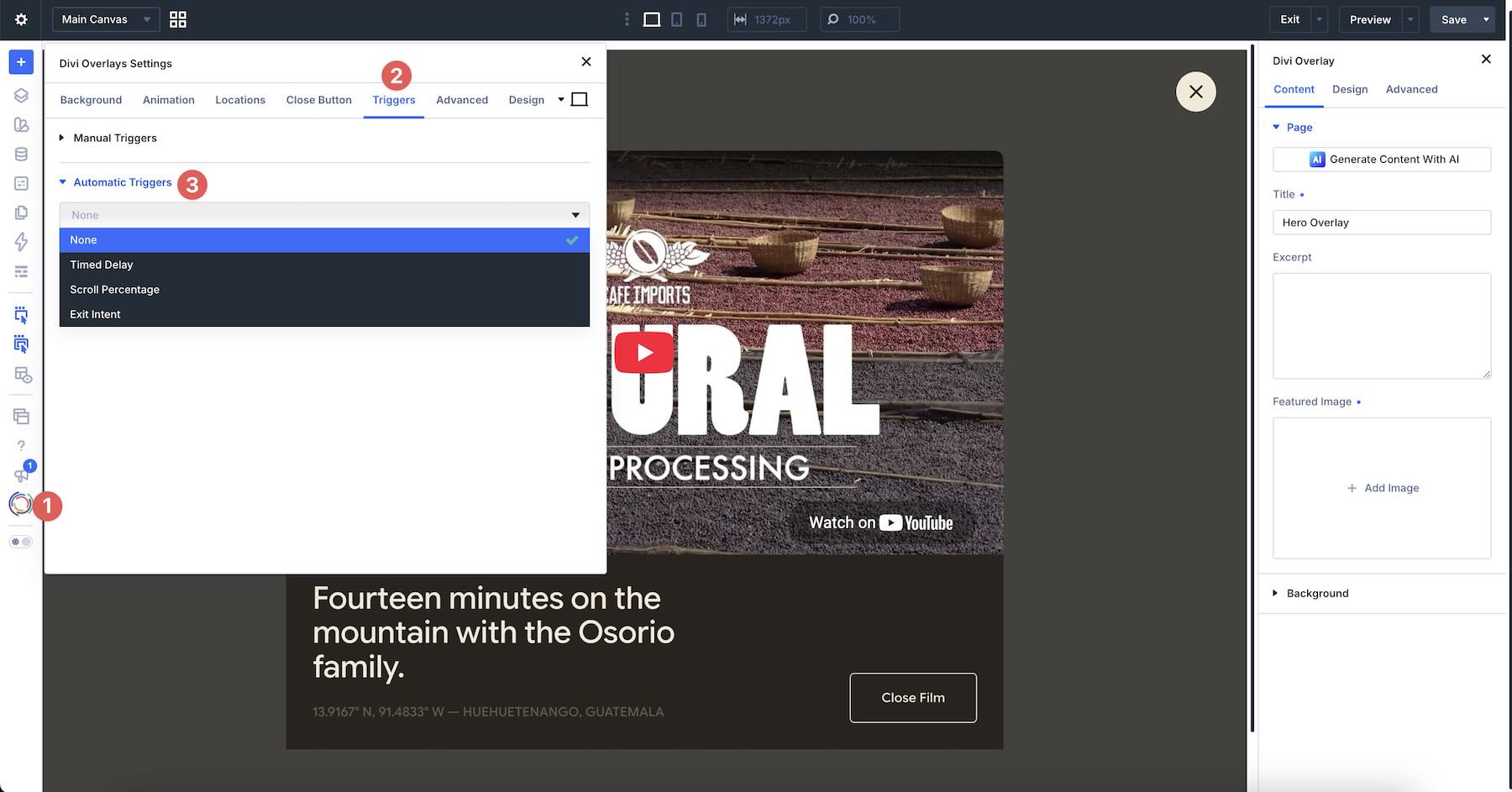
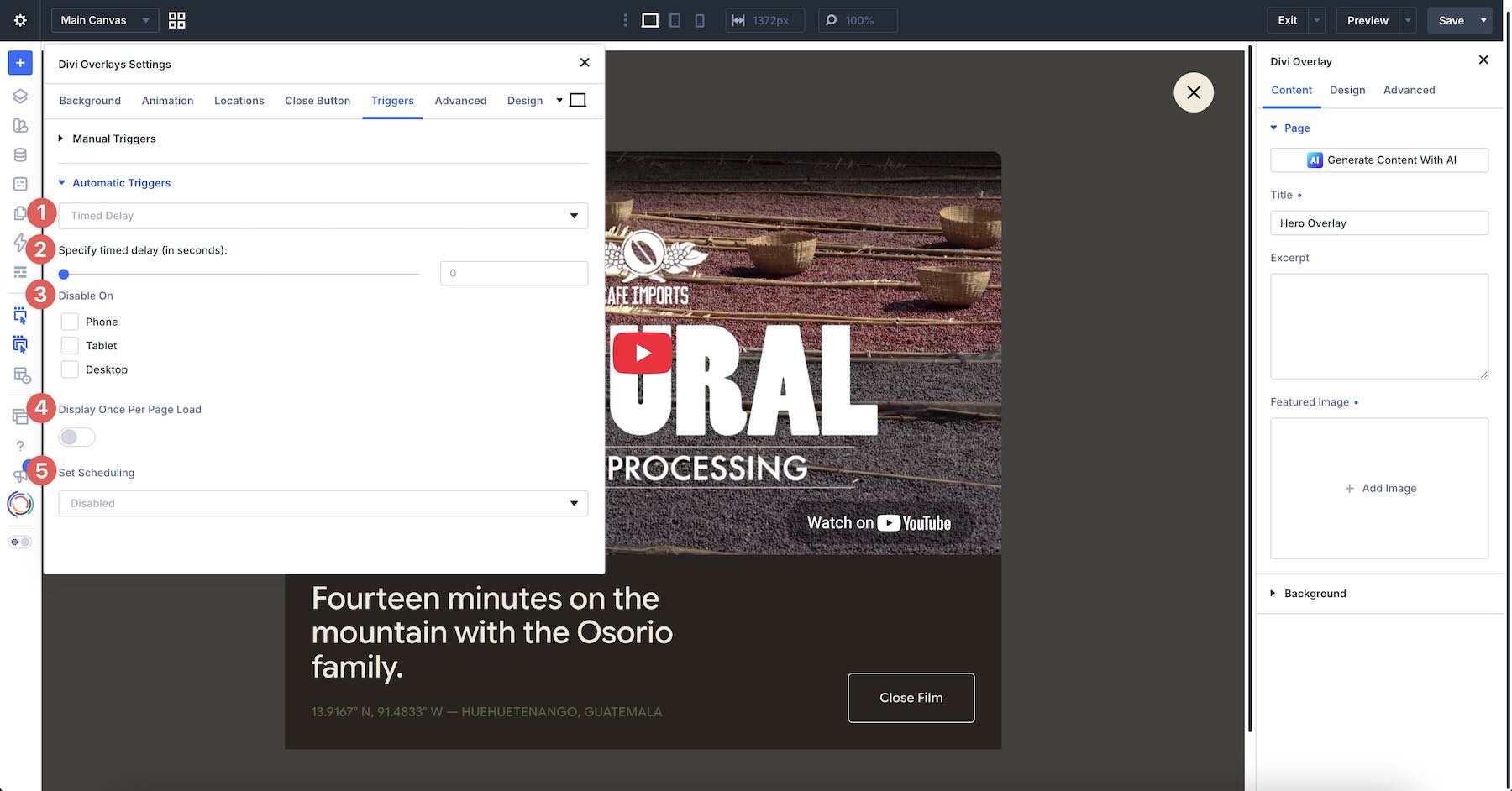
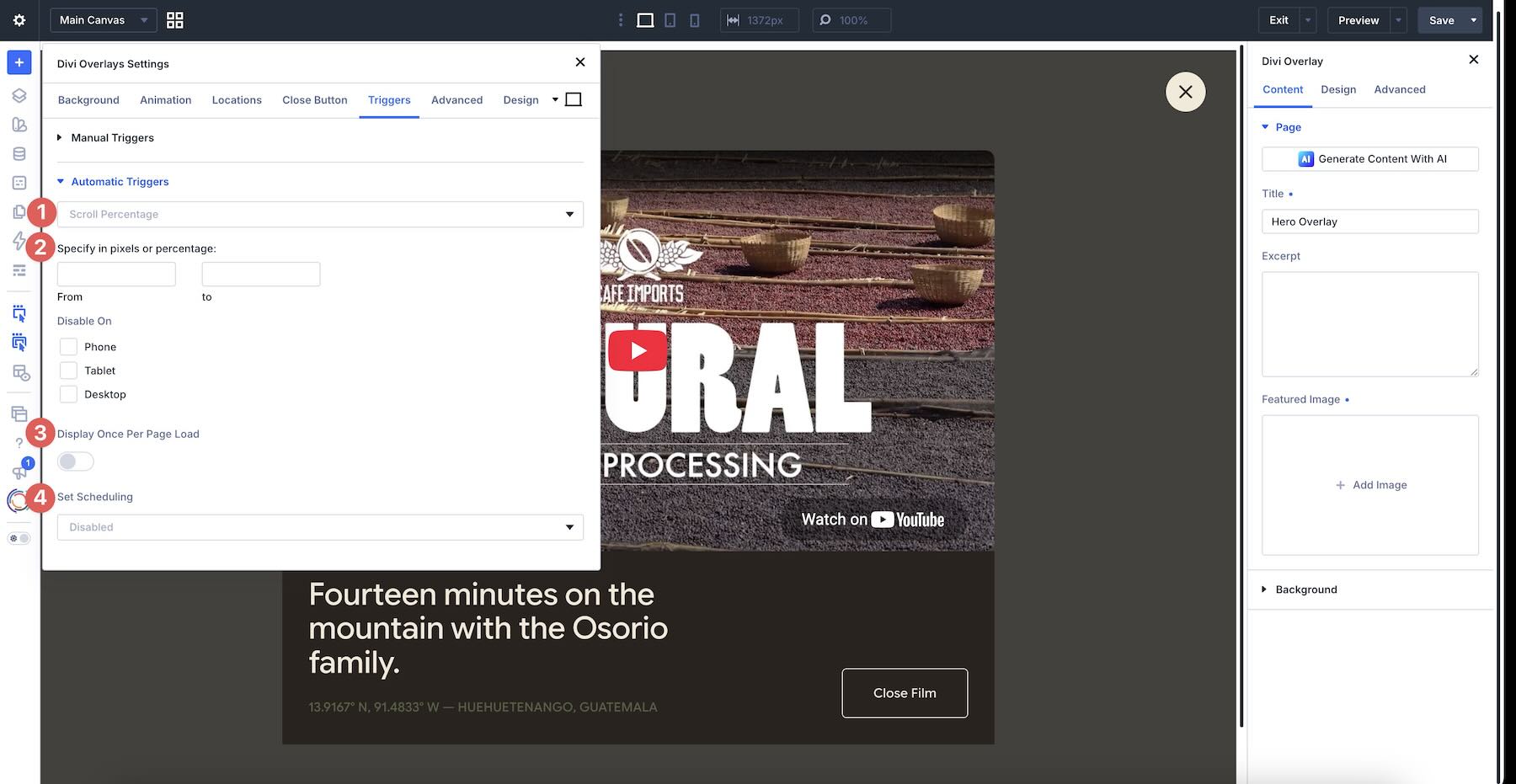
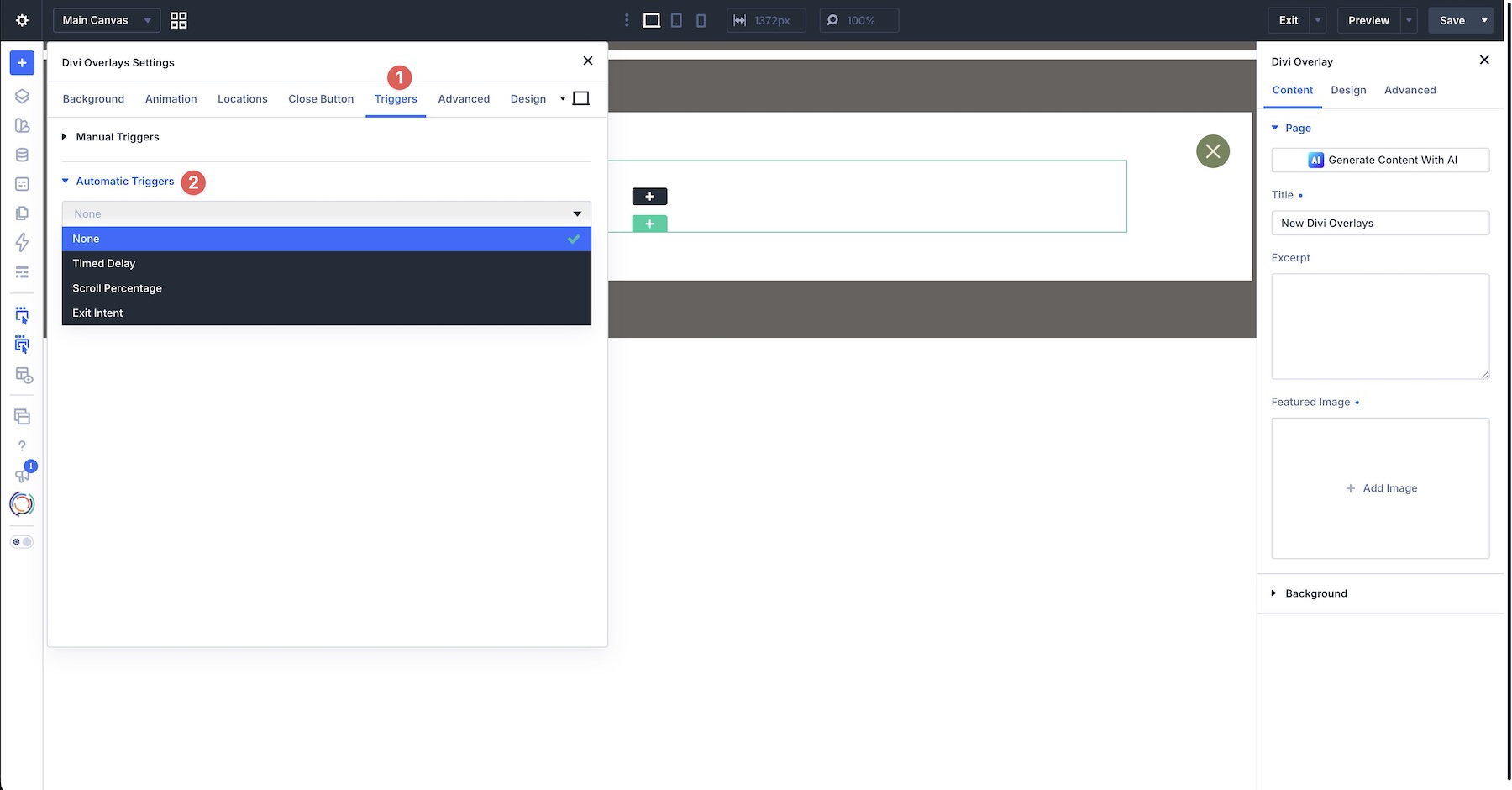
- Automatic Triggers: Content is served based on user behavior, including timed delays, scroll-depth percentages, and exit-intent detection.
Crucially, the plugin supports both the legacy Divi 4 framework and the newly architected Divi 5, ensuring that users can maintain a consistent, high-performance workflow regardless of which version of the theme they are currently running.
A Chronology of Integration: From Concept to Deployment
The workflow for implementing Divi Overlays follows a logical, three-phase progression designed to minimize technical friction.
Phase 1: Architecture and Design
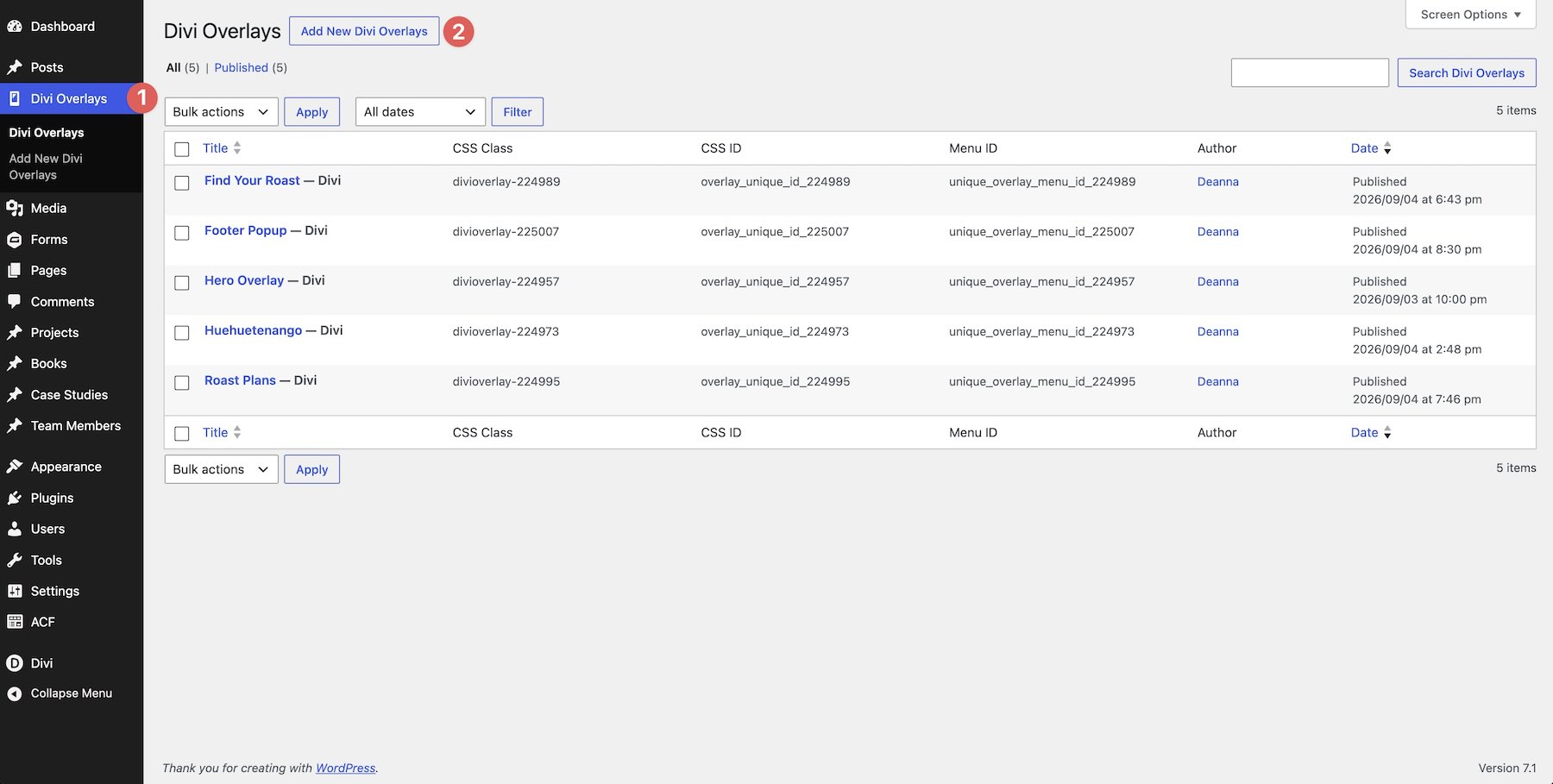
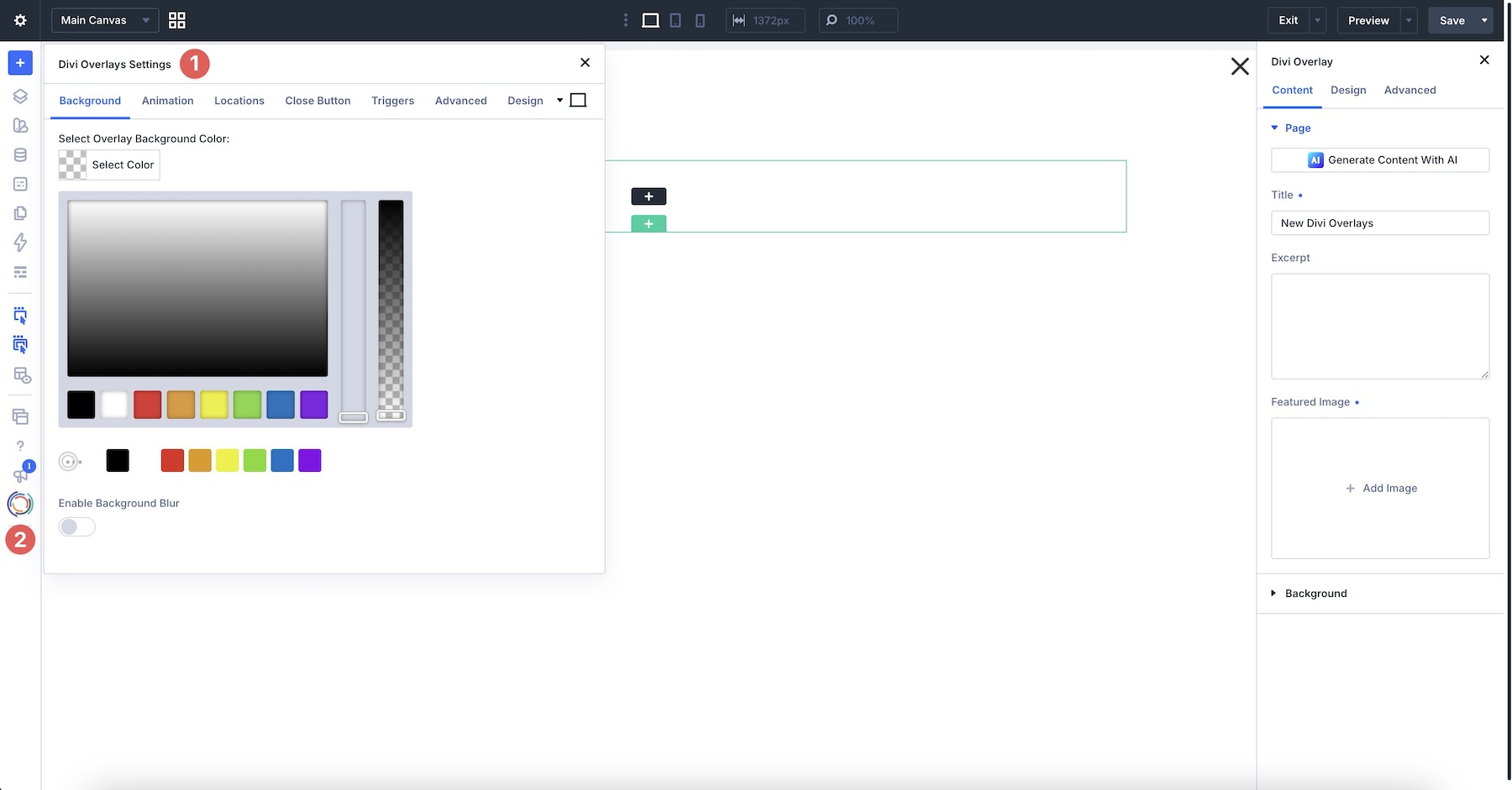
The process begins in the WordPress dashboard under the "Divi Overlays" menu. By creating a new overlay, the designer is greeted with a blank canvas within the Visual Builder. During this phase, the designer constructs the "content layer." Whether it is a simple contact form or a complex multi-column product showcase, the design process mirrors that of a standard webpage. This ensures that typography, spacing, and color palettes are inherited from the site’s theme, preventing the jarring "third-party widget" aesthetic.
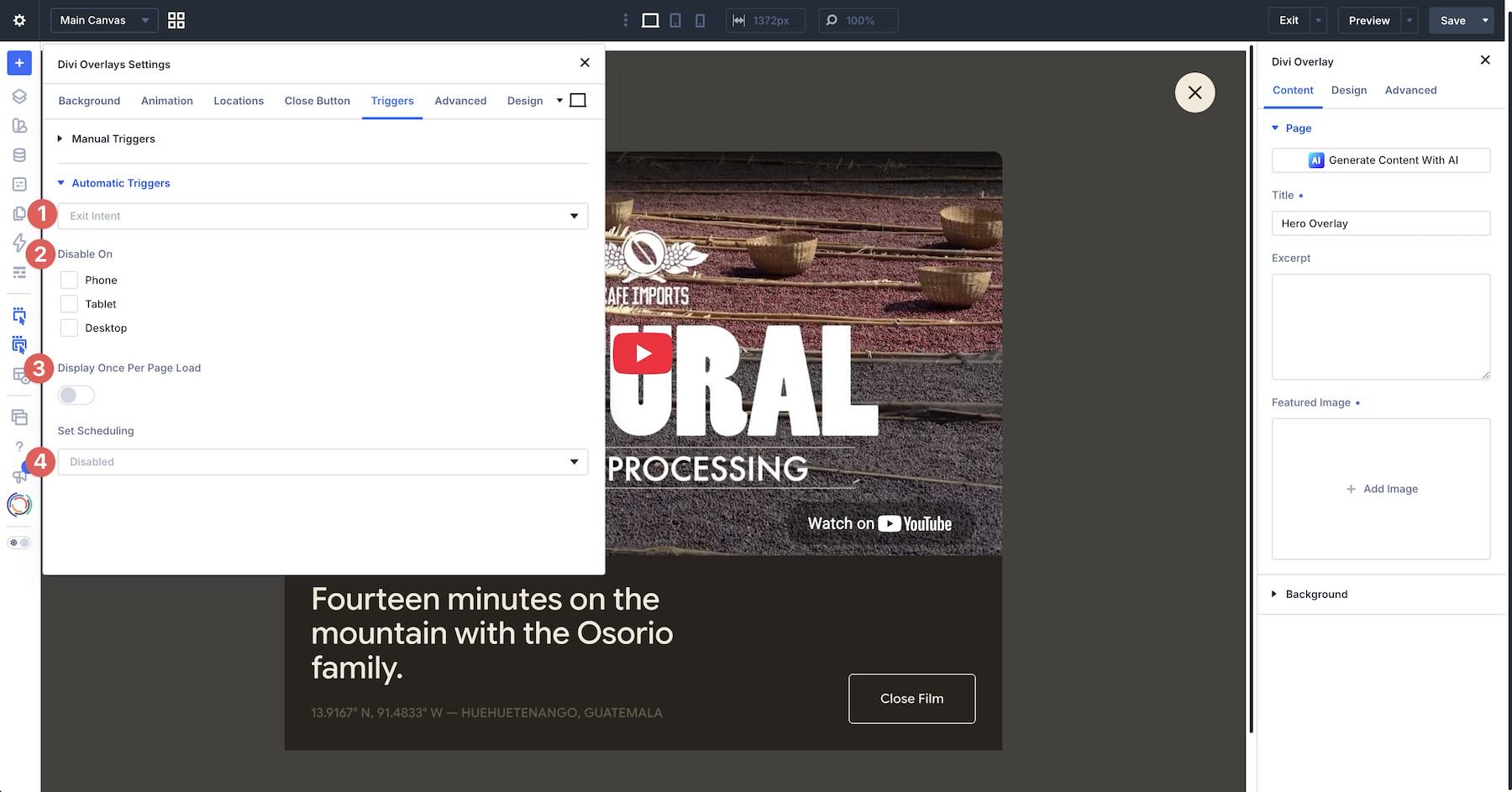
Phase 2: Configuration of Behavior
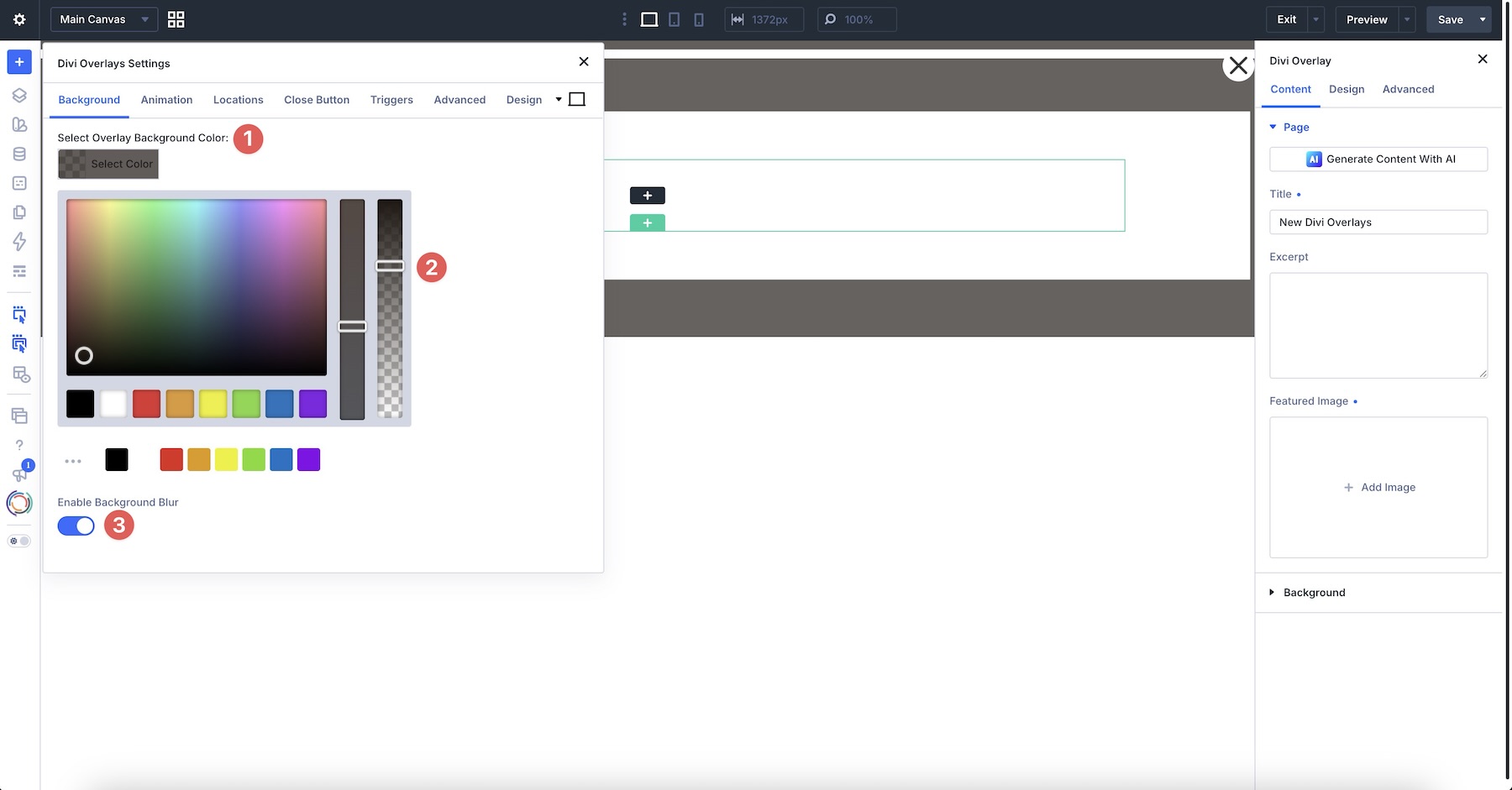
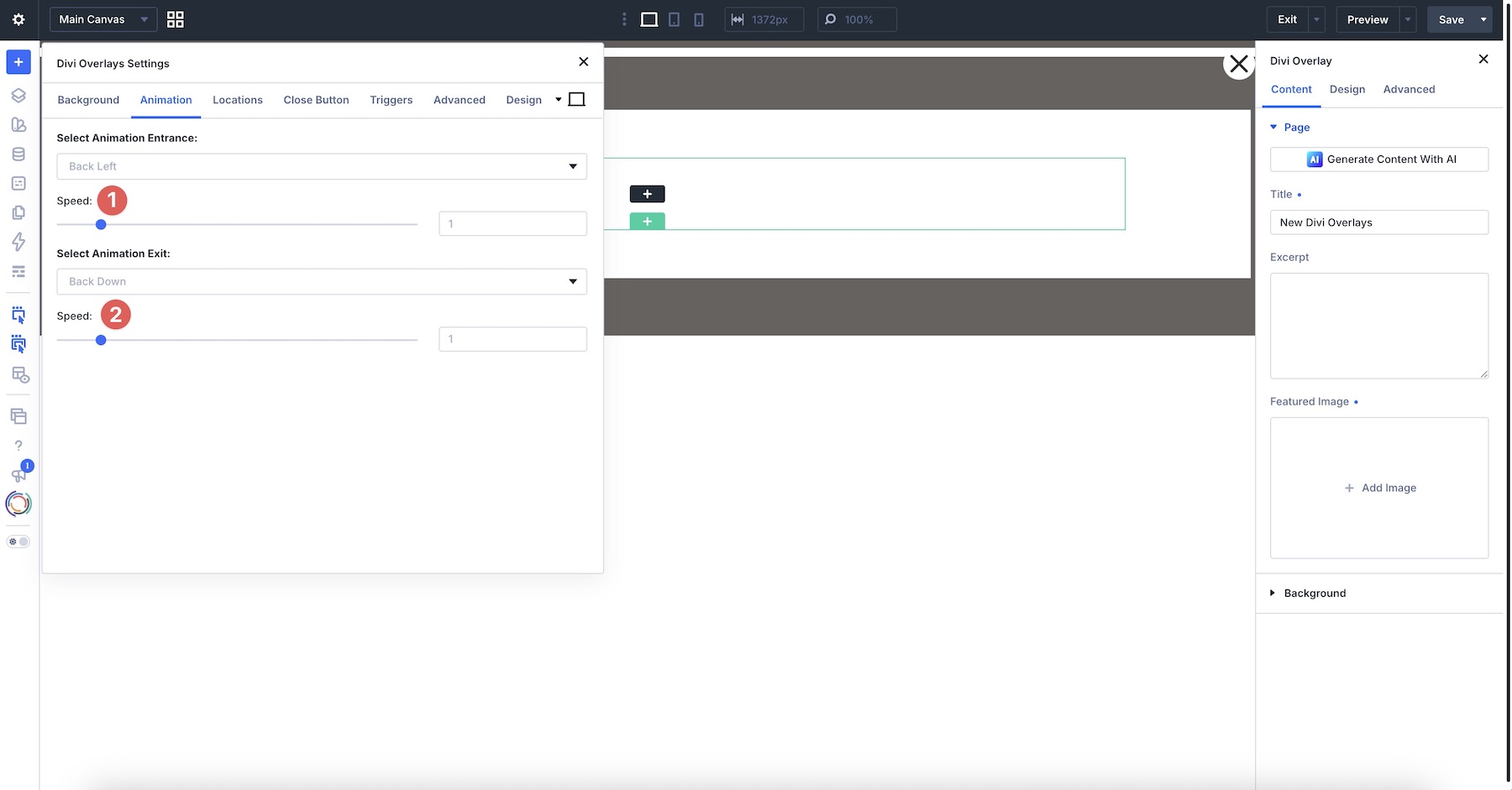
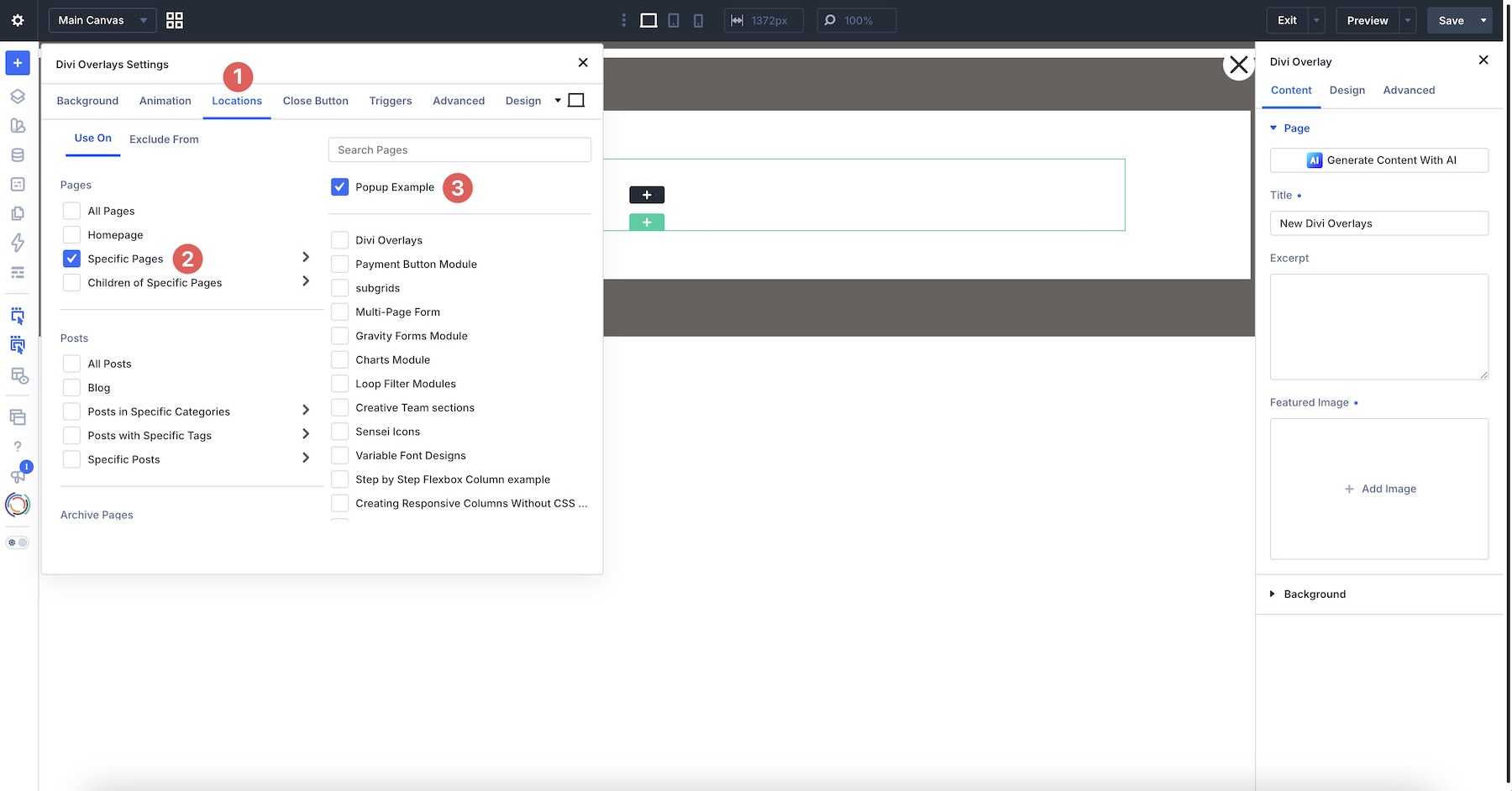
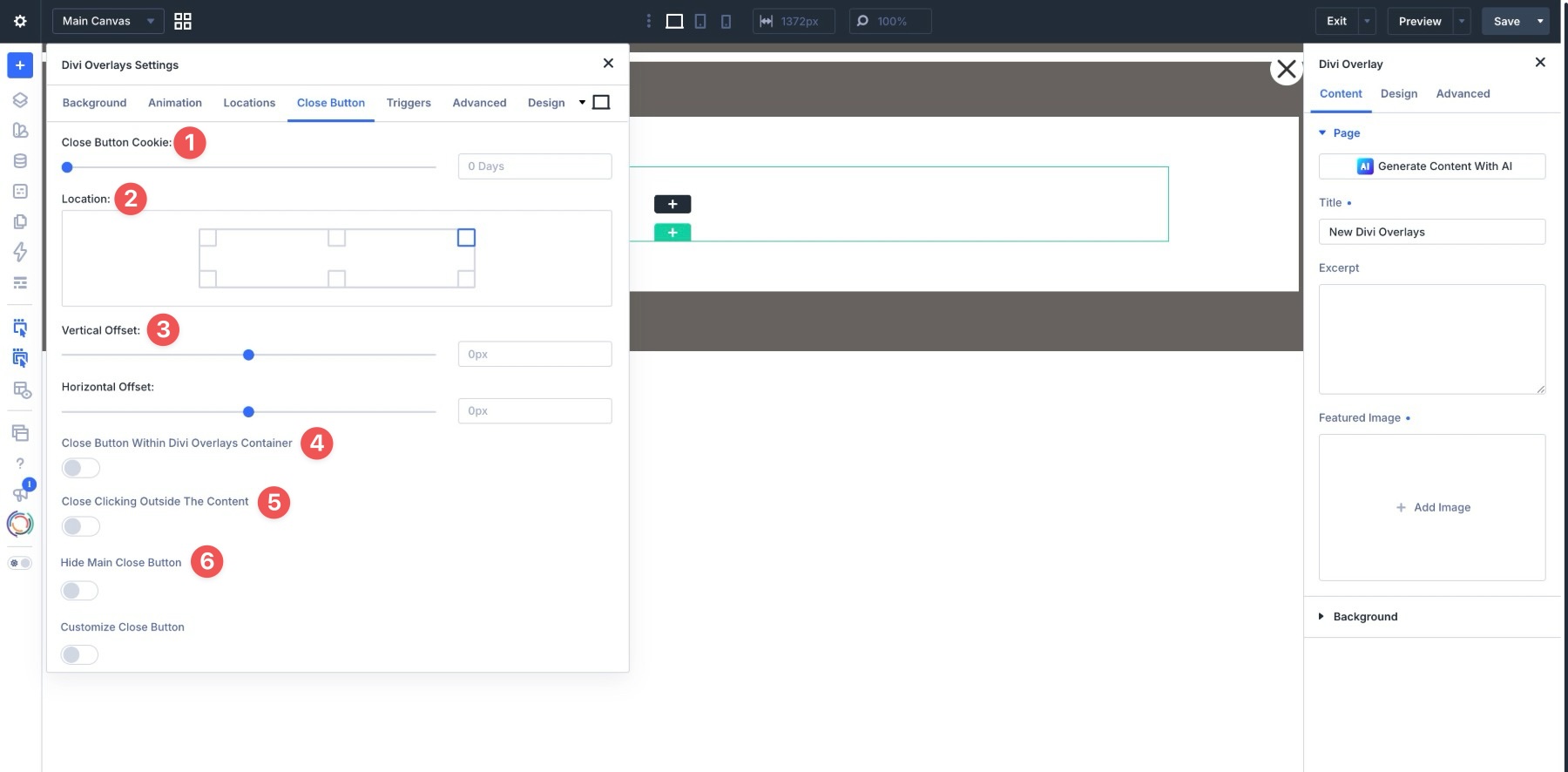
Once the content is set, the developer defines the "rules of engagement." This involves configuring seven distinct control tabs:
- Background: Defining transparency, color, and background blur effects.
- Animation: Selecting from a vast library of entrance/exit transitions, including fading, scaling, and sliding.
- Locations: Determining site-wide or page-specific availability.
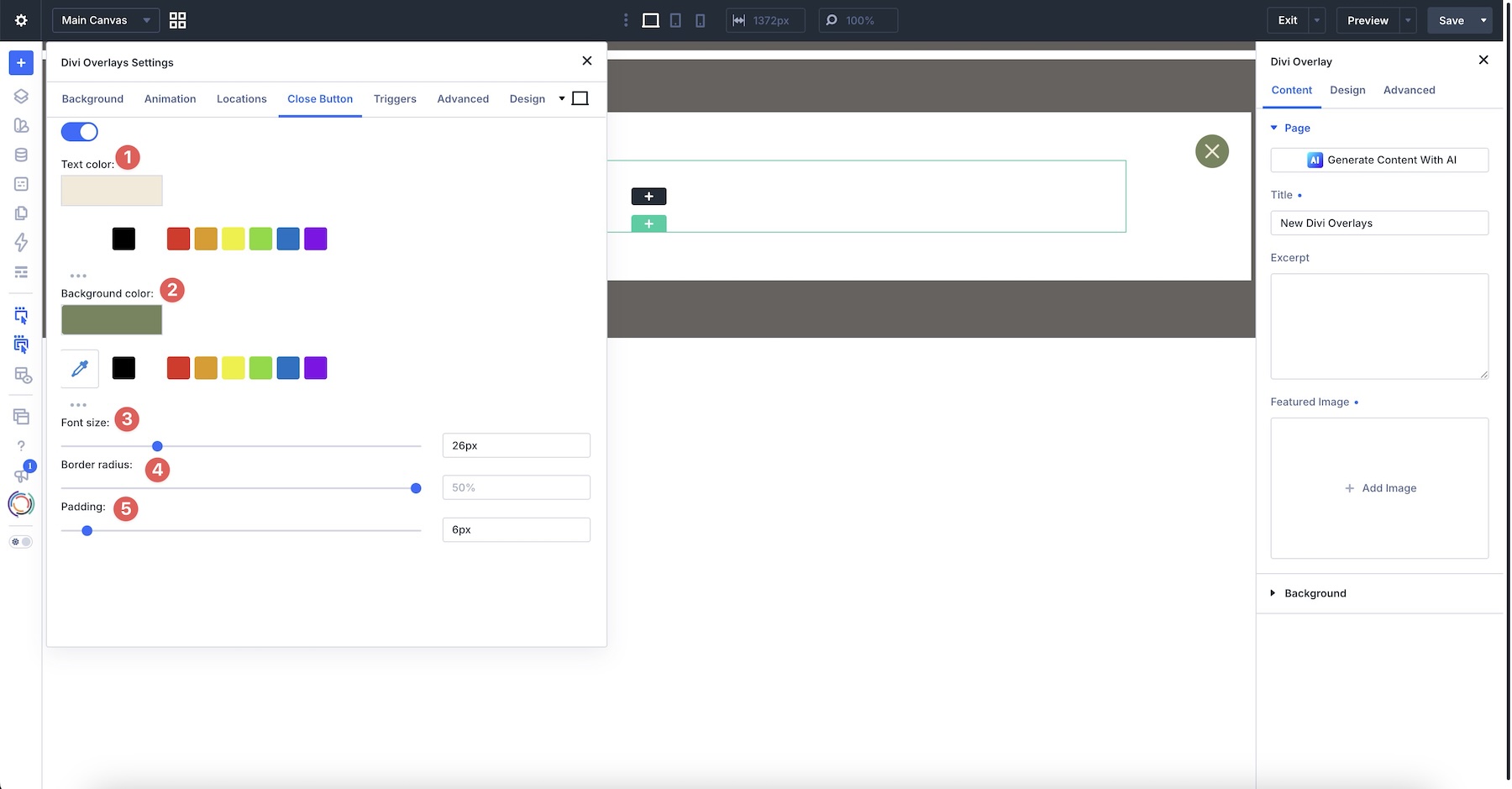
- Close Button: Customizing the dismissal mechanism, including cookie-based suppression to prevent repetitive annoyance.
- Triggers: Assigning CSS classes for manual triggers or defining the parameters for automatic triggers.
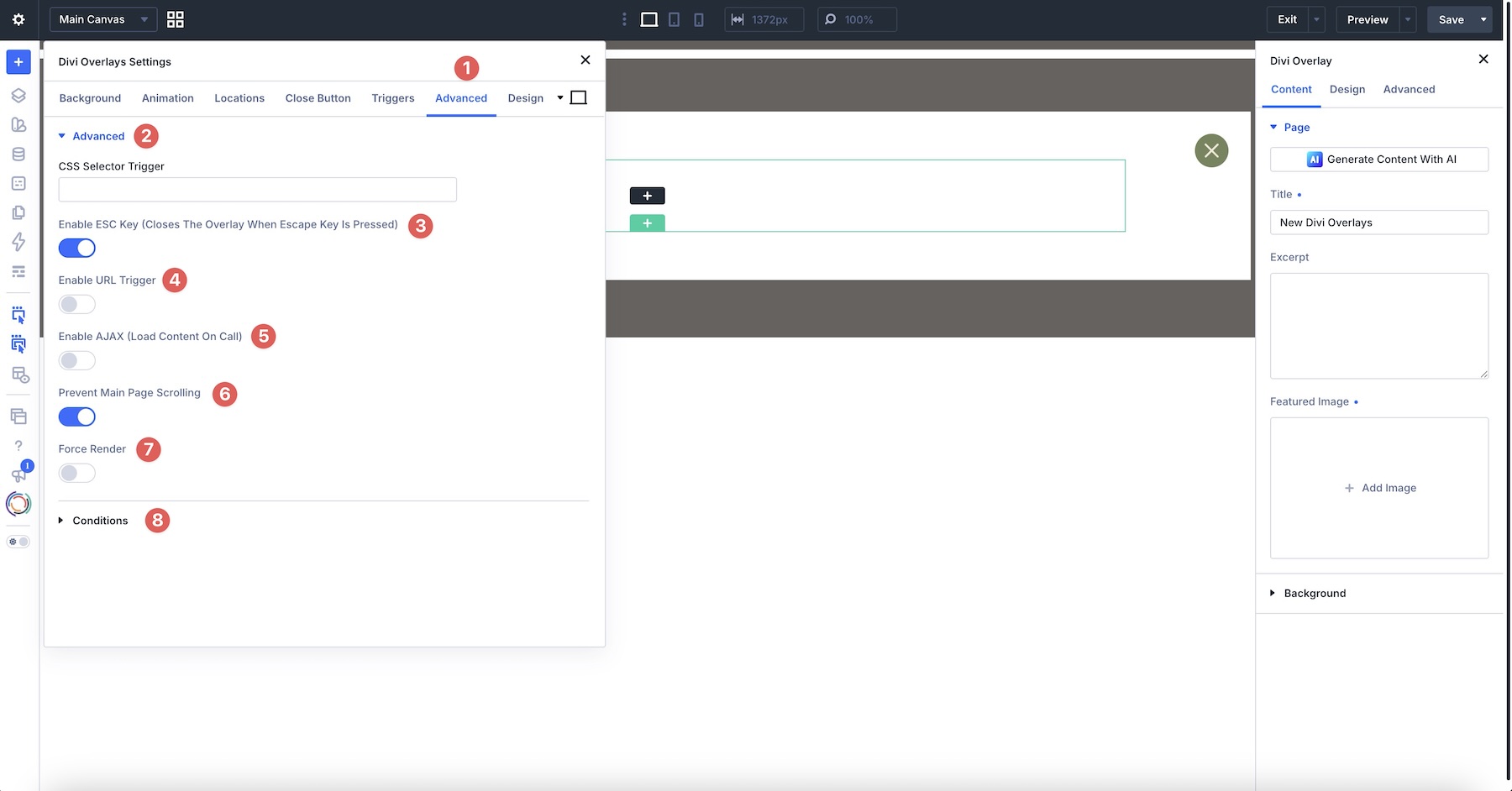
- Advanced: Implementing technical controls like ESC key support and scroll locking.
- Design: Fine-tuning the sizing and screen positioning of the modal.
Phase 3: The Trigger Connection
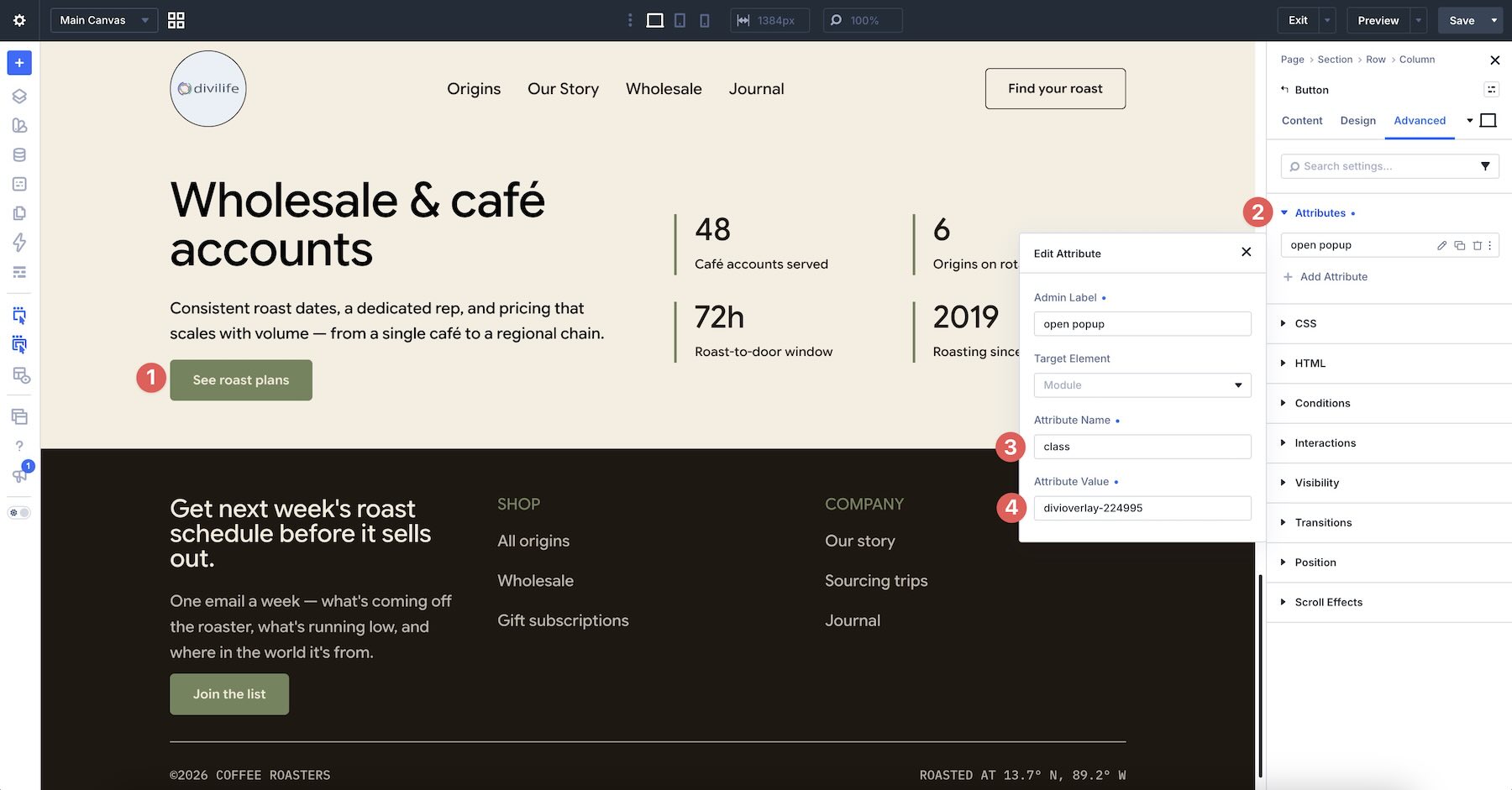
The final step is the bridge between the page and the overlay. By copying the unique CSS class generated for the overlay, the designer returns to the main page content. Within the "Advanced" settings of a chosen module (e.g., a Button or Image module), the developer adds a custom attribute. By mapping the class to this attribute, the element becomes a functional gateway to the overlay content.

Supporting Data: Why Contextual Overlays Matter
Data suggests that "less is more" when it comes to landing page conversion. A study into user behavior reveals that users are significantly more likely to complete a conversion action (like filling out a form) if the action is presented as a "focused" task rather than a distraction among a sea of navigation links and footer content.
Performance Metrics of Trigger Types:
- Click-Triggered Modals: These boast the highest conversion intent because they are user-initiated. When a visitor clicks "Request a Quote," they have already signaled interest, and the modal acts as a frictionless delivery mechanism.
- Exit-Intent Modals: These act as a "last-chance" safety net. By monitoring mouse movement toward the browser’s close or back buttons, the plugin can deploy a high-value offer or a last-minute reminder, often capturing leads that would have otherwise been lost.
- Scroll-Percentage Modals: These are highly effective for content marketing. By triggering an email opt-in only after a user has scrolled through 50% or 75% of an article, the plugin ensures the user is "warmed up" and engaged before the solicitation appears.
Official Guidance: Mastering the Divi 5 Workflow
With the introduction of Divi 5, Divi Life has updated the plugin to ensure deep integration with the new theme engine. The official walkthrough emphasizes that while the interface remains familiar, the speed and stability of Divi 5 enhance the rendering of overlays.
Designers are encouraged to use the "Preview" functionality within the Visual Builder to test how overlays respond at various breakpoints. Because Divi Overlays is inherently responsive, developers can adjust padding and text sizes specifically for tablet or mobile devices, ensuring that a full-screen welcome mat on a desktop does not become a usability nightmare on a smartphone.
Implications for Agencies and Freelancers
For professionals managing multiple client sites, Divi Overlays represents a significant efficiency gain.
1. Brand Consistency
In a professional agency environment, maintaining brand identity is paramount. Third-party pop-up plugins often introduce their own CSS, which can conflict with the parent theme. Because Divi Overlays uses the native Divi Builder, the pop-up is essentially a native component of the site. The client’s brand guidelines are preserved perfectly, from the button hover states to the font weight of the headers.
2. Simplified Maintenance
Because each overlay is stored as a custom post type, updating a piece of information—such as a phone number in a contact overlay—requires a single edit. That change propagates automatically across every page or button where that specific overlay is triggered, eliminating the need to update dozens of individual pages.
3. Reduced Plugin Bloat
Agencies often find themselves installing specialized plugins for contact forms, video galleries, and pop-up makers. Divi Overlays consolidates these functions. Since the overlay can contain any Divi module, it can house a WooCommerce cart, a Gravity Form, or a video player, potentially replacing the need for three or four separate, resource-heavy plugins.
Future-Proofing Your Web Strategy
As the web moves toward more interactive, app-like experiences, static pages are becoming less effective at keeping users engaged. Divi Overlays serves as a sophisticated middle ground, providing the interactivity of a web application without the complexity of custom coding.
By choosing to utilize tools like Divi Overlays, web creators are not just installing a plugin; they are adopting a philosophy of "Progressive Disclosure." This design pattern suggests that complex information should be hidden until the user explicitly requests it. It keeps the initial interface clean and approachable, while simultaneously providing a robust, feature-rich experience for those who choose to dive deeper.
For those looking to get started, the Divi Marketplace offers the plugin with a 30-day money-back guarantee and a year of support, providing a low-risk environment to experiment with these features. Whether it is a simple team bio popup or a complex, scheduled promotional campaign, the ability to control when and how content is served is the hallmark of a truly professional website.
Ultimately, Divi Overlays is about empowering the designer to curate the visitor’s journey, ensuring that every element on the screen serves a purpose, and every interaction brings the user one step closer to the desired outcome. As Divi continues to evolve with the release of Divi 5, tools that respect the integrity of the builder’s workflow will remain the most essential assets in any designer’s toolkit.