In the rapidly evolving landscape of web development, the holy grail has always been the balance between creative automation and brand integrity. For professional designers and agencies, the promise of AI has often been hampered by a single, persistent friction: the need to constantly reiterate brand guidelines, design systems, and layout conventions. Every new page, every new section, and every new client project has historically required a tedious "reset" of instructions.
Today, that paradigm shifts with the maturation of Divi AI Agents, a sophisticated new feature integrated into the Divi 5 Visual Builder. By introducing "Rules," Divi is moving beyond simple text and image generation, offering a framework that allows AI to internalize the DNA of a brand.
The Evolution of AI-Assisted Design: From Tasks to Workflows
To understand the significance of Divi AI Agents, one must look at the trajectory of AI within the Divi ecosystem. When Divi AI debuted in August 2023, it was a breakthrough tool for generative text and imagery. It allowed users to bypass the "blank page syndrome" by providing quick, high-quality content directly within the WordPress dashboard.
However, content is only one piece of the puzzle. Code generation followed, enabling users to create complex functional elements without deep technical knowledge. Soon after, the scope expanded to include full layout generation. Yet, for all its speed, the early iteration of AI remained transactional. You asked, it answered. If you needed the next page to match the tone of the first, you had to re-prompt or copy-paste your instructions.
The introduction of Divi AI Agents transforms this dynamic from a series of disjointed tasks into a continuous, connected workflow. These agents act as a persistent digital assistant that doesn’t just "know" how to write code or generate text; it knows how your project is built. By utilizing a conversational interface, users can now delegate complex, multi-element tasks—such as standardizing typography across a site, implementing Design Variables, or adjusting responsive spacing—with the confidence that the agent is working from a shared, predefined rulebook.
The Logic of Consistency: Why "Rules" Matter
The core of this new capability lies in the "Rules" system. While an AI agent can inspect a live page, it cannot intuitively decipher the difference between a deliberate design choice and a temporary placeholder. It might see a specific color value and assume it is the global standard, when in reality, it was a design experiment.
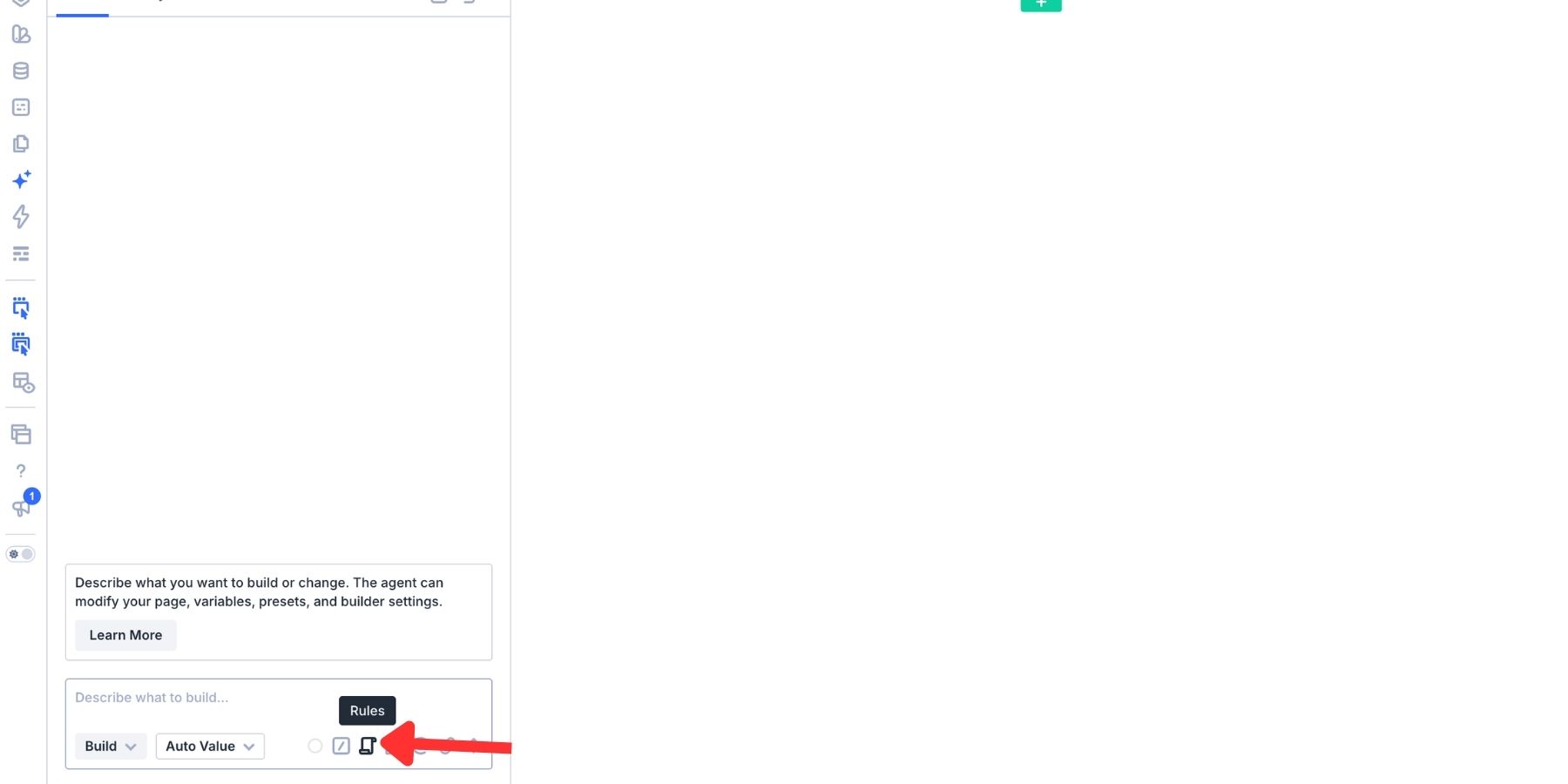
Rules bridge this gap. They allow developers to define explicit standards for brand voice, naming conventions, and color usage. By saving these instructions, the agent gains a permanent memory. The necessity of repeating the same "brand persona" prompt in every session is eliminated, drastically reducing the administrative overhead of web development.
Rules vs. Commands: Defining the Roles
A common point of confusion for new users is the distinction between Rules and Commands. Think of them as the "Strategy" and the "Tactics":
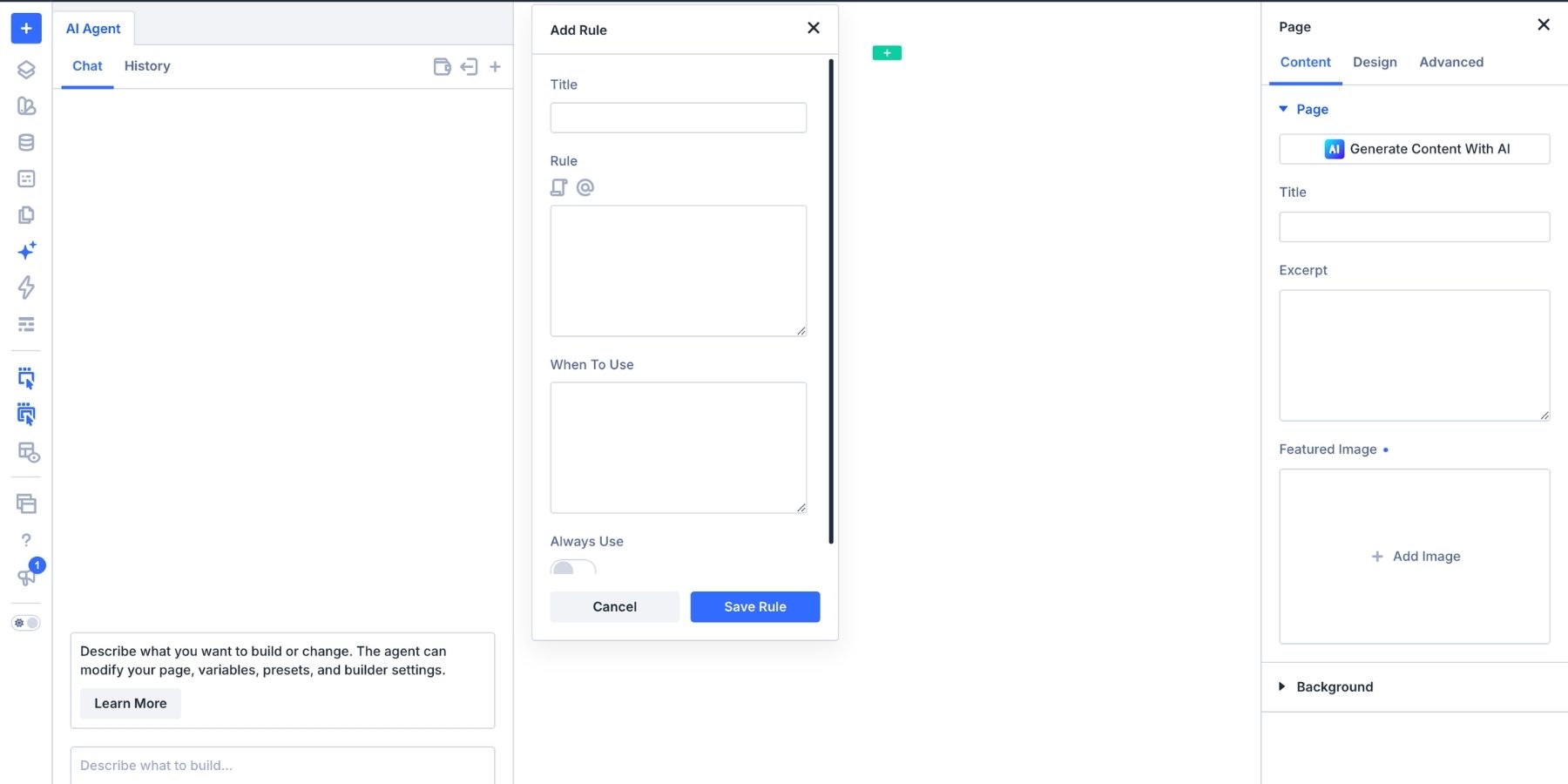
- Rules (Strategy): These define the how. They are the overarching conventions that govern the agent’s behavior. A Rule might state, "Always use Design Variables for all colors" or "Maintain a professional, authoritative, yet approachable tone."
- Commands (Tactics): These are the actions. A command is the specific, repeatable job you ask the agent to execute. An example of a Command would be: "Review this page for hardcoded colors and replace them with the appropriate global variables."
By deploying both in tandem, a designer can create a highly efficient loop: the Rule provides the guardrails, while the Command triggers the execution.
The Anatomy of an Effective Rule
Creating a rule is a straightforward process, but for maximum efficiency, it requires precision. The goal is to provide enough detail that the AI cannot misinterpret your intent.
1. The Setup: Accessing the Editor
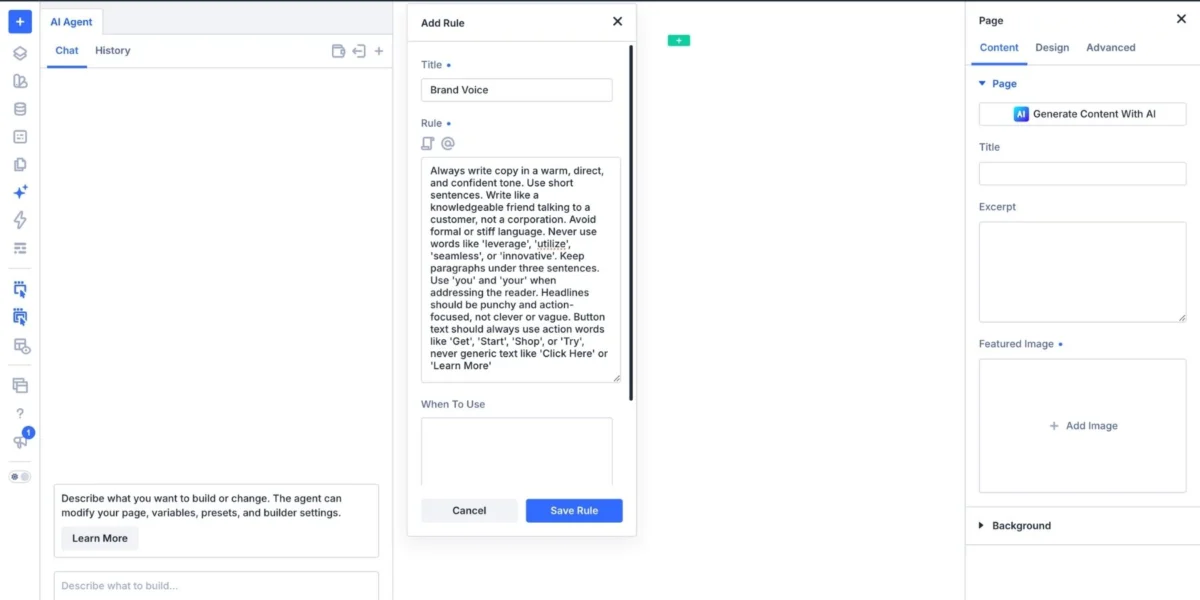
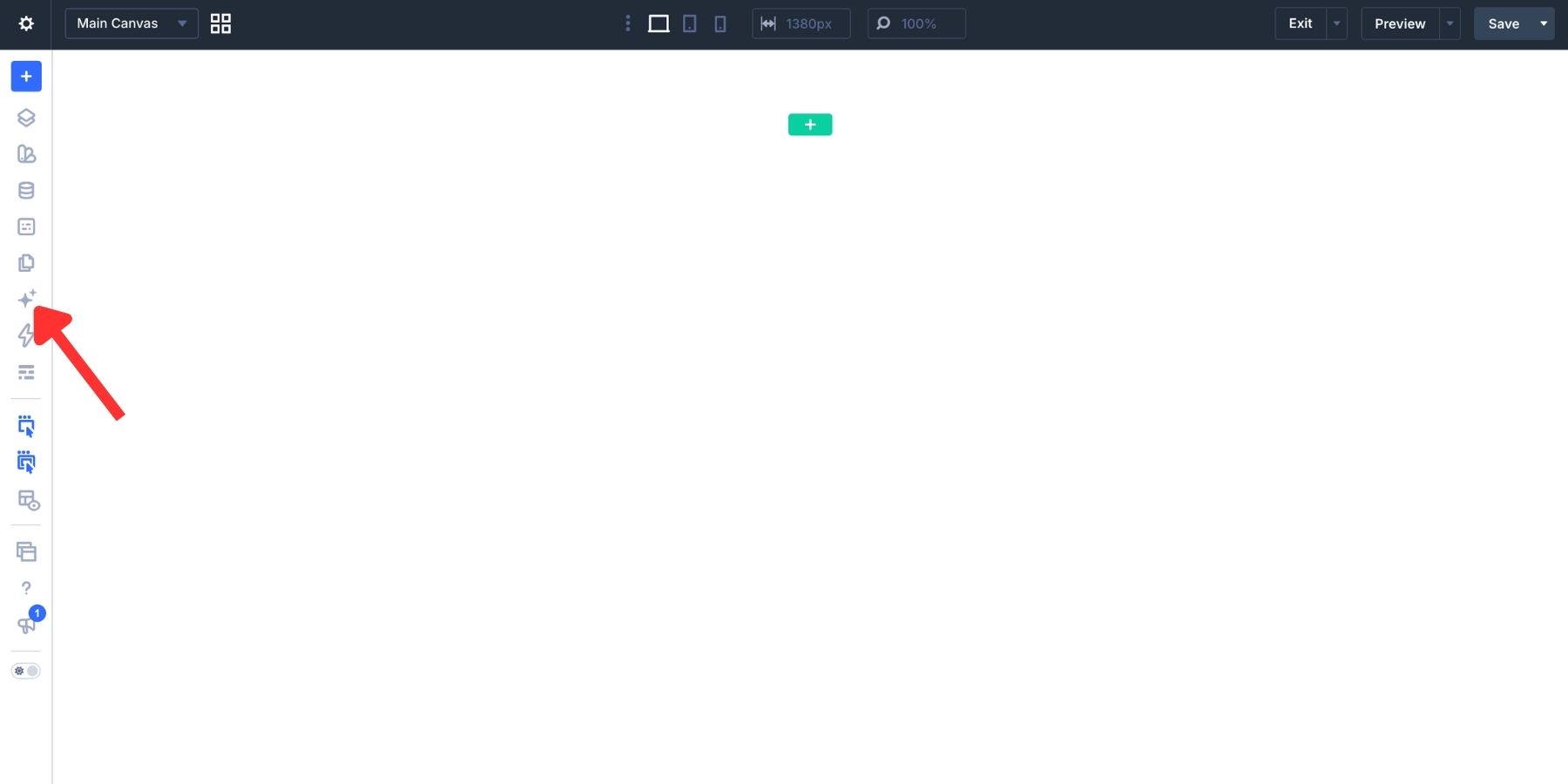
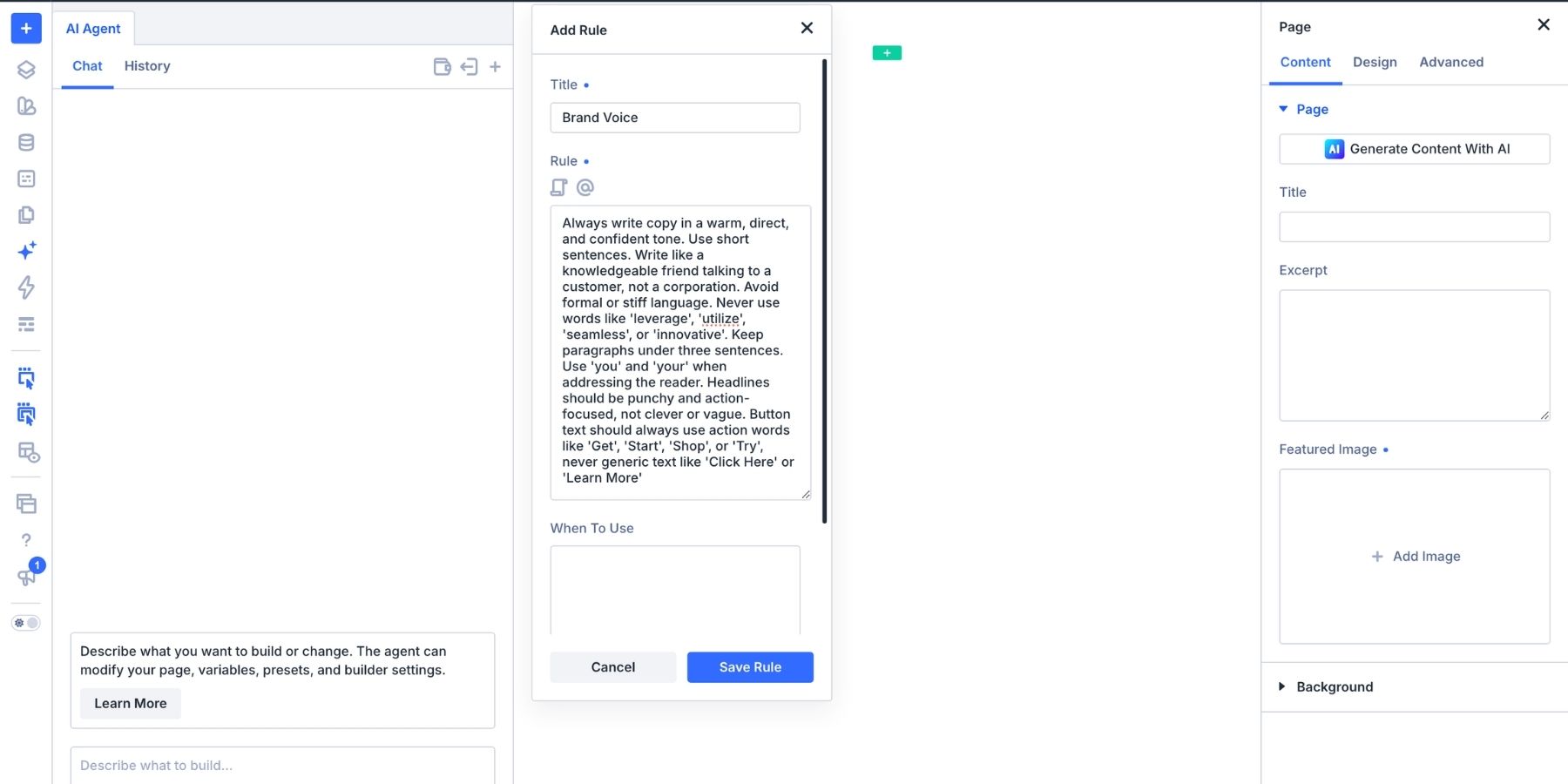
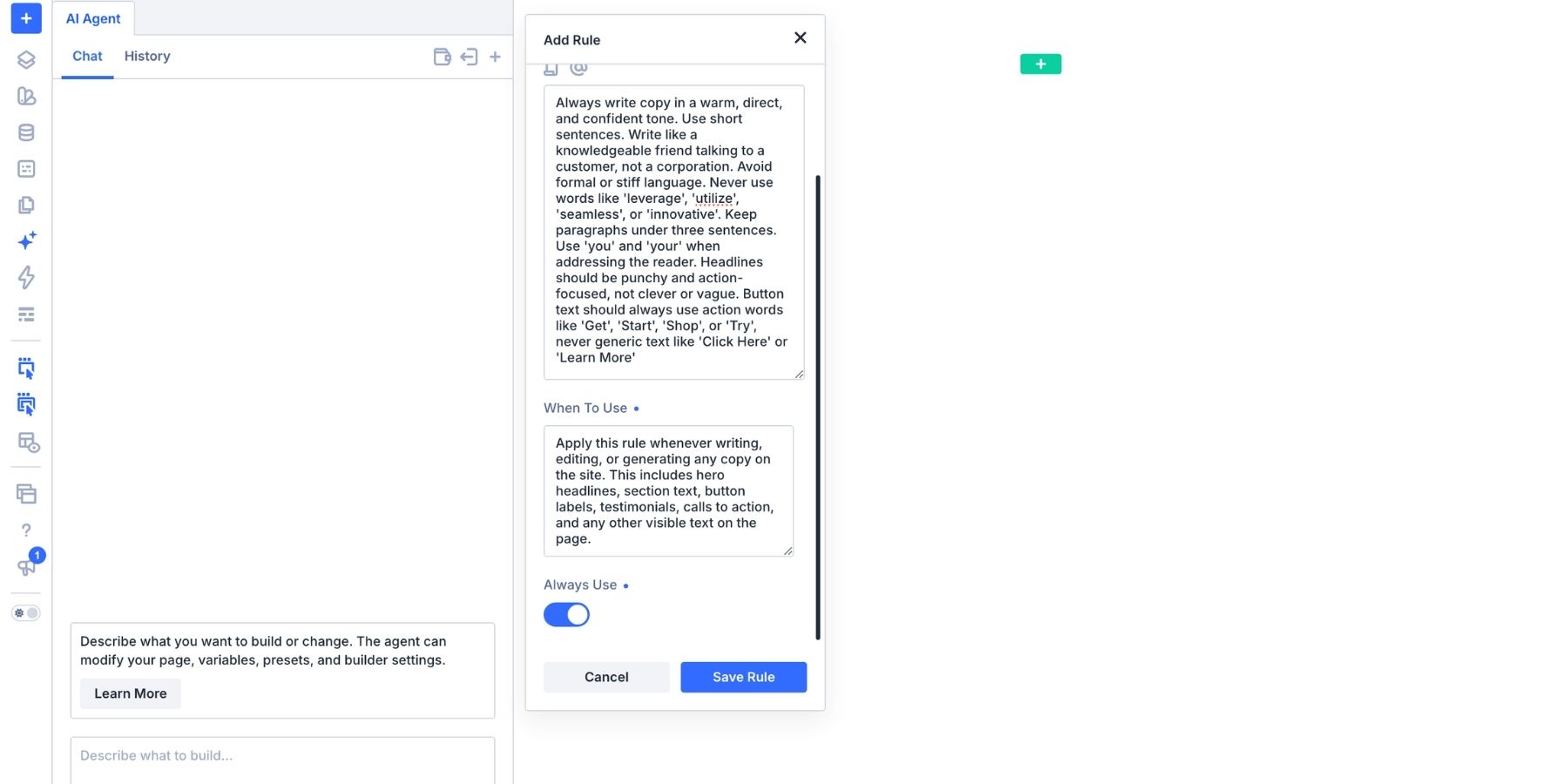
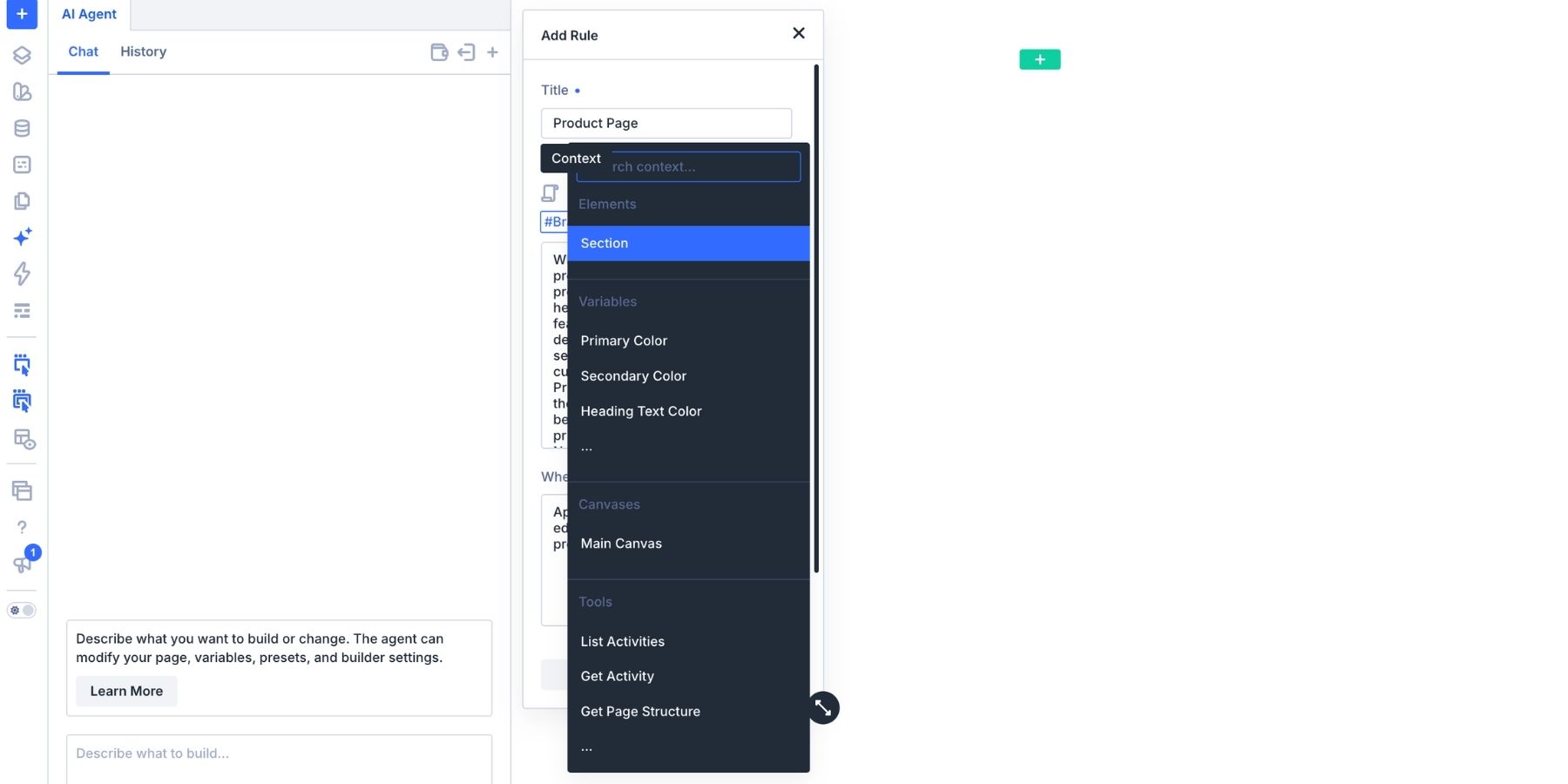
Within the Divi 5 Visual Builder, the AI Agent icon serves as the portal to this new workflow. Inside the composer toolbar, the "Rules" panel provides a centralized library for all your saved instructions. Clicking "Add New Rule" opens an editor where you can define the scope of the instruction.
2. Crafting the Directive
The "Title" and "Instruction" fields are where your design system comes to life. A common mistake is to be overly vague. Instead of saying "write on brand," a high-performing rule might read: "Use a warm, direct, and confident tone. Keep sentences under 15 words and paragraphs under three sentences. Use the word ‘you’ to address the reader. Avoid jargon, and prioritize action-oriented verbs in all button labels."
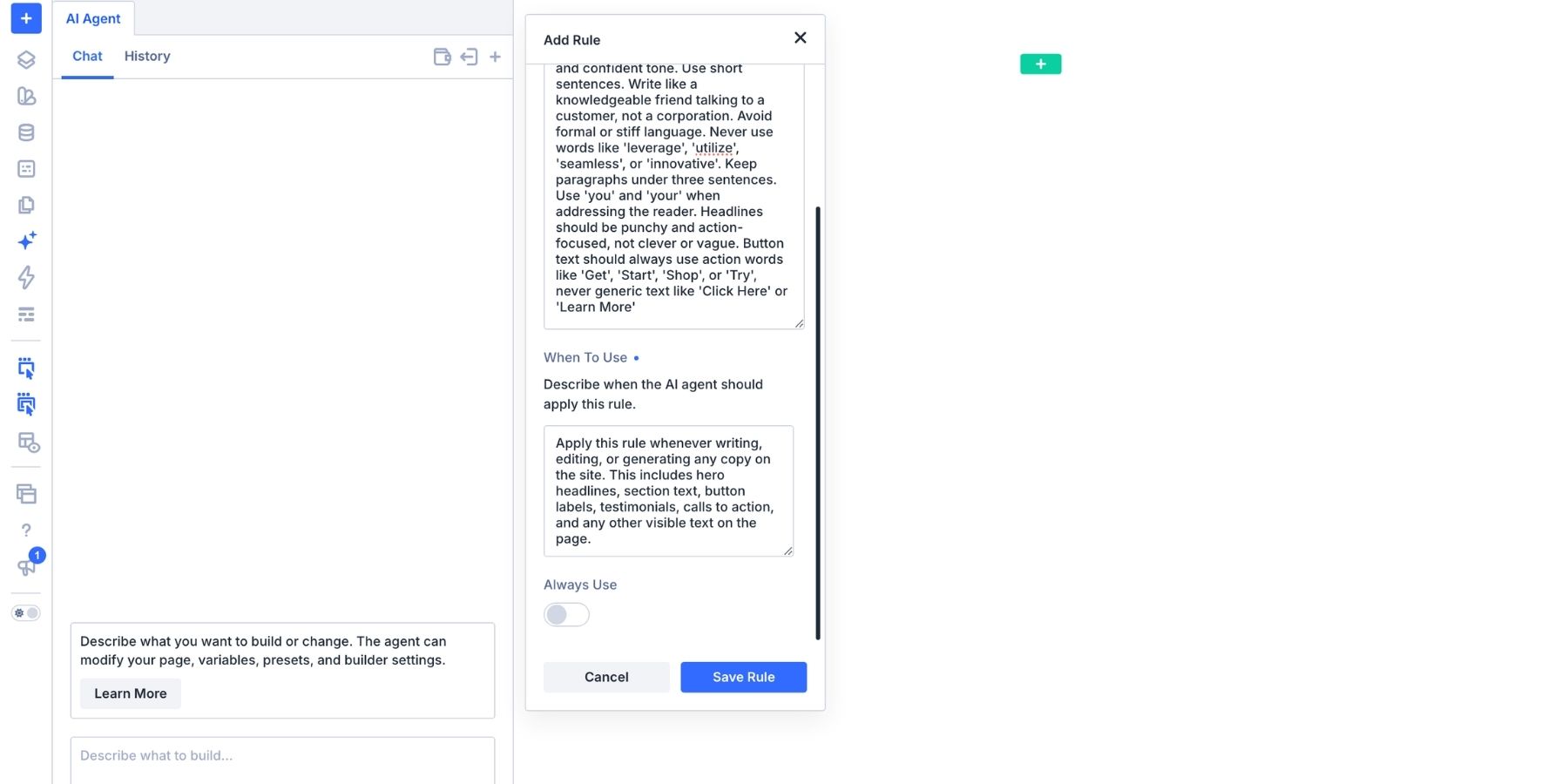
This level of specificity transforms the agent from a general-purpose writer into a specialized brand copywriter.
3. Setting Applicability
The "When to Use" feature is arguably the most powerful tool for workflow management. By defining whether a rule applies to "Landing Pages," "Product Cards," or "Global Navigation," you prevent the agent from applying conflicting logic to different parts of the site. The "Always Use" toggle is reserved for the foundational pillars of your brand—the non-negotiables that apply to every pixel and paragraph on the site.
Scaling Complexity: Nesting and Contextual Awareness
As a website grows in complexity, so too does the need for nuanced instructions. This is where "Nesting" and "Contextual References" become essential.
Nesting Rules for Holistic Design
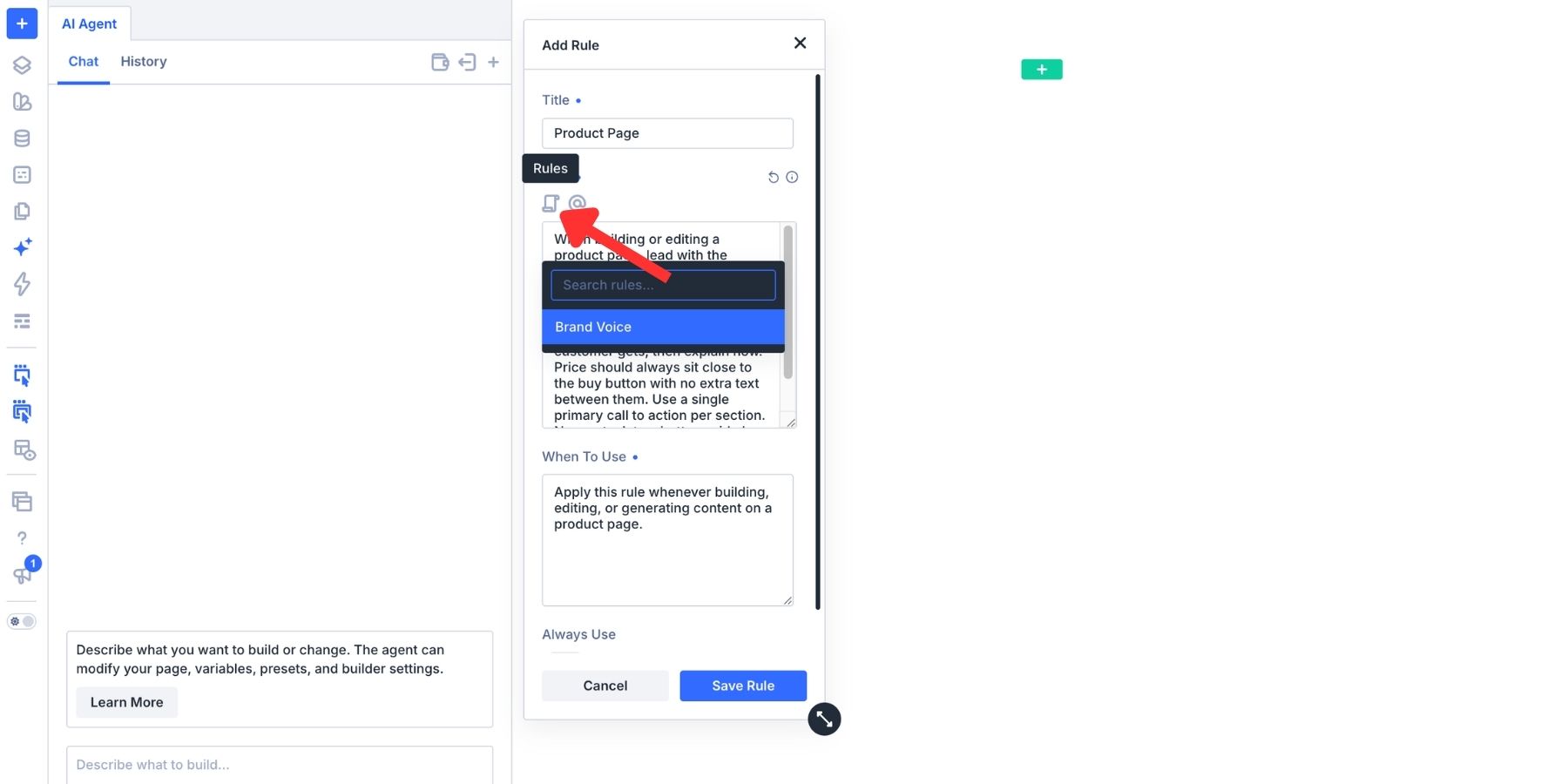
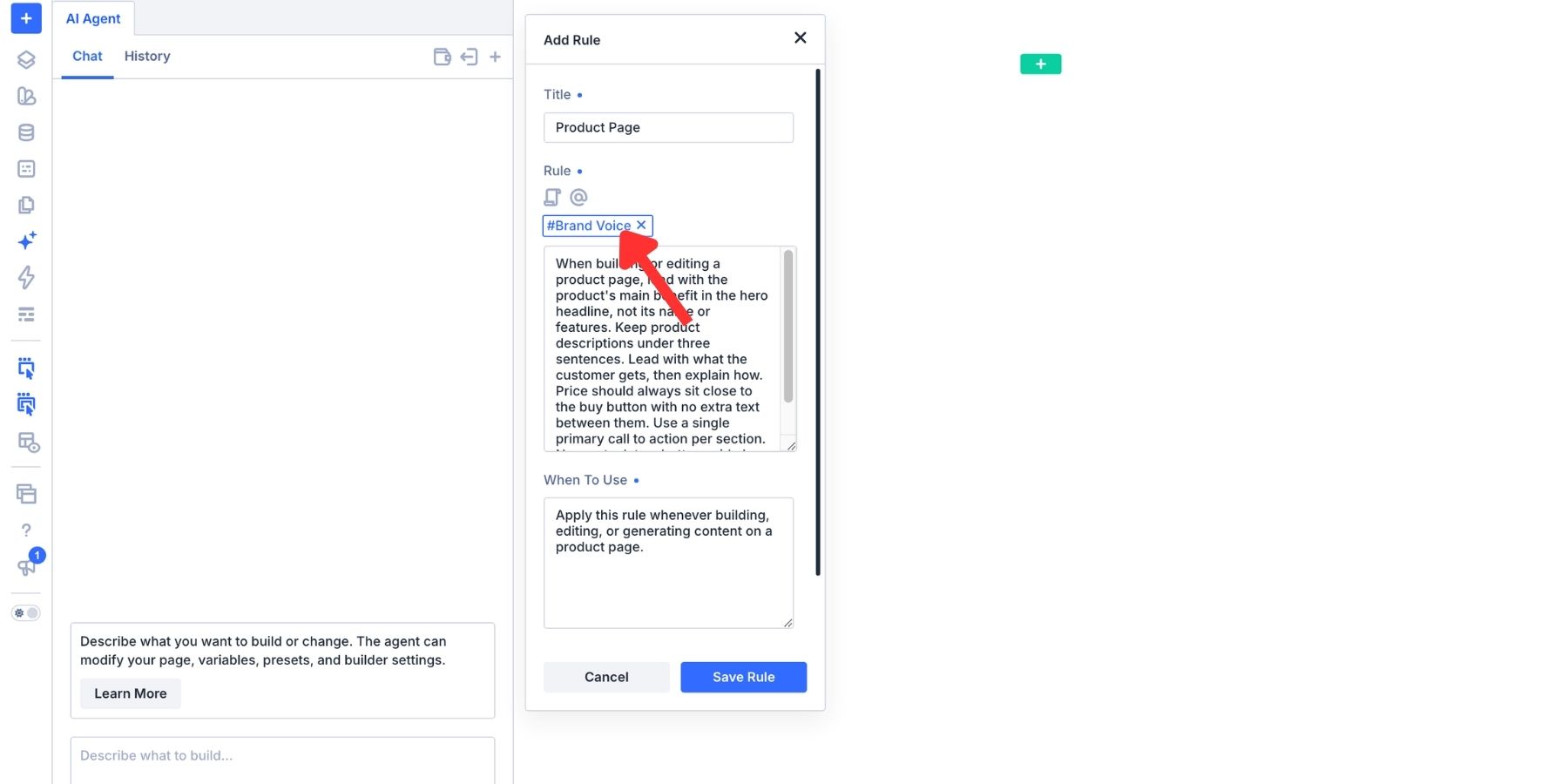
You don’t need to rewrite your brand voice for every specific page type. Instead, you can nest rules. A complex instruction for a "Product Landing Page" can reference your existing #BrandVoice and #Typography rules. This modularity ensures that if you decide to update your brand’s font family, you only need to change the primary #Typography rule, and every nested rule across the site will automatically inherit the update.
The Power of Context (@Mentions)
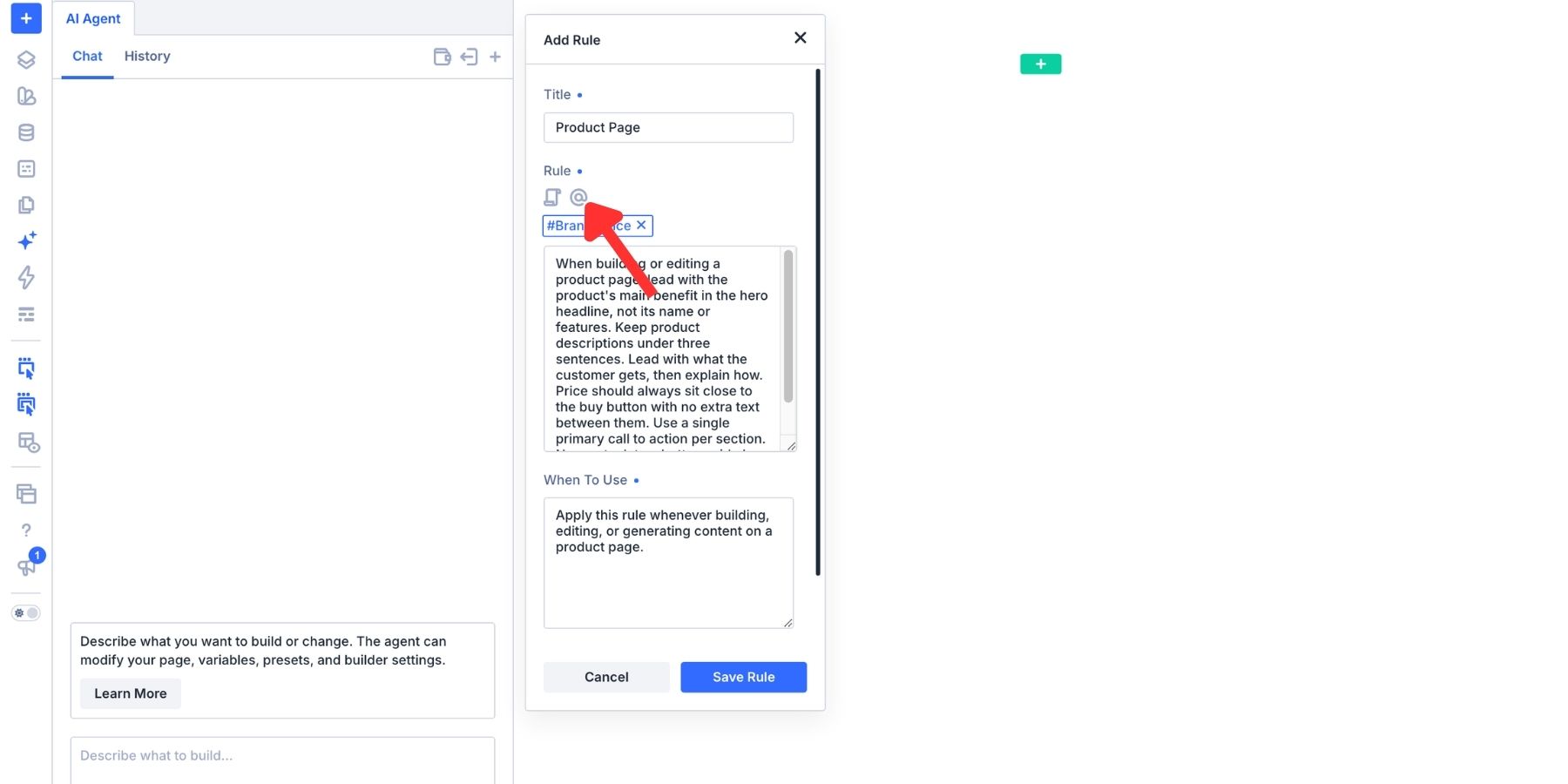
The use of the @ symbol allows for deep, contextual integration. By referencing specific design elements or existing site components, you provide the AI with a tangible anchor. When you ask the agent to "style the hero section," referencing the specific component via the context menu allows the agent to inspect the existing design and ensure the new work is visually and structurally harmonious with the rest of the site.
Implications for Agencies and Freelancers
The implications of this shift are profound for the web design industry. For agencies managing dozens of client sites simultaneously, the ability to import and export these rule sets means that a brand’s entire design language can be "plugged in" to a new project instantly.
- Reduced Error Rates: By automating the application of design variables and brand standards, the risk of "design drift"—where a site becomes visually inconsistent over time—is significantly minimized.
- Faster Onboarding: New team members can be brought up to speed on a client’s brand guidelines simply by reviewing the Rule library, ensuring that the AI (and the human) is always aligned with the client’s goals.
- Creative Freedom: By offloading the repetitive, mechanical aspects of site building to the AI, designers are liberated to focus on the higher-level strategic and creative tasks that truly add value to a project.
Official Guidance and Best Practices
According to the developers at Elegant Themes, the key to success with Divi AI Agents is a process of "iterative refinement." Designers are encouraged to treat their rule sets as living documents. Start small: identify the one task you find yourself repeating the most—perhaps it’s cleaning up mobile spacing or writing meta descriptions—and codify that into a Rule.
Once the Rule is active, test it. If the agent produces an output that isn’t quite right, don’t just discard the rule; refine it. Clarify the language, add an exception for specific scenarios, or link it to another rule. The more you interact with the agent, the more refined your design system becomes.
Conclusion: The Future of Collaborative Design
We are witnessing a transition in web development where the tool is no longer just a passive canvas, but an active participant in the design process. Divi AI Agents, through the strategic use of Rules, allow for a level of consistency and speed that was previously impossible.
By defining the parameters of our creativity, we aren’t limiting the AI; we are giving it the context it needs to become an extension of our own design intent. As these tools continue to evolve, the distinction between "building a site" and "directing a design system" will continue to blur, ushering in an era where the only limit to our digital presence is the clarity of our vision.
Whether you are a solo freelancer managing a single brand or an agency handling a diverse portfolio, the adoption of these AI-driven workflows is no longer a luxury—it is the new baseline for professional web development.