










In the fast-paced ecosystem of modern web development, speed and simplicity are paramount. Developers frequently find themselves building client sites, staging environments, or internal applications using frameworks like Astro. However, launching these projects before they are ready for the public eye demands an immediate, reliable layer of security. Whether you are hiding a work-in-progress from eager clients or shielding proprietary internal tooling from web crawlers, locking down your domain is an essential step.
Traditionally, webmasters turned to external solutions such as virtual private networks (VPNs), server-level Nginx authentication files, or third-party Node.js npm packages. Unfortunately, these methods introduce architectural bloat, cumbersome configuration files, and maintenance overhead that can easily break during routine deployments.
Enter Astro’s built-in middleware infrastructure. By combining Astro’s native request-handling capabilities with HTTP Basic Authentication—a standardized web protocol supported natively by every modern web browser—developers can secure an entire site in roughly 25 lines of clean, dependency-free code.
This comprehensive technical report details the background, implementation chronology, underlying operational mechanics, architectural implications, and expert troubleshooting strategies for adding native HTTP Basic Auth to your Astro projects.
Main Facts & Overview
Protecting a modern static-to-dynamic web application usually involves managing credentials, routing requests, and intercepting server calls. Utilizing Astro’s native features for this task offers distinct advantages:
- Zero External Dependencies: No external npm packages are required. The solution leverages browser-native standards and global JavaScript APIs.
- Universal Browser Support: HTTP Basic Authentication prompts the end-user automatically using built-in, unstyled browser dialog boxes. No custom login pages or state management systems are required.
- Environment-Variable Driven: Credentials are securely managed via runtime environment variables (
import.meta.env), separating configuration from source code. - Adapter Requirements: Because authentication happens on every incoming request, the deployment target must support server-side rendering (SSR) or on-demand rendering via an appropriate Astro adapter (e.g., Vercel, Netlify, Cloudflare Pages, or Node).
Chronological Implementation Guide
Implementing native authentication requires systematic configuration, moving from environment variable setup to middleware logic and, finally, edge deployment testing.
Phase 1: Configuring Environment Variables
The foundation of any secure authentication pipeline is credential management. Hardcoding usernames and passwords into source files is a critical security vulnerability. Instead, developers must leverage environment variables.
For local development, create a .env file in the root directory of your Astro project:
BASIC_AUTH_USER=staging-user
BASIC_AUTH_PASS=secure-staging-password
For production or staging deployments, these variables must be mapped within your hosting provider’s dashboard (e.g., Cloudflare Pages Environment Variables, Vercel Project Settings, or Netlify Site Environment settings).
Phase 2: Creating the Middleware File
Astro scans the src/ directory for a dedicated middleware file. Create a new file named src/middleware.ts (or src/middleware.js if you are not using TypeScript). This file will intercept all incoming HTTP requests before they hit your page renderers.
Initialize the file using Astro’s defineMiddleware utility:
import  defineMiddleware  from 'astro:middleware';

export const onRequest = defineMiddleware(async (context, next) =>
  // Authentication logic will be injected here
  return next();
);
The defineMiddleware wrapper provides access to the context object (containing request headers, locals, and cookies) and the next function, which continues the request pipeline if authentication succeeds.
Phase 3: Writing the Authentication Verification Logic
HTTP Basic Authentication relies on the client passing an Authorization header formatted as Basic <base64-encoded-credentials>. If this header is missing, malformed, or contains incorrect credentials, the server must issue a 401 Unauthorized response.
Add the authentication check function to your middleware:
function isAuthenticated(request: Request): boolean  !pass)
    return true;


  const authHeader = request.headers.get('Authorization');

  if (!authHeader?.startsWith('Basic '))
    return false;


  // Extract and decode the base64 credentials string
  const encoded = authHeader.slice(6);
  let decoded: string;

  try
    decoded = atob(encoded);
   catch (e)
    return false; // Malformed base64 string


  const [providedUser, providedPass] = decoded.split(':');

  return providedUser === user && providedPass === pass;
Phase 4: Handling the 401 Response and Browser Prompt
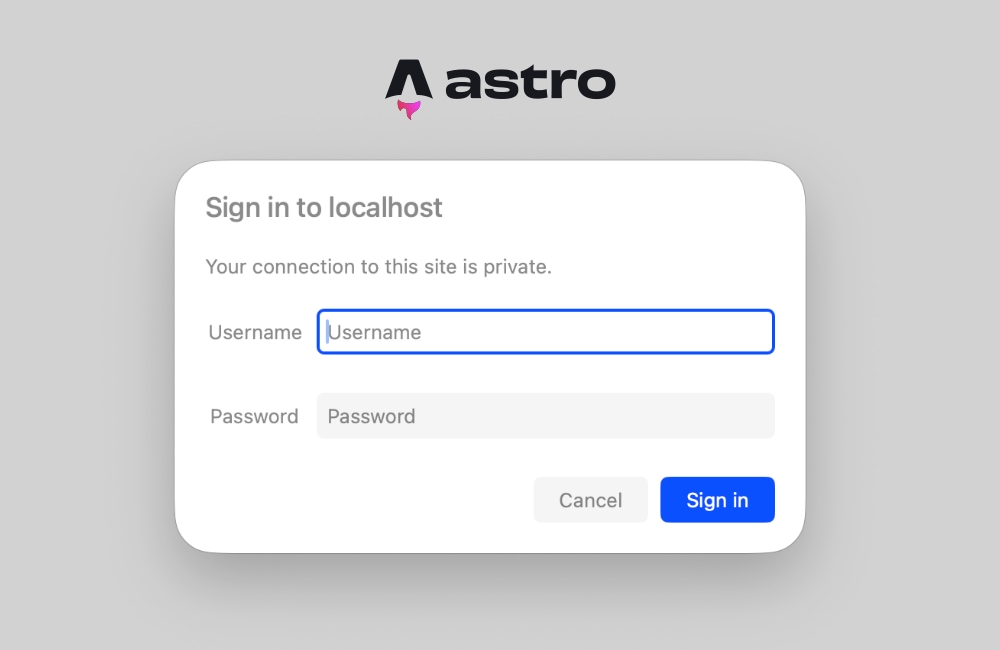
When the verification check returns false, the middleware halts the request pipeline and returns a 401 status code paired with a WWW-Authenticate header. This header commands the browser to display its native login modal.
Update your src/middleware.ts to handle unauthorized states:
export const onRequest = defineMiddleware(async (context, next) =>
  if (!isAuthenticated(context.request))
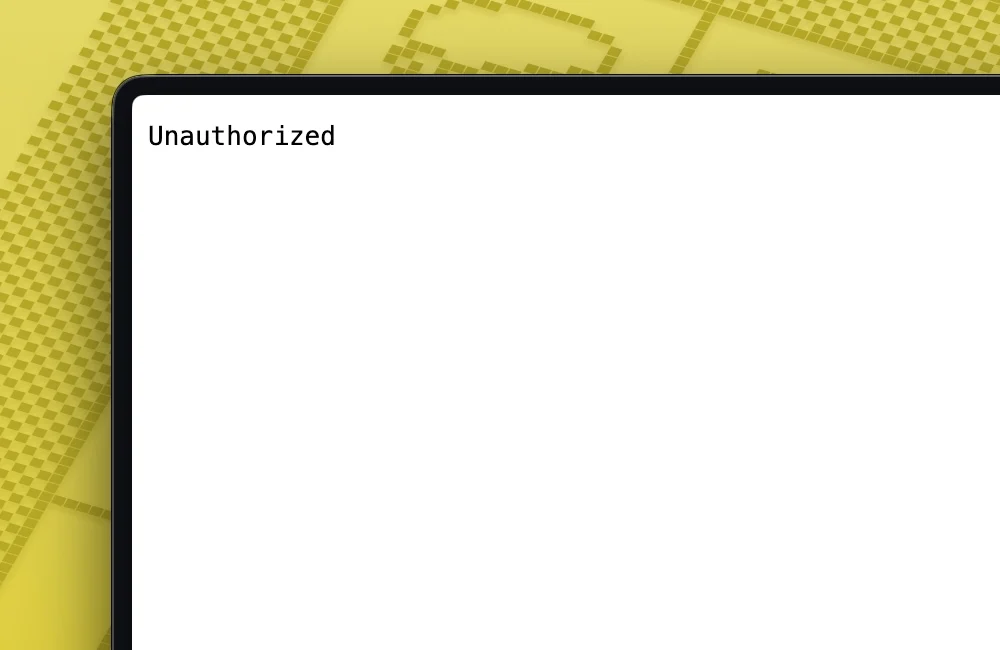
    return new Response('Unauthorized',
      status: 401,
      headers:
        'WWW-Authenticate': 'Basic realm="Staging Environment", charset="UTF-8"',
      ,
    );


  return next();
);
The realm property specifies the descriptive text displayed inside the browser’s native authentication popup window, informing the user which system or environment they are attempting to access.
Supporting Data & Technical Architecture
To understand why this approach outperforms traditional npm packages, consider the underlying data flow and processing overhead:
| Metric / Feature | Traditional npm Auth Package | Native Astro Middleware |
|---|---|---|
| Bundle Size Impact | Moderate to High (adds dependencies) | Zero (uses native runtime APIs) |
| Configuration Complexity | Requires custom JSON/YAML files | Uses standard .env variables |
| UI Overhead | Custom HTML/CSS login forms | Native browser authentication dialog |
| Maintenance Risk | Prone to supply-chain vulnerabilities and breaking package updates | Relies on core Astro APIs and native HTTP specs |
When a client browser hits a protected Astro endpoint, the workflow proceeds as follows:
- Request Interception: The edge runtime intercepts the HTTP GET/POST request via
src/middleware.ts. - Header Inspection: The script extracts the
Authorizationheader from the request object. - Credential Parsing: Base64 strings are decoded into plain-text user/password pairs using the global
atob()method. - Validation: Values are evaluated against
import.meta.envparameters. - Resolution: If valid,
next()allows page compilation and rendering. If invalid, a401 Unauthorizedheader forces the browser to render a credential input prompt.
Expert Troubleshooting: Prerendering vs. Server-Side Rendering
Deploying authentication middleware on Astro sites frequently exposes developers to a common compilation error related to static site generation (SSG).
The Diagnostic Error
If your Astro configuration defaults to static generation, attempting to read request headers inside components will throw the following build or runtime exception:
Astro.request.headers was used when rendering the route `src/pages/index.astro'. Astro.request.headers is not available on prerendered pages.Root Cause Analysis
Astro is fundamentally designed as a static-first site builder. By default, Astro prerenders HTML pages at build time. During this pre-build phase, there is no active HTTP request, meaning request headers do not exist. Even if your middleware correctly intercepts requests, individual page components may still attempt to evaluate request-level context during static generation.
Verified Remediation Strategies
Developers have two primary methods to resolve this conflict:
Option A: Granular Opt-Out (Hybrid Rendering)
If your site contains a mix of static public pages and protected private pages, you can explicitly disable prerendering on a per-page basis by inserting a frontmatter directive into your Astro pages:
---
export const prerender = false;
---
<html lang="en">
  <head><title>Protected Staging Dashboard</title></head>
  <body><h1>Welcome to the secure zone.</h1></body>
</html>
Option B: Global Server-Side Rendering (SSR) Configuration
If your entire website or web application must remain behind an authentication wall (such as an internal company dashboard or a client preview site), configuring the entire project for server-side rendering is the most robust solution.
Modify your astro.config.mjs file to shift the output mode:
// astro.config.mjs
import  defineConfig  from 'astro/config';
import node from '@astrojs/node';

export default defineConfig(
  output: 'server',
  adapter: node(
    mode: 'standalone'
  )
);
By setting output: 'server', every route within your Astro project is rendered on-demand upon receiving an HTTP request. This guarantees that request headers, cookies, and authorization parameters are universally available across your application.
Implications & Best Practices for Production Environments
While native HTTP Basic Authentication via Astro middleware offers an elegant, lightweight security barrier, developers must evaluate its implications before deploying it to production systems:
- Transport Layer Security (TLS/HTTPS): Because HTTP Basic Authentication encodes credentials in plain Base64 strings (rather than hashing or encrypting them), it must never be deployed over unencrypted HTTP connections. Always ensure your hosting provider enforces strict SSL/TLS certificates so that intercepted packets cannot be easily decoded by malicious network sniffers.
- Scalability of Hardcoded Credentials: Checking variables against a single set of environment variables (
BASIC_AUTH_USERandBASIC_AUTH_PASS) is ideal for staging environments and client reviews. However, for multi-user applications, this middleware can be extended to query external databases, JSON Web Token (JWT) verification services, or edge KV stores (such as Cloudflare KV). - Caching Considerations: When implementing server-side authentication on edge networks (like Cloudflare or Vercel Edge), ensure that your caching rules do not accidentally cache
401unauthorized responses or protected HTML assets for unauthenticated users. Middleware execution order must take precedence over edge caching layers.
Conclusion
Securing an Astro web project does not require heavy plugin dependencies or complicated infrastructure. By leveraging Astro’s native middleware architecture alongside standard HTTP Basic Authentication, developers can erect a robust, zero-dependency security perimeter in minutes. Whether you are managing client previews or locking down internal staging assets, this approach keeps your codebase lean, maintainable, and secure.



