








The evolution of web development has long been hampered by the "feedback silo" problem. Designers and developers often find themselves juggling disparate communication channels—email threads, project management software, and instant messaging—to discuss specific elements on a webpage. This fragmentation frequently leads to miscommunication, lost context, and inefficient workflows. With the introduction of Divi Notes in the Divi 5 ecosystem, Elegant Themes has fundamentally shifted this paradigm, bringing the conversation directly into the Visual Builder.
Divi Notes functions as an integrated collaboration layer, tethering review requests and feedback directly to the specific elements they concern. By allowing teams to identify headings, layout modules, or content blocks that require attention, assign tasks to specific team members, and maintain the subsequent dialogue within the design environment, Divi Notes eliminates the need to jump between windows.
The Core Philosophy: Context-Aware Collaboration
At the heart of the Divi 5 editing workflow, Divi Notes is designed to ensure that no piece of feedback exists in a vacuum. Each note identifies its target element, stores the request, manages assignments, and hosts the entire conversation thread regarding that task. Because these notes reside inside the builder, they are instantly accessible to any authorized website editor, creating a single source of truth for design iterations.
Whether a team is reviewing headline wrapping, verifying event details, or conducting accessibility audits for contrast and legibility, Divi Notes treats each request as a distinct, manageable entity. Completing a headline adjustment does not inadvertently close an accessibility check; the granular nature of these notes ensures that project management remains precise and progress is tracked accurately.
Chronological Workflow: Implementing Divi Notes
Successfully integrating Divi Notes into your agency or internal team workflow requires a structured approach. Below is the step-by-step methodology for executing a professional page review.
1. Preparing the Environment
Before creating a single note, the environment must be prepared to ensure clarity.
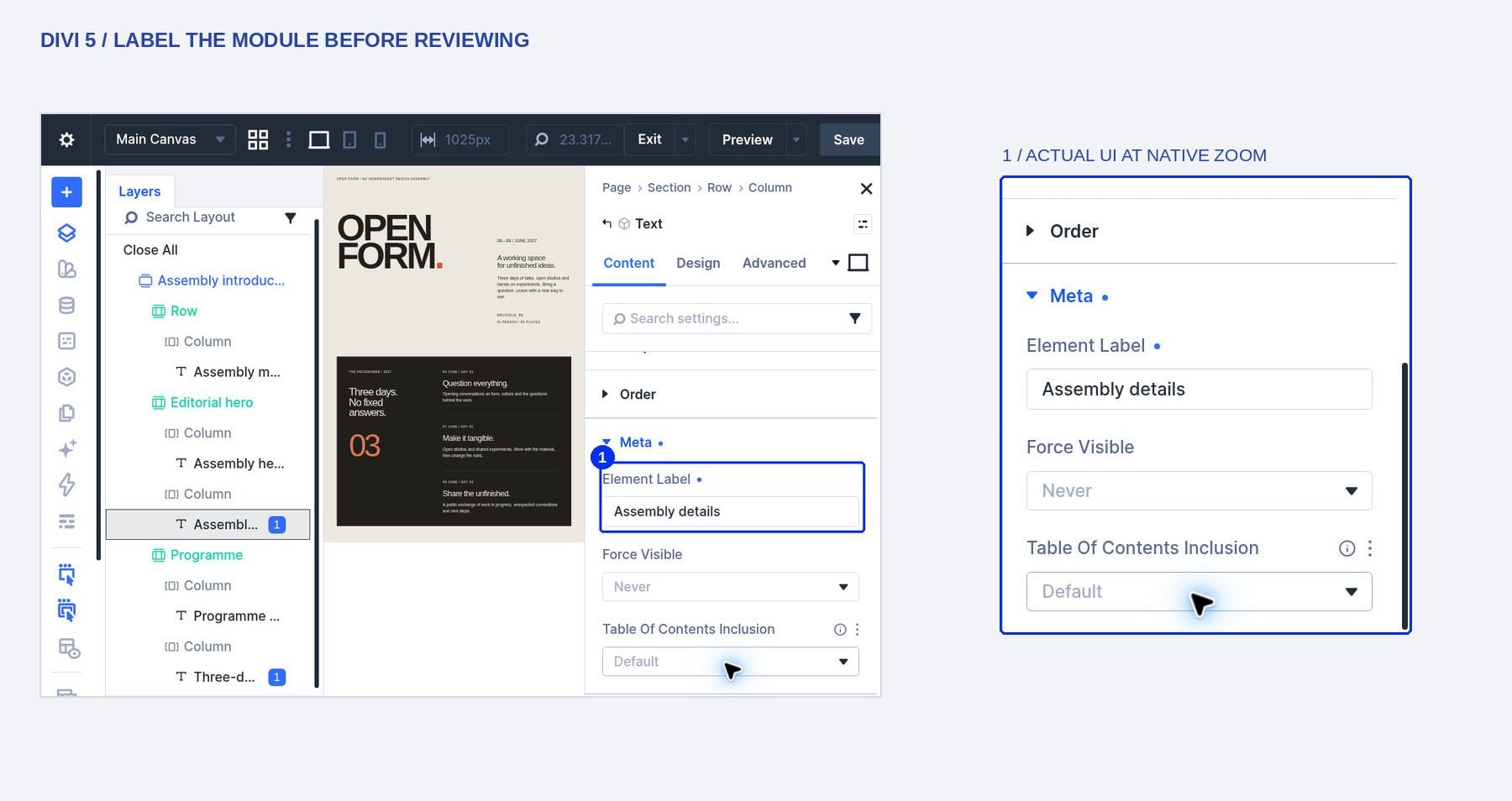
- Descriptive Labeling: Navigate to the Visual Builder and open the Layers panel. For every module intended for review, double-click the layer, navigate to Content > Meta > Element Label, and provide a descriptive name. This is crucial, as these labels populate the element picker in the Notes interface.
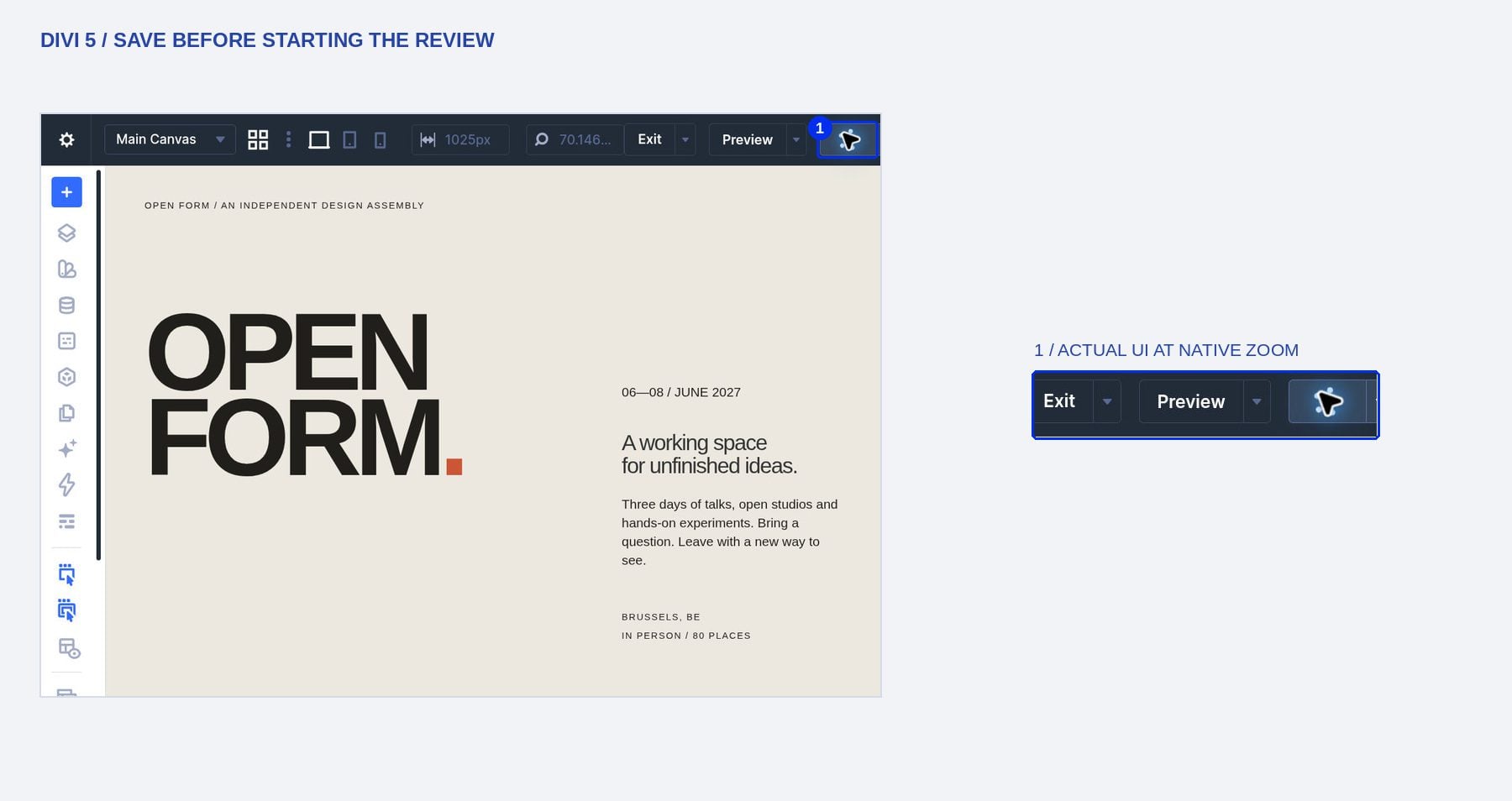
- Establishing a Baseline: Always save the page before initiating feedback. A saved state provides a stable, defined layout for reviewers to reference.
2. Initiating and Assigning Feedback
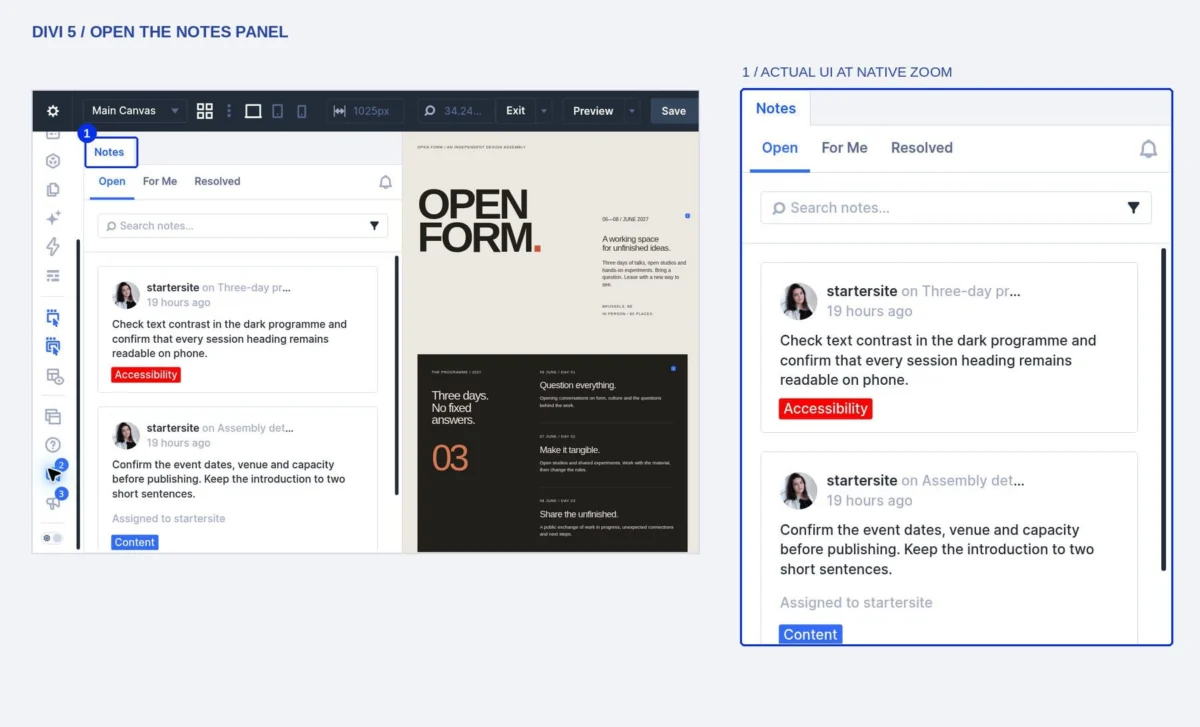
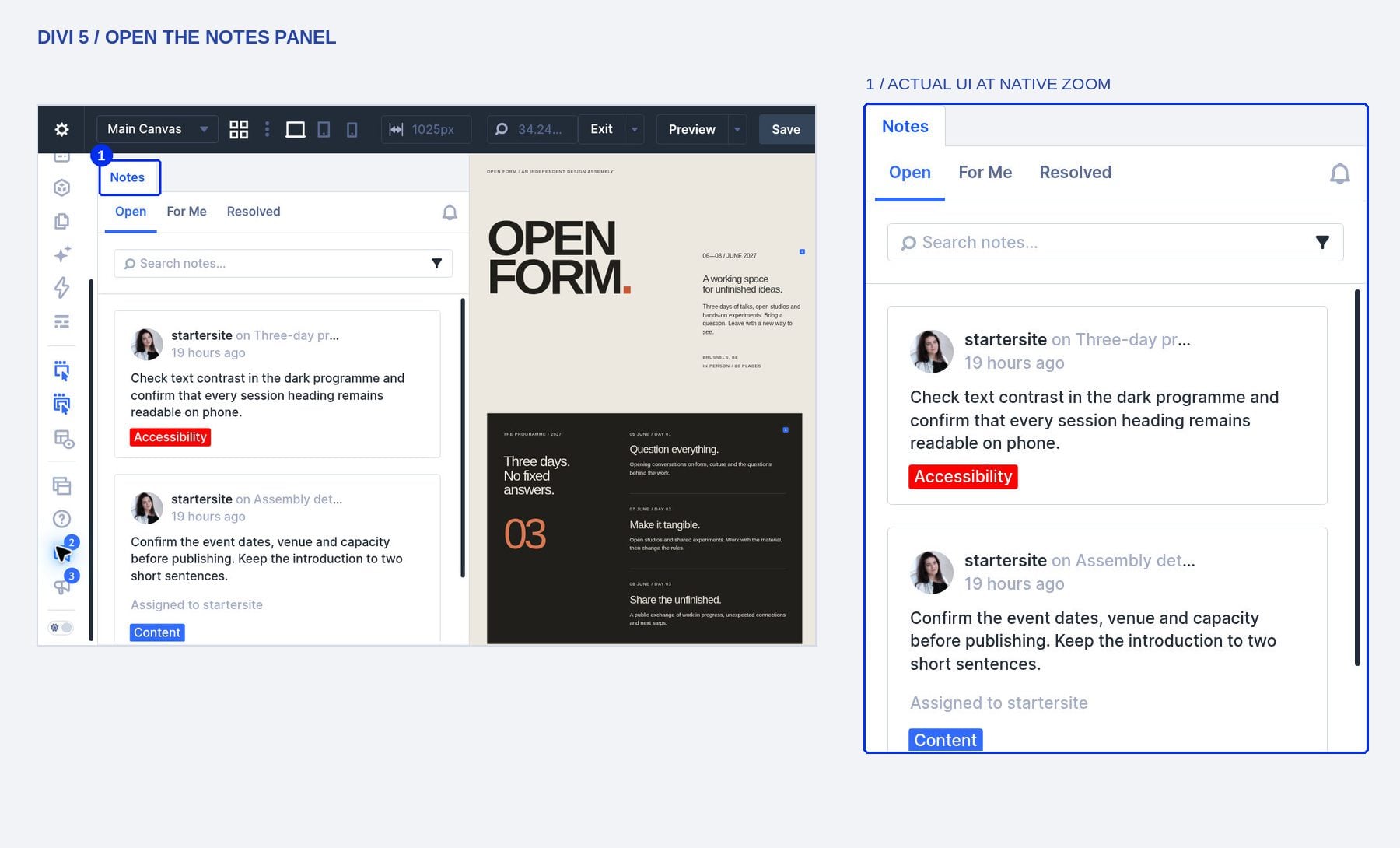
Once the page is prepared, clicking the Notes icon in the sidebar opens the management panel.
- The Three Views: The panel features three distinct views: Open (unresolved tasks), For Me (tasks assigned to you), and Resolved (the project archive).
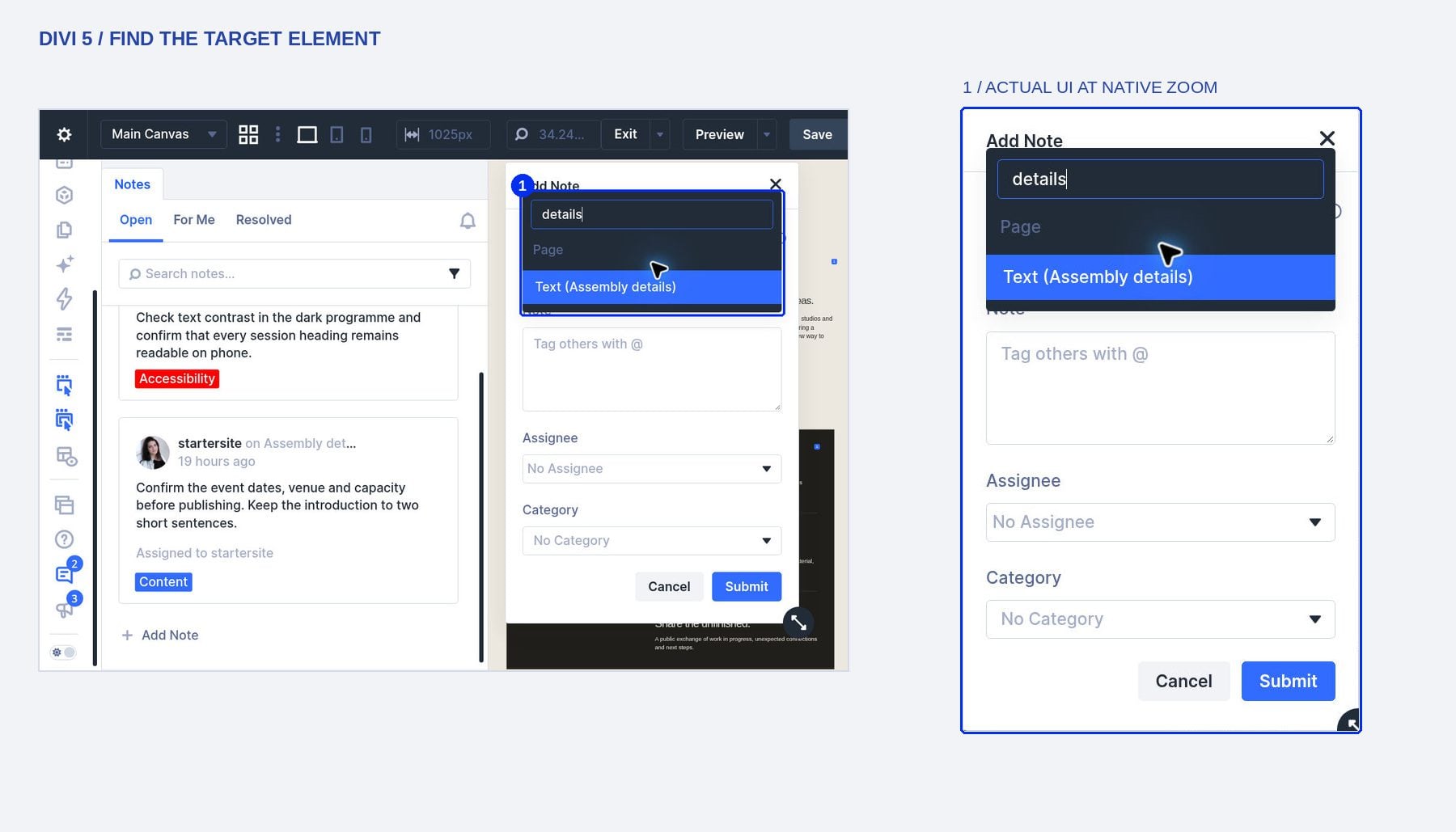
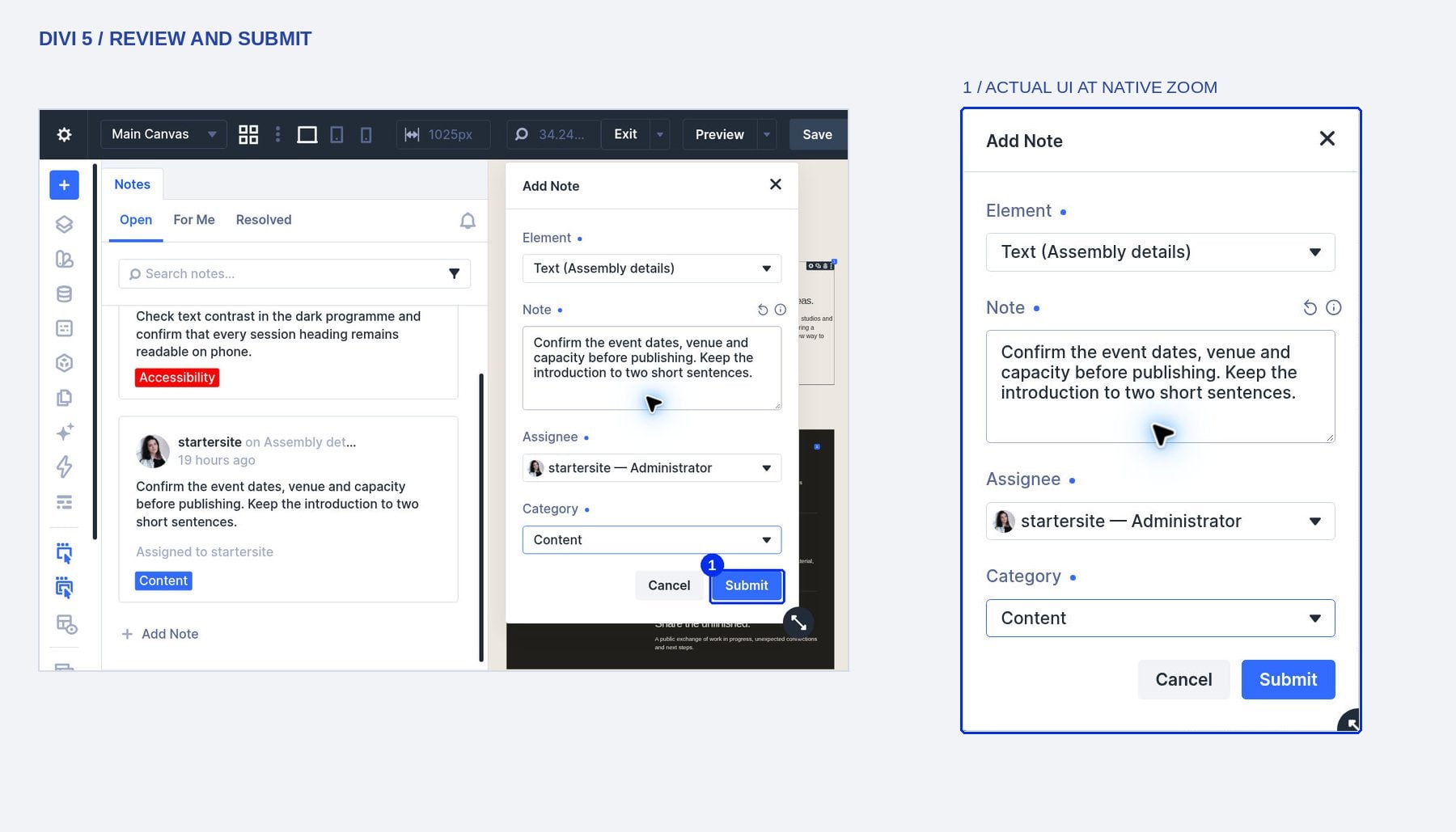
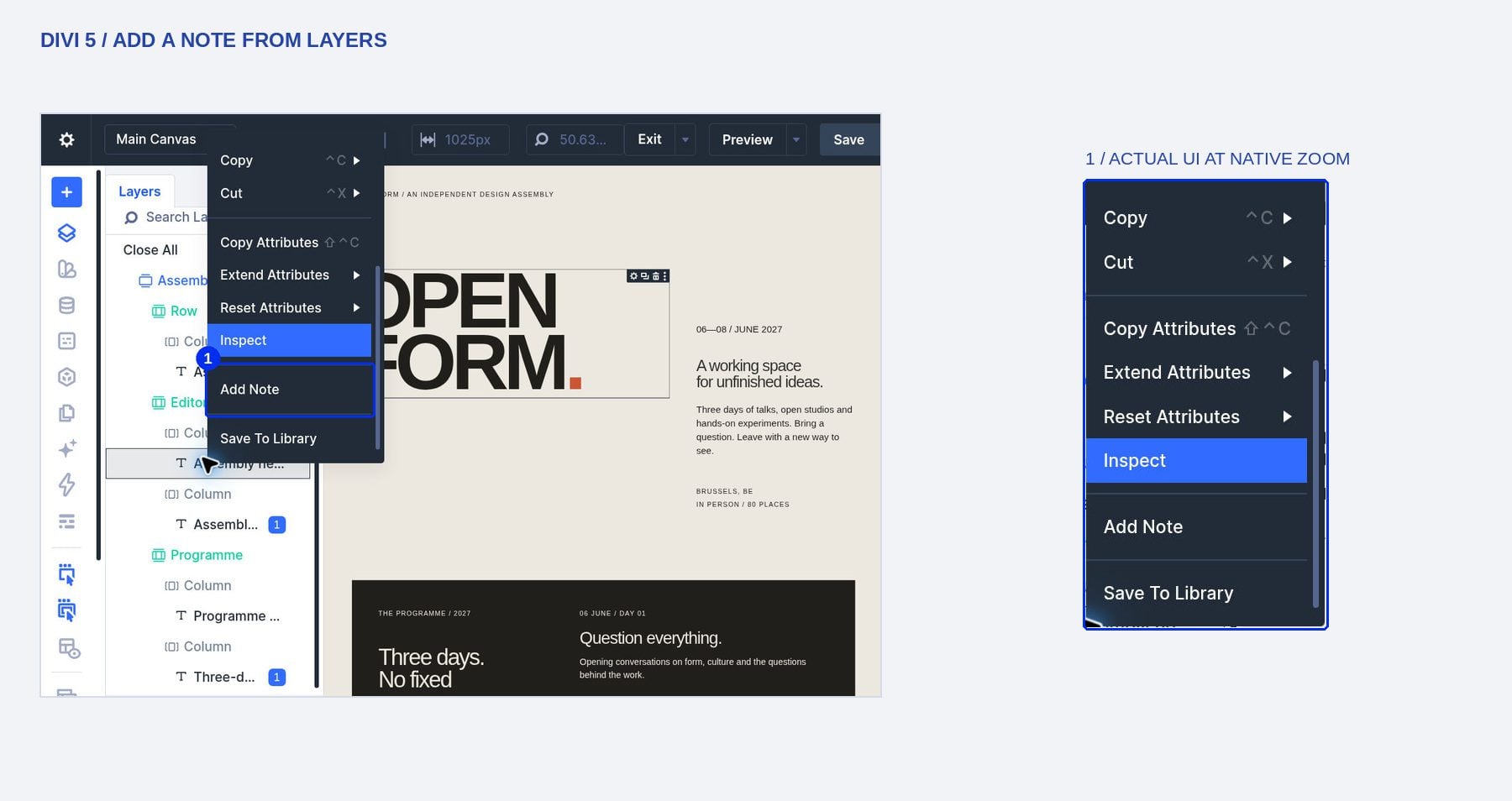
- Targeting Elements: By clicking "Add Note," you invoke the element picker. By searching for the previously assigned descriptive label, you ensure the note is anchored to the correct component.
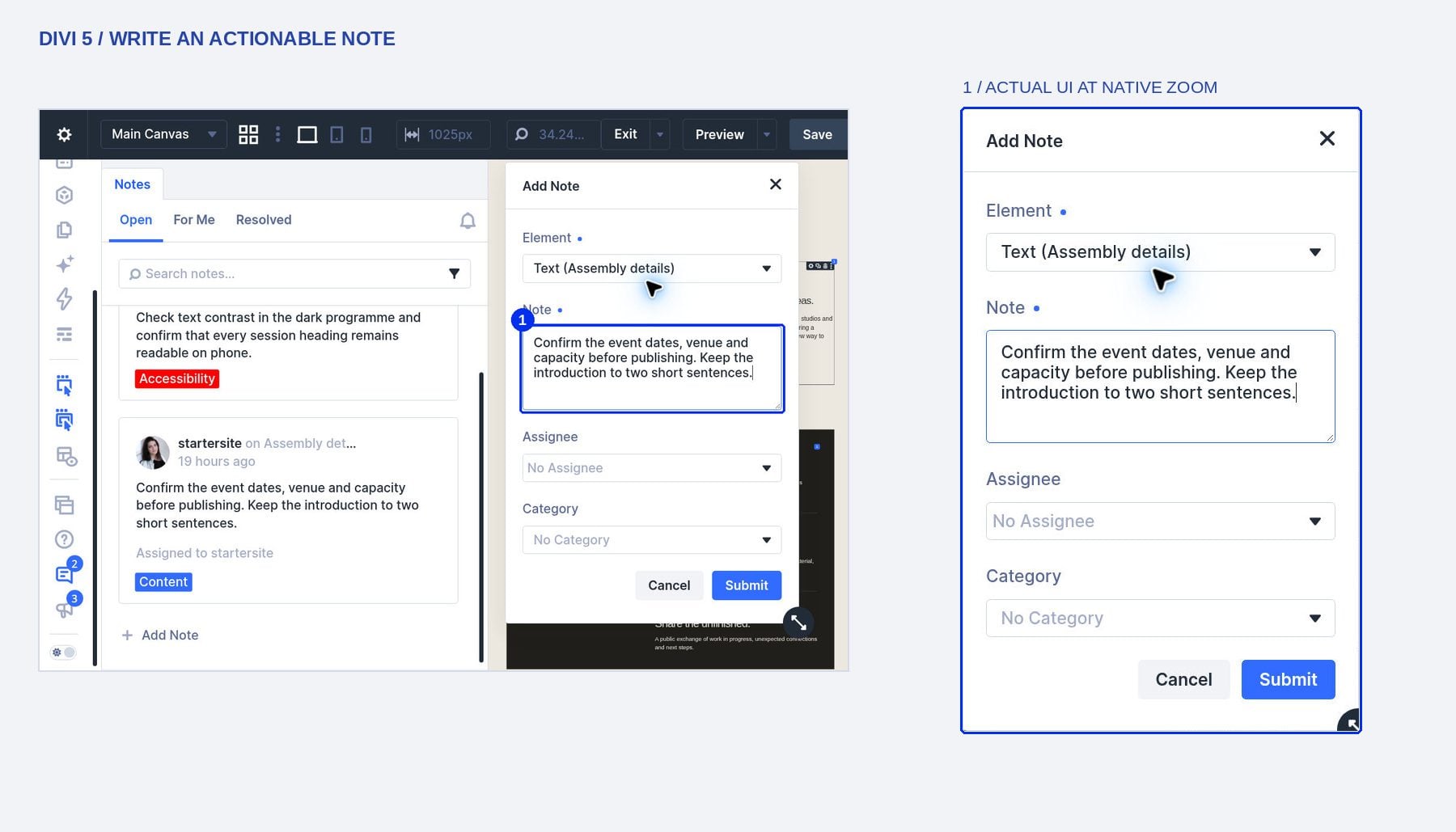
- Actionable Content: A high-quality note is one that minimizes ambiguity. Instead of vague requests like "fix this," professional reviewers identify the specific issue—such as "check text wrapping on mobile devices at 340px" or "verify the venue address for accuracy."
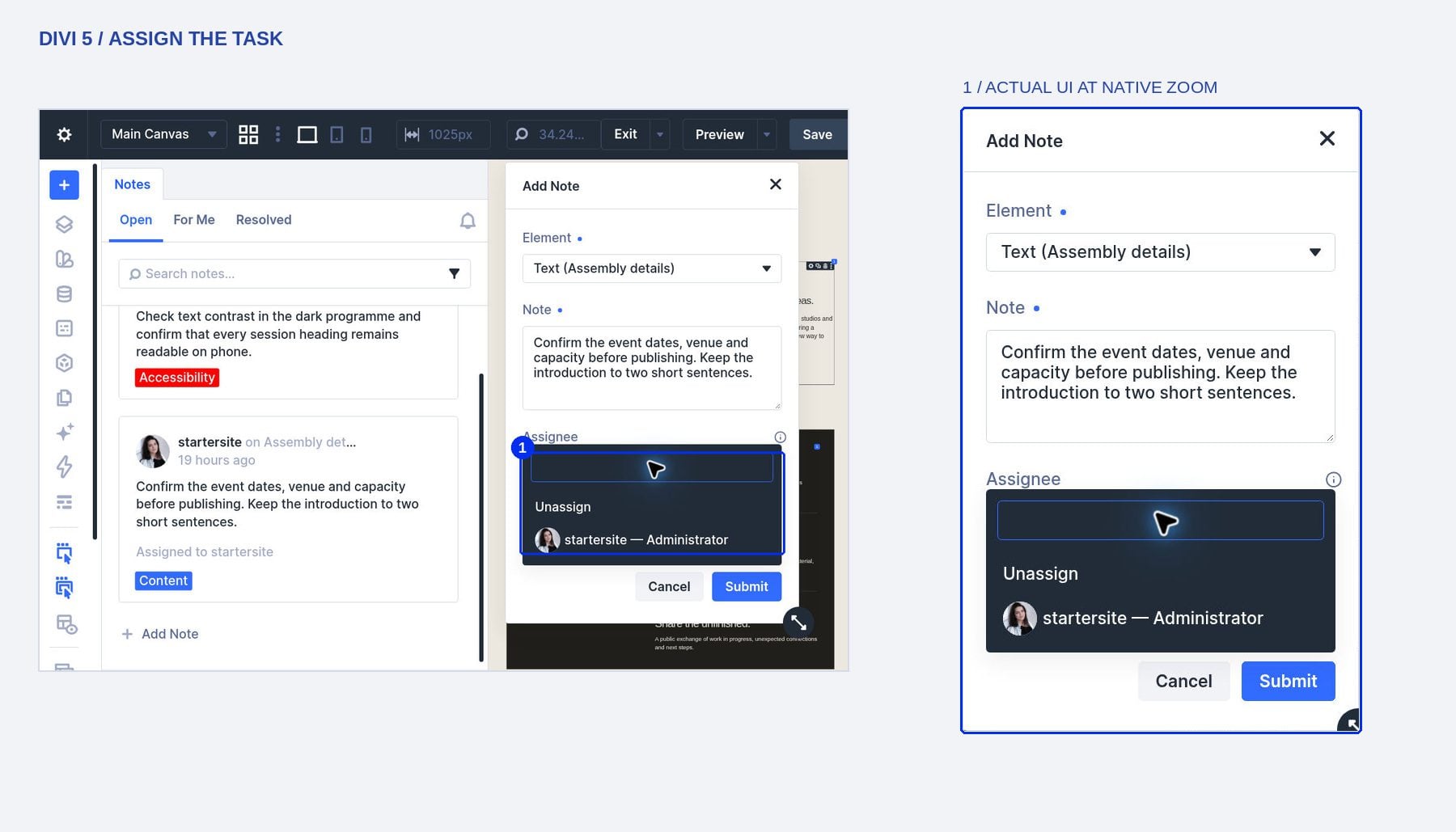
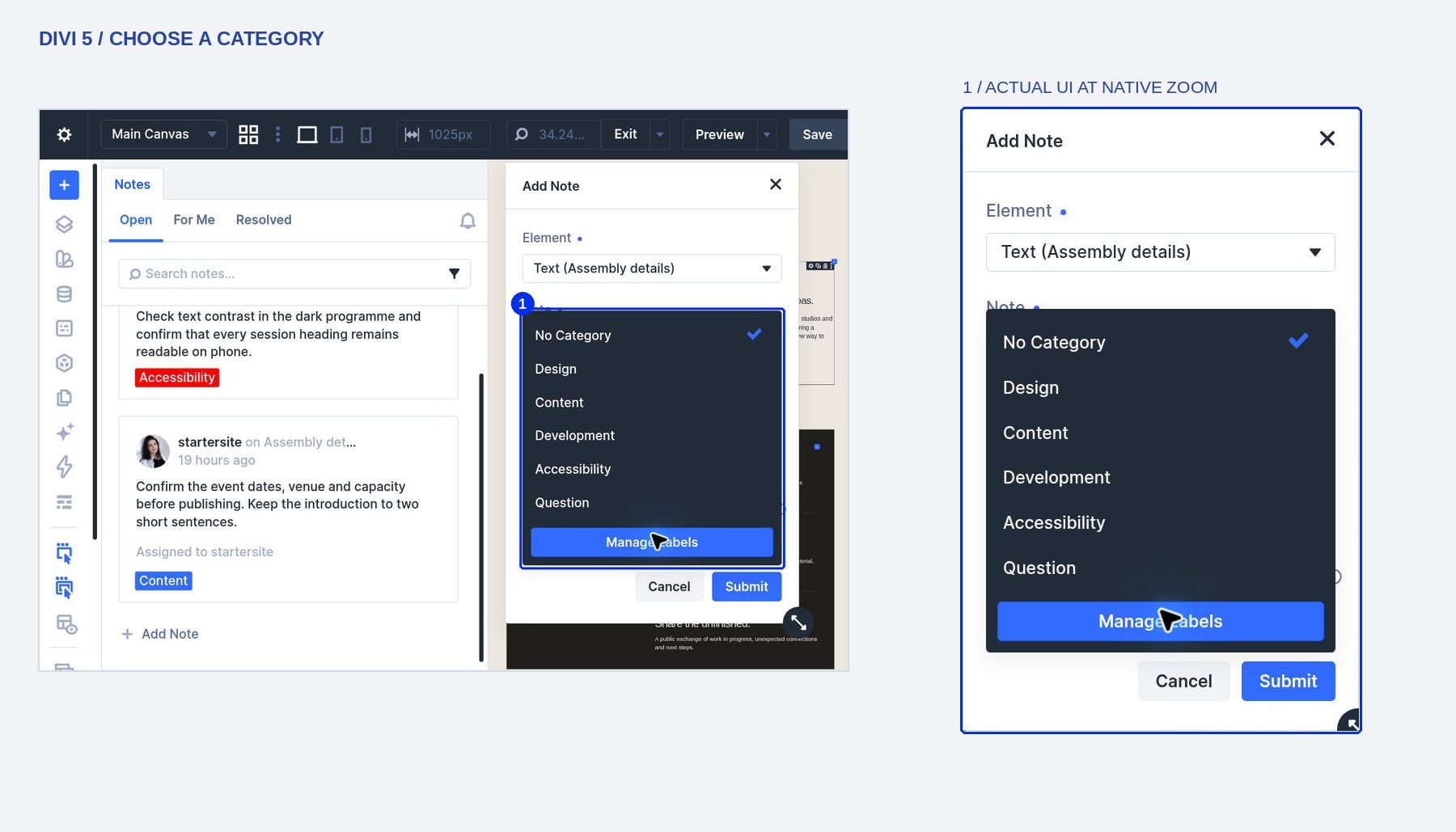
- Assignment and Categorization: Assigning a task to a specific user routes it directly to their "For Me" view. Furthermore, utilizing categories—Design, Content, Development, Accessibility, or Question—allows teams to filter large volumes of feedback, ensuring that developers see only technical tasks, while copywriters focus on content accuracy.
3. Maintaining the Thread: Evolution of the Discussion
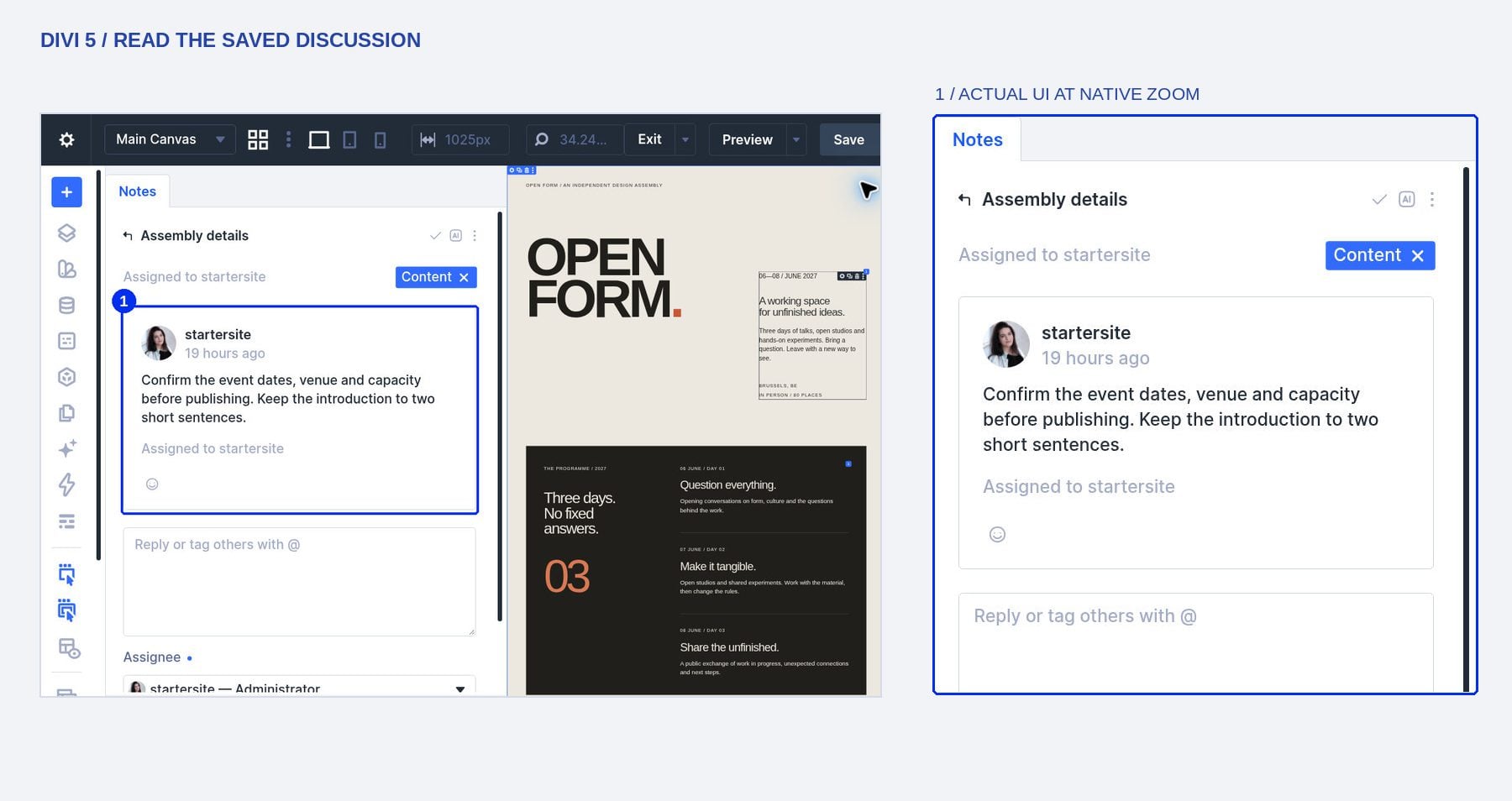
A static note is rarely enough. The strength of Divi Notes lies in its ability to facilitate a living dialogue.
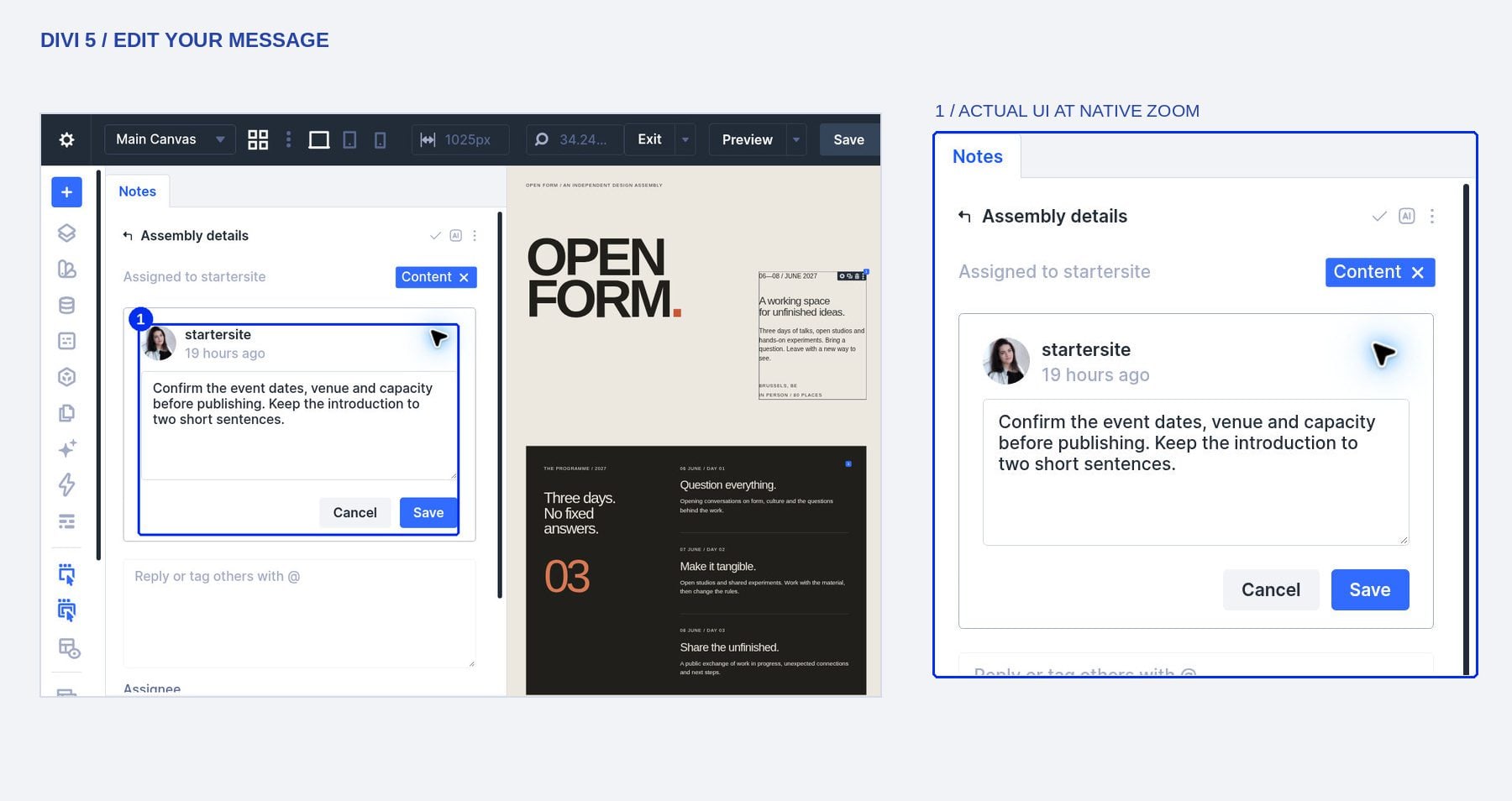
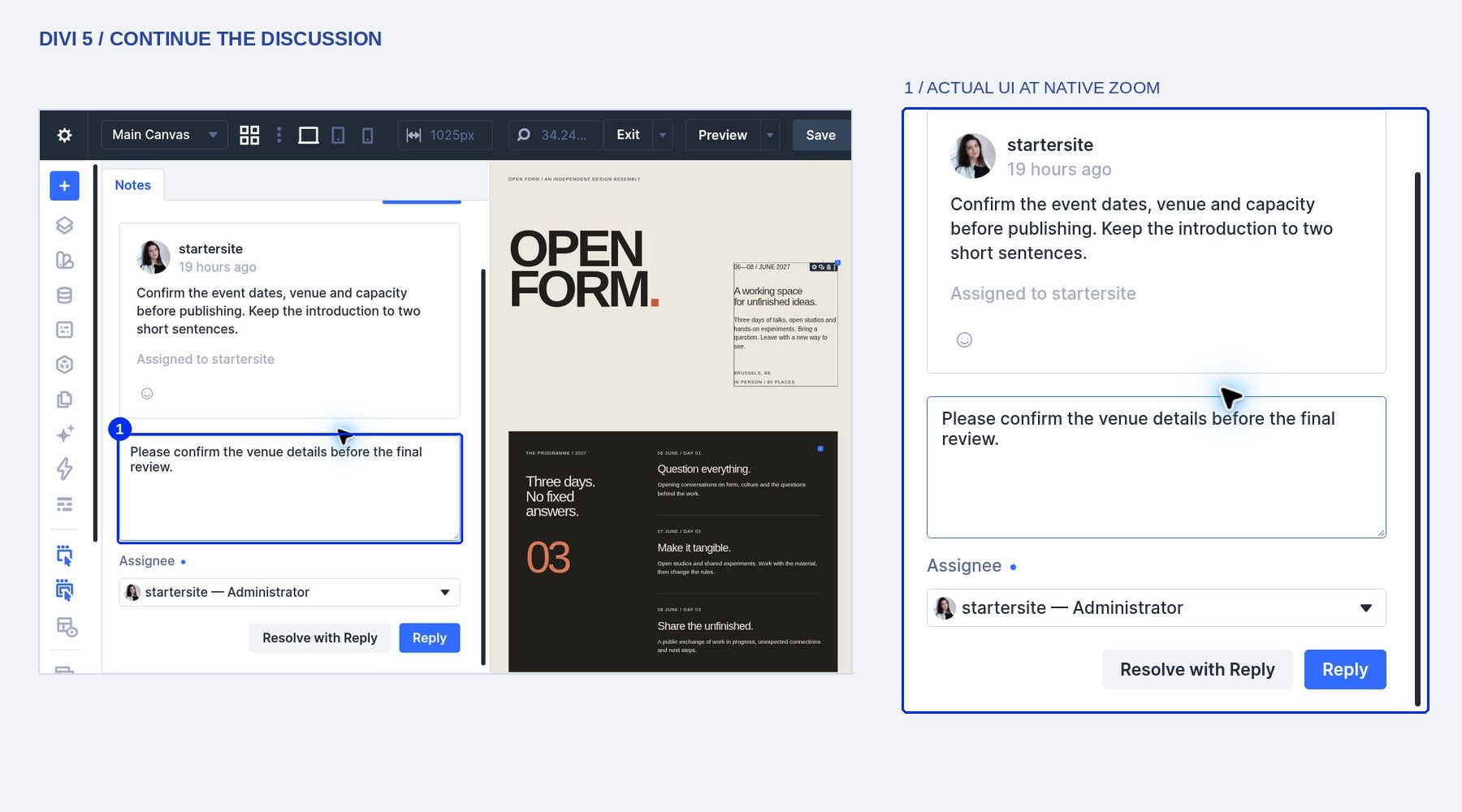
- Clarification: If a note requires further detail, users can edit their original message. This prevents the "reply chain" clutter often found in traditional comment systems.
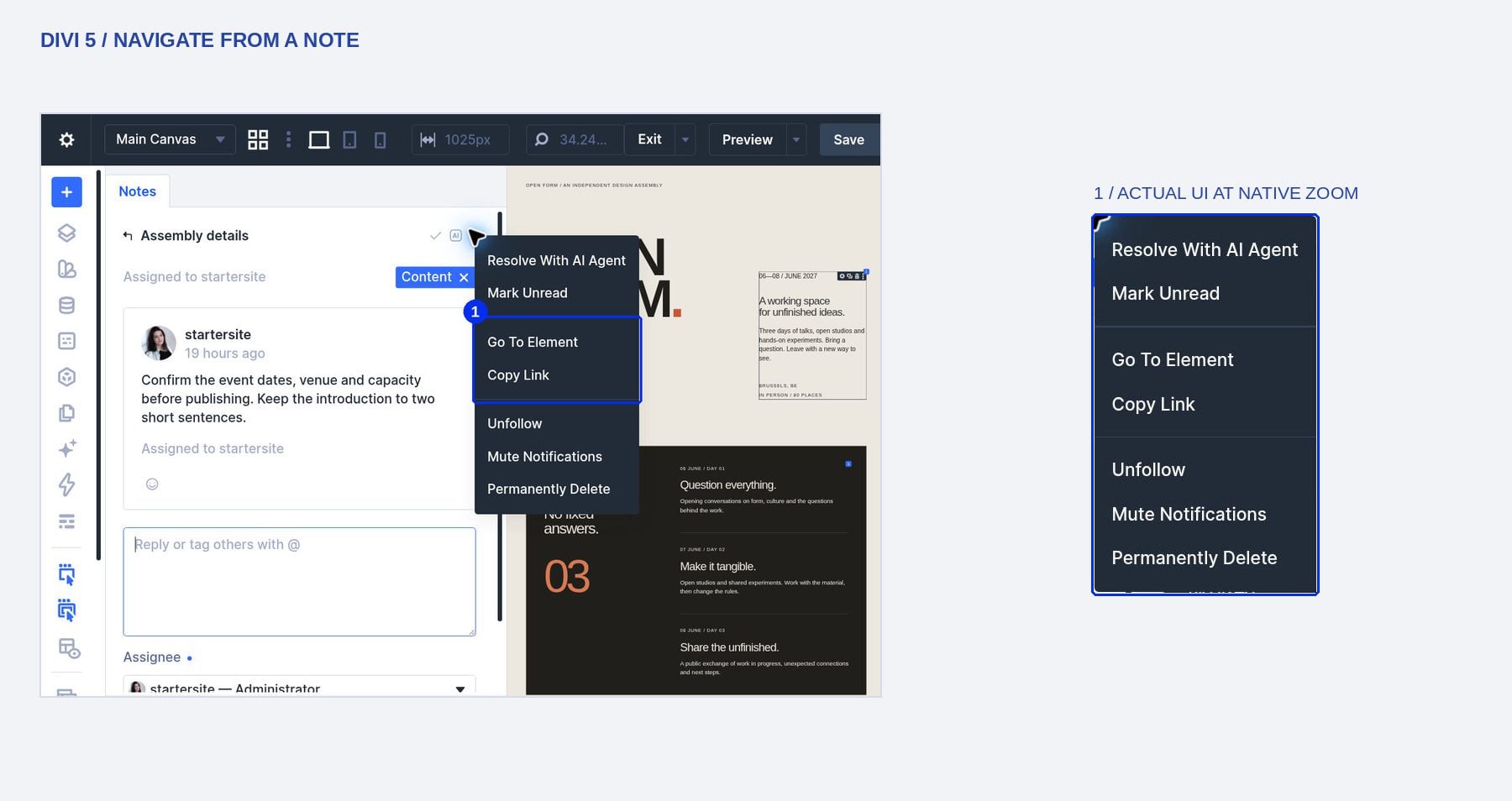
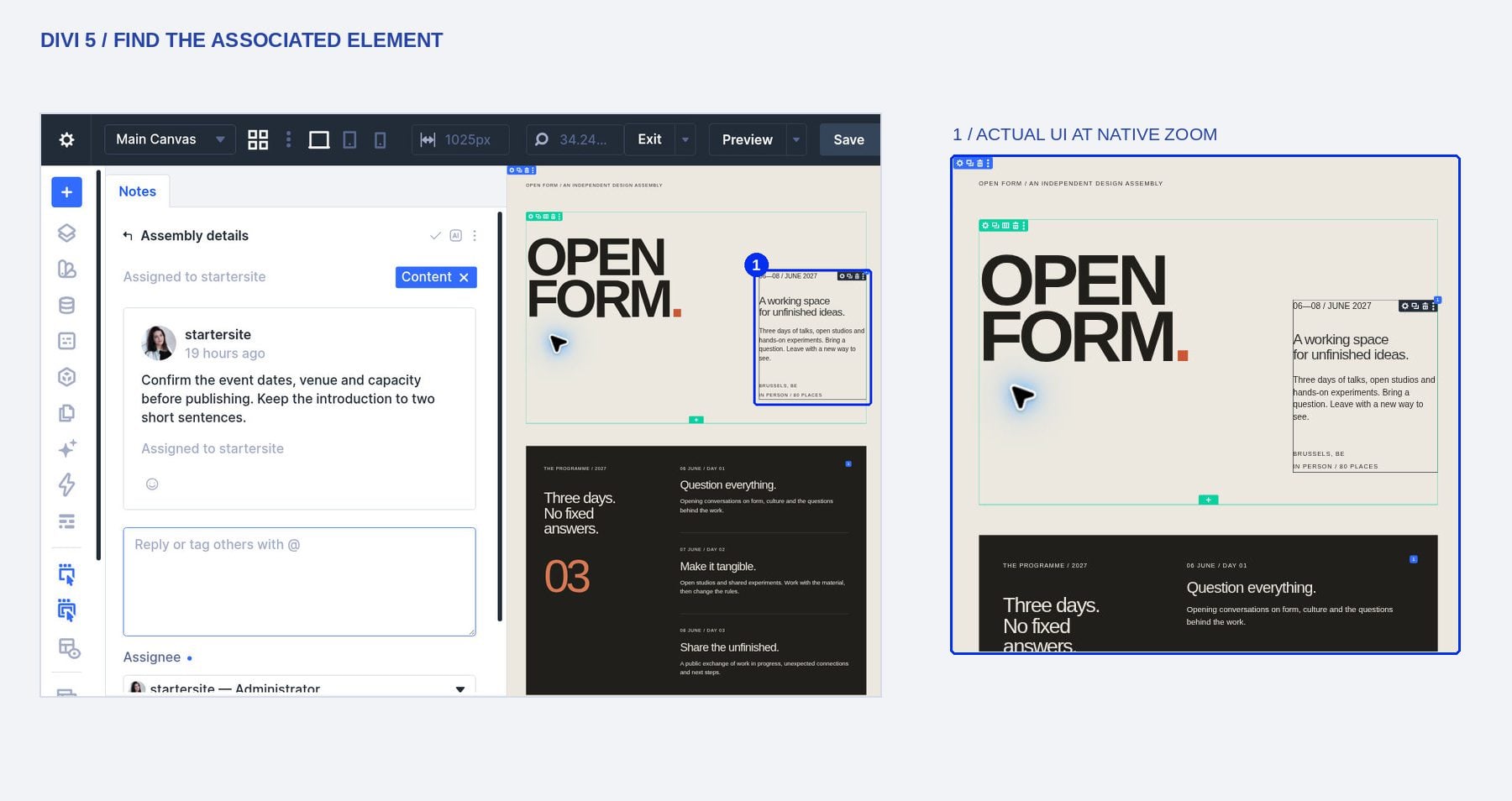
- Navigation: The "Go To Element" feature allows a developer to instantly jump to the affected module, while the "Copy Link" function provides a direct URL for team members to jump into the specific discussion.
- Progressive Resolution: Rather than simply closing a ticket, the "Resolve with Reply" function allows the user to document how they addressed the issue. This creates an audit trail that is invaluable for future revisions or stakeholder reporting.
Supporting Data and Efficiency Metrics
The implementation of integrated tools like Divi Notes significantly impacts project velocity. In traditional workflows, studies suggest that developers spend up to 20% of their time simply switching contexts—navigating between browser tabs, Slack, and project boards to find the latest requirements. By keeping the communication inside the Divi 5 Visual Builder, teams can potentially reduce "context-switching overhead" by a significant margin.
Furthermore, the "Resolved" repository serves as a knowledge base. If a question arises months later about why a certain design choice was made, the full history of the discussion—including the original request, the rationale, and the final resolution—remains accessible. This permanent record mitigates the risk of regression, where old bugs are inadvertently reintroduced because the original reasoning was lost.
Official Perspective: Integration and Scalability
According to the development team at Elegant Themes, the primary goal of Divi Notes is to remove the "friction of distance." By treating a website not just as a visual output but as a collaborative project, Divi 5 creates a professional-grade environment suitable for agencies handling dozens of client sites simultaneously.
The system is built with scalability in mind. The notification engine, which allows users to select specific events—such as mentions or assignment updates—ensures that team members are not bombarded with irrelevant information, but remain alerted to high-priority changes. The ability to "Mute" individual discussions provides a level of granular control that mirrors professional enterprise-grade project management tools.
Implications for Modern Web Agencies
The shift toward in-builder collaboration has several long-term implications for the web design industry:
- Increased Accountability: With clear assignments and timestamped replies, there is no ambiguity regarding who is responsible for a task or when it was completed.
- Higher Quality Assurance (QA) Standards: By forcing reviewers to label elements and categorize tasks, the process naturally encourages a more methodical approach to testing, covering design, content, and accessibility.
- Client Empowerment: Agencies can grant clients access to the Visual Builder with limited permissions, allowing them to provide feedback directly on the page. This eliminates the "screenshot-and-email" loop, which is notorious for being misunderstood or misinterpreted.
- Accessibility Compliance: With a dedicated "Accessibility" category, teams are reminded to perform these checks as part of their standard workflow rather than as an afterthought.
Best Practices for Successful Reviews
To maximize the efficacy of Divi Notes, teams should adopt the following professional habits:
- Filter Before You Work: Always start your day by checking the "For Me" view. This ensures that you are focusing on high-priority items assigned to you.
- The "Rule of One": Keep unrelated requests in separate notes. A "Design" note for headline wrapping should not be bundled with a "Content" note for an incorrect phone number. This keeps the resolution process clean and logical.
- Verify Before Closing: Before clicking "Resolve with Reply," perform a visual check in the builder to ensure the change meets the original criteria.
- Use the Search Function: If a project spans hundreds of pages, the search bar in the Notes panel is your most efficient tool for locating specific issues across the entire site.
Final Thoughts: The Future of Collaborative Design
The introduction of Divi Notes represents a maturation of the Divi ecosystem. By moving beyond simple visual editing and into the realm of collaborative project management, Elegant Themes has recognized that a website is a team effort.
The ability to maintain a clear, contextual, and searchable dialogue directly within the workspace is not just a convenience—it is a competitive advantage. For agencies and freelancers, the time saved in communication translates directly into more time spent on creative innovation and site performance optimization. As Divi 5 continues to evolve, the integration of these collaborative tools will likely become the standard for how professionals build, review, and deploy content on the web. By adopting these practices today, teams can ensure their workflows remain lean, accurate, and ready for the demands of modern digital production.