










By the Tech & Culture Desk
Published: October 2023
Main Facts: The Paradigm Shift in Post-Production
For decades, the threshold for producing Hollywood-grade visual effects (VFX) was defined by prohibitive gatekeeping. Creating a cinematic aesthetic required deep mastery of complex software suites like Adobe After Effects, Maxon Cinema 4D, or Foundry Nuke, alongside immense computing power, a dedicated post-production team, and a budget measured in hundreds of thousands of dollars.

Today, that paradigm is collapsing. Artificial intelligence has fundamentally transformed the post-production pipeline. Modern AI-powered video editing platforms can now automate the most tedious, time-consuming technical chores in filmmaking—such as rotoscoping, precise background removal, object tracking, color grading, and even text-to-video generation.
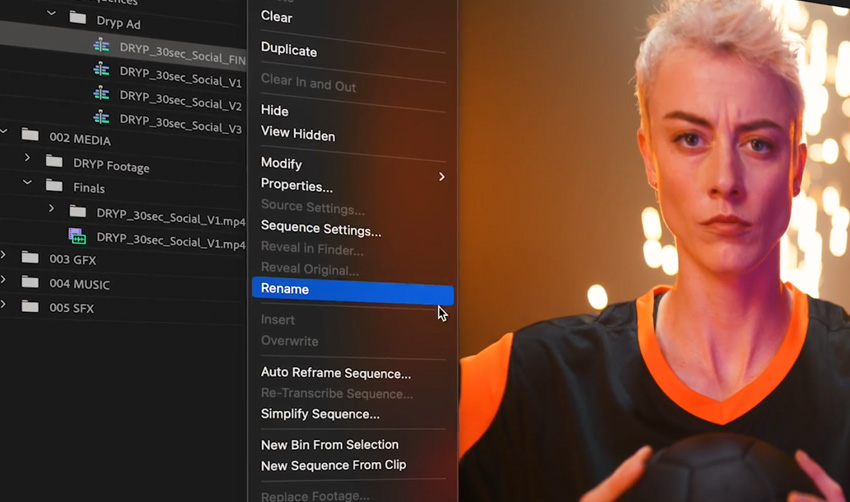
Platforms like Envato VideoGen, Runway ML, Adobe Premiere Pro (integrated with Adobe Firefly), DaVinci Resolve’s Neural Engine, CapCut, and Canva Video Editor are putting the capabilities of a boutique visual effects studio directly onto consumer-grade laptops. Rather than replacing the human artist, this new wave of software acts as an intelligent force multiplier, allowing solo creators, independent filmmakers, and digital marketers to bypass mechanical friction and dedicate their energy entirely to narrative construction and visual style.

Chronology: The Evolution from Manual Labor to Automated Magic
To understand where video editing stands today, it is helpful to trace the rapid technological acceleration that brought us here.
- The Manual Era (Pre-2018): Visual effects were synonymous with meticulous, frame-by-frame labor. Rotoscoping—isolating a subject from their background—required artists to draw masks over hundreds of sequential frames by hand. Color grading demanded years of specialized training to balance luminance, saturation, and vector scopes.
- The Machine Learning Inception (2018–2020): Early machine learning models began entering professional software. Adobe and Blackmagic Design introduced rudimentary object selection tools and smart masking features, which reduced task times from hours to minutes but still frequently required manual clean-up.
- The Generative AI Explosion (2021–Present): Fueled by diffusion models and vast datasets, generative AI crossed into the mainstream. Platforms like Runway ML introduced text-to-video and generative removal features. Simultaneously, cloud-based tools like Envato VideoGen enabled hyper-fast content ideation via prompt engineering, while desktop suites integrated neural engines capable of complex relighting and speed warping with a single click.
Supporting Data: Accessibility, Efficiency, and the Creator Economy
The mass adoption of AI in post-production is supported by dramatic shifts in efficiency metrics across the digital media industry:

- Time Savings: Industry case studies show that tasks like green-screen keying and object removal—once accounting for up to 40% of a junior editor’s post-production timeline—can now be executed autonomously in seconds, cutting foundational editing phases by nearly 70%.
- Hardware Democratization: While heavyweight offline applications like DaVinci Resolve still benefit from dedicated graphics processing units (GPUs), the proliferation of browser-based software (Runway ML, Canva, VideoGen) allows creators to produce cinematic assets on standard laptops without dedicated workstation hardware.
- Market Expansion: According to recent creative industry surveys, over 60% of independent content creators and small agencies now utilize AI-assisted tools weekly, transforming what was once an enterprise-exclusive luxury into an everyday utility.
Official Responses and Expert Industry Perspectives
The rapid integration of artificial intelligence into traditional creative workflows has sparked intense debate among industry veterans, software developers, and independent creators alike.
Traditional VFX studios have approached the technology with a mixture of pragmatic adoption and caution. Major software developers, including Adobe and Blackmagic Design, emphasize that their AI integrations are designed to assist, not supplant, human workers.
"AI isn’t here to replace your creativity; it’s here to make it faster, easier, and more fun," notes industry consensus among digital workflow architects. "Think of AI as a brilliant, tireless assistant who understands your footage. It handles the mechanics so you can focus entirely on the emotion, rhythm, and storytelling."
Conversely, many veteran editors caution against over-reliance on generative shortcuts. Without careful human curation, AI-generated video assets can suffer from an uncanny, "auto-generated" aesthetic. Experts universally stress that while AI can automate technical precision, human taste remains the ultimate arbiter of quality.
Implications: What This Means for the Future of Content Creation
The widespread availability of AI video tools carries profound implications for the media landscape, democratizing high-end aesthetics while altering the traditional career path for aspiring editors.
1. The Lowering of the Creative Barrier to Entry
Amateur creators no longer need a degree in computer animation or years of experience with node-based compositing to achieve a cinematic look. A strong narrative vision, paired with intuitive tools, is now sufficient to produce professional-grade visuals. This level playing field empowers independent filmmakers to compete directly with traditional media houses in terms of visual polish.
2. Redefining the Role of the Video Editor
The skill set required to thrive in the modern editing suite is evolving. Mastery of tedious, mechanical workflows (such as manual keyframing and rotoscoping) is becoming less critical than prompt engineering, visual composition, and narrative pacing. Editors are transitioning from digital laborers to conceptual directors.
3. Ethical and Aesthetic Considerations
As synthetic media becomes indistinguishable from traditional live-action footage, questions of authenticity, copyright, and stylistic homogenization loom large. The ease of generating hyper-realistic video means creators must consciously cultivate unique artistic signatures to avoid a sea of generic, algorithmically smoothed content.
A Beginner’s Guide to the Top AI Video Tools
For creators looking to dive into AI-assisted video editing, several beginner-friendly platforms stand out for their out-of-the-box cinematic quality:
1. Envato VideoGen
- Overview: Envato’s text-to-video generation tool enables users to create high-end visual assets directly from text prompts. It is ideal for social media posts, pitch decks, and YouTube thumbnails where physical shooting is impractical.
- Best For: Rapid ideation and generating illustrative B-roll without production overhead.
2. Runway ML
- Overview: A browser-based powerhouse built specifically for experimental video generation and advanced VFX processing. Its intuitive interface makes complex operations accessible to absolute beginners.
- Best For: Generative video effects, motion tracking, and stylistic transformations.
3. Adobe Premiere Pro & Adobe Firefly
- Overview: Integrating Adobe’s Firefly generative AI models directly into the industry-standard Premiere Pro timeline allows editors to expand scenes, generate background plates, and adjust audio natively.
- Best For: Professional editors looking to accelerate traditional broadcast and web workflows.
4. DaVinci Resolve (Neural Engine)
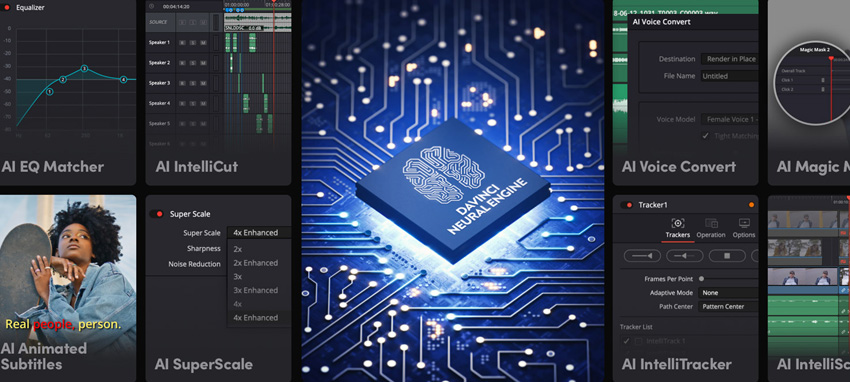
- Overview: Renowned for its industry-leading color grading suite, DaVinci Resolve incorporates an AI Neural Engine that automates face refinement, smart masking, and speed warping.
- Best For: High-end color grading, precise masking, and deep post-production control (featuring a robust free tier).
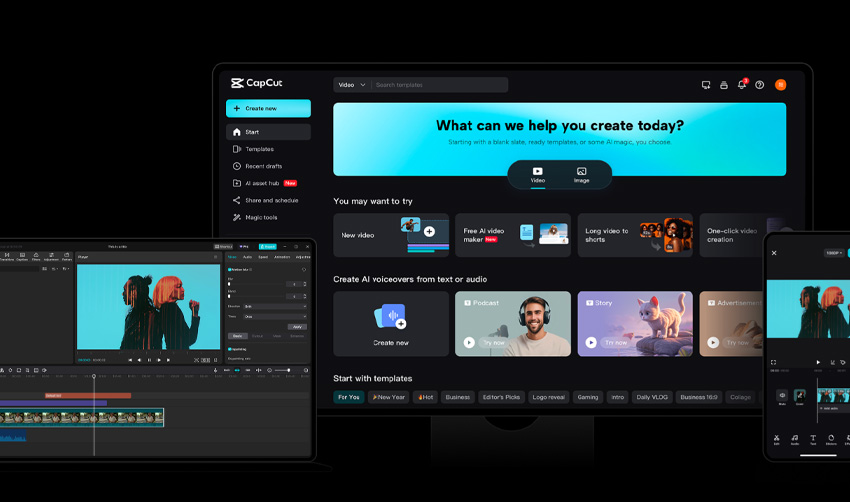
5. CapCut
- Overview: Evolving from a mobile app into a capable desktop editor, CapCut offers lightning-fast background removal, intelligent captioning, and motion tracking.
- Best For: Short-form social media content requiring quick, clean execution.
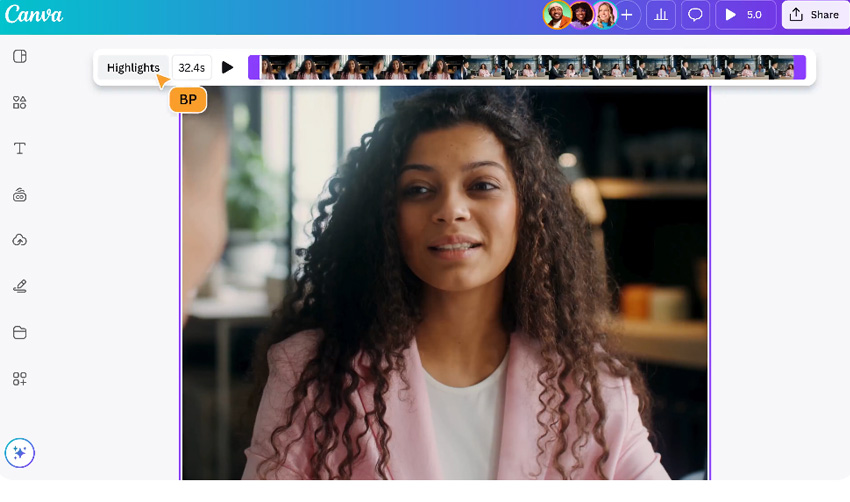
6. Canva Video Editor
- Overview: Tailored more toward designers than traditional editors, Canva’s video platform simplifies storytelling through drag-and-drop templates and AI-powered enhancements.
- Best For: Graphic designers and marketers producing polished promotional videos.
Step-by-Step: How to Craft Cinematic Effects with AI
Harnessing AI to create cinematic visuals does not require throwing out standard filmmaking principles. Instead, it relies on a structured, four-step workflow:
Step 1: Start with Strong Footage and Storytelling
No algorithm can save a fundamentally flawed concept. Begin with well-composed source material, stable shots, and a clear narrative arc. The higher the quality of your raw footage, the more effectively AI tools can enhance its lighting, color, and depth.
Step 2: Leverage AI for Technical Cleanups
Offload tedious tasks to your AI assistant. Use automated tools for:

- Rotoscoping and Smart Masking: Instantly separating subjects from complex backgrounds.
- Audio Cleanup: Removing ambient room noise and enhancing dialogue clarity.
- Frame Interpolation: Smoothing out fast motion or generating seamless slow-motion sequences.
Step 3: Apply Cinematic Polish
Inject mood and atmosphere using AI color grading presets, automated relighting tools, and generative background extensions. The goal is to establish visual depth and emotional resonance without making the effects look over-processed.
Step 4: Conduct a Manual Review
This is where human intuition reigns supreme. Disable the AI tools for a final pass to review the edit objectively. Check the pacing, ensure the audio transitions smoothly, and verify that the emotional beats land naturally. Trust your gut instinct to turn technical precision into genuine cinematic magic.

Frequently Asked Questions
Do I need editing experience to use AI video tools?
No. Most modern AI video editors are built specifically for beginners, automating complex technical steps like masking, tracking, and grading. You can achieve professional-grade results without ever touching legacy software like After Effects.
Can I use free AI tools for cinematic effects?
Yes. Platforms like CapCut, Runway ML, and the standard version of DaVinci Resolve offer robust AI features for free. Be aware, however, that free tiers may cap export resolutions or apply watermarks.

What is the best AI video editing tool for absolute beginners?
For newcomers looking for immediate results, text-to-video platforms like Envato VideoGen provide a frictionless entry point, especially for short-form social media content and digital presentations.
Will AI replace traditional VFX artists?
Not at all. AI successfully accelerates repetitive, mechanical labor, but it still requires human creativity, cultural context, and narrative vision to produce truly compelling art. It is a creative assistant, not a replacement.

How can I prevent my AI-generated videos from looking generic?
Focus heavily on intentional storytelling, unique composition, and subtle grading. Start with high-quality source material, use AI strictly for targeted enhancements, and always perform a final manual polish to inject your personal creative voice.
What kind of computer hardware do I need?
Browser-based tools (Runway ML, Envato VideoGen, Canva) operate efficiently on almost any modern laptop with an internet connection. For resource-heavy desktop applications like DaVinci Resolve, a dedicated GPU and a multi-core processor will ensure smooth, real-time playback.



