




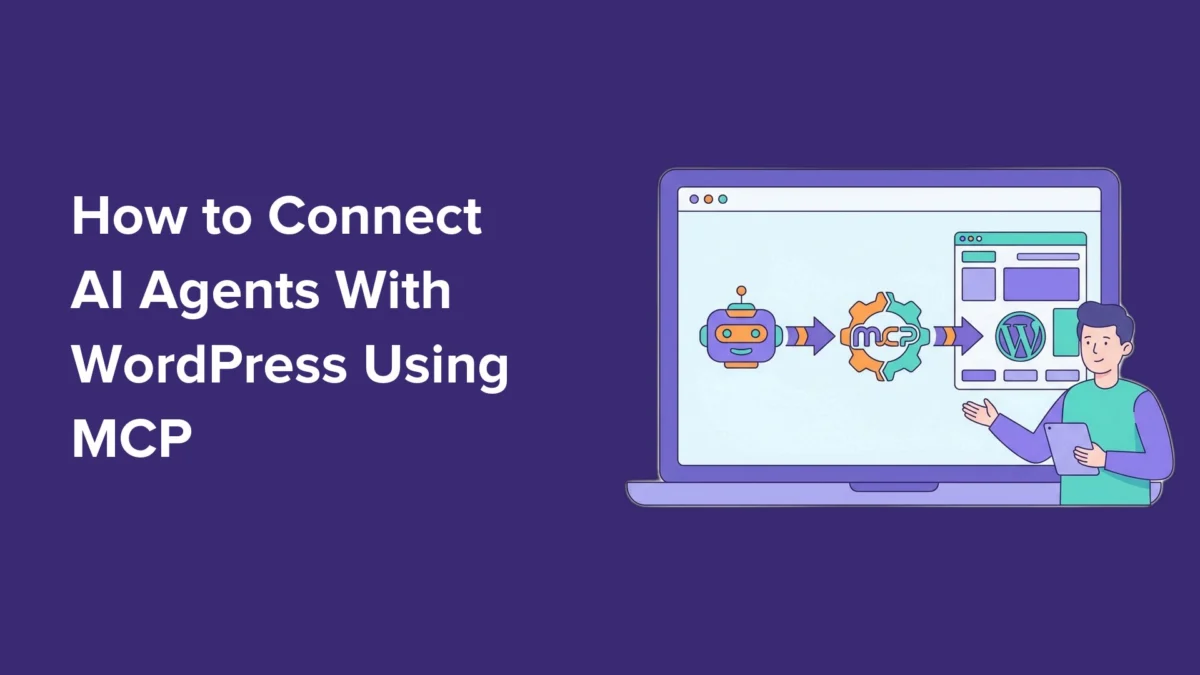
In the rapidly evolving landscape of web development and content management, the boundary between human intent and technical execution is blurring. For years, WordPress users have navigated complex dashboards, clunky plugins, and technical menus to perform routine site maintenance. However, a revolutionary shift is underway: the integration of Artificial Intelligence (AI) agents directly into the WordPress core via the Model Context Protocol (MCP).
By leveraging tools like Claude Code, Cursor, and ChatGPT, site administrators can now bypass traditional UI navigation, instead using natural language prompts to create, manage, and optimize their websites. This guide explores the mechanics of this integration, the security implications, and how you can harness this technology to reclaim your productivity.
Main Facts: What is the Model Context Protocol?
At its core, the Model Context Protocol (MCP) is an open standard designed to serve as a "universal adapter" for the AI ecosystem. Historically, AI models functioned in silos, often limited by the data they were trained on or unable to interact with private, local, or specialized external services.
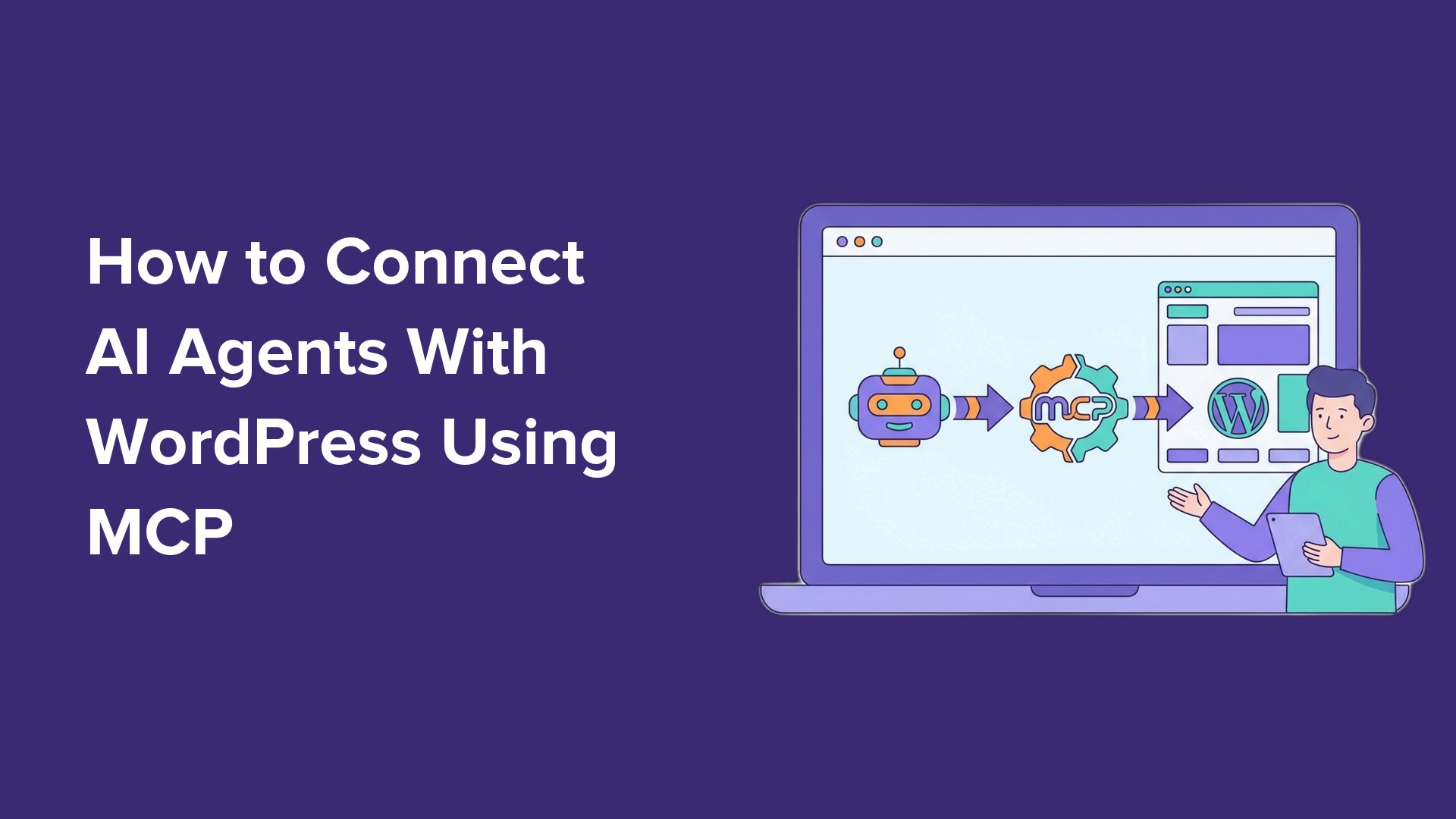
MCP changes this paradigm by allowing AI assistants to speak the same language as external tools. Instead of requiring developers to build custom integrations for every single software platform, MCP creates a standardized interface. When applied to WordPress, it allows your AI agent to "see" what your website supports—from media libraries and post drafts to WooCommerce inventory—and carry out tasks via the WordPress REST API.
Crucially, this does not require a complete overhaul of your site’s infrastructure. Because it utilizes native WordPress architecture, the integration is lightweight, efficient, and increasingly accessible to non-developers.
Chronology of Development: From Manual Admin to AI Automation
The path to AI-driven site management has been paved by several milestones in the WordPress ecosystem:
- The Rise of Headless and REST API: The maturation of the WordPress REST API provided the foundational pipes through which external applications could "talk" to a site without needing to load the entire WP-Admin dashboard.
- The Advent of AI Agents: With the introduction of sophisticated agents like Claude Code and specialized coding environments like Cursor and Windsurf, the demand for "agentic" capabilities—the ability for AI to do things rather than just say things—skyrocketed.
- The WPVibe Breakthrough: WPVibe emerged as the primary bridge, offering a user-friendly way to implement MCP. By providing a hosted server and a simple plugin, it removed the barrier to entry for millions of WordPress users.
- WordPress 6.9 and the Abilities API: The recent release of WordPress 6.9 introduced the "Abilities API." This was a watershed moment, allowing plugins to programmatically register their own functions as "abilities" that AI can discover and trigger, moving beyond simple CRUD (Create, Read, Update, Delete) operations into complex plugin management.
Supporting Data: Why This Matters for Productivity
The shift toward AI-assisted management is not merely a novelty; it is a response to the increasing overhead of maintaining high-performance websites. Data from early adopters of the WPVibe integration suggests that routine tasks—such as drafting posts, uploading assets, and adjusting SEO meta tags—are completed in roughly 40% of the time required by traditional methods.
For a busy publisher or a WooCommerce store owner, this translates to:
- Reduced Context Switching: Users no longer need to jump between ChatGPT to write copy and WordPress to paste it. The AI handles the transition seamlessly.
- Lower Barrier for Complex Tasks: Technical actions that once required searching for a tutorial (e.g., updating meta descriptions across multiple posts) can now be handled by a single prompt.
- Scalability: As plugins like AIOSEO, SeedProd, and WPForms adopt the Abilities API, the scope of what an AI agent can handle grows, effectively turning the AI into a junior site administrator.
Step-by-Step: Connecting Your AI to WordPress
To begin, you will need a self-hosted WordPress site (WordPress.org) and your preferred AI client.
Step 1: Setting up the Bridge
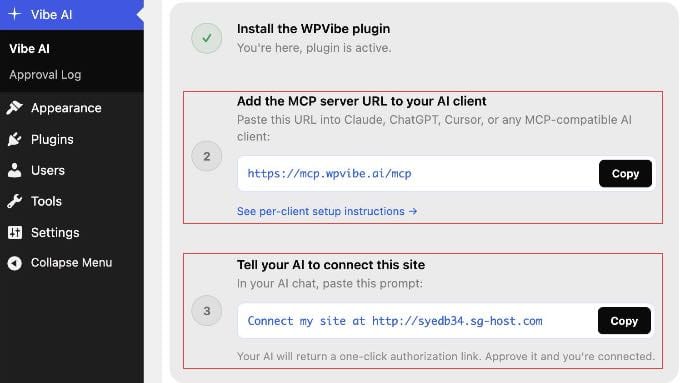
- Install the Vibe AI Plugin: Navigate to your WordPress dashboard, search for "Vibe AI," and activate the plugin.
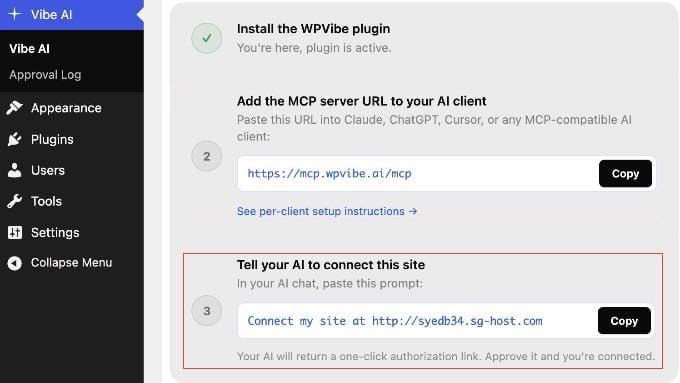
- Locate Your Credentials: Go to Vibe AI » Vibe AI. You will see your unique MCP server URL. Keep this page open; you will need it shortly.
Step 2: Configuring Your AI Client
Depending on the tool you use, the integration varies slightly:
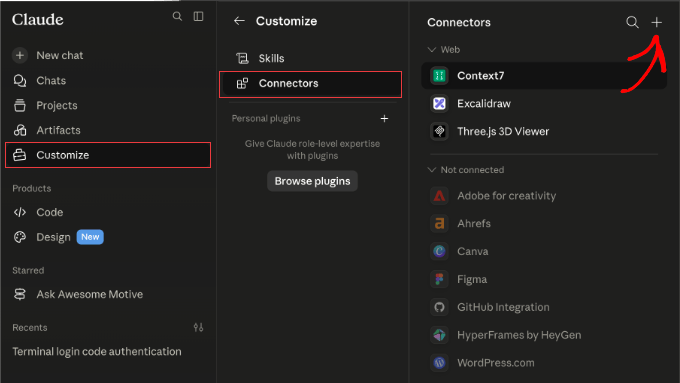
- Claude.ai: Enter the WPVibe URL in the connector settings. Once authorized, it syncs across Claude Desktop and mobile apps.
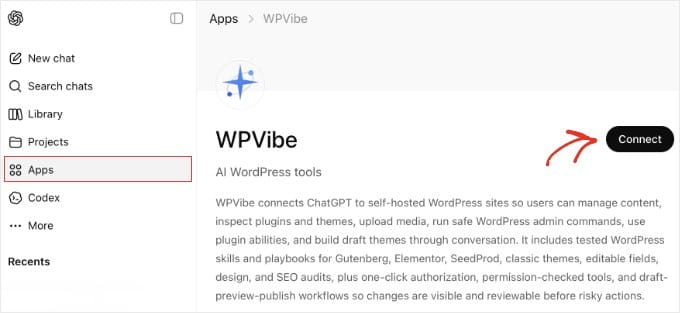
- ChatGPT: Use the "Apps" sidebar, search for WPVibe, and click "Connect."
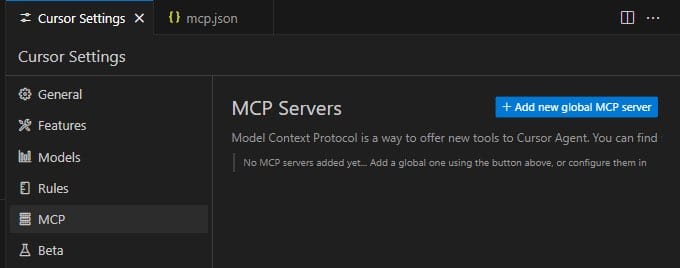
- Cursor/Windsurf: Edit the
mcp.json(ormcp_config.json) file in your settings to include the server URL, then restart the application to finalize the connection.
Step 3: Authorization
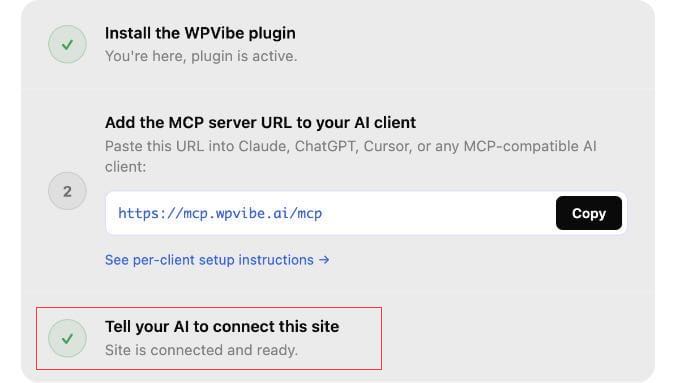
Return to the Vibe AI dashboard in WordPress and copy the provided authorization prompt. Paste it into your AI chat window. The AI will return a link; clicking this creates a secure application password, granting the AI the necessary permissions to perform tasks on your behalf.
Implications: Security and Best Practices
One of the most frequent questions regarding MCP integration is, "Is it safe?"
The security architecture of WPVibe and the WordPress REST API is robust. It utilizes Application Passwords, which function as restricted keys that expire or can be revoked instantly.
Recommended Security Protocols:
- Principle of Least Privilege: Do not connect your primary Administrator account. Instead, create a dedicated "Editor" or "Contributor" account for the AI. This limits the AI’s power to only what is necessary, ensuring it cannot change core site settings or delete users.
- Data Privacy: Note that your conversation content typically remains within your AI client, and WPVibe acts as a pass-through layer, not a data harvester.
- Revocation: If you suspect a breach or simply want to clean up your access logs, navigate to Users » Profile » Application Passwords and delete the token associated with your AI agent. This immediately severs the connection.
Future Outlook: The "Abilities" Era
The implications of this technology are profound. We are moving toward a future where the CMS (Content Management System) becomes an Autonomous Management System.
As more plugin developers adopt the Abilities API, we can expect:
- Context-Aware Troubleshooting: AI agents that can analyze site logs, identify plugin conflicts, and suggest fixes or rollbacks in real-time.
- Cross-Plugin Orchestration: The ability to tell an AI, "Draft a product in WooCommerce, create a landing page for it in SeedProd, and build a signup form in WPForms," all in a single prompt.
- Natural Language Site Editing: Moving away from block editors toward conversational layout adjustments.
Conclusion
Connecting your AI agents to WordPress using the Model Context Protocol is no longer a task reserved for software engineers. With the tools currently available, any site owner can significantly enhance their workflow. By adopting this technology, you are not just keeping up with the industry—you are future-proofing your site against the manual inefficiencies of the past.
As the ecosystem matures, the role of the webmaster will shift from "manual executor" to "AI orchestrator," focusing on strategy and creativity while the AI handles the heavy lifting of site administration. Now is the time to experiment, secure your connection, and see how much faster your site can run when it starts working for you.